Introduction
IIIF (International Image Interoperability Framework) is an international standard for publishing digital archive images in an interoperable format. Adopted by libraries and museums worldwide, it enables deep zoom of high-resolution images and cross-institutional browsing of collections.
This article describes the development of "IIIF Animated Viewer," which overlays AI-generated videos on specific regions of IIIF images. The subject is the "Hyakki Yako-zu" (Night Parade of One Hundred Demons) — a scroll painting depicting a procession of yokai (supernatural creatures) — published by the University of Tokyo.
Static yokai begin to sway and move. We achieved this experience within the framework of the IIIF standard.
Goals
1. Bringing "Motion" to Scroll Paintings
Scroll paintings are inherently dynamic media, meant to be read while unrolling. Processions moving from right to left, garments fluttering in the wind, flickering flames — they contain implicit motion despite being static images. The idea was to make this latent motion visible through AI video generation, providing a new viewing experience.
2. Conforming to IIIF Standards
Rather than using a proprietary format, we describe video information as IIIF Presentation API 3.0 manifests. This allows us to provide video annotations while maintaining compatibility with other IIIF viewers and leveraging the existing IIIF ecosystem.
3. Building a Reusable Pipeline
We aimed for a system applicable not only to the Night Parade scroll but to other IIIF materials as well. The architecture automatically generates context from manifest metadata and full images, then reflects it in individual region prompt generation.
Demo
The demo is available on GitHub Pages.
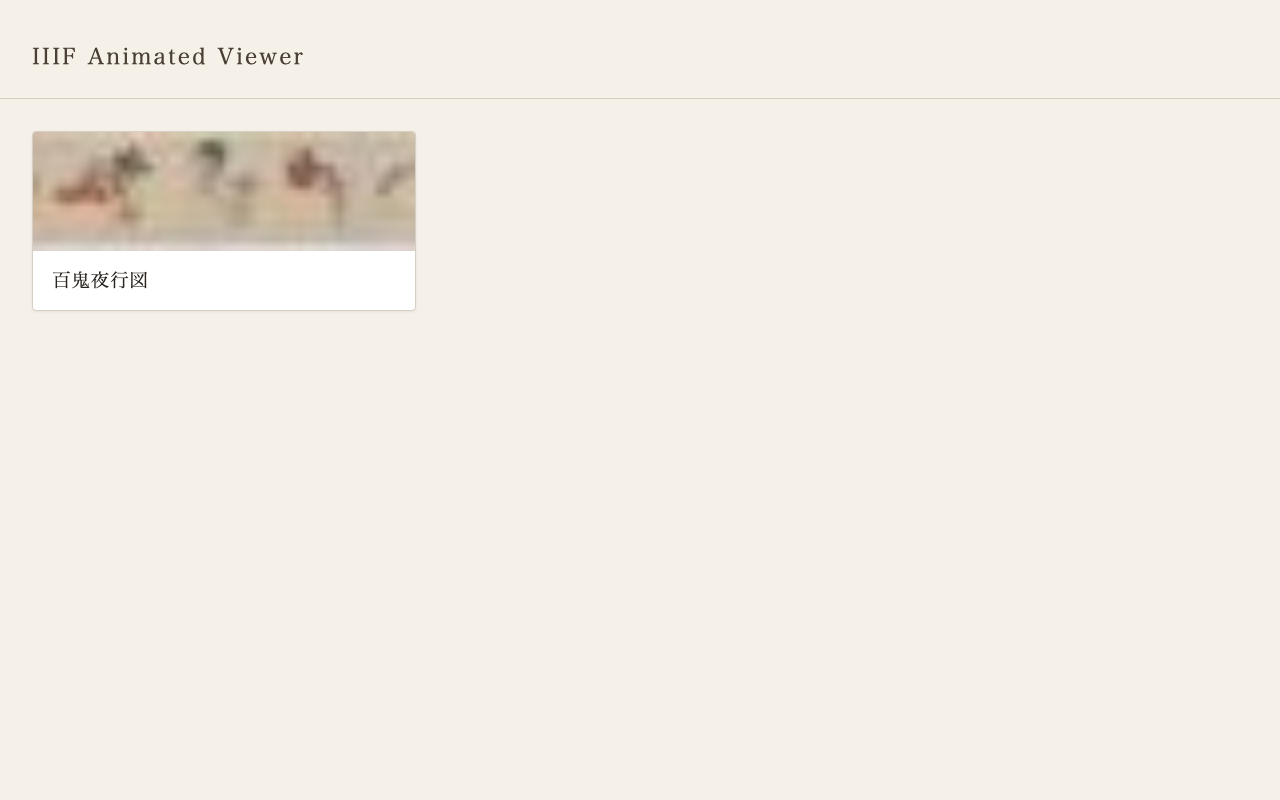 Collection listing page. Loads manifest list from IIIF Collection and displays with thumbnails.
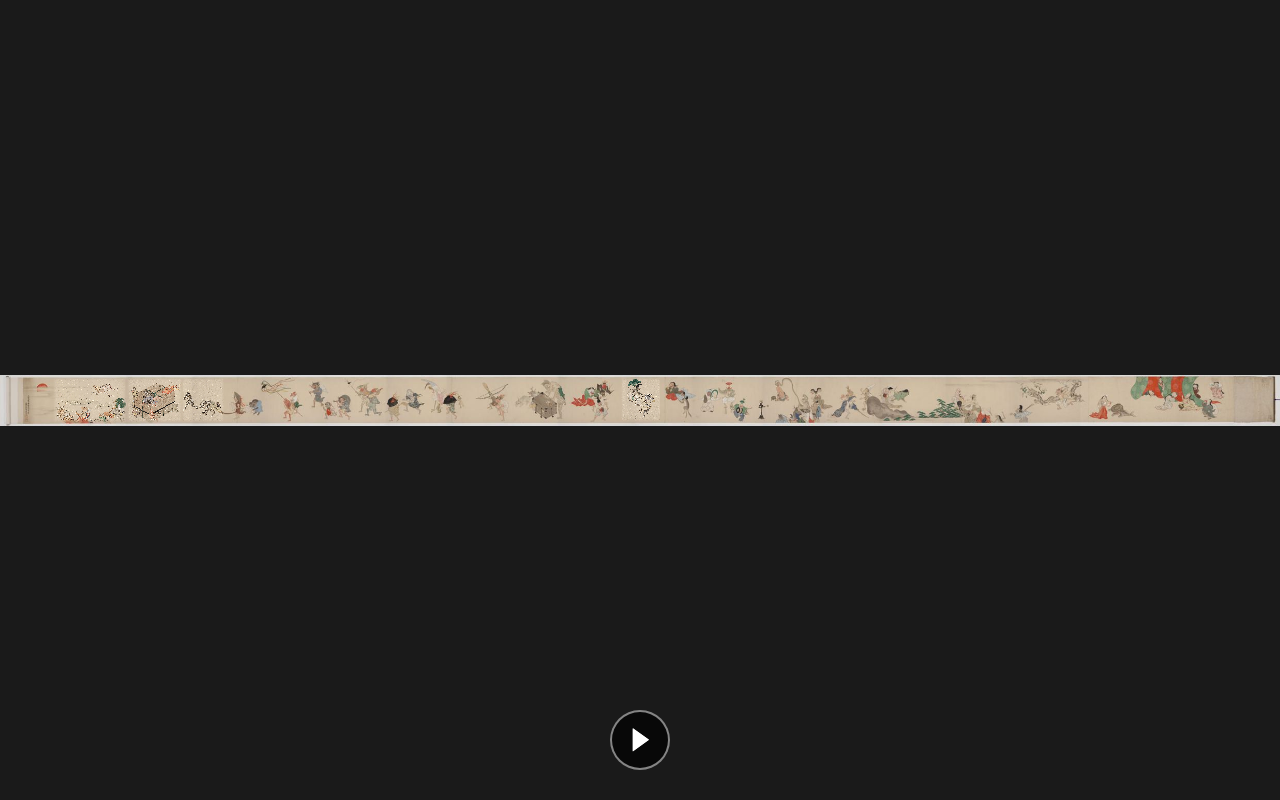 Full viewer display. The entire Night Parade scroll is displayed with OpenSeadragon, with playback buttons at the bottom.
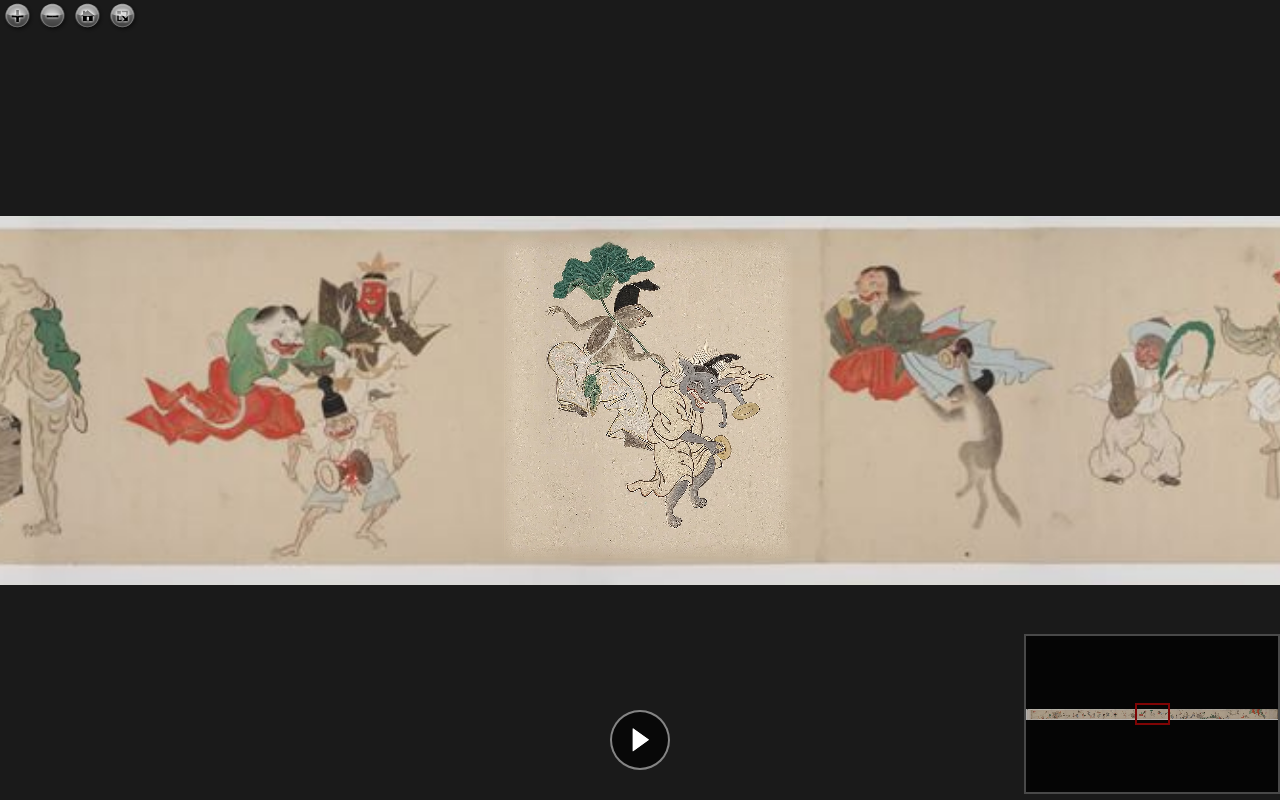 When zoomed in, individual yokai are visible, with video overlays displayed on top of the original image.
System Architecture
docs/              ... GitHub Pages deployment directory
  index.html       ... Collection listing page
  viewer.html      ... OpenSeadragon + video overlay viewer
  collection.json  ... IIIF Collection
  manifest.json    ... IIIF Manifest (with video annotations)
  runs/run_002/    ... Generated video files

scripts/
  pipeline.py      ... Batch generation pipeline
  process_raw.py   ... Veo video trimming + manifest update

workspace/
  anno.json        ... Region annotations (19 items)
  context.txt      ... Auto-generated context
  runs/            ... Intermediate data (cropped images, prompts, etc.)
Video Annotations in IIIF Manifests
Traditional IIIF Annotations
In IIIF Presentation API 3.0, images are placed as annotations on a Canvas.
{
  "type": "Annotation",
  "motivation": "painting",
  "body": {
    "type": "Image",
    "id": "https://example.org/image.jpg",
    "service": [{ "id": "https://example.org/iiif/image", "type": "ImageService2" }]
  },
  "target": "https://example.org/canvas/1"
}
Adding Video as an Annotation
In the IIIF 3.0 specification, the body type is not limited to Image. Video and Sound are also supported. We leveraged this specification to add annotations that overlay videos on specific regions of the Canvas.
{
  "type": "Annotation",
  "motivation": "painting",
  "body": {
    "id": "runs/run_002/video_005.mp4",
    "type": "Video",
    "format": "video/mp4",
    "width": 978,
    "height": 1080
  },
  "target": "https://example.org/canvas/1#xywh=38601,181,2440,2690"
}
Key points:
motivation: "painting": Indicates this annotation contributes to the visual representation of the Canvasbody.type: "Video": Declares the body as a video resource#xywh=fragment intarget: Specifies the placement region on the Canvas in pixel coordinates
Storing Motion Descriptions as Annotations
AI-generated prompts (motion descriptions) are stored in a separate AnnotationPage with describing motivation.
{
  "type": "Annotation",
  "motivation": "describing",
  "body": {
    "type": "TextualBody",
    "value": "A kappa-like demon strides forward with determined steps...",
    "language": "en",
    "format": "text/plain"
  },
  "target": "https://example.org/canvas/1#xywh=38601,181,2440,2690"
}
This allows the generation intent and prompts to be structured and preserved within the IIIF manifest.
Overall Manifest Structure
{
  "@context": "http://iiif.io/api/presentation/3/context.json",
  "type": "Manifest",
  "label": { "ja": ["百鬼夜行図"] },
  "viewingDirection": "right-to-left",
  "items": [{
    "type": "Canvas",
    "width": 79508,
    "height": 3082,
    "items": [
      { "type": "AnnotationPage", "items": [/* Original image (IIIF Image Service) */] }
    ],
    "annotations": [
      { "type": "AnnotationPage", "items": [/* painting: Video overlays */] },
      { "type": "AnnotationPage", "items": [/* describing: Motion descriptions */] }
    ]
  }]
}
The AnnotationPage under items contains the original image (main content), while annotations contains the additional video and description annotations. This directly leverages the standard separation of roles between items and annotations in IIIF.
Viewer Implementation
Video Overlay on OpenSeadragon
The viewer combines OpenSeadragon's deep zoom display with HTML <video> elements overlaid on top.
// Extract Video annotations from manifest
for (const anno of videoAnnos) {
  const match = anno.target.match(/#xywh=(\d+),(\d+),(\d+),(\d+)/);
  const [imgX, imgY, imgW, imgH] = match.slice(1).map(Number);

  const video = document.createElement('video');
  video.src = anno.body.id;
  video.loop = true;
  video.muted = true;
  osdContainer.appendChild(video);

  // Follow viewport changes
  function updatePosition() {
    const viewportRect = viewer.viewport.imageToViewportRectangle(imgX, imgY, imgW, imgH);
    const webRect = viewer.viewport.viewportToViewerElementRectangle(viewportRect);
    video.style.left = webRect.x + 'px';
    video.style.top = webRect.y + 'px';
    video.style.width = webRect.width + 'px';
    video.style.height = webRect.height + 'px';
  }

  viewer.addHandler('update-viewport', updatePosition);
  viewer.addHandler('animation', updatePosition);
}
By combining OpenSeadragon's imageToViewportRectangle and viewportToViewerElementRectangle, we convert from image coordinates to browser DOM coordinates, allowing videos to follow zoom and pan operations.
Video Blending
CSS masks and filters are used to ensure video boundaries blend naturally with the original image.
.video-overlay {
  /* Fade out edges to blend with original image */
  mask-image:
    linear-gradient(to right,  transparent, black 5%, black 95%, transparent),
    linear-gradient(to bottom, transparent, black 5%, black 95%, transparent);
  mask-composite: intersect;

  /* Match color tone of original image */
  filter: brightness(1.05) saturate(0.85);
}
Video Generation Pipeline
Phase 0: Automatic Context Generation
Manifest metadata (title, description, viewing direction, etc.) and the full image are input to Claude Vision to automatically generate an overview of the material in English.
def ensure_context(manifest, canvas):
    """Auto-generate context.txt if it doesn't exist. Reuse if it does."""
    if CONTEXT_PATH.exists():
        return CONTEXT_PATH.read_text().strip()

    context = generate_context(manifest, canvas)
    CONTEXT_PATH.write_text(context)
    return context
If manually edited, the existing file takes priority and is reused.
Phase 1-2: Region Cropping and Prompt Generation
For each region in anno.json, images are cropped using the IIIF Image API, and animation prompts are generated from the context plus individual images.
IIIF Image API: {base}/{x},{y},{w},{h}/full/0/default.jpg
Prompts include the following requirements:
- Overall context of the material (Night Parade of Demons, right-to-left procession, etc.)
- Loopable motion (start and end states should be similar)
- Instructions to maintain the original artistic style
Phase 3: Video Generation
Initially we used MiniMax video-01 via Replicate, but ultimately adopted Google Veo (Flow GUI) (see trial and error section below).
Trial and Error
Selecting an AI Video Generation Model
We tried multiple video generation models for this project.
MiniMax video-01 (via Replicate)
The first model we adopted. It could be automated via API, and we generated 7 videos. However, it had the following issues:
- Hit free tier limits early (402 errors)
- Some yokai were rejected as "sensitive content"
- Extreme aspect ratios (overly tall regions) were not accepted
Google Veo
We also tried the Veo API, but the API quota was 0 and unusable. However, since generation was possible through Google AI Studio's "Flow" GUI, we switched to a semi-automated workflow.
Aspect Ratio Issues
Scroll painting crop regions have various aspect ratios, but Veo only supports 16:9. We built the following workflow:
- Before input: Pad the original image to 16:9 (add margins)
- Veo generation: Output as a 16:9 video
- After output: Crop the padded areas with ffmpeg to restore the original aspect ratio
def get_padded_size(orig_w, orig_h):
    """Calculate padded size and offset for 16:9."""
    target_h = int(orig_w * 9 / 16)
    if target_h < orig_h:
        target_w = int(orig_h * 16 / 9)
        target_h = orig_h
    else:
        target_w = orig_w
    return target_w, target_h, pad_x, pad_y
Character Consistency Issues
In early generations, yokai appearances would change mid-video (e.g., color changes, shape deformation). Adding the following instruction to prompts improved this:
"Maintain the exact appearance of the original figure throughout the animation. Do not change, morph, add, or replace any characters."
Prompt Improvements
Prompts were iteratively refined:
- Initial: Described motion from individual images only → lacked context
- Context added: Pre-generated overall material information injected into each prompt
- Loop instructions added: Explicitly specified "cyclical motion returning to starting point"
- Consistency instructions added: Prohibited character appearance changes
- Style instructions added: Closed with "gentle animation in the style of the original artwork"
Summary
Potential of Video Annotations
The approach of describing video as annotations in IIIF Presentation API 3.0 is not yet widely adopted. However, it is already supported by the specification, and the following applications are conceivable:
- Partial animation of scroll paintings and artworks: The approach introduced in this article
- Dynamic display on historical maps: Overlaying videos showing changes across eras on historical maps
- Visualization of restoration processes: Recording before/after changes as video and linking to corresponding regions
Technical Highlights
- Adding Video annotations to IIIF's
annotationsdoes not break existing manifest structures paintingmotivation for visual overlays anddescribingmotivation for metadata storage provide clear separation- OpenSeadragon's viewport conversion API enables synchronizing zoom/pan with videos
- Storing AI-generated context and prompts within the manifest ensures reproducibility
Repository
- Demo: GitHub Pages
- Source code: GitHub