This guide covers building an annotation environment for IIIF images using Omeka Classic and the IIIF Toolkit plugin.
For basic installation of Omeka Classic, please refer to this article.
Adding Annotations
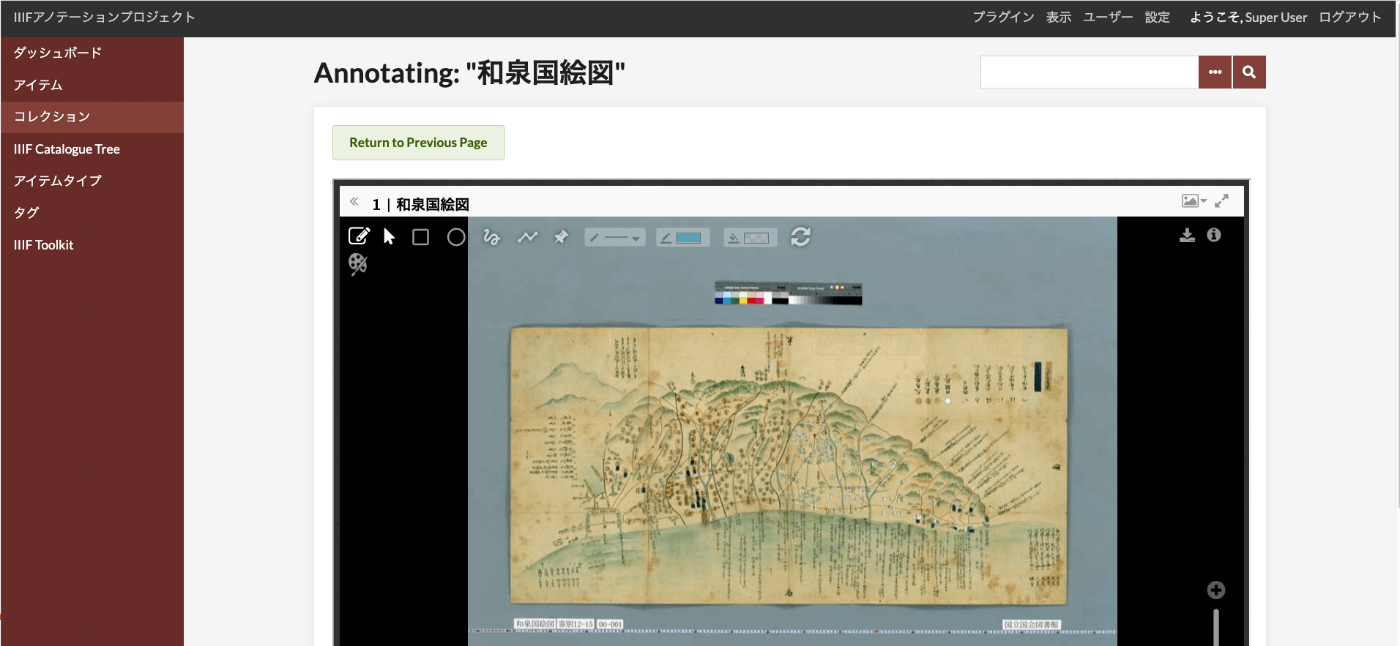
Use the following screen to add annotations.
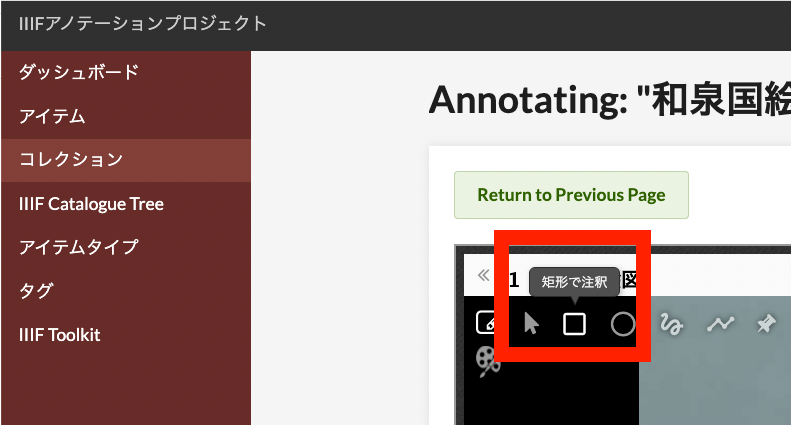
As a basic method, first click the "Annotate with Rectangle" icon shown below.
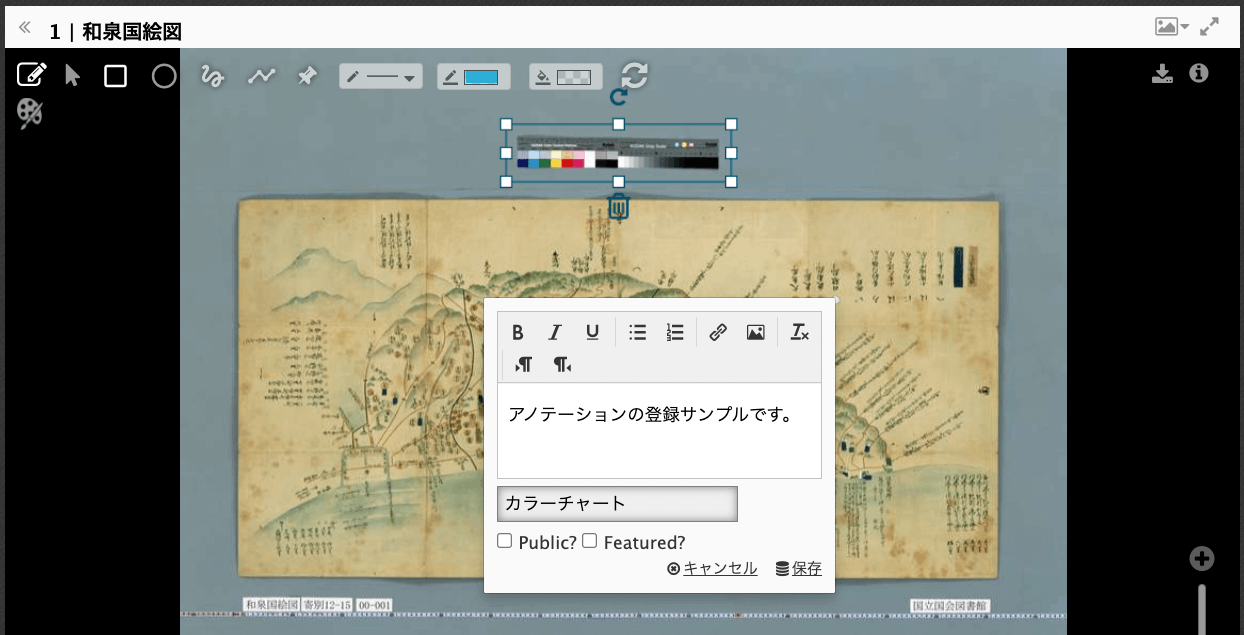
Then, drag to select the target area for the annotation. A text form will appear, where you can enter values in the text area and tag input fields. "Public?" and "Featured?" are optional.
As a result, the annotation will be displayed on the image as shown below.
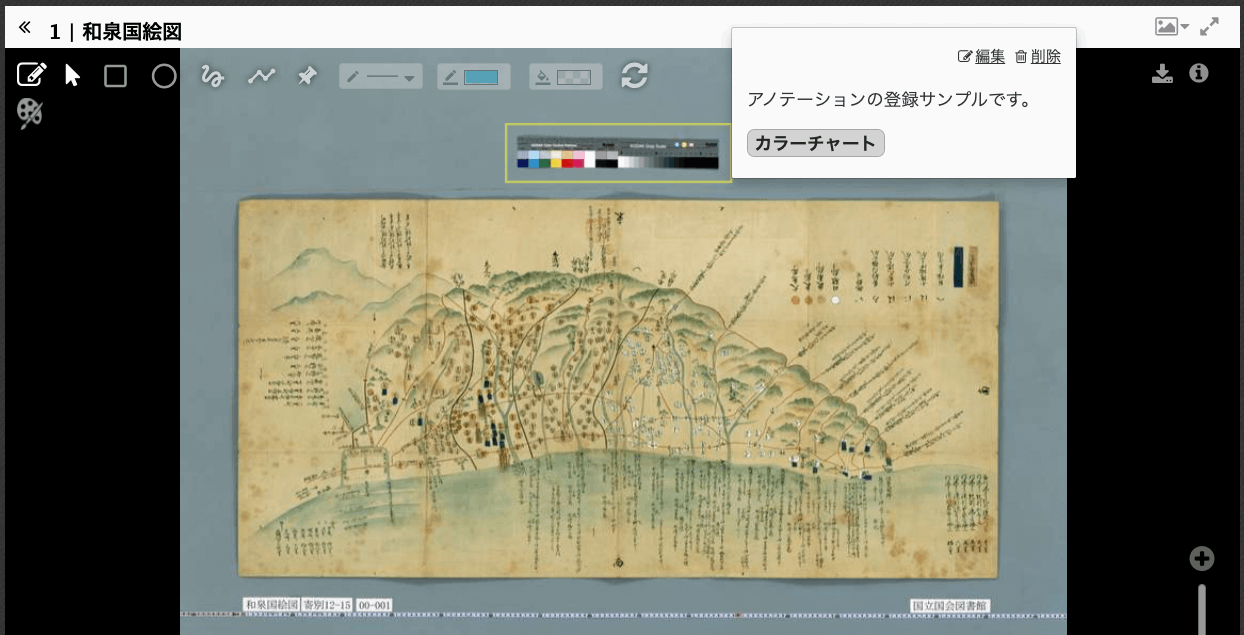
You can also edit or delete an annotation using the "Edit" and "Delete" links in the upper right corner of the displayed annotation.
(Reference) Tags
The tags registered through the form above are used as Omeka tags. For more details on how to use tags, please refer to this page.
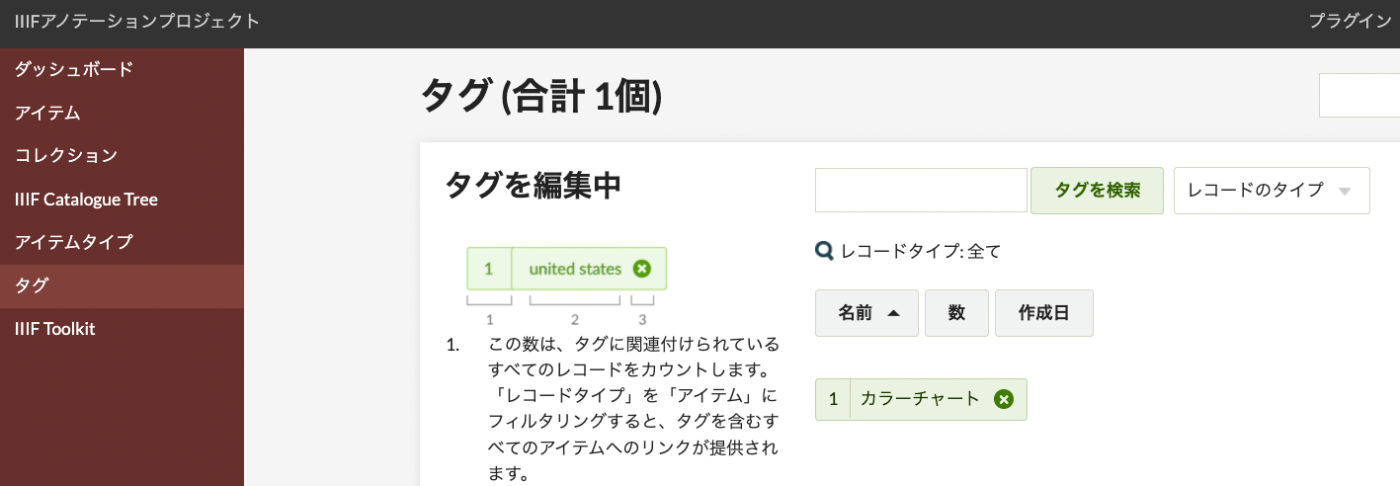
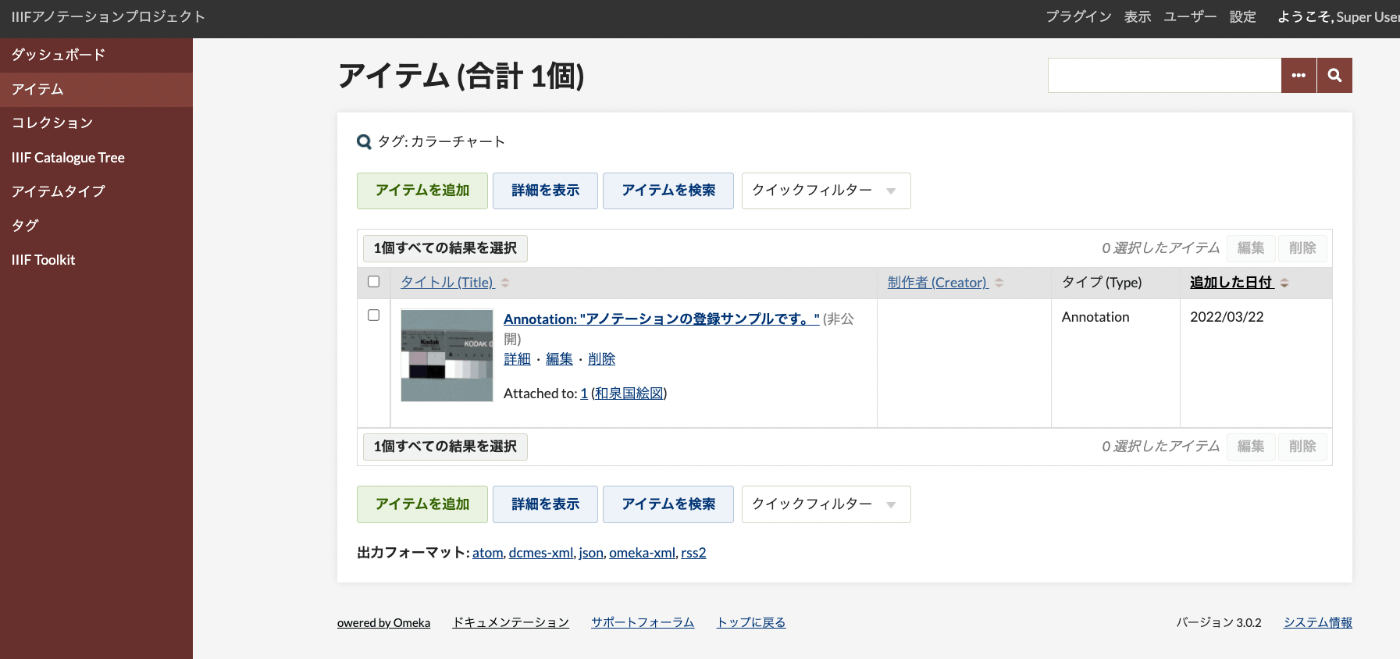
The added annotations are not displayed in the Items list by default, but by specifying a tag name in the search criteria as shown below:
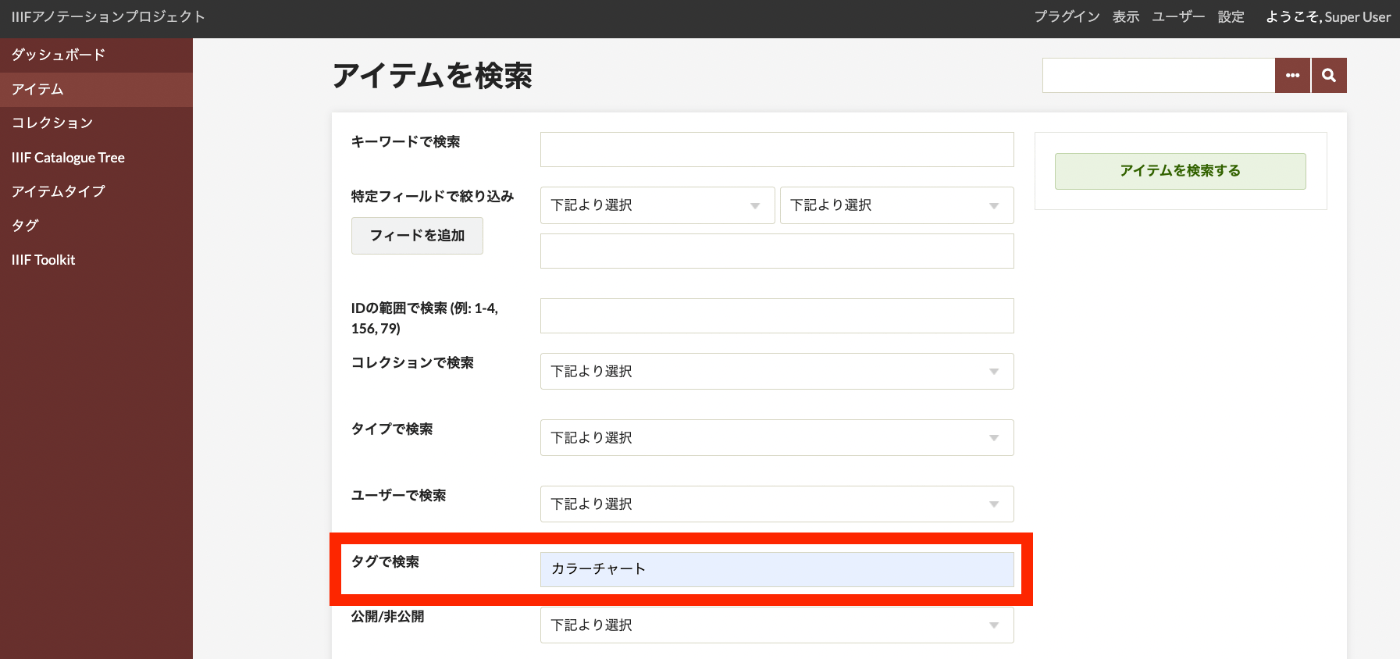
The registered annotations will be displayed as follows.