This guide covers building an annotation environment for IIIF images using Omeka Classic and the IIIF Toolkit plugin.
For basic installation of Omeka Classic, please refer to this article.
Preparing a IIIF Manifest File
Next, we will register a IIIF manifest. In this example, we use the "Map of Izumi Province" published by the National Diet Library.
https://dl.ndl.go.jp/info:ndljp/pid/1286201
The IIIF manifest URL is as follows:
https://www.dl.ndl.go.jp/api/iiif/1286201/manifest.json
Operations in Omeka Classic
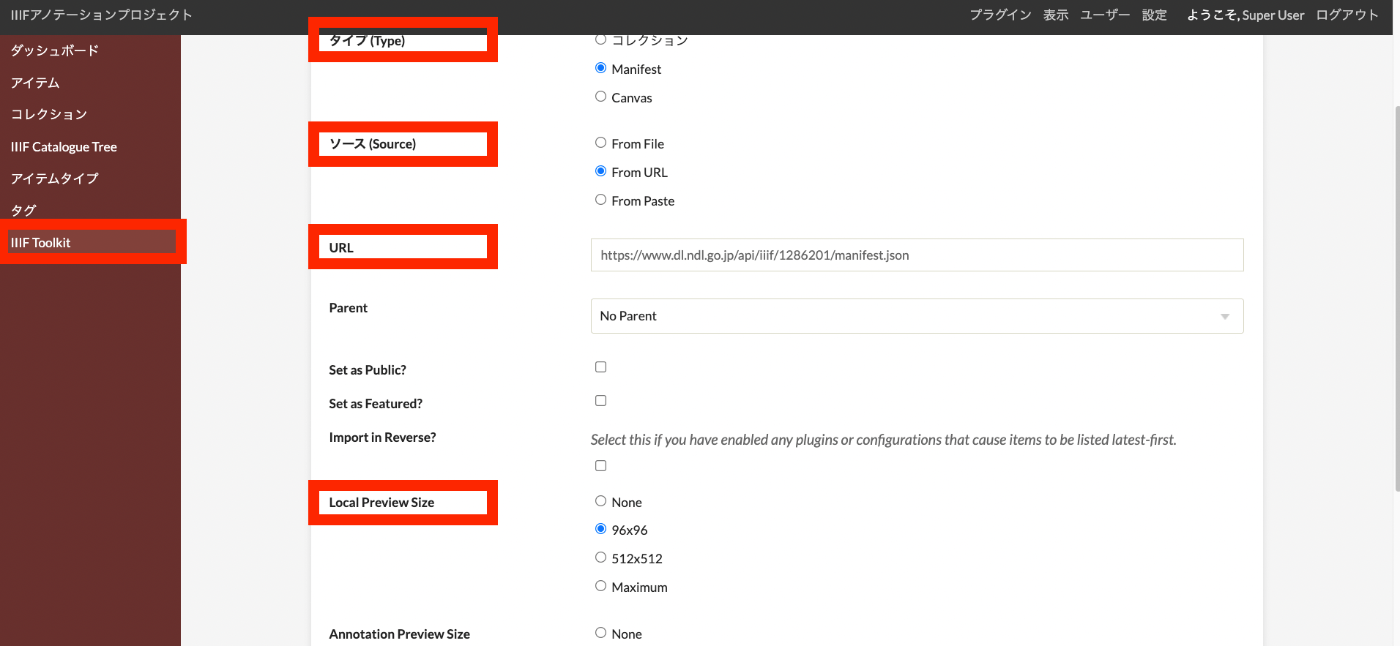
As shown in the figure below, click "IIIF Toolkit" on the left side of the screen to navigate to the registration page. Then, set "Type" to "Manifest," "Source" to "From URL," and enter the IIIF manifest URL above in the "URL" field. Other options such as "Set as Public" and "Local Preview Size" are optional.
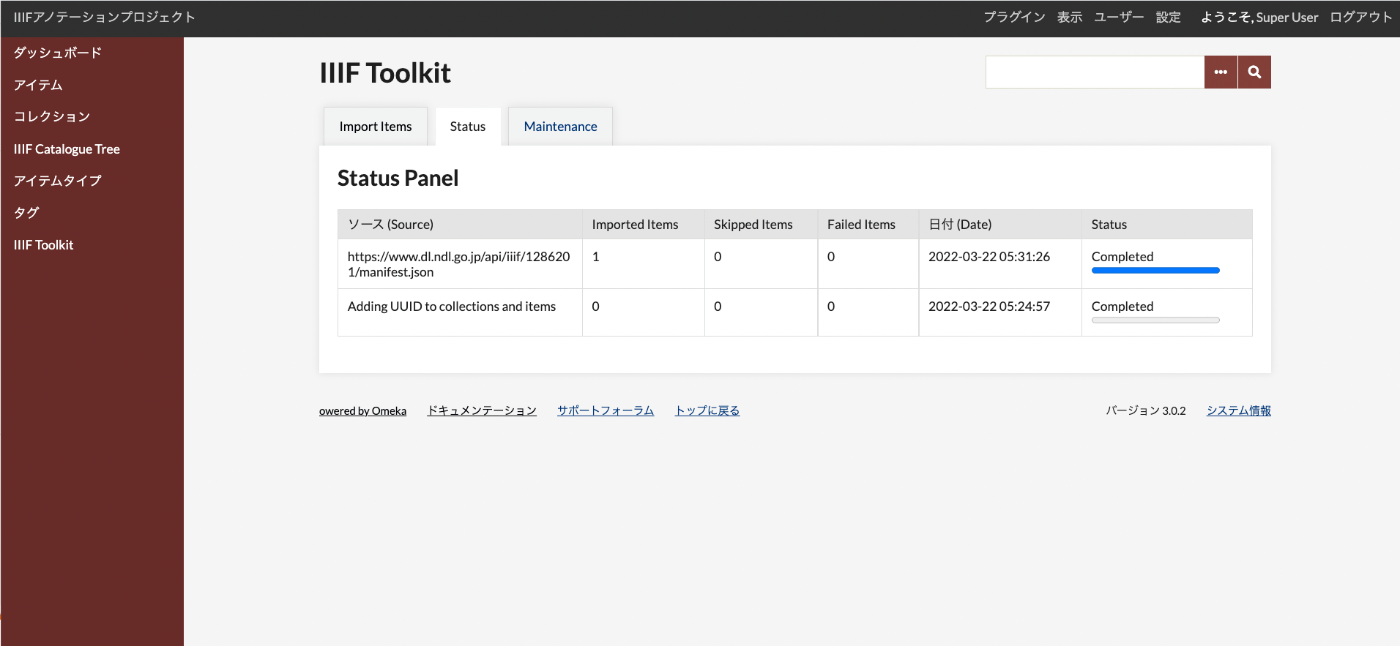
After executing "Import," you will be taken to the following screen. Once the import is complete, the "Status" will change to "Completed."
Then, clicking "Collections" on the left side of the screen will confirm that information extracted from the IIIF manifest has been registered.
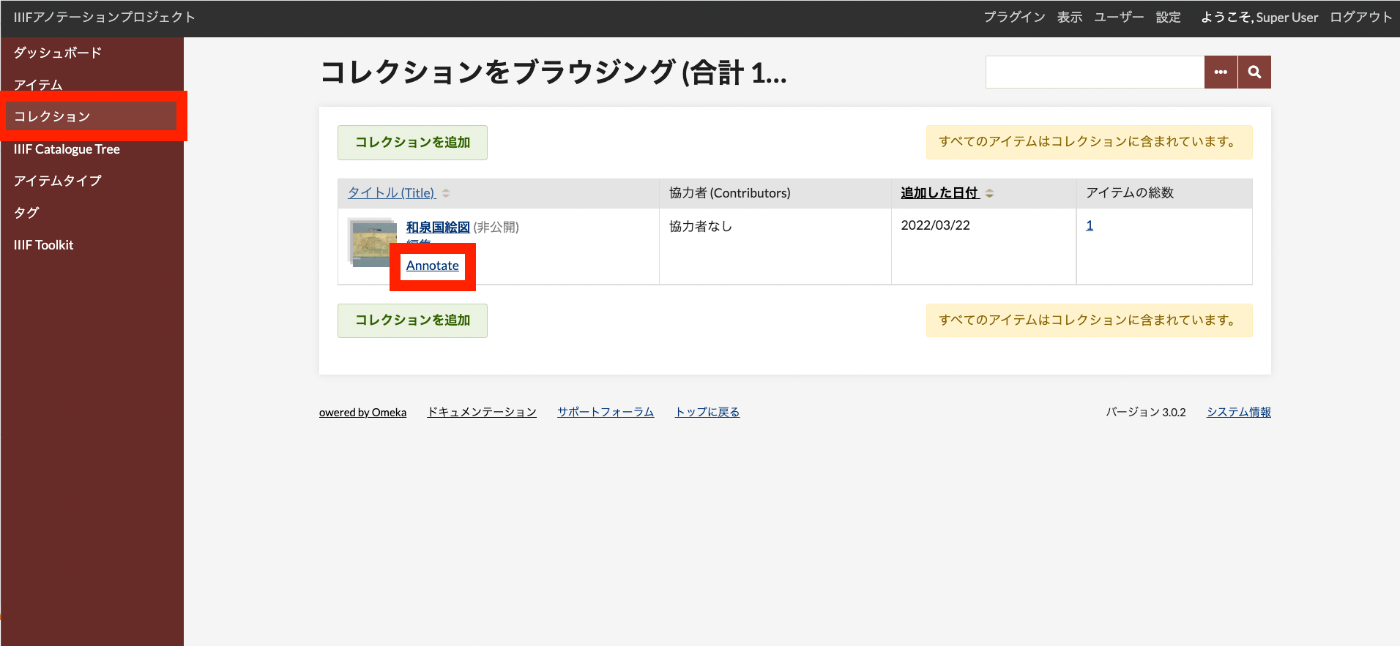
By clicking the "Annotate" button, you will be taken to the annotation screen. The next chapter covers how to add annotations.