I have written the following articles about batch registration and updating using Bulk Import.
Since the above articles did not cover how to register resource classes, I address this here. I also provide supplementary information on how to edit Bulk Import module settings.
Registering Resource Classes
I have prepared a sample CSV file for registering resource classes at the following link.
https://github.com/omeka-j/Omeka-S-module-BulkImport-Sample-Data/blob/main/resource_class/sample.csv
The key point is to set the column name to "o:resource_class." The cell values should be the Term values that can be confirmed in Omeka S. For example, enter values such as dctype:Collection.
Note: Preparing a Dummy Column
In some projects, the first column of the CSV file was not processed correctly. Therefore, it may be better to prepare a dummy column as the first column. The sample CSV above also includes a dummy column.
Supplementary Notes on Using the Bulk Import Module
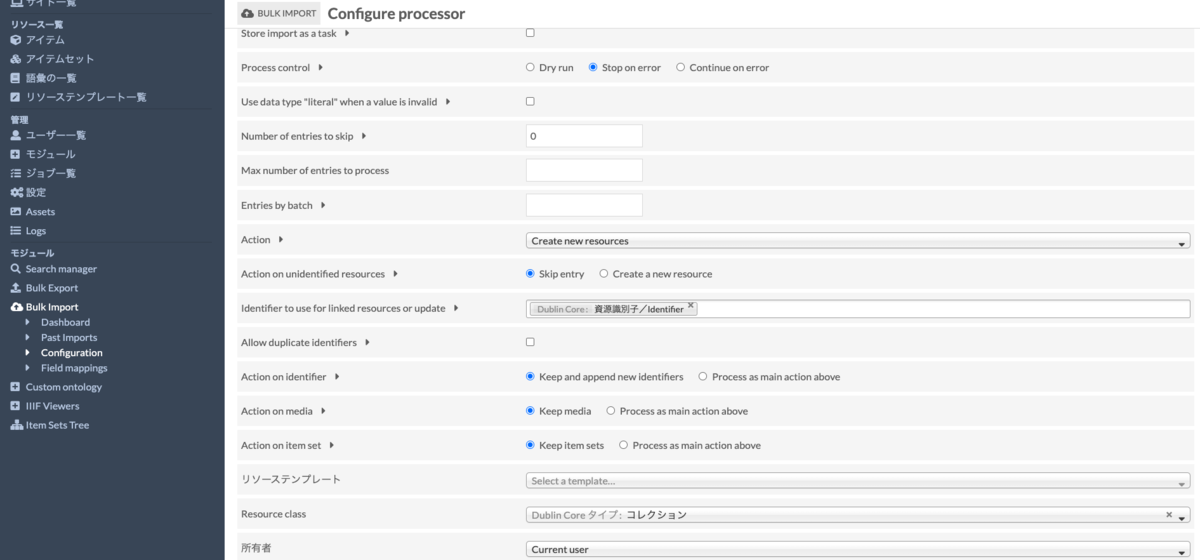
As shown below, navigate to the settings screen from Bulk Import > Configuration in the left menu. Below, I explain how to configure the Reader and Processor settings.
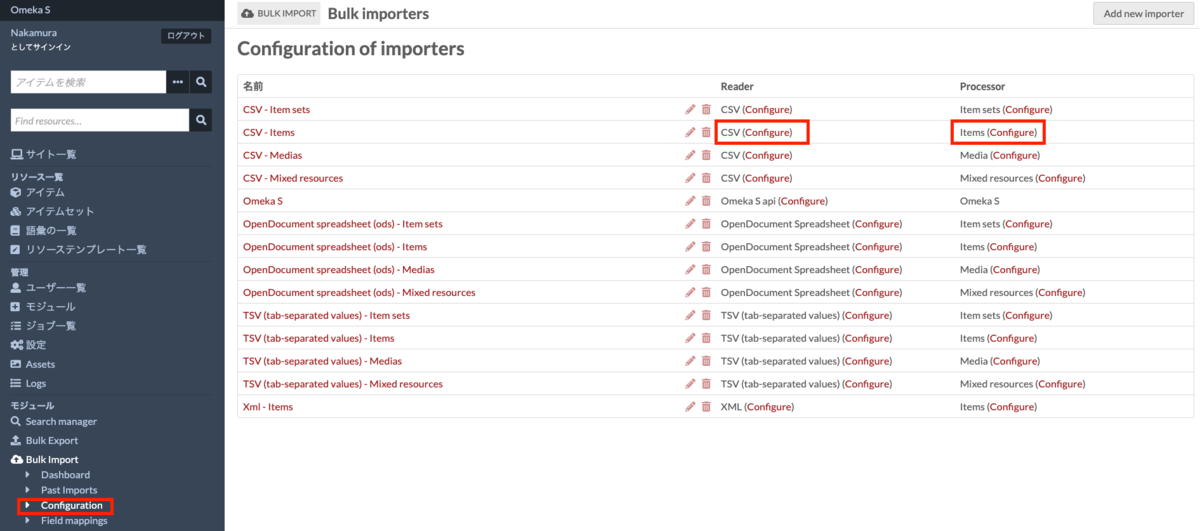
For general use, the default settings are fine.
Reader Settings
Below is the Reader settings screen. By changing these settings, you can customize them to match the data creation rules of your organization or research project.
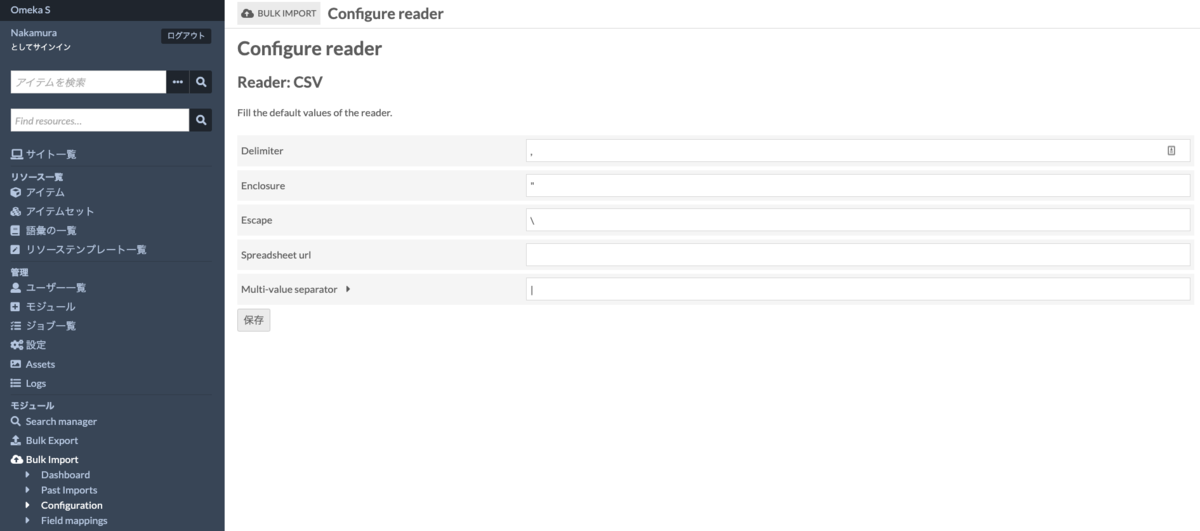
For example, the "Multi-value separator" value is the delimiter used when entering multiple values in a cell. The default setting is "|" (pipe), but you can set it to other delimiters.
Note that the above settings modify the defaults, and you can also change these settings (such as the delimiter) each time you register a CSV file.
Processor Settings
Below is the Processor settings screen. For example, by editing the "Resource template," you can specify a default resource template. You can also set default values for Resource class, owner, and other fields.
Various other settings are available, so I recommend experimenting with them.
Summary
By modifying the default settings as described above, you can prevent configuration oversights when registering CSV files. I hope that configuring settings according to the rules of your organization or research project helps improve work efficiency and reduce operational errors.