Overview
This is an example of how to create AIPs using Archivematica for files in Alfresco.
Below is a demo video of the deliverable.
System Configuration
For this project, I used the following system configuration. There is no particular significance to using multiple cloud services.

Alfresco was built on Azure, referencing the following article.
Archivematica and object storage use mdx.jp, and the analysis environment uses GakuNin RDM.
Uploading Files to Object Storage
Downloading Files from Alfresco
For downloading files from Alfresco, the REST API is used.
https://docs.alfresco.com/content-services/6.0/develop/rest-api-guide/
It conforms to OpenAPI, and I referenced the following:
https://api-explorer.alfresco.com/api-explorer/
For example, by loading the Alfresco username, password, and hostname from environment variables, I was able to retrieve metadata and download content as follows:
# %% ../nbs/00_core.ipynb 3
from dotenv import load_dotenv
import os
import requests
from base64 import b64encode

# %% ../nbs/00_core.ipynb 4
class ApiClient:
    def __init__(self, verbose=False):
        """Alfresco API Client

        Args:
            verbose (bool): デバッグ情報を出力するかどうか
        """
        self.verbose = verbose

        # .envの読み込み
        load_dotenv(override=True)

        # 環境変数の取得
        self.user = os.getenv('ALF_USER')
        self.password = os.getenv('ALF_PASSWORD')
        self.target_host = os.getenv('ALF_TARGET_HOST')

        self._debug("環境変数の設定:", {
            "user": self.user,
            "password": "*" * len(self.password) if self.password else None,
            "target_host": self.target_host
        })

        # Basic認証のヘッダーを作成
        credentials = f"{self.user}:{self.password}"
        encoded_credentials = b64encode(credentials.encode()).decode()

        self.headers = {
            'accept': 'application/json',
            'authorization': f'Basic {encoded_credentials}'
        }

        self._debug("ヘッダーの設定:", {
            "accept": self.headers['accept'],
            "authorization": "Basic ***"
        })

    def _debug(self, message: str, data: dict = None):
        """デバッグ情報を出力する

        Args:
            message (str): メッセージ
            data (dict, optional): 追加のデータ
        """
        if self.verbose:
            print(f"🔍 {message}")
            if data:
                for key, value in data.items():
                    print(f"  - {key}: {value}")

    def get_nodes_nodeId(self, node_id: str):
        """ノードIDでノード情報を取得する

        Args:
            node_id (str): ノードID

        Returns:
            dict: ノード情報
        """
        url = f"{self.target_host}/alfresco/api/-default-/public/alfresco/versions/1/nodes/{node_id}"
        self._debug("APIリクエスト:", {"url": url})

        try:
            response = requests.get(
                url,
                headers=self.headers,
                timeout=float(30)
            )
            response.raise_for_status()
            return response.json()

        except requests.exceptions.Timeout:
            self._debug("エラー:", {"type": "timeout", "message": "リクエストがタイムアウトしました"})
            return None

        except requests.exceptions.RequestException as e:
            self._debug("エラー:", {"type": "request", "message": str(e)})
            return None

    def get_nodes_nodeId_content(self, node_id: str, output_path: str):
        """ノードのコンテンツを取得する

        Args:
            node_id (str): ノードID
            output_path (str): 出力パス
        """
        url = f"{self.target_host}/alfresco/api/-default-/public/alfresco/versions/1/nodes/{node_id}/content"
        self._debug("APIリクエスト:", {
            "url": url,
            "output_path": output_path
        })

        response = requests.get(url, headers=self.headers)
        binary_data = response.content

        os.makedirs(os.path.dirname(output_path), exist_ok=True)
        with open(output_path, "wb") as file:
            file.write(binary_data)

        self._debug("ファイル保存完了:", {
            "size": len(binary_data),
            "path": output_path
        })
Uploading Files to Object Storage
Using boto3 along with the object storage ENDPOINT_URL, ACCESS_KEY, SECRET_KEY, and BUCKET_NAME, files can be uploaded (and downloaded).
import os
from dotenv import load_dotenv
import boto3

# %% ../nbs/04_mdx.ipynb 4
class MdxClient:
    def __init__(self, verbose=False):
        """
        MdxClientの初期化

        Args:
            verbose (bool): デバッグ情報を出力するかどうか
        """

        self.verbose = verbose

        # load .env
        load_dotenv(override=True)

        # 環境変数を取得
        endpoint_url = os.getenv("MDX_ENDPOINT_URL")
        access_key = os.getenv("MDX_ACCESS_KEY")
        secret_key = os.getenv("MDX_SECRET_KEY")


        self.s3_client = boto3.client(
            's3',
            endpoint_url=endpoint_url,
            aws_access_key_id=access_key,
            aws_secret_access_key=secret_key,
        )

        self.bucket_name = os.getenv("MDX_BUCKET_NAME")

    def upload(self, file_path, object_name):
        """
        ファイルをアップロードする

        Args:
            file_path (str): ファイルパス
            object_name (str): オブジェクト名
        """

        try:
            self.s3_client.upload_file(
                file_path,
                self.bucket_name,
                object_name,
                )
        except Exception as e:
            print(f"❌ Upload failed: {e}")
            raise


    def download(self, object_name, file_path):
        """
        ファイルをダウンロードする

        Args:
            object_name (str): オブジェクト名
            file_path (str): ファイルパス
        """
        self.s3_client.download_file(self.bucket_name, object_name, file_path)
However, using the latest version of boto3 at the time of writing this article caused the following error:
https://github.com/boto/boto3/issues/4401
Using boto3==1.35.99 was a workaround that avoided the error for now.
Creating and Storing AIPs with Archivematica
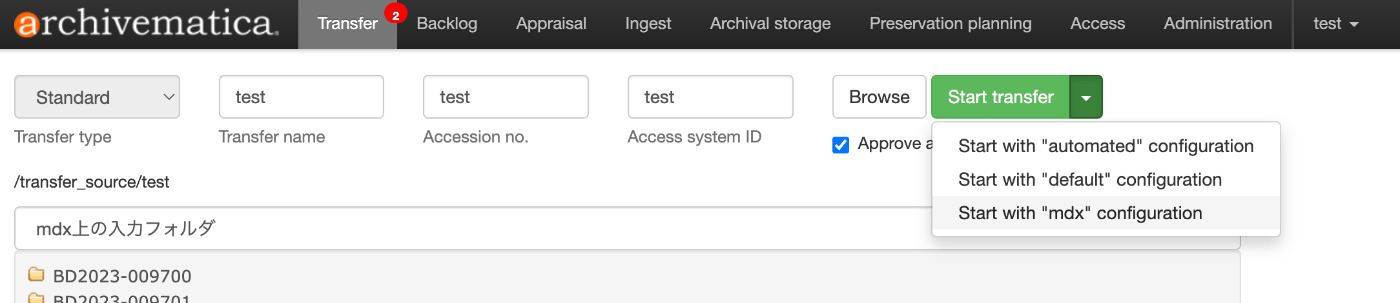
Referencing the following article, a transfer is started based on the specified processing_config option.
For example, this can be achieved using Archivematica's HOST, USER, API_KEY, along with the /api/v2beta/package/ method:
import os
from dotenv import load_dotenv
import requests
from .core import ApiClient
import base64

# %% ../nbs/02_am.ipynb 4
class AmClient:
    def __init__(self, verbose=False):
        """
        AmClientの初期化

        Args:
            verbose (bool): デバッグ情報を出力するかどうか
        """

        self.verbose = verbose

        # load .env
        load_dotenv(override=True)

        self.host = os.getenv("AM_HOST")

        api_key = os.getenv("AM_USER") + ":" + os.getenv("AM_API_KEY")

        # APIキーの形式を修正
        self.headers = {
            "Authorization": f"ApiKey {api_key}",
            "Content-Type": "application/json"
        }

        ApiClient.debug("環境変数の設定:", {
            "host": self.host,
            "api_key": "***"
        })

        ApiClient.debug("ヘッダーの設定:", {
            "Authorization": "ApiKey ***",
            "Content-Type": self.headers["Content-Type"]
        })

    def trasfer(self, location_uuid: str,name: str, path: str, transfer_type: str = "standard", accession: str = None, processing_config: str = None):
        """Archivematicaで転送を開始する

        Args:
            location_uuid (str): ロケーションのUUID
            name (str): 転送の名前
            path (str): 転送するファイルのパス
            transfer_type (str, optional): 転送タイプ. デフォルトは "standard"
            accession (str, optional): アクセッション番号
            processing_config (str, optional): 処理設定

        Returns:
            dict: API レスポンス
        """
        url = f"{self.host}/api/v2beta/package/"

        # location_uuidとpathを組み合わせてbase64エンコード

        location_path = f"{location_uuid}:{path}"


        if self.verbose:
            ApiClient.debug("location_path:", {
                "location_uuid": location_uuid,
                "path": path
            })

        encoded_path = base64.b64encode(location_path.encode()).decode()


        # データの準備
        data = {
            "name": name,
            "type": transfer_type,
            "path": encoded_path,
            "processing_config": processing_config
        }

        # アクセッション番号が指定されている場合は追加
        if accession:
            data["accession"] = accession

        if self.verbose:
            ApiClient.debug("転送データ:", data)

        response = requests.post(url, headers=self.headers, json=data)
        return response.json()
AIP Visualization
For visualizing the created AIPs, I used the tool introduced in the following article.
Creating a Web Application
Below is an example of a Gradio app that uses the above series of processes.
import gradio as gr
from alfresco.task import TaskClient

def download_task(task_id: str):
    """ファイルIDに基づいてファイルをダウンロードする

    Args:
        task_id (str): ファイルのID

    Returns:
        str: 処理結果のメッセージ
    """
    try:
        client = TaskClient(verbose=True)
        output_dir = f"./tmp/{task_id}"
        output_path = client.download(task_id, output_dir)

        return [
            output_path,
            f"✅ ファイル {task_id} のAIPの作成が完了しました。"
        ]
    except Exception as e:
        # エラー時: (None, エラーメッセージ)
        return (
            None,
            f"❌ エラーが発生しました: {str(e)}"
        )

# Gradioインターフェースの作成
demo = gr.Interface(
    fn=download_task,
    inputs=[
        gr.Textbox(
            label="ファイルID",
            placeholder="例: 7bb704a2-40b5-4d53-b704-a240b53d5390",
            info="AIPを作成したいファイルのIDを入力してください"
        )
    ],
    outputs=[
        gr.File(label="ダウンロードファイル"),
        gr.Textbox(label="実行結果")
    ],
    title="Alfresco AIPダウンローダ",
    description="ファイルIDを入力して、対応するファイルのAIPをダウンロードします。",
    examples=[
        ["a295a2a0-f79d-4f0c-95a2-a0f79d0f0cb0"]
    ],
    allow_flagging="never"
)

demo.launch()
Summary
There are likely many areas where considerations are insufficient, but I hope this serves as a useful reference for using Archivematica via APIs.