はじめに
前回の記事では、AI画像生成ツールでApple HIG準拠のiOSアプリアイコンを生成するためのプロンプトテンプレートを紹介しました。
今回はそのテンプレートを実際に使い、3つのApp Store公開アプリのアイコンをGeminiでリデザインした記録です。
デザイントレンドの変化
前回のテンプレートはフラットデザインを前提にしていましたが、iOS 18以降のApple純正アプリを見ると、トレンドが変わっています。
| スタイル | 特徴 | 時期 |
|---|---|---|
| フラット | 単色背景、影なし、グラデーションなし | iOS 7〜 |
| モダンiOS | ソフトグラデーション + 微妙な光沢 + 柔らかい奥行き感 | iOS 17〜 |
| スキューモーフィズム | 写実的な立体表現 | iOS 6以前 |
Apple純正アプリ(写真、マップ、天気等)は完全なフラットからソフトグラデーション + 微妙な光沢へと移行しています。そこで今回は、プロンプトをモダンiOS風に更新しました。
変更点:フラット → モダンiOS
前回のテンプレートからの主な変更点:
- Fill the entire canvas edge-to-edge with a uniform {{BACKGROUND_COLOR}} background.
+ Fill the entire canvas edge-to-edge with a rich {{BACKGROUND_COLOR}} background
+   featuring a smooth radial gradient from a slightly brighter tone at the
+   top-center to a deeper tone at the edges.

- Style: elegant, minimal color palette, flat design, no gradients on
-   illustration, no shadows, no 3D effects.
+ Style: modern iOS aesthetic — smooth gradient background, soft lighting
+   from above, minimal color palette. Subtle depth through lighting,
+   NOT through drop shadows or 3D extrusion.

+ The overall feel should be premium and refined, similar to Apple's
+   native app icons (smooth gradients, gentle highlights, no hard edges).
ポイント:
- 背景を単色からラジアルグラデーションに
- 「soft lighting」「gentle highlights」でソフトな奥行きを指示
- ドロップシャドウや3D押し出しは明確にNGとして残す
- 「Apple純正アプリ風」と具体的に指示
実践:3アプリのリデザイン
1. KotenOCR(くずし字OCR)
古典籍のくずし字をオフラインで認識するiOSアプリ。
プロンプト:
A polished, square 1024x1024 app icon for an iOS app called "KotenOCR"
that recognizes classical Japanese cursive script (kuzushiji) and
modern printed/handwritten text using on-device AI.

Design requirements:
- Fill the entire canvas edge-to-edge with a rich deep navy background
  featuring a smooth radial gradient from a slightly brighter navy
  (#243B55) at the top-center to a deep navy (#0F1C2E) at the edges.
  No white areas, no transparency, no empty corners.
- Do NOT include frames, borders, or decorative edges of any kind.
- Center illustration: a stylized classical Japanese kanji character
  "典" (meaning "classic/canon") drawn in elegant brushstroke
  calligraphy style, rendered in white (#FFFFFF) with a very subtle
  soft glow effect behind it to give gentle luminosity.
- Include one teal (#4DB6AC) scanning viewfinder bracket (two
  L-shaped corner marks, top-left and bottom-right) surrounding the
  character to suggest OCR recognition. The brackets should have a
  subtle inner glow.
- A few faint, partially visible kuzushiji characters scattered in
  the background at very low opacity (#1A2A3A) to evoke a classical
  manuscript atmosphere, as if emerging from the dark background.
- Style: modern iOS aesthetic — smooth gradient background, soft
  lighting from above, minimal color palette (deep navy gradient +
  white calligraphy + teal accent). Subtle depth through lighting,
  NOT through drop shadows or 3D extrusion.
- The overall feel should be premium and refined, similar to Apple's
  native app icons (smooth gradients, gentle highlights, no hard
  edges).
- The central character should be bold and dominant, clear at small
  sizes (29px). Medium-to-bold weight brushstrokes.
- Do NOT add any text, letters, or labels other than the central
  kanji character.
- Do NOT pre-round corners — perfectly square image. iOS applies
  rounded corners automatically.
- Output: square PNG, 1024x1024 pixels.
Before / After:
| Before | After |
|---|---|
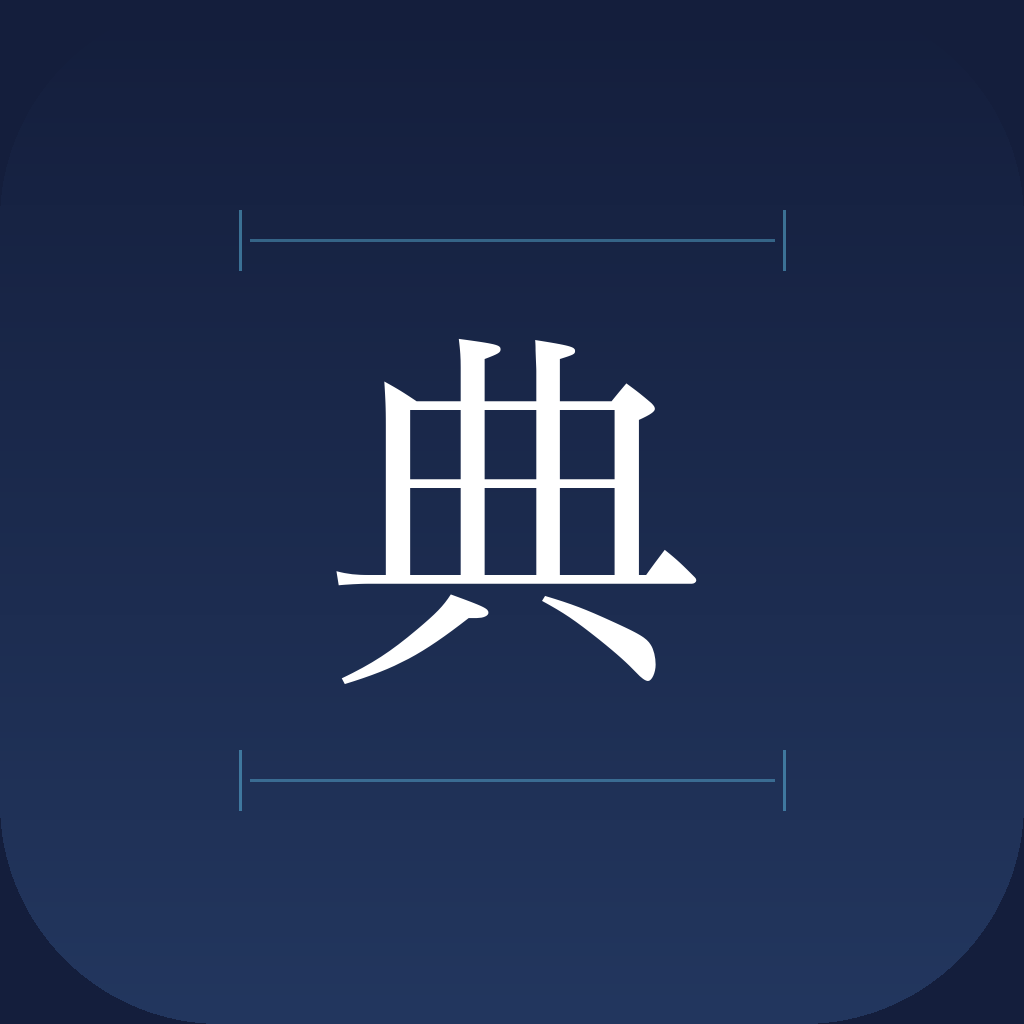 |  |
「典」の背後にソフトグローが効き、スキャンフレームがティール色に光るモダンなアイコンになりました。背景にくずし字が浮かぶ演出も効果的です。
2. IIIF AR(歴史的絵図AR)
高解像度の歴史的絵図をARで実寸大表示するアプリ。
プロンプト:
A polished, square 1024x1024 app icon for an iOS app called "IIIF AR"
that places high-resolution historical Japanese maps and illustrations
in augmented reality at real-world scale.

Design requirements:
- Fill the entire canvas edge-to-edge with a rich warm background
  featuring a smooth radial gradient from a slightly brighter warm
  tone (#3A2F28) at the top-center to a deep dark brown (#1A1410)
  at the edges. No white areas, no transparency, no empty corners.
- Do NOT include frames, borders, or decorative edges of any kind.
- Center illustration: a stylized composition of overlapping
  historical Japanese maps and scrolls — one partially unrolled scroll
  and one flat map, showing fragments of traditional ink landscape art
  (mountains, rivers, architecture in East Asian brushwork style),
  rendered in warm cream/gold (#E8D5A8) line art with a subtle soft
  glow behind the composition.
- Include one teal-blue (#1E88E5) AR location pin marker placed on
  the map to suggest spatial AR placement. The pin should have a
  subtle inner glow.
- Below the maps, include a faint perspective grid (3-4 thin lines
  in #2A2420) to represent the AR floor plane detection.
- Style: modern iOS aesthetic — smooth gradient background, soft
  lighting from above, minimal color palette (dark warm brown
  gradient + cream/gold illustration + one blue accent). Subtle depth
  through lighting, NOT through drop shadows or 3D extrusion.
- The overall feel should be premium and refined, similar to Apple's
  native app icons (smooth gradients, gentle highlights, no hard
  edges).
- The illustration should be detailed enough to be interesting but
  clear at small sizes (29px). Medium-weight lines.
- Do NOT add any text, letters, or characters.
- Do NOT pre-round corners — perfectly square image. iOS applies
  rounded corners automatically.
- Output: square PNG, 1024x1024 pixels.
Before / After:
| Before | After |
|---|---|
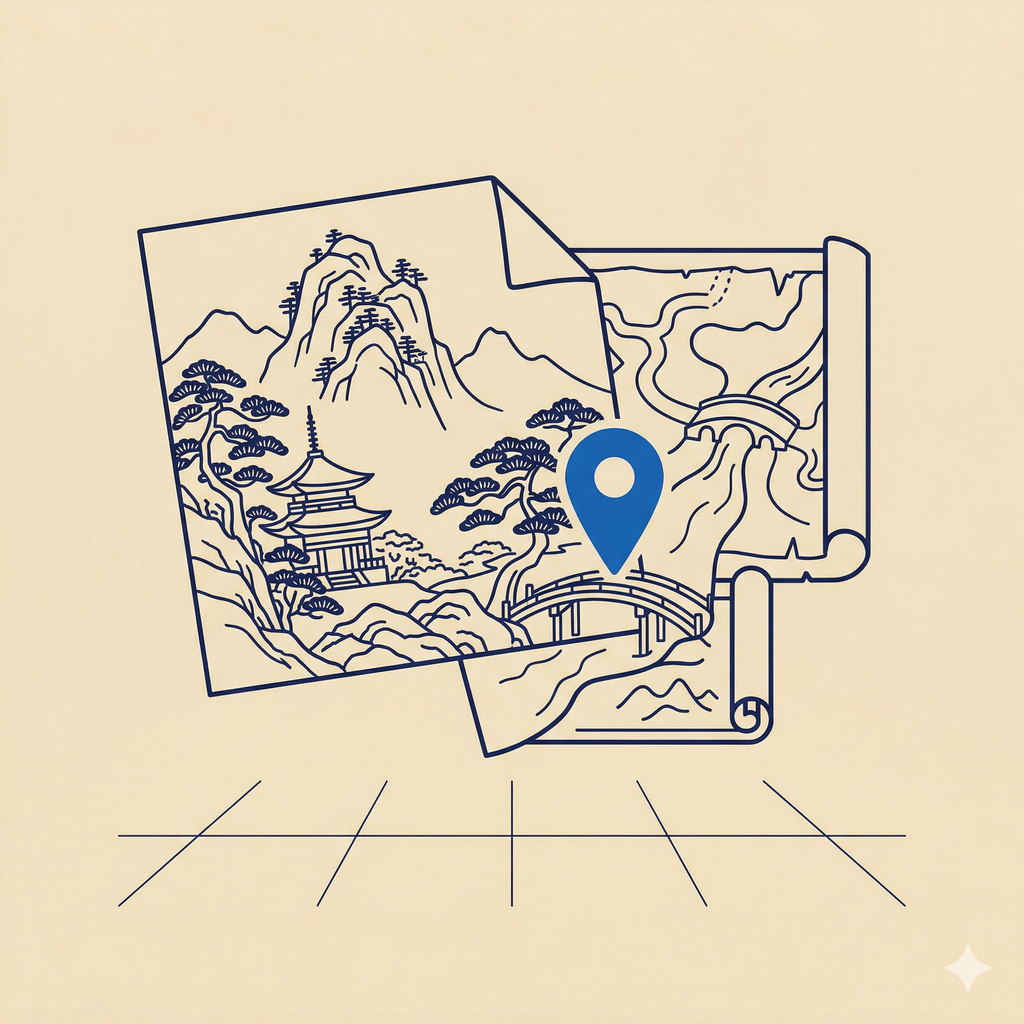 | 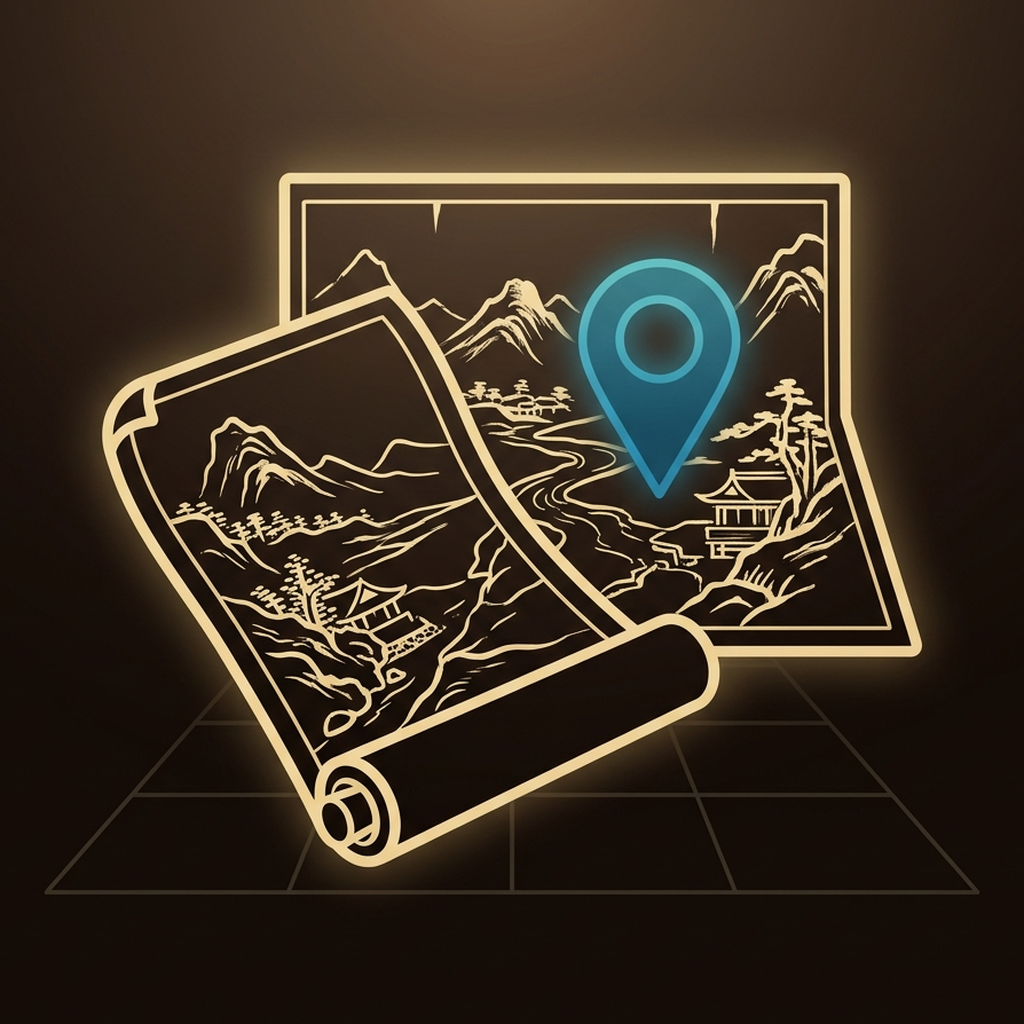 |
巻物と絵図が重なる構図で、ARピンのブルーグローが印象的。床面グリッドがAR配置を示唆するデザインになりました。
3. JPS Explorer(ジャパンサーチ探索)
ジャパンサーチの文化遺産コレクションを探索するアプリ。
プロンプト:
A polished, square 1024x1024 app icon for an iOS app called
"JPS Explorer" that lets users discover and explore Japan's cultural
heritage collections through Japan Search.

Design requirements:
- Fill the entire canvas edge-to-edge with a rich deep navy background
  featuring a smooth radial gradient from a slightly brighter navy
  (#1E3450) at the top-center to a deep navy (#0C1A2E) at the edges.
  No white areas, no transparency, no empty corners.
- Do NOT include frames, borders, or decorative edges of any kind.
- Center illustration: a stylized magnifying glass tilted slightly
  (handle pointing to bottom-right), with a polished gold/brass frame
  and handle rendered with smooth metallic gradients and soft
  highlights to convey premium quality.
- Inside the magnifying glass lens: a traditional Japanese seigaiha
  (青海波 / blue ocean wave) pattern in gold (#C8A85C) lines on a
  slightly lighter navy background, visible through a subtle glass
  lens effect (very mild refraction/distortion).
- Behind the magnifying glass, faintly visible: a few scattered
  fragments of Japanese cultural imagery at very low opacity
  (#152540) — such as a partial ukiyo-e wave, a torii gate outline,
  or a maple leaf — to suggest the breadth of the collection.
- Style: modern iOS aesthetic — smooth gradient background, soft
  lighting from upper-left, metallic gold with gentle reflections.
  Subtle depth through lighting and metallic sheen, NOT through hard
  drop shadows or 3D extrusion.
- The overall feel should be premium and refined, similar to Apple's
  native app icons (smooth gradients, gentle highlights, elegant
  materials).
- Clear at small sizes (29px) — the magnifying glass shape should
  be immediately recognizable.
- Do NOT add any text, letters, or characters.
- Do NOT pre-round corners — perfectly square image. iOS applies
  rounded corners automatically.
- Output: square PNG, 1024x1024 pixels.
Before / After:
| Before | After |
|---|---|
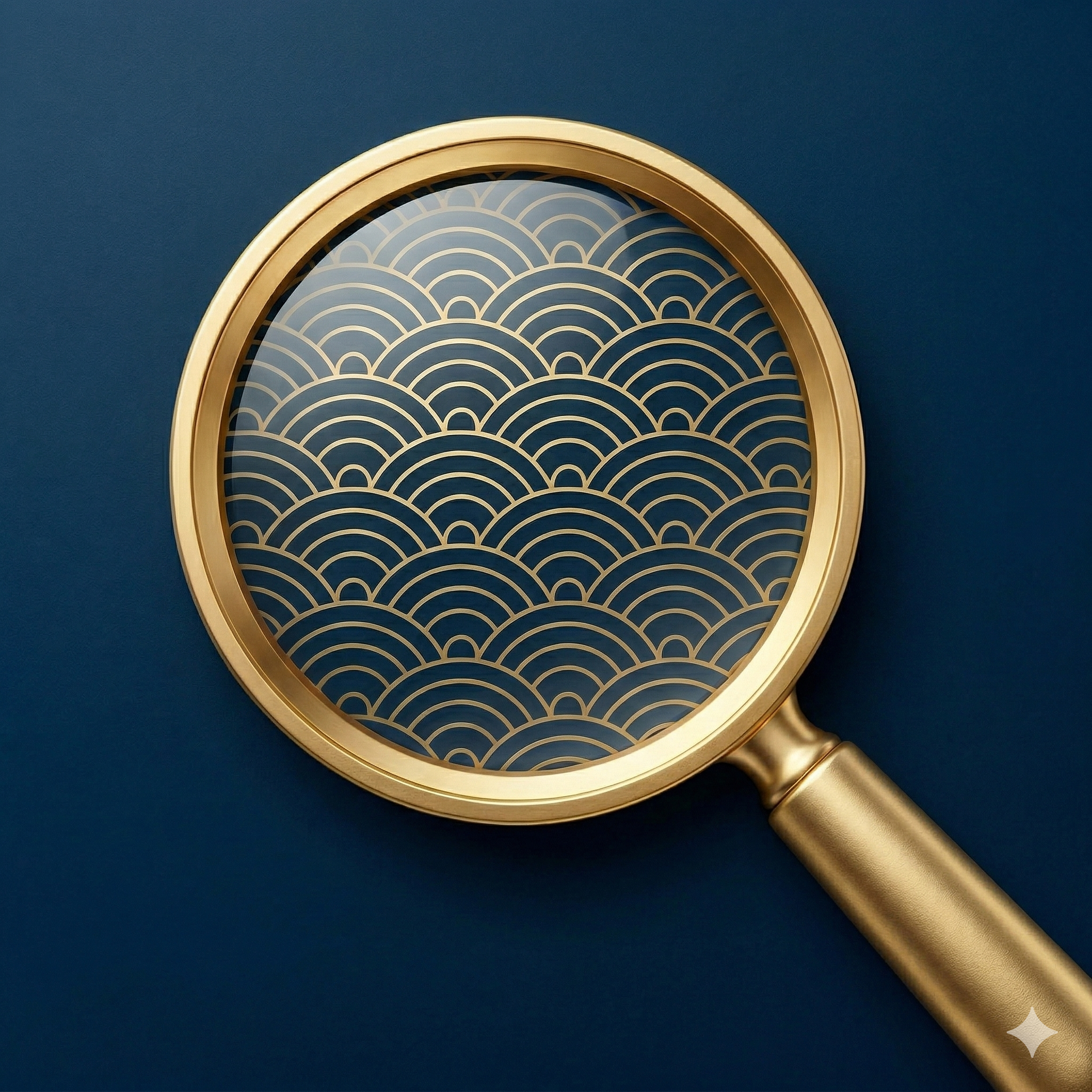 |  |
金のルーペ + 青海波 + 浮世絵の波・鳥居・紅葉が背景に浮かぶ、最もリッチな仕上がりになりました。ただし角丸が事前に適用されていたため、後処理で対応が必要でした。
3アプリの統一感
| アプリ | 背景色 | モチーフ | アクセント |
|---|---|---|---|
| KotenOCR | 濃紺グラデーション | 「典」+ スキャンフレーム | ティール |
| IIIF AR | ダークブラウングラデーション | 絵図・巻物 + ARピン | ブルー |
| JPS Explorer | 濃紺グラデーション | ルーペ + 青海波 | ゴールド |
共通点として、ダーク系グラデーション + ソフトグロー + 1色のアクセントという構造を揃えることで、同じ開発者のアプリだと認識しやすくなります。
生成後の後処理
Geminiで生成したアイコンには、いくつか後処理が必要でした。
1. Geminiのウォーターマーク除去
Geminiは右下に小さな✦マークを入れます。対称にトリミングすることで除去できます。
from PIL import Image

img = Image.open("generated_icon.png")

# 2048x2048の場合
margin = 130
cropped = img.crop((margin, margin, 2048 - margin, 2048 - margin))
resized = cropped.resize((1024, 1024), Image.LANCZOS).convert("RGB")
resized.save("AppIcon.png", "PNG")
2. 角丸の除去
JPS Explorerのアイコンでは角丸が事前に適用され、四隅が白くなっていました。大きめにトリミングすることで角丸の内側だけを使います。
from PIL import Image

img = Image.open("generated_icon.png")  # 2048x2048

# 角丸領域をカット(約180px)
margin = 180
cropped = img.crop((margin, margin, 2048 - margin, 2048 - margin))
resized = cropped.resize((1024, 1024), Image.LANCZOS).convert("RGB")
resized.save("AppIcon.png", "PNG")
3. RGBへの変換
App StoreのアイコンはRGBが必要です。Geminiの出力はRGBA(透明チャンネル付き)のことがあるため、.convert("RGB") を忘れずに。
学んだこと
- 「Apple純正アプリ風」と書くと効く — 具体的なリファレンスを示すと、AIの出力品質が上がる
- 角丸は防ぎきれない — プロンプトで禁止しても適用されることがある。後処理で対応する前提で
- Geminiの✦は必ず入る — トリミングで対処が最も確実
- 色パレットの統一が重要 — 複数アプリで「同じ開発者」感を出すなら、アクセント以外の構造を揃える
- 背景のくずし字がひらがなになることがある — AIは「classical Japanese characters」と「modern hiragana」を混同しやすい。具体的な文字を指定すると改善する可能性がある
関連記事
- AI画像生成でiOSアプリアイコンを作るためのプロンプトテンプレート — フラットデザイン版のテンプレート
- KotenOCR:くずし字をオフラインで認識するiOSアプリの開発と公開