Overview
This article explains how to use an external Image Server with the Omeka S IIIF Server module.
Below is a summary of terms used in this article.
- IIIF Image API:
https://iiif.io/api/image/3.0/
- IIIF Presentation API:
https://iiif.io/api/presentation/3.0/
- (Omeka S) Image Server module:
https://omeka.org/s/modules/ImageServer/
- (Omeka S) IIIF Server module:
https://omeka.org/s/modules/IiifServer/
Background
Omeka S can serve as a IIIF Image API-compatible Image Server using the Image Server module.
On the other hand, it is possible to handle the Image Server with dedicated servers such as IIPImage Server or Cantaloupe, while using Omeka S only for IIIF Presentation API support (auto-generating manifest files).
This configuration allows Omeka S to be built on shared hosting, reducing operational costs.
Note: It is also possible to support the Image Server using only Omeka S on shared hosting by using the Image Server module mentioned above. However, in this case, image delivery may be slow due to insufficient shared hosting specifications. Therefore, when building a IIIF-compatible Omeka S on shared hosting, it is recommended to either set up a separate Image Server as described in this article, or to configure the IIIF Server module to not use the Image API, as described in the article below. (The latter approach means losing Image API support, which reduces convenience, but it enables running a digital archive system on shared hosting alone, reducing operational costs.)
Note: When running Omeka S on a VPS, on-premises, or cloud server, higher server specifications can be expected. In such cases, it may be effective to handle both Image Server functionality (by installing the Image Server module for IIIF Image API support) and automatic IIIF manifest generation (by installing the IIIF Server module for IIIF Presentation API support) using Omeka S alone.
With that background covered, the specific method is explained below.
Using an External Image Server
Using external IIIF images is supported by Omeka S's standard functionality. In the media registration screen, select the IIIF image option and register the IIIF image URL as shown below. Note that the URL must include up to info.json.
The following is an example of registering a IIIF image from the National Diet Library.
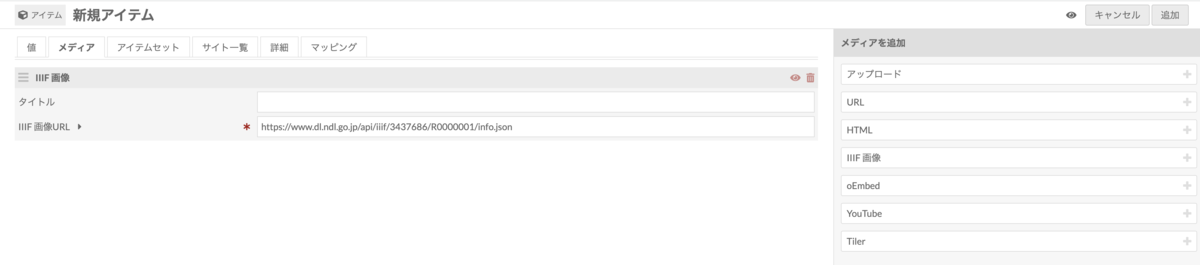
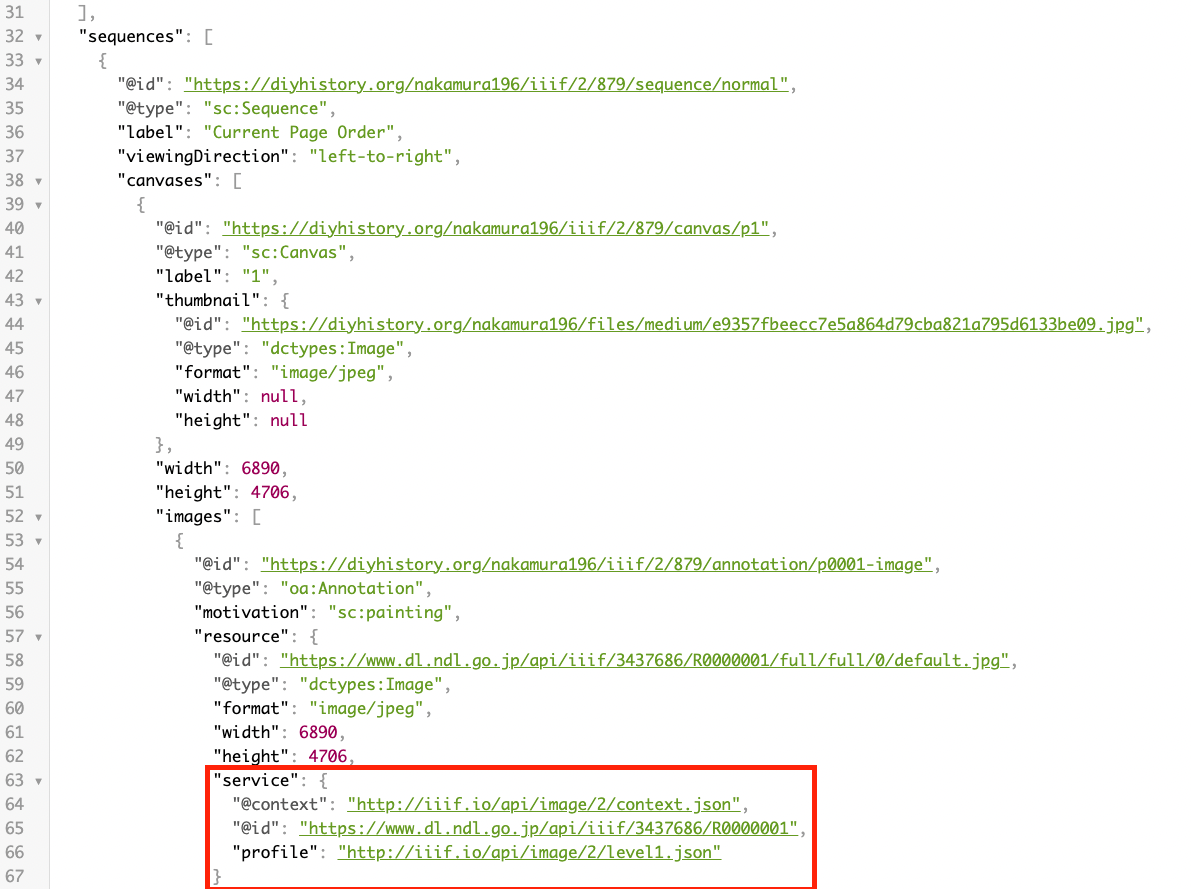
By registering media as shown above, and with the IIIF Server module installed in Omeka S, you can auto-generate IIIF manifests in Omeka S while using IIIF images provided by external institutions (e.g., the National Diet Library), as shown below.
https://diyhistory.org/nakamura196/iiif/879/manifest
Summary
This article may be helpful for those considering a configuration where IIIF manifests are served from Omeka S while using an external Image Server.