Overview
I had an opportunity to launch Jupyter Lab on mdx, so here are my notes.
Please also refer to the following for mdx setup.
References
The following video was very helpful.
https://youtu.be/-KJwtctadOI?si=xaKajk79b1MxTpJ6
Setup
On the Server
Install pip
sudo apt install python3-pip
Add to the PATH
nano ~/.bashrc
export PATH="$HOME/.local/bin:$PATH"
source ~/.bashrc
The following command launches Jupyter Lab.
jupyter-lab
Local Machine
Connect via SSH with the following command.
ssh -N -L 8888:localhost:8888 mdxuser@xxx.yyy.zzz.lll -i ~/.ssh/mdx/id_rsa
Then, access the address displayed in the server console.
http://localhost:8888/lab?token=xxx
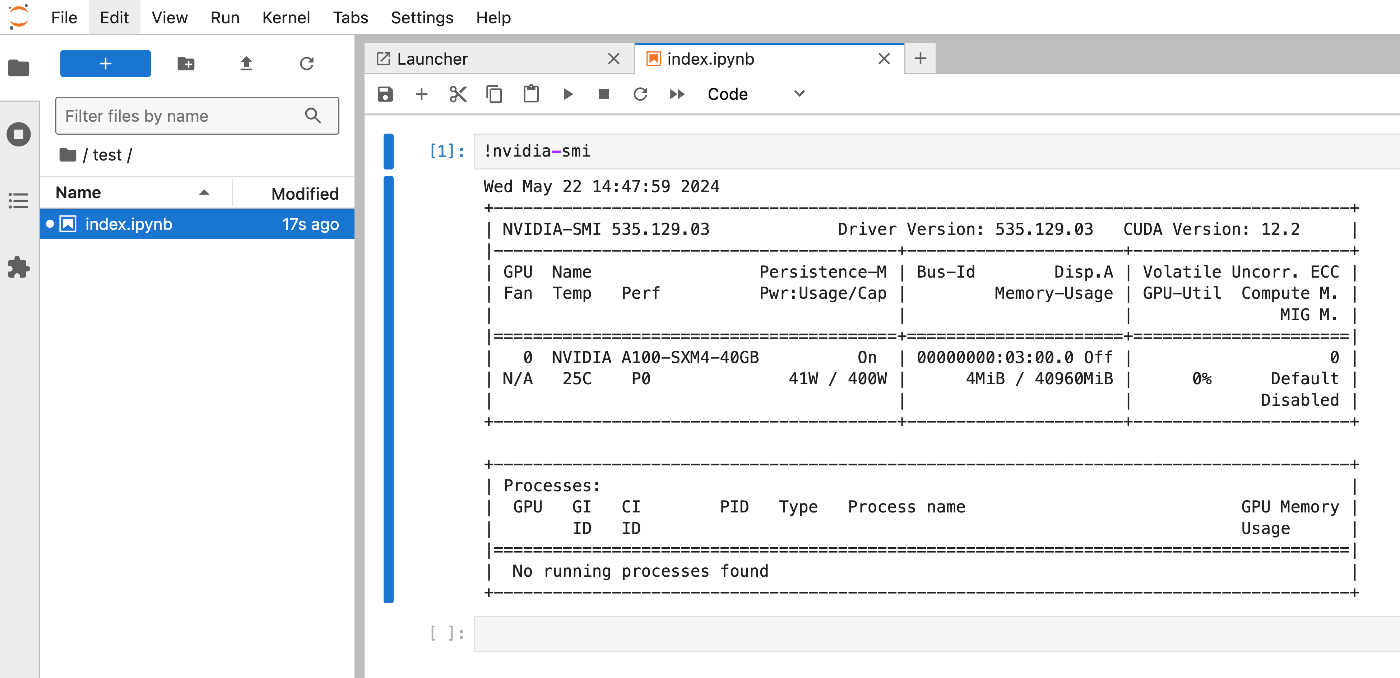
As a result, it became available as shown below.
Reference: File Transfer
You can transfer files from local to the server using commands like the following.
scp -i ~/.ssh/mdx/id_rsa /path/to/local/image.jpg username@remote_address:/path/to/remote/directory
Summary
I hope this serves as a helpful reference.