Home Articles Books Search About
日本語
Creating PDFs from TEI/XML of the Koui Genji Monogatari Text Database
Creating PDFs from TEI/XML of the Koui Genji Monogatari Text Database

Overview The Koui Genji Monogatari (Collated Tale of Genji) Text Database publishes text data from “Koui Genji Monogatari.” https://kouigenjimonogatari.github.io/ This time, I added PDF files like the following to the database. https://kouigenjimonogatari.github.io/output/01/main.pdf This article describes how to create such PDF files using XSLT and TeX. Cloning the Repository Clone the repository as follows. git clone --depth 1 https://github.com/kouigenjimonogatari/kouigenjimonogatari.github.io Then install xslt3 with the following command. npm i xslt3 https://www.npmjs.com/package/xslt3 Creating the XSL File This time, we first convert the TEI/XML file to a TeX file. ...

TEI Publisher ODD Configuration Examples (1)

TEI Publisher ODD Configuration Examples (1)

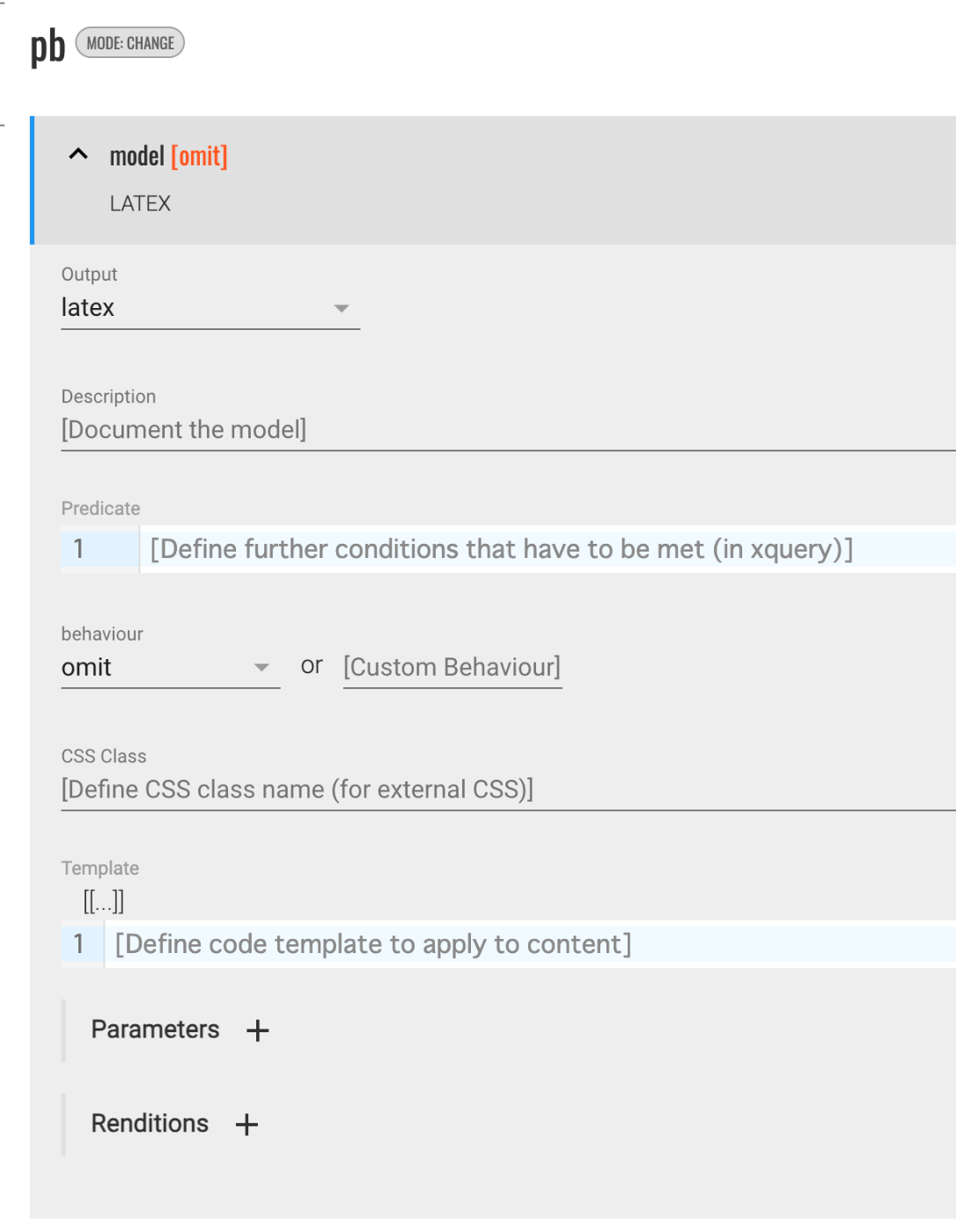
Overview This is a memo on configuring ODD settings in TEI Publisher. Hiding Elements in the Output The following was helpful as a reference. https://teipublisher.com/exist/apps/tei-publisher/documentation/odd-customization-other-behaviours Select omit for the behaviour. This caused the pb element to be hidden in the output (in the above example, latex). Adding Line Breaks with lb This may be specific to LaTeX conversion, but by selecting paragraph for the behaviour, a blank line was inserted where lb tags appeared. ...

Highlighting TeX with Ace.js

Highlighting TeX with Ace.js

Overview I had an opportunity to highlight TeX with Ace.js, so here are my notes. I referenced the following article. https://banatech.net/blog/view/11 I hope this serves as a helpful reference. Screen Example Demo Site https://nakamura196.github.io/ace_latex/ Repository https://github.com/nakamura196/ace_latex Source Code <html lang="en"> <head> <title>ACE in Action</title> </head> <body> <div id="editor" style="width: 100%; height: 400px; border: 1px solid gray;"></div> <script src="https://cdnjs.cloudflare.com/ajax/libs/ace/1.23.2/ace.js" integrity="sha512-oVyp48/610D5Jo577cvp2vX+Fc0kYaI6s2tZRqBRzjZh7+y/vOEHTzUefbXk/B8P0B76bOK3tL1zeF/QcXlyiA==" crossorigin="anonymous" referrerpolicy="no-referrer" ></script> <script> const text = `\\usepackage{hiragino,ryumin,cid} \\usepackage[dvips]{graphics} \\usepackage{multicol} \\begin{document} テキスト \\右注{(サンプル)}テキスト \\end{document}`; const editor = ace.edit("editor"); // editor.setTheme("ace/theme/monokai"); editor.setFontSize(14); editor.getSession().setMode("ace/mode/latex"); editor.getSession().setUseWrapMode(true); editor.getSession().setTabSize(4); editor.$blockScrolling = Infinity; editor.setOptions({ enableBasicAutocompletion: true, enableSnippets: true, }); editor.setValue(text, 1); </script> </body> </html>

Converting TEI XML to LaTeX Using TEI Critical Apparatus Toolbox

Converting TEI XML to LaTeX Using TEI Critical Apparatus Toolbox

Overview TEI Critical Apparatus Toolbox is “a tool for people preparing a natively digital TEI critical edition.” http://teicat.huma-num.fr/index.php In addition to providing functionality for visualizing critical apparatus information, it offers several other useful features. Among these, I learned that it has a “TEI to LaTeX and PDF conversion” feature, so I decided to try it out. Print an edition Access the following URL. http://teicat.huma-num.fr/print.php Click the link with the text this dummy edition file to download the following sample data. ...