Home Articles Books Search About
日本語
Hosting TEI/XML Files on S3-Compatible Object Storage

Hosting TEI/XML Files on S3-Compatible Object Storage

Overview This is a memo about hosting TEI/XML files on S3-compatible object storage. Specifically, we target the mdx I object storage. https://mdx.jp/mdx1/p/about/system Background We are building a web application (Next.js) that loads TEI/XML files and visualizes their content. When the number and size of files were small, they were stored in the public folder, but as these grew larger, we considered hosting them elsewhere. There are many options for storage locations, but this time we target mdx I’s S3-compatible object storage. ...

Searching Files in Linked Storage Using the GakuNin RDM API

Searching Files in Linked Storage Using the GakuNin RDM API

Overview In the following article, I introduced building applications using the GakuNin RDM API. In this article, I introduce how to search files in linked storage using the GakuNin RDM API. Implementation Example I implemented the search API as follows. Since directly accessing https://rdm.nii.ac.jp/api/v1/search/file/ from the client caused CORS errors, I implemented it as a Next.js API Route. import { NextResponse } from "next/server"; import { authOptions } from "@/app/api/auth/[...nextauth]/authOptions"; import { getServerSession } from "next-auth"; export async function GET(req: Request) { const session = await getServerSession(authOptions); // Get query parameters from URL const url = new URL(req.url); const query = url.searchParams.get("filter[fulltext]") || ""; const offset = parseInt(url.searchParams.get("page[offset]") || "0", 10); const size = parseInt(url.searchParams.get("page[limit]") || "20", 10); const accessToken = session?.accessToken; const apiUrl = "https://rdm.nii.ac.jp/api/v1/search/file/"; const params = { api_version: { vendor: "grdm", version: 2 }, sort: "created_desc", highlight: "title:30,name:30,user:30,text:124,comments.*:124", elasticsearch_dsl: { query: { filtered: { query: { query_string: { default_field: "_all", fields: [ "_all", "title^4", "description^1.2", "job^1", "school^1", "all_jobs^0.125", "all_schools^0.125", ], query, analyze_wildcard: true, lenient: true, }, }, }, }, from: offset, size, }, }; const res = await fetch(apiUrl, { method: "POST", headers: { "Content-Type": "application/json", Authorization: `Bearer ${accessToken}`, }, body: JSON.stringify(params), }); const data = await res.json(); return NextResponse.json(data); } Usage Example You can try it at the following URL. (Login to GakuNin RDM is required.) ...

Prototyping a TEI/XML File Editing Environment Using LEAF Writer and GakuNin RDM

Prototyping a TEI/XML File Editing Environment Using LEAF Writer and GakuNin RDM

Overview This is a memo about prototyping a TEI/XML file editing environment using LEAF Writer and GakuNin RDM. References The following article introduced how to use LEAF Writer from Next.js. In particular, the following npm package is used. https://www.npmjs.com/package/@cwrc/leafwriter For the input/output of TEI/XML files to be edited above, GakuNin RDM is used. The following article may also be helpful regarding how to use the GakuNin RDM API from JavaScript. ...

Customizing the LEAF Writer Editor Toolbar
Customizing the LEAF Writer Editor Toolbar

Overview LEAF Writer provides buttons at the top of the screen to support tag insertion. This article introduces how to customize them. As a result, I added functionality to insert <app><lem>aaa</lem><rdg>bbb</rdg></app>. https://youtu.be/XMnRP7s2atw Editing Edit the following file: packages/cwrc-leafwriter/src/components/editorToolbar/index.tsx Features for supporting tags such as person names and place names are configured as follows. For example, the description for organization has been commented out: ... const items: (MenuItem | Item)[] = [ { group: 'action', hide: isReadonly, icon: 'insertTag', onClick: () => { if (!container.current) return; const rect = container.current.getBoundingClientRect(); const posX = rect.left; const posY = rect.top + 34; showContextMenu({ // anchorEl: container.current, eventSource: 'ribbon', position: { posX, posY }, useSelection: true, }); }, title: 'Tag', tooltip: 'Add Tag', type: 'button', }, { group: 'action', type: 'divider', hide: isReadonly }, { color: entity.person.color.main, group: 'action', disabled: !isSupported('person'), hide: isReadonly, icon: entity.person.icon, onClick: () => window.writer.tagger.addEntityDialog('person'), title: 'Tag Person', type: 'iconButton', }, { color: entity.place.color.main, group: 'action', disabled: !isSupported('place'), hide: isReadonly, icon: entity.place.icon, onClick: () => window.writer.tagger.addEntityDialog('place'), title: 'Tag Place', type: 'iconButton', }, /* { color: entity.organization.color.main, group: 'action', disabled: !isSupported('organization'), hide: isReadonly, icon: entity.organization.icon, onClick: () => window.writer.tagger.addEntityDialog('organization'), title: 'Tag Organization', type: 'iconButton', }, ... As a result, the choices are limited as follows: ...

Using LEAF Writer from Next.js

Using LEAF Writer from Next.js

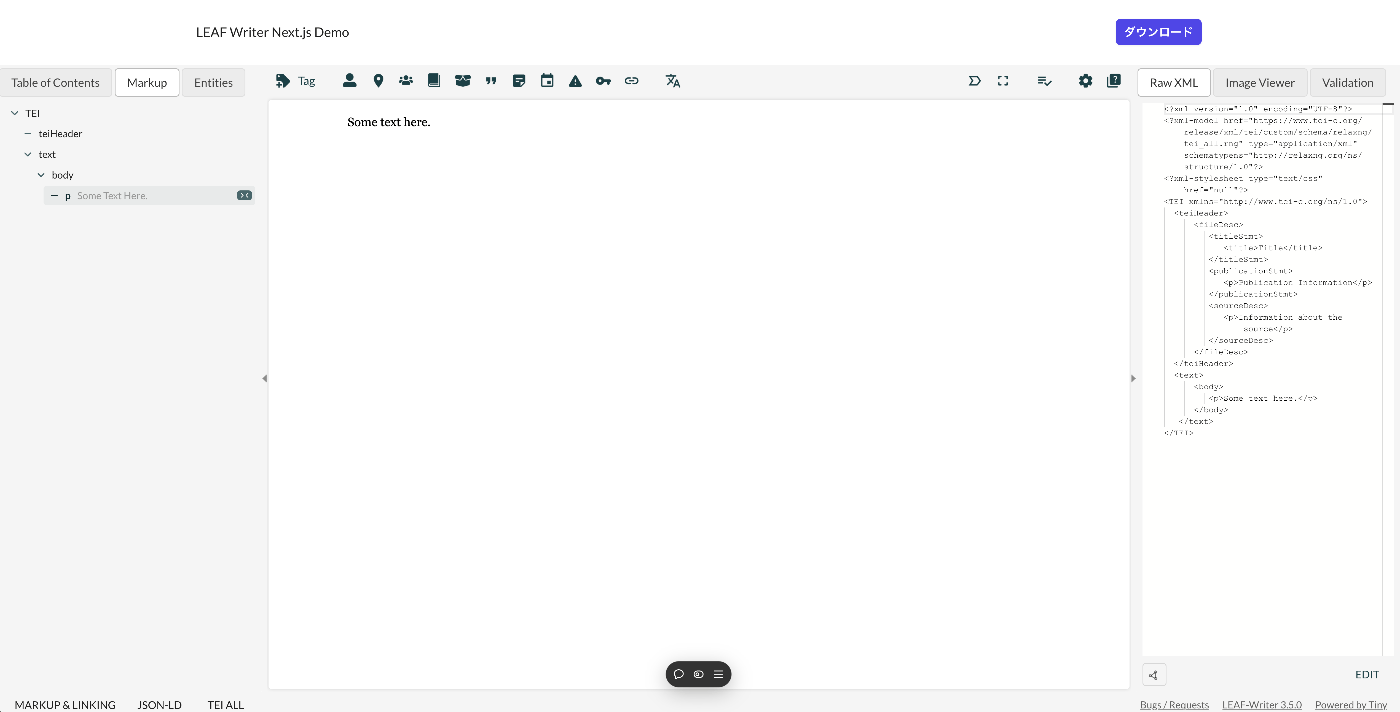
Overview This article introduces how to use LEAF Writer from Next.js. Demo You can try it from the following URL. https://leaf-writer-nextjs.vercel.app/ Below is a screenshot example. The header section is the part added using Next.js. The editor section uses LEAF Writer. The source code is available at the following link. https://github.com/nakamura196/leaf-writer-nextjs Usage Instructions are described at the following link. https://gitlab.com/calincs/cwrc/leaf-writer/leaf-writer/-/tree/main/packages/cwrc-leafwriter?ref_type=heads As a note, the div container’s id must be set to leaf-writer-container. I found that not doing so causes the styling to break. I would like to submit a pull request regarding this in the future. ...

LEAF Writer: Adding Mirador

LEAF Writer: Adding Mirador

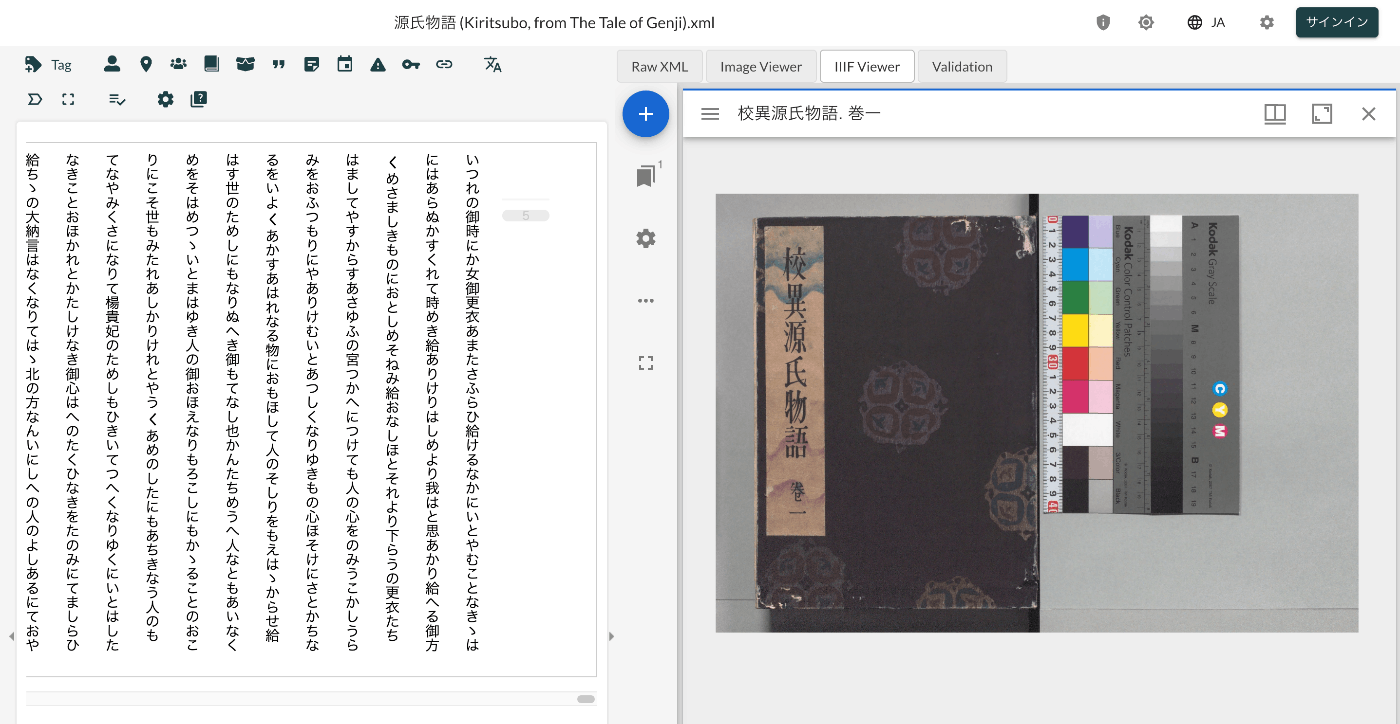
Overview This is a record of investigating how to customize LEAF Writer. https://gitlab.com/calincs/cwrc/leaf-writer/leaf-writer This time, we add Mirador as shown below. Method Please refer to the following. https://gitlab.com/nakamura196/leaf-writer/-/commit/377438739cdeb0a7b770ee9d4b9fea86081179d8 The file that needs to be modified is as follows. import $ from 'jquery'; import 'jquery-ui'; import Writer from '../../../Writer'; // @ts-ignore import Mirador from 'mirador'; interface IiifViewerProps { attribute?: string; parentId: string; tag?: string; writer: Writer; } class IiifViewer { readonly writer: Writer; readonly id: string; readonly tagName: string; readonly attrName: string; // eslint-disable-next-line @typescript-eslint/no-explicit-any, @typescript-eslint/no-redundant-type-constituents miradorInstance: any | null; $pageBreaks: unknown; currentIndex = -1; ignoreScroll = false; constructor({ attribute, parentId, tag, writer }: IiifViewerProps) { this.writer = writer; this.id = `${parentId}_iiifViewer`; this.tagName = tag ?? 'pb'; // page break element name this.attrName = attribute ?? 'facs'; // attribute that stores the image URL $(`#${parentId}`).append(` <div id="${this.id}" style="position: absolute; top: 0; bottom: 0; left: 0; right: 0"></div> `); this.writer.event('loadingDocument').subscribe(() => this.reset()); this.writer.event('documentLoaded').subscribe((success: boolean, body: HTMLElement) => { console.log('documentLoaded', success, body); if (!success) return; this.processDocument(body); }); this.writer.event('writerInitialized').subscribe(() => { if (!this.writer.editor) return; }); } private processDocument(doc: HTMLElement) { // (doc).find const $facsimile = $(doc).find(`*[_tag="facsimile"]`); const manifestUri = $facsimile.attr('sameas'); const config = { id: this.id, windows: [ { loadedManifest: manifestUri, }, ], window: { sideBarOpen: false, }, }; // eslint-disable-next-line @typescript-eslint/no-unsafe-assignment, @typescript-eslint/no-unsafe-call, @typescript-eslint/no-unsafe-member-access this.miradorInstance = Mirador.viewer(config); } reset() { this.$pageBreaks = null; this.currentIndex = -1; } } export default IiifViewer; The following section retrieves information from <facsimile sameAs="https://dl.ndl.go.jp/api/iiif/3437686/manifest.json">. ...

LEAF Writer: How to Add Sample Data

LEAF Writer: How to Add Sample Data

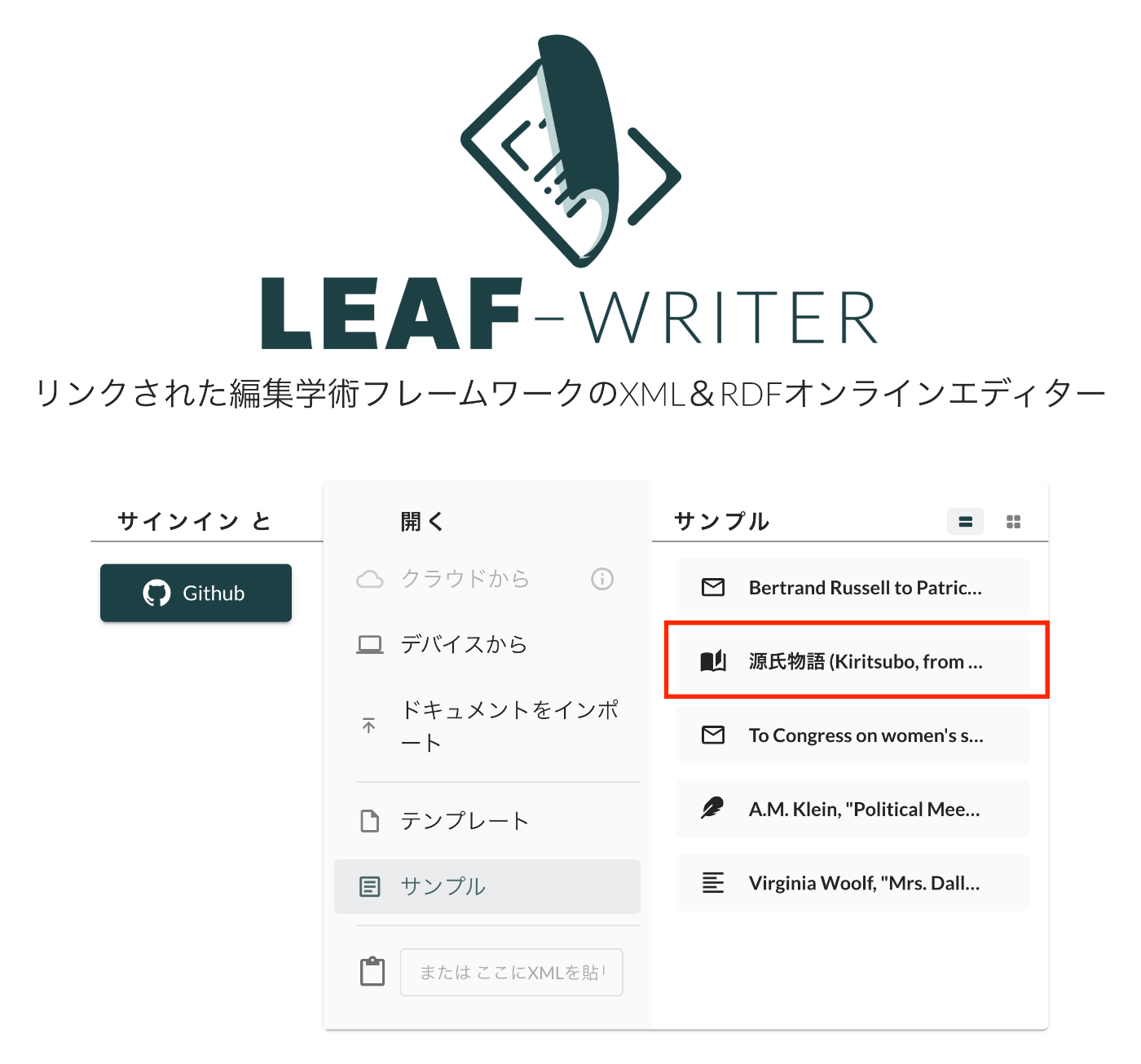
Overview This is a record of investigating how to customize LEAF Writer. https://gitlab.com/calincs/cwrc/leaf-writer/leaf-writer This time, it is a memo on how to add sample data. We add custom sample data as shown below. Method Please refer to the following. https://gitlab.com/nakamura196/leaf-writer/-/commit/c4e98090c94874037980819c9672eea10814eedb In addition to updating samples.json, it was also necessary to update apps/commons/src/icons/index.tsx to add an icon, although this is not mandatory. Result As shown below, the editor environment could be opened from the sample data. ...

LEAF Writer: How to Use the Image Viewer

LEAF Writer: How to Use the Image Viewer

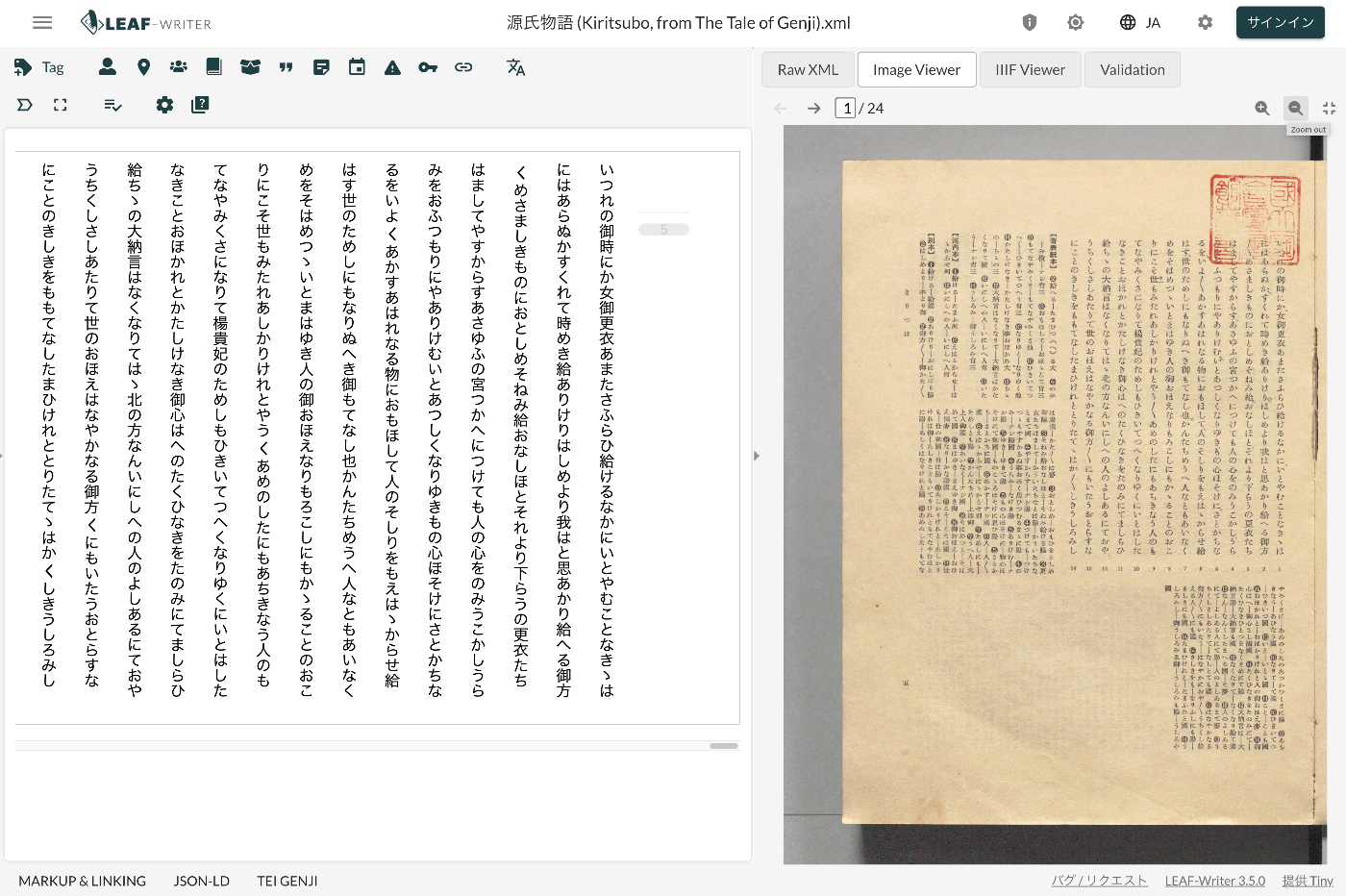
Overview LEAF Writer provides a feature for displaying text and images side by side, as shown below. It also offers a feature where the text moves in sync when you navigate through image pages. This article introduces TEI/XML markup examples for displaying images in the Image Viewer section. Method Specify the pb tag as follows. https://github.com/kouigenjimonogatari/kouigenjimonogatari.github.io/blob/master/xml/lw/01.xml Specifically, it looks like this: ... <pb corresp="#zone_0005" facs="https://dl.ndl.go.jp/api/iiif/3437686/R0000022/0,0,3445,4706/full/0/default.jpg" n="5"/> ... The image specified in the facs attribute of the pb element appears to be displayed in the Image Viewer section. ...

LEAF Writer: Customizing Schemas

LEAF Writer: Customizing Schemas

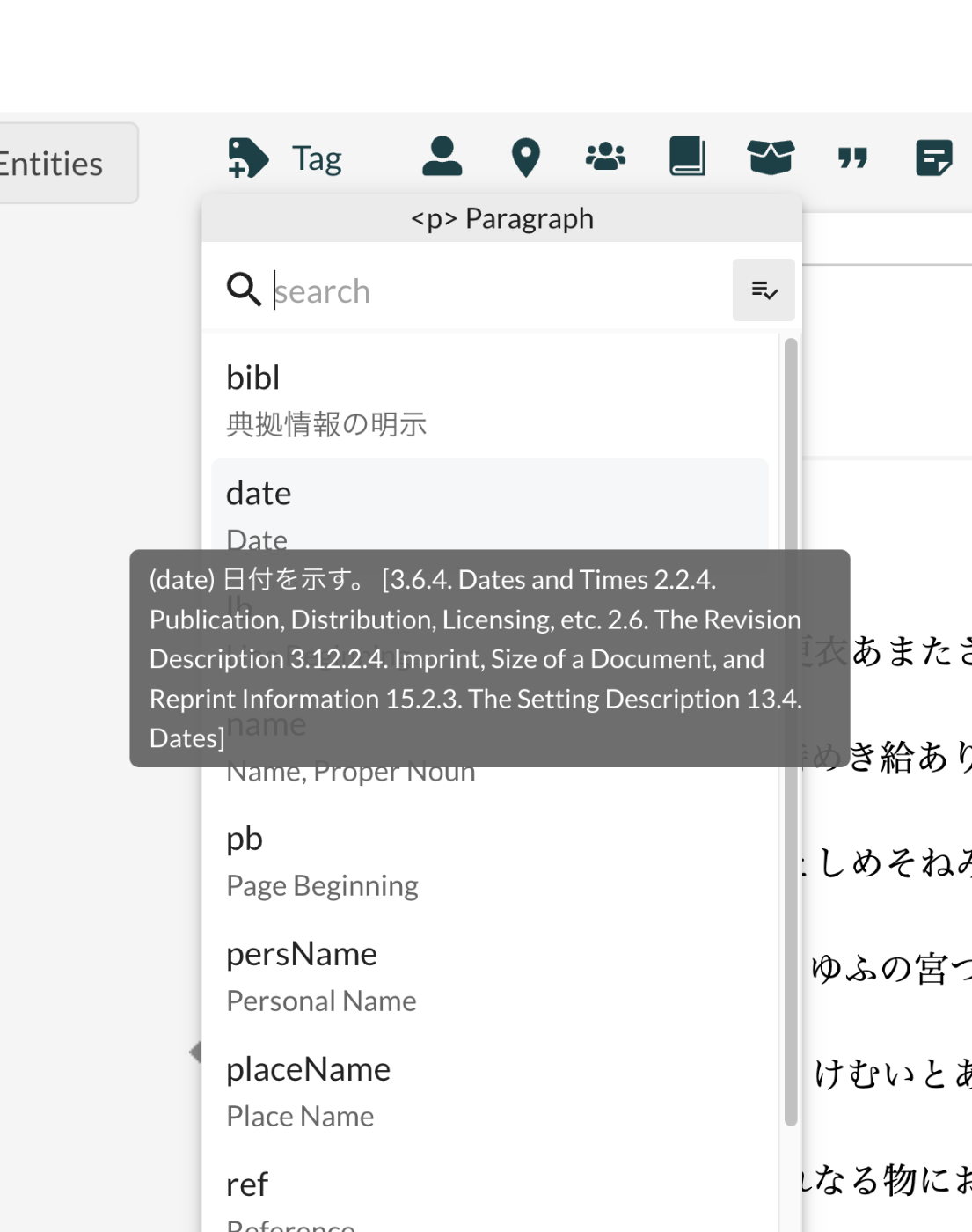
Overview This is an investigation record on how to customize LEAF Writer. https://gitlab.com/calincs/cwrc/leaf-writer/leaf-writer This time, it is a memo on how to customize schemas. The goal is to display Japanese translations and other customizations as shown below. Below is the display before customization. Based on the following schema, many elements are displayed with English descriptions. https://www.tei-c.org/release/xml/tei/custom/schema/relaxng/tei_all.rng Method Specify the schema file as follows. https://github.com/kouigenjimonogatari/kouigenjimonogatari.github.io/blob/master/xml/lw/01.xml Specifically: <?xml-model href="https://kouigenjimonogatari.github.io/lw/tei_genji.rng" type="application/xml" schematypens="http://relaxng.org/ns/structure/1.0"?> LEAF Writer reads this schema file and uses it for validation and presenting available elements. ...

Partial Update to TEI/XML Published in the Koui Genji Monogatari Text Data Repository

Partial Update to TEI/XML Published in the Koui Genji Monogatari Text Data Repository

Overview I publish TEI/XML files for the Koui Genji Monogatari (Variorum Tale of Genji) in the following repository. https://github.com/kouigenjimonogatari I made some changes to the TEI/XML published here, so this is a note about those changes. Folder Structure Files before the modifications are stored here. There are no changes from before. https://github.com/kouigenjimonogatari/kouigenjimonogatari.github.io/tree/master/tei The updated files are stored here. https://github.com/kouigenjimonogatari/kouigenjimonogatari.github.io/tree/master/xml/lw This directory contains XML files with the modifications described below. Modifications Adding a Schema The following rng file was added. ...

LEAF Writer: Entity Lookup for Japan Search

LEAF Writer: Entity Lookup for Japan Search

Overview This is an investigation record on how to customize LEAF Writer. https://gitlab.com/calincs/cwrc/leaf-writer/leaf-writer This time, it is a memo on how to add Entity Lookup. Specifically, we add functionality to query the Japan Search utilization schema, as shown below. Method The following changes were made to the forked repository. https://gitlab.com/nakamura196/leaf-writer/-/commit/69e10e2ddd17f6cd01501fbf29f0dd86d1e86a3a Usage You can try a version with partially Japanese-localized UI using the following repository. https://gitlab.com/nakamura196/leaf-writer Please refer to the following for startup instructions. ...

LEAF Writer: Adding Japanese UI

LEAF Writer: Adding Japanese UI

Overview This is a research note on how to customize LEAF Writer. https://gitlab.com/calincs/cwrc/leaf-writer/leaf-writer This article covers how to add Japanese UI as a note. Method The following changes were made to a forked repository. https://gitlab.com/nakamura196/leaf-writer/-/commit/c9b7053814fc1e5a27a1847f20076096832dd68b Usage You can try a version with partially Japanese-localized UI using the following repository. https://gitlab.com/nakamura196/leaf-writer For startup instructions, please refer to the following. Summary I hope this is helpful for applications of LEAF Writer. ...

Running LEAF-Writer in a Local Environment

Running LEAF-Writer in a Local Environment

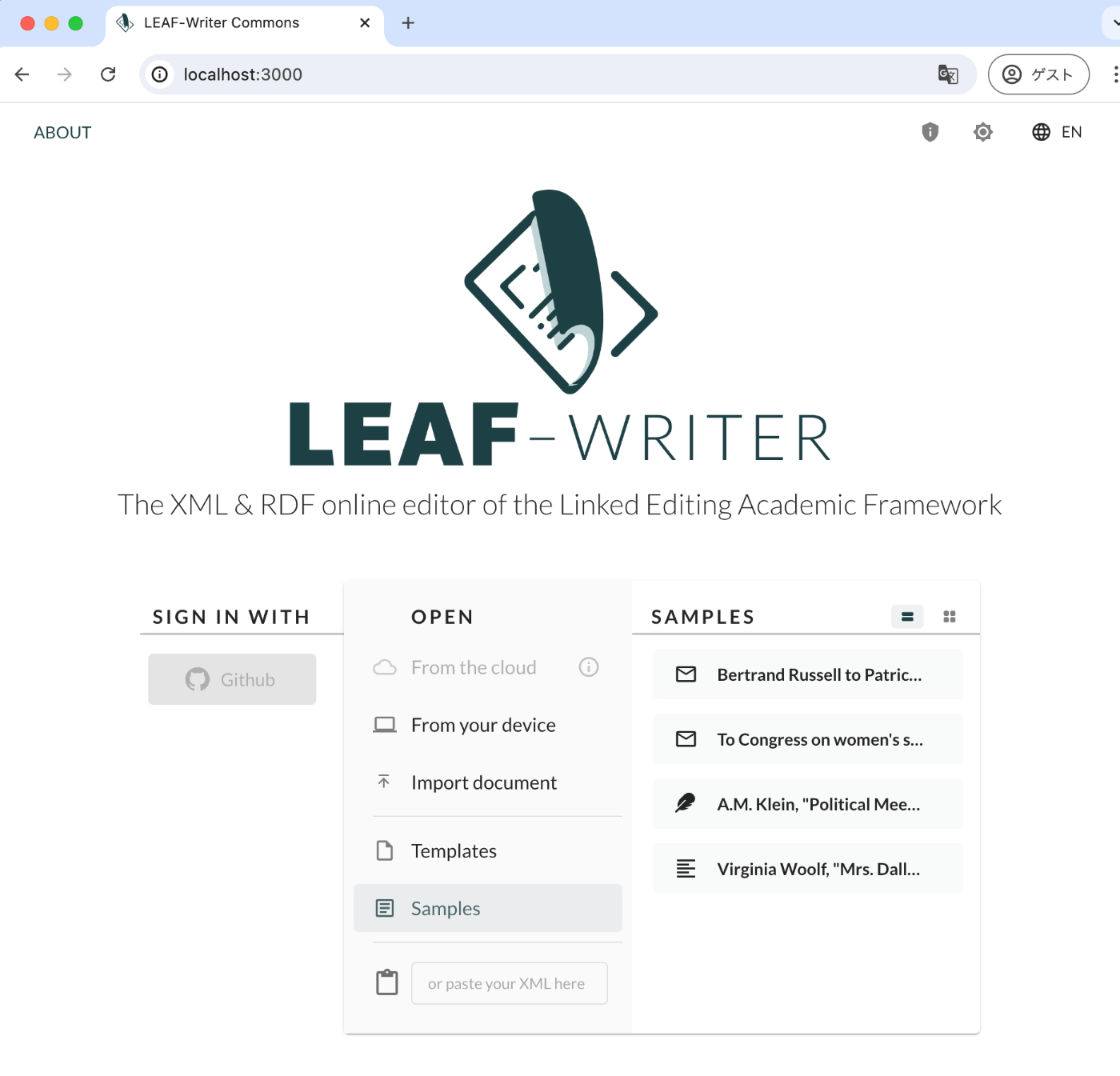
Overview I had the opportunity to run LEAF-Writer in a local environment, so here are my notes. Repository The following repository is used. https://gitlab.com/calincs/cwrc/leaf-writer/leaf-writer Method git clone https://gitlab.com/calincs/cwrc/leaf-writer/leaf-writer cd leaf-writer npm i npm run dev LEAF-Writer starts on port 3000. Summary There also seems to be a method using Docker, so I will share it once I figure it out.