Manipulating CVAT Data Using Python
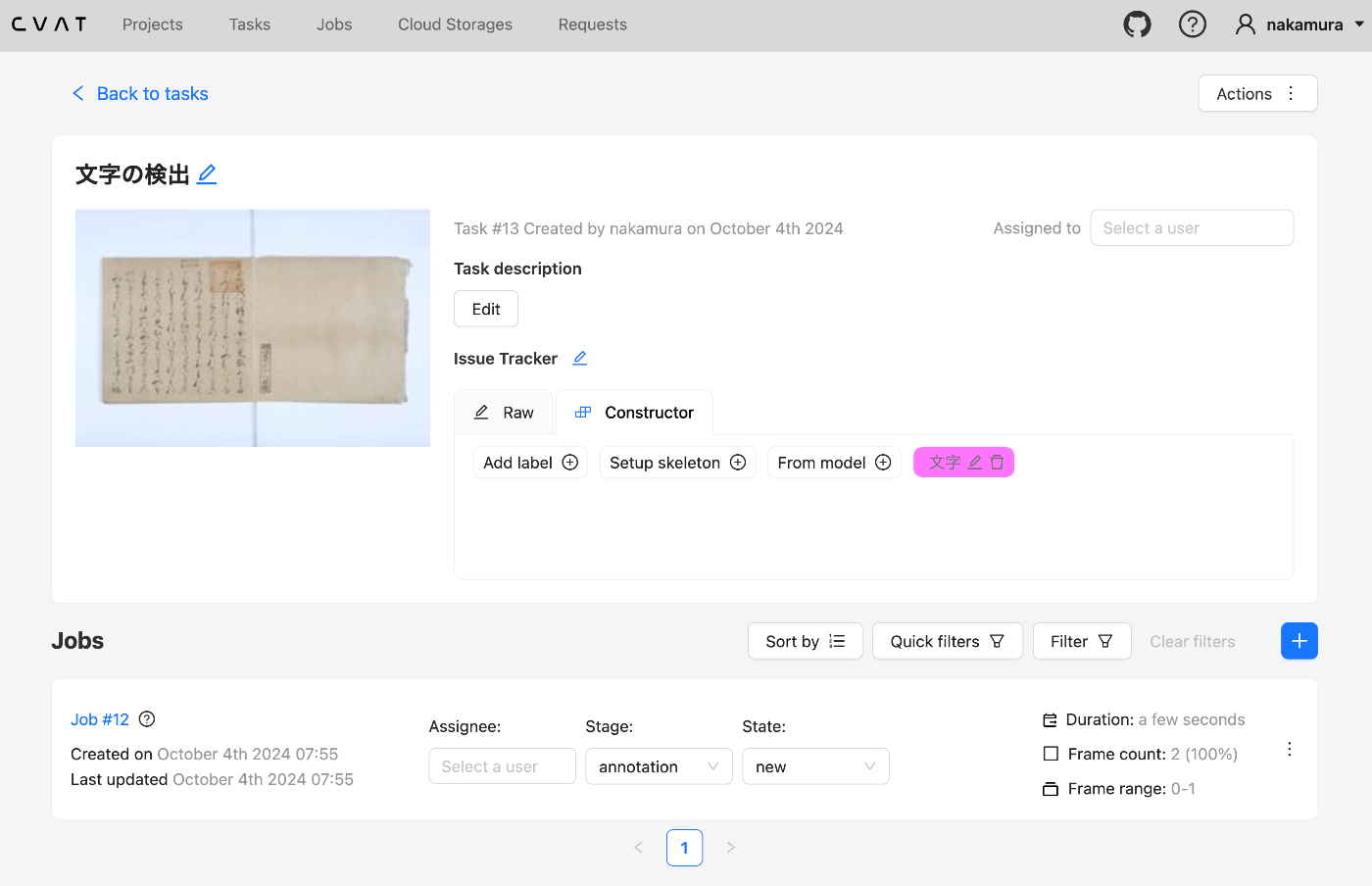
Overview This is a memo from an opportunity to manipulate CVAT data using Python. Setup We use Docker to start CVAT. git clone https://github.com/cvat-ai/cvat --depth 1 cd cvat docker compose up -d Creating an Account Access http://localhost:8080 and create an account. Operations with Python First, install the following library. pip install cvat-sdk Write the account information in .env. host=http://localhost:8080 username= password= Creating an Instance import os from dotenv import load_dotenv import json from cvat_sdk.api_client import Configuration, ApiClient, models, apis, exceptions from cvat_sdk.api_client.models import PatchedLabeledDataRequest import requests from io import BytesIO load_dotenv(verbose=True) host = os.environ.get("host") username = os.environ.get("username") password = os.environ.get("password") configuration = Configuration( host=host, username=username, password=password ) api_client = ApiClient(configuration) Creating a Task task_spec = { 'name': '文字の検出', "labels": [{ "name": "文字", "color": "#ff00ff", "attributes": [ { "name": "score", "mutable": True, "input_type": "text", "values": [""] } ] }], } try: # Apis can be accessed as ApiClient class members # We use different models for input and output data. For input data, # models are typically called like "*Request". Output data models have # no suffix. (task, response) = api_client.tasks_api.create(task_spec) except exceptions.ApiException as e: # We can catch the basic exception type, or a derived type print("Exception when trying to create a task: %s\n" % e) print(task) The following result is obtained: ...