Home Articles Books Search About
日本語
Azure OpenAI GPT-4 vs Document Intelligence: Comparative Evaluation of Japanese Vertical Text OCR
Azure OpenAI GPT-4 vs Document Intelligence: Comparative Evaluation of Japanese Vertical Text OCR

Overview We performed OCR processing on Japanese vertical-writing manuscript paper using two OCR services provided by Microsoft Azure (Azure OpenAI GPT-4 Vision and Azure Document Intelligence), and conducted a detailed comparative evaluation of the results. Test Image Image Source: Canva template (400-character manuscript paper) URL: https://www.canva.com/ja_jp/templates/EAFbqUoH7P8/ Image Characteristics: 20x20 grid, 400-character manuscript paper Vertical writing layout Light grid lines (cells) Distinction between title and body sections Ground Truth 原稿のタイトル 佐藤ちあき 原稿用紙に書くテキストが入ります。作文や小論文を作ったり、小説を書いたりなどにご活用ください。 このテキストを使用する場合は、日本語の全角を使うことでマスにあった文字を打つことができます。手書きで使用したい場合は、このテキストを削除し、印刷してご使用ください。 1. Recognition Results by Azure OpenAI GPT-4.1 Recognized Text 原稿のタイトル 佐藤 ちあき 原稿用紙に書くテキストが入ります。作文や小論文を作ったり、小説を書いたりなどにご活用ください。 このテキストを使用する場合は、日本語の全角を使うことでマスにあった文字を打つことができます。手書きで使用したい場合は、このテキストを削除し、印刷してご使用ください。 Evaluation GPT-4.1 demonstrated the following characteristics with vertical-writing manuscript paper: ...

A Scalable OCR Processing System Using NDL Classical Japanese OCR Lite on Azure Container Apps
A Scalable OCR Processing System Using NDL Classical Japanese OCR Lite on Azure Container Apps

Important Usage Notice The system described in this article may place load on external servers. Please exercise caution when using it. Server load: Parallel requests place load on target servers DoS risk: A large number of simultaneous accesses may be mistaken for a DoS attack Recommended approach: Download images locally in advance and run only the OCR processing in parallel Check terms of service: Always review the target server’s terms of service and obtain prior permission if necessary Appropriate rate limiting: In production, conservative concurrency settings (around 5-10 parallel) are strongly recommended Responsible use: Always be considerate of server administrators and other users This article is a record of a technical proof of concept. We ask readers to use the system responsibly. ...

How to Dynamically Convert File Paths on Azure Storage Using Cantaloupe Delegate Scripts

How to Dynamically Convert File Paths on Azure Storage Using Cantaloupe Delegate Scripts

Introduction When using Azure Storage with the IIIF server Cantaloupe, the IIIF URL identifier may differ from the actual file path on Azure Storage. This article provides a detailed explanation of how to solve this problem using delegate scripts. The Problem Suppose you are managing images with the following file structure: Azure Storage Container: mycontainer ├── images/ │ ├── collection1/ │ │ ├── item001/ │ │ │ └── item001_001.jpg │ │ └── item002/ │ │ └── item002_001.jpg │ └── collection2/ │ └── ... However, you want to access them via IIIF URLs like: ...

Trying Azure Logic Apps

Trying Azure Logic Apps

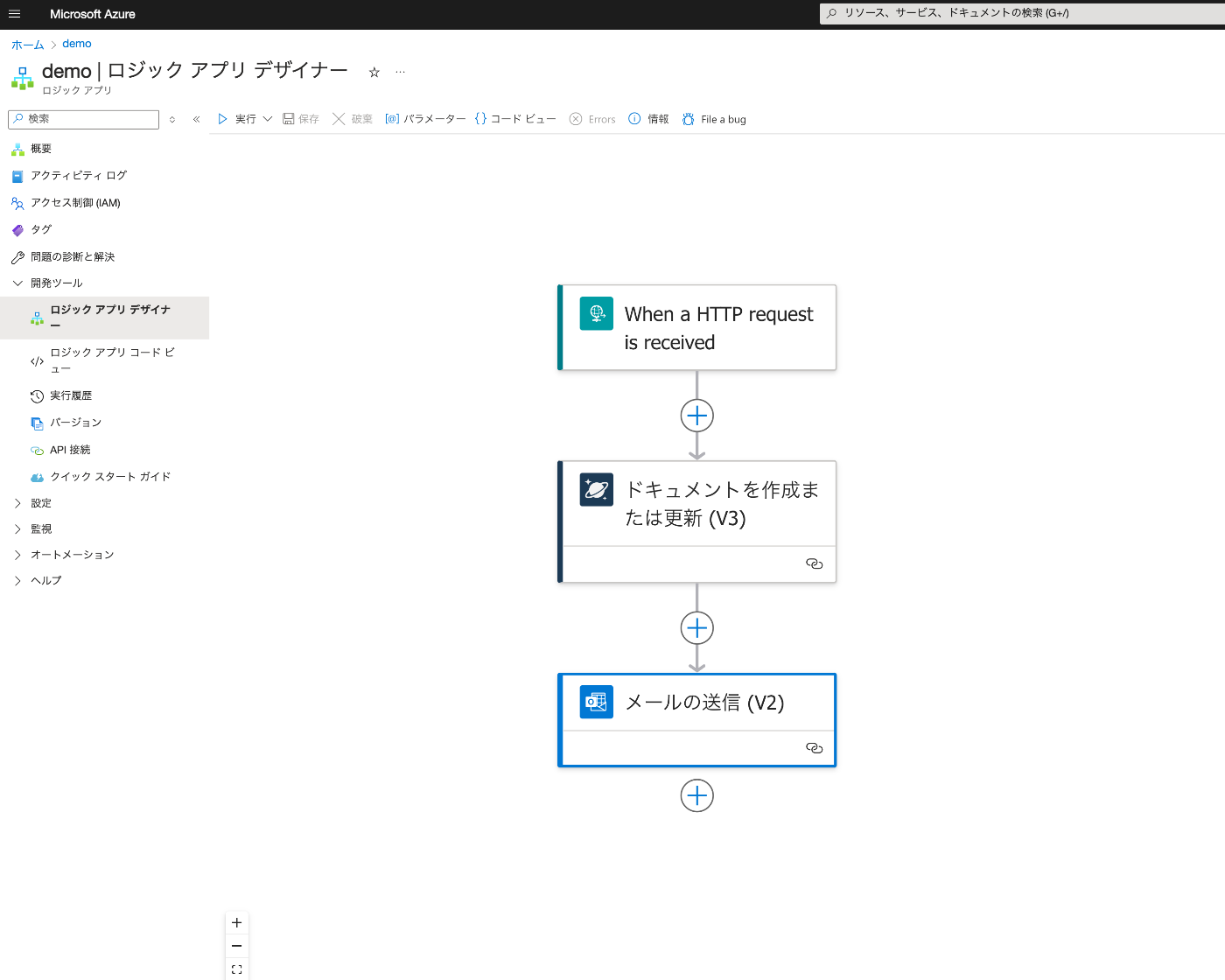
Overview This is a note from trying Azure Logic Apps for the purpose of investigating no-code or low-code development. Result Below is the Logic App Designer screen. We create a workflow that receives an HTTP request, saves data to Cosmos DB, and sends an email upon success. Creating Azure Cosmos DB Everything except “Account name” was left as default. It was created with the name “my-first-azure-cosmos-db-account.” Create an “Items” container. ...

Creating Apps with Azure OpenAI Assistants API Using Gradio and Next.js

Creating Apps with Azure OpenAI Assistants API Using Gradio and Next.js

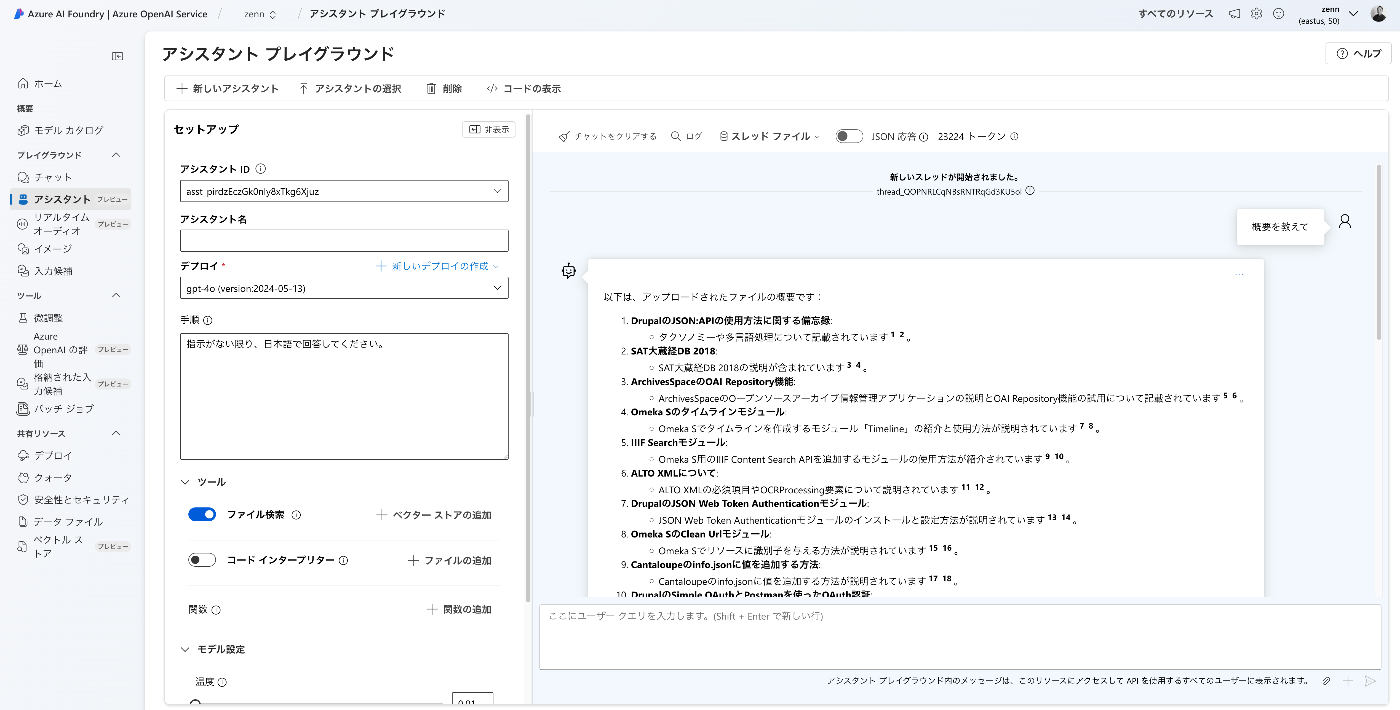
Overview I created apps using the Azure OpenAI Assistants API with Gradio and Next.js, so here are my notes. Target Data I used articles published on Zenn as the target data. First, I bulk downloaded them with the following code. import requests from bs4 import BeautifulSoup import os from tqdm import tqdm page = 1 urls = [] while 1: url = f"https://zenn.dev/api/articles?username=nakamura196&page={page}" response = requests.get(url) data = response.json() articles = data['articles'] if len(articles) == 0: break for article in articles: urls.append("https://zenn.dev" + article['path']) page += 1 for url in tqdm(urls): text_opath = f"data/text/{url.split('/')[-1]}.txt" if os.path.exists(text_opath): continue response = requests.get(url) soup = BeautifulSoup(response.text, "html.parser") html = soup.find(class_="znc") txt = html.get_text() os.makedirs(os.path.dirname(text_opath), exist_ok=True) with open(text_opath, "w") as f: f.write(txt) Registering to the Vector Store Upload data files with the following code. ...

Cantaloupe: Serving Images Stored in Microsoft Azure Blob Storage
Cantaloupe: Serving Images Stored in Microsoft Azure Blob Storage

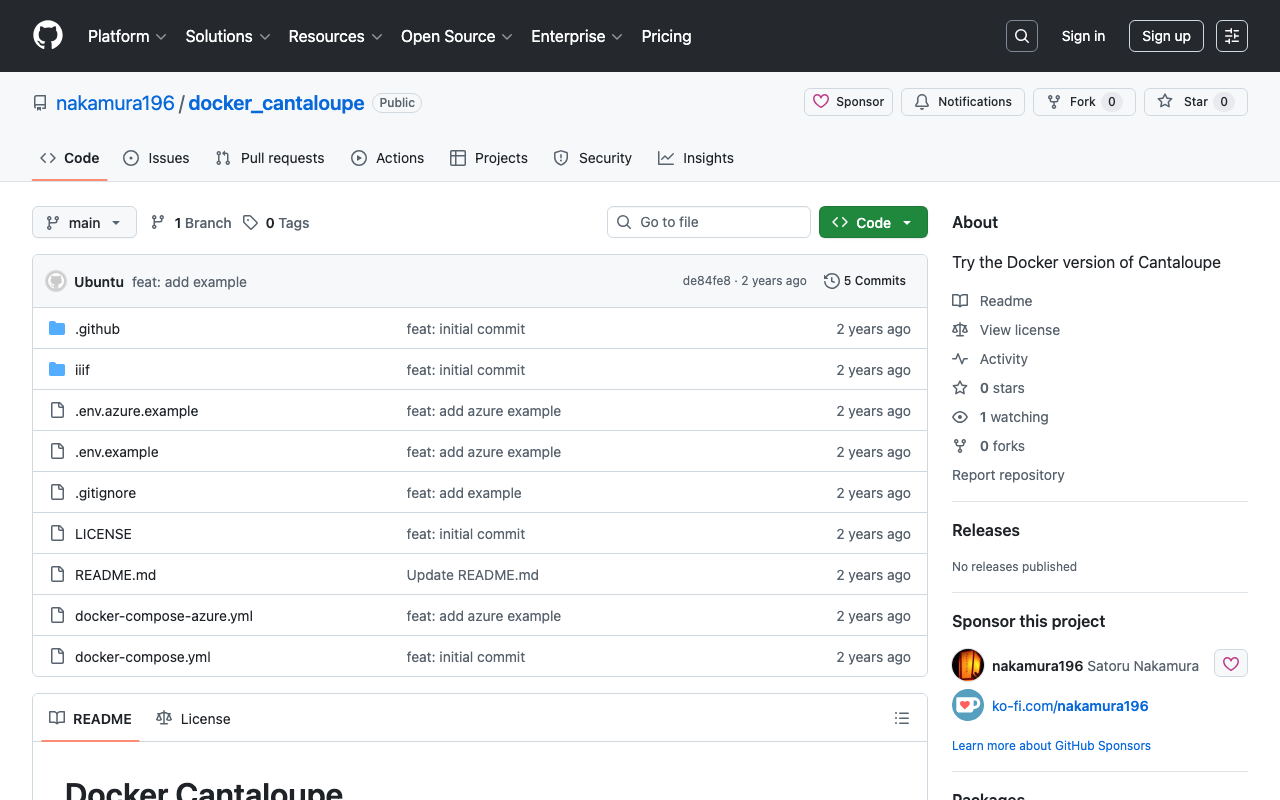
Overview This is a memo on how to serve images stored in Microsoft Azure Blob Storage using Cantaloupe Image Server, one of the IIIF image servers. This is the Microsoft Azure Blob Storage version of the following article. Method This time we will use the Docker version. Please clone the following repository. https://github.com/nakamura196/docker_cantaloupe In particular, rename .env.azure.example to .env and set the environment variables. # For Microsoft Azure Blob Storage CANTALOUPE_AZURESTORAGESOURCE_ACCOUNT_NAME= CANTALOUPE_AZURESTORAGESOURCE_ACCOUNT_KEY= CANTALOUPE_AZURESTORAGESOURCE_CONTAINER_NAME= # For Traefik CANTALOUPE_HOST= LETS_ENCRYPT_EMAIL= The last two settings also include HTTPS configuration using Traefik. ...

Building an NDLOCR Gradio App Using Azure Virtual Machines

Building an NDLOCR Gradio App Using Azure Virtual Machines

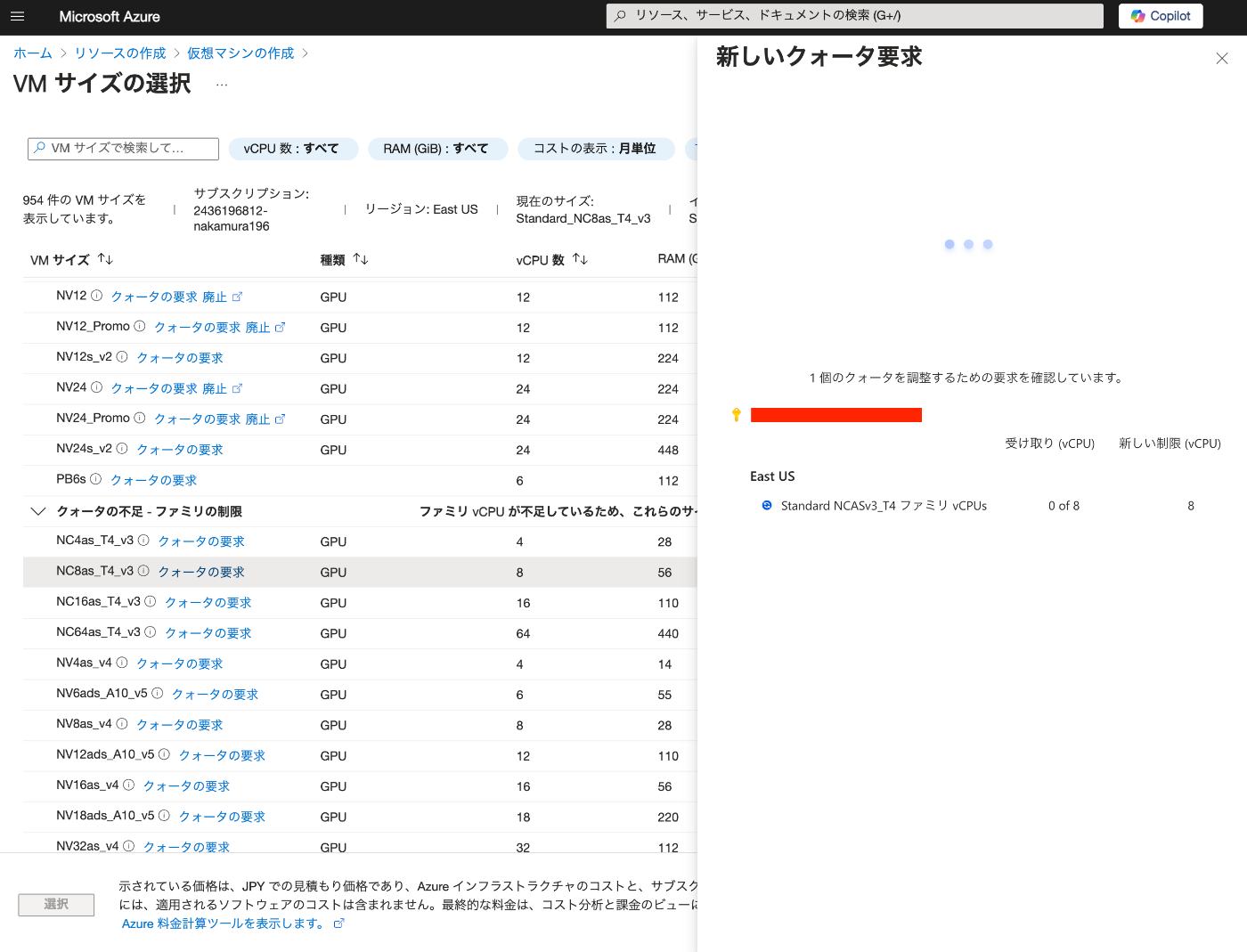
Overview In the following article, I introduced a Gradio app using Azure virtual machines and NDLOCR. This article provides notes on how to build this app. Building the Virtual Machine To use a GPU, it was necessary to request a quota. After the request, “NC8as_T4_v3” was used for this project. Building the Docker Environment The following article was used as a reference. https://zenn.dev/koki_algebra/scraps/32ba86a3f867a4 Disabling Secure Boot The following is stated: ...

Created a Gradio App to Try ndlocr_cli (NDLOCR ver.2.1) Application

Created a Gradio App to Try ndlocr_cli (NDLOCR ver.2.1) Application

Overview I created a Gradio app that allows you to try the ndlocr_cli (NDLOCR ver.2.1) application. Please try it at the following URL. https://ndlocr.aws.ldas.jp/ Notes Currently, only single image uploads are supported. I plan to add options such as PDF upload functionality in the future. It uses the “NVIDIA Tesla T4 GPU” installed in the “NC8as_T4_v3” VM available on Azure. Summary I’m not sure how long I can continue providing this in its current form, but I hope it will be useful for verifying the accuracy of the ndlocr_cli (NDLOCR ver.2.1) application. ...

Building a RAG-based Chat Using Azure OpenAI, LlamaIndex, and Gradio

Building a RAG-based Chat Using Azure OpenAI, LlamaIndex, and Gradio

Overview I tried building a RAG-based chat using Azure OpenAI, LlamaIndex, and Gradio, so here are my notes. Azure OpenAI Create an Azure OpenAI resource. Then, click “Endpoint: Click here to view endpoint” to note down the endpoint and key. Then, navigate to the Azure OpenAI Service. Go to “Model catalog” and deploy “gpt-4o” and “text-embedding-3-small”. The result is displayed as follows. Downloading the Text This time, we target “The Tale of Genji” published on Aozora Bunko (a free digital library of Japanese literature). ...