Home Articles Books Search About
日本語
Copying Build Results to Sakura Rental Server Using GitHub Actions and SCP
Copying Build Results to Sakura Rental Server Using GitHub Actions and SCP

Overview I had an opportunity to copy build results to a Sakura rental server using GitHub Actions and SCP, so this is a memorandum of the process. I used the following GitHub Action. https://github.com/appleboy/scp-action Issue Encountered When I tried using the following notation, it worked fine when using act in the local environment, but it did not work when running on GitHub Actions. name: scp files on: [push] jobs: build: name: Build runs-on: ubuntu-latest steps: - uses: actions/checkout@v4 - name: copy file via ssh password uses: appleboy/scp-action@master with: host: ${{ secrets.HOST }} username: ${{ secrets.USERNAME }} password: ${{ secrets.PASSWORD }} port: ${{ secrets.PORT }} source: "tests/a.txt,tests/b.txt" target: your_server_target_folder_path Specifically, the following error occurred: ...

Sending Email Notifications for GitHub Actions Results: Using Gmail

Sending Email Notifications for GitHub Actions Results: Using Gmail

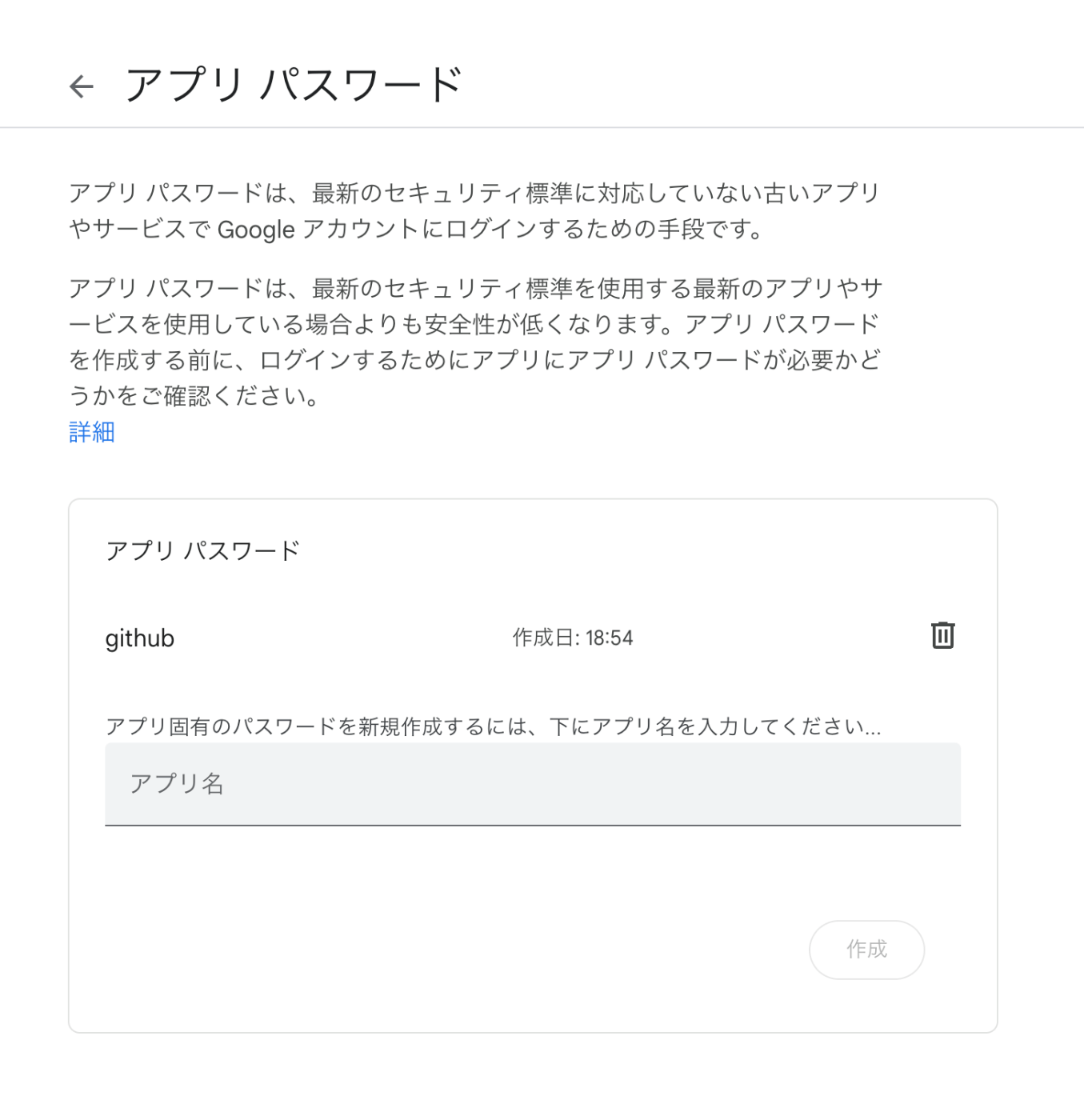
Overview I had the opportunity to send email notifications for GitHub Actions processing results, so here are my notes. This time we’ll use Gmail. The following was helpful as a reference. https://stackoverflow.com/questions/69947109/sending-email-with-github-actions Gmail Configuration The details are described at the following link. Enable two-factor authentication and create an app password. https://github.com/dawidd6/action-send-mail?tab=readme-ov-file#gmail Here is an example of app password configuration. Local Testing Use act to run GitHub Actions in a local environment. ...