Overview
I created a Docker image that generates Pyramid Tiled Tiff files from images stored in S3, using AWS Lambda, Docker, and pyvips.
The Amazon ECR Public Gallery page is here:
https://gallery.ecr.aws/nakamura196/lambda-docker-vips-python
The source code is available here:
https://github.com/ldasjp8/lambda-docker-vips-python
Below is a description of how to use it.
Creating an Amazon ECR Repository
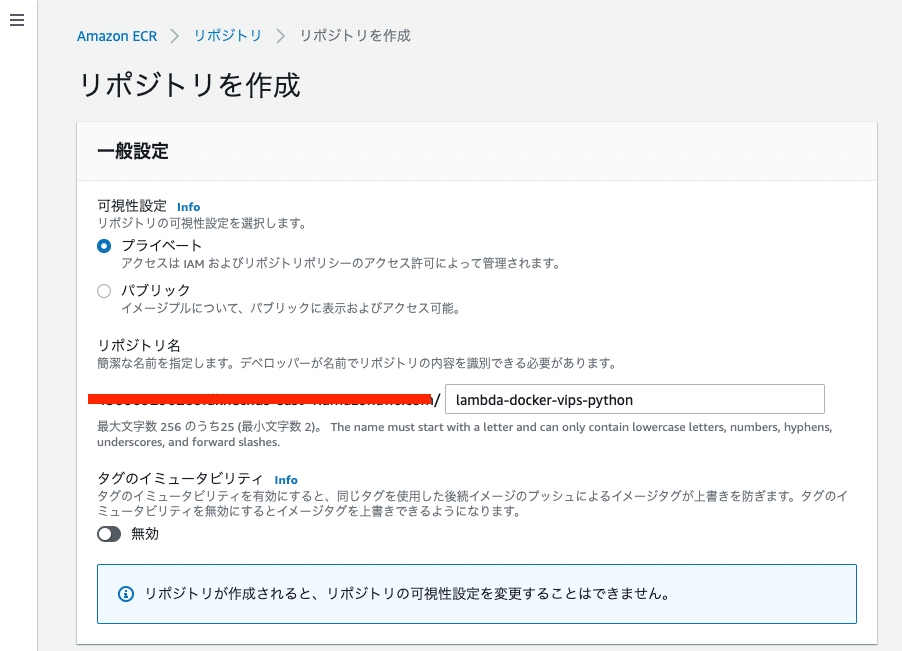
First, create an ECR repository:
Next, check the commands from "View push commands" and push the image:
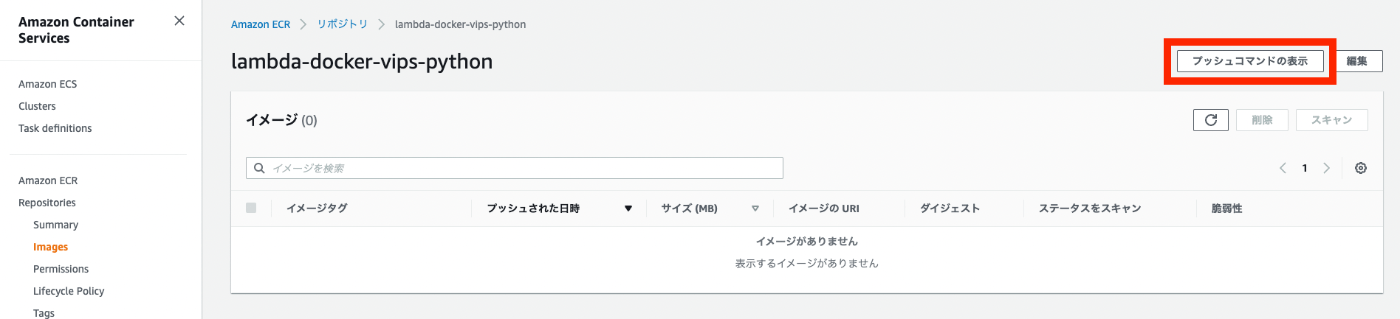
Here is an example of the commands:
git clone https://github.com/ldasjp8/lambda-docker-vips-python.git
cd lambda-docker-vips-python
aws ecr get-login-password --region us-east-1 | docker login --username AWS --password-stdin XXXX.dkr.ecr.us-east-1.amazonaws.com
docker build -t lambda-docker-vips-python .
docker tag lambda-docker-vips-python:latest XXXX.dkr.ecr.us-east-1.amazonaws.com/lambda-docker-vips-python:latest
docker push XXXX.dkr.ecr.us-east-1.amazonaws.com/lambda-docker-vips-python:latest
As a result, the image will appear in the ECR repository as shown below:

Then, copy the "Image URI" shown below:

Creating a Lambda Function
Next, create a Lambda function. In this case, I named the function my-lambda-docker-vips-python. Paste the URI you copied earlier into the "Container image URI" field:
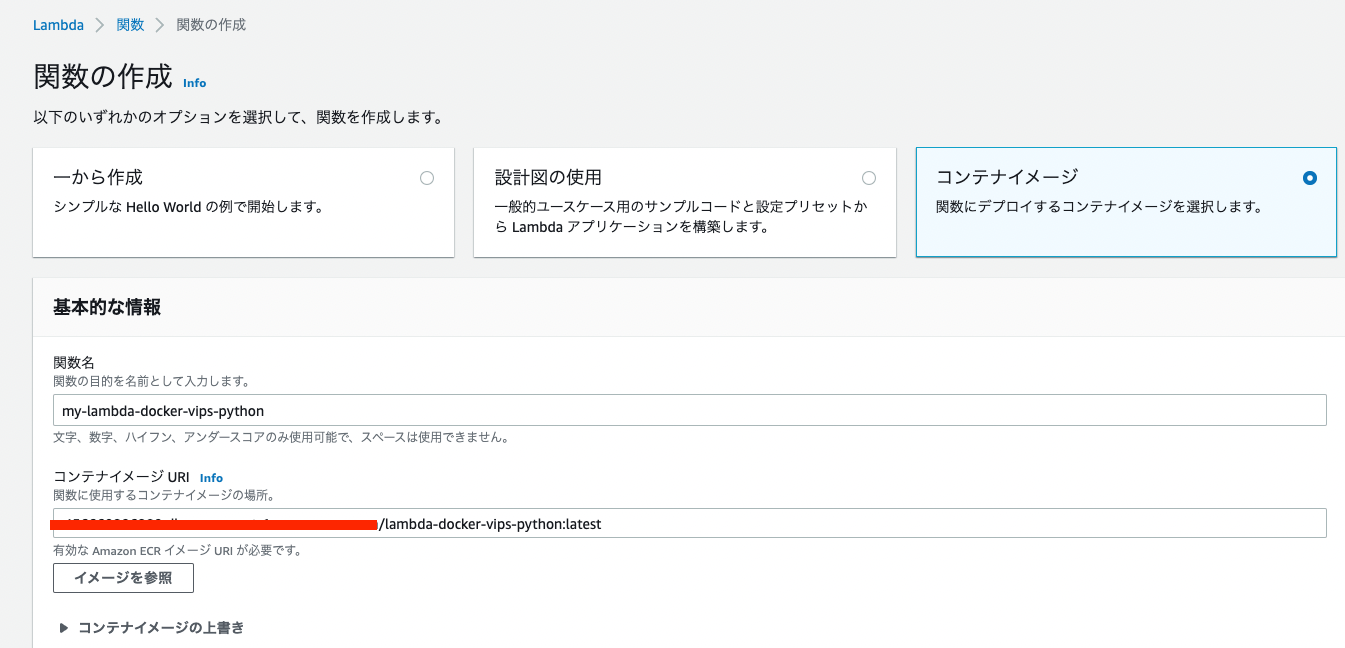
Then, click the "Create function" button to create the function.
S3
Creating Buckets
For this setup, two buckets are needed: one for uploading images and another for storing the converted images produced by the function above.
In this case, I created two buckets: my-lambda-docker-vips-python-input and my-lambda-docker-vips-python-output.
Event Notification Configuration
From the my-lambda-docker-vips-python-input bucket's "Properties" > "Event notifications," create an event notification. This ensures that the function above is triggered whenever an image is uploaded to S3.
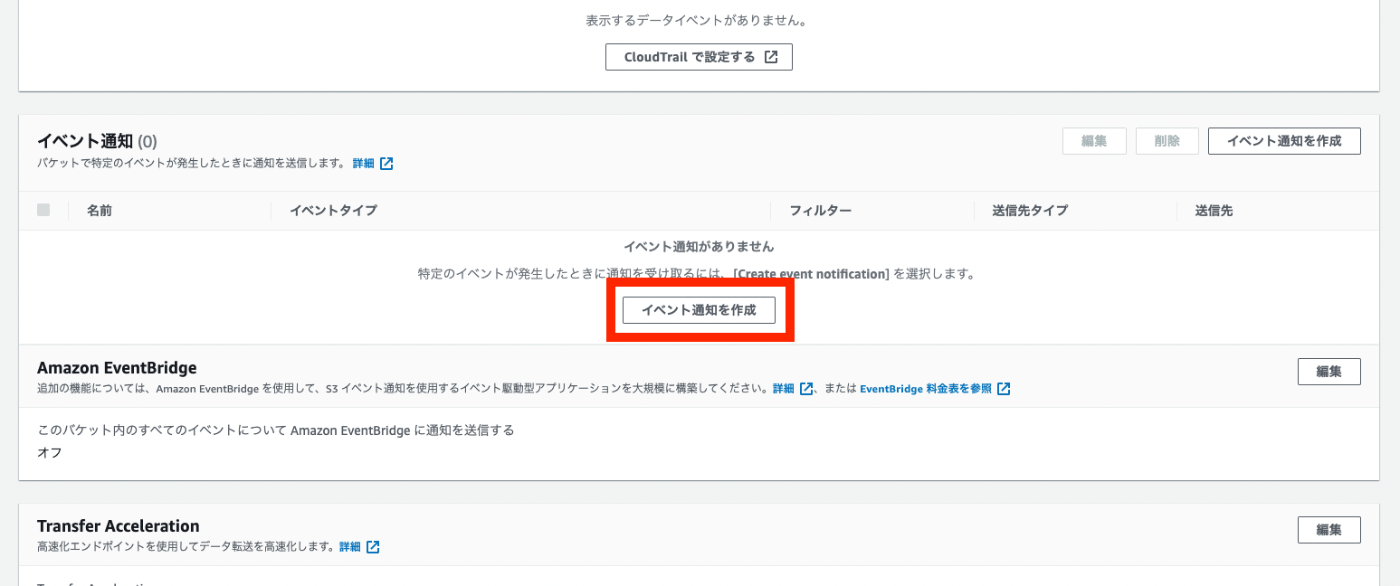
Set the "Event name" to my-lambda-docker-vips-python-input-event, the "Event type" to All object create events, and the "Destination" Lambda function to my-lambda-docker-vips-python.

Lambda Function Configuration
Environment Variables
Return to the Lambda function and configure the environment variables as shown below:
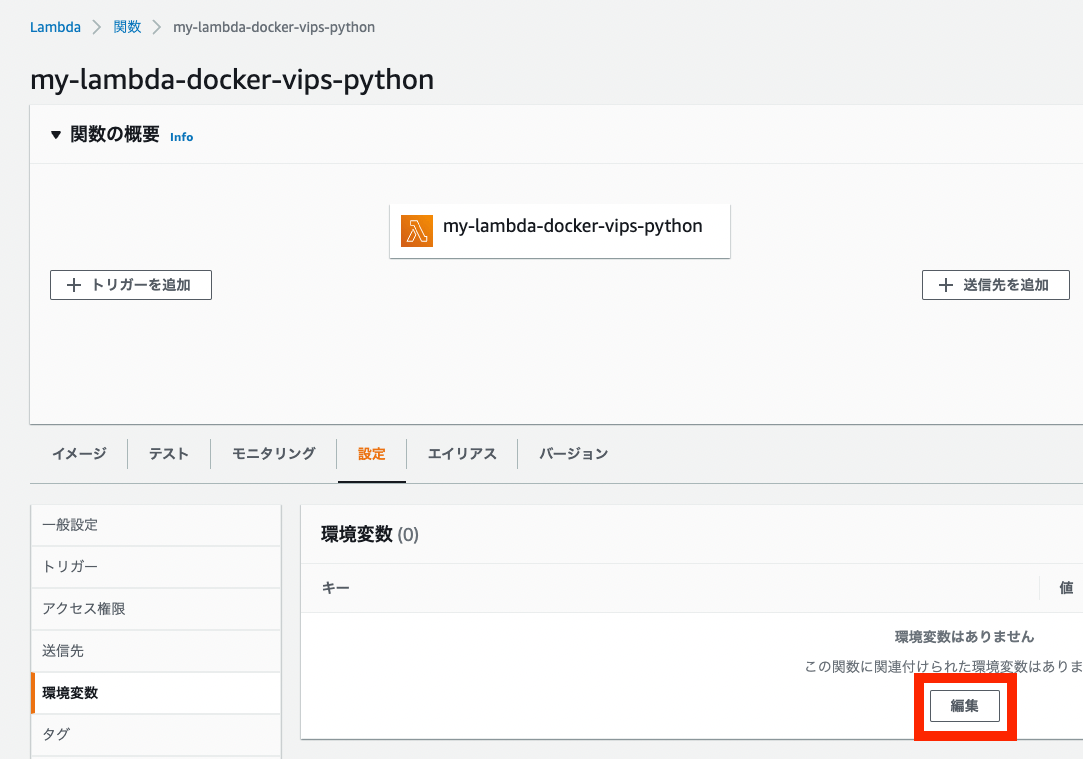
Specifically, set the key name to iiif_bucket_name and the value to the S3 bucket name my-lambda-docker-vips-python-output that was created earlier:

Access Permissions
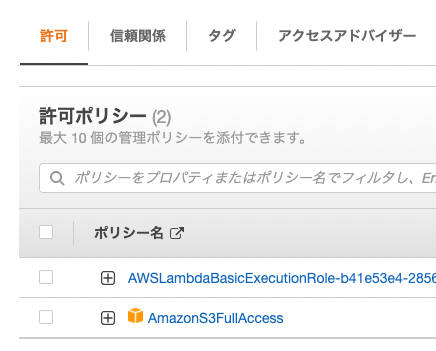
Next, grant access permissions. Navigate to IAM from the link below and add permissions:

Since this is for testing purposes, I granted AmazonS3FullAccess:
Basic Settings
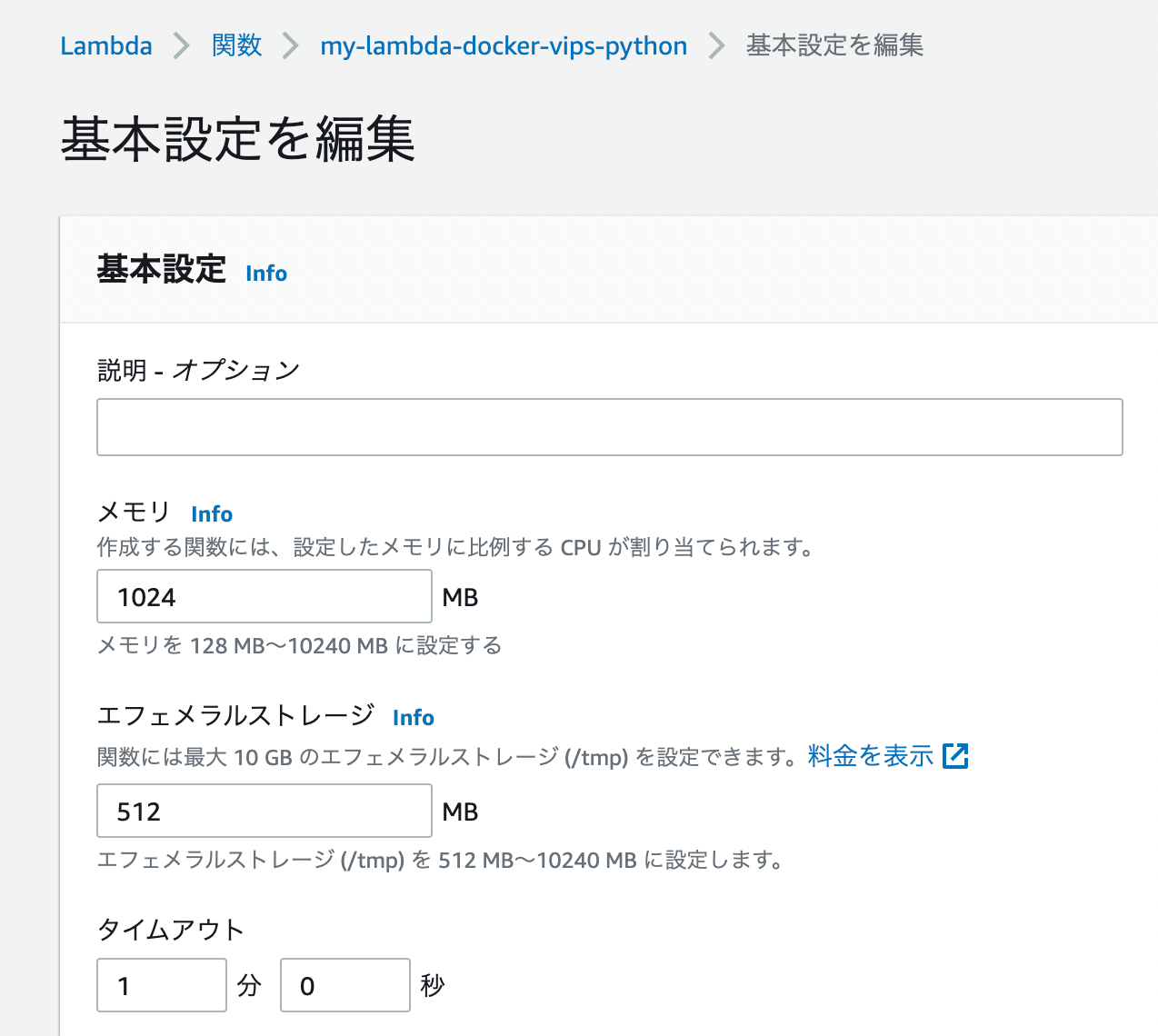
Finally, edit the "General configuration." As an example, I set the memory to 1024 MB and the timeout to 1 minute 0 seconds:
Testing
The setup is now complete.
As shown in the following video, upload an image to the bucket my-lambda-docker-vips-python-input. You can then verify that a TIF file is created in my-lambda-docker-vips-python-output.
Summary
Using a Lambda function, I was able to create Pyramid Tiled Tiff files.
As an extension, by combining this with the following article, "Building a IIIF Image Server Using AWS Serverless Applications," you can automatically serve images via the IIIF Image API simply by uploading images to S3.
Specifically, this can be achieved by specifying the output bucket my-lambda-docker-vips-python-output created here as the SourceBucket described in the article above.
This article was written as a personal reference, but I hope it is useful to others as well.