Overview
Advanced Search Plus is a module that adds additional fields to the advanced search in Omeka S, enabling more flexible searching.
This article explains how to use this module.
Usage
Installing this module makes the following features available:
-
before/on/after creation/modification date/time of any resource: Enables range searches on dates and times.
-
has media (for item): Filter items that have media.
-
has original: Filter items that have original images.
-
has thumbnail: Filter items that have thumbnail images.
-
multiple media types (for item)
-
multiple media types for media (included in core since Omeka S 2.0.2 for a single value)
-
visibility public/private: Filter based on public/private visibility settings.
-
media by item set: Filter media based on item sets.
Specifically, additional search form fields like the following are added to the advanced search screen for items in the admin interface. Features such as "has media (filter items with media)" are likely to be in high demand.

Additionally, the following search conditions are added to the metadata-based search form:
-
start with
-
end with
-
in list (via api only).
-
exclude one or multiple properties (except title): Exclude one or more properties from the search scope (except title).
The search condition options are extended as shown below.
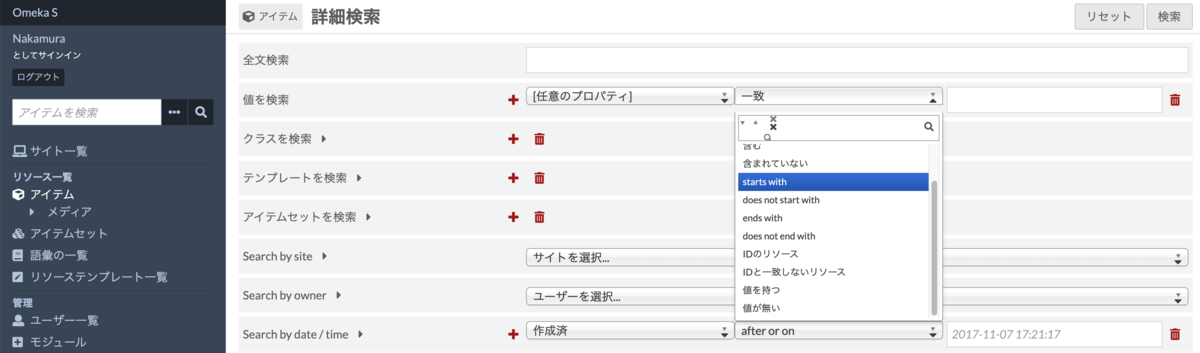
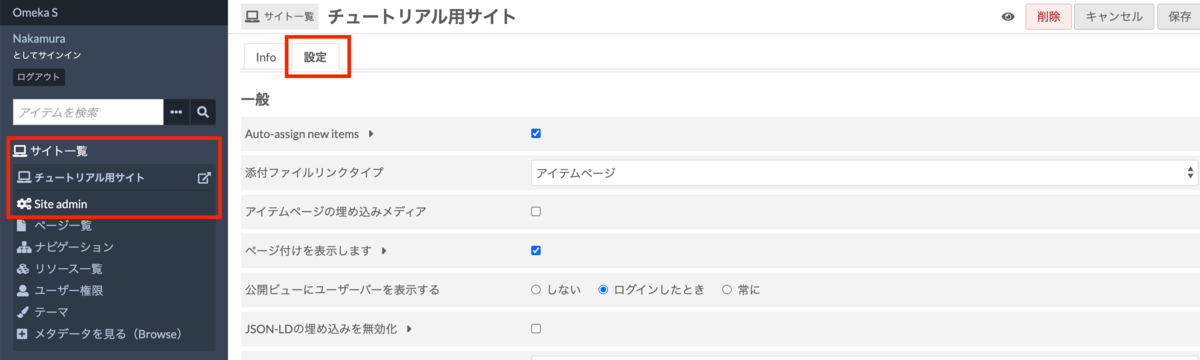
Furthermore, the advanced search form can be customized per site.
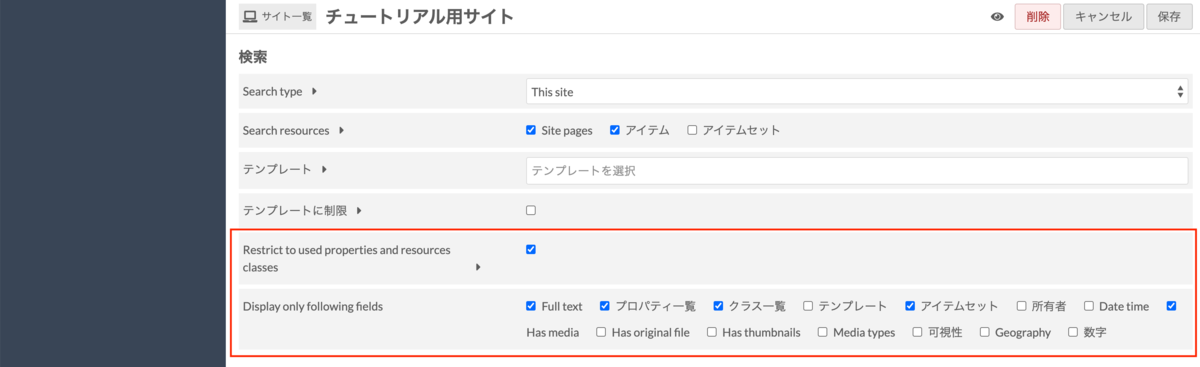
Enabling "Restrict to used properties and resources classes" limits the property selection in the search form to only those properties that are actually used in resources. By default, Omeka S displays all properties from registered vocabularies, but this feature reduces that complexity.
"Display only following fields" allows you to show or hide various form fields. The figure below shows an example where only "Has media" is enabled among the forms added by this module.
Summary
Regarding this module, the ability to configure "Restrict to used properties and resources classes" and to filter only items with media are particularly useful features.
This module is also used in the advanced search screen of the Engineering Historical Materials Curation Database at the University of Tokyo Engineering and Information Science and Technology Library.