ホーム 記事一覧 ブック DH週間トピックス 検索 このサイトについて
English
TEI/XMLから検索システムを構築する際のDTS(Distributed Text Services)のdts:wrapperの応用例
TEI/XMLから検索システムを構築する際のDTS(Distributed Text Services)のdts:wrapperの応用例

概要 TEI/XMLから検索システムを構築する際のDTS(Distributed Text Services)のdts:wrapperタグの応用例に関するメモです。 DTS(Distributed Text Services)は以下です。 Cayless, H., Clérice, T., Jonathan, R., Scott, I., & Almas, B. Distributed Text Services Specifications (Version 1-alpha) [Computer software]. https://github.com/distributed-text-services/specifications` 参考 DTSの構築例として、以下なども参考になりましたら幸いです。 例 以下の「デジタル延喜式」を例とします。 https://khirin-t.rekihaku.ac.jp/engishiki/ 本システムでは、TEIを用いて作成したXMLデータから、検索時の単位となる部分を抽出し、それをJSON形式のデータに変換した上で検索を行っています。JSONデータの例は以下です。JSON:APIに準拠した記述を採用しています。 http://khirin-t.rekihaku.ac.jp/engishiki/jsonapi/item/39100101.json { "jsonapi": { "version": "1.0", "meta": { "links": { "self": { "href": "http://jsonapi.org/format/1.0/" } } } }, "data": { "type": "item", "id": "39100101", "attributes": { "label": "正親 1 諸王年満条 項1", "jyo": [ "39-1-001 諸王年満" ], "shiki": [ "39-1 正親" ], "vol": [ "39" ], "updated": "2025-03-15", "category": [ "式" ], "manifest": "https://khirin-a.rekihaku.ac.jp/iiif/rekihaku/H-743-74-39/manifest.json", "member": "https://khirin-a.rekihaku.ac.jp/iiif/2/engishiki%2FH-743-74-39/page5069", "thumbnail": "https://khirin-a.rekihaku.ac.jp/iiif/2/engishiki%2FH-743-74-39%2F00002.tif/full/200,/0/default.jpg", "xml": "<?xml version=\"1.0\" encoding=\"UTF-8\"?>\n<TEI xmlns=\"http://www.tei-c.org/ns/1.0\">\n <dts:wrapper xmlns:dts=\"https://w3id.org/api/dts#\">\n <div type=\"original\"><p ana=\"項\" corresp=\"#page5069\" xml:id=\"o-item39100101\">\n 凡諸王年満十二、毎年十二月、\n<orgName sameAs=\"#京職\">京職</orgName>\n移\n<orgName sameAs=\"#宮内省\">宮内省</orgName>\n、\n<orgName sameAs=\"#宮内省\">省</orgName>\n以\n<orgName sameAs=\"#京職\">京職</orgName>\n移、即付\n<orgName sameAs=\"#正親司\">司</orgName>\n令勘会名簿、訖更送\n<orgName sameAs=\"#宮内省\">省</orgName>\n、明年正月待\n<orgName sameAs=\"#太政官\">官</orgName>\n符到、始預賜時服之例、</p></div><div type=\"japanese\"><note type=\"summary\">\n 衣替え手当ての受給年齢に達する皇族への支給開始手続きに関する規定\n </note><p ana=\"項\" corresp=\"engishiki_v39.xml#item39100101 engishiki_v39_en.xml#item39100101\" xml:id=\"ja-item39100101\">\n 皇族の年齢が数えで十二歳に達したら、十二月に\n<ruby>\n<rb>\n 京職\n </rb>\n<rt place=\"right\">\n きょうしき\n </rt>\n</ruby>\n が\n<ruby>\n<rb>\n 宮内省\n </rb>\n<rt place=\"right\">\n くないしょう\n </rt>\n</ruby>\n に通知し、宮内省は京職の通知書類を\n<ruby>\n<rb>\n 正親司\n </rb>\n<rt place=\"right\">\n せいしんし\n </rt>\n</ruby>\n に下して正親司が保管する皇族の台帳と照合させよ。正親司はこの作業が終わったら通知書類を宮内省に送れ。翌年正月に\n<ruby>\n<rb>\n 太政官\n </rb>\n<rt>\n だいじょうかん\n </rt>\n</ruby>\n の通達を受領してから、衣替え手当ての支給を開始せよ。\n</p></div><div type=\"english\"><note type=\"summary\">\n Age of Royal Recipients for Seasonal Clothing\n </note><p ana=\"項\" corresp=\"engishiki_v39.xml#item39100101 engishiki_v39_ja.xml#item39100101\" xml:id=\"en-item39100101\">\n Every year if\n<seg xml:id=\"footnote3910010101\">\n a\n prince or princess\n </seg>\n reaches\n<seg xml:id=\"footnote3910010102\">\n twelve years old\n </seg>\n , the Capital Office should report that\n information via\n<seg xml:id=\"footnote3910010103\">\n a parallel memorandum\n (\n<seg rend=\"italic\">\n i\n </seg>\n )\n</seg>\n to the Ministry of the Royal\n Household in the twelfth month. Then the Ministry should send the\n memorandum to the Royal Family Register Office to check the list against\n their existing roster. After finishing all of these procedures, the\n Royal Family Register Office should return the memorandum to the\n Ministry. The prince or princess in question will receive seasonal\n clothing after the Council of State's order is issued in the following\n New Year.\n</p></div>\n </dts:wrapper>\n</TEI>" } } } 検索結果は以下のように表示されます。校訂文(@type=“original”)、現代語訳(@type=“japanese”)、および英訳(@type=“english”)を表示しています。 ...

GakuNin RDM APIをつかってみる

GakuNin RDM APIをつかってみる

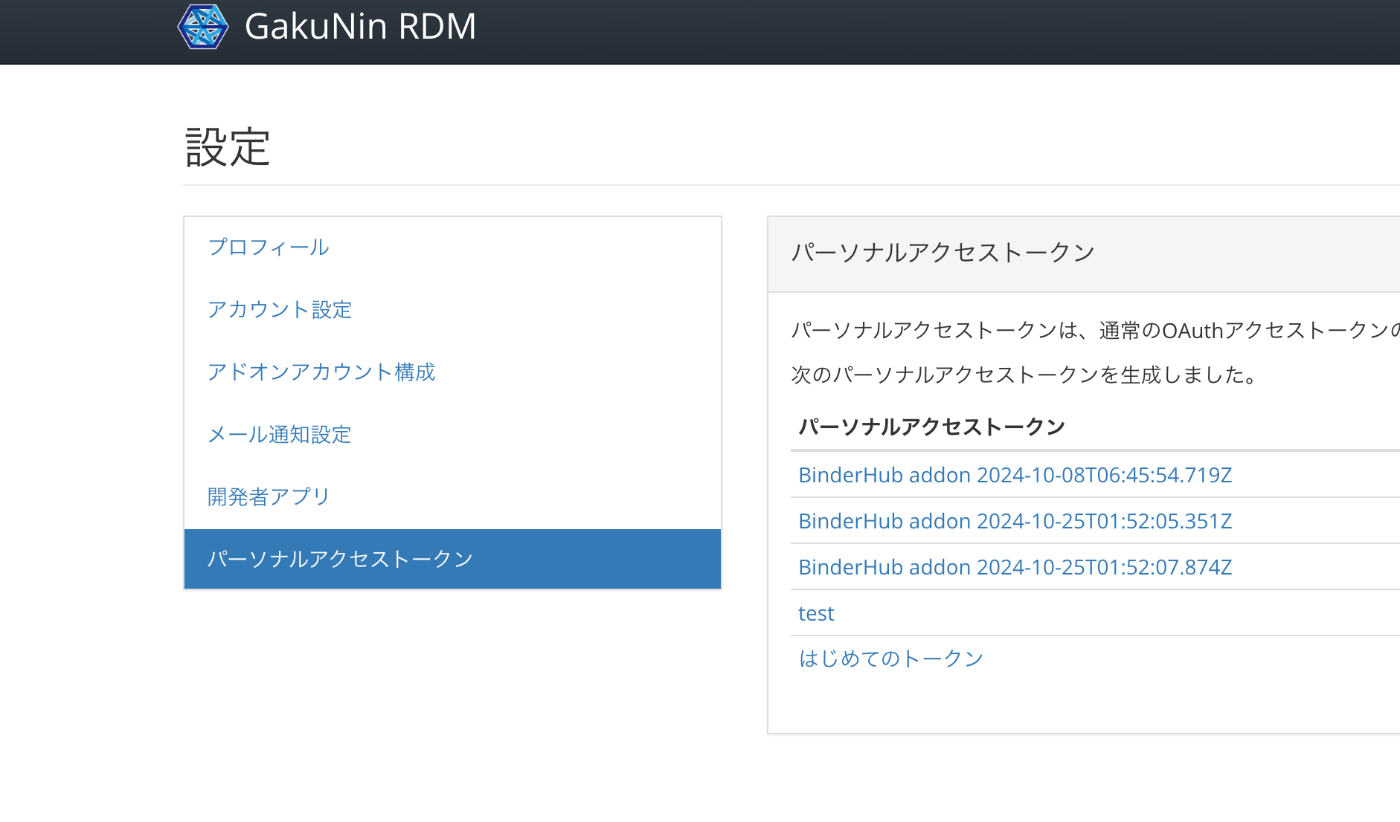
概要 GakuNin RDMでは、以下でAPIが公開されています。このAPIの使用例について備忘録です。 https://api.rdm.nii.ac.jp/v2/ 参考 GakuNin RDMはOSF(Open Science Framework)をベースに構築されており、APIに関するドキュメントは以下で確認することができます。OpenAPIに準拠しています。 https://developer.osf.io/ PATの取得 PAT(パーソナルアクセストークン)を取得します。 ログイン後、以下のURLから作成することができます。 https://rdm.nii.ac.jp/settings/tokens/ 利用 以下のようなスクリプトにより、プログラムからもアクセスすることができます。 access_token=xxx import requests import os from dotenv import load_dotenv load_dotenv(verbose=True) load_dotenv("./env") access_token = os.environ.get("access_token") # アップロードURLにクエリパラメータを追加 url = f'https://api.rdm.nii.ac.jp/v2/nodes/' # ファイルを開き、PUTリクエストでアップロード # with open(file_path, 'rb') as file: response = requests.get( url, headers={ 'Authorization': f'Bearer {access_token}' } ) response.json() 参考までに、Authorizationヘッダーが未指定の場合、以下の結果が返却されました。 {'data': [], 'links': {'first': None, 'last': None, 'prev': None, 'next': None, 'meta': {'total': 0, 'per_page': 10}}, 'meta': {'version': '2.0'}} ブラウザで確認 APIの出力結果はブラウザでも確認することができます。 https://api.rdm.nii.ac.jp/v2/ 以下のように、Django REST frameworkで作成されていることがわかります。 また、おそらく「Django REST framework JSON:API」を使用し、JSON:APIが採用されていることがわかります。 まとめ GakuNin RDMおよびOSF(Open Science Framework)のAPIについて、参考になりましたら幸いです。 ...

Node.jsを使って、JSON:APIに準拠しているかを検証する

Node.jsを使って、JSON:APIに準拠しているかを検証する

概要 JSON:APIに準拠しているかを検証するにあたり、以下のリポジトリを使用してみましたので、備忘録です。 https://github.com/elliotttf/jsonapi-validator 本記事執筆時点において、7年前から更新がされていないようなので、最新のスキーマ等には非対応かもしれませんが、簡単な検証は行うことができました。 使い方 上記のライブラリを試すにあたり、以下のリポジトリを用意しました。 https://github.com/nakamura196/jsonapi-validator-demo インストール nvmの利用を前提していますが、必須ではありません。 git clone https://github.com/nakamura196/jsonapi-validator-demo cd jsonapi-validator-demo nvm i 22 nvm use 22 pnpm i 試す OKの例 { "jsonapi": { "version": "1.0", "meta": { "links": { "self": { "href": "http://jsonapi.org/format/1.0/" } } } }, "data": [ { "type": "record", "id": "10_A0024853", "attributes": { "title": "サンプル" } } ] } ./node_modules/jsonapi-validator/bin/jsonapi-validator.js -f ./01_valid.json 01_valid.json is valid JSON API. NGな例:不要なプロパティあり aaaという不要なプロパティがあります。 { "jsonapi": { "version": "1.0", "meta": { "links": { "self": { "href": "http://jsonapi.org/format/1.0/" } } } }, "aaa": { "bbb": "ccc" }, "data": [ { "type": "record", "id": "10_A0024853", "attributes": { "title": "サンプル" } } ] } ./node_modules/jsonapi-validator/bin/jsonapi-validator.js -f ./02_invalid_additional_properties.json Invalid JSON API. should NOT have additional properties. schemaPath: #/additionalProperties additionalProperty: aaa should NOT have additional properties. schemaPath: #/additionalProperties additionalProperty: aaa should NOT have additional properties. schemaPath: #/additionalProperties additionalProperty: data should have required property 'errors'. schemaPath: #/required missingProperty: errors should NOT have additional properties. schemaPath: #/additionalProperties additionalProperty: aaa should NOT have additional properties. schemaPath: #/additionalProperties additionalProperty: data should have required property 'meta'. schemaPath: #/required missingProperty: meta should match exactly one schema in oneOf. schemaPath: #/oneOf NGな例:必要なプロパティがない typeという必要なプロパティがない例です。 ...

DrupalのJSON:APIの使用方法(includeと多言語対応)

DrupalのJSON:APIの使用方法(includeと多言語対応)

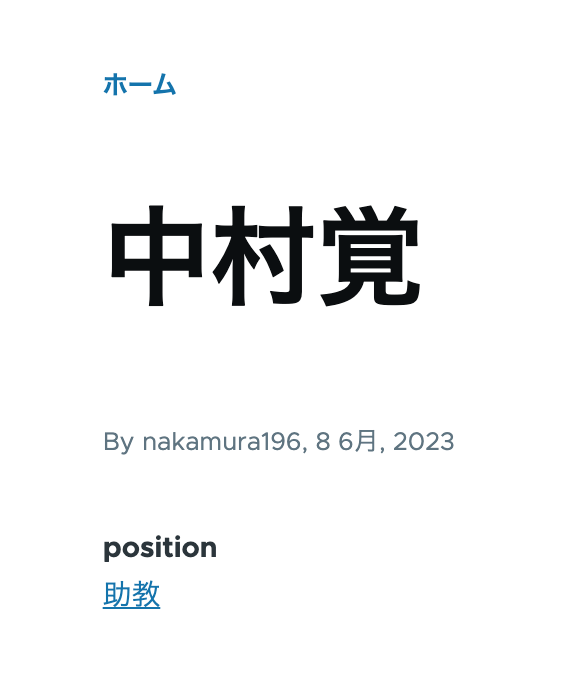
概要 DrupalのJSON:APIの使用方法に関する備忘録です。今回は、タクソノミーなどに対するincludeと多言語処理について記載します。 データ 以下のように、positionフィールドにタクソノミー「助教」を付与しています。 /node/5 また、コンテンツの多言語化を有効にしており、以下のように、タイトルとpositionの英語も表示されます。 /en/node/5 JSON:API 上記のコンテンツをコンテンツタイプ「faculty」に作成したので、以下のURLから、データの一覧を取得できます。 /jsonapi/node/faculty/ 以下は、linksフィールドを除く結果を表示しています。field_positionにタクソノミーのIDが含まれていますが、当該タクソノミーのラベル等はふくまれていません。 { "jsonapi": { "version": "1.0", "meta": { "links": { "self": { "href": "http://jsonapi.org/format/1.0/" } } } }, "data": [ { "type": "node--faculty", "id": "586ef1d9-b680-41f9-b54b-7ebcdc9d154f", "attributes": { "drupal_internal__nid": 5, "drupal_internal__vid": 13, "langcode": "ja", "revision_timestamp": "2023-06-08T01:01:43+00:00", "revision_log": null, "status": true, "title": "中村覚", "created": "2023-06-08T00:44:15+00:00", "changed": "2023-06-08T01:01:26+00:00", "promote": true, "sticky": false, "default_langcode": true, "revision_translation_affected": null, "content_translation_source": "und", "content_translation_outdated": false, "path": { "alias": null, "pid": null, "langcode": "ja" }, "body": null }, "relationships": { "node_type": { "data": { "type": "node_type--node_type", "id": "841962f7-91c8-47a1-b335-ea494efe467c", "meta": { "drupal_internal__target_id": "faculty" } } }, "revision_uid": { "data": { "type": "user--user", "id": "0b001e4d-ed29-4a53-960d-9cdcc3d3ad70", "meta": { "drupal_internal__target_id": 1 } } }, "uid": { "data": { "type": "user--user", "id": "0b001e4d-ed29-4a53-960d-9cdcc3d3ad70", "meta": { "drupal_internal__target_id": 1 } } }, "field_position": { "data": { "type": "taxonomy_term--position", "id": "6ce458e8-6d79-4ed1-9653-5ec178568b7a", "meta": { "drupal_internal__target_id": 5 } } } } } ] } includeを使う クエリに、?include=field_positionを追加します。結果、以下のように、includedフィールドが追加され、タクソノミータームのnameフィールドの値も得ることができました。 ...

Drupal Key authを用いたコンテンツの登録と多言語対応

Drupal Key authを用いたコンテンツの登録と多言語対応

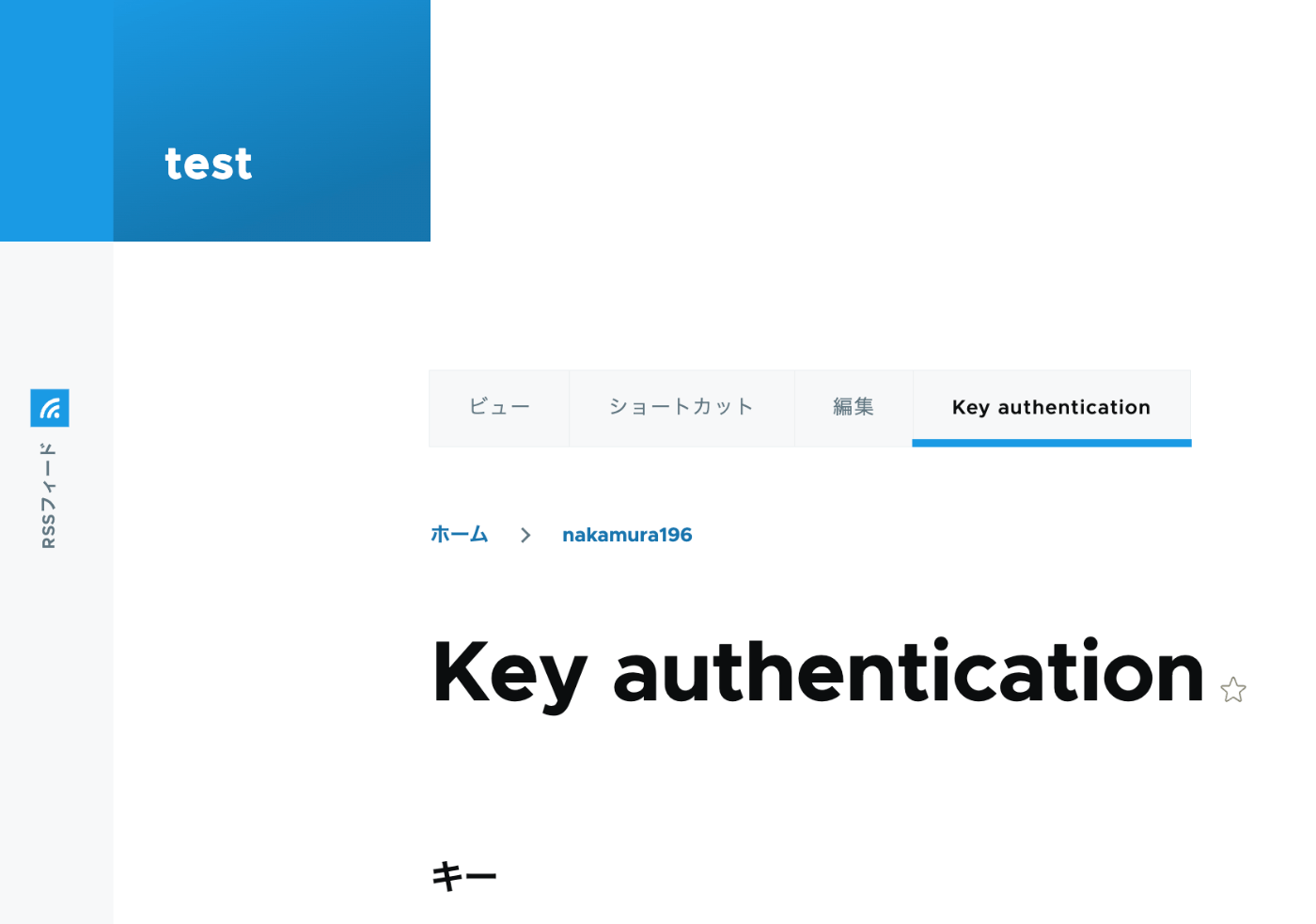
概要 以下の記事で、Basic認証を使ったPythonによるコンテンツ登録を行いました。 今回は、以下の記事を参考に、API Key Authenticationを試しました。 https://designkojo.com/post-drupal-using-jsonapi-vuejs-front-end API Key Authentication 以下のモジュールを使用しました。 https://www.drupal.org/project/key_auth ユーザの編集画面に「Key authentication」というタブが表示され、APIキーを生成できました。 APIキーを使用する場合には、以下のようなプログラムで実行することができました。 import requests endpoint = 'http://{ipアドレス or ドメイン名}/jsonapi/node/article' key = '{APIキー}' headers = { 'Accept': 'application/vnd.api+json', 'Content-Type': 'application/vnd.api+json', "api-key": key } payload = { "data": { "type": "node--article", "attributes": { "title": "What's up from Python", "body": { "value": "Be water. My friends.", "format": "plain_text" } } } } r = requests.post(endpoint, headers=headers, json=payload) r.json() 多言語対応における注意点 注意点として、翻訳データの作成はできないようでした。 https://www.drupal.org/docs/core-modules-and-themes/core-modules/jsonapi-module/translations 作成済みの翻訳データの更新は可能ですが、翻訳データがないノードに対しては、以下のエラーが発生しました。 { "jsonapi": { "version": "1.0", "meta": { "links": { "self": { "href": "http://jsonapi.org/format/1.0/" } } } }, "errors": [ { "title": "Method Not Allowed", "status": "405", "detail": "The requested translation of the resource object does not exist, instead modify one of the translations that do exist: ja." } ] } この点について、既に対応策ができているかもしれません。引き続き調査したいと思います。 ...