ホーム 記事一覧 ブック DH週間トピックス 検索 このサイトについて
English
MyCapytainライブラリを試す

MyCapytainライブラリを試す

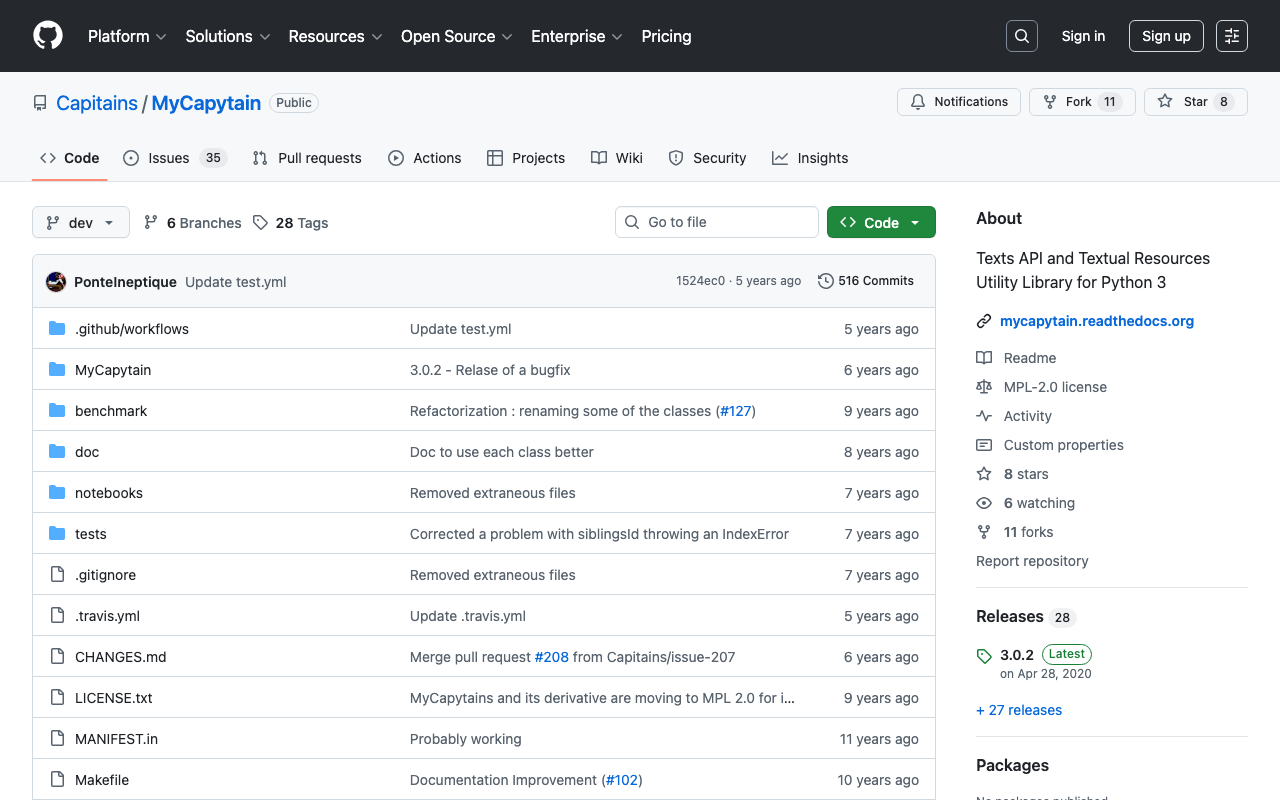
概要 以下のMyCapytainライブラリを試します。 https://github.com/Capitains/MyCapytain 背景 以下の記事で、CTS(Canonical Text Service)を取り上げました。 以下のページにおいて、CITE, CTS, CapiTainSの説明がなされています。 https://brillpublishers.gitlab.io/documentation-cts/DTS_Guidelines.html The following document is about CITE, a system for the identification of texts and any other object. CTS is the name for the identification system itself. CapiTainS is the name for the software suite built around it. Before we go into details, we need to ask two questions: (機械翻訳)以下の文書は、CITE(テキストおよびその他のオブジェクトを識別するためのシステム)に関するものです。CTSは、この識別システム自体の名前です。CapiTainSは、その周りに構築されたソフトウェアスイートの名前です。詳細に入る前に、2つの質問をする必要があります。 さらに、今回使用するMyCapytainライブラリは以下のように説明されています。 MyCapytain is a python library which provides a large set of methods to interact with Text Services API such as the Canonical Text Services, the Distributed Text Services. It also provides a programming interface to exploit local textual resources developed according to the Capitains Guidelines. ...

Canonical Text Serviceを試す

Canonical Text Serviceを試す

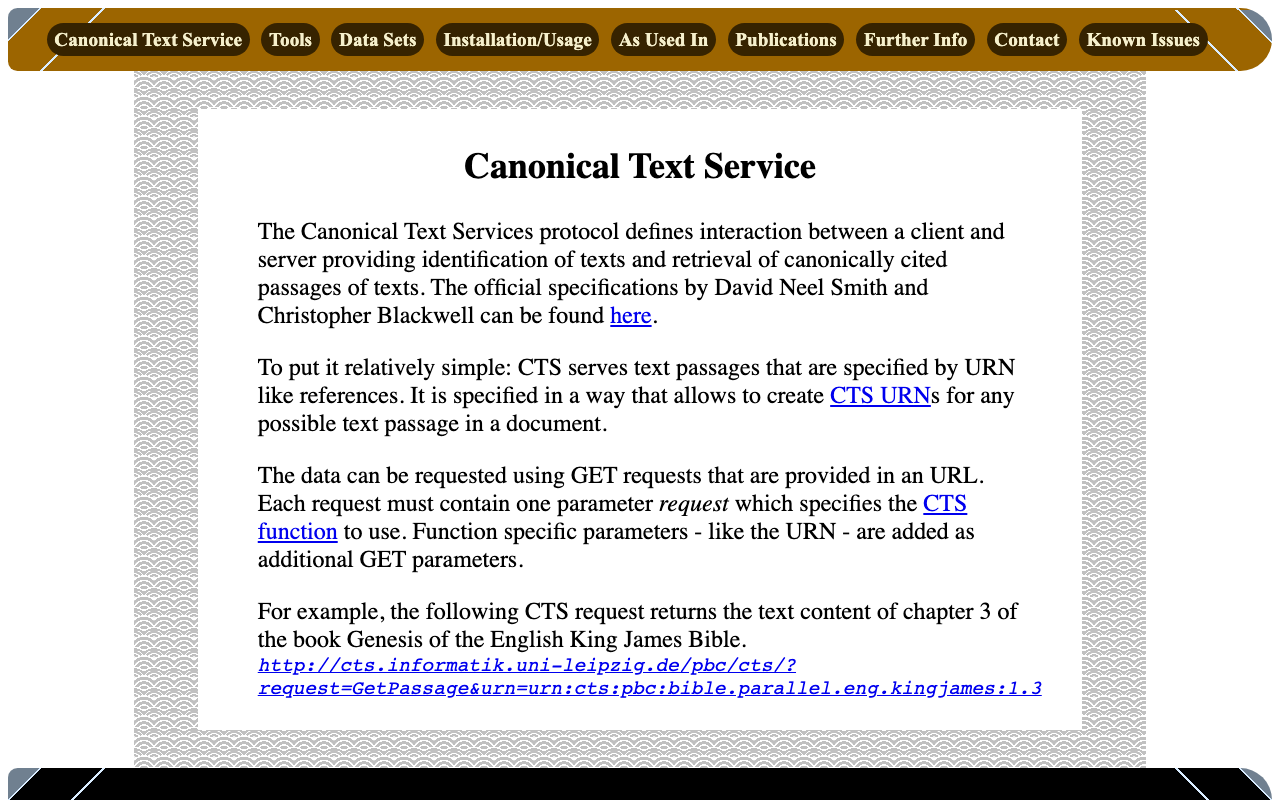
概要 Canonical Text Serviceは、以下のように説明されています。 The Canonical Text Services protocol defines interaction between a client and server providing identification of texts and retrieval of canonically cited passages of texts. (機械翻訳)Canonical Text Services (CTS) プロトコルは、テキストの識別と、正規に引用されたテキストの箇所の取得を提供するクライアントとサーバー間の相互作用を定義しています。 以下のサイトを参考にしています。 http://cts.informatik.uni-leipzig.de/Canonical_Text_Service.html 使用方法 以下を参考にしています。 https://github.com/cite-architecture/cts_spec/blob/master/md/specification.md GetCapabilities サーバーがサポートしているサービスを確認するためのリクエストです。 http://cts.informatik.uni-leipzig.de/pbc/cts/?request=GetCapabilities <GetCapabilities xmlns="http://relaxng.org/ns/structure/1.0" xmlns:a="http://relaxng.org/ns/compatibility/annotations/1.0" xmlns:tei="http://www.tei-c.org/ns/1.0" xmlns:dc="http://purl.org/dc/elements/1.1/" xmlns:ti="http://chs.harvard.edu/xmlns/cts"> <request>GetCapabilities</request> <reply> <TextInventory tiversion="5.0.rc.1"> <corpuslicense>Public Domain</corpuslicense> <corpussource>http://paralleltext.info/data/</corpussource> <corpuslanguage>arb,ceb,ces,cym,deu,eng,fin,fra,ita,mya,rus,tgl,ukr</corpuslanguage> <corpusname>Parallel Bible Corpus</corpusname> <corpusdescription>The Bible corpus contains 1169 unique translations, which have been assigned 906 different ISO-639-3 codes. This CTS instance contains 20 bible translations from PBC that are available as Public Domain.</corpusdescription> <textgroup urn="urn:cts:pbc:bible"> <groupname>bible</groupname> <edition urn="urn:cts:pbc:bible.parallel.arb.norm:"> <title>The Bible in Arabic</title> <license>Public Domain</license> <source>http://paralleltext.info/data/ retrieved via Canonical Text Service http://cts.informatik.uni-leipzig.de/pbc/cts/</source> <publicationDate>1865</publicationDate> <language>arb</language> <contentType>xml</contentType> </edition> <edition urn="urn:cts:pbc:bible.parallel.ceb.bugna:"> <title>Cebuano Ang Biblia (Bugna Version)</title> <license>Public Domain</license> <source>http://paralleltext.info/data/ retrieved via Canonical Text Service http://cts.informatik.uni-leipzig.de/pbc/cts/</source> <publicationDate>1917</publicationDate> <language>ceb</language> <contentType>xml</contentType> </edition> <edition urn="urn:cts:pbc:bible.parallel.ces.kralicka:"> <title>Czech Bible Kralicka. Version of 1613</title> <license>Public Domain</license> <source>http://paralleltext.info/data/ retrieved via Canonical Text Service http://cts.informatik.uni-leipzig.de/pbc/cts/</source> <publicationDate>1613</publicationDate> <language>ces</language> <contentType>xml</contentType> </edition> <edition urn="urn:cts:pbc:bible.parallel.cym.morgan1804:"> <title>Beibl William Morgan. William Morgan Bible in Welsh.</title> <license>Public Domain</license> <source>http://paralleltext.info/data/ retrieved via Canonical Text Service http://cts.informatik.uni-leipzig.de/pbc/cts/</source> <publicationDate>1804</publicationDate> <language>cym</language> <contentType>xml</contentType> </edition> <edition urn="urn:cts:pbc:bible.parallel.deu.elberfelder1871:"> <title>Die Bibel in Deutsch. Elberfelder Version von 1871. The Bible in German, Elberfelder Version of 1871</title> <license>´Public Domain</license> <source>http://paralleltext.info/data/ retrieved via Canonical Text Service http://cts.informatik.uni-leipzig.de/pbc/cts/</source> <publicationDate>1871</publicationDate> <language>deu</language> <contentType>xml</contentType> </edition> <edition urn="urn:cts:pbc:bible.parallel.deu.elberfelder1905:"> <title>Die Bibel in Deutsch. Elberfelder 1905. The Bible in German</title> <license>Public Domain</license> <source>http://paralleltext.info/data/ retrieved via Canonical Text Service http://cts.informatik.uni-leipzig.de/pbc/cts/</source> <publicationDate>1905</publicationDate> <language>deu</language> <contentType>xml</contentType> </edition> <edition urn="urn:cts:pbc:bible.parallel.deu.luther1545:"> <title>Die Bibel in Deutsch. Luther Version von 1545. The Bible in German. Luther version of 1545.</title> <license>Public Domain</license> <source>http://paralleltext.info/data/ retrieved via Canonical Text Service http://cts.informatik.uni-leipzig.de/pbc/cts/</source> <publicationDate>1545</publicationDate> <language>deu</language> <contentType>xml</contentType> </edition> <edition urn="urn:cts:pbc:bible.parallel.deu.luther1545letztehand:"> <title>Luther 1545 (Letzte Hand). The Bible in German</title> <license>Public Domain</license> <source>http://paralleltext.info/data/ retrieved via Canonical Text Service http://cts.informatik.uni-leipzig.de/pbc/cts/</source> <publicationDate>1545</publicationDate> <language>deu</language> <contentType>xml</contentType> </edition> <edition urn="urn:cts:pbc:bible.parallel.deu.luther1912:"> <title>Die Bibel in Deutsch. Luther Version von 1912. The Bible in German. Luther version of 1912.</title> <license>public Domain</license> <source>http://paralleltext.info/data/ retrieved via Canonical Text Service http://cts.informatik.uni-leipzig.de/pbc/cts/</source> <publicationDate>1912</publicationDate> <language>deu</language> <contentType>xml</contentType> </edition> <edition urn="urn:cts:pbc:bible.parallel.eng.darby:"> <title>The Bible in English. Darby Translation.</title> <license>Public Domain</license> <publicationDate>1890</publicationDate> <language>eng</language> <contentType>xml</contentType> </edition> <edition urn="urn:cts:pbc:bible.parallel.eng.kingjames:"> <title>King James Version of the Christian Bible</title> <license>Public Domain</license> <source>http://paralleltext.info/data/ retrieved via Canonical Text Service http://cts.informatik.uni-leipzig.de/pbc/cts/</source> <publicationDate>1611</publicationDate> <language>eng</language> <contentType>xml</contentType> </edition> <edition urn="urn:cts:pbc:bible.parallel.fin.1766:"> <title>Pyhä Raamattu. Version of 1776. The Bible in Finnish</title> <license>Public Domain</license> <source>http://paralleltext.info/data/ retrieved via Canonical Text Service http://cts.informatik.uni-leipzig.de/pbc/cts/</source> <publicationDate>1776</publicationDate> <language>fin</language> <contentType>xml</contentType> </edition> <edition urn="urn:cts:pbc:bible.parallel.fra.davidmartin:"> <title>The Bible in French. David Martin Version.</title> <license>Public Domain</license> <source>http://paralleltext.info/data/ retrieved via Canonical Text Service http://cts.informatik.uni-leipzig.de/pbc/cts/</source> <publicationDate>1744</publicationDate> <language>fra</language> <contentType>xml</contentType> </edition> <edition urn="urn:cts:pbc:bible.parallel.fra.kingjames:"> <title>The Bible in French. King James Version.</title> <license>Public Domain</license> <source>http://paralleltext.info/data/ retrieved via Canonical Text Service http://cts.informatik.uni-leipzig.de/pbc/cts/</source> <publicationDate>1881</publicationDate> <language>fra</language> <contentType>xml</contentType> </edition> <edition urn="urn:cts:pbc:bible.parallel.fra.louissegond:"> <title>The Bible in French. Louis Segond Version.</title> <license>Public Domain</license> <source>http://paralleltext.info/data/ retrieved via Canonical Text Service http://cts.informatik.uni-leipzig.de/pbc/cts/</source> <publicationDate>1910</publicationDate> <language>fra</language> <contentType>xml</contentType> </edition> <edition urn="urn:cts:pbc:bible.parallel.ita.diodati:"> <title>The Bible in Italian. Giovanni Diodati Bibbia Version.</title> <license>Public Domain</license> <source>http://paralleltext.info/data/ retrieved via Canonical Text Service http://cts.informatik.uni-leipzig.de/pbc/cts/</source> <publicationDate>1649</publicationDate> <language>ita</language> <contentType>xml</contentType> </edition> <edition urn="urn:cts:pbc:bible.parallel.mya.1835:"> <title>The New Testament in Myanmar</title> <license>Public Domain</license> <source>http://paralleltext.info/data/ retrieved via Canonical Text Service http://cts.informatik.uni-leipzig.de/pbc/cts/</source> <publicationDate>1835</publicationDate> <language>mya</language> <contentType>xml</contentType> </edition> <edition urn="urn:cts:pbc:bible.parallel.rus.synodal:"> <title>Синодальный перевод. The Synodal Bible in Russian.</title> <license>Public Domain</license> <source>http://paralleltext.info/data/ retrieved via Canonical Text Service http://cts.informatik.uni-leipzig.de/pbc/cts/</source> <publicationDate>1876</publicationDate> <language>rus</language> <contentType>xml</contentType> </edition> <edition urn="urn:cts:pbc:bible.parallel.tgl.1905:"> <title>The Bible in Tagalog.</title> <license>Public Domain</license> <source>http://paralleltext.info/data/ retrieved via Canonical Text Service http://cts.informatik.uni-leipzig.de/pbc/cts/</source> <publicationDate>1905</publicationDate> <language>tgl</language> <contentType>xml</contentType> </edition> <edition urn="urn:cts:pbc:bible.parallel.ukr.2009:"> <title>Ukrainian Version. The Bible in Ukranian.</title> <license>Public Domain</license> <source>http://paralleltext.info/data/ retrieved via Canonical Text Service http://cts.informatik.uni-leipzig.de/pbc/cts/</source> <publicationDate>2009</publicationDate> <language>ukr</language> <contentType>xml</contentType> </edition> </textgroup> </TextInventory> </reply> </GetCapabilities> GetPassage 指定したURN(Uniform Resource Name)に基づいて、特定のテキストの一部を取得します。 ...

画像ファイルに対してGoogle Cloud Visionを適用して、IIIFマニフェストおよびTEI/XMLファイルを作成する

画像ファイルに対してGoogle Cloud Visionを適用して、IIIFマニフェストおよびTEI/XMLファイルを作成する

概要 画像ファイルに対してGoogle Cloud Visionを適用して、IIIFマニフェストおよびTEI/XMLファイルを作成するライブラリを作成しました。 https://github.com/nakamura196/iiif_tei_py 本ライブラリの使用方法を説明します。 使用方法 以下で使い方などを確認できます。 https://nakamura196.github.io/iiif_tei_py/ ライブラリのインストール GitHubのリポジトリから、ライブラリをインストールします。 pip install https://github.com/nakamura196/iiif_tei_py GCのサービスアカウントの作成 以下の記事などを参考に、GC(Google Cloud)のサービスアカウントキー(JSONファイル)をダウンロードします。 https://book.st-hakky.com/data-science/data-science-gcp-vision-api-setting/ そして、以下のような.envファイルを作成します。 GOOGLE_APPLICATION_CREDENTIALS=your-google-credentials.json 実行 入力サンプル画像として、IIIF Cookbookでも使用されている以下の画像を使用します。 https://iiif.io/api/presentation/2.1/example/fixtures/resources/page1-full.png 以下のようなファイルを作成して実行します。 from iiif_tei_py.core import CoreClient cred_path = CoreClient.load_env() url = "https://iiif.io/api/presentation/2.1/example/fixtures/resources/page1-full.png" output_tei_xml_file_path = "./tmp/01/output.xml" CoreClient.create_tei_xml_with_gocr(url, output_tei_xml_file_path, cred_path, title="Sample") 上記の例では、IIIFマニフェストファイルが./tmp/01/output.jsonに、TEI/XMLファイルが./tmp/01/output.xmlに作成されます。 結果の確認 IIIF IIIFマニフェストファイルをMiradorで表示した例が以下です。 JSONファイルの内容は以下です。 { "@context": "http://iiif.io/api/presentation/3/context.json", "id": "http://example.org/iiif/abc/manifest", "label": { "none": [ "Sample" ] }, "type": "Manifest", "items": [ { "id": "http://example.org/iiif/abc/canvas/p1", "type": "Canvas", "label": { "none": [ "[1]" ] }, "height": 1800, "width": 1200, "items": [ { "id": "http://example.org/iiif/abc/annotation/p0001-image", "type": "AnnotationPage", "items": [ { "body": { "id": "https://iiif.io/api/presentation/2.1/example/fixtures/resources/page1-full.png", "type": "Image", "format": "image/jpeg", "height": 1800, "width": 1200 }, "id": "http://example.org/iiif/abc/annotation/p0001-image/anno", "type": "Annotation", "motivation": "painting", "target": "http://example.org/iiif/abc/canvas/p1" } ] } ], "annotations": [ { "id": "http://example.org/iiif/abc/canvas/p1/curation", "type": "AnnotationPage", "items": [ { "body": { "type": "TextualBody", "value": "[00001] Top", "format": "text/plain" }, "id": "http://example.org/iiif/abc/canvas/p1#xywh=245/69/94/52", "type": "Annotation", "motivation": "commenting", "target": "http://example.org/iiif/abc/canvas/p1#xywh=245,69,94,52" }, { "body": { "type": "TextualBody", "value": "[00002] of", "format": "text/plain" }, "id": "http://example.org/iiif/abc/canvas/p1#xywh=355/69/49/52", "type": "Annotation", "motivation": "commenting", "target": "http://example.org/iiif/abc/canvas/p1#xywh=355,69,49,52" }, { "body": { "type": "TextualBody", "value": "[00003] First", "format": "text/plain" }, "id": "http://example.org/iiif/abc/canvas/p1#xywh=420/69/112/54", "type": "Annotation", "motivation": "commenting", "target": "http://example.org/iiif/abc/canvas/p1#xywh=420,69,112,54" }, { "body": { "type": "TextualBody", "value": "[00004] Page", "format": "text/plain" }, "id": "http://example.org/iiif/abc/canvas/p1#xywh=547/70/134/53", "type": "Annotation", "motivation": "commenting", "target": "http://example.org/iiif/abc/canvas/p1#xywh=547,70,134,53" }, { "body": { "type": "TextualBody", "value": "[00005] to", "format": "text/plain" }, "id": "http://example.org/iiif/abc/canvas/p1#xywh=697/71/50/52", "type": "Annotation", "motivation": "commenting", "target": "http://example.org/iiif/abc/canvas/p1#xywh=697,71,50,52" }, { "body": { "type": "TextualBody", "value": "[00006] Display", "format": "text/plain" }, "id": "http://example.org/iiif/abc/canvas/p1#xywh=763/71/189/54", "type": "Annotation", "motivation": "commenting", "target": "http://example.org/iiif/abc/canvas/p1#xywh=763,71,189,54" }, { "body": { "type": "TextualBody", "value": "[00007] Middle", "format": "text/plain" }, "id": "http://example.org/iiif/abc/canvas/p1#xywh=296/593/163/164", "type": "Annotation", "motivation": "commenting", "target": "http://example.org/iiif/abc/canvas/p1#xywh=296,593,163,164" }, { "body": { "type": "TextualBody", "value": "[00008] of", "format": "text/plain" }, "id": "http://example.org/iiif/abc/canvas/p1#xywh=433/733/76/76", "type": "Annotation", "motivation": "commenting", "target": "http://example.org/iiif/abc/canvas/p1#xywh=433,733,76,76" }, { "body": { "type": "TextualBody", "value": "[00009] First", "format": "text/plain" }, "id": "http://example.org/iiif/abc/canvas/p1#xywh=484/786/123/124", "type": "Annotation", "motivation": "commenting", "target": "http://example.org/iiif/abc/canvas/p1#xywh=484,786,123,124" }, { "body": { "type": "TextualBody", "value": "[00010] Page", "format": "text/plain" }, "id": "http://example.org/iiif/abc/canvas/p1#xywh=584/889/128/129", "type": "Annotation", "motivation": "commenting", "target": "http://example.org/iiif/abc/canvas/p1#xywh=584,889,128,129" }, { "body": { "type": "TextualBody", "value": "[00011] on", "format": "text/plain" }, "id": "http://example.org/iiif/abc/canvas/p1#xywh=691/998/80/80", "type": "Annotation", "motivation": "commenting", "target": "http://example.org/iiif/abc/canvas/p1#xywh=691,998,80,80" }, { "body": { "type": "TextualBody", "value": "[00012] Angle", "format": "text/plain" }, "id": "http://example.org/iiif/abc/canvas/p1#xywh=749/1057/148/149", "type": "Annotation", "motivation": "commenting", "target": "http://example.org/iiif/abc/canvas/p1#xywh=749,1057,148,149" }, { "body": { "type": "TextualBody", "value": "[00013] Bottom", "format": "text/plain" }, "id": "http://example.org/iiif/abc/canvas/p1#xywh=203/1686/175/55", "type": "Annotation", "motivation": "commenting", "target": "http://example.org/iiif/abc/canvas/p1#xywh=203,1686,175,55" }, { "body": { "type": "TextualBody", "value": "[00014] of", "format": "text/plain" }, "id": "http://example.org/iiif/abc/canvas/p1#xywh=398/1689/51/53", "type": "Annotation", "motivation": "commenting", "target": "http://example.org/iiif/abc/canvas/p1#xywh=398,1689,51,53" }, { "body": { "type": "TextualBody", "value": "[00015] First", "format": "text/plain" }, "id": "http://example.org/iiif/abc/canvas/p1#xywh=466/1689/109/54", "type": "Annotation", "motivation": "commenting", "target": "http://example.org/iiif/abc/canvas/p1#xywh=466,1689,109,54" }, { "body": { "type": "TextualBody", "value": "[00016] Page", "format": "text/plain" }, "id": "http://example.org/iiif/abc/canvas/p1#xywh=593/1690/130/54", "type": "Annotation", "motivation": "commenting", "target": "http://example.org/iiif/abc/canvas/p1#xywh=593,1690,130,54" }, { "body": { "type": "TextualBody", "value": "[00017] to", "format": "text/plain" }, "id": "http://example.org/iiif/abc/canvas/p1#xywh=740/1692/51/54", "type": "Annotation", "motivation": "commenting", "target": "http://example.org/iiif/abc/canvas/p1#xywh=740,1692,51,54" }, { "body": { "type": "TextualBody", "value": "[00018] Display", "format": "text/plain" }, "id": "http://example.org/iiif/abc/canvas/p1#xywh=808/1693/190/54", "type": "Annotation", "motivation": "commenting", "target": "http://example.org/iiif/abc/canvas/p1#xywh=808,1693,190,54" } ] } ] } ] } TEI また、TEI/XMLファイルをOxygen XML Editorで表示した例が以下です。 ...

LEAF Writer: Miradorを追加する

LEAF Writer: Miradorを追加する

概要 LEAF Writerのカスタマイズ方法に関する調査記録です。 https://gitlab.com/calincs/cwrc/leaf-writer/leaf-writer 今回は以下のように、Miradorを追加します。 方法 以下を参考にしてください。 https://gitlab.com/nakamura196/leaf-writer/-/commit/377438739cdeb0a7b770ee9d4b9fea86081179d8 修正が必要なファイルは以下です。 import $ from 'jquery'; import 'jquery-ui'; import Writer from '../../../Writer'; // @ts-ignore import Mirador from 'mirador'; interface IiifViewerProps { attribute?: string; parentId: string; tag?: string; writer: Writer; } class IiifViewer { readonly writer: Writer; readonly id: string; readonly tagName: string; readonly attrName: string; // eslint-disable-next-line @typescript-eslint/no-explicit-any, @typescript-eslint/no-redundant-type-constituents miradorInstance: any | null; $pageBreaks: unknown; currentIndex = -1; ignoreScroll = false; constructor({ attribute, parentId, tag, writer }: IiifViewerProps) { this.writer = writer; this.id = `${parentId}_iiifViewer`; this.tagName = tag ?? 'pb'; // page break element name this.attrName = attribute ?? 'facs'; // attribute that stores the image URL $(`#${parentId}`).append(` <div id="${this.id}" style="position: absolute; top: 0; bottom: 0; left: 0; right: 0"></div> `); this.writer.event('loadingDocument').subscribe(() => this.reset()); this.writer.event('documentLoaded').subscribe((success: boolean, body: HTMLElement) => { console.log('documentLoaded', success, body); if (!success) return; this.processDocument(body); }); this.writer.event('writerInitialized').subscribe(() => { if (!this.writer.editor) return; }); } private processDocument(doc: HTMLElement) { // (doc).find const $facsimile = $(doc).find(`*[_tag="facsimile"]`); const manifestUri = $facsimile.attr('sameas'); const config = { id: this.id, windows: [ { loadedManifest: manifestUri, }, ], window: { sideBarOpen: false, }, }; // eslint-disable-next-line @typescript-eslint/no-unsafe-assignment, @typescript-eslint/no-unsafe-call, @typescript-eslint/no-unsafe-member-access this.miradorInstance = Mirador.viewer(config); } reset() { this.$pageBreaks = null; this.currentIndex = -1; } } export default IiifViewer; 以下の箇所で、<facsimile sameAs="https://dl.ndl.go.jp/api/iiif/3437686/manifest.json">の情報を取得しています。 ...

LEAF Writer: サンプルデータの追加方法

LEAF Writer: サンプルデータの追加方法

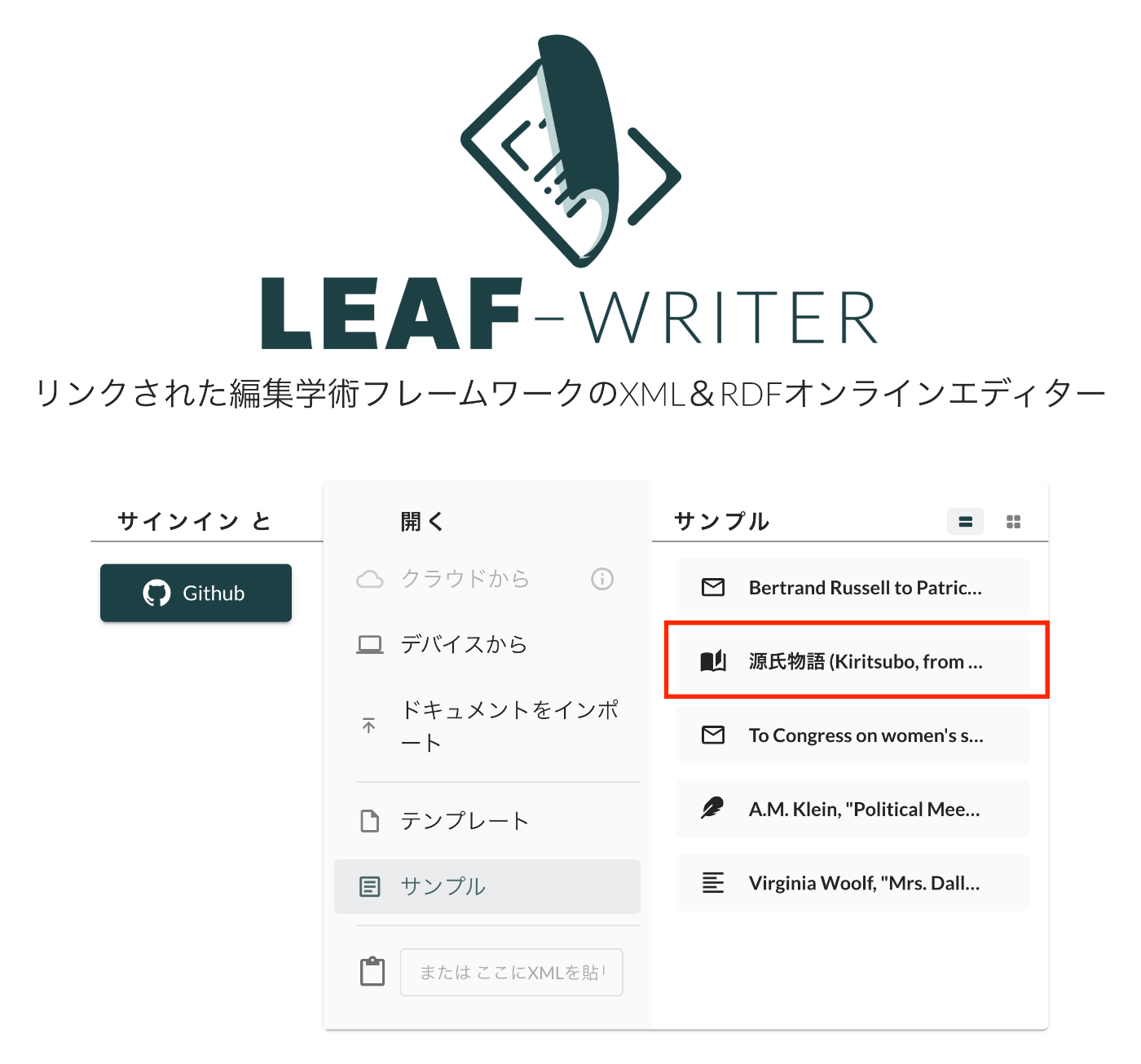
概要 LEAF Writerのカスタマイズ方法に関する調査記録です。 https://gitlab.com/calincs/cwrc/leaf-writer/leaf-writer 今回はサンプルデータの追加方法に関する備忘録です。以下のように、独自のサンプルデータを追加します。 方法 以下を参考にしてください。 https://gitlab.com/nakamura196/leaf-writer/-/commit/c4e98090c94874037980819c9672eea10814eedb samples.jsonの更新に加えて、必須ではありませんが、アイコンを追加するため、apps/commons/src/icons/index.tsxも更新する必要がありました。 結果 以下のように、サンプルデータからエディタ環境を開くことができました。 まとめ LEAF Writerの理解にあたり、参考になりましたら幸いです。

LEAF Writer: Image Viewerの使い方

LEAF Writer: Image Viewerの使い方

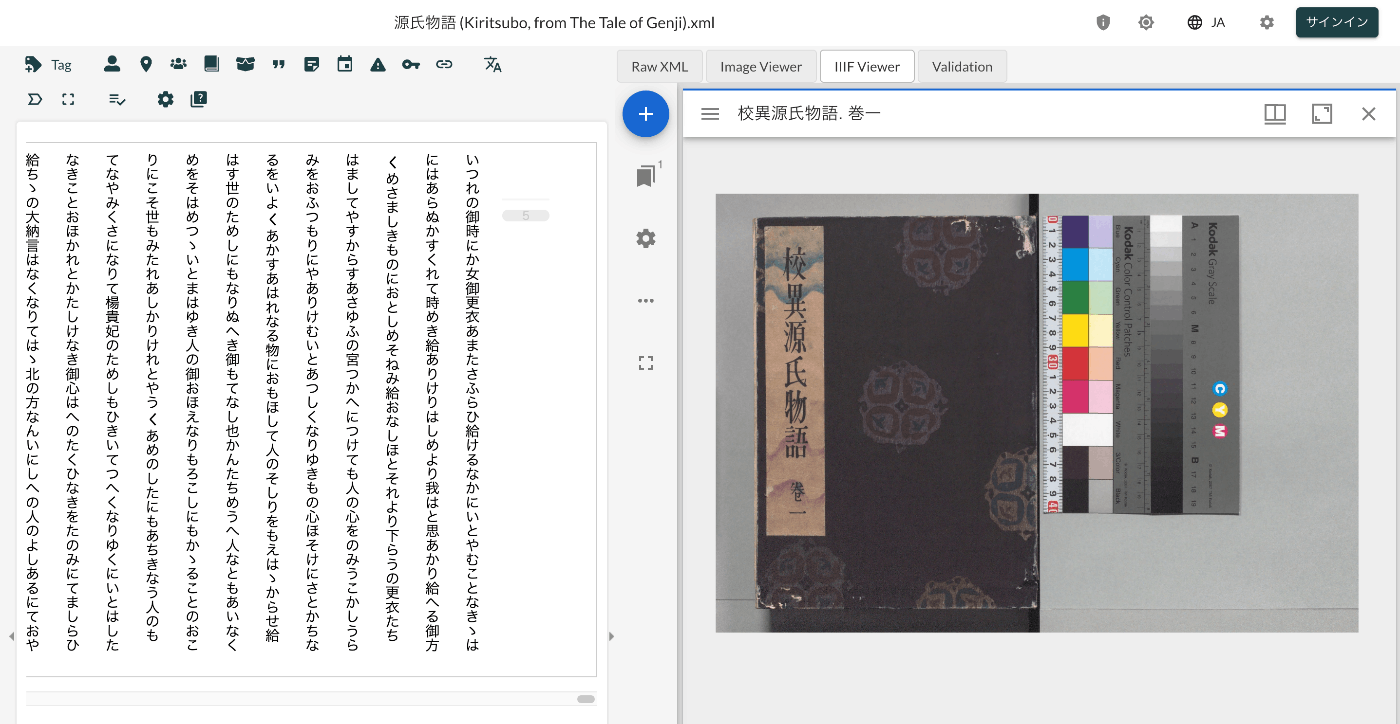
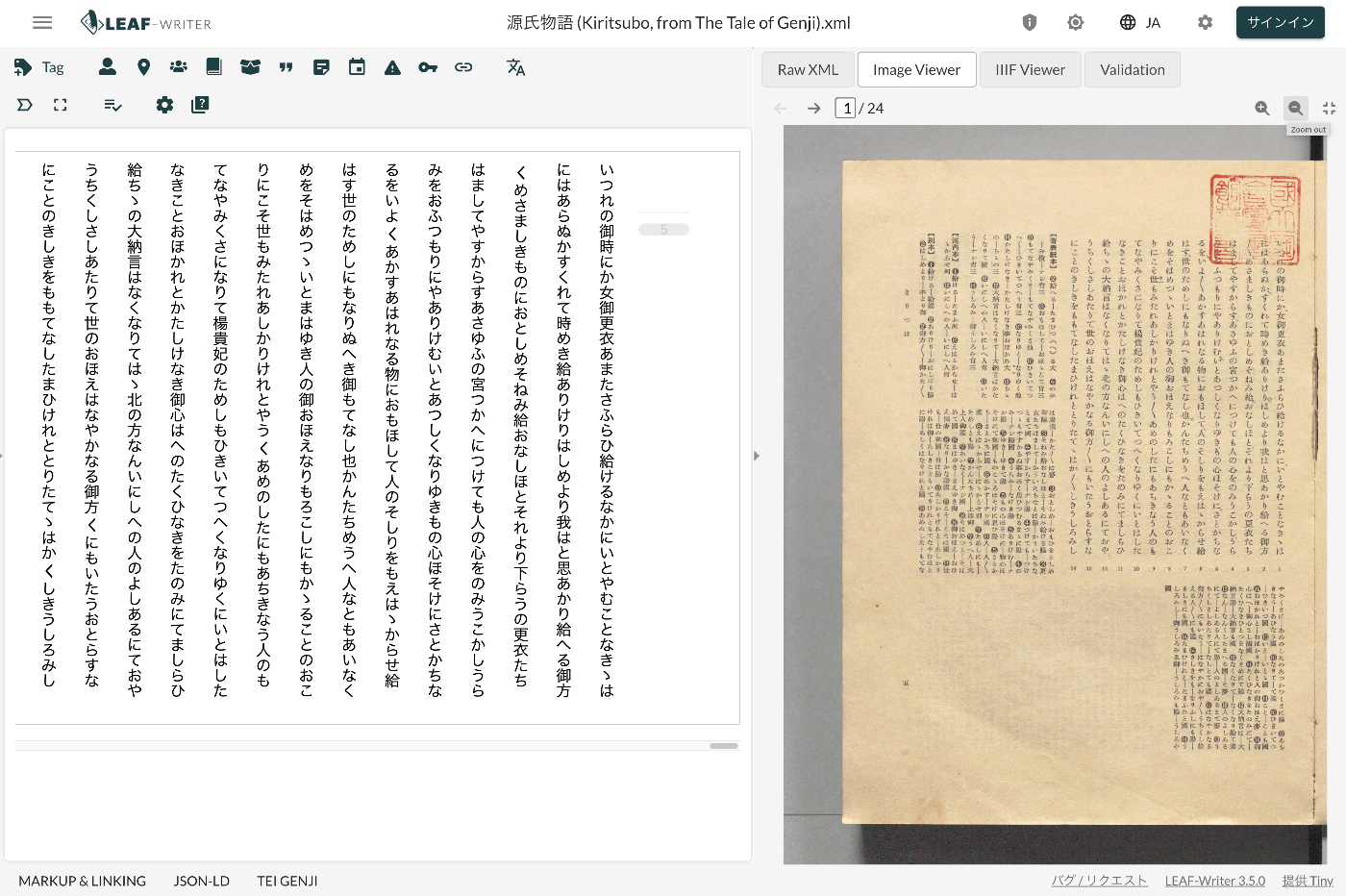
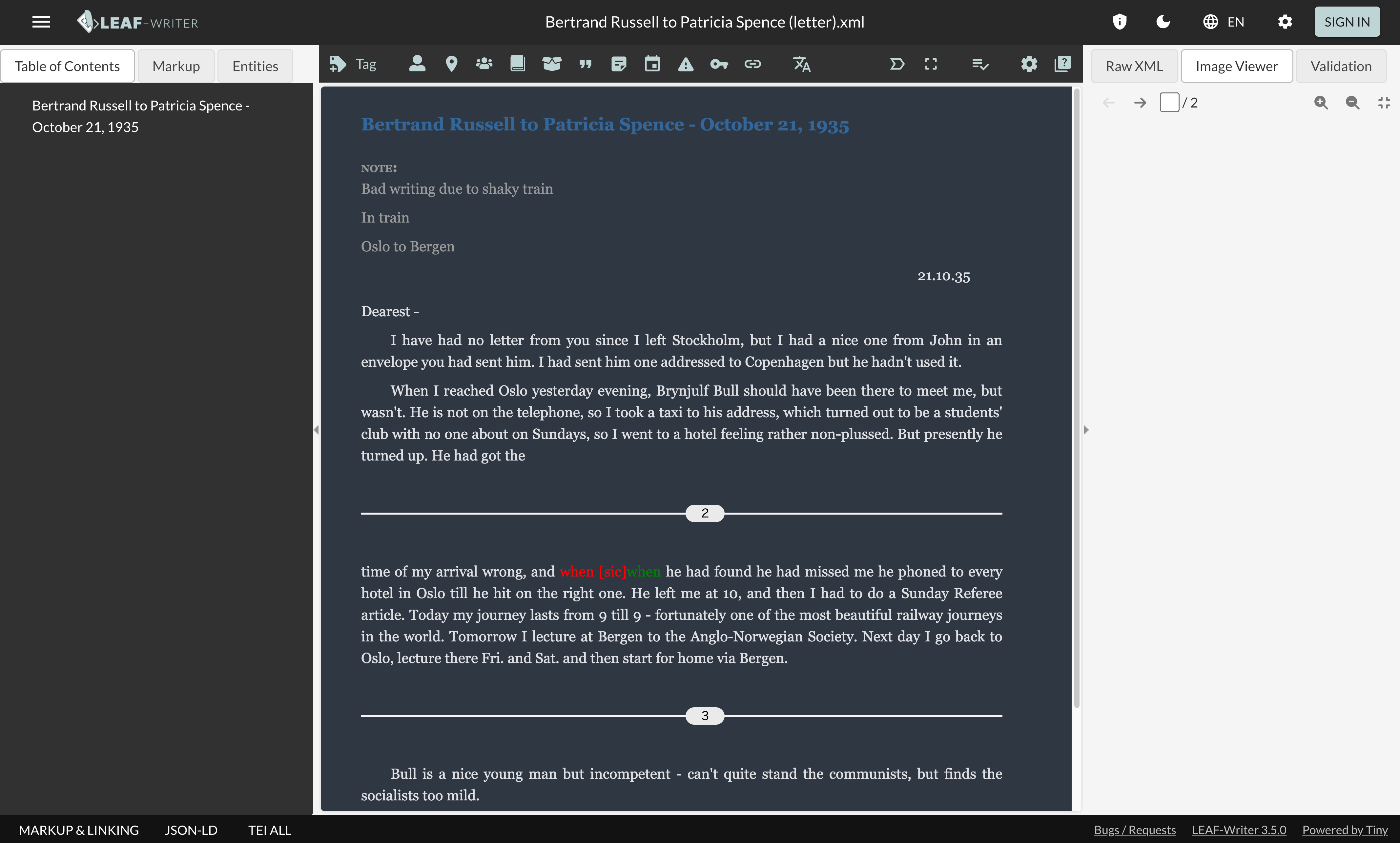
概要 LEAF Writerでは、以下のように、テキストと画像を並列表示する機能を提供します。画像のページをおくると、テキストも連動して動作する機能も提供されています。 このImage Viewer部分に画像を表示するための、TEI/XMLの記述例を紹介します。 方法 以下のように、pbタグを指定します。 https://github.com/kouigenjimonogatari/kouigenjimonogatari.github.io/blob/master/xml/lw/01.xml 具体的には、以下です。 ... <pb corresp="#zone_0005" facs="https://dl.ndl.go.jp/api/iiif/3437686/R0000022/0,0,3445,4706/full/0/default.jpg" n="5"/> ... pb要素のfacs属性に指定された画像が、Image Viewer部分に表示されるようでした。 まとめ 近年、TEIとIIIFを組み合わせて利用するケースも多いです。 https://github.com/TEI-EAJ/jp_guidelines/wiki/IIIF画像とのリンク 上記のような記法に基づき、IIIF Image APIと連動するようなLEAF WriterのImage Viewerの開発にも取り組みたいと思います。 またその延長として、Oxygen XML Editorのアノテーション機能のようなツールも用意できればと思います。 LEAF Writerの利用にあたり、参考になりましたら幸いです。

LEAF Writer:CSSのカスタマイズ

LEAF Writer:CSSのカスタマイズ

概要 LEAF Writerのカスタマイズ方法に関する調査記録です。 https://gitlab.com/calincs/cwrc/leaf-writer/leaf-writer 今回はCSSによる見た目のカスタマイズ方法に関する備忘録です。これにより、以下のように、縦書き表示にする編集環境の用意などが可能になります。 以下は、カスタマイズ前の表示です。 方法 以下のように、スキーマファイルを指定します。 https://github.com/kouigenjimonogatari/kouigenjimonogatari.github.io/blob/master/xml/lw/01.xml 具体的には、以下です。 <?xml-stylesheet type="text/css" href="https://kouigenjimonogatari.github.io/lw/tei_genji.css"?> LEAF Writerはこのスキーマファイルを読み込み、エディタ部分のスタイルを変更するようでした。 これはLEAF Writerに特化した機能ではなく、一般的なブラウザも対応しているものです。 例えば、上記のxmlファイルをGoogle Chromeで表示した場合、以下のようにcssファイルの内容が適用されます。 まとめ TEIおよびLEAF WriterなどのツールにおけるCSSファイルの取り扱いについて、参考になりましたら幸いです。

LEAF Writer:スキーマのカスタマイズ

LEAF Writer:スキーマのカスタマイズ

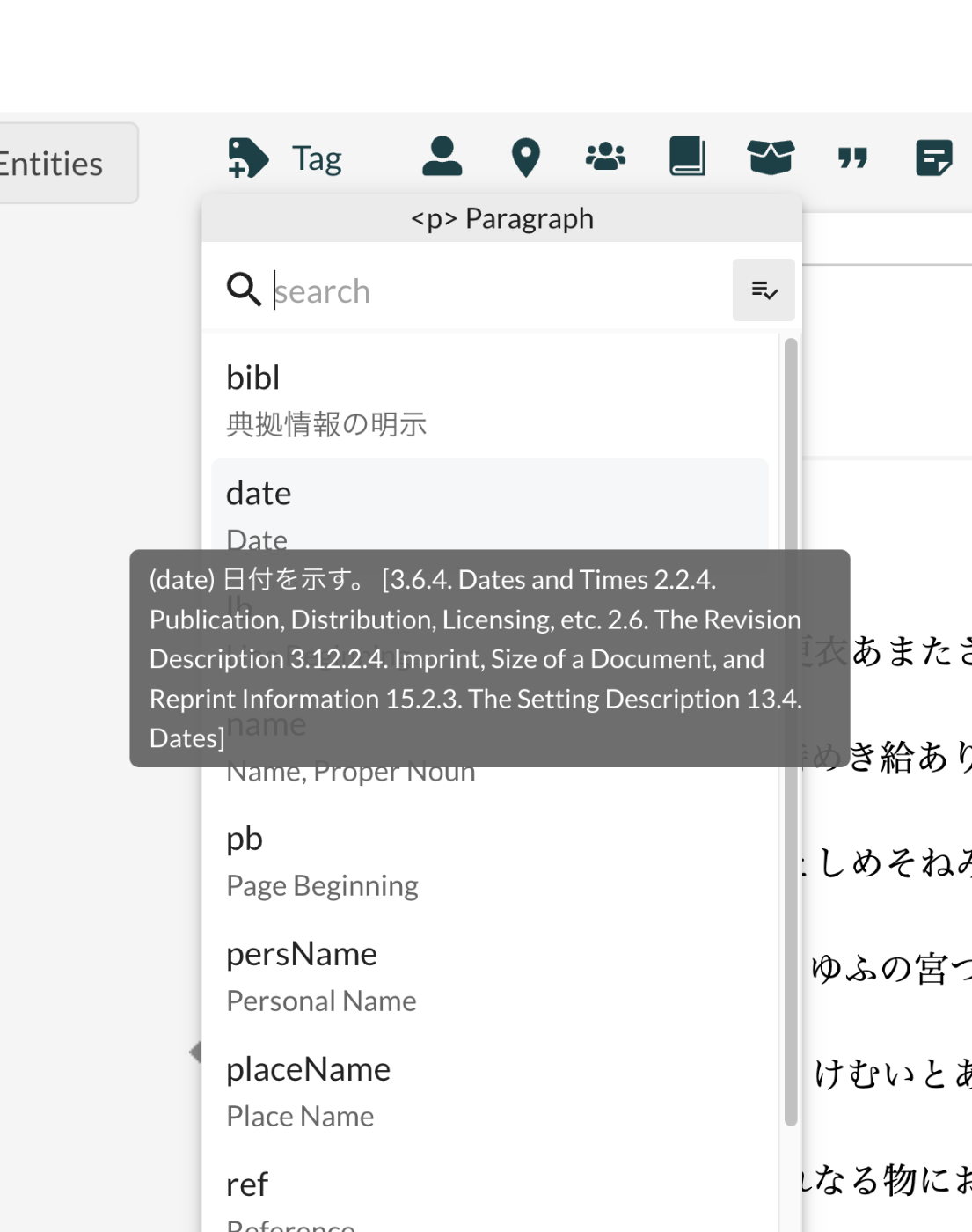
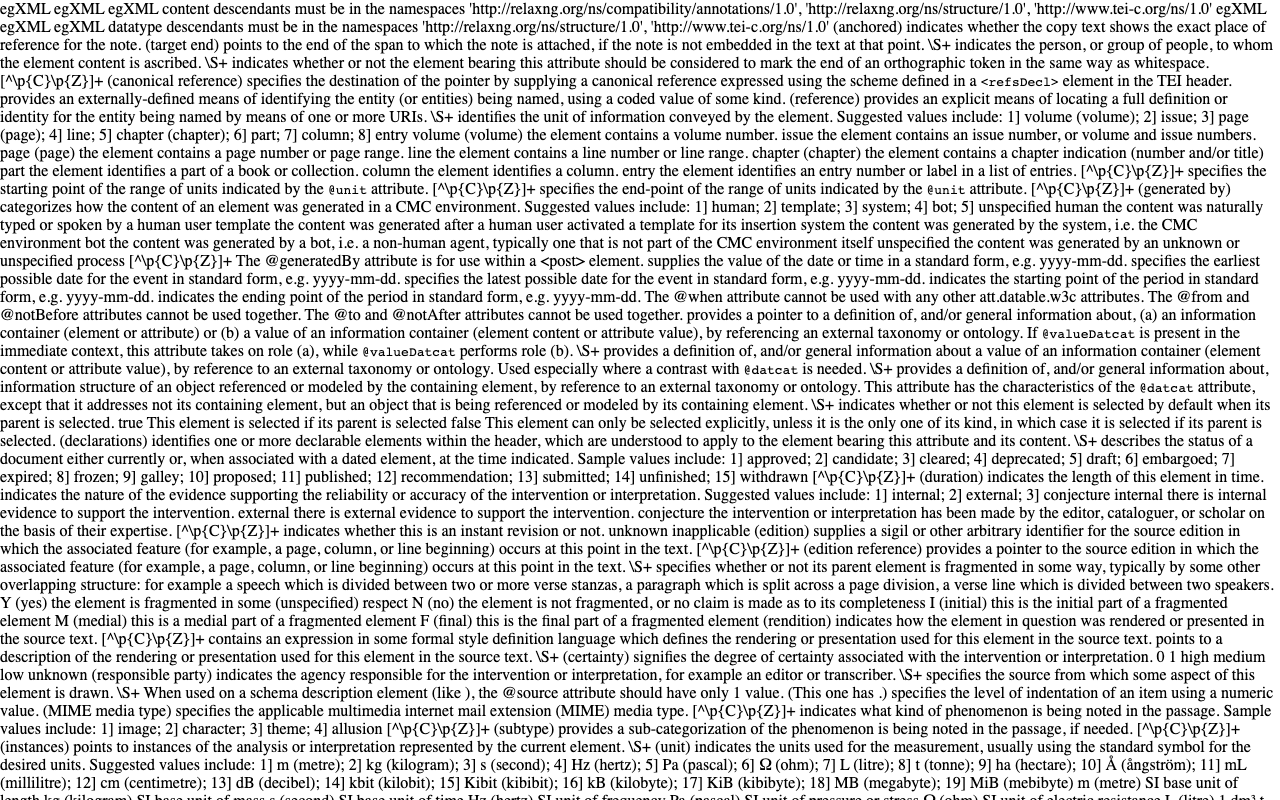
概要 LEAF Writerのカスタマイズ方法に関する調査記録です。 https://gitlab.com/calincs/cwrc/leaf-writer/leaf-writer 今回はスキーマのカスタマイズ方法に関する備忘録です。以下のように、日本語訳などを表示することを目指します。 以下は、カスタマイズ前の表示です。以下のスキーマに基づき、多くの要素が英語の説明とともに表示されます。 https://www.tei-c.org/release/xml/tei/custom/schema/relaxng/tei_all.rng 方法 以下のように、スキーマファイルを指定します。 https://github.com/kouigenjimonogatari/kouigenjimonogatari.github.io/blob/master/xml/lw/01.xml 具体的には、以下です。 <?xml-model href="https://kouigenjimonogatari.github.io/lw/tei_genji.rng" type="application/xml" schematypens="http://relaxng.org/ns/structure/1.0"?> LEAF Writerはこのスキーマファイルを読み込み、validationや使用可能な要素の提示を行うようでした。 これはLEAF Writerに特化した機能ではなく、Oxygen XML Editorのような一般的なXMLエディタにおいても同じように動作することが多いようです。 (参考)LEAF Writerのカスタマイズ 上述したように、LEAF Writerでは、ロードしたXMLファイルで指定されたスキーマを参照するため、エディタとスキーマは疎結合な構成になっています。 しかし、LEAF Writer側で事前に定義したスキーマ以外を参照する場合、以下のようなダイアログが表示され、「ADD SCHEMA」ボタンから、独自に定義したスキーマの情報をLEAF Writerに教える必要があります。 上記の登録処理を行えば問題ありませんが、LEAF Writer側に事前に定義を追加しておきたい場合には、LEAF Writerをカスタマイズする必要があります。 具体的には、以下のように修正を加えることで、LEAF Writer側に指定したスキーマおよびCSSを事前登録できました。 https://gitlab.com/nakamura196/leaf-writer/-/commit/dc5108978bc3013a80965913d74e729daf6941f2 packages/cwrc-leafwriter/src/config/schemas.tsファイルに以下を追加しました。 ... { id: 'teiGenji', name: 'TEI Genji', mapping: 'tei', rng: ['https://kouigenjimonogatari.github.io/lw/tei_genji.rng'], css: ['https://kouigenjimonogatari.github.io/lw/tei_genji.css'], }, ... これにより、指定したスキーマがLEAF Writerに事前登録され、以後、同じスキーマを参照する際には、上記の追加設定は不要になりました。 まとめ TEIおよびLEAF Writerなどのツールにおけるスキーマの取り扱いについて、参考になりましたら幸いです。

校異源氏物語・本文テキストデータリポジトリで公開しているTEI/XMLを一部更新しました。

校異源氏物語・本文テキストデータリポジトリで公開しているTEI/XMLを一部更新しました。

概要 以下のリポジトリで校異源氏物語のTEI/XMLファイルを公開しています。 https://github.com/kouigenjimonogatari ここで公開しているTEI/XMLに対して、一部変更を加えましたので、備忘録です。 フォルダ構成 修正前のファイルは以下に格納しています。これまでから変更はありません。 https://github.com/kouigenjimonogatari/kouigenjimonogatari.github.io/tree/master/tei 更新したファイルは以下に格納しました。 https://github.com/kouigenjimonogatari/kouigenjimonogatari.github.io/tree/master/xml/lw 後述する修正を加えたXMLファイルが格納されています。 修正内容 スキーマの追加 以下のrngファイルを追加しました。 <?xml-model href="https://kouigenjimonogatari.github.io/lw/tei_genji.rng" type="application/xml" schematypens="http://relaxng.org/ns/structure/1.0"?> このrngファイルは、使用するタグを限定し、かつ日本語訳を追加したものです。Romaで作成しており、rngファイルへの変換前のoddファイルもリポジトリに格納しています。 https://github.com/kouigenjimonogatari/kouigenjimonogatari.github.io/blob/master/lw/tei_genji.odd Romaの使い方等については、以下を参考にしてください。 これにより、例えばOxygen XML EditorやLEAF Writerなどにおいて、候補として表示されるタグが限定され、一部日本語訳が表示されるようになります。 LEAF Writerでの表示例は以下をご確認ください。 https://leaf-writer.leaf-vre.org/edit?provider=github&owner=kouigenjimonogatari&ownerType=organization&repo=kouigenjimonogatari.github.io&path=xml%2Flw&filename=01.xml CSSの追加 以下のcssファイルを追加しました。 <?xml-stylesheet type="text/css" href="https://kouigenjimonogatari.github.io/lw/tei_genji.css"?> 上記のスキーマの追加と同様、Oxygen XML EditorやLEAF Writerなどにおいて、追加したcssファイルに基づく表示に変更されました。 revisionDescの追加 revisionDesc要素を追加しました。今後の修正内容を記録していく予定です。 <revisionDesc status="published"> <change when="2024-06-28" who="#snakamura">pb要素のfacs属性を修正しました。facsimile要素を修正しました。</change> </revisionDesc> pb要素の変更 pb要素の記述方法を以下のように修正しました。 <pb corresp="#zone_0005" facs="https://dl.ndl.go.jp/api/iiif/3437686/R0000022/0,0,3445,4706/full/0/default.jpg" n="5"/> facs属性に対して、画像のURLを与えることで、LEAF Writerなどにおいて、Image Viewerの利用が可能になりました。 facsimile要素の記述方法の変更 IIIFマニフェストやキャンバスとの対応付の方法について、以下のガイドラインを参考に、修正しました。 https://github.com/TEI-EAJ/jp_guidelines/wiki/IIIF画像とのリンク#2024-年度版 以下に、変更前と変更後を示します。 変更前 <facsimile> <surfaceGrp facs="https://dl.ndl.go.jp/api/iiif/3437686/manifest.json"> <surface> <graphic n="https://dl.ndl.go.jp/api/iiif/3437686/canvas/22" url="https://dl.ndl.go.jp/api/iiif/3437686/R0000022/full/full/0/default.jpg" /> <zone xml:id="zone_0005" lrx="3445" lry="4706" ulx="0" uly="0" /> </surface> 変更後 <facsimile sameAs="https://dl.ndl.go.jp/api/iiif/3437686/manifest.json"> <surface lrx="6890" lry="4706" sameAs="https://dl.ndl.go.jp/api/iiif/3437686/canvas/22" ulx="0" uly="0" xml:id="f001"> <graphic height="4706px" sameAs="https://dl.ndl.go.jp/api/iiif/3437686/R0000022" url="https://dl.ndl.go.jp/api/iiif/3437686/R0000022/full/full/0/default.jpg" width="6890px"/> <zone lrx="3445" lry="4706" ulx="0" uly="0" xml:id="zone_0005"/> </surface> IIIF Image APIの情報や画像のサイズに関する情報が追加され、より機械的に利用しやすい形になったかと思います。 ...

LEAF Writer:Japan Searchに対するEntity Lookup

LEAF Writer:Japan Searchに対するEntity Lookup

概要 LEAF Writerのカスタマイズ方法に関する調査記録です。 https://gitlab.com/calincs/cwrc/leaf-writer/leaf-writer 今回はEntity Lookupの追加方法に関する備忘録です。具体的には、以下のように、Japan Searchの利活用スキーマに対する問い合わせを行う機能を追加します。 方法 フォークしたリポジトリに対して、以下の変更を加えました。 https://gitlab.com/nakamura196/leaf-writer/-/commit/69e10e2ddd17f6cd01501fbf29f0dd86d1e86a3a 利用 以下のリポジトリを使用することで、UIの一部が日本語化されたバージョンをお試しいただけます。 https://gitlab.com/nakamura196/leaf-writer 起動方法は以下を参考にしてください。 まとめ この方法を応用することで、任意のAPIの追加ができそうです。 LEAF Writerの応用にあたり、参考になりましたら幸いです。

LEAF Writer:日本語UIの追加

LEAF Writer:日本語UIの追加

概要 LEAF Writerのカスタマイズ方法に関する調査記録です。 https://gitlab.com/calincs/cwrc/leaf-writer/leaf-writer 今回は日本語UIの追加方法に関する備忘録です。 方法 フォークしたリポジトリに対して、以下の変更を加えました。 https://gitlab.com/nakamura196/leaf-writer/-/commit/c9b7053814fc1e5a27a1847f20076096832dd68b 利用 以下のリポジトリを使用することで、UIの一部が日本語化されたバージョンをお試しいただけます。 https://gitlab.com/nakamura196/leaf-writer 起動方法は以下を参考にしてください。 まとめ LEAF Writerの応用にあたり、参考になりましたら幸いです。

LEAF-Writerをローカル環境で動かす

LEAF-Writerをローカル環境で動かす

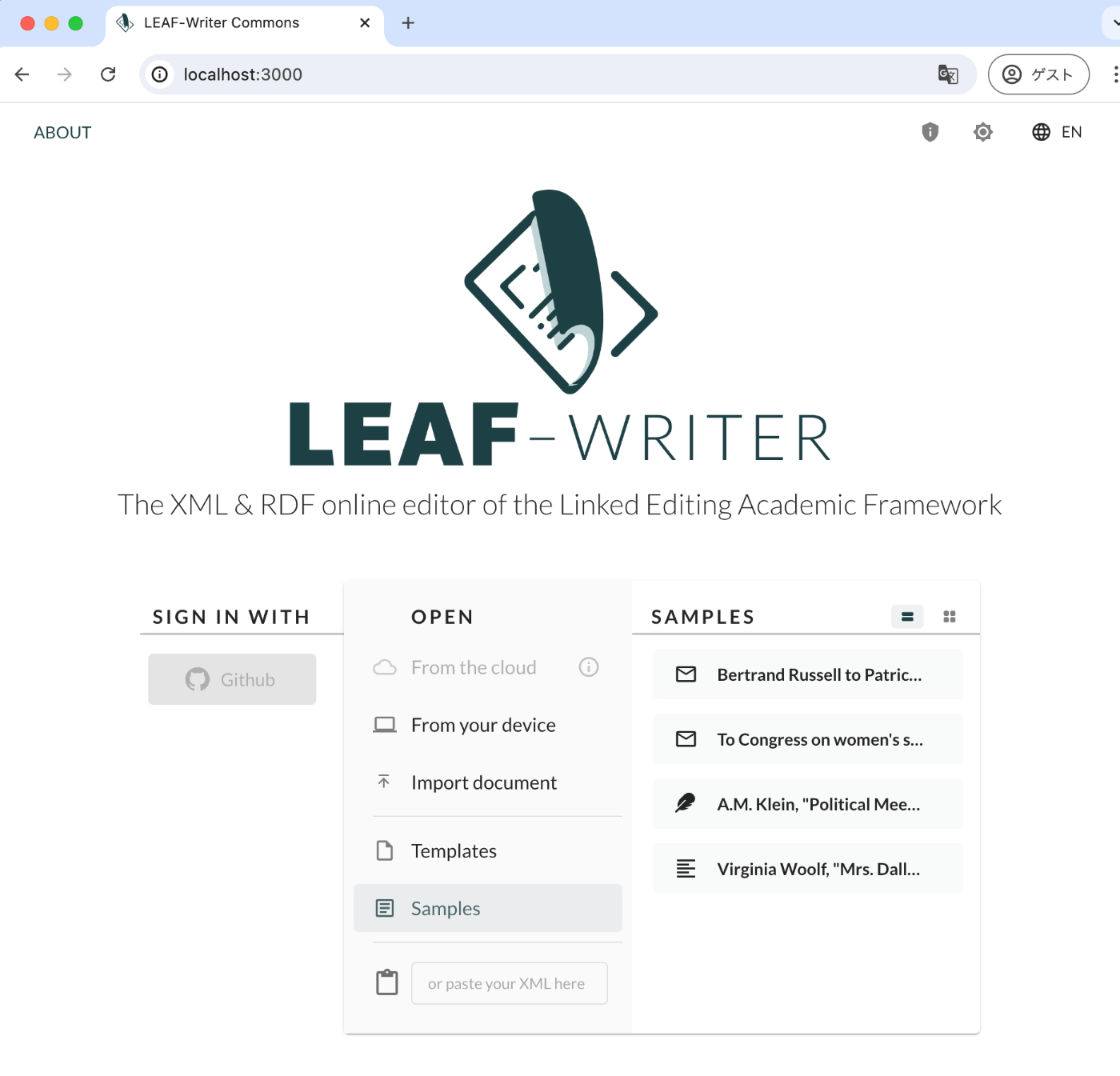
概要 LEAF-Writerをローカル環境で動作する機会がありましたので、備忘録です。 リポジトリ 以下を使用します。 https://gitlab.com/calincs/cwrc/leaf-writer/leaf-writer 方法 git clone https://gitlab.com/calincs/cwrc/leaf-writer/leaf-writer cd leaf-writer npm i npm run dev 3000ポートでLEAF-Writerが起動します。 まとめ Dockerを用いる方法もあるようなので、方法がわかりましたら共有したいと思います。

DHCフォーマットの中身を確認する

DHCフォーマットの中身を確認する

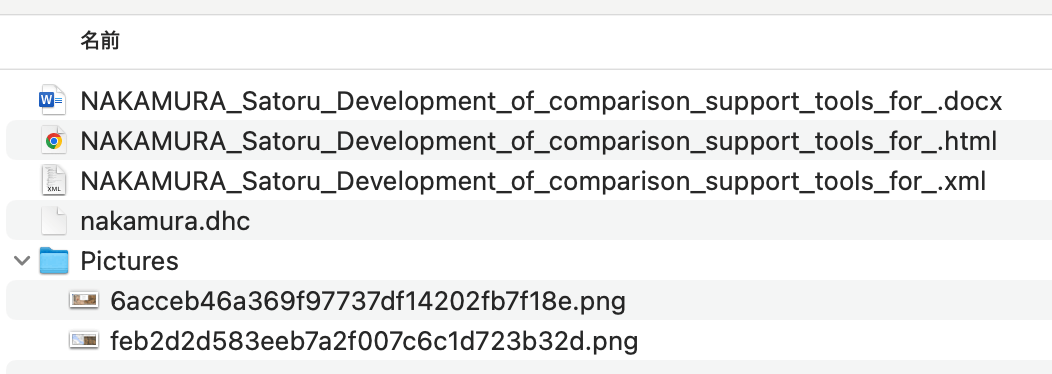
概要 Digital HumanitiesやThe Japanese Association for Digital Humanities (JADH)の年次大会では、以下のdhconvalidatorというツールを使い、DOCXやODT形式のファイルを、DHCファイルに変換して提出することが多いです。 https://github.com/ADHO/dhconvalidator 今回は、このフォーマットを理解するための備忘録です。 内容を確認する DHCファイルは以下のように説明されています。 This is essentially a ZIP archive containing their original OCT/DOCX file, an HTML rendering and an XML-TEI rendering, plus a folder with the image files, properly renamed). (機械翻訳)これは基本的に、元のOCT/DOCXファイル、HTMLレンダリング、XML-TEIレンダリングを含むZIPアーカイブであり、適切に名前が付けられた画像ファイルのフォルダも含まれています。 したがって、上記のdhconvalidatorを使って作成された.dhc形式のファイルについて、展開してみます。 unzip nakamura.dhc 結果、以下のようにファイルが展開されました。 入力元のdocxに加えて、TEIに変換されたXMLファイル、およびHTMLファイルが含まれていました。HTMLファイルは以下のようにブラウザで表示されます。 共著者や他者が作成したDHCファイルの内容を確認するには、上記のように展開の上、HTMLファイルを確認するのがよさそうです。 ! 未調査ですが、DHCファイルの閲覧に特化したビューアなどが存在するかもしれません。 (参考)変換の仕組み 以下のように説明されています。 The DHConvalidator works together with the conference management tool ConfTool and uses TEIGarage (formerly known as OxGarage) to do the bulk conversion. ...

IIIF Curation ListをTEIのfacsimile要素に変換する

IIIF Curation ListをTEIのfacsimile要素に変換する

概要 IIIF Curation ListをTEIのfacsimile要素に変換するライブラリを作成しました。 https://github.com/nakamura196/iiif-tei さらに、この変換を行うデモページを用意しました。 https://nakamura196.github.io/nuxt3-demo/iiif-tei-demo 使い方の動画は以下です。 https://youtu.be/Y5JlrJbtgz8 参考になりましたら幸いです。

Japan Search利活用スキーマを使ったentity-lookupの試作

Japan Search利活用スキーマを使ったentity-lookupの試作

概要 以下の記事の続きです。 Japan Searchの利活用スキーマを使って、cwrcのentity-lookupを行うパッケージを試作します。 デモ 以下のページでお試しいただけます。 https://nakamura196.github.io/nuxt3-demo/entity-lookup/ Person, Place, Organizationなどの種別ごとに、JPS, Wikidata, VIAFにentity-lookupを行います。 ライブラリ 以下で公開しています。 https://github.com/nakamura196/jps-entity-lookup cwrcですでに公開されていたリポジトリhttps://github.com/cwrc/wikidata-entity-lookupをベースに、主に以下のファイルをJapan Searchの利活用スキーマに合わせて修正しました。 https://github.com/nakamura196/jps-entity-lookup/blob/main/src/index.js インストール方法 以下が参考になりました。 https://qiita.com/pure-adachi/items/ba82b03dba3ebabc6312 開発中 開発中のライブラリをインストールする場合には、以下のようにインストールしました。 pnpm i /Users/nakamura/xxx/jps-entity-lookup GitHubから GitHubからは以下のようにインストールします。 pnpm i nakamura196/jps-entity-lookup まとめ 参考になりましたら幸いです。

cwrcのwikidata-entity-lookupを試す

cwrcのwikidata-entity-lookupを試す

概要 以下の記事の続きです。 LEAF-WRITERの特徴として、以下が挙げられています。 the ability to look up and select identifiers for named entity tags (persons, organizations, places, or titles) from the following Linked Open Data authorities: DBPedia, Geonames, Getty, LGPN, VIAF, and Wikidata. この機能は、以下のようなライブラリが使用されています。 https://github.com/cwrc/wikidata-entity-lookup この機能を試しています。 使い方 以下などで、npmパッケージが公開されています。 https://www.npmjs.com/search?q=cwrc 上記のリストにはありませんが、今回は以下を対象にします。 https://www.npmjs.com/package/wikidata-entity-lookup 以下でインストールします。 npm i wikidata-entity-lookup wikidataLookup.findPersonは、以下のように実行することができました。 <script lang="ts" setup> // @ts-ignore import wikidataLookup from "wikidata-entity-lookup"; interface Entity { id: string; name: string; description: string; uri: string; } const query = ref<string>(""); const results = ref<Entity[]>([]); const search = () => { wikidataLookup.findPerson(query.value).then((result: Entity[]) => { results.value = result; }); }; </script> デモ Nuxtでの実装例を用意しました。 ...

CWRC XML Validator APIを試す

CWRC XML Validator APIを試す

概要 TEI/XMLを対象としたエディタの一つとして、LEAF-WRITERがあります。 https://leaf-writer.leaf-vre.org/ 以下のように説明されています。 The XML & RDF online editor of the Linked Editing Academic Framework GitLabのリポジトリは以下です。 https://gitlab.com/calincs/cwrc/leaf-writer/leaf-writer このツールの特徴の一つとして、以下が説明されています。 continuous XML validation このvalidationには以下のAPIが使用されているようでした。 https://validator.services.cwrc.ca/ また、ライブラリは以下のようです。 https://www.npmjs.com/package/@cwrc/leafwriter-validator 今回は、上記のAPIを試してみます。 試す 以下のページが表示されます。 https://validator.services.cwrc.ca/ Try ItのPOSTで以下を試しています。 Schema URL: https://raw.githubusercontent.com/nakamura196/test2021/main/tei_excel.rng Schema Type: RNG_XML Document Content: <?xml version="1.0" encoding="UTF-8"?> <?xml-model href="http://www.tei-c.org/release/xml/tei/custom/schema/relaxng/tei_all.rng" type="application/xml" schematypens="http://relaxng.org/ns/structure/1.0"?> <?xml-model href="http://www.tei-c.org/release/xml/tei/custom/schema/relaxng/tei_all.rng" type="application/xml" schematypens="http://purl.oclc.org/dsdl/schematron"?> <TEI xmlns="http://www.tei-c.org/ns/1.0"> <teiHeader> <fileDesc> <titleStmt> <title>Title</title> </titleStmt> <publicationStmt> <p>Publication Information</p> </publicationStmt> <sourceDesc> <p>Information about the source</p> </sourceDesc> </fileDesc> </teiHeader> <text> <body> <p> I am <name>Satoru Nakamura</name>. </p> </body> </text> </TEI> 上記は、http://www.tei-c.org/release/xml/tei/custom/schema/relaxng/tei_all.rngをスキーマとする場合にはエラーが生じませんが、使用可能なタグを限定したhttps://raw.githubusercontent.com/nakamura196/test2021/main/tei_excel.rngではエラーが生じるはずです。 ...

RELAX NGとSchematron

RELAX NGとSchematron

概要 oXygen XML EditorでTEI/XMLを作成すると、以下のようなテンプレートが作成されます。 <?xml version="1.0" encoding="UTF-8"?> <?xml-model href="http://www.tei-c.org/release/xml/tei/custom/schema/relaxng/tei_all.rng" type="application/xml" schematypens="http://relaxng.org/ns/structure/1.0"?> <?xml-model href="http://www.tei-c.org/release/xml/tei/custom/schema/relaxng/tei_all.rng" type="application/xml" schematypens="http://purl.oclc.org/dsdl/schematron"?> <TEI xmlns="http://www.tei-c.org/ns/1.0"> <teiHeader> <fileDesc> <titleStmt> <title>Title</title> </titleStmt> <publicationStmt> <p>Publication Information</p> </publicationStmt> <sourceDesc> <p>Information about the source</p> </sourceDesc> </fileDesc> </teiHeader> <text> <body> <p>Some text here.</p> </body> </text> </TEI> この時、以下の違いが気になりましたので、GPT4への問い合わせ結果を共有します。 <?xml-model href="http://www.tei-c.org/release/xml/tei/custom/schema/relaxng/tei_all.rng" type="application/xml" schematypens="http://relaxng.org/ns/structure/1.0"?> <?xml-model href="http://www.tei-c.org/release/xml/tei/custom/schema/relaxng/tei_all.rng" type="application/xml" schematypens="http://purl.oclc.org/dsdl/schematron"?> 回答 2行目と3行目の違いは、schematypens属性に指定されている名前空間です。以下に詳細を説明します。 2行目 <?xml-model href="http://www.tei-c.org/release/xml/tei/custom/schema/relaxng/tei_all.rng" type="application/xml" schematypens="http://relaxng.org/ns/structure/1.0"?> href : http://www.tei-c.org/release/xml/tei/custom/schema/relaxng/tei_all.rng type : application/xml schematypens : http://relaxng.org/ns/structure/1.0 この行は、TEI (Text Encoding Initiative) ドキュメントに対して RELAX NG スキーマを指定しています。RELAX NG はXML文書の構造を検証するためのスキーマ言語です。 ...

TEI PublisherのODDの設定例①

TEI PublisherのODDの設定例①

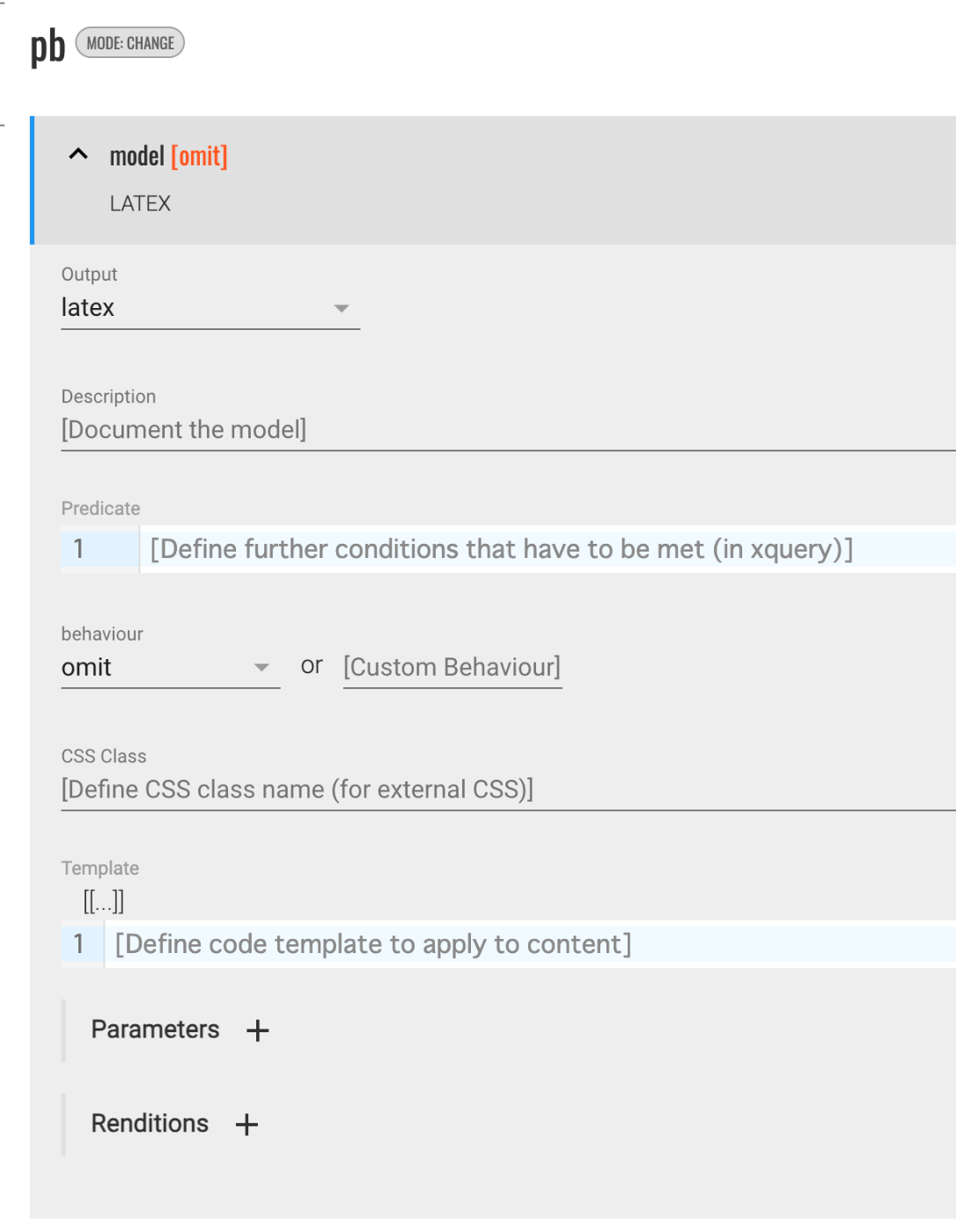
概要 TEI PublisherのODDに関する設定方法の備忘録です。 変換先で非表示にする 以下が参考になりました。 https://teipublisher.com/exist/apps/tei-publisher/documentation/odd-customization-other-behaviours behaviour でomit を選択します。 これにより、変換先(上記の例では、latex )でpb要素が非表示になりました。 lbで改行させる latexへの変換に限ったものかもしれませんが、behaviour でparagraph を選択することで、lbタグがあった箇所に、空白行が挿入されるようになりました。

Docker版のTEI Publisherを使用する

Docker版のTEI Publisherを使用する

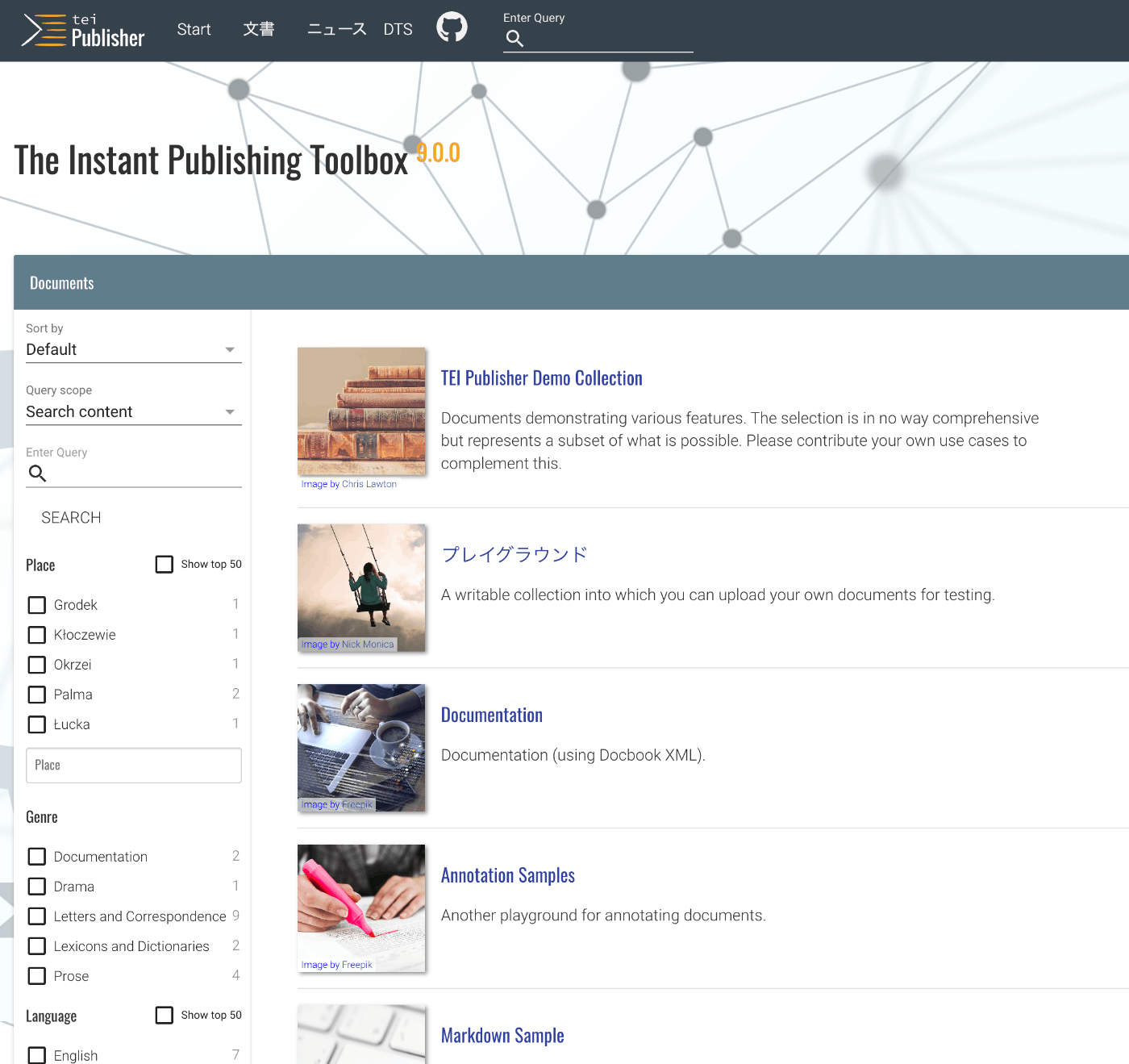
概要 Docker版のTEI Publisherを使用する機会があったので、備忘録です。 https://teipublisher.com/exist/apps/tei-publisher-home/index.html TEI Publisherは以下のように説明されています。 TEI Publisher facilitates the integration of the TEI Processing Model into exist-db applications. The TEI Processing Model (PM) extends the TEI ODD specification format with a processing model for documents. That way intended processing for all elements can be expressed within the TEI vocabulary itself. It aims at the XML-savvy editor who is familiar with TEI but is not necessarily a developer. (機械翻訳) TEI Publisherは、TEI Processing Modelをexist-dbアプリケーションに統合することを容易にします。TEI Processing Model(PM)は、ドキュメントの処理モデルを備えたTEI ODD仕様形式を拡張します。これにより、すべての要素の意図された処理をTEI語彙自体内で表現することができます。このモデルは、TEIに精通しているが必ずしも開発者ではないXML熟練のエディターを対象としています。 ...