ホーム 記事一覧 ブック DH週間トピックス 検索 このサイトについて
English
Omeka SのOAI-PMHリポジトリのresumptionTokenの不具合への対応

Omeka SのOAI-PMHリポジトリのresumptionTokenの不具合への対応

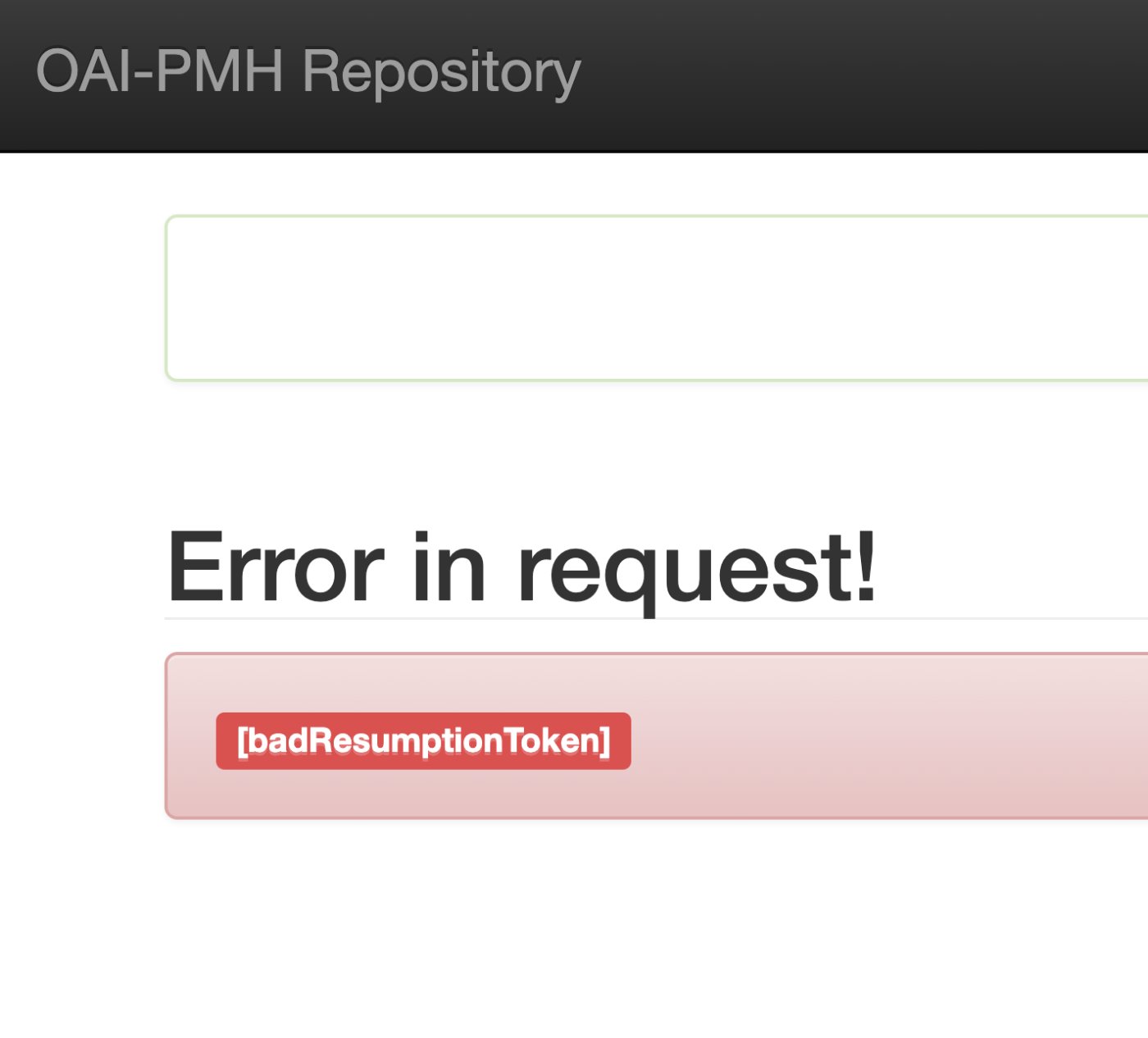
概要 Omeka SのOAI-PMHリポジトリのresumptionTokenにおいて、有効期限内にもかかわらず、以下のように、[badResumptionToken]が出力される事例に遭遇しました。 この不具合への対処方法についてメモします。 対応 以下のファイルについて、$currentTimeと$expirationTimeを比較する処理を加えたところ、有効期限内のtokenが残るようになりました。 ... private function resumeListResponse($token): void { $api = $this->serviceLocator->get('ControllerPluginManager')->get('api'); $expiredTokens = $api->search('oaipmh_repository_tokens', [ 'expired' => true, ])->getContent(); foreach ($expiredTokens as $expiredToken) { $currentTime = new \DateTime(); // 追加 $expirationTime = $expiredToken->expiration(); // 追加 if (!$expiredToken || $currentTime > $expirationTime) { // 追加 $api->delete('oaipmh_repository_tokens', $expiredToken->id()); } // 追加 } 上記のような対応をしなくてもうまくいくケースがあったので、PHPのバージョン等による違いがあるのかもしれません。 参考 参考までに、OAI-PMHリポジトリモジュールによって作成されるテーブルの中身を確認しました。 ...

(非標準)Omeka SのOAI-PMH RepositoryモジュールでDeleteレコードを出力してみる

(非標準)Omeka SのOAI-PMH RepositoryモジュールでDeleteレコードを出力してみる

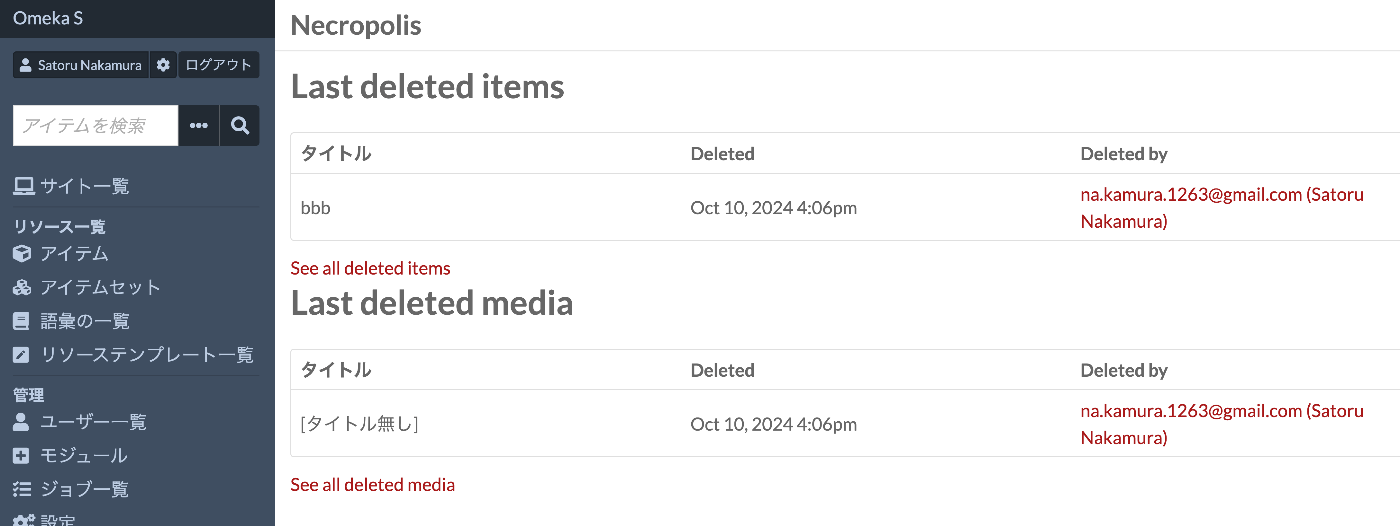
概要 Omeka SのOAI-PMH RepositoryモジュールでDeleteレコードを出力してみましたので、備忘録です。 背景 以下のモジュールを使用することにより、OAI-PMHのリポジトリ機能を構築することができます。 https://omeka.org/s/modules/OaiPmhRepository/ ただ、確認した限り、Deleteレコードを出力する機能はないようでした。 関連モジュール Omekaの標準機能では、削除されたリソースを保存する機能はないかと思います。 一方、以下のモジュールは削除されたリソースを保持する機能を追加します。 https://github.com/biblibre/omeka-s-module-Necropolis 本モジュールを有効化することにより、以下のように、リソースがいつ誰によって削除されたかを記録できるようになりました。 OAI-PMH Repositoryモジュールへの応用 上記のモジュールで作成される削除されたリソースの情報が格納されるテーブルを使って、Deleteレコードの出力を試みます。 以下のファイルのlistResponse関数に追記します。 private function listResponse($verb, $metadataPrefix, $cursor, $set, $from, $until): void { /** * @var \Omeka\Api\Adapter\Manager $apiAdapterManager * @var \Doctrine\ORM\EntityManager $entityManager */ $apiAdapterManager = $this->serviceLocator->get('Omeka\ApiAdapterManager'); $entityManager = $this->serviceLocator->get('Omeka\EntityManager'); $itemRepository = $entityManager->getRepository(\Omeka\Entity\Item::class); $qb = $itemRepository->createQueryBuilder('omeka_root'); $qb->select('omeka_root'); $query = new ArrayObject; $expr = $qb->expr(); // 以下を追加 if ($set === 'o:deleted') { $settings = $this->serviceLocator->get('Omeka\Settings'); $namespaceId = $settings->get('oaipmhrepository_namespace_id', 'default_namespace'); // 削除済みレコードを necropolis_resource テーブルから取得する $deletedResourceRepository = $entityManager->getRepository(\Necropolis\Entity\NecropolisResource::class); // カスタムエンティティ // oaipmhrepository_expose_mediaに応じて、mediaとitemの取得を分ける $exposeMedia = $settings->get('oaipmhrepository_expose_media', false); // デフォルトはfalse(itemのみ) if ($exposeMedia) { $qb = $deletedResourceRepository->createQueryBuilder('necropolis_resource'); } else { // Itemのみを取得する $qb = $deletedResourceRepository->createQueryBuilder('necropolis_resource') ->andWhere('necropolis_resource.resourceType = :itemType') ->setParameter('itemType', 'Omeka\Entity\Item'); } // 日付フィルタリング if ($from) { $qb->andWhere($expr->gte('necropolis_resource.deleted', ':from')); $qb->setParameter('from', $from); } if ($until) { $qb->andWhere($expr->lte('necropolis_resource.deleted', ':until')); $qb->setParameter('until', $until); } // 結果の制限とオフセット $qb->setMaxResults($this->_listLimit); $qb->setFirstResult($cursor); $paginator = new Paginator($qb, false); $rows = count($paginator); if ($rows == 0) { $this->throwError(self::OAI_ERR_NO_RECORDS_MATCH, new Message('No records match the given criteria.')); // @translate } else { if ($verb == 'ListIdentifiers') { $method = 'appendHeader'; } elseif ($verb == 'ListRecords') { $method = 'appendRecord'; } $verbElement = $this->document->createElement($verb); $this->document->documentElement->appendChild($verbElement); foreach ($paginator as $deletedEntity) { // 削除されたリソースの情報をOAI-PMHレスポンスに追加 $header = $this->document->createElement('header'); $header->setAttribute('status', 'deleted'); // 削除済みレコードとして設定 $identifier = $this->document->createElement('identifier', 'oai:' . $namespaceId . ":" . $deletedEntity->getId()); $header->appendChild($identifier); $datestamp = $this->document->createElement('datestamp', $deletedEntity->getDeleted()->format('Y-m-d\TH:i:s\Z')); $header->appendChild($datestamp); $verbElement->appendChild($header); } // Resumption Token の処理 if ($rows > ($cursor + $this->_listLimit)) { $token = $this->createResumptionToken($verb, $metadataPrefix, $cursor + $this->_listLimit, $set, $from, $until); $tokenElement = $this->document->createElement('resumptionToken', (string) $token->id()); $tokenElement->setAttribute('expirationDate', $token->expiration()->format('Y-m-d\TH:i:s\Z')); $tokenElement->setAttribute('completeListSize', (string) $rows); $tokenElement->setAttribute('cursor', (string) $cursor); $verbElement->appendChild($tokenElement); } elseif ($cursor != 0) { $tokenElement = $this->document->createElement('resumptionToken'); $verbElement->appendChild($tokenElement); } } return; } ... OAI-PMH標準には合致していない実装方法ですが、setにo:deletedを指定すると、削除レコードを返却することができます。 ...

OAI-PMHリポジトリからPythonでレコードを全件取得する

OAI-PMHリポジトリからPythonでレコードを全件取得する

OAI-PMHリポジトリからPythonでレコードを全件取得するスクリプトです。参考になりましたら幸いです。 import requests from requests import Request import xml.etree.ElementTree as ET # エンドポイントの定義 base_url = 'https://curation.library.t.u-tokyo.ac.jp/oai' # OAI-PMH リクエストの初回実行 params = { 'verb': 'ListRecords', 'metadataPrefix': 'curation', 'set': '97590' } response = requests.get(base_url, params=params) # 初回リクエストの準備 req = Request('GET', base_url,params=params) prepared_req = req.prepare() print("Sending request to:", prepared_req.url) # URLを出力 root = ET.fromstring(response.content) data = [] # 全データの取得 while True: # レコードの処理 for record in root.findall('.//{http://www.openarchives.org/OAI/2.0/}record'): identifier = record.find('.//{http://www.openarchives.org/OAI/2.0/}identifier').text print(f'Record ID: {identifier}') # 他のデータもここで処理可能 data.append(record) # resumptionTokenの取得と次のリクエストの実行 token_element = root.find('.//{http://www.openarchives.org/OAI/2.0/}resumptionToken') if token_element is None or not token_element.text: break # トークンがない場合、ループを終了 params = { 'verb': 'ListRecords', 'resumptionToken': token_element.text } response = requests.get(base_url, params=params) root = ET.fromstring(response.content) print("全件取得が完了しました。") print(len(data))

Omeka SのOaiPmhリポジトリモジュールにおいて、アイテムが公開されいているサイトページのURLを取得する

Omeka SのOaiPmhリポジトリモジュールにおいて、アイテムが公開されいているサイトページのURLを取得する

概要 Omeka SのOaiPmhリポジトリモジュールにおいて、アイテムが公開されいているサイトページのURLを取得する方法に関する備忘録です。 背景 以下の記事で、OaiPmhRepositoryを使った独自語彙の作成方法を紹介しています。 https://nakamura196.hatenablog.com/entry/2021/07/25/222651 こちらも参考にしてください。 アイテムが公開されいているサイトページのURLの取得 修正前 あるカスタマイズ事例において、以下のようにサイトページのURLを取得していました。以下は、Clean Urlモジュールにおいてdcterms:identifier以外が設定されている場合にはうまくいきません。また、/s/db/record/といったハードコーディングが見られます。 if ( $item->value( "dcterms:identifier" ) ) { $this->appendNewElement($oai, 'curation:relation', self::prefix."/s/db/record/".(string)$item->value("dcterms:identifier")->value()); } 修正後 以下のようにシンプルに記述することができました。これにより、当該アイテムが複数のサイトで公開されていても対応することができます。 $sites = $item->sites(); foreach ($sites as $key => $site) { $siteSlug = $site->slug(); $this->appendNewElement($oai, 'curation:relation', $item->siteUrl($siteSlug, true)); } まとめ Omeka Sを用いたOAI-PMHリポジトリの構築にあたり、参考になりましたら幸いです。

ArchivesSpaceのOAI Repositoryを試す

ArchivesSpaceのOAI Repositoryを試す

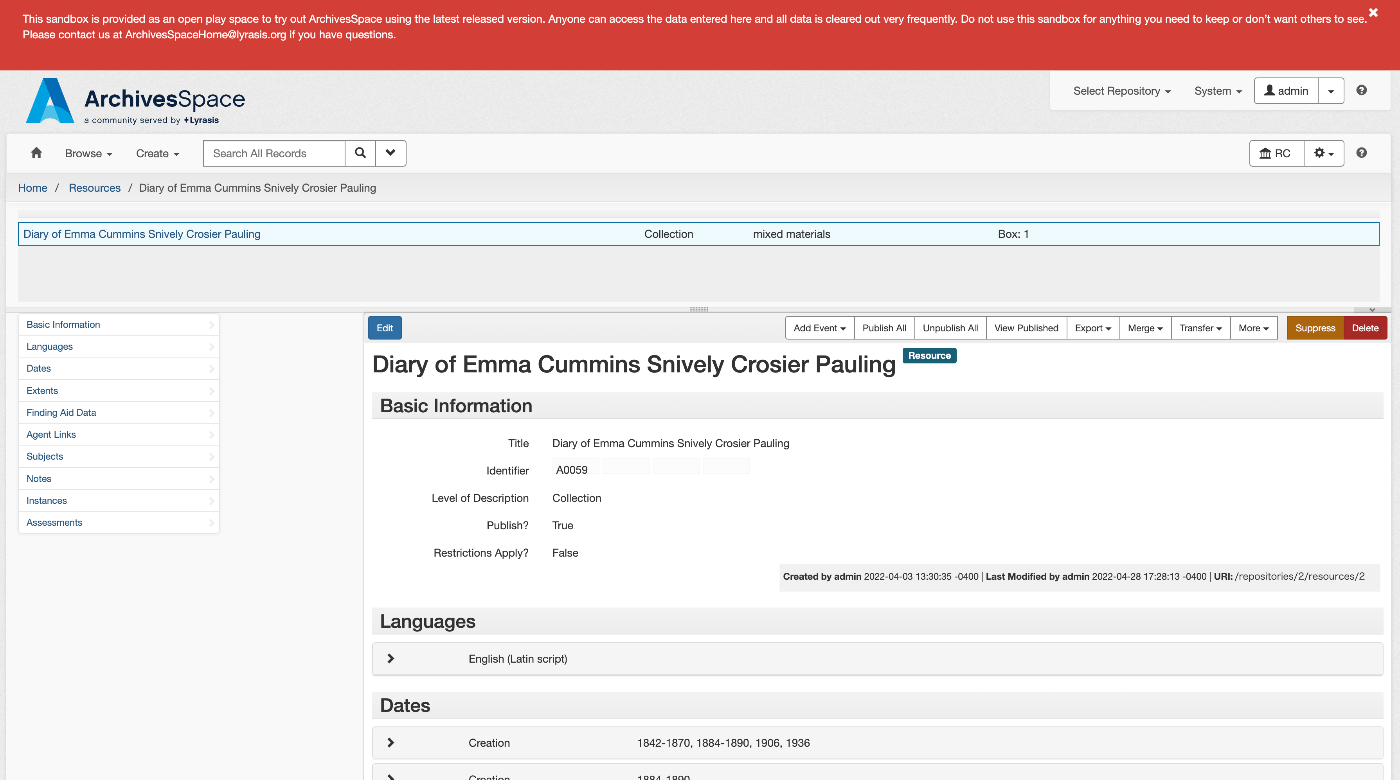
概要 ArchivesSpaceは、以下のように説明されています。 https://github.com/archivesspace/archivesspace Built for archives by archivists, ArchivesSpace is the open source archives information management application for managing and providing web access to archives, manuscripts and digital objects. (機械翻訳)アーキビストによってアーカイブのために構築されたArchivesSpaceは、アーカイブ、原稿、デジタルオブジェクトの管理とウェブアクセス提供のためのオープンソースのアーカイブ情報管理アプリケーションです。 この記事では、ArchivesSpaceが提供するOAI Repository機能を試します。 https://archivesspace.github.io/tech-docs/architecture/oai-pmh/ 設定 今回は、ArchivesSpaceのデモサイトを使用します。 以下にアクセスし、必要な設定を行います。 https://sandbox.archivesspace.org/staff/oai_config/edit メタデータフォーマットの一覧を取得する 以下により、メタデータフォーマットの一覧を取得できました。 https://sandbox.archivesspace.org/oai?verb=ListMetadataFormats 以下が結果です。oai_dc、oai_ead、oai_dcterms、oai_marc、oai_modsが利用可能なことが確認できます。 <OAI-PMH xmlns="http://www.openarchives.org/OAI/2.0/" xmlns:xsi="http://www.w3.org/2001/XMLSchema-instance" xsi:schemaLocation="http://www.openarchives.org/OAI/2.0/ http://www.openarchives.org/OAI/2.0/OAI-PMH.xsd"> <script/> <responseDate>2024-02-26T12:11:15Z</responseDate> <request verb="ListMetadataFormats">https://sandbox.archivesspace.org/</request> <ListMetadataFormats> <metadataFormat> <metadataPrefix>oai_dc</metadataPrefix> <schema>http://www.openarchives.org/OAI/2.0/oai_dc.xsd</schema> <metadataNamespace>http://www.openarchives.org/OAI/2.0/oai_dc/</metadataNamespace> </metadataFormat> <metadataFormat> <metadataPrefix>oai_ead</metadataPrefix> <schema>https://www.loc.gov/ead/ead.xsd</schema> <metadataNamespace>http://www.loc.gov/ead/</metadataNamespace> </metadataFormat> <metadataFormat> <metadataPrefix>oai_dcterms</metadataPrefix> <schema>http://dublincore.org/schemas/xmls/qdc/2008/02/11/dcterms.xsd</schema> <metadataNamespace>http://purl.org/dc/terms/</metadataNamespace> </metadataFormat> <metadataFormat> <metadataPrefix>oai_marc</metadataPrefix> <schema>https://www.loc.gov/standards/marcxml/schema/MARC21slim.xsd</schema> <metadataNamespace>http://www.loc.gov/MARC21/slim</metadataNamespace> </metadataFormat> <metadataFormat> <metadataPrefix>oai_mods</metadataPrefix> <schema>https://www.loc.gov/standards/mods/v3/mods-3-6.xsd</schema> <metadataNamespace>http://www.loc.gov/mods/v3</metadataNamespace> </metadataFormat> </ListMetadataFormats> </OAI-PMH> セットの一覧を取得する 以下により、セットの一覧を取得できました。 ...

Access to MemoryのOAI Repositoryを試す

Access to MemoryのOAI Repositoryを試す

概要 Access to Memoryは、以下のように説明されています。 https://github.com/artefactual/atom AtoM (short for Access to Memory) is a web-based, open source application for standards-based archival description and access. The application is multilingual and multi-repository. First commissioned by the International Council on Archives (ICA) to make it easier for archival institutions worldwide to put their holdings online using the ICA’s descriptive standards, the project has since grown into an internationally used community-driven project. (機械翻訳)AtoM(Access to Memoryの略称)は、標準に基づいたアーカイブ記述とアクセスのためのウェブベースのオープンソースアプリケーションです。このアプリケーションは、多言語かつ多リポジトリに対応しています。国際アーカイブ評議会(ICA)によって初めて委託された目的は、世界中のアーカイブ機関がICAの記述標準を使用して所蔵品をオンラインで公開しやすくすることでしたが、プロジェクトは以降、国際的に使用されるコミュニティ主導のプロジェクトへと成長しました。 ...

ro-crate-pyを試す

ro-crate-pyを試す

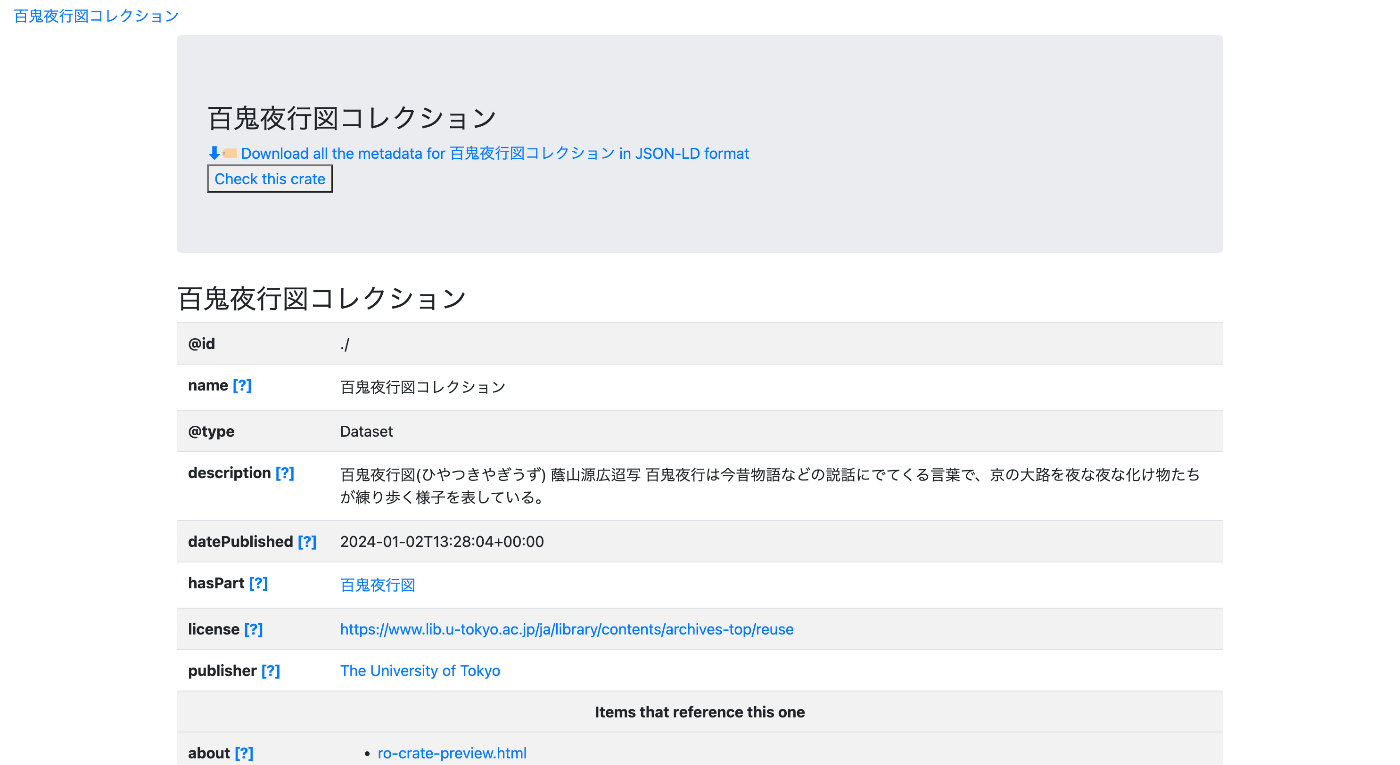
概要 ro-crate-pyは、Research Object Crates (RO-Crate)を作成および利用するためのPythonライブラリです。 https://doi.org/10.5281/zenodo.3956493 ro-crate-py is a Python library to create and consume Research Object Crates. It currently supports the RO-Crate 1.1 specification. ゴール 以下に示すようなページを作成することを目指します。 https://nakamura196.github.io/rocrate_demo/crate/test/data/ro-crate-preview.html データセットのページ 特定のアイテムのページ JSONデータ 以下のようなJSONデータを作成します。 https://nakamura196.github.io/rocrate_demo/crate/test/data/ro-crate-metadata.json アイテムのIDとしては、以下のOAI-PMHのレコードを使用します。 https://da.dl.itc.u-tokyo.ac.jp/portal/oai?verb=GetRecord&metadataPrefix=dcndl_simple&identifier=oai:da.dl.itc.u-tokyo.ac.jp:fbd0479b-dbb4-4eaa-95b8-f27e1c423e4b アイテムの作成者として、ダミーの値ですが、ORCIDのIDを指定します。 https://orcid.org/0000-0001-8245-7925 データの公開者としては、東京大学のResearch Organization Registry (ROR) を指定します。 https://ror.org/057zh3y96 ライブラリのインストール bagitはrocrateに必須ではありませんが、今回は最終出力をbagit形式にするために使用します。 pip install rocrate pip install bagit from rocrate.rocrate import ROCrate from rocrate.model.person import Person from rocrate.model.contextentity import ContextEntity import os import bagit import shutil import json データ dataset_name = "百鬼夜行図コレクション" dataset_description = "百鬼夜行図(ひやつきやぎうず) 蔭山源広迢写 百鬼夜行は今昔物語などの説話にでてくる言葉で、京の大路を夜な夜な化け物たちが練り歩く様子を表している。" dataset_license = "https://www.lib.u-tokyo.ac.jp/ja/library/contents/archives-top/reuse" item_id = "https://da.dl.itc.u-tokyo.ac.jp/portal/oai?verb=GetRecord&metadataPrefix=dcndl_simple&identifier=oai:da.dl.itc.u-tokyo.ac.jp:fbd0479b-dbb4-4eaa-95b8-f27e1c423e4b" item_name = "百鬼夜行図" item_description = "OAI-PMH(Open Archives Initiative Protocol for Metadata Harvesting)" item_license = "https://www.lib.u-tokyo.ac.jp/ja/library/contents/archives-top/reuse" person_id = "https://orcid.org/0000-0001-8245-7925" person_name = "Satoru Nakamura" org_id = "https://ror.org/057zh3y96" org_name = "The University of Tokyo" ROCrateインスタンスの作成 gen_preview=Trueとすることで、保存時にpreview.htmlを合わせて作成してくれます。 ...

【Omeka S モジュールカスタマイズ】OaiPmhRepository:独自語彙の作成

【Omeka S モジュールカスタマイズ】OaiPmhRepository:独自語彙の作成

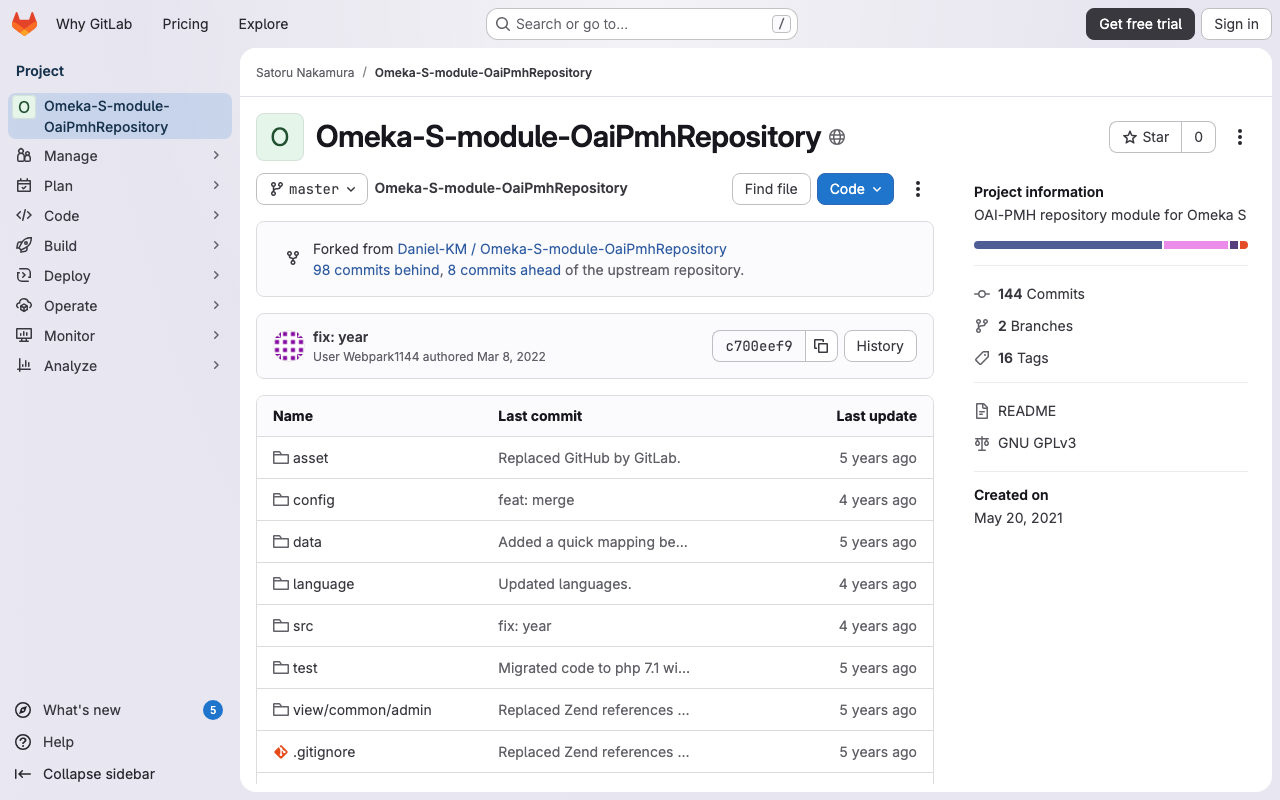
ここでは、Omeka SのOaiPmhRepositoryのカスタマイズ例として、DC-NDL(Simple)にマッピングしてメタデータを公開する方法について説明します。 以下のGitLabリポジトリを適宜参考にしてください。 gitlab.com ※ 別途、OaiPmhRepositoryの紹介記事を執筆予定です。 ファイルの修正 以下のコミットを参考にしてください。 https://gitlab.com/nakamura196/Omeka-S-module-OaiPmhRepository/-/commit/702f1c693a62ae21ef03da495e3b4efd6060c561#d57ba0f1ebb8e2008538c451770f3fe535e1c2ca 具体的には、以下のファイルに対する修正を行います。 OaiPmhRepository/config/module.config.php 追加する語彙の情報を追加します。 OaiPmhRepository/src/OaiPmh/Metadata/DCNDLSimple.php 本ファイルにおいて、Omeka Sのプロパティと出力する項目とのマッピングを行います。上記のコミットの例は、あくまで当該リポジトリにおけるマッピングルールです。Omeka Sの導入機関におけるメタデータの記述ルールに基づき、適宜変更する必要があります。 結果 以下のようなOAI-PMHレコードを取得することができます。 ListRecords https://diyhistory.org/nakamura196/oai?verb=ListRecords&metadataPrefix=dcndl_simple GetRecord https://diyhistory.org/nakamura196/oai?verb=GetRecord&metadataPrefix=dcndl_simple&identifier=oai:diyhistory.org:3