ホーム 記事一覧 ブック DH週間トピックス 検索 このサイトについて
English

DTS (Distributed Text Services) 1.0 正式リリースへの対応 ― TEI/XMLテキストAPIの仕様更新記録

はじめに 2026年2月、テキストコレクションへの標準的なアクセス手段を提供するAPI仕様「Distributed Text Services (DTS)」のv1.0が正式にリリースされました。 本記事では、DTS 1-alpha に基づいて構築していた校異源氏物語テキストDB用APIを、DTS 1.0に対応させた際の変更点を整理します。 https://github.com/distributed-text-services/specifications/releases/tag/v1.0 DTS とは DTS は、TEI/XMLなどのテキストコレクションに対する標準的なアクセスAPIを定める仕様です。以下の4つのエンドポイントで構成されます。 エンドポイント 役割 Entry Point APIの各エンドポイントURLを返す Collection テキスト間のナビゲーション(コレクション・リソースの一覧) Navigation テキスト内のナビゲーション(引用構造の探索) Document テキスト本体の取得(TEI/XMLの全体または一部) 対象プロジェクト 校異源氏物語テキストDBのDTS API実装(TypeScript/Express.js)です。 本番: https://dts-typescript.vercel.app/api/v2/dts ソースコード: https://github.com/nakamura196/dts-typescript 1-alpha から 1.0 への主な変更点 1. JSON-LD Context URLの変更 最も基本的な変更は、JSON-LDコンテキストファイルのURLです。 - "@context": "https://distributed-text-services.github.io/specifications/context/1-alpha1.json" + "@context": "https://dtsapi.org/context/v1.0.json" ドメインが distributed-text-services.github.io から dtsapi.org に変わりました。これは仕様の正式公開に伴い、永続的なURLが割り当てられたことを意味します。 2. dtsVersion の更新 - "dtsVersion": "1-alpha" + "dtsVersion": "1.0" 全エンドポイントのレスポンスに含まれる dtsVersion フィールドを更新します。 3. URI Template の全パラメータ記載 1-alphaでは一部のパラメータのみ記載していましたが、1.0ではAPIが受け付ける全パラメータをURI templateに含める必要があります。 Entry Point のレスポンス例: ...

DTS Viewer の改善 ― 複数 Citation Tree 対応・階層ナビゲーション・XML ブラウザ表示

DTS Viewer の改善 ― 複数 Citation Tree 対応・階層ナビゲーション・XML ブラウザ表示

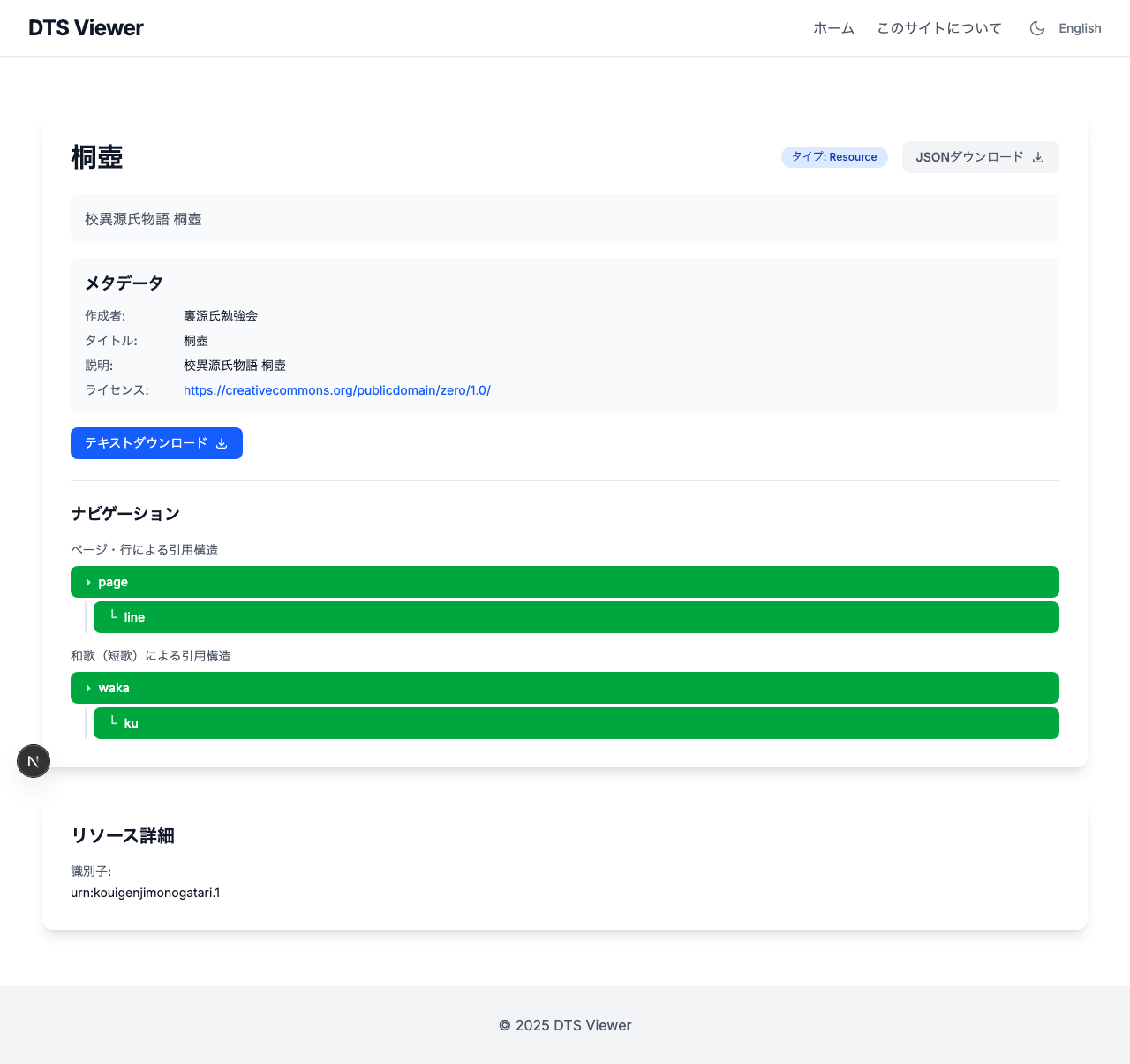
はじめに 前回の記事で、校異源氏物語テキストDB用 DTS API を 1.0 仕様に対応させ、和歌(短歌)の Citation Tree を追加しました。 本記事では、そのAPIを利用するビューアアプリ「DTS Viewer」側で行った改善について紹介します。 主な改善点は以下の3つです。 複数 Citation Tree への対応 ― tree パラメータの正しい受け渡し ナビゲーション結果の階層表示 ― カード形式からテーブル形式への変更 XML のブラウザ内表示 ― mediaType パラメータの活用 1. 複数 Citation Tree への対応 問題 DTS 1.0 では、1つのリソースに複数の Citation Tree を定義できます。校異源氏物語では「ページ/行」と「和歌」の2つのツリーを持っています。 しかし、ビューアのナビゲーションリンクが tree パラメータを付与していなかったため、和歌ツリーのリンクをクリックしてもデフォルト(ページ/行)のナビゲーションが表示される問題がありました。 対応 Citation Tree の identifier を追跡し、ナビゲーション URL に &tree=${identifier} を付与するようにしました。 const getNavigationUrl = (navigation: string, url: string, level: number, tree?: string) => { navigation = decodeURIComponent(navigation); navigation = removeVars(navigation) + `&down=${level}`; if (tree) { navigation += `&tree=${tree}`; } const combined = getDomain(url) + navigation; return encodeURIComponent(combined); }; ツリー構造の視覚化 各 Citation Tree をツリー形式で表示し、description ラベルで区別できるようにしました。 リソース詳細ページ。「ページ・行による引用構造」と「和歌(短歌)による引用構造」が視覚的に分かれて表示されている。 ...

DTS Viewerの更新:ページネーションへの対応

DTS Viewerの更新:ページネーションへの対応

概要 DTS (Distributed Text Services)ビューアについて、ページネーションへの対応を行ったので、備忘録です。 https://dts-viewer.vercel.app/ja/ 背景 DTSで多数のリソースなどを提供する際に、以下のように、viewプロパティを使って、ページネーションに関する情報を提示するようでした。 https://distributed-text-services.github.io/specifications/versions/unstable/#collection-endpoint { "@context": "https://distributed-text-services.github.io/specifications/context/1-alpha1.json", "dtsVersion": "1-alpha", "@id" : "lettres_de_poilus", "@type" : "Collection", "collection": "/api/dts/collection/{?id,page,nav}", "totalParents": 1, "totalChildren": 10000, "title": "Lettres de Poilus", "dublinCore": { "publisher": ["École Nationale des Chartes", "https://viaf.org/viaf/167874585"], "title": [ {"lang": "fr", "value" : "Lettres de Poilus"} ] }, "member": [ "..." ], "view": { "@id": "/api/dts/collection/?id=lettres_de_poilus&page=19", "@type": "Pagination", "first": "/api/dts/collection/?id=lettres_de_poilus&page=1", "previous": "/api/dts/collection/?id=lettres_de_poilus&page=18", "next": "/api/dts/collection/?id=lettres_de_poilus&page=20", "last": "/api/dts/collection/?id=lettres_de_poilus&page=500" } } そこで、DTS Viewerについて、上記のviewプロパティに対応できるように改修しました。 表示例 コレクションがviewプロパティを持つ時、以下のように、ページネーションに関するボタンを表示するようにしました。 まとめ DTS (Distributed Text Services) APIを用いたデジタルテキストのコレクションの配信にあたり、参考になりましたら幸いです。

校異源氏物語テキストDBのDTS(Distributed Text Services) APIの更新

校異源氏物語テキストDBのDTS(Distributed Text Services) APIの更新

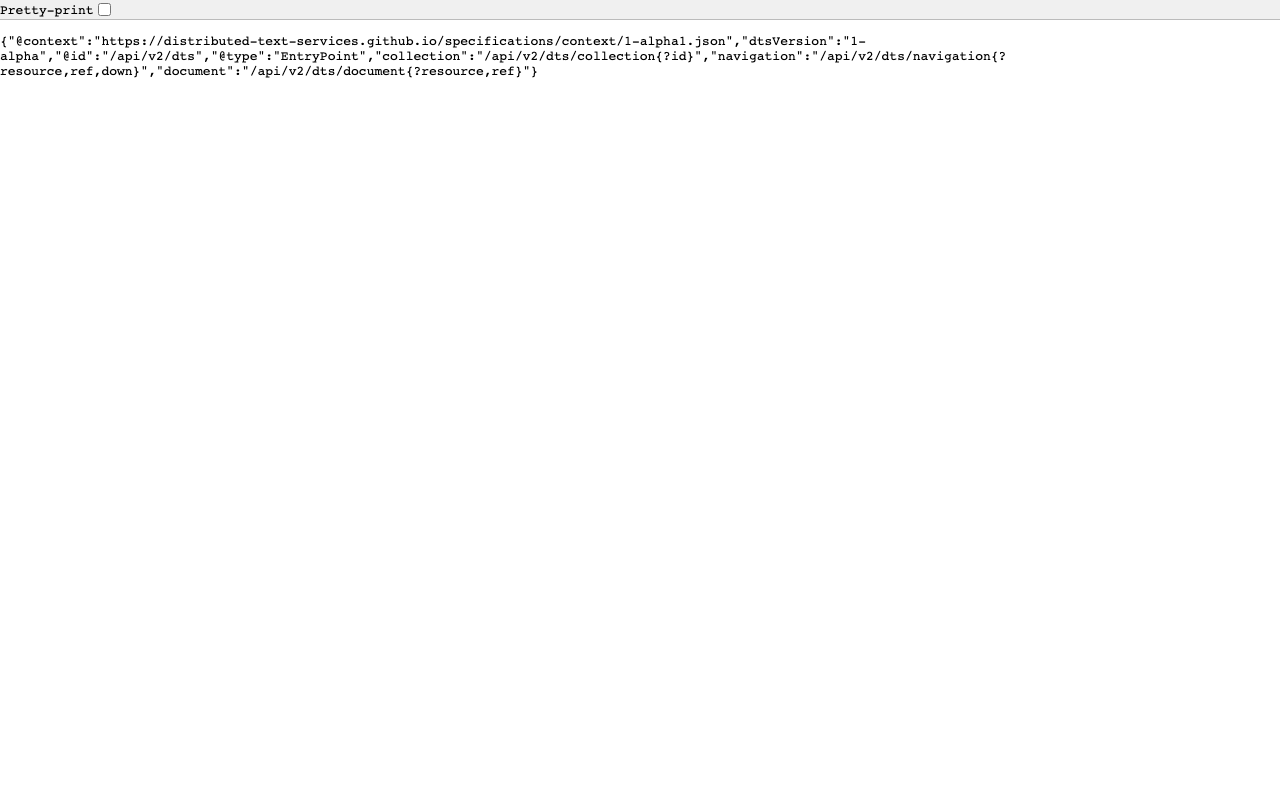
概要 校異源氏物語テキストDBのDTS(Distributed Text Services) APIを更新したので、備忘録です。 背景 DTS(Distributed Text Services) APIは以下で説明されています。 https://distributed-text-services.github.io/specifications/ 以下の記事で、DTS APIの作成について紹介しました。 一方、以下を課題としていました。 今回開発したDTS APIも上記のガイドラインに非対応の箇所がある可能性がある点にご注意ください。 そこで、前回作成したAPIをv1とし、今回はdtsVersionの1-alphaに従ったv2のAPIを作成します。 API 以下がEntry Endpointです。v1とv2の違いは以下です。 v1 https://dts-typescript.vercel.app/api/v1/dts { "navigation": "/api/v1/dts/navigation", "@id": "/api/v1/dts", "@type": "EntryPoint", "collections": "/api/v1/dts/collections", "@context": "dts/EntryPoint.jsonld", "documents": "/api/v1/dts/document" } v2 https://dts-typescript.vercel.app/api/v2/dts { "@context": "https://distributed-text-services.github.io/specifications/context/1-alpha1.json", "dtsVersion": "1-alpha", "@id": "/api/v2/dts", "@type": "EntryPoint", "collection": "/api/v2/dts/collection{?id}", "navigation": "/api/v2/dts/navigation{?resource,ref,down}", "document": "/api/v2/dts/document{?resource,ref}" } 同様に、各種Endpointの記述を変更しています。 ビューアの改修 以下の記事で、DTSのビューア開発について紹介しました。 そして、以下を課題としていましたが、この点に対応できるように改修しました。 Navigation Endpointを使用していますが、現時点で複数階層には非対応です。 例えば、Navigation Endpointは以下のように記述します。 https://dts-typescript.vercel.app/api/v2/dts/navigation?resource=urn:kouigenjimonogatari.1&down=1 { "@context": "https://distributed-text-services.github.io/specifications/context/1-alpha1.json", "dtsVersion": "1-alpha", "@type": "Navigation", "@id": "/api/v2/dts/navigation?resource=urn:kouigenjimonogatari.1&down=1", "resource": { "@id": "urn:kouigenjimonogatari.1", "@type": "Resource", "document": "/api/v2/dts/document?resource=urn:kouigenjimonogatari.1{&ref}", "collection": "/api/v2/dts/collection?id=urn:kouigenjimonogatari.1", "navigation": "/api/v2/dts/navigation?resource=urn:kouigenjimonogatari.1{&ref}", "citationTrees": [ { "@type": "CitationTree", "citeStructure": [ { "@type": "CiteStructure", "citeType": "page", "citeStructure": [ { "@type": "CiteStructure", "citeType": "line" } ] } ] } ] }, "member": [ { "identifier": "5", "@type": "CitableUnit", "level": 1, "parent": null, "citeType": "page" }, { "identifier": "6", "@type": "CitableUnit", "level": 1, "parent": null, "citeType": "page" }, { "identifier": "7", "@type": "CitableUnit", "level": 1, "parent": null, "citeType": "page" }, { "identifier": "8", "@type": "CitableUnit", "level": 1, "parent": null, "citeType": "page" }, ... ] } 特に、CitationTreeを使って、階層を記述します。ビューアがこの情報を処理するように修正することで、以下のように、レベルごとのナビゲーションボタンが表示されるようにしました。 ...

DTS (Distributed Text Services)のビューア開発

DTS (Distributed Text Services)のビューア開発

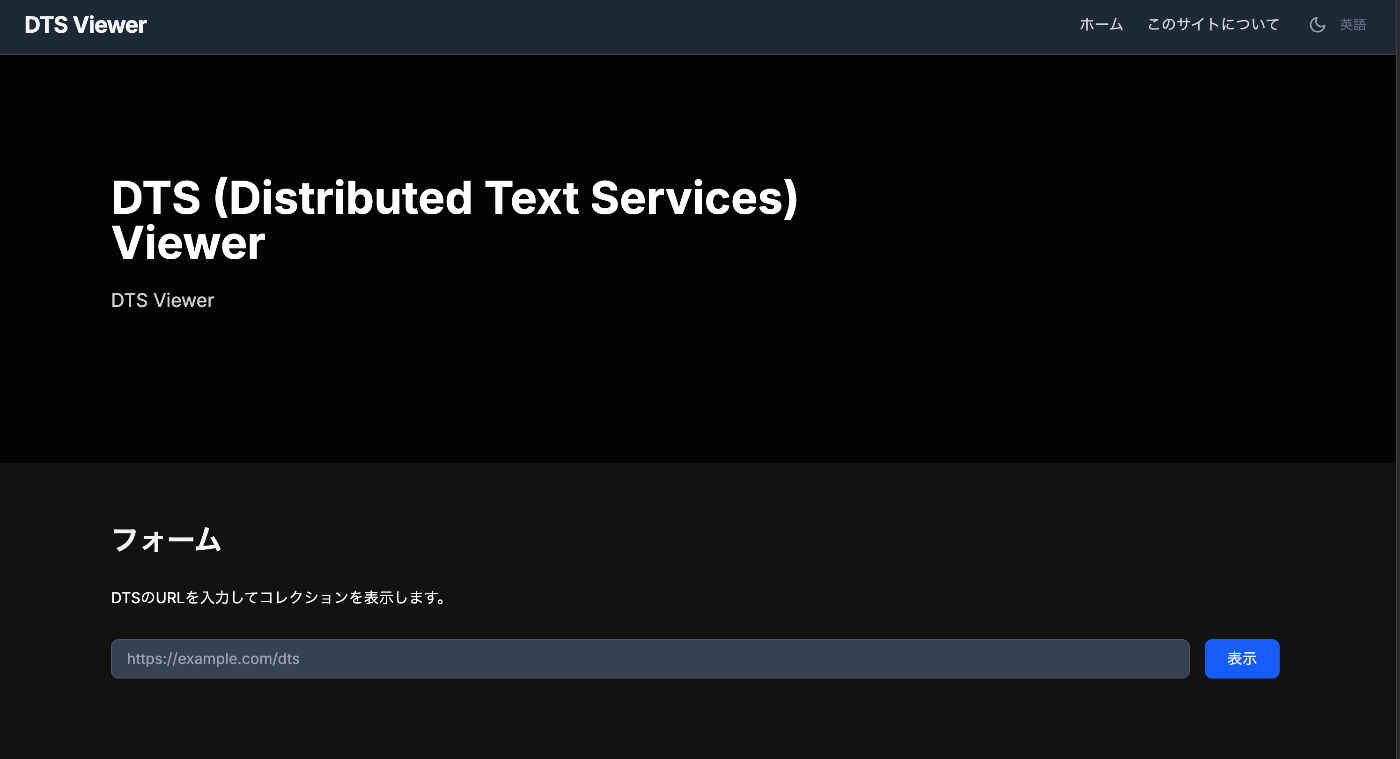
概要 DTS (Distributed Text Services)のビューアを開発したので、備忘録です。 以下のURLからお試しいただけます。 https://dts-viewer.vercel.app/ja/ 背景 DTS (Distributed Text Services)の公式ページは以下です。 https://distributed-text-services.github.io/specifications/ 以下の記事でも取り上げました。 今回、このDTS仕様に一部準拠したビューアを開発しました。 使い方 以下がトップページです。フォームにDTSのURLを入力します。ページ下部で例を提供します。技術的には、Entry pointを使用しています。 コレクションの一覧ページです。Collection Endpointを使用しています。 以下のAPIを例としています。 リンクをたどると、以下のようなリソースの一覧ページに遷移します。 ダウンロードボタンを押すと、TEI/XMLが表示されます。Document Endpointを使用しています。 ナビゲーションボタンを押すと、アクセス可能な部分テキストの一覧が表示されます。Navigation Endpointを使用していますが、現時点で複数階層には非対応です。 リンクをクリックすると、以下のような部分テキストをダウンロードすることができます。 工夫点 公式ページに以下のように記載されています。 The DTS Specification is currently in a public comment period following the 1-alpha release (機械翻訳)DTS仕様は、1-alphaリリースの後、現在パブリックコメント期間中です。 このような背景のため、既存のDTSの記述方法にばらつきがありました。そこで内部でできるだけDTS API (1.0 Draft)に変換し、その結果を可視化するようにしています。 DTS仕様が成熟するにつれ、このような問題は解決されるかと思います。 まとめ DTS仕様は以下のように説明されています。 The Distributed Text Services (DTS) Specification defines an API for working with collections of text as machine-actionable data. ...

Vercelにデプロイしたexpressについて、vercel.jsonによるcors対応を行う

Vercelにデプロイしたexpressについて、vercel.jsonによるcors対応を行う

概要 Vercelにデプロイしたexpressについて、vercel.jsonによるcors対応を行う方法に関する備忘録です。 背景 以下の記事で紹介したプログラムについて、cors対応を行いました。 以下を参考にしています。 https://vercel.com/guides/how-to-enable-cors 方法 対応方法は以下です。他にも方法があるかと思いますが、headersを加えることで対応することができました。 https://github.com/nakamura196/dts-typescript/commit/4c28f66b2af68950656dcb812f3e941d1b9b5feb { "version": 2, "builds": [ { "src": "src/index.ts", "use": "@vercel/node" } ], "rewrites": [ { "source": "/api/dts(.*)", "destination": "/src/index.ts" } ], "redirects": [ { "source": "/", "destination": "/api/dts", "permanent": true } ], "headers": [ { "source": "/api/(.*)", "headers": [ { "key": "Access-Control-Allow-Credentials", "value": "true" }, { "key": "Access-Control-Allow-Origin", "value": "*" }, { "key": "Access-Control-Allow-Methods", "value": "GET,OPTIONS,PATCH,DELETE,POST,PUT" }, { "key": "Access-Control-Allow-Headers", "value": "X-CSRF-Token, X-Requested-With, Accept, Accept-Version, Content-Length, Content-MD5, Content-Type, Date, X-Api-Version" } ] } ] } まとめ 参考になりましたら幸いです。

TEI/XMLから検索システムを構築する際のDTS(Distributed Text Services)のdts:wrapperの応用例

TEI/XMLから検索システムを構築する際のDTS(Distributed Text Services)のdts:wrapperの応用例

概要 TEI/XMLから検索システムを構築する際のDTS(Distributed Text Services)のdts:wrapperタグの応用例に関するメモです。 DTS(Distributed Text Services)は以下です。 Cayless, H., Clérice, T., Jonathan, R., Scott, I., & Almas, B. Distributed Text Services Specifications (Version 1-alpha) [Computer software]. https://github.com/distributed-text-services/specifications` 参考 DTSの構築例として、以下なども参考になりましたら幸いです。 例 以下の「デジタル延喜式」を例とします。 https://khirin-t.rekihaku.ac.jp/engishiki/ 本システムでは、TEIを用いて作成したXMLデータから、検索時の単位となる部分を抽出し、それをJSON形式のデータに変換した上で検索を行っています。JSONデータの例は以下です。JSON:APIに準拠した記述を採用しています。 http://khirin-t.rekihaku.ac.jp/engishiki/jsonapi/item/39100101.json { "jsonapi": { "version": "1.0", "meta": { "links": { "self": { "href": "http://jsonapi.org/format/1.0/" } } } }, "data": { "type": "item", "id": "39100101", "attributes": { "label": "正親 1 諸王年満条 項1", "jyo": [ "39-1-001 諸王年満" ], "shiki": [ "39-1 正親" ], "vol": [ "39" ], "updated": "2025-03-15", "category": [ "式" ], "manifest": "https://khirin-a.rekihaku.ac.jp/iiif/rekihaku/H-743-74-39/manifest.json", "member": "https://khirin-a.rekihaku.ac.jp/iiif/2/engishiki%2FH-743-74-39/page5069", "thumbnail": "https://khirin-a.rekihaku.ac.jp/iiif/2/engishiki%2FH-743-74-39%2F00002.tif/full/200,/0/default.jpg", "xml": "<?xml version=\"1.0\" encoding=\"UTF-8\"?>\n<TEI xmlns=\"http://www.tei-c.org/ns/1.0\">\n <dts:wrapper xmlns:dts=\"https://w3id.org/api/dts#\">\n <div type=\"original\"><p ana=\"項\" corresp=\"#page5069\" xml:id=\"o-item39100101\">\n 凡諸王年満十二、毎年十二月、\n<orgName sameAs=\"#京職\">京職</orgName>\n移\n<orgName sameAs=\"#宮内省\">宮内省</orgName>\n、\n<orgName sameAs=\"#宮内省\">省</orgName>\n以\n<orgName sameAs=\"#京職\">京職</orgName>\n移、即付\n<orgName sameAs=\"#正親司\">司</orgName>\n令勘会名簿、訖更送\n<orgName sameAs=\"#宮内省\">省</orgName>\n、明年正月待\n<orgName sameAs=\"#太政官\">官</orgName>\n符到、始預賜時服之例、</p></div><div type=\"japanese\"><note type=\"summary\">\n 衣替え手当ての受給年齢に達する皇族への支給開始手続きに関する規定\n </note><p ana=\"項\" corresp=\"engishiki_v39.xml#item39100101 engishiki_v39_en.xml#item39100101\" xml:id=\"ja-item39100101\">\n 皇族の年齢が数えで十二歳に達したら、十二月に\n<ruby>\n<rb>\n 京職\n </rb>\n<rt place=\"right\">\n きょうしき\n </rt>\n</ruby>\n が\n<ruby>\n<rb>\n 宮内省\n </rb>\n<rt place=\"right\">\n くないしょう\n </rt>\n</ruby>\n に通知し、宮内省は京職の通知書類を\n<ruby>\n<rb>\n 正親司\n </rb>\n<rt place=\"right\">\n せいしんし\n </rt>\n</ruby>\n に下して正親司が保管する皇族の台帳と照合させよ。正親司はこの作業が終わったら通知書類を宮内省に送れ。翌年正月に\n<ruby>\n<rb>\n 太政官\n </rb>\n<rt>\n だいじょうかん\n </rt>\n</ruby>\n の通達を受領してから、衣替え手当ての支給を開始せよ。\n</p></div><div type=\"english\"><note type=\"summary\">\n Age of Royal Recipients for Seasonal Clothing\n </note><p ana=\"項\" corresp=\"engishiki_v39.xml#item39100101 engishiki_v39_ja.xml#item39100101\" xml:id=\"en-item39100101\">\n Every year if\n<seg xml:id=\"footnote3910010101\">\n a\n prince or princess\n </seg>\n reaches\n<seg xml:id=\"footnote3910010102\">\n twelve years old\n </seg>\n , the Capital Office should report that\n information via\n<seg xml:id=\"footnote3910010103\">\n a parallel memorandum\n (\n<seg rend=\"italic\">\n i\n </seg>\n )\n</seg>\n to the Ministry of the Royal\n Household in the twelfth month. Then the Ministry should send the\n memorandum to the Royal Family Register Office to check the list against\n their existing roster. After finishing all of these procedures, the\n Royal Family Register Office should return the memorandum to the\n Ministry. The prince or princess in question will receive seasonal\n clothing after the Council of State's order is issued in the following\n New Year.\n</p></div>\n </dts:wrapper>\n</TEI>" } } } 検索結果は以下のように表示されます。校訂文(@type=“original”)、現代語訳(@type=“japanese”)、および英訳(@type=“english”)を表示しています。 ...

校異源氏物語テキストDBで公開するTEI/XMLファイルに対するDTS APIのGitHubリポジトリ

校異源氏物語テキストDBで公開するTEI/XMLファイルに対するDTS APIのGitHubリポジトリ

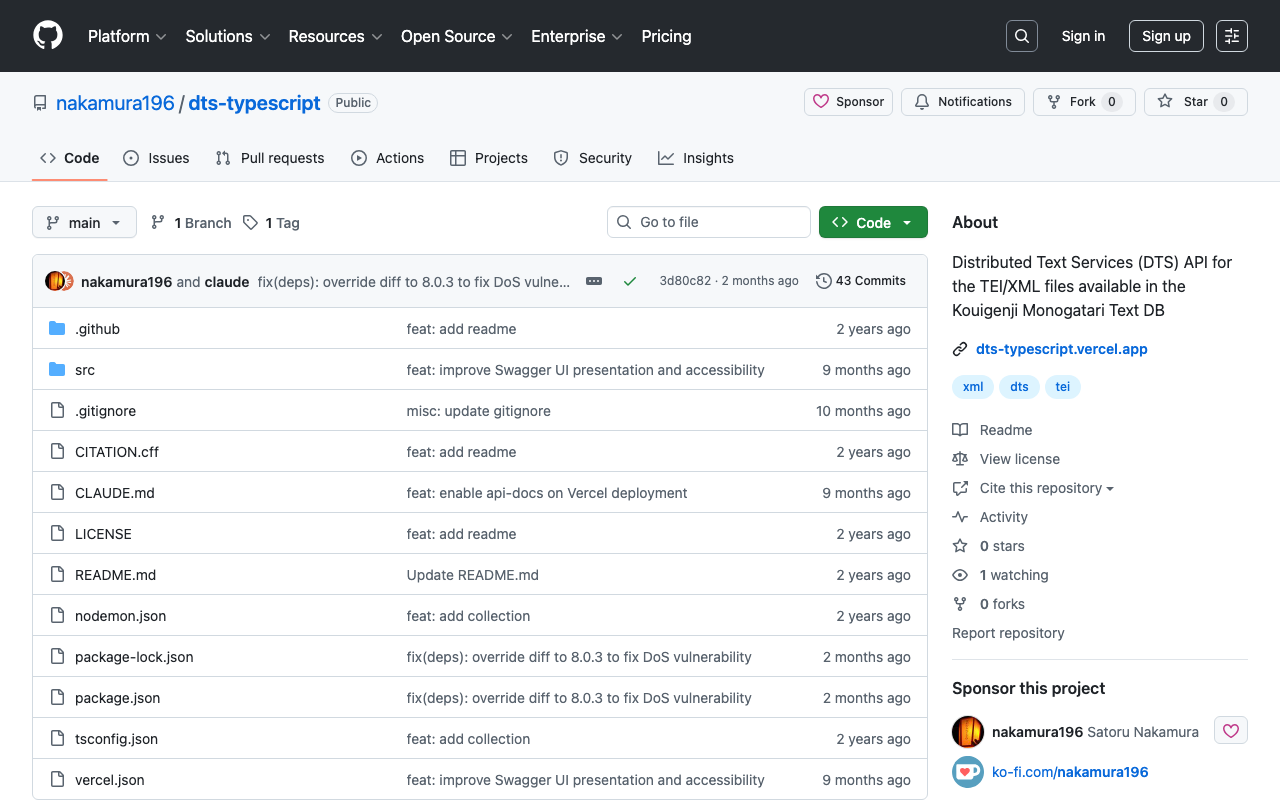
概要 以下の記事で紹介したAPIのGitHubリポジトリを公開しました。 リポジトリは以下です。 https://github.com/nakamura196/dts-typescript 不完全な点があるかと思いますが、参考になりましたら幸いです。 メモ vercelのrewrite 以下のように設定することで、/へのアクセスを/api/dtsにリダイレクトさせることができました。 { "version": 2, "builds": [ { "src": "src/index.ts", "use": "@vercel/node" } ], "rewrites": [ { "source": "/api/dts(.*)", "destination": "/src/index.ts" } ], "redirects": [ { "source": "/", "destination": "/api/dts", "permanent": true } ] } collectionのID コレクションのIDとして以下を使用しています。 const COLLECTION_ID = "urn:kouigenjimonogatari"; 当初urn:プレフィックスをつけていませんでしたが、以下のMyCapytainライブラリから使用した際、urn:がない場合、/が挿入され、うまくいかないことがありました。 https://github.com/Capitains/MyCapytain まとめ 不完全な実装が多いですが、参考になりましたら幸いです。

校異源氏物語テキストDBで公開するTEI/XMLファイルに対するDTS APIを作成する

校異源氏物語テキストDBで公開するTEI/XMLファイルに対するDTS APIを作成する

概要 校異源氏物語テキストDBで公開するTEI/XMLファイルに対するDTS(Distributed Text Services) APIを作成したので、備忘録です。 背景 校異源氏物語テキストDBは以下です。 https://kouigenjimonogatari.github.io/ TEI/XMLファイルを公開しています。 開発したDTS 開発したDTSは以下です。 https://dts-typescript.vercel.app/api/dts Express.jsをVercelに設置しています。 DTSは以下を参考にしてください。 https://zenn.dev/nakamura196/articles/4233fe80b3e76d MyCapytainライブラリ 以下の記事で、DTSをPythonから利用するライブラリを紹介しました。 https://zenn.dev/nakamura196/articles/1f52f460025274 本ライブラリを使用して、開発したDTSを利用してみます。 Create the resolver With the following line we create the resolver : from MyCapytain.resolvers.dts.api_v1 import HttpDtsResolver resolver = HttpDtsResolver("https://dts-typescript.vercel.app/api/dts") Require metadata : let’s visit the catalog The following code is gonna find each text that is readable by Alpheios # We get the root collection root = resolver.getMetadata() # Then we retrieve dynamically all the readableDescendants : it browse automatically the API until # it does not have seen any missing texts: be careful with this one on huge repositories readable_collections = root.readableDescendants print("We found %s collections that can be parsed" % len(readable_collections)) We found 54 collections that can be parsed Printing the full tree # Note that we could also see and make a tree of the catalog. # If you are not familiar with recursivity, the next lines might be a bit complicated def show_tree(collection, char_number=1): for subcollection_id, subcollection in collection.children.items(): print(char_number*"--" + " " + subcollection.id) show_tree(subcollection, char_number+1) print(root.id) show_tree(root) default -- urn:kouigenjimonogatari ---- urn:kouigenjimonogatari.1 ---- urn:kouigenjimonogatari.2 ---- urn:kouigenjimonogatari.3 ---- urn:kouigenjimonogatari.4 ---- urn:kouigenjimonogatari.5 ---- urn:kouigenjimonogatari.6 ---- urn:kouigenjimonogatari.7 ---- urn:kouigenjimonogatari.8 ---- urn:kouigenjimonogatari.9 ---- urn:kouigenjimonogatari.10 ---- urn:kouigenjimonogatari.11 ---- urn:kouigenjimonogatari.12 ---- urn:kouigenjimonogatari.13 ---- urn:kouigenjimonogatari.14 ---- urn:kouigenjimonogatari.15 ---- urn:kouigenjimonogatari.16 ---- urn:kouigenjimonogatari.17 ---- urn:kouigenjimonogatari.18 ---- urn:kouigenjimonogatari.19 ---- urn:kouigenjimonogatari.20 ---- urn:kouigenjimonogatari.21 ---- urn:kouigenjimonogatari.22 ---- urn:kouigenjimonogatari.23 ---- urn:kouigenjimonogatari.24 ---- urn:kouigenjimonogatari.25 ---- urn:kouigenjimonogatari.26 ---- urn:kouigenjimonogatari.27 ---- urn:kouigenjimonogatari.28 ---- urn:kouigenjimonogatari.29 ---- urn:kouigenjimonogatari.30 ---- urn:kouigenjimonogatari.31 ---- urn:kouigenjimonogatari.32 ---- urn:kouigenjimonogatari.33 ---- urn:kouigenjimonogatari.34 ---- urn:kouigenjimonogatari.35 ---- urn:kouigenjimonogatari.36 ---- urn:kouigenjimonogatari.37 ---- urn:kouigenjimonogatari.38 ---- urn:kouigenjimonogatari.39 ---- urn:kouigenjimonogatari.40 ---- urn:kouigenjimonogatari.41 ---- urn:kouigenjimonogatari.42 ---- urn:kouigenjimonogatari.43 ---- urn:kouigenjimonogatari.44 ---- urn:kouigenjimonogatari.45 ---- urn:kouigenjimonogatari.46 ---- urn:kouigenjimonogatari.47 ---- urn:kouigenjimonogatari.48 ---- urn:kouigenjimonogatari.49 ---- urn:kouigenjimonogatari.50 ---- urn:kouigenjimonogatari.51 ---- urn:kouigenjimonogatari.52 ---- urn:kouigenjimonogatari.53 ---- urn:kouigenjimonogatari.54 Printing details about a specific one # Let's get a random one ! from random import randint # The index needs to be between 0 and the number of collections rand_index = randint(0, len(readable_collections)) collection = readable_collections[rand_index] # Now let's print information ? label = collection.get_label() text_id = collection.id print("Treaing `"+label+"` with id " + text_id) Treaing `総角` with id urn:kouigenjimonogatari.47 What about more detailed informations ? Like the citation scheme ? def recursive_printing_citation_scheme(citation, char_number=1): for subcitation in citation.children: print(char_number*"--" + " " + subcitation.name) recursive_printing_citation_scheme(subcitation, char_number+1) print("Maximum citation depth : ", collection.citation.depth) print("Citation System") recursive_printing_citation_scheme(collection.citation) Maximum citation depth : 1 Citation System -- line Let’s get some references ! reffs = resolver.getReffs(collection.id) print(reffs) # Nice ! DtsReferenceSet (DtsReference https://w3id.org/kouigenjimonogatari/api/items/1587-01.json> [line]>, DtsReference https://w3id.org/kouigenjimonogatari/api/items/1587-02.json> [line]>, DtsReference https://w3id.org/kouigenjimonogatari/api/items/1587-03.json> [line]>, DtsReference https://w3id.org/kouigenjimonogatari/api/items/1587-04.json> [line]>, DtsReference ... Let’s get some random passage ! # Let's get a random one ! from random import randint # The index needs to be between 0 and the number of collections rand_index = randint(0, len(reffs)-1) reff = reffs[rand_index] passage = resolver.getTextualNode(collection.id, reff) print(passage.id, passage.reference) # Let's see the XML here # For that, we need to get the mimetype right : from MyCapytain.common.constants import Mimetypes print(passage.export(Mimetypes.XML.TEI)) urn:kouigenjimonogatari.47 DtsReference https://w3id.org/kouigenjimonogatari/api/items/1640-06.json> [line]> TEI xmlns="http://www.tei-c.org/ns/1.0">dts:fragment xmlns:dts="https://w3id.org/dts/api#"> ... 考察 上記の通り、MyCapytainライブラリの基本操作に対応したDTSを構築することができました。 ...

DTS(Distributed Text Services)を使ってみる

DTS(Distributed Text Services)を使ってみる

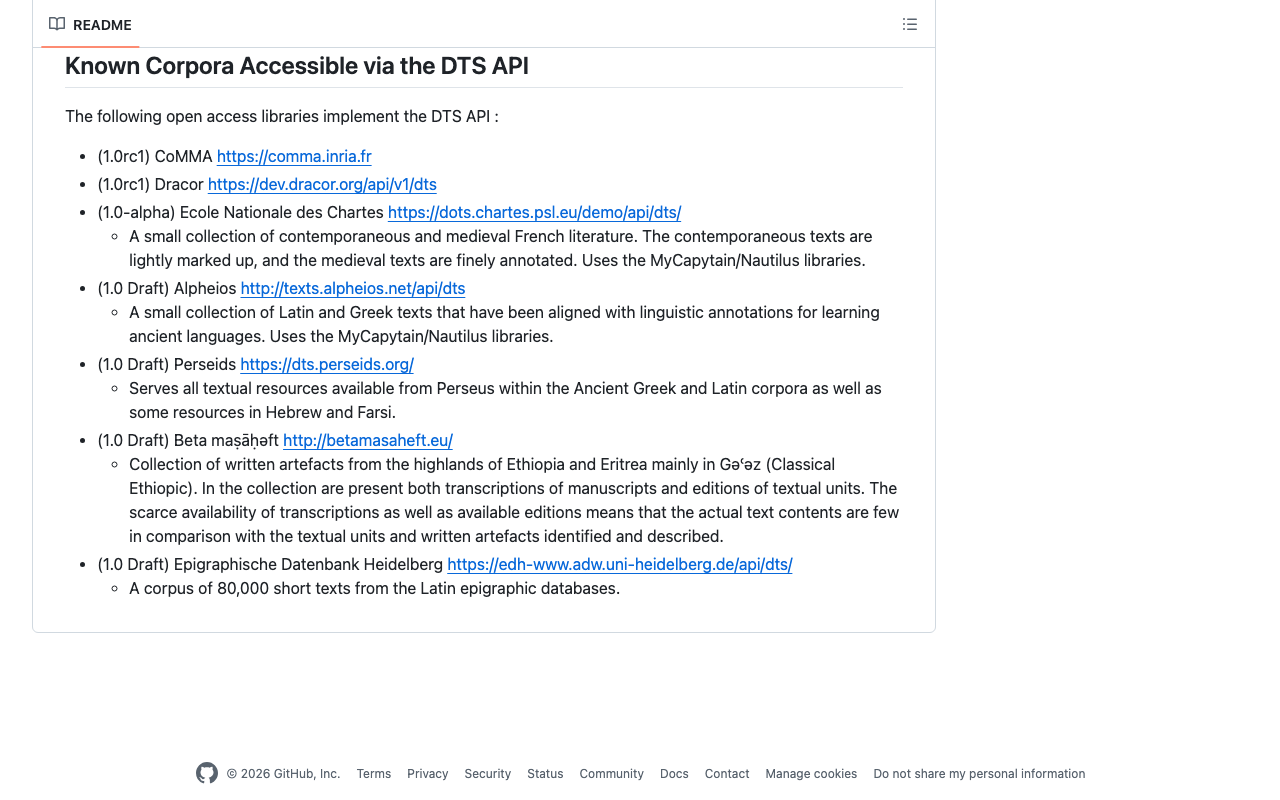
概要 DTS(Distributed Text Services)の使用方法を学ぶ機会があり、その備忘録です。 使用するAPI 以下で紹介されているAlpheios を使用します。 https://github.com/distributed-text-services/specifications/?tab=readme-ov-file#known-corpora-accessible-via-the-dts-api トップ https://texts.alpheios.net/api/dts collections, documents, navigationが使えることがわかります。 { "navigation": "/api/dts/navigation", "@id": "/api/dts", "@type": "EntryPoint", "collections": "/api/dts/collections", "@context": "dts/EntryPoint.jsonld", "documents": "/api/dts/document" } Collection Endpoint collections https://texts.alpheios.net/api/dts/collections 2つの下位コレクションが含まれることがわかります。 { "totalItems": 2, "member": [ { "@id": "urn:alpheios:latinLit", "@type": "Collection", "totalItems": 3, "title": "Classical Latin" }, { "@id": "urn:alpheios:greekLit", "@type": "Collection", "totalItems": 4, "title": "Ancient Greek" } ], "title": "None", "@id": "default", "@type": "Collection", "@context": { "dts": "https://w3id.org/dts/api#", "@vocab": "https://www.w3.org/ns/hydra/core#" } } Classical Latin idurn:alpheios:latinLitを指定して、コレクションをClassical Latinに限定します。 https://texts.alpheios.net/api/dts/collections?id=urn:alpheios:latinLit 3つの下位コレクションが含まれることがわかります。 { "totalItems": 3, "member": [ { "@id": "urn:cts:latinLit:phi0472", "@type": "Collection", "totalItems": 1, "title": "Catullus" }, { "@id": "urn:cts:latinLit:phi0620", "@type": "Collection", "totalItems": 1, "title": "Propertius, Sextus" }, { "@id": "urn:cts:latinLit:phi0959", "@type": "Collection", "totalItems": 1, "title": "Ovid" } ], "title": "Classical Latin", "@id": "urn:alpheios:latinLit", "@type": "Collection", "@context": { "dts": "https://w3id.org/dts/api#", "@vocab": "https://www.w3.org/ns/hydra/core#", "ns1": "http://www.w3.org/2004/02/skos/core#" }, "dts:extensions": { "ns1:prefLabel": [ { "@value": "Classical Latin", "@language": "eng" } ] } } Catullus idurn:cts:latinLit:phi0472を指定して、コレクションをCatullusに限定します。 ...

DTSとCTSの関係

DTSとCTSの関係

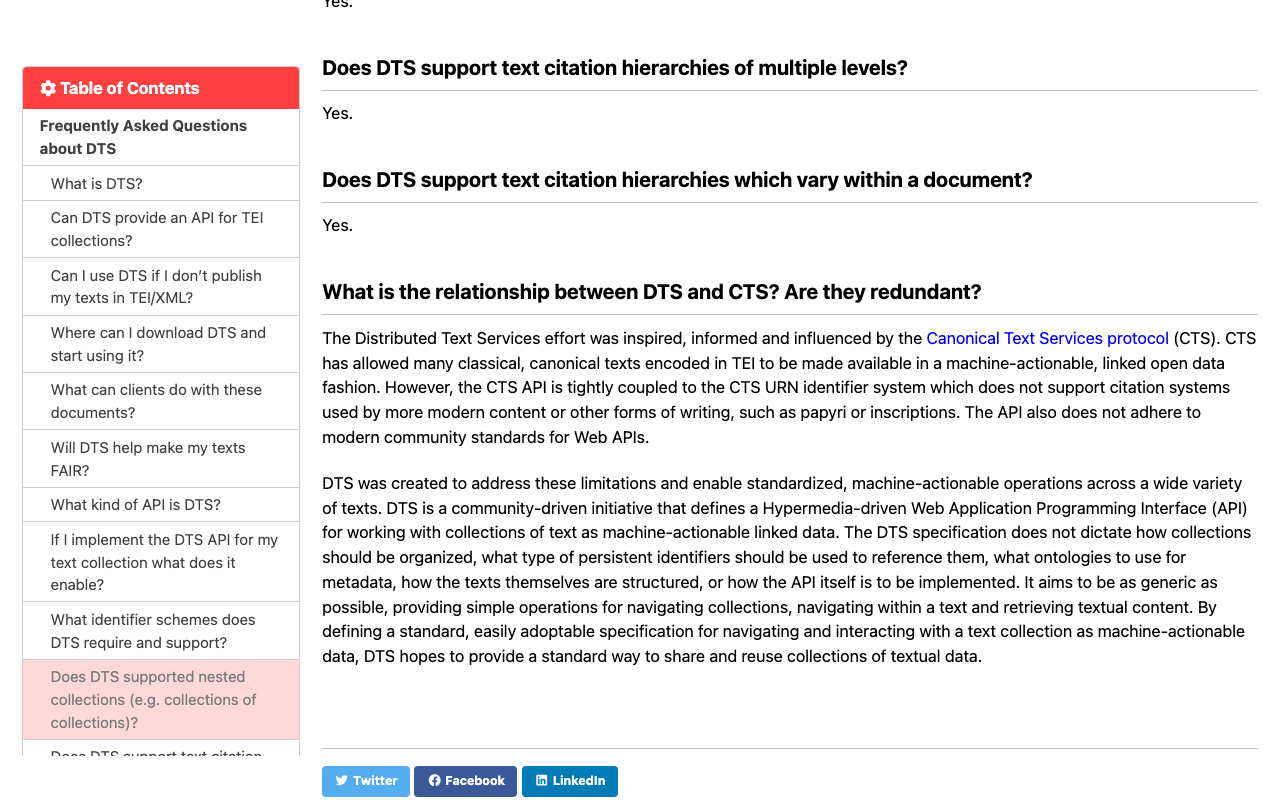
概要 DTS(Distributed Text Services)とCTS(Canonical Text Services protocol)の関係の調査結果です。 以下に記載がありました。 https://distributed-text-services.github.io/specifications/FAQ.html#what-is-the-relationship-between-dts-and-cts-are-they-redundant (機械翻訳)日本語訳 DTSとCTSの関係は何ですか?それらは重複していますか? DTS(Distributed Text Services)は、Canonical Text Services(CTS)プロトコルからインスピレーションを受け、その影響を受けて開発されました。CTSは、TEI形式でエンコードされた多くの古典的で正典的なテキストを、機械が処理可能な形でリンクドオープンデータとして提供することを可能にしました。しかし、CTS APIはCTS URN識別子システムに密接に結びついており、現代のコンテンツやパピルスや碑文などの他の形式の書き物で使用される引用システムには対応していません。また、このAPIはWeb APIに関する最新のコミュニティ標準にも準拠していません。 DTSはこれらの制限に対処し、さまざまなテキストにわたって標準化された、機械が処理可能な操作を可能にするために作成されました。DTSは、テキストコレクションを機械が処理可能なリンクドデータとして扱うためのハイパーメディア駆動のWebアプリケーションプログラミングインターフェース(API)を定義する、コミュニティ主導の取り組みです。DTS仕様は、コレクションの組織方法、参照に使用される永続的識別子の種類、メタデータに使用するオントロジー、テキスト自体の構造、APIの実装方法については規定していません。できる限り汎用的であり、コレクションのナビゲーション、テキスト内のナビゲーション、テキストコンテンツの取得のためのシンプルな操作を提供することを目指しています。DTSは、テキストコレクションを機械が処理可能なデータとして共有し、再利用するための標準的な方法を提供することを目指して、標準的で採用しやすい仕様を定義しています。 その他 参考までに、上記FAQの他の箇所の機械翻訳結果を掲載します。 DTSに関するよくある質問 DTSとは何ですか? DTSは、TEIドキュメントのコレクション向けのAPIです。 なぜTEIにコレクション用のAPIが必要なのですか? DTSは、クライアントがTEIドキュメントのコレクションと標準的な方法でやり取りできるようにします。標準APIにより、ユーザーは同じクライアントソフトウェアを使用して多くのテキストコレクションにアクセスできます。また、編集者は既存のクライアントが使用できる形でテキストコレクションを公開できるようになります。 DTSをダウンロードして使い始めるにはどうすればいいですか? ダウンロードできません。DTSはプログラム同士の通信方法を定義します。最終的にエンドユーザーがこのソフトウェアを使用します。ソフトウェア開発者向けにはDTSをサポートするライブラリがあり、それらはここにリストされています。 クライアントはこれらのドキュメントで何ができますか? クライアントがテキストデータでできることなら何でも可能です。例えば、このデータはユーザーが読める形で表示されたり、言語学的、文学的、談話的な特徴を分析したり、ユーザーがテキストに注釈を付けて有用なデータを作成できるツールで提示されたりします。 DTSは私のテキストをFAIRにするのに役立ちますか? はい!デジタルテキストコレクションの発行者は、DTS APIを使用して、そのテキストデータを見つけやすく(Findable)、アクセスしやすく(Accessible)、相互運用可能(Interoperable)で、再利用可能(Reusable)なFAIRな形にすることができます。 DTSは以下の方法でテキストデータのFAIRなデータプラクティスをサポートします: 発行者にテキストやコレクションに安定した永続的識別子を使用することを促す メタデータ記述のために標準的な語彙を使用することをサポート テキストコンテンツ自体とは別にメタデータを表現できるようにする 引用可能な単位に至るまで、テキストリソースの構造に関する情報への文書化された(が制約のない)アクセスを提供 テキストリソース間の関係を詳細に指定できるようにする DTSはどのようなAPIですか? DTSは、REST APIであり、Webブラウザのように機能します。クライアントソフトウェアがリクエストを送ると、サーバーはドキュメントを返します。クライアントはこのドキュメント内の情報を使用して、さらにリクエストを送ることができます。このAPIは、HTTPリクエストやレスポンスに含まれるドキュメントとヘッダーに基づいて完全に定義されています。つまり、DTSは言語に依存せず、デバッグが容易で、多くのユーザーに対してスケールすることができます。APIに詳しい人向けに言うと、DTSはピュアなハイパーメディア中心のREST APIで、HTTPの慣習に基づいて定義されています。 DTSは、ウェブサイトを作成するのと同じように構築されています。すべてが発見可能で、ユーザー(クライアント)が簡単に目的のものを見つけられるように整理されています。その上で、リンクされ共有されている語彙を使用し、データのウェブ全体で利用可能なものを活用しています。 Hydraとは何ですか?なぜHydraを使用するのですか? HydraはREST APIを構築するための良いフレームワークを提供します。私たちはゼロから始めるのではなく、標準を使用したかったのです。JSONとピュアなハイパーメディアベースのAPIのサポートが欲しかったため、Hydraを選びました。Hydraはコア機能を提供し、私たちのモデルに合わせてカスタマイズできる拡張性を提供します。(他の3つか4つのアプローチを試しましたが、Hydraが私たちのユースケースに最適でした。APIに関する宗教的な議論があることは承知していますが、これが私たちにとってうまく機能しました。) 私のテキストコレクションにDTS APIを実装すると、何が可能になりますか? DTS APIを実装することで、データの消費者は以下を簡単に取得できるようになります: コレクションメンバーのリスト 個々のコレクションアイテムに関するメタデータ テキスト内の引用可能なパッセージのリスト クライアントが定義したサイズ(例:10行ごとのグループ)で引用可能なパッセージのリスト ドキュメントの引用構造に関するメタデータ 引用階層の任意のレベルでの単一のテキストパッセージ 明確に定義された開始と終了のパッセージを含む範囲のテキストパッセージ 全体のテキスト DTSが必要とし、サポートする識別子スキームは何ですか? DTSは、URLパラメータとして安全に表現できる任意のコレクションおよびドキュメントの識別子スキームをサポートします。 DTSはネストされたコレクション(例:コレクションのコレクション)をサポートしますか? はい、サポートします。 DTSは複数レベルのテキスト引用階層をサポートしますか? はい、サポートします。 DTSはドキュメント内で異なるテキスト引用階層をサポートしますか? はい、サポートします。 私のテキストがTEI/XML形式で公開されていなくてもDTSを使用できますか? はい、部分的に使用できます。 ...

MyCapytainライブラリを試す

MyCapytainライブラリを試す

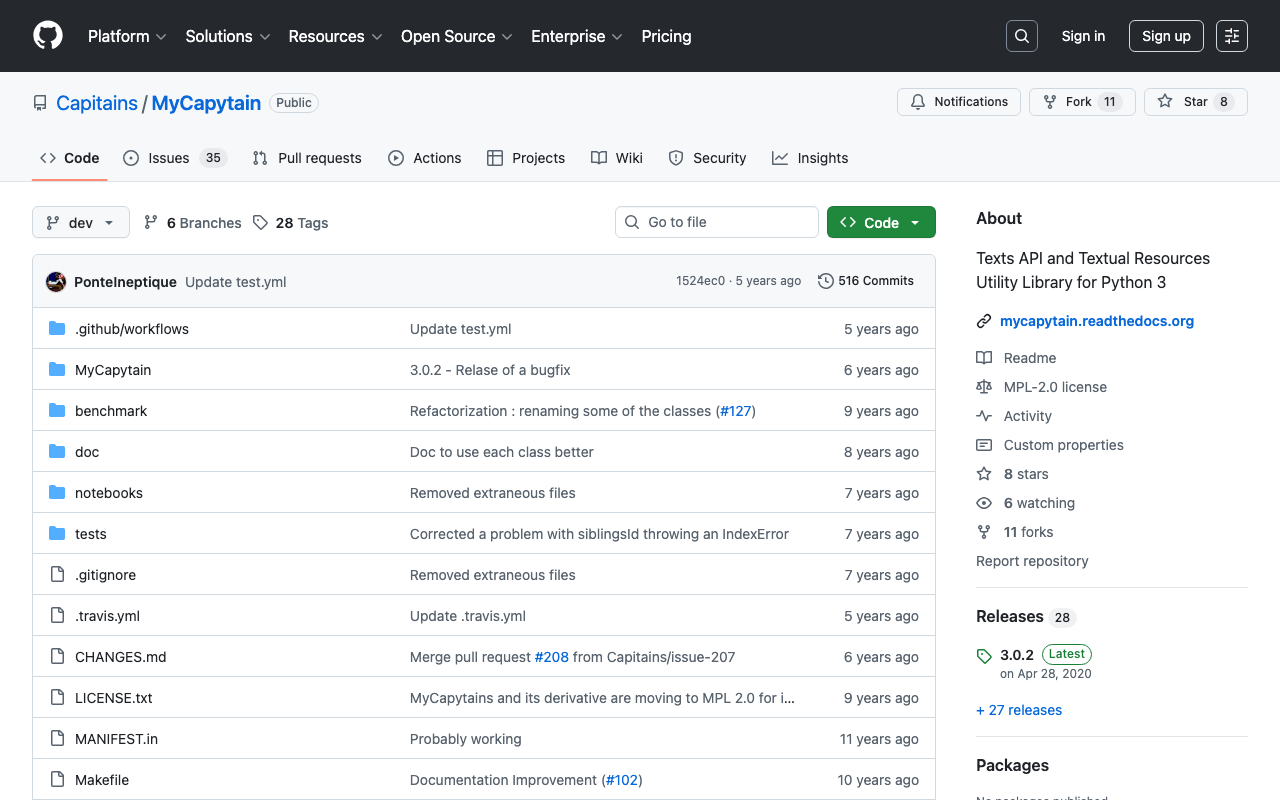
概要 以下のMyCapytainライブラリを試します。 https://github.com/Capitains/MyCapytain 背景 以下の記事で、CTS(Canonical Text Service)を取り上げました。 以下のページにおいて、CITE, CTS, CapiTainSの説明がなされています。 https://brillpublishers.gitlab.io/documentation-cts/DTS_Guidelines.html The following document is about CITE, a system for the identification of texts and any other object. CTS is the name for the identification system itself. CapiTainS is the name for the software suite built around it. Before we go into details, we need to ask two questions: (機械翻訳)以下の文書は、CITE(テキストおよびその他のオブジェクトを識別するためのシステム)に関するものです。CTSは、この識別システム自体の名前です。CapiTainSは、その周りに構築されたソフトウェアスイートの名前です。詳細に入る前に、2つの質問をする必要があります。 さらに、今回使用するMyCapytainライブラリは以下のように説明されています。 MyCapytain is a python library which provides a large set of methods to interact with Text Services API such as the Canonical Text Services, the Distributed Text Services. It also provides a programming interface to exploit local textual resources developed according to the Capitains Guidelines. ...