概要
ro-crate-pyは、Research Object Crates (RO-Crate)を作成および利用するためのPythonライブラリです。
https://doi.org/10.5281/zenodo.3956493
ro-crate-py is a Python library to create and consume Research Object Crates. It currently supports the RO-Crate 1.1 specification.
ゴール
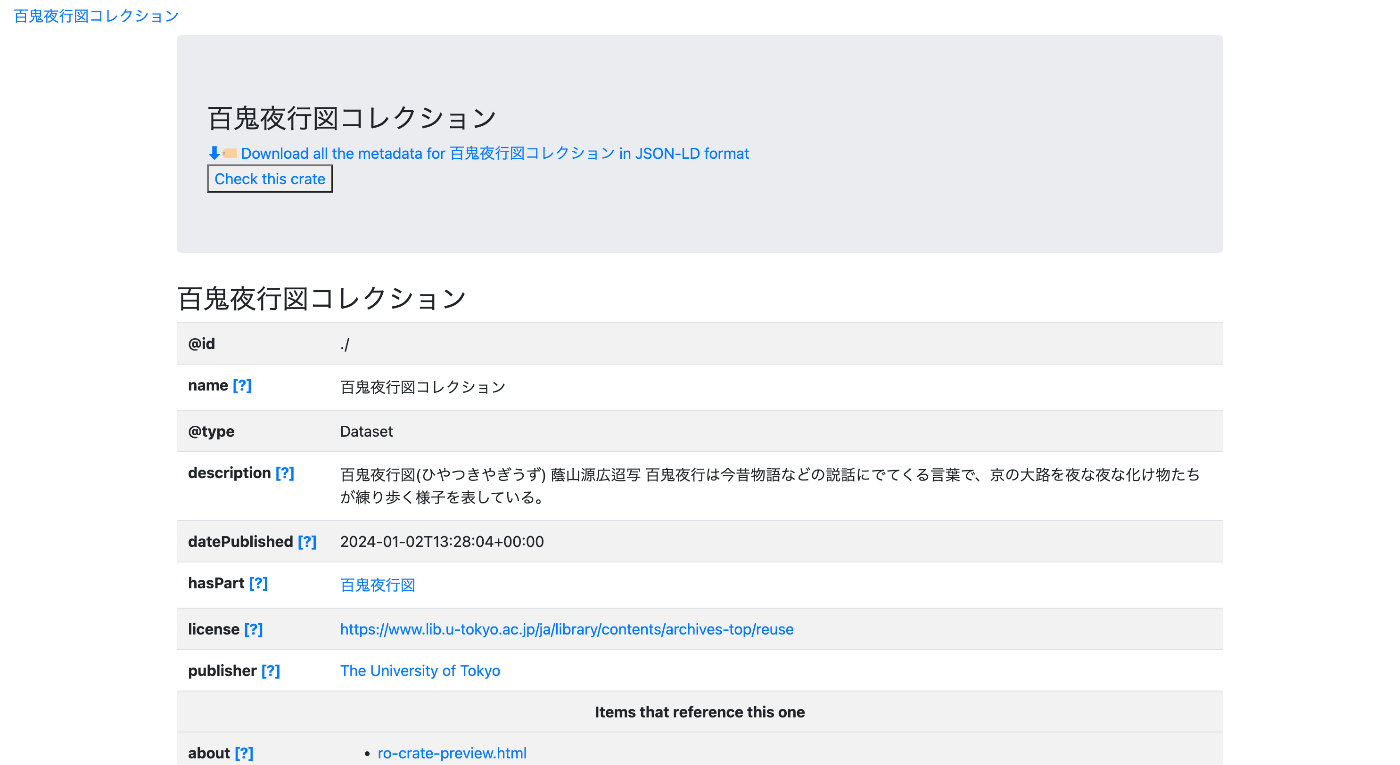
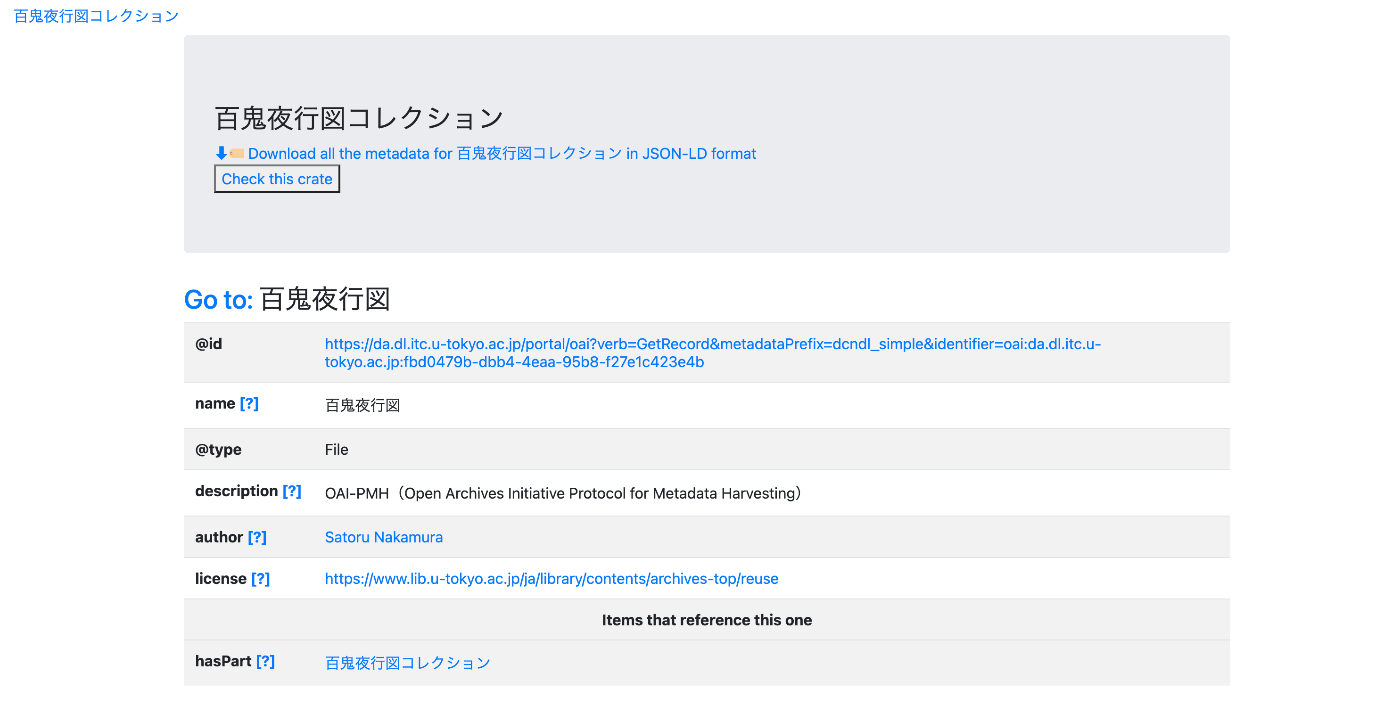
以下に示すようなページを作成することを目指します。
https://nakamura196.github.io/rocrate_demo/crate/test/data/ro-crate-preview.html
データセットのページ
特定のアイテムのページ
JSONデータ
以下のようなJSONデータを作成します。
https://nakamura196.github.io/rocrate_demo/crate/test/data/ro-crate-metadata.json
アイテムのIDとしては、以下のOAI-PMHのレコードを使用します。
アイテムの作成者として、ダミーの値ですが、ORCIDのIDを指定します。
https://orcid.org/0000-0001-8245-7925
データの公開者としては、東京大学のResearch Organization Registry (ROR) を指定します。
ライブラリのインストール
bagitはrocrateに必須ではありませんが、今回は最終出力をbagit形式にするために使用します。
pip install rocrate
pip install bagit
from rocrate.rocrate import ROCrate
from rocrate.model.person import Person
from rocrate.model.contextentity import ContextEntity
import os
import bagit
import shutil
import json
データ
dataset_name = "百鬼夜行図コレクション"
dataset_description = "百鬼夜行図(ひやつきやぎうず) 蔭山源広迢写 百鬼夜行は今昔物語などの説話にでてくる言葉で、京の大路を夜な夜な化け物たちが練り歩く様子を表している。"
dataset_license = "https://www.lib.u-tokyo.ac.jp/ja/library/contents/archives-top/reuse"

item_id = "https://da.dl.itc.u-tokyo.ac.jp/portal/oai?verb=GetRecord&metadataPrefix=dcndl_simple&identifier=oai:da.dl.itc.u-tokyo.ac.jp:fbd0479b-dbb4-4eaa-95b8-f27e1c423e4b"
item_name = "百鬼夜行図"
item_description = "OAI-PMH(Open Archives Initiative Protocol for Metadata Harvesting)"
item_license = "https://www.lib.u-tokyo.ac.jp/ja/library/contents/archives-top/reuse"

person_id = "https://orcid.org/0000-0001-8245-7925"
person_name = "Satoru Nakamura"

org_id = "https://ror.org/057zh3y96"
org_name = "The University of Tokyo"
ROCrateインスタンスの作成
gen_preview=Trueとすることで、保存時にpreview.htmlを合わせて作成してくれます。
crate = ROCrate(gen_preview=True)
root_datasetのメタデータを作成する
root_dataset = crate.root_dataset
root_dataset["name"] = dataset_name
root_dataset["description"] = dataset_description
root_dataset["license"] = dataset_license
アイテムの作成
今回は、remote entitiesを追加します。
https://github.com/ResearchObject/ro-crate-py?tab=readme-ov-file#adding-remote-entities
item = crate.add_file(item_id, properties={
    "name": item_name,
    "description": item_description,
    "license": item_license
})
作成者の追加
person = Person(crate, person_id, properties={
    "name": person_name})
crate.add(person)
アイテムの作成者として、Personを追加します。
item["author"] = person
公開組織の追加
class Organization(ContextEntity):

    def __init__(self, crate, identifier=None, properties=None):
        super(Organization, self).__init__(crate, identifier, properties)

    def _empty(self):
        val = {
            "@id": self.id,
            "@type": 'Organization'
        }
        return val
org = Organization(crate, org_id, properties={
    "name": org_name})

crate.add(org)
root_dataset["publisher"] = org
出力
ここでは、出力先をdocs/crate/testとします。
output_dir = f"docs/crate/test"

if os.path.exists(output_dir):
    shutil.rmtree(output_dir)

crate.write(output_dir)
write_zipを使用することで、圧縮ファイルを保存することもできます。
crate.write_zip(output_dir)
日本語対応
そのままでは、日本語がエスケープされてしまうので、ensure_asciiをFalseにします。
output_path = f"{output_dir}/ro-crate-metadata.json"

# エスケープされた JSON ファイルを読み込む
with open(output_path, 'r', encoding='utf-8') as f:
    data = json.load(f)

# エスケープされていない JSON として再度書き出す
with open(output_path, 'w', encoding='utf-8') as f:
    json.dump(data, f, ensure_ascii=False, indent=4)
bagitの作成
bag = bagit.make_bag(output_dir, {"Contact-Name": org_name})
shutil.make_archive(f'docs/bagit/test', format='zip', root_dir=output_dir)
補足
preview.htmlの作成にあたっては、ROCrate(gen_preview=True)で作成することもできますが、以下のモジュールを使用することにより、冒頭で紹介したようなpreview.htmlを作成することができます。
npm install ro-crate-html-js
node node_modules/ro-crate-html-js/roc-html.js {output_path}
まとめ
RO-Crateの利用にあたり、参考になりましたら幸いです。