概要
Omeka Sのテーマの一覧を視覚的に確認するページを作成しました。

Omeka Sのテーマを探す際は、以下のサイトが便利です。
https://daniel-km.github.io/UpgradeToOmekaS/omeka_s_themes.html
しかし、テーマの見た目やスター数を一覧できたほうがさらに便利かと思い、本サイトの以下のソースを利用させていただき、今回新たにページを作成しました。
https://github.com/Daniel-KM/UpgradeToOmekaS/blob/master/_data/omeka_s_themes.csv
作成方法
GitHub
GitHub APIをリポジトリの最終更新日とスター数を取得しました。GitHub APIの使用にあたっては、Personal Access Token(PAT)を作成しました。
またOmeka Sのテーマのサムネイル画像はtheme.jpgというファイルが該当するため、その有無を調べて、存在する場合には取得するようにしました。
https://omeka.org/s/docs/developer/themes/theme_functions/
結果、以下のようなJSONデータを作成しました。
[
    {
        "name": "1972_theme_omekaS",
        "last_updated": "2022-01-04T09:48:25Z",
        "stars": 0,
        "url": "https://github.com/marlara/1972_theme_omekaS",
        "description": "A theme based on \"The Daily\" in Omeka S, for the digital exhibition \"1972. Moda, storia e design\"",
        "theme_url": "https://raw.githubusercontent.com/marlara/1972_theme_omekaS/master/theme.jpg"
    },
    {
        "name": "AgileBaseOmekaTheme",
        "last_updated": "2023-12-01T11:51:13Z",
        "stars": 2,
        "url": "https://github.com/agile-humanities/AgileBaseOmekaTheme",
        "description": null
    },
    ...
]
Notion
ウェブページの作成にはNotionを利用しました。
https://www.notion.so/ja-jp/help/public-pages-and-web-publishing
REST APIを使い、上記のJSONデータを元に、データベースを更新しました。
https://developers.notion.com/docs/working-with-databases
APIの利用にあたっては、API secretを作成する必要がありました。
https://developers.notion.com/docs/create-a-notion-integration
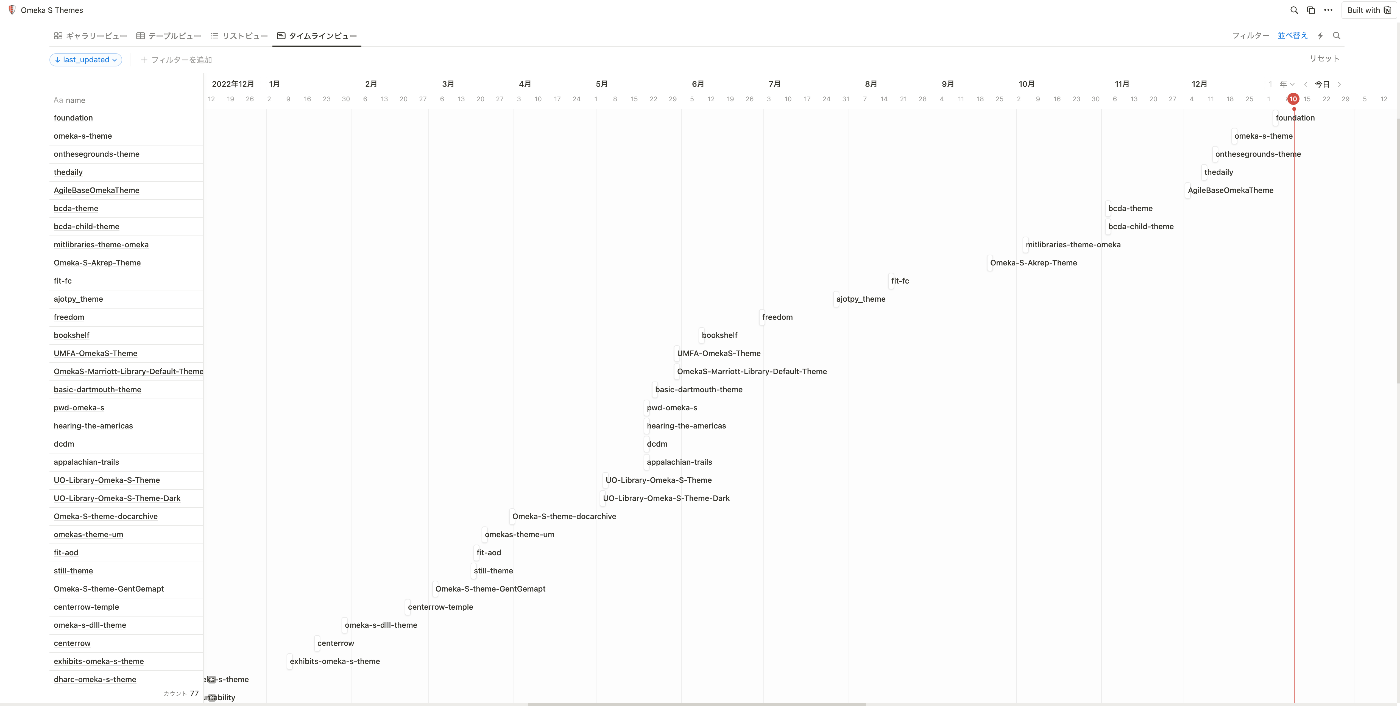
データベースはフィルターや並び替え、レイアウトの切り替えなど、とても便利でした。以下はタイムラインビューを使い、テーマ(リポジトリ)の最終更新日を表示した例です。
今後
定期更新
GitHub Actionsを使用して、定期的な更新を行いたいと思います。
https://docs.github.com/ja/actions/using-workflows/events-that-trigger-workflows#schedule
STUDIO
今回作成したデータベースの情報をSTUDIOで制作したサイトに表示してみたいと思います。
https://blog.studio.design/ja/posts/api-integration
まとめ
Omeka Sのテーマを探すにあたり、参考になりましたら幸いです。