概要
Omeka Sで3Dモデルを公開する方法について調べてみましたので、備忘録です。
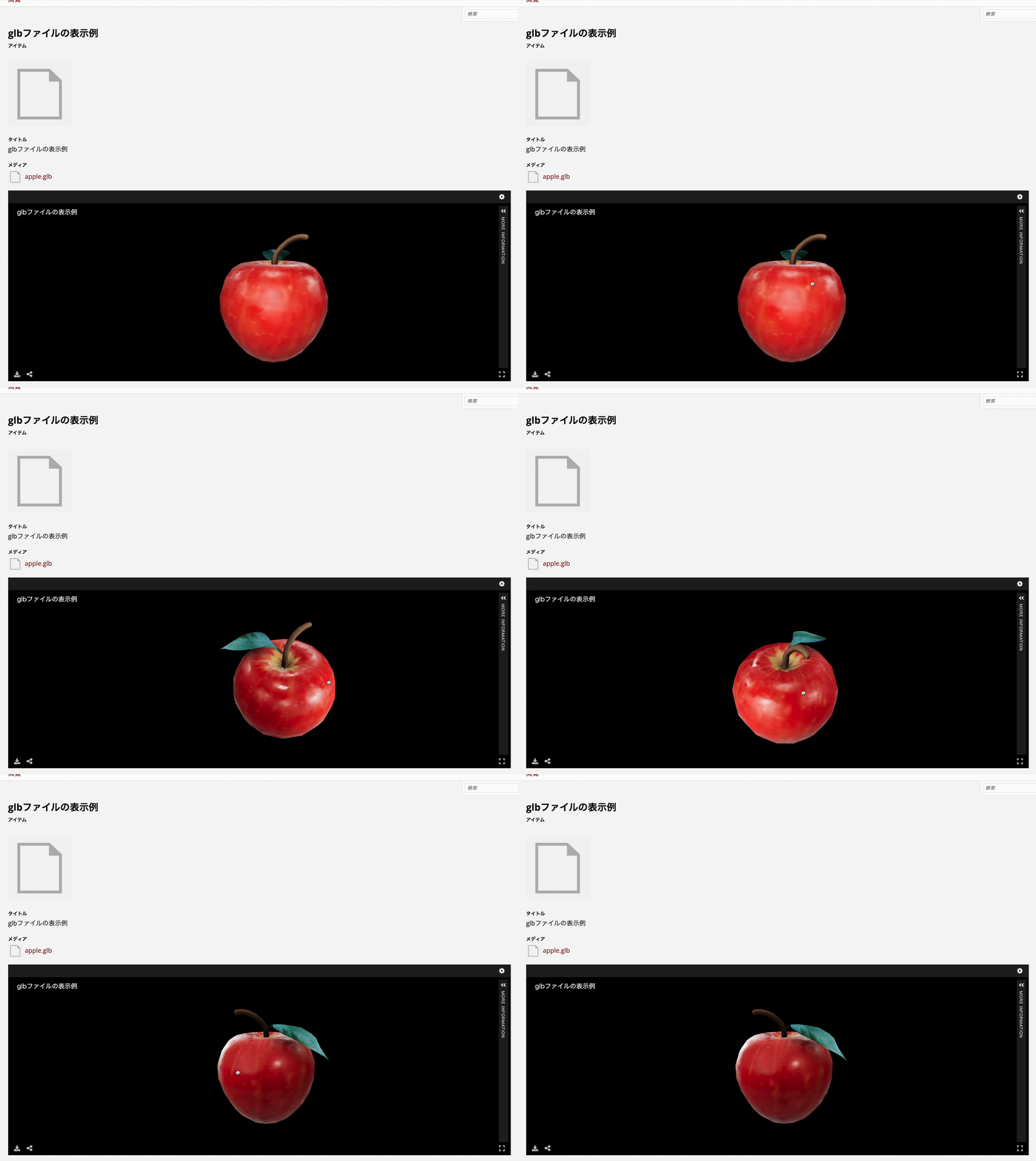
結果、以下のように3DモデルをOmeka Sで扱うことができました。
https://omeka.aws.ldas.jp/s/sample/item/43
バージョン
使用するOmeka Sおよびモジュールのバージョンは以下です。
- Omeka S 4.1.1
- Common 3.4.62
- IIIF Server 3.6.21
- Universal Viewer 3.6.9
モジュールのインストール
Common, IIIF Server, Universal Viewerモジュールをインストールします。
モジュールの設定
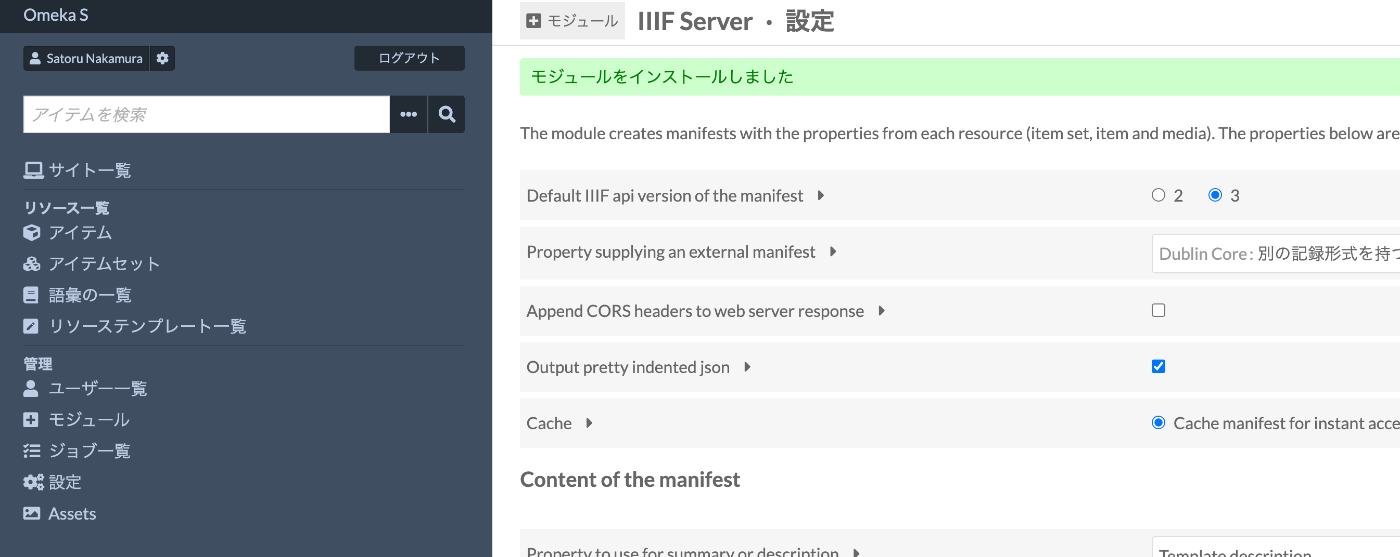
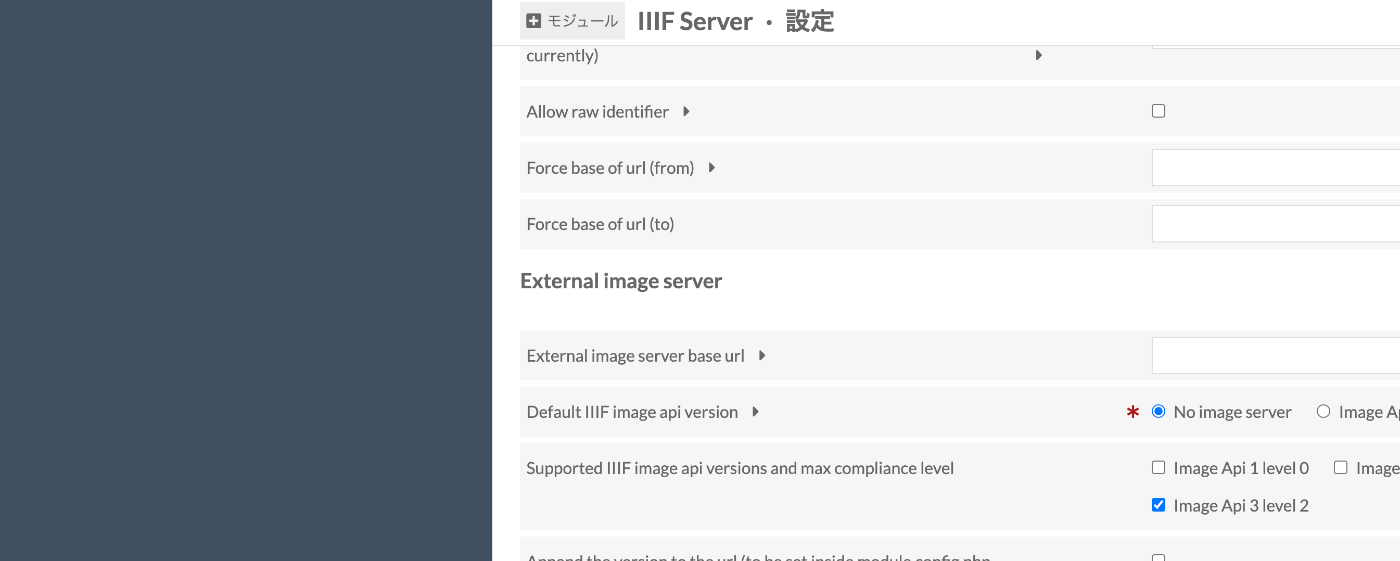
IIIF Serverモジュールについて、設定を2点行います。
まず、Default IIIF api version of the manifestを3にします。
また、Default IIIF image api versionをNo image serverにします。
glbファイルのアップロード
以下で公開されているglbファイルを利用させていただきます。
https://ft-lab.github.io/gltf.html
以下のように、apple.glbをメディアとして、新規のアイテムを登録します。
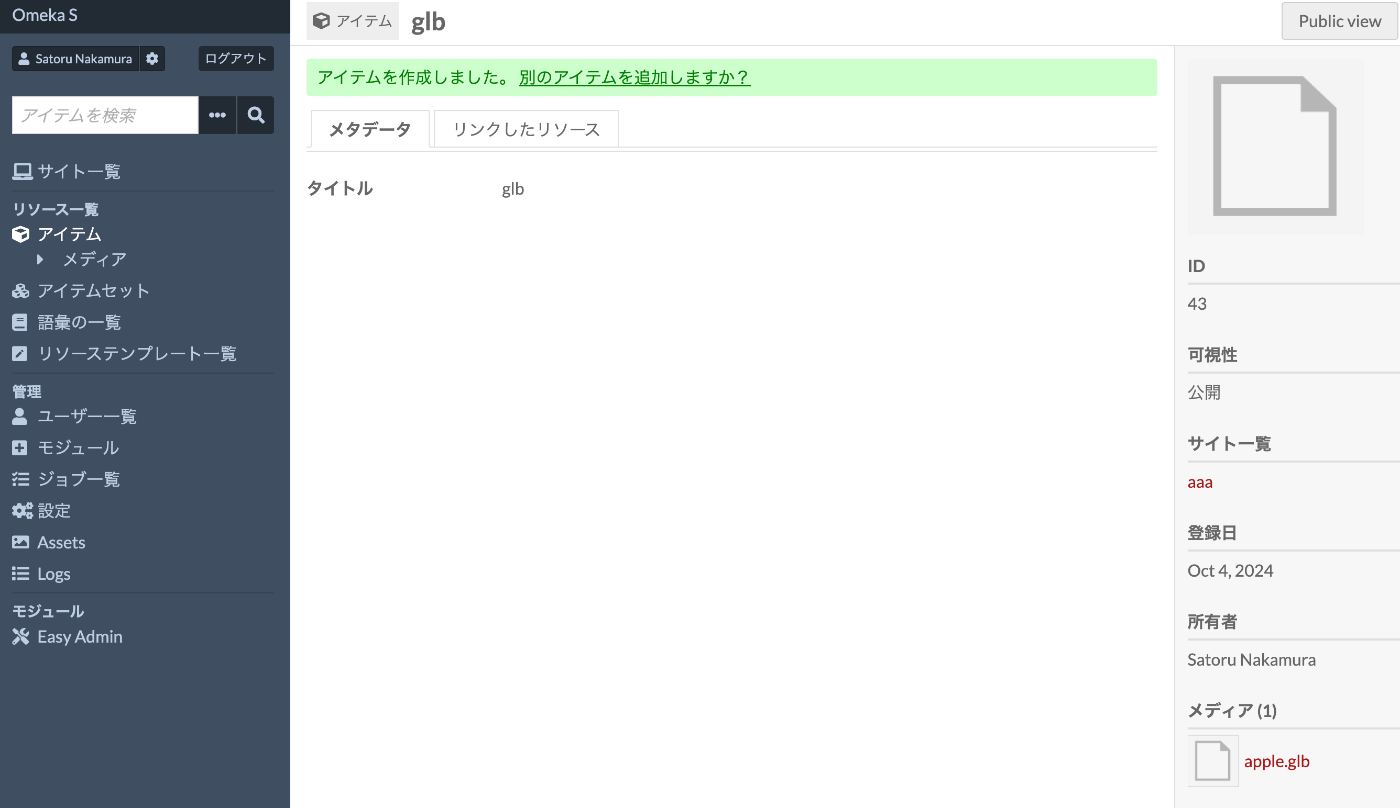
結果、サイトの詳細ページにおいて、Universal Viewer上に3Dモデルが表示されます。
https://omeka.aws.ldas.jp/s/sample/item/43
作成されるマニフェストファイルは以下です。
{
    "@context": "http://iiif.io/api/presentation/3/context.json",
    "id": "https://omeka.aws.ldas.jp/iiif/3/43/manifest",
    "type": "Manifest",
    "label": {
        "none": [
            "glb"
        ]
    },
    "metadata": [
        {
            "label": {
                "none": [
                    "Title"
                ]
            },
            "value": {
                "none": [
                    "glb"
                ]
            }
        }
    ],
    "rights": "https://rightsstatements.org/vocab/CNE/1.0/",
    "provider": [
        {
            "id": "https://omeka.aws.ldas.jp/",
            "type": "Agent",
            "label": {
                "none": [
                    "Omeka S"
                ]
            }
        }
    ],
    "viewingDirection": "left-to-right",
    "seeAlso": [
        {
            "id": "https://omeka.aws.ldas.jp/api/items/43",
            "type": "Dataset",
            "label": {
                "none": [
                    "Api rest json-ld"
                ]
            },
            "format": "application/ld+json",
            "profile": "https://omeka.aws.ldas.jp/api-context"
        }
    ],
    "homepage": [
        {
            "id": "https://omeka.aws.ldas.jp/s/aaa/item/43",
            "type": "Text",
            "label": {
                "none": [
                    "Resource in site: aaa"
                ]
            },
            "format": "text/html",
            "language": [
                "ja"
            ]
        }
    ],
    "items": [
        {
            "@context": "http://iiif.io/api/presentation/3/context.json",
            "id": "https://omeka.aws.ldas.jp/iiif/3/43/canvas/p1",
            "type": "Canvas",
            "label": {
                "none": [
                    "1"
                ]
            },
            "rights": "https://rightsstatements.org/vocab/CNE/1.0/",
            "items": [
                {
                    "id": "https://omeka.aws.ldas.jp/iiif/3/43/annotation-page/44",
                    "type": "AnnotationPage",
                    "items": [
                        {
                            "id": "https://omeka.aws.ldas.jp/iiif/3/43/annotation/44",
                            "type": "Annotation",
                            "motivation": "painting",
                            "body": {
                                "id": "https://omeka.aws.ldas.jp/files/original/c28f7107525270b03b4314e734bbdd318d0342a4.glb",
                                "type": "Model",
                                "format": "model/gltf-binary",
                                "service": [],
                                "height": null,
                                "width": null,
                                "duration": null
                            },
                            "target": "https://omeka.aws.ldas.jp/iiif/3/43/canvas/p1",
                            "label": {
                                "none": [
                                    "[Untitled]"
                                ]
                            }
                        }
                    ]
                }
            ]
        }
    ]
}
まとめ
Omeka Sと関連モジュールを使用することで、比較的に3Dモデルを公開することができました。
glbファイル以外の登録方法など、引き続き調査を行いたいと思います。