概要
Cantaloupeが提供するoverlayの機能を試します。
https://cantaloupe-project.github.io/manual/5.0/overlays.html
BasicStrategy
BasicStrategyでは、cantaloupe.propertiesの設定に基づき、重ね合わせを行うようです。
以下のように、画像に画像を重ねることができます。以下のいらすとやさんの画像を使わせていただきました。
https://www.irasutoya.com/2020/12/blog-post_279.html
後述する設定ファイルでpositionにbottom rightを設定したため、以下のように、右下に指定した画像が表示されました。
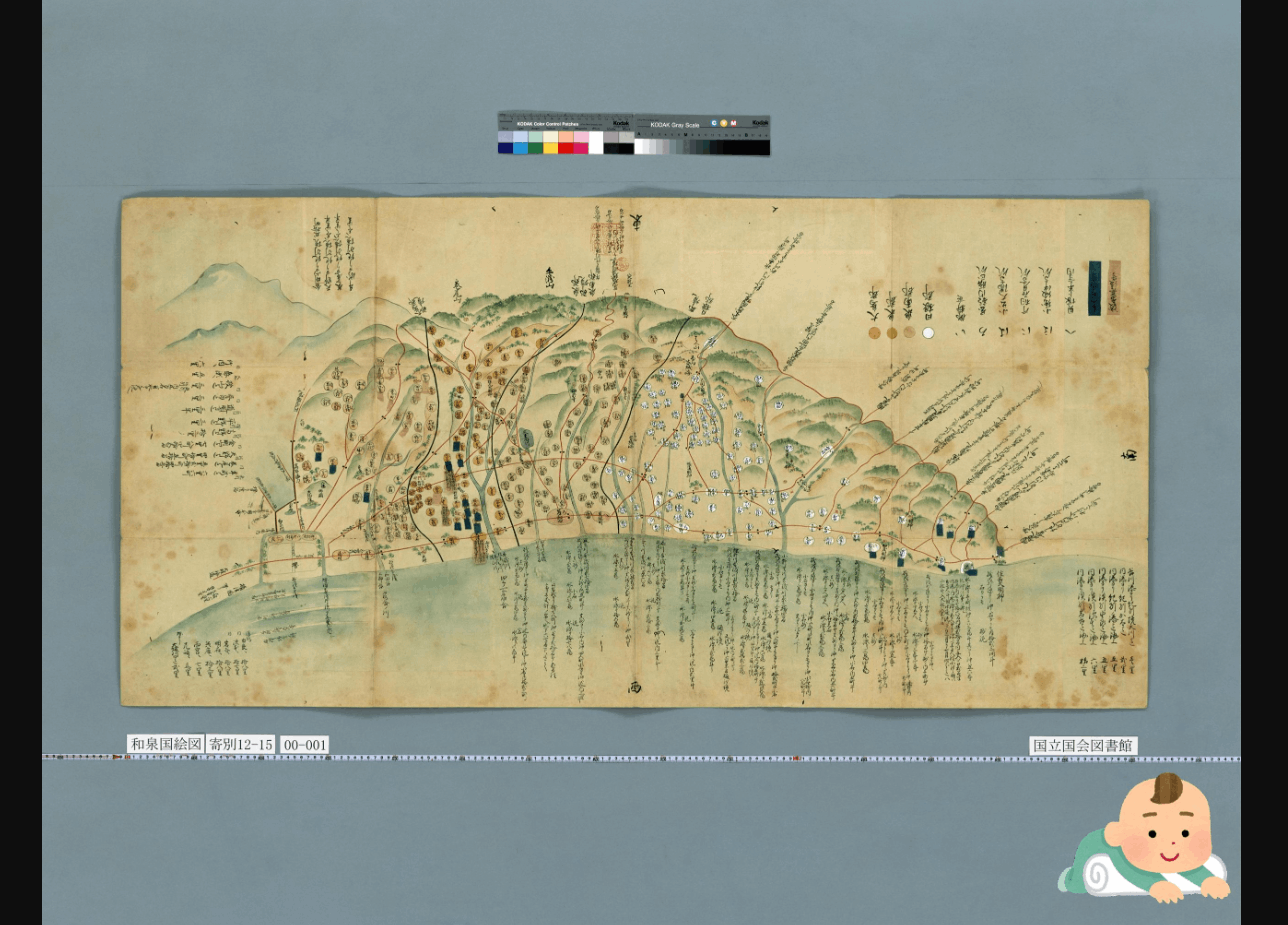
cantaloupe.propertiesのoverlays.BasicStrategy.enabledとoverlays.BasicStrategy.imageを修正しました。
###########################################################################
# OVERLAYS
###########################################################################

# Controls how overlays are configured. `BasicStrategy` will use the
# `overlays.BasicStrategy.*` keys in this section. `ScriptStrategy` will
# use a delegate method. (See the user manual.)
overlays.strategy = BasicStrategy

# Whether to enable overlays using the BasicStrategy.
overlays.BasicStrategy.enabled = true # false

# `image` or `string`.
overlays.BasicStrategy.type = image

# Absolute path or URL of the overlay image. Must be a PNG file.
overlays.BasicStrategy.image = https://1.bp.blogspot.com/-8FUEz6vBnoQ/X7zMVAuhQMI/AAAAAAABcZ0/VI1Z9eN76pIj2rfHshveNbFoMKubXYTpACNcBGAsYHQ/s400/baby_role_towel_utsubuse.png
ScriptStrategy
ScriptStrategyでは、cantaloupe.propertiesのdelegate_script.pathnameに設定したスクリプトのoverlay関数に基づき、重ね合わせを行うようです。
今回は、/home/ubuntu/delegates.rbが対象スクリプトファイルです。
後述するスクリプトのpositionをrepeatにすることで、以下のように画像の重ね合わせを行うことができました。
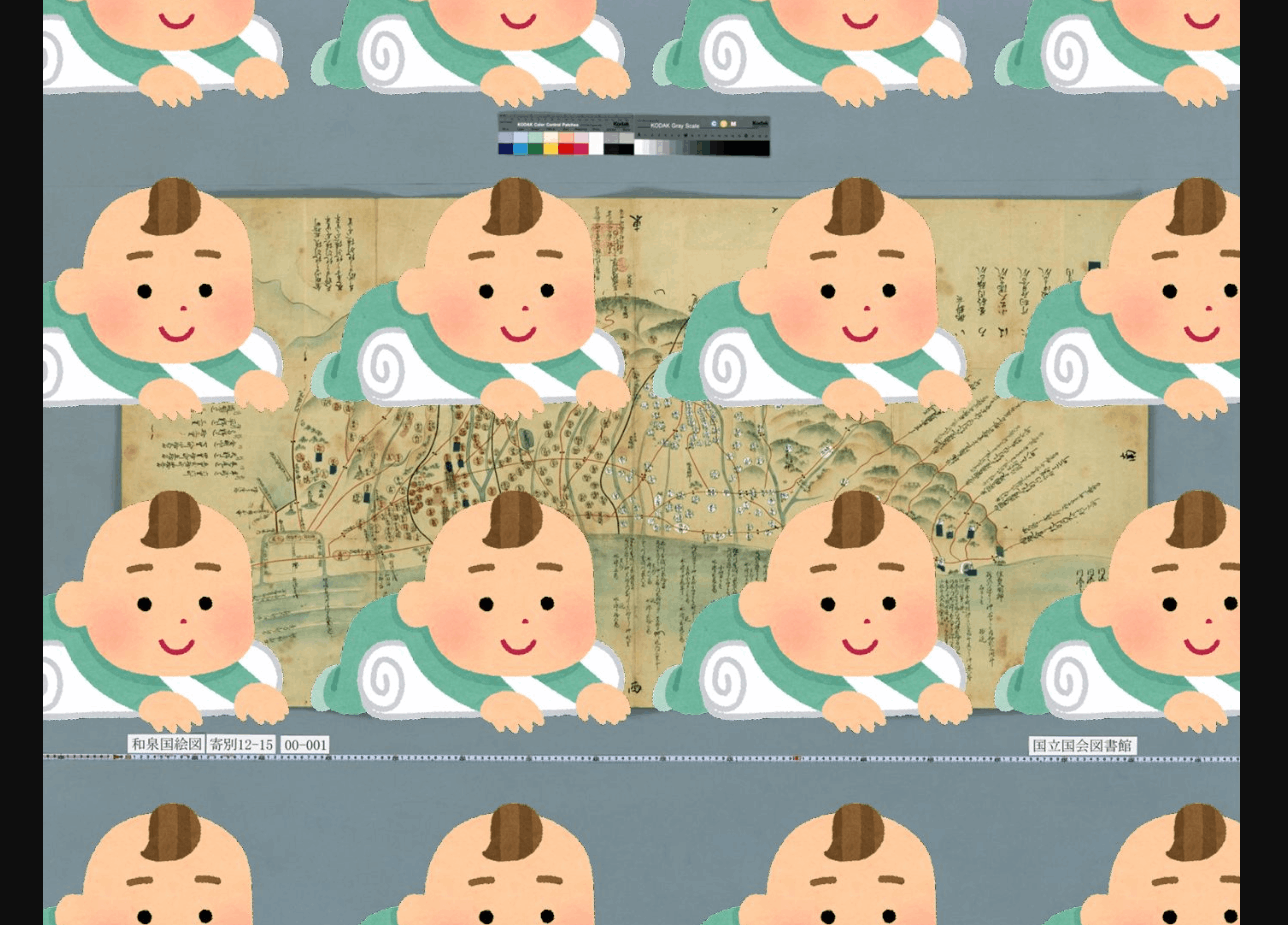
スクリプトの記載例は以下です。
def overlay(options = {})
    return {
     'image' => 'https://1.bp.blogspot.com/-8FUEz6vBnoQ/X7zMVAuhQMI/AAAAAAABcZ0/VI1Z9eN76pIj2rfHshveNbFoMKubXYTpACNcBGAsYHQ/s400/baby_role_towel_utsubuse.png',
      'position' => 'repeat'
    }
  end
本家のサイトにある以下を試したところ、resulting_sizeがnilになってしまい、うまく動作させることができませんでした。引き続き調査を行いたいと思います。
class CustomDelegate
  MIN_SIZE_CUTOFF = 300

  def overlay(options = {})
    resulting_size = context['resulting_size']
    return nil if resulting_size['width'] < MIN_SIZE_CUTOFF or
        resulting_size['height'] < MIN_SIZE_CUTOFF
    {
      'image' => '/path/to/overlay.png',
      'position' => 'bottom right',
      'inset' => 5
    }
  end
end
文字のoverlay
以下のように、画像だけでなく、文字列のoverlayもできました。右下に文字列が表示されています。
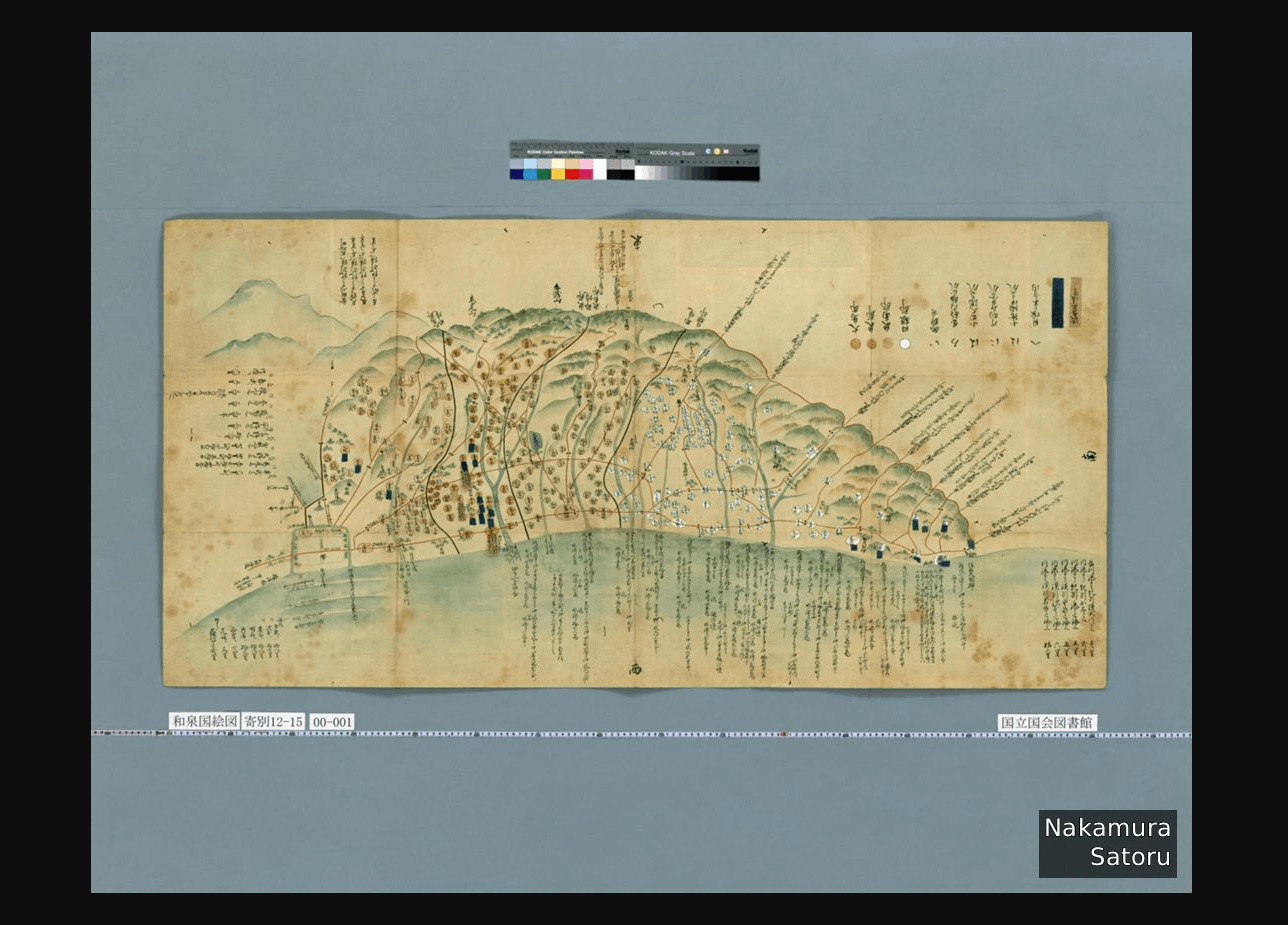
今回は上述したBasicStrategyを使って、以下のようにcantaloupe.propertiesを修正しました。
##########################################################################
# OVERLAYS
###########################################################################

# Controls how overlays are configured. `BasicStrategy` will use the
# `overlays.BasicStrategy.*` keys in this section. `ScriptStrategy` will
# use a delegate method. (See the user manual.)
overlays.strategy = BasicStrategy

# Whether to enable overlays using the BasicStrategy.
overlays.BasicStrategy.enabled = true

# `image` or `string`.
overlays.BasicStrategy.type = string

# Overlay text.
overlays.BasicStrategy.string = Nakamura\nSatoru

# For a list of possible values, launch with the -list-fonts argument.
overlays.BasicStrategy.string.font = Helvetica
まとめ
Cantaloupeでは多様な機能が提供されており、活用の幅が広いように感じました。引き続き調査を行いたいと思います。