ホーム 記事一覧 ブック DH週間トピックス 検索 このサイトについて
RSS English

最新の記事

Mirador 2のプラグインの挙動を確認する

Mirador 2のプラグインの挙動を確認する

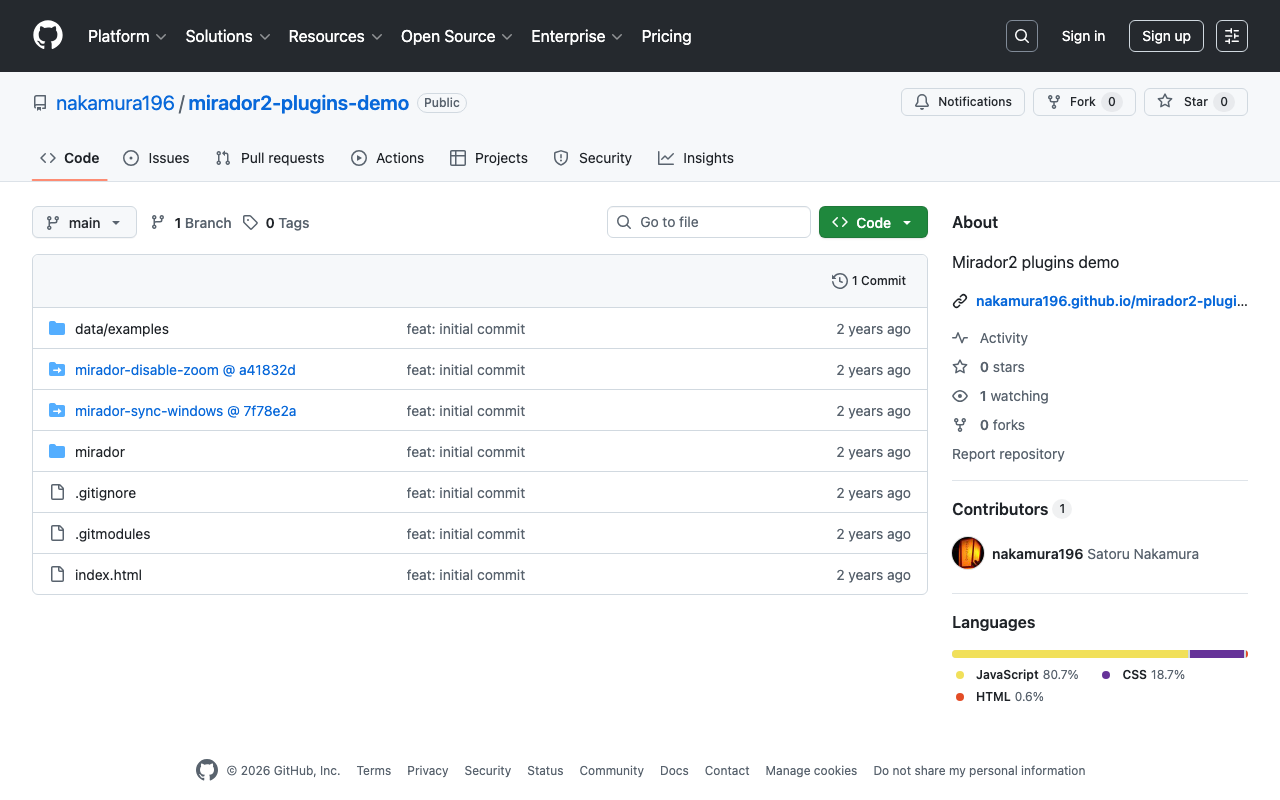
概要 Mirador 2のプラグインの挙動を確認するリポジトリを作成しました。 https://github.com/nakamura196/mirador2-plugins-demo 以下のURLからお試しいただけます。 https://nakamura196.github.io/mirador2-plugins-demo/ サンプルデータを含む動作例は以下です。 https://nakamura196.github.io/mirador2-plugins-demo/?manifest=https://nakamura196.github.io/mirador2-sync-windows/data/examples/org.json;https://nakamura196.github.io/mirador2-sync-windows/data/examples/inf.json 本リポジトリを作成した目的は、Mirador 2向けに開発されたプラグインをMirador 3向けに改修するための挙動確認です。 プラグイン mirador-sync-windows 以下の記事で紹介したmirador-sync-windowsを有効にしています。 こちらについては、以下の記事でM3版を試作しています。 mirador-disable-plugin UCLA LibraryによってMirador 2向けに作成された以下のプラグインを有効にしています。 https://github.com/UCLALibrary/mirador-disable-zoom こちらについても、以下の記事でM3版を作成しています。 https://youtu.be/RN2V4b7IYoI まとめ Mirador 2のプラグインの挙動確認にあたり、参考になりましたら幸いです。引き続き、プラグインの追加などを行いたいと思います。

macOSでnbdev使用時のエラー対応

macOSでnbdev使用時のエラー対応

概要 macOSでnbdevを使用した際、以下のエラーが発生しました。 nbdev_prepare objc[48348]: +[__NSCFConstantString initialize] may have been in progress in another thread when fork() was called. objc[48348]: +[__NSCFConstantString initialize] may have been in progress in another thread when fork() was called. We cannot safely call it or ignore it in the fork() child process. Crashing instead. Set a breakpoint on objc_initializeAfterForkError to debug. Traceback (most recent call last): ... concurrent.futures.process.BrokenProcessPool: A process in the process pool was terminated abruptly while the future was running or pending. このエラーへの対応に関する備忘録です。 ...

Linked Dataを使ったデータ記述の応用例

Linked Dataを使ったデータ記述の応用例

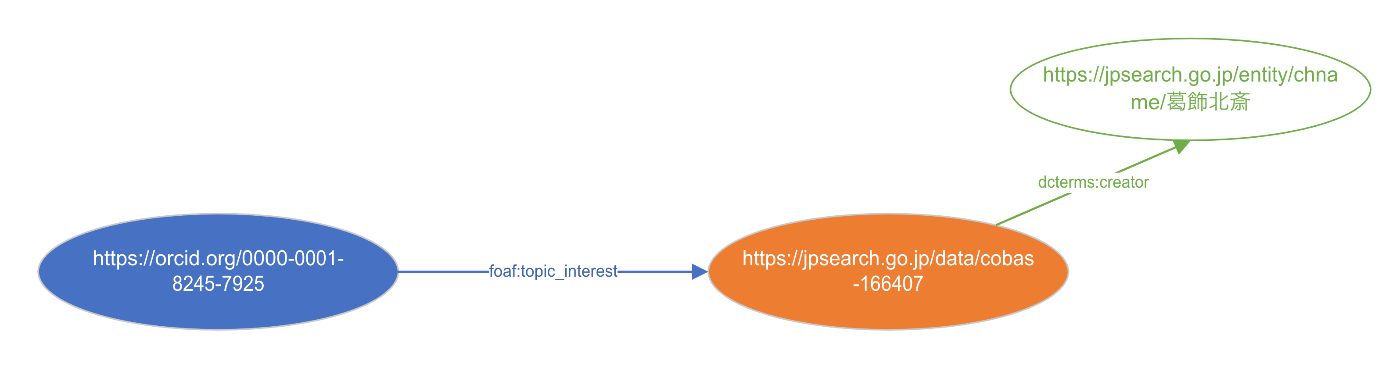
概要 RDFに関連して、以下のような記事を執筆しました。 これらをまとめて可視化してみましたので、備忘録です。 データ 今回は以下のデータを使用しました。 「中村覚(0000-0001-8245-7925)」という人物が東京国立博物館で所蔵されている「冨嶽三十六景・凱風快晴(cobas-166407)」に関心があり、その作成者は「葛飾北斎」である、といった内容を記述しました。 ttlによる記述は以下です。 @prefix dcterms: <http://purl.org/dc/terms/> . @prefix foaf: <http://xmlns.com/foaf/0.1/> . <https://orcid.org/0000-0001-8245-7925> foaf:topic_interest <https://jpsearch.go.jp/data/cobas-166407> . <https://jpsearch.go.jp/data/cobas-166407> dcterms:creator <https://jpsearch.go.jp/entity/chname/葛飾北斎> . 変換処理 ジャパンサーチおよびORCIDではRDFが提供されているため、それらを追加することができます。 その結果、以下のようなttlに拡張されました。 @prefix dcterms: <http://purl.org/dc/terms/> . @prefix foaf: <http://xmlns.com/foaf/0.1/> . @prefix ns1: <http://schema.org/> . @prefix ns2: <https://jpsearch.go.jp/term/property#> . @prefix owl: <http://www.w3.org/2002/07/owl#> . @prefix prov: <http://www.w3.org/ns/prov#> . @prefix rdfs: <http://www.w3.org/2000/01/rdf-schema#> . <https://orcid.org/0000-0001-8245-7925> a prov:Person, foaf:Person ; rdfs:label "Satoru Nakamura" ; foaf:account <https://orcid.org/0000-0001-8245-7925#orcid-id> ; foaf:based_near [ ] ; foaf:familyName "Nakamura" ; foaf:givenName "Satoru" ; foaf:page <https://researchmap.jp/nakamura.satoru/?lang=english> ; foaf:publications <https://orcid.org/0000-0001-8245-7925#workspace-works> ; foaf:topic_interest <https://jpsearch.go.jp/data/cobas-166407> . <https://jpsearch.go.jp/data/cobas-166407> a <https://jpsearch.go.jp/term/type/絵画> ; rdfs:label "冨嶽三十六景・凱風快晴" ; dcterms:creator <https://jpsearch.go.jp/entity/chname/葛飾北斎> ; ns1:abstract """This woodblock print was produced by the ukiyo-e artist Katsushika Hokusai in the late Edo period. It is one of a series of works called Thirty-Six Views of Mount Fuji. It is also one of the most famous Japanese pictures in the world. The “mild breeze” of the title refers to a gentle wind that blows in from the south. The foot of Mount Fuji spreads out expansively. There are no human figures and the scene focuses on the grandeur of nature. The most distinctive feature is the reddened mountain surface. Perhaps this redness is the color of Fuji's volcanic surface on a clear day, or maybe the mountain has been dyed this color by the dawn sunlight. This is a woodblock print, but the same block can produce different results depending on the printing technique. Some versions of Mild Breeze on a Fine Day use lighter colors for the sky and Mount Fuji. This creates a sense of the landscape changing color as the morning sun slowly rises. However, this version from Tokyo National Museum's collection uses more vivid hues for the blue sky and the red mountain. This emphasizes the sense of Mount Fuji captured on a hot, clear day. These variations enhance the enjoyment of woodblock prints."""@en, """これは、江戸時代の後半に、浮世絵師の葛飾北斎が描いた木版画で、富士山をテーマとした46枚シリーズの一枚です。日本の絵画の中でも、世界的に知られた一枚ではないでしょうか。タイトルは「冨嶽三十六景」なのに46枚あるのは、人気が高く当初の予定から10枚増えたためです。 作品タイトルにある「凱風」とは、南から吹くおだやかな風のこと。富士山の裾野までを広くゆったりと描いています。人物も描かれておらず、自然の雄大さが感じられる景色です。何より特徴的なのは、赤くあらわされた山肌です。これは、晴天の中に立つ富士山の赤土の色なのでしょうか、それとも朝焼けに染まった色なのでしょうか。 この作品は版画ですから、同じ版木を使っていても、摺りごとに違いがあらわれます。実は同じ「凱風快晴」でも、空や富士山がもっと淡い色をしたバージョンもあり、そちらはだんだんと昇る朝日を受けて景色が色づくプロセスを描いた、といった雰囲気です。一方、東博所蔵のこちらのバージョンでは、青空や赤い富士山の色がよりはっきりとあらわされ、暑い晴天の中に立つ富士、という強さがあるようです。こうした摺りごとのバリエーションが見られるのも、版画の面白さのひとつです。 この作品をはじめ、「冨嶽三十六景」シリーズの最初の頃には、「ベロ」と呼ばれた青い顔料「ベルリン・ブルー」が多く使われています。この時代にヨーロッパから日本に入ってきたもので、北斎の新しいものへの関心の高さが見てとれます。"""@ja ; ns1:creator <https://jpsearch.go.jp/entity/chname/葛飾北斎> ; ns1:dateCreated "1801-1900" ; ns1:description "Category: Paintings, sketches, and prints:Japan:Ukiyo-e", "Genre: Painting", "Material: Woodblock print ([nishiki-e])", "分類: 絵画", "品質形状: 横大判 錦絵", "員数: 1枚", "法量: 25.3×38.0cm", "種別: 絵画:日本:浮世絵" ; ns1:image <https://colbase.nich.go.jp/media/tnm/A-11176-1/image/slideshow_s/A-11176-1_E0134613.jpg> ; ns1:name "Mild Breeze on a Fine Day from the Series Thirty-Six Views of Mount Fuji"@en, "冨嶽三十六景・凱風快晴"@ja, "ふがくさんじゅうろっけい がいふうかいせい"@ja-hira, "フガクサンジュウロッケイ ガイフウカイセイ"@ja-kana ; ns1:temporal <https://jpsearch.go.jp/entity/time/1801-1900> ; ns2:accessInfo <https://jpsearch.go.jp/data/cobas-166407#accessinfo> ; ns2:agential "" ; ns2:sourceInfo <https://jpsearch.go.jp/data/cobas-166407#sourceinfo> ; ns2:temporal "" . <https://jpsearch.go.jp/entity/chname/葛飾北斎> a <https://jpsearch.go.jp/term/type/Agent>, <https://jpsearch.go.jp/term/type/Person> ; rdfs:label "葛飾北斎" ; ns1:birthDate <https://jpsearch.go.jp/entity/time/1760> ; ns1:deathDate <https://jpsearch.go.jp/entity/time/1849> ; ns1:description "1760?-1849, 江戸時代後期の浮世絵師。姓は川村氏、幼名は時太郎、のち鉄蔵。通称は中島八右衛門。号は勝川春朗、宗理、戴斗、為一、画狂老人、卍など。" ; ns1:image <https://commons.wikimedia.org/wiki/Special:FilePath/Hokusai_portrait_whiteBackground.png?width=350> ; ns1:name "Katsushika, Hokusai"@en, "かつしか北斎"@ja, "前北斎"@ja, "前北斎卍"@ja, "前北斎為一"@ja, "前北斎為一老人"@ja, "勝川春朗"@ja, "北斉"@ja, "北斉載斗改葛飾為一"@ja, "北斎"@ja, "北斎主人"@ja, "北斎宗理"@ja, "北斎為一卍"@ja, "画狂人北斎"@ja, "葛飾北斎"@ja, "葛飾卍老人"@ja, "かつしか ほくさい"@ja-hira, "カツシカ ホクサイ"@ja-kana ; ns1:subjectOf <https://jpsearch.go.jp/data/nij15-nijl_nijl_nijl_kotengakutougouhyakka_hagajinmeijiten_00029172> ; ns1:url <https://jpsearch.go.jp/gallery/ndl-xbzl6VVOpkhjzlg> ; rdfs:isDefinedBy <https://jpsearch.go.jp/entity/chname/> ; owl:sameAs <http://collection.britishmuseum.org/id/person-institution/1820>, <http://data.bnf.fr/ark:/12148/cb124954814#about>, <http://dbpedia.org/resource/Hokusai>, <http://edan.si.edu/saam/id/person-institution/2267>, <http://id.ndl.go.jp/auth/entity/00270331>, <http://ja.dbpedia.org/resource/葛飾北斎>, <http://lod.ac/id/1626>, <http://viaf.org/viaf/69033717>, <http://www.wikidata.org/entity/Q5586> . 可視化 上記のttlを神崎正英氏が作成されたツールを使って可視化してみます。 ...

ズーム操作を無効化するMirador 3(4)向けプラグインの開発

ズーム操作を無効化するMirador 3(4)向けプラグインの開発

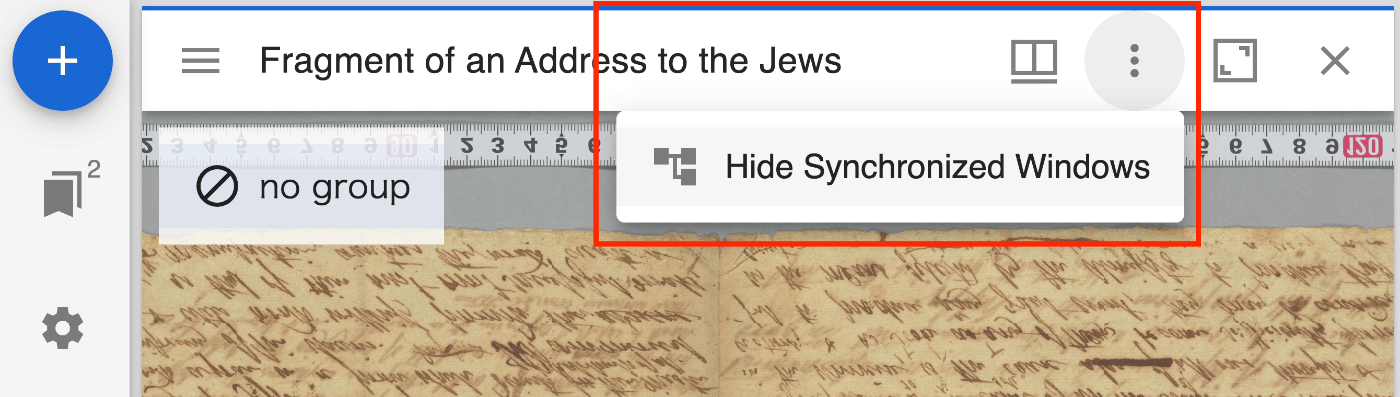
概要 Mirador 3(実際には、Mirador 4)向けに、ズーム操作を無効化するプラグインを作成しました。 https://github.com/nakamura196/mirador-disable-zoom/ 以下が動作デモです。 https://youtu.be/RN2V4b7IYoI 以下のURLからお試しいただけます。 https://nakamura196.github.io/mirador-disable-zoom/ 本プラグインは、UCLA LibraryによってMirador 2向けに作成された以下のプラグインを参考にしています。 https://github.com/UCLALibrary/mirador-disable-zoom 今回は、本プラグインの開発によって気がついた点をメモします。 targetの指定 targetによって、プラグインのボタンを設置する場所を指定することができました。今回は、WindowTopBarPluginAreaを指定することで、ウインドウ毎のバーに直接アイコンを表示することができました。 import * as actions from 'mirador/dist/es/src/state/actions'; import { getWindowConfig } from 'mirador/dist/es/src/state/selectors'; import MiradorDisableZoom from './plugins/MiradorDisableZoom'; import MiradorDisableZoomMenuItem from './plugins/MiradorDisableZoomMenuItem'; import translations from './translations'; export const miradorDisableZoomPlugin = [ { target: 'OpenSeadragonViewer', mode: 'add', component: MiradorDisableZoom, mapStateToProps: (state, { windowId }) => ({ enabled: getWindowConfig(state, { windowId }).disableZoomEnabled || false, }) }, { target: 'WindowTopBarPluginArea', component: MiradorDisableZoomMenuItem, mode: 'add', mapDispatchToProps: { updateWindow: actions.updateWindow, }, mapStateToProps: (state, { windowId }) => ({ enabled: getWindowConfig(state, { windowId }).disableZoomEnabled || false, }), config: { translations, }, }, ]; https://github.com/nakamura196/mirador-disable-zoom/blob/main/src/index.js 一方、以下の記事で紹介したプラグインでは、WindowTopBarPluginMenuを指定しています。 この場合には、以下のように、3点ドットのメニューが表示され、その中にプラグイン毎のアイコンなどを表示できました。 用途に応じて、targetを使い分けることができそうです。 これらのtargetは以下で指定されているコンポーネントを使用できるようでした。 https://github.com/ProjectMirador/mirador/tree/master/src/containers translations 上記のコードにおいて、config属性のtranslationsを指定しています。 { target: 'WindowTopBarPluginArea', component: MiradorDisableZoomMenuItem, mode: 'add', mapDispatchToProps: { updateWindow: actions.updateWindow, }, mapStateToProps: (state, { windowId }) => ({ enabled: getWindowConfig(state, { windowId }).disableZoomEnabled || false, }), config: { translations, }, }, 上記を指定しないと、同フォルダ内のtranslations.jsで指定した翻訳データが反映されませんでした。 ...

prefix.ccを利用する

prefix.ccを利用する

概要 RDFデータにおけるprefixの利用にあたり、prefix.ccを使ってみましたので、備忘録です。 https://prefix.cc/ namespace lookup api これは、prefixを与えることで、URIを取得できるサービスのようでした。 https://prefix.cc/about/api 例えば、以下を与えます。 https://prefix.cc/foaf.file.json 結果、以下が得られました。 { "foaf": "http://xmlns.com/foaf/0.1/" } reverse lookup API 例えば、以下を与えます。 https://prefix.cc/reverse?uri=http://xmlns.com/foaf/0.1/&format=json 結果、上記と同じjson結果が得られました。 追加する ジャパンサーチで利用されている以下のjpsは利用できませんでした。 { "jps": "https://jpsearch.go.jp/term/property#" } そこで以下の画面のように、新規に追加登録してみました。 その後は、他のprefixと同様に利用することができました。 https://prefix.cc/jps.file.json 投票によって、登録された情報を評価しているようで、1日に1回、+/-を提出できるようでした。 参考 exも登録されていました。 https://prefix.cc/ex.file.json { "ex": "http://example.org/" } まとめ prefixの解決にあたり、参考になりましたら幸いです。

RDFデータの追加と可視化に関する備忘録

RDFデータの追加と可視化に関する備忘録

概要 この記事では、Microsoft Visioを用いたデータからRDF形式への変換プロセスと、特定のURI(今回は葛飾北斎の情報を含むジャパンサーチのURI)が指定された場合のRDFデータへの追加方法について説明します。変換プロセスを通じて、Visioで作成したデータをRDF形式で扱えるようにする手法を紹介し、さらに具体的な例として、葛飾北斎の情報を取り入れた結果を示します。 背景 以下の記事で、Microsoft Visioを使って作成したデータをRDFに変換する例を紹介しました。 今回は、URIが指定されていた場合、そのRDFデータを追加する処理を加えたので、その備忘録です。 サンプルデータ 今回は、ジャパンサーチで公開されている葛飾北斎のURIを指定しています。 処理結果 変換後のttlファイルは以下のようになりました。 @prefix ex: <http://example.org/> . @prefix foaf: <http://xmlns.com/foaf/0.1/> . @prefix ns1: <http://schema.org/> . @prefix ns2: <http://www.w3.org/2003/06/sw-vocab-status/ns#> . @prefix owl: <http://www.w3.org/2002/07/owl#> . @prefix rdfs: <http://www.w3.org/2000/01/rdf-schema#> . foaf:Person a rdfs:Class, owl:Class ; rdfs:label "Person" ; rdfs:comment "A person." ; rdfs:isDefinedBy foaf: ; rdfs:subClassOf <http://www.w3.org/2003/01/geo/wgs84_pos#SpatialThing>, foaf:Agent ; owl:disjointWith foaf:Organization, foaf:Project ; owl:equivalentClass ns1:Person, <http://www.w3.org/2000/10/swap/pim/contact#Person> ; ns2:term_status "stable" . ex:BOB ex:knows ex:Alice ; ex:type foaf:Person ; foaf:topic_interest <https://jpsearch.go.jp/entity/chname/葛飾北斎> . <https://jpsearch.go.jp/entity/chname/葛飾北斎> a <https://jpsearch.go.jp/term/type/Agent>, <https://jpsearch.go.jp/term/type/Person> ; rdfs:label "葛飾北斎" ; ns1:birthDate <https://jpsearch.go.jp/entity/time/1760> ; ns1:deathDate <https://jpsearch.go.jp/entity/time/1849> ; ns1:description "1760?-1849, 江戸時代後期の浮世絵師。姓は川村氏、幼名は時太郎、のち鉄蔵。通称は中島八右衛門。号は勝川春朗、宗理、戴斗、為一、画狂老人、卍など。" ; ns1:image <https://commons.wikimedia.org/wiki/Special:FilePath/Hokusai_portrait_whiteBackground.png?width=350> ; ns1:name "Katsushika, Hokusai"@en, "かつしか北斎"@ja, "前北斎"@ja, "前北斎卍"@ja, "前北斎為一"@ja, "前北斎為一老人"@ja, "勝川春朗"@ja, "北斉"@ja, "北斉載斗改葛飾為一"@ja, "北斎"@ja, "北斎主人"@ja, "北斎宗理"@ja, "北斎為一卍"@ja, "画狂人北斎"@ja, "葛飾北斎"@ja, "葛飾卍老人"@ja, "かつしか ほくさい"@ja-hira, "カツシカ ホクサイ"@ja-kana ; ns1:subjectOf <https://jpsearch.go.jp/data/nij15-nijl_nijl_nijl_kotengakutougouhyakka_hagajinmeijiten_00029172> ; ns1:url <https://jpsearch.go.jp/gallery/ndl-xbzl6VVOpkhjzlg> ; rdfs:isDefinedBy <https://jpsearch.go.jp/entity/chname/> ; owl:sameAs <http://collection.britishmuseum.org/id/person-institution/1820>, <http://data.bnf.fr/ark:/12148/cb124954814#about>, <http://dbpedia.org/resource/Hokusai>, <http://edan.si.edu/saam/id/person-institution/2267>, <http://id.ndl.go.jp/auth/entity/00270331>, <http://ja.dbpedia.org/resource/葛飾北斎>, <http://lod.ac/id/1626>, <http://viaf.org/viaf/69033717>, <http://www.wikidata.org/entity/Q5586> . URIを介してRDFデータを追加しなかった場合のデータは以下です。以下と比較することで、foaf:Personや葛飾北斎に関するデータが追加されていることが確認できます。 ...

Content Negotiationを使って、PythonでURIからRDFを取得する

Content Negotiationを使って、PythonでURIからRDFを取得する

概要 WikidataのエンティティのURIからRDFデータを取得する機会がありましたので、備忘録です。 Content Negotiationを使用しない まず以下のように、headersを空のままリクエストします。 import requests # URL for the Wikidata entity in RDF format url = "http://www.wikidata.org/entity/Q12418" headers = { } # Sending a GET request to the URL response = requests.get(url, headers=headers) # Checking if the request was successful if response.status_code == 200: text = response.text print(text[:5000]) else: print("Failed to retrieve RDF data. Status code:", response.status_code) この場合、以下のように、json形式のテキストデータを取得することができます。 {"entities":{"Q12418":{"pageid":14002,"ns":0,"title":"Q12418","lastrevid":2176343952,"modified":"2024-06-11T11:43:44Z","type":"item","id":"Q12418","labels":{"fr":{"language":"fr","value":"La Joconde"},"es":{"language":"es","value":"La Gioconda"},"en":{"language":"en","value":"Mona Lisa"},"af":{"language":"af","value":"Mona Lisa"},"am":{"language":"am","value":"\u121e\u1293 \u120a\u12db"},"ar": ... ただし、求めているRDFデータは取得できません。 Content Negotiationを使用する 次にheadersにRDF/XMLを指定します。 import requests from lxml import etree # URL for the Wikidata entity in RDF format url = "http://www.wikidata.org/entity/Q12418" # Headers to request RDF/XML format headers = { 'Accept': 'application/rdf+xml' } # Sending a GET request to the URL response = requests.get(url, headers=headers) # Checking if the request was successful if response.status_code == 200: tree = etree.fromstring(response.content) # Convert _Element to _ElementTree tree = etree.ElementTree(tree) # Now you can use the write method tree.write("output.xml", pretty_print=True, xml_declaration=True, encoding='UTF-8') else: print("Failed to retrieve RDF data. Status code:", response.status_code) 結果、以下のようにRDFデータを取得することができました。 ...

mirador-sync-windowsのM3版を作成しました。

mirador-sync-windowsのM3版を作成しました。

概要 以下の記事で、mirador-sync-windowsというMirador 2向けのプラグインを紹介しました。 今回は上記の機能をMirador 3(実際には、Mirador 4)向けに改修しました。 まだ挙動が不安定なところがありますが、以下からお試しいただけます。 https://mirador-sync-windows.vercel.app/ Vercelへのデプロイ 以下のmirador-image-toolsプラグインのmirador4向けのブランチをベースに開発を行いました。 https://github.com/ProjectMirador/mirador-image-tools/tree/mirador4-compat-clean 上記では、以下のようなコマンドが用意されています。 { ... "scripts": { "build": "npm run build:umd", "build:demo": "NODE_ENV=development webpack --mode=development", "build:umd": "NODE_ENV=production webpack --mode=production", "build:es": "mkdir -p es && cp -r src/* es && NODE_ENV=production MODULE_FORMAT=es npx babel es -d es", "build:cjs": "mkdir -p lib && cp -r src/* lib && NODE_ENV=production MODULE_FORMAT=cjs npx babel lib -d lib", "clean": "rm -rf ./umd && rm -rf ./es && rm -rf ./lib && rm -rf ./demo/dist", "lint": "eslint ./src ./__tests__", "prepublishOnly": "npm run clean && npm run build:es && npm run build:cjs && npm run build", "start": "NODE_ENV=development webpack serve --open", "test": "npm run lint && jest", "test:coverage": "jest --coverage", "test:watch": "jest --watch" }, ... } 上記のコマンドを踏まえて、vercelのデプロイ設定を以下のように修正しました。 ...

iiif-prezi3を試す

iiif-prezi3を試す

概要 IIIF Presentation API 3が普及しつつありますが、その仕様を理解しつつ、JSONファイルを直接作成することが難しく感じるようになりました。 そこで、以下のPythonライブラリを使用してみましたので、備忘録です。 https://github.com/iiif-prezi/iiif-prezi3 以下の記事で紹介した東寺百合文書WEBで公開されているデータのIIIFへの変換にあたり、本ライブラリを使用しています。 読みにくいもので恐縮ですが、ソースコードも以下のリポジトリで公開していますので、参考になりましたら幸いです。 https://github.com/nakamura196/toji_iiif コレクションの作成 以下のようなコードにより、IIIFコレクションを作成できました。 import iiif_prezi3 iiif_prezi3.config.configs['helpers.auto_fields.AutoLang'].auto_lang = "ja" collection = iiif_prezi3.Collection( id=f"{origin}/set/3/collection.json", label="東寺百合文書", viewingDirection="right-to-left", provider=iiif_prezi3.ProviderItem( id=self.homepage, label=self.attribution, ), homepage=iiif_prezi3.HomepageItem( id=self.homepage, type="Text", label=self.attribution, format="text/html", language="ja" ), metadata=[ iiif_prezi3.KeyValueString(label="Attribution", value=self.attribution), iiif_prezi3.KeyValueString(label="Rights", value=self.rights), ], rights=self.rights, ) opath = f"{self.docs_dir}/iiif/set/3/collection.json" os.makedirs(os.path.dirname(opath), exist_ok=True) with open(opath, "w") as f: f.write(collection.json(ensure_ascii=False, indent=2 if IS_DEBUG else None)) iiif_prezi3.config.configs['helpers.auto_fields.AutoLang'].auto_langにjaを与えることで、labelやmetadataの言語フィールドがjaになりました。 { "@context": "http://iiif.io/api/presentation/3/context.json", "id": "https://nakamura196.github.io/toji_iiif/iiif/set/3/collection.json", "type": "Collection", "label": { "ja": [ "東寺百合文書" ] }, "metadata": [ { "label": { "ja": [ "Attribution" ] }, "value": { "ja": [ "京都府立京都学・歴彩館 東寺百合文書WEB" ] } }, { "label": { "ja": [ "Rights" ] }, "value": { "ja": [ "https://creativecommons.org/licenses/by/2.1/jp/" ] } } ], "rights": "https://creativecommons.org/licenses/by/2.1/jp/", "provider": [ { "id": "https://hyakugo.pref.kyoto.lg.jp/", "type": "Agent", "label": { "ja": [ "京都府立京都学・歴彩館 東寺百合文書WEB" ] } } ], "homepage": [ { "id": "https://hyakugo.pref.kyoto.lg.jp/", "type": "Text", "label": { "ja": [ "京都府立京都学・歴彩館 東寺百合文書WEB" ] }, "format": "text/html", "language": [ "ja" ] } ], "items": [ { "id": "https://nakamura196.github.io/toji_iiif/iiif/3/1/manifest.json", "label": { "ja": [ "イ函/1/:山城国紀伊郡司解案" ] }, "type": "Manifest" } ] } iiif_prezi3.KeyValueString関数を使用することで、フィールドや値が配列として出力される点も有用かと思いました。 ...

ArchivematicaをDockerで起動する

ArchivematicaをDockerで起動する

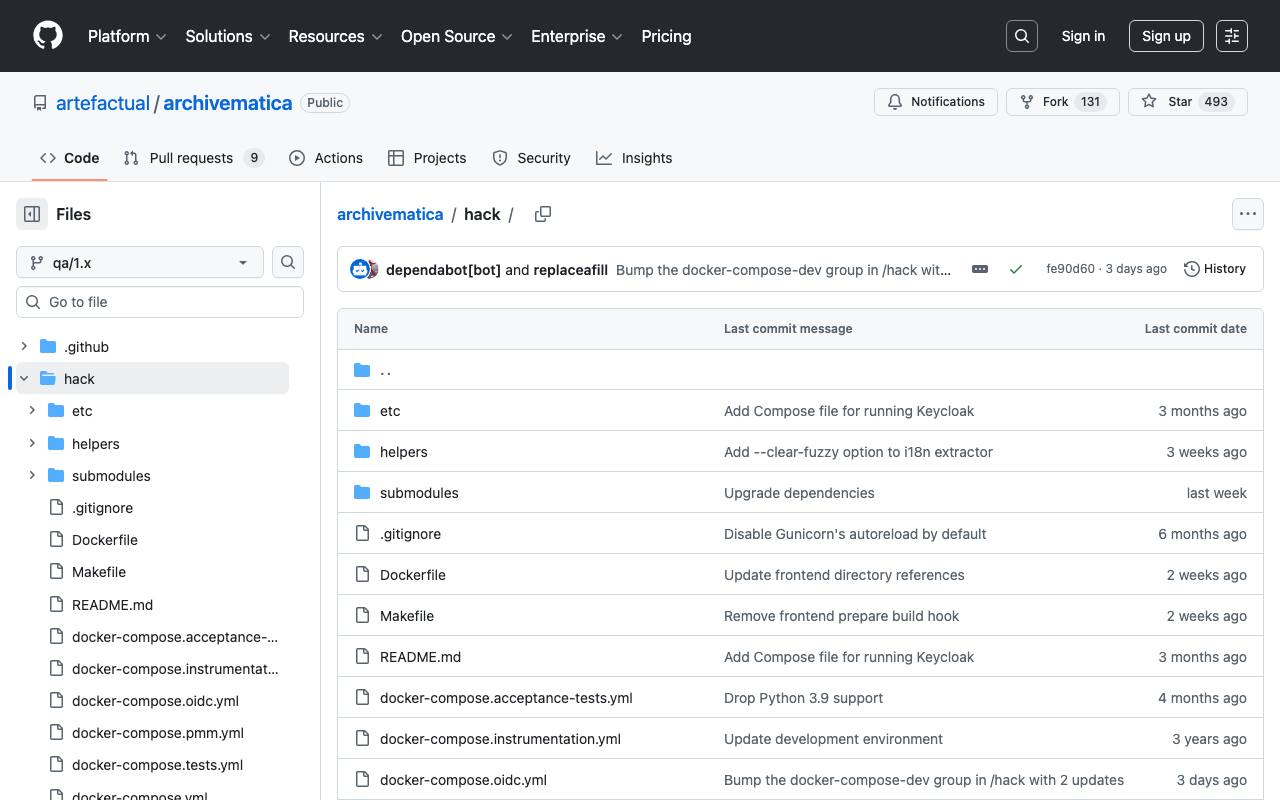
概要 Archivematicaの起動にあたっては、Dockerを用いる方法が簡単でした。以下にインストール方法が記載されています。 https://github.com/artefactual/archivematica/tree/qa/1.x/hack 手順通りに進めるとうまくインストールできましたが、失敗した点について備忘録として記載します。 Elasticsearch container Elasticsearchのコンテナ起動にあたり、vm.max_map_countを設定するように指示されています。 https://github.com/artefactual/archivematica/tree/qa/1.x/hack#elasticsearch-container この設定を忘れると、以下のように、Elasticsearchコンテナが起動しませんでした。 docker compose up [+] Running 10/0 ✔ Container am-mysql-1 Running 0.0s ✔ Container am-archivematica-storage-service-1 Running 0.0s ✔ Container am-nginx-1 Running 0.0s ✔ Container am-clamavd-1 Running 0.0s ✔ Container am-elasticsearch-1 Created 0.0s ✔ Container am-fits-1 Running 0.0s ✔ Container am-gearmand-1 Running 0.0s ✔ Container am-archivematica-mcp-client-1 Running 0.0s ✔ Container am-archivematica-dashboard-1 Created 0.0s ✔ Container am-archivematica-mcp-server-1 Running 0.0s Attaching to archivematica-dashboard-1, archivematica-mcp-client-1, archivematica-mcp-server-1, archivematica-storage-service-1, clamavd-1, elasticsearch-1, fits-1, gearmand-1, mysql-1, nginx-1 elasticsearch-1 | [2024-06-18T02:16:40,373][INFO ][o.e.e.NodeEnvironment ] [am-node] using [1] data paths, mounts [[/usr/share/elasticsearch/data (/dev/root)]], net usable_space [11.4gb], net total_space [48.2gb], types [ext4] elasticsearch-1 | [2024-06-18T02:16:40,379][INFO ][o.e.e.NodeEnvironment ] [am-node] heap size [512mb], compressed ordinary object pointers [true] elasticsearch-1 | [2024-06-18T02:16:40,433][INFO ][o.e.n.Node ] [am-node] node name [am-node], node ID [SomtTY5CTF-SfYe3gLBpOw] elasticsearch-1 | [2024-06-18T02:16:40,433][INFO ][o.e.n.Node ] [am-node] version[6.8.23], pid[1], build[default/docker/4f67856/2022-01-06T21:30:50.087716Z], OS[Linux/6.5.0-1018-aws/amd64], JVM[AdoptOpenJDK/OpenJDK 64-Bit Server VM/15.0.1/15.0.1+9] elasticsearch-1 | [2024-06-18T02:16:40,434][INFO ][o.e.n.Node ] [am-node] JVM arguments [-Xms1g, -Xmx1g, -XX:+UseG1GC, -XX:G1ReservePercent=25, -XX:InitiatingHeapOccupancyPercent=30, -Des.networkaddress.cache.ttl=60, -Des.networkaddress.cache.negative.ttl=10, -XX:+AlwaysPreTouch, -Xss1m, -Djava.awt.headless=true, -Dfile.encoding=UTF-8, -Djna.nosys=true, -XX:-OmitStackTraceInFastThrow, -XX:+ShowCodeDetailsInExceptionMessages, -Dio.netty.noUnsafe=true, -Dio.netty.noKeySetOptimization=true, -Dio.netty.recycler.maxCapacityPerThread=0, -Dlog4j.shutdownHookEnabled=false, -Dlog4j2.disable.jmx=true, -Dlog4j2.formatMsgNoLookups=true, -Djava.io.tmpdir=/tmp/elasticsearch-7162129985120281509, -XX:+HeapDumpOnOutOfMemoryError, -XX:HeapDumpPath=data, -XX:ErrorFile=logs/hs_err_pid%p.log, -Xlog:gc*,gc+age=trace,safepoint:file=logs/gc.log:utctime,pid,tags:filecount=32,filesize=64m, -Djava.locale.providers=COMPAT, -XX:UseAVX=2, -Des.cgroups.hierarchy.override=/, -Xms512m, -Xmx512m, -Des.path.home=/usr/share/elasticsearch, -Des.path.conf=/usr/share/elasticsearch/config, -Des.distribution.flavor=default, -Des.distribution.type=docker] elasticsearch-1 | [2024-06-18T02:16:42,896][INFO ][o.e.p.PluginsService ] [am-node] loaded module [aggs-matrix-stats] elasticsearch-1 | [2024-06-18T02:16:42,897][INFO ][o.e.p.PluginsService ] [am-node] loaded module [analysis-common] elasticsearch-1 | [2024-06-18T02:16:42,897][INFO ][o.e.p.PluginsService ] [am-node] loaded module [ingest-common] elasticsearch-1 | [2024-06-18T02:16:42,898][INFO ][o.e.p.PluginsService ] [am-node] loaded module [ingest-geoip] elasticsearch-1 | [2024-06-18T02:16:42,898][INFO ][o.e.p.PluginsService ] [am-node] loaded module [ingest-user-agent] elasticsearch-1 | [2024-06-18T02:16:42,898][INFO ][o.e.p.PluginsService ] [am-node] loaded module [lang-expression] elasticsearch-1 | [2024-06-18T02:16:42,898][INFO ][o.e.p.PluginsService ] [am-node] loaded module [lang-mustache] elasticsearch-1 | [2024-06-18T02:16:42,899][INFO ][o.e.p.PluginsService ] [am-node] loaded module [lang-painless] elasticsearch-1 | [2024-06-18T02:16:42,899][INFO ][o.e.p.PluginsService ] [am-node] loaded module [mapper-extras] elasticsearch-1 | [2024-06-18T02:16:42,899][INFO ][o.e.p.PluginsService ] [am-node] loaded module [parent-join] elasticsearch-1 | [2024-06-18T02:16:42,900][INFO ][o.e.p.PluginsService ] [am-node] loaded module [percolator] elasticsearch-1 | [2024-06-18T02:16:42,900][INFO ][o.e.p.PluginsService ] [am-node] loaded module [rank-eval] elasticsearch-1 | [2024-06-18T02:16:42,900][INFO ][o.e.p.PluginsService ] [am-node] loaded module [reindex] elasticsearch-1 | [2024-06-18T02:16:42,900][INFO ][o.e.p.PluginsService ] [am-node] loaded module [repository-url] elasticsearch-1 | [2024-06-18T02:16:42,901][INFO ][o.e.p.PluginsService ] [am-node] loaded module [transport-netty4] elasticsearch-1 | [2024-06-18T02:16:42,901][INFO ][o.e.p.PluginsService ] [am-node] loaded module [tribe] elasticsearch-1 | [2024-06-18T02:16:42,902][INFO ][o.e.p.PluginsService ] [am-node] loaded module [x-pack-ccr] elasticsearch-1 | [2024-06-18T02:16:42,903][INFO ][o.e.p.PluginsService ] [am-node] loaded module [x-pack-core] elasticsearch-1 | [2024-06-18T02:16:42,903][INFO ][o.e.p.PluginsService ] [am-node] loaded module [x-pack-deprecation] elasticsearch-1 | [2024-06-18T02:16:42,904][INFO ][o.e.p.PluginsService ] [am-node] loaded module [x-pack-graph] elasticsearch-1 | [2024-06-18T02:16:42,904][INFO ][o.e.p.PluginsService ] [am-node] loaded module [x-pack-ilm] elasticsearch-1 | [2024-06-18T02:16:42,904][INFO ][o.e.p.PluginsService ] [am-node] loaded module [x-pack-logstash] elasticsearch-1 | [2024-06-18T02:16:42,905][INFO ][o.e.p.PluginsService ] [am-node] loaded module [x-pack-ml] elasticsearch-1 | [2024-06-18T02:16:42,905][INFO ][o.e.p.PluginsService ] [am-node] loaded module [x-pack-monitoring] elasticsearch-1 | [2024-06-18T02:16:42,905][INFO ][o.e.p.PluginsService ] [am-node] loaded module [x-pack-rollup] elasticsearch-1 | [2024-06-18T02:16:42,905][INFO ][o.e.p.PluginsService ] [am-node] loaded module [x-pack-security] elasticsearch-1 | [2024-06-18T02:16:42,906][INFO ][o.e.p.PluginsService ] [am-node] loaded module [x-pack-sql] elasticsearch-1 | [2024-06-18T02:16:42,906][INFO ][o.e.p.PluginsService ] [am-node] loaded module [x-pack-upgrade] elasticsearch-1 | [2024-06-18T02:16:42,906][INFO ][o.e.p.PluginsService ] [am-node] loaded module [x-pack-watcher] elasticsearch-1 | [2024-06-18T02:16:42,907][INFO ][o.e.p.PluginsService ] [am-node] no plugins loaded elasticsearch-1 | [2024-06-18T02:16:47,324][INFO ][o.e.x.s.a.s.FileRolesStore] [am-node] parsed [0] roles from file [/usr/share/elasticsearch/config/roles.yml] elasticsearch-1 | [2024-06-18T02:16:48,172][INFO ][o.e.x.m.p.l.CppLogMessageHandler] [am-node] [controller/96] [Main.cc@114] controller (64 bit): Version 6.8.23 (Build 31256deab94add) Copyright (c) 2022 Elasticsearch BV elasticsearch-1 | [2024-06-18T02:16:48,944][INFO ][o.e.d.DiscoveryModule ] [am-node] using discovery type [zen] and host providers [settings] elasticsearch-1 | [2024-06-18T02:16:50,009][INFO ][o.e.n.Node ] [am-node] initialized elasticsearch-1 | [2024-06-18T02:16:50,010][INFO ][o.e.n.Node ] [am-node] starting ... elasticsearch-1 | [2024-06-18T02:16:50,139][INFO ][o.e.t.TransportService ] [am-node] publish_address {172.23.0.3:9300}, bound_addresses {0.0.0.0:9300} elasticsearch-1 | [2024-06-18T02:16:50,190][INFO ][o.e.b.BootstrapChecks ] [am-node] bound or publishing to a non-loopback address, enforcing bootstrap checks elasticsearch-1 | ERROR: [1] bootstrap checks failed elasticsearch-1 | [1]: max virtual memory areas vm.max_map_count [65530] is too low, increase to at least [262144] elasticsearch-1 | [2024-06-18T02:16:50,238][INFO ][o.e.n.Node ] [am-node] stopping ... elasticsearch-1 | [2024-06-18T02:16:50,253][INFO ][o.e.n.Node ] [am-node] stopped elasticsearch-1 | [2024-06-18T02:16:50,254][INFO ][o.e.n.Node ] [am-node] closing ... elasticsearch-1 | [2024-06-18T02:16:50,265][INFO ][o.e.n.Node ] [am-node] closed elasticsearch-1 | [2024-06-18T02:16:50,268][INFO ][o.e.x.m.p.NativeController] [am-node] Native controller process has stopped - no new native processes can be started dependency failed to start: container am-elasticsearch-1 exited (78) まとめ Dockerによる起動については、開発者のために設計されている と記載されており、プロダクション環境での使用には注意が必要ですが、Archivematicaの使用にあたり、参考になりましたら幸いです。 ...

Archivematicaの日本語ファイル名変換を修正する

Archivematicaの日本語ファイル名変換を修正する

概要 デフォルト設定のArchivematicaに日本語ファイル名のファイルを入力すると、「ユースケース公募提案書.docx」というファイル名は以下のように変換されます。 yu-suke-suGong_Mu_Ti_An_Shu_.docx このファイル名変換をカスタマイズする方法について説明します。 概要 ファイル名の変換は以下で行われています。 https://github.com/artefactual/archivematica/blob/qa/1.x/src/MCPClient/lib/clientScripts/change_names.py 具体的には、以下です。 decoded_name = unidecode(basename) Google Colabでの実行例は以下です。 https://colab.research.google.com/github/nakamura196/000_tools/blob/main/unidecodeを試す.ipynb カスタマイズ 今回は、pykakasiを使用してみます。 https://codeberg.org/miurahr/pykakasi また、DockerでArchivematicaを起動しているとします。以下の記事を参考にしてください。 まず、以下にpykakasiを追記します。 https://github.com/artefactual/archivematica/blob/qa/1.x/requirements-dev.txt そして、以下のファイルも修正します。 https://github.com/artefactual/archivematica/blob/qa/1.x/src/MCPClient/lib/clientScripts/change_names.py import os import re import shutil from unidecode import unidecode import pykakasi # 初期化 kakasi = pykakasi.kakasi() # テキストをローマ字に設定 kakasi.setMode("H", "a") # 平仮名をローマ字に kakasi.setMode("K", "a") # カタカナをローマ字に kakasi.setMode("J", "a") # 漢字をローマ字に kakasi.setMode("r", "Hepburn") # ヘボン式ローマ字に設定 # コンバーターを作成 converter = kakasi.getConverter() VERSION = "1.10." + "$Id$".split(" ")[1] # Letters, digits and a few punctuation characters ALLOWED_CHARS = re.compile(r"[^a-zA-Z0-9\-_.\(\)]") REPLACEMENT_CHAR = "_" def change_name(basename): if basename == "": raise ValueError("change_name received an empty filename.") # decoded_name = unidecode(basename) decoded_name = converter.do(basename) ... 上記の修正を加えて、Archivematicaを再ビルドした結果、以下のようなファイル名に変換されるようになりました。 ...

mirador-sync-windowsを試す

mirador-sync-windowsを試す

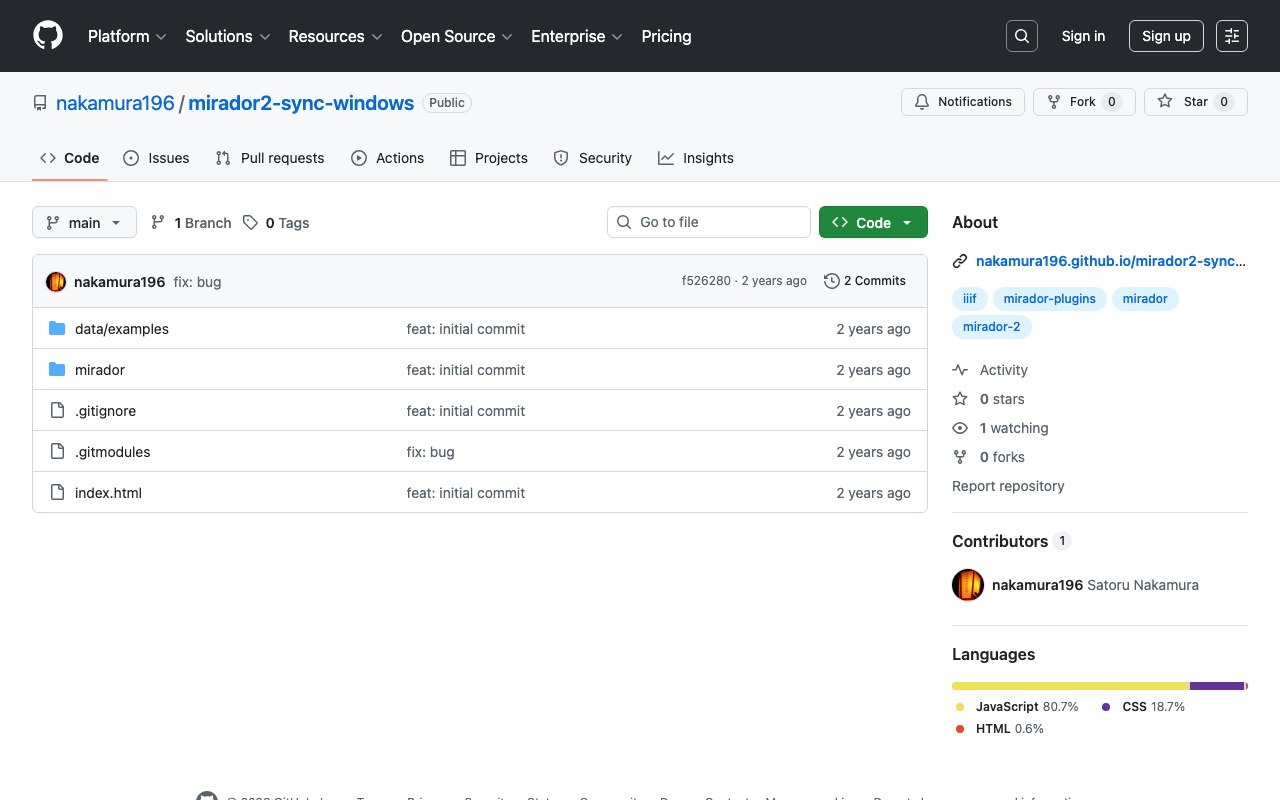
概要 mirador-sync-windowsは、以下のように説明されています。 https://github.com/UCLALibrary/mirador-sync-windows (機械翻訳)同じオブジェクトの異なるスペクトル画像など、ほぼ同一の画像を複数比較する際に、複数のウィンドウで同時にアクションを適用することが役立ちます。 使用イメージは以下です。 https://youtu.be/Ls2zvJpSRlc 注意点として、Mirador 2向けのプラグインとなっており、またリポジトリもアーカイブされています。 今回は、このmirador-sync-windowsを試すリポジトリを作成したので、紹介します。 リポジトリ https://github.com/nakamura196/mirador2-sync-windows/ 使い方 以下のように、manifestパラメータに、比較したいマニフェストファイルを;で区切って指定します。 https://nakamura196.github.io/mirador2-sync-windows/?manifest=https://nakamura196.github.io/mirador2-sync-windows/data/examples/org.json;https://nakamura196.github.io/mirador2-sync-windows/data/examples/inf.json GUIの使用方法については、上記の動画をご参照ください。 上記の例は、以下の「シェリー書簡の透過光画像を使ったIIIFアプリケーション」のデータを利用しています。 https://utda.github.io/shelley/ まとめ 今後、本機能をMirador 3のプラグインとして開発したいと思います。 また本モジュールはほぼ同一の画像を複数比較することを目的としていますが、対応点の計算などにより、ほぼ同一でない画像の比較も行えるような機能開発を行いたいと思います。 mirador-sync-windowsについて、参考になりましたら幸いです。

東寺百合文書WEBのデータをIIIFに変換する

東寺百合文書WEBのデータをIIIFに変換する

概要 京都府立京都学・歴彩館が所蔵している国宝・東寺百合文書を公開する東寺百合文書WEBで公開されている画像を利用させていただく機会があり、公開されているデータをIIIF形式に変換して公開するリポジトリを作成しました。 https://github.com/nakamura196/toji_iiif 以下のデータセットを使用させていただきました。 https://hyakugo.pref.kyoto.lg.jp/?page_id=1481 特に、以下のURLから、画像の一覧を確認することができます。 https://nakamura196.github.io/toji_iiif/ ポイント IIIFコレクション 以下のURLからIIIFコレクションにアクセスすることができます。これにより、機械的にアクセスすることができます。 https://nakamura196.github.io/toji_iiif/iiif/set/3/collection.json width, heightの情報 各アイテムには、以下のようなURLからアクセスできます。 https://nakamura196.github.io/toji_iiif/iiif/3/1/manifest.json 特に、各画像のサイズの情報は、冒頭のデータセットには含まれていないため、有用な情報になり得るかと思います。 まとめ 東寺百合文書WEBで公開されているデータを機械的に処理する際などの参考になりましたら幸いです。

https://wikidata.reconci.link/の一部を試す

https://wikidata.reconci.link/の一部を試す

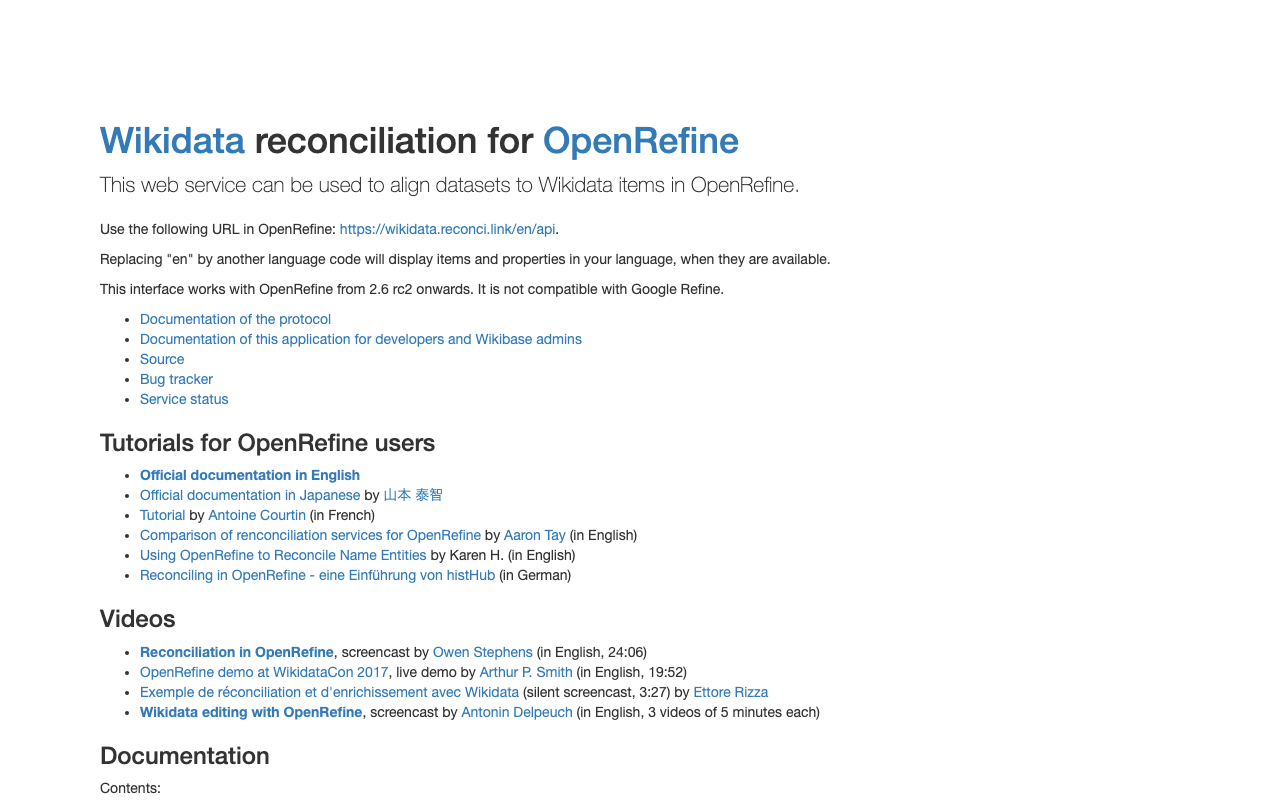
概要 調査の過程で、以下のようなAPIが存在することを知りました。 https://wikidata.reconci.link/ 使い方に関する備忘録です。 suggest 以下のようなURLにより、suggestの値を得られるようでした。 https://wikidata.reconci.link/en/suggest/entity?prefix=中村覚 preview 以下のようなURLにより、previewの結果を取得できました。 https://wikidata.reconci.link/en/preview?id=Q107095935 まとめ OpenRefineと一緒に使われるようですが、また機会をみて調べてみたいと思います。 https://qiita.com/yayamamo/items/eade3e5788e6f359bce7

Omeka SのCustomOntologyモジュールを使って、クラスやプロパティを追加する

Omeka SのCustomOntologyモジュールを使って、クラスやプロパティを追加する

概要 Custom Ontologyは、LOV、schema.org、W3Cといった標準的なオントロジーが利用できないときに、独自の語彙を追加することができるモジュールです。 本モジュールの基本的な使い方については、以下を参考にしてください。 https://nakamura196.hatenablog.com/entry/2021/07/24/235050 また本モジュールを使ってすでに作成した語彙を更新する方法は以下を参考にしてください。 今回は、すでに作成した語彙に、クラスやプロパティを追加する方法に関して説明します。 方法 以下のように、「myprefix」という独自語彙が作成済みであることを前提とします。 myprefix http://localhost/ns/myprefix/ この語彙にクラスなどを新規に追加する場合には、「Create a specific ontology」のフォームは空のままにしておきます。 結果、以下のように、追加を行うことができます。 参考 すでに語彙が作成済みの場合、「Create a specific ontology」のフォームを埋めると、以下のようにエラーが発生しますので、ご注意ください。 An ontology exists for the prefix "myprefix". An error was found. Turtle cannot be created. Nothing was imported. まとめ Custom Ontologyの使用にあたり、参考になりましたら幸いです。

Omeka-S-module-FixCjkSearchのv4.1.0をリリースしました。

Omeka-S-module-FixCjkSearchのv4.1.0をリリースしました。

概要 Omeka Sの標準機能では、日本語による全文検索がうまくいかない課題に対して、以下のモジュールを作成しています。 https://github.com/nakamura196/Omeka-S-module-FixCjkSearch 本モジュールについて、本記事執筆時点のOmeka Sの最新版、v4.1.0では動作しなくなっていたため、モジュールの最新版をリリースしました。 https://github.com/omeka-j/Omeka-S-module-FixCjkSearch/releases 不完全な点もあるかと思いますが、参考になりましたら幸いです。 参考 日本語による全文検索の不具合については、以下の記事も参考にしてください。 また、日本語検索時における「たこ」「タコ」「だこ」「ダコ」などのアクセスの区別については、以下の記事を参考にしてください。

Omeka Sの部分一致検索時のアクセントの区別

Omeka Sの部分一致検索時のアクセントの区別

概要 Omeka Sの部分一致検索について、アクセントの区別について調査しましたので、その備忘録です。 事象 例えば、「たこ」という文字列を含むアイテムが格納されている場合、「たこ」「タコ」「だこ」「ダコ」で同じ検索になります。 原因 インストール時にデフォルトで設定される照合順序「utf8mb4_unicode_ci」が原因のようでした。 具体的には、この照合順序は「case-insensitive」(大文字小文字を区別しない)および「accent-insensitive」(アクセントを区別しない)となるため、「たこ」「タコ」「だこ」「ダコ」で同じ検索になるようでした。 対策 ! 照合順序を変更する際、既存のデータに影響が出ないように注意して、変更前には必ずバックアップを取ることをお勧めします。 もし上記を区別したい場合、「value」というテーブルの照合順序を「utf8mb4_bin」に設定するのが一つの方法のようです。 上記の設定を行った結果、例えば「ダコ」で検索すると0件になりました。 まとめ Omekaの利用にあたり、参考になりましたら幸いです。

DHCフォーマットの中身を確認する

DHCフォーマットの中身を確認する

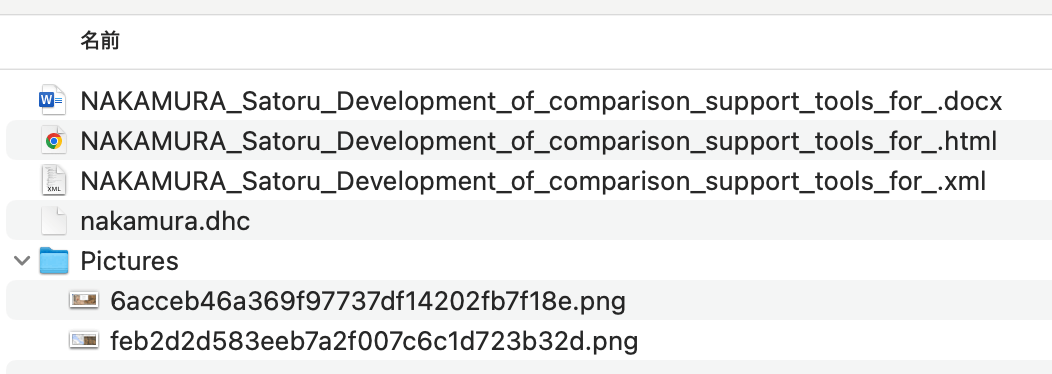
概要 Digital HumanitiesやThe Japanese Association for Digital Humanities (JADH)の年次大会では、以下のdhconvalidatorというツールを使い、DOCXやODT形式のファイルを、DHCファイルに変換して提出することが多いです。 https://github.com/ADHO/dhconvalidator 今回は、このフォーマットを理解するための備忘録です。 内容を確認する DHCファイルは以下のように説明されています。 This is essentially a ZIP archive containing their original OCT/DOCX file, an HTML rendering and an XML-TEI rendering, plus a folder with the image files, properly renamed). (機械翻訳)これは基本的に、元のOCT/DOCXファイル、HTMLレンダリング、XML-TEIレンダリングを含むZIPアーカイブであり、適切に名前が付けられた画像ファイルのフォルダも含まれています。 したがって、上記のdhconvalidatorを使って作成された.dhc形式のファイルについて、展開してみます。 unzip nakamura.dhc 結果、以下のようにファイルが展開されました。 入力元のdocxに加えて、TEIに変換されたXMLファイル、およびHTMLファイルが含まれていました。HTMLファイルは以下のようにブラウザで表示されます。 共著者や他者が作成したDHCファイルの内容を確認するには、上記のように展開の上、HTMLファイルを確認するのがよさそうです。 ! 未調査ですが、DHCファイルの閲覧に特化したビューアなどが存在するかもしれません。 (参考)変換の仕組み 以下のように説明されています。 The DHConvalidator works together with the conference management tool ConfTool and uses TEIGarage (formerly known as OxGarage) to do the bulk conversion. ...

Zoteroの使用メモ

Zoteroの使用メモ

概要 https://www.zotero.org/ Zoteroは以下のように説明されています。 Zotero is a free, easy-to-use tool to help you collect, organize, annotate, cite, and share research. (機械翻訳)Zoteroは、研究を収集、整理、注釈付け、引用、共有するための使いやすい無料ツールです。 Zoteroの使用方法に関する備忘録です。 識別子から 以下のように、DOIからインポートできます。 ウェブサイト 以下のchrome拡張「Zotero Connector」をインストールします。 https://chromewebstore.google.com/detail/ekhagklcjbdpajgpjgmbionohlpdbjgc 引用したいウェブサイトで拡張機能をクリックすると、以下のように登録できます。 参考文献の作成 コレクションから参考文献目録を作成できます。 DH2024やJADH2024では、「Digital Humanities Abstracts」が引用スタイルとして指定されているかと思います。 結果、以下のように、文献一覧を出力できます。 引用スタイル「Digital Humanities Abstracts」のインストール 以下からダウンロードします。 https://raw.githubusercontent.com/computationalstylistics/DHAbstracts_biblio_style/master/digital_humanities_abstracts.csl Zotero Connectorがインストールされている場合、以下のように、引用スタイルをインポートできます。 さいごに 参考になりましたら幸いです。

a3mを試す

a3mを試す

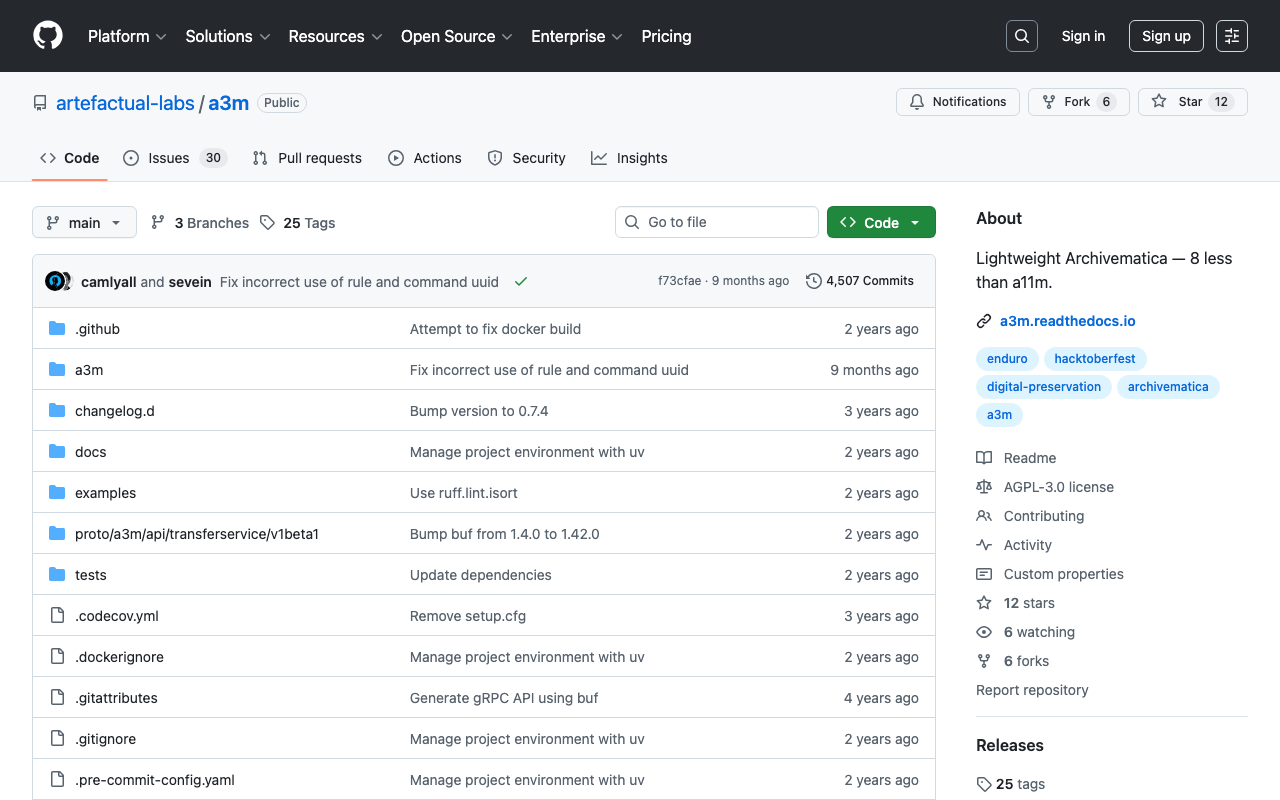
概要 a3mを試します。 https://github.com/artefactual-labs/a3m a3mは以下のように説明されています。 a3m is a lightweight version of Archivematica focused on AIP creation. It has neither external dependencies, integration with access sytems, search capabilities nor a graphical interface. (機械翻訳)a3mはArchivematicaの軽量版で、AIP(アーカイブ情報パッケージ)の作成に特化しています。外部依存関係、アクセスシステムとの統合、検索機能、グラフィカルインターフェースはありません。 Archivematicaとの違い 以下についても機械翻訳結果を掲載します。 The main differentiator is the lack of service dependencies. a3m does not depend on Gearman or external workers, MySQL, Elasticsearch or Nginx. a3m provides its own API server based on the gRPC stack and all processing is performed via system threads and spawned child processes. An embedded database based on SQLite is used to store temporary processing state. ...