ホーム 記事一覧 ブック DH週間トピックス 検索 このサイトについて
English
ModuleNotFoundError: No module named 'huggingface_hub.utils._errors'対応

ModuleNotFoundError: No module named 'huggingface_hub.utils._errors'対応

概要 Hugging FaceのSpacesにアプリをデプロイした際、以下のエラーが発生しました。このエラーに対する備忘録です。 Creating new Ultralytics Settings v0.0.6 file ✅ View Ultralytics Settings with 'yolo settings' or at '/home/user/.config/Ultralytics/settings.json' Update Settings with 'yolo settings key=value', i.e. 'yolo settings runs_dir=path/to/dir'. For help see https://docs.ultralytics.com/quickstart/#ultralytics-settings. WARNING ⚠️ DetectMultiBackend failed: No module named 'huggingface_hub.utils._errors' Traceback (most recent call last): File "/usr/local/lib/python3.10/site-packages/yolov5/helpers.py", line 38, in load_model model = DetectMultiBackend( File "/usr/local/lib/python3.10/site-packages/yolov5/models/common.py", line 338, in __init__ result = attempt_download_from_hub(w, hf_token=hf_token) File "/usr/local/lib/python3.10/site-packages/yolov5/utils/downloads.py", line 150, in attempt_download_from_hub from huggingface_hub.utils._errors import RepositoryNotFoundError ModuleNotFoundError: No module named 'huggingface_hub.utils._errors' During handling of the above exception, another exception occurred: 参考 以下の記事が参考になりました。 ...

pythonを使ってcvatのデータを操作する

pythonを使ってcvatのデータを操作する

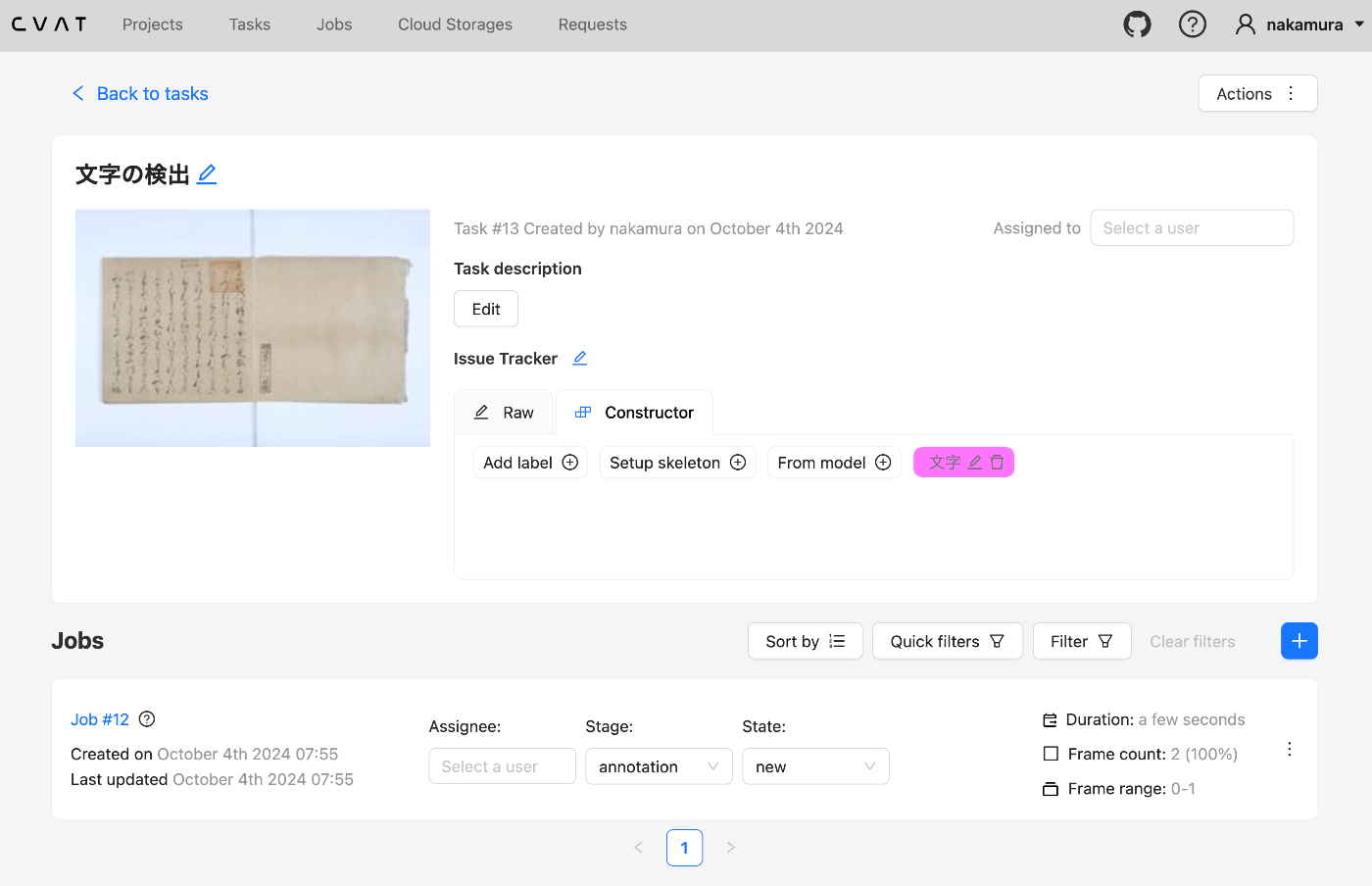
概要 pythonを使ってcvatのデータを操作する機会がありましたので、備忘録です。 セットアップ 今回はDockerを使って起動します。 git clone https://github.com/cvat-ai/cvat --depth 1 cd cvat docker compose up -d アカウントの作成 http://localhost:8080にアクセスして、アカウントを作成します。 Pythonによる操作 まず、以下のライブラリをインストールします。 pip install cvat-sdk アカウントの情報を.envに記載します。 host=http://localhost:8080 username= password= インスタンスの作成 import os from dotenv import load_dotenv import json from cvat_sdk.api_client import Configuration, ApiClient, models, apis, exceptions from cvat_sdk.api_client.models import PatchedLabeledDataRequest import requests from io import BytesIO load_dotenv(verbose=True) host = os.environ.get("host") username = os.environ.get("username") password = os.environ.get("password") configuration = Configuration( host=host, username=username, password=password ) api_client = ApiClient(configuration) タスクの作成 task_spec = { 'name': '文字の検出', "labels": [{ "name": "文字", "color": "#ff00ff", "attributes": [ { "name": "score", "mutable": True, "input_type": "text", "values": [""] } ] }], } try: # Apis can be accessed as ApiClient class members # We use different models for input and output data. For input data, # models are typically called like "*Request". Output data models have # no suffix. (task, response) = api_client.tasks_api.create(task_spec) except exceptions.ApiException as e: # We can catch the basic exception type, or a derived type print("Exception when trying to create a task: %s\n" % e) print(task) 以下のような結果が得られます。 ...

Omeka SでのCSRF: Value is required and can’t be emptyエラーへの対応

Omeka SでのCSRF: Value is required and can’t be emptyエラーへの対応

概要 Omeka Sにおいて、多くのメディアが関連づけられたアイテムを保存しようとする際、CSRF: Value is required and can’t be emptyというエラーメッセージが表示され、保存が完了しない事象に遭遇しました。 本記事では、このエラーへの対処方法について説明します。 関連記事 以下の記事などで言及されています。既知のエラーのようで、php.iniを変更する必要があると述べられています。 https://forum.omeka.org/t/csrf-value-is-required-and-cant-be-empty/15421 https://github.com/omeka/omeka-s/issues/1472 対処方法 以下にチャットGPTによる回答を掲載します。 php.ini で max_input_vars を設定するには、以下の手順を実行してください。 php.ini ファイルを開きます。php.ini の場所は、環境によって異なるため、以下のいずれかのディレクトリにあることが多いです: /etc/php/8.x/apache2/php.ini (Apache) /etc/php/8.x/cli/php.ini (CLI) /etc/php/8.x/fpm/php.ini (PHP-FPM) max_input_vars の値を設定または変更します。設定するために、次の行を探します。または、存在しない場合は新しく追加します。 max_input_vars = 1000 1000 という値はデフォルトですが、必要に応じて大きな数に変更できます。例えば、5000に変更する場合は次のようにします。 max_input_vars = 5000 php.ini ファイルを保存します。 Webサーバーを再起動して設定を反映させます。例えば、Apache を使っている場合は、以下のコマンドを実行します。 sudo systemctl restart apache2 PHP-FPM を使用している場合は、次のように実行します。 sudo systemctl restart php8.x-fpm これで max_input_vars が設定され、Webサーバーがその設定を反映します。 まとめ 今回はmax_input_vars = 5000に設定することで、上記エラーを解消することができました。 同様のことでお困りの方の参考になりましたら幸いです。

Drupalのカスタムモジュールで、カスタム権限を使用する

Drupalのカスタムモジュールで、カスタム権限を使用する

概要 Drupalのカスタムモジュールで、カスタム権限を使用する機会がありましたので、備忘録です。 背景 以下の記事で、DrupalからGitHubのActionsを実行するモジュールを紹介しました。 ただし、権限をadminister site configurationに設定しており、管理者権限のユーザしか実行することができませんでした。 この点に対応したコミットは以下です。 https://github.com/nakamura196/Drupal-module-github_webhook/commit/c3b6f57bebfeda0556c929c8ed8ed62a0eb0a5c4 方法 以下、ChatGPT 4oの回答結果を共有します。 Drupalの_permissionには、特定のアクセス権限を設定するための値を設定できます。これによって、特定の役割を持つユーザーが、そのルートにアクセスできるかどうかを制御します。 _permissionに設定できる主な値は以下のようなものです: 一般的な権限 Drupalには、いくつかの標準的な権限が用意されています。以下は一般的に使用される権限の例です: administer site configuration - サイト全体の設定を管理できる権限 access content - コンテンツへのアクセス権限 administer users - ユーザーを管理できる権限 create content - コンテンツを作成できる権限 edit any content - 任意のコンテンツを編集できる権限 delete any content - 任意のコンテンツを削除できる権限 view user profiles - ユーザープロフィールを閲覧できる権限 administer permissions - 権限を管理できる権限 access administration pages - 管理者ページへのアクセス権限 administer taxonomy - タクソノミーを管理できる権限 カスタム権限 モジュール固有の権限を作成することもできます。例えば、github_webhookモジュールに独自の権限を作成し、_permissionで使用することも可能です。 カスタム権限を作成する場合は、github_webhook.permissions.ymlに以下のように権限を定義します: access github webhook settings: title: 'Access GitHub Webhook Settings' description: 'Allows users to access and modify GitHub Webhook settings' restrict access: TRUE そして、routing.ymlでこのカスタム権限を設定します: ...

校異源氏物語テキストDBで公開するTEI/XMLファイルに対するDTS APIのGitHubリポジトリ

校異源氏物語テキストDBで公開するTEI/XMLファイルに対するDTS APIのGitHubリポジトリ

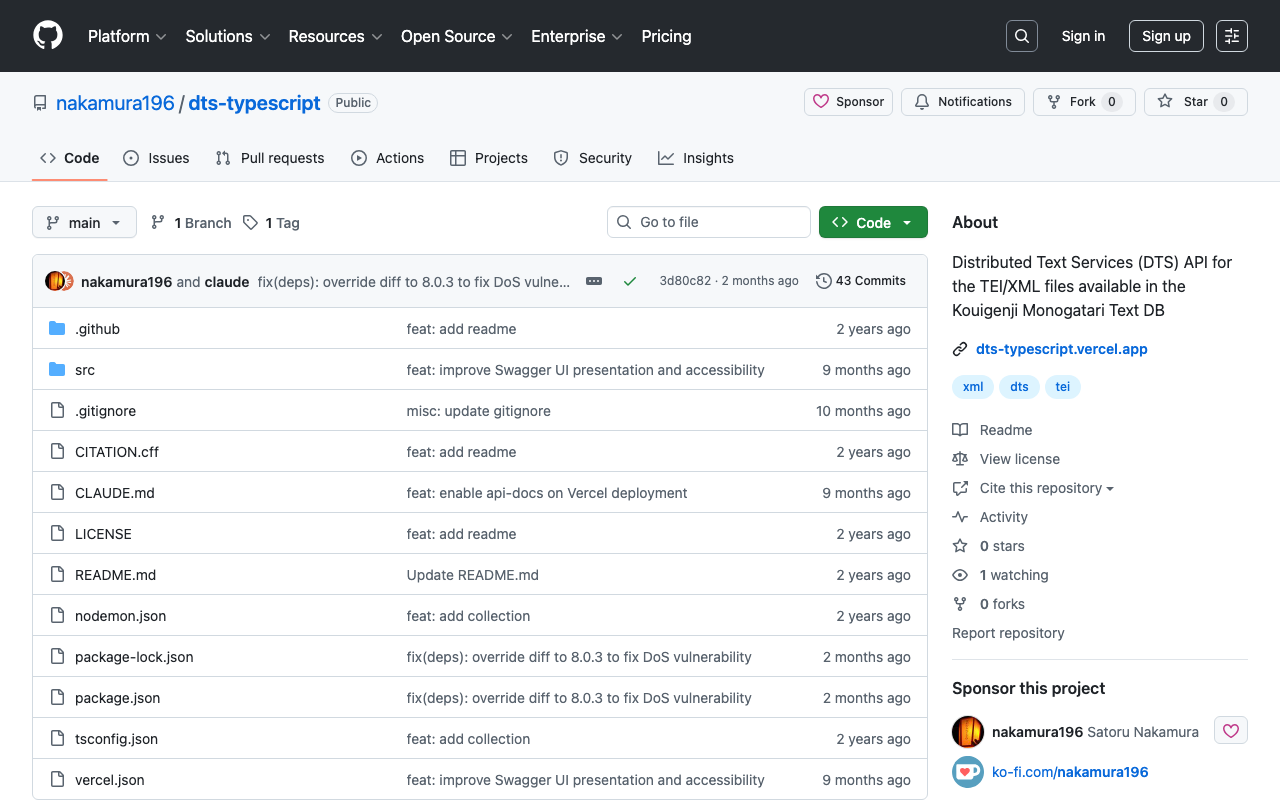
概要 以下の記事で紹介したAPIのGitHubリポジトリを公開しました。 リポジトリは以下です。 https://github.com/nakamura196/dts-typescript 不完全な点があるかと思いますが、参考になりましたら幸いです。 メモ vercelのrewrite 以下のように設定することで、/へのアクセスを/api/dtsにリダイレクトさせることができました。 { "version": 2, "builds": [ { "src": "src/index.ts", "use": "@vercel/node" } ], "rewrites": [ { "source": "/api/dts(.*)", "destination": "/src/index.ts" } ], "redirects": [ { "source": "/", "destination": "/api/dts", "permanent": true } ] } collectionのID コレクションのIDとして以下を使用しています。 const COLLECTION_ID = "urn:kouigenjimonogatari"; 当初urn:プレフィックスをつけていませんでしたが、以下のMyCapytainライブラリから使用した際、urn:がない場合、/が挿入され、うまくいかないことがありました。 https://github.com/Capitains/MyCapytain まとめ 不完全な実装が多いですが、参考になりましたら幸いです。

校異源氏物語テキストDBで公開するTEI/XMLファイルに対するDTS APIを作成する

校異源氏物語テキストDBで公開するTEI/XMLファイルに対するDTS APIを作成する

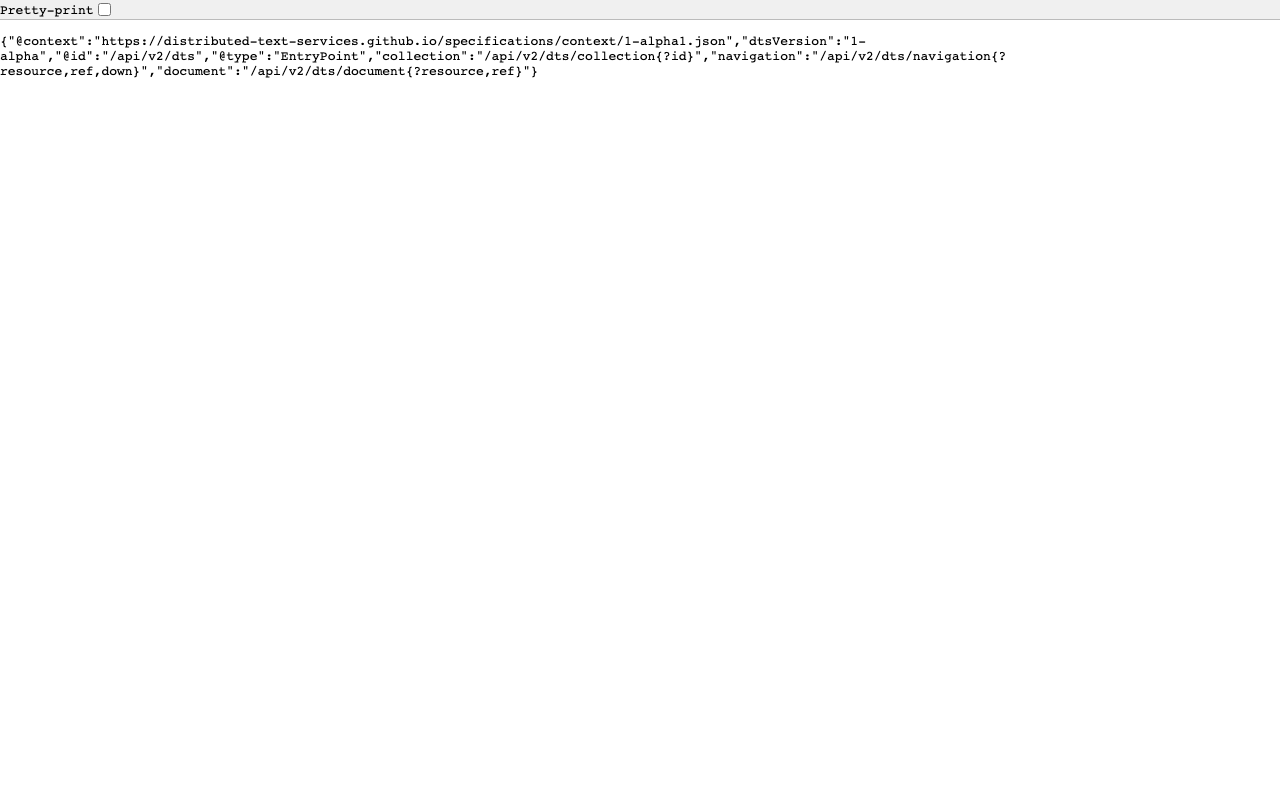
概要 校異源氏物語テキストDBで公開するTEI/XMLファイルに対するDTS(Distributed Text Services) APIを作成したので、備忘録です。 背景 校異源氏物語テキストDBは以下です。 https://kouigenjimonogatari.github.io/ TEI/XMLファイルを公開しています。 開発したDTS 開発したDTSは以下です。 https://dts-typescript.vercel.app/api/dts Express.jsをVercelに設置しています。 DTSは以下を参考にしてください。 https://zenn.dev/nakamura196/articles/4233fe80b3e76d MyCapytainライブラリ 以下の記事で、DTSをPythonから利用するライブラリを紹介しました。 https://zenn.dev/nakamura196/articles/1f52f460025274 本ライブラリを使用して、開発したDTSを利用してみます。 Create the resolver With the following line we create the resolver : from MyCapytain.resolvers.dts.api_v1 import HttpDtsResolver resolver = HttpDtsResolver("https://dts-typescript.vercel.app/api/dts") Require metadata : let’s visit the catalog The following code is gonna find each text that is readable by Alpheios # We get the root collection root = resolver.getMetadata() # Then we retrieve dynamically all the readableDescendants : it browse automatically the API until # it does not have seen any missing texts: be careful with this one on huge repositories readable_collections = root.readableDescendants print("We found %s collections that can be parsed" % len(readable_collections)) We found 54 collections that can be parsed Printing the full tree # Note that we could also see and make a tree of the catalog. # If you are not familiar with recursivity, the next lines might be a bit complicated def show_tree(collection, char_number=1): for subcollection_id, subcollection in collection.children.items(): print(char_number*"--" + " " + subcollection.id) show_tree(subcollection, char_number+1) print(root.id) show_tree(root) default -- urn:kouigenjimonogatari ---- urn:kouigenjimonogatari.1 ---- urn:kouigenjimonogatari.2 ---- urn:kouigenjimonogatari.3 ---- urn:kouigenjimonogatari.4 ---- urn:kouigenjimonogatari.5 ---- urn:kouigenjimonogatari.6 ---- urn:kouigenjimonogatari.7 ---- urn:kouigenjimonogatari.8 ---- urn:kouigenjimonogatari.9 ---- urn:kouigenjimonogatari.10 ---- urn:kouigenjimonogatari.11 ---- urn:kouigenjimonogatari.12 ---- urn:kouigenjimonogatari.13 ---- urn:kouigenjimonogatari.14 ---- urn:kouigenjimonogatari.15 ---- urn:kouigenjimonogatari.16 ---- urn:kouigenjimonogatari.17 ---- urn:kouigenjimonogatari.18 ---- urn:kouigenjimonogatari.19 ---- urn:kouigenjimonogatari.20 ---- urn:kouigenjimonogatari.21 ---- urn:kouigenjimonogatari.22 ---- urn:kouigenjimonogatari.23 ---- urn:kouigenjimonogatari.24 ---- urn:kouigenjimonogatari.25 ---- urn:kouigenjimonogatari.26 ---- urn:kouigenjimonogatari.27 ---- urn:kouigenjimonogatari.28 ---- urn:kouigenjimonogatari.29 ---- urn:kouigenjimonogatari.30 ---- urn:kouigenjimonogatari.31 ---- urn:kouigenjimonogatari.32 ---- urn:kouigenjimonogatari.33 ---- urn:kouigenjimonogatari.34 ---- urn:kouigenjimonogatari.35 ---- urn:kouigenjimonogatari.36 ---- urn:kouigenjimonogatari.37 ---- urn:kouigenjimonogatari.38 ---- urn:kouigenjimonogatari.39 ---- urn:kouigenjimonogatari.40 ---- urn:kouigenjimonogatari.41 ---- urn:kouigenjimonogatari.42 ---- urn:kouigenjimonogatari.43 ---- urn:kouigenjimonogatari.44 ---- urn:kouigenjimonogatari.45 ---- urn:kouigenjimonogatari.46 ---- urn:kouigenjimonogatari.47 ---- urn:kouigenjimonogatari.48 ---- urn:kouigenjimonogatari.49 ---- urn:kouigenjimonogatari.50 ---- urn:kouigenjimonogatari.51 ---- urn:kouigenjimonogatari.52 ---- urn:kouigenjimonogatari.53 ---- urn:kouigenjimonogatari.54 Printing details about a specific one # Let's get a random one ! from random import randint # The index needs to be between 0 and the number of collections rand_index = randint(0, len(readable_collections)) collection = readable_collections[rand_index] # Now let's print information ? label = collection.get_label() text_id = collection.id print("Treaing `"+label+"` with id " + text_id) Treaing `総角` with id urn:kouigenjimonogatari.47 What about more detailed informations ? Like the citation scheme ? def recursive_printing_citation_scheme(citation, char_number=1): for subcitation in citation.children: print(char_number*"--" + " " + subcitation.name) recursive_printing_citation_scheme(subcitation, char_number+1) print("Maximum citation depth : ", collection.citation.depth) print("Citation System") recursive_printing_citation_scheme(collection.citation) Maximum citation depth : 1 Citation System -- line Let’s get some references ! reffs = resolver.getReffs(collection.id) print(reffs) # Nice ! DtsReferenceSet (DtsReference https://w3id.org/kouigenjimonogatari/api/items/1587-01.json> [line]>, DtsReference https://w3id.org/kouigenjimonogatari/api/items/1587-02.json> [line]>, DtsReference https://w3id.org/kouigenjimonogatari/api/items/1587-03.json> [line]>, DtsReference https://w3id.org/kouigenjimonogatari/api/items/1587-04.json> [line]>, DtsReference ... Let’s get some random passage ! # Let's get a random one ! from random import randint # The index needs to be between 0 and the number of collections rand_index = randint(0, len(reffs)-1) reff = reffs[rand_index] passage = resolver.getTextualNode(collection.id, reff) print(passage.id, passage.reference) # Let's see the XML here # For that, we need to get the mimetype right : from MyCapytain.common.constants import Mimetypes print(passage.export(Mimetypes.XML.TEI)) urn:kouigenjimonogatari.47 DtsReference https://w3id.org/kouigenjimonogatari/api/items/1640-06.json> [line]> TEI xmlns="http://www.tei-c.org/ns/1.0">dts:fragment xmlns:dts="https://w3id.org/dts/api#"> ... 考察 上記の通り、MyCapytainライブラリの基本操作に対応したDTSを構築することができました。 ...

DTS(Distributed Text Services)を使ってみる

DTS(Distributed Text Services)を使ってみる

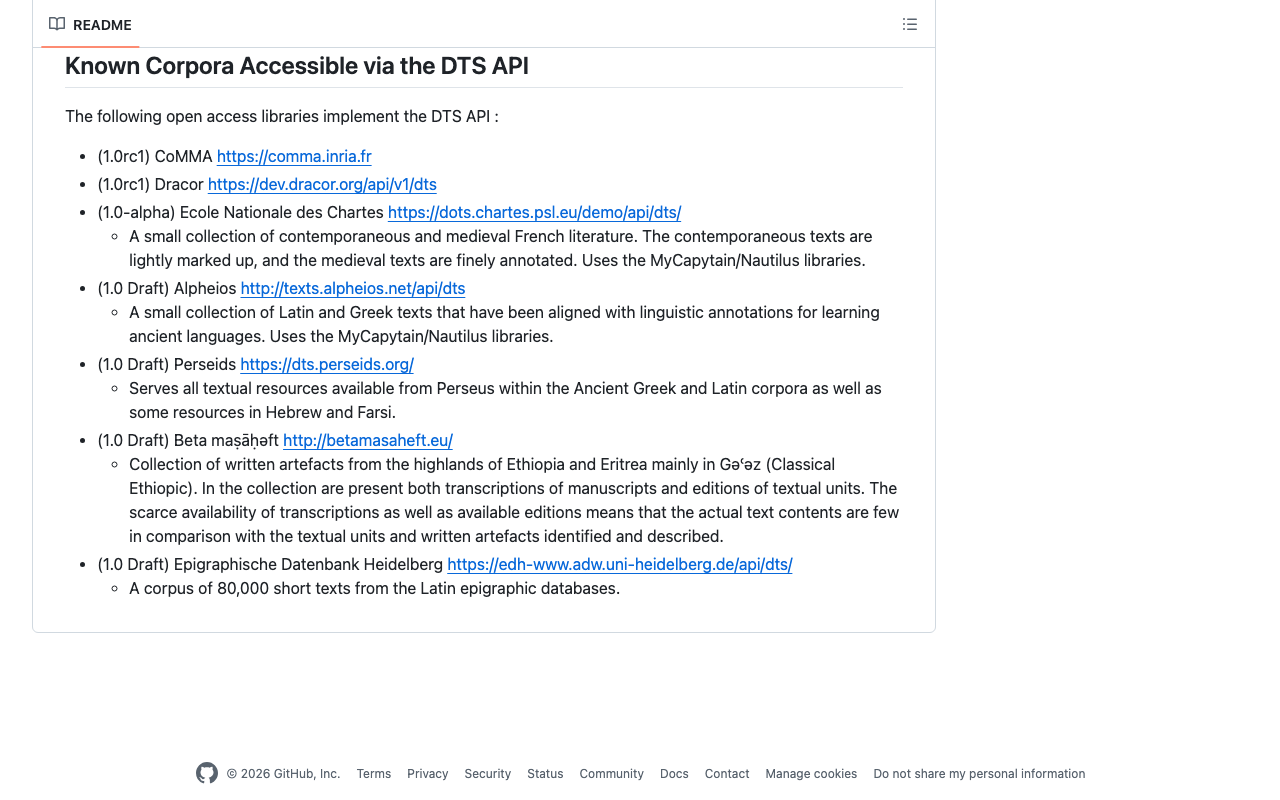
概要 DTS(Distributed Text Services)の使用方法を学ぶ機会があり、その備忘録です。 使用するAPI 以下で紹介されているAlpheios を使用します。 https://github.com/distributed-text-services/specifications/?tab=readme-ov-file#known-corpora-accessible-via-the-dts-api トップ https://texts.alpheios.net/api/dts collections, documents, navigationが使えることがわかります。 { "navigation": "/api/dts/navigation", "@id": "/api/dts", "@type": "EntryPoint", "collections": "/api/dts/collections", "@context": "dts/EntryPoint.jsonld", "documents": "/api/dts/document" } Collection Endpoint collections https://texts.alpheios.net/api/dts/collections 2つの下位コレクションが含まれることがわかります。 { "totalItems": 2, "member": [ { "@id": "urn:alpheios:latinLit", "@type": "Collection", "totalItems": 3, "title": "Classical Latin" }, { "@id": "urn:alpheios:greekLit", "@type": "Collection", "totalItems": 4, "title": "Ancient Greek" } ], "title": "None", "@id": "default", "@type": "Collection", "@context": { "dts": "https://w3id.org/dts/api#", "@vocab": "https://www.w3.org/ns/hydra/core#" } } Classical Latin idurn:alpheios:latinLitを指定して、コレクションをClassical Latinに限定します。 https://texts.alpheios.net/api/dts/collections?id=urn:alpheios:latinLit 3つの下位コレクションが含まれることがわかります。 { "totalItems": 3, "member": [ { "@id": "urn:cts:latinLit:phi0472", "@type": "Collection", "totalItems": 1, "title": "Catullus" }, { "@id": "urn:cts:latinLit:phi0620", "@type": "Collection", "totalItems": 1, "title": "Propertius, Sextus" }, { "@id": "urn:cts:latinLit:phi0959", "@type": "Collection", "totalItems": 1, "title": "Ovid" } ], "title": "Classical Latin", "@id": "urn:alpheios:latinLit", "@type": "Collection", "@context": { "dts": "https://w3id.org/dts/api#", "@vocab": "https://www.w3.org/ns/hydra/core#", "ns1": "http://www.w3.org/2004/02/skos/core#" }, "dts:extensions": { "ns1:prefLabel": [ { "@value": "Classical Latin", "@language": "eng" } ] } } Catullus idurn:cts:latinLit:phi0472を指定して、コレクションをCatullusに限定します。 ...

MyCapytainライブラリを試す

MyCapytainライブラリを試す

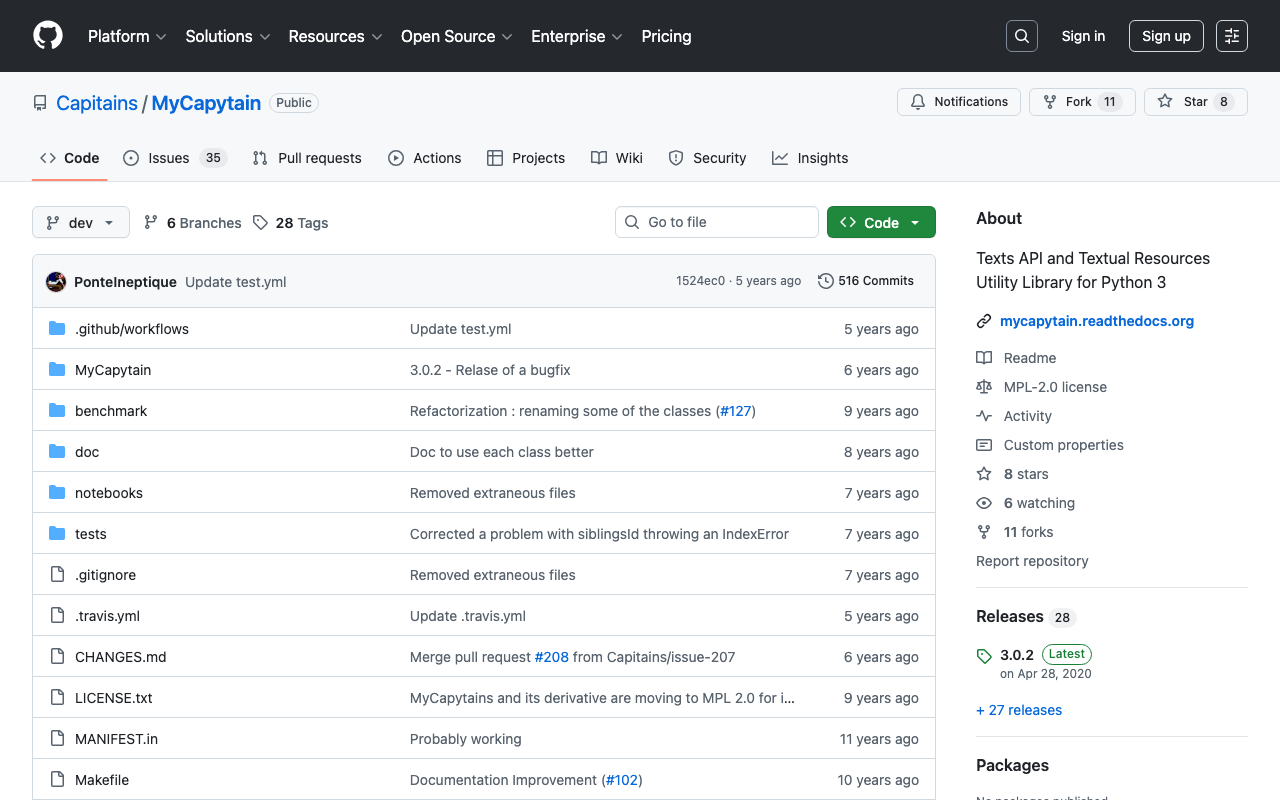
概要 以下のMyCapytainライブラリを試します。 https://github.com/Capitains/MyCapytain 背景 以下の記事で、CTS(Canonical Text Service)を取り上げました。 以下のページにおいて、CITE, CTS, CapiTainSの説明がなされています。 https://brillpublishers.gitlab.io/documentation-cts/DTS_Guidelines.html The following document is about CITE, a system for the identification of texts and any other object. CTS is the name for the identification system itself. CapiTainS is the name for the software suite built around it. Before we go into details, we need to ask two questions: (機械翻訳)以下の文書は、CITE(テキストおよびその他のオブジェクトを識別するためのシステム)に関するものです。CTSは、この識別システム自体の名前です。CapiTainSは、その周りに構築されたソフトウェアスイートの名前です。詳細に入る前に、2つの質問をする必要があります。 さらに、今回使用するMyCapytainライブラリは以下のように説明されています。 MyCapytain is a python library which provides a large set of methods to interact with Text Services API such as the Canonical Text Services, the Distributed Text Services. It also provides a programming interface to exploit local textual resources developed according to the Capitains Guidelines. ...

Canonical Text Serviceを試す

Canonical Text Serviceを試す

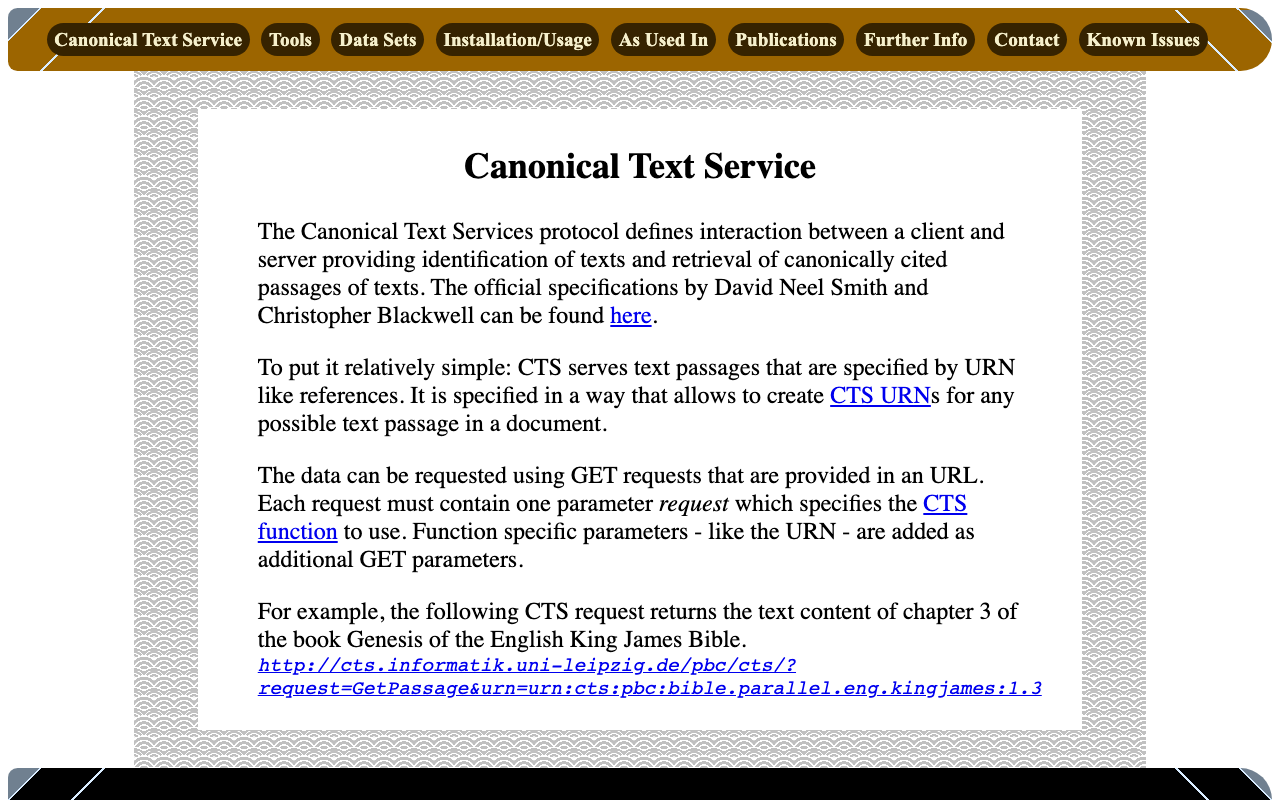
概要 Canonical Text Serviceは、以下のように説明されています。 The Canonical Text Services protocol defines interaction between a client and server providing identification of texts and retrieval of canonically cited passages of texts. (機械翻訳)Canonical Text Services (CTS) プロトコルは、テキストの識別と、正規に引用されたテキストの箇所の取得を提供するクライアントとサーバー間の相互作用を定義しています。 以下のサイトを参考にしています。 http://cts.informatik.uni-leipzig.de/Canonical_Text_Service.html 使用方法 以下を参考にしています。 https://github.com/cite-architecture/cts_spec/blob/master/md/specification.md GetCapabilities サーバーがサポートしているサービスを確認するためのリクエストです。 http://cts.informatik.uni-leipzig.de/pbc/cts/?request=GetCapabilities <GetCapabilities xmlns="http://relaxng.org/ns/structure/1.0" xmlns:a="http://relaxng.org/ns/compatibility/annotations/1.0" xmlns:tei="http://www.tei-c.org/ns/1.0" xmlns:dc="http://purl.org/dc/elements/1.1/" xmlns:ti="http://chs.harvard.edu/xmlns/cts"> <request>GetCapabilities</request> <reply> <TextInventory tiversion="5.0.rc.1"> <corpuslicense>Public Domain</corpuslicense> <corpussource>http://paralleltext.info/data/</corpussource> <corpuslanguage>arb,ceb,ces,cym,deu,eng,fin,fra,ita,mya,rus,tgl,ukr</corpuslanguage> <corpusname>Parallel Bible Corpus</corpusname> <corpusdescription>The Bible corpus contains 1169 unique translations, which have been assigned 906 different ISO-639-3 codes. This CTS instance contains 20 bible translations from PBC that are available as Public Domain.</corpusdescription> <textgroup urn="urn:cts:pbc:bible"> <groupname>bible</groupname> <edition urn="urn:cts:pbc:bible.parallel.arb.norm:"> <title>The Bible in Arabic</title> <license>Public Domain</license> <source>http://paralleltext.info/data/ retrieved via Canonical Text Service http://cts.informatik.uni-leipzig.de/pbc/cts/</source> <publicationDate>1865</publicationDate> <language>arb</language> <contentType>xml</contentType> </edition> <edition urn="urn:cts:pbc:bible.parallel.ceb.bugna:"> <title>Cebuano Ang Biblia (Bugna Version)</title> <license>Public Domain</license> <source>http://paralleltext.info/data/ retrieved via Canonical Text Service http://cts.informatik.uni-leipzig.de/pbc/cts/</source> <publicationDate>1917</publicationDate> <language>ceb</language> <contentType>xml</contentType> </edition> <edition urn="urn:cts:pbc:bible.parallel.ces.kralicka:"> <title>Czech Bible Kralicka. Version of 1613</title> <license>Public Domain</license> <source>http://paralleltext.info/data/ retrieved via Canonical Text Service http://cts.informatik.uni-leipzig.de/pbc/cts/</source> <publicationDate>1613</publicationDate> <language>ces</language> <contentType>xml</contentType> </edition> <edition urn="urn:cts:pbc:bible.parallel.cym.morgan1804:"> <title>Beibl William Morgan. William Morgan Bible in Welsh.</title> <license>Public Domain</license> <source>http://paralleltext.info/data/ retrieved via Canonical Text Service http://cts.informatik.uni-leipzig.de/pbc/cts/</source> <publicationDate>1804</publicationDate> <language>cym</language> <contentType>xml</contentType> </edition> <edition urn="urn:cts:pbc:bible.parallel.deu.elberfelder1871:"> <title>Die Bibel in Deutsch. Elberfelder Version von 1871. The Bible in German, Elberfelder Version of 1871</title> <license>´Public Domain</license> <source>http://paralleltext.info/data/ retrieved via Canonical Text Service http://cts.informatik.uni-leipzig.de/pbc/cts/</source> <publicationDate>1871</publicationDate> <language>deu</language> <contentType>xml</contentType> </edition> <edition urn="urn:cts:pbc:bible.parallel.deu.elberfelder1905:"> <title>Die Bibel in Deutsch. Elberfelder 1905. The Bible in German</title> <license>Public Domain</license> <source>http://paralleltext.info/data/ retrieved via Canonical Text Service http://cts.informatik.uni-leipzig.de/pbc/cts/</source> <publicationDate>1905</publicationDate> <language>deu</language> <contentType>xml</contentType> </edition> <edition urn="urn:cts:pbc:bible.parallel.deu.luther1545:"> <title>Die Bibel in Deutsch. Luther Version von 1545. The Bible in German. Luther version of 1545.</title> <license>Public Domain</license> <source>http://paralleltext.info/data/ retrieved via Canonical Text Service http://cts.informatik.uni-leipzig.de/pbc/cts/</source> <publicationDate>1545</publicationDate> <language>deu</language> <contentType>xml</contentType> </edition> <edition urn="urn:cts:pbc:bible.parallel.deu.luther1545letztehand:"> <title>Luther 1545 (Letzte Hand). The Bible in German</title> <license>Public Domain</license> <source>http://paralleltext.info/data/ retrieved via Canonical Text Service http://cts.informatik.uni-leipzig.de/pbc/cts/</source> <publicationDate>1545</publicationDate> <language>deu</language> <contentType>xml</contentType> </edition> <edition urn="urn:cts:pbc:bible.parallel.deu.luther1912:"> <title>Die Bibel in Deutsch. Luther Version von 1912. The Bible in German. Luther version of 1912.</title> <license>public Domain</license> <source>http://paralleltext.info/data/ retrieved via Canonical Text Service http://cts.informatik.uni-leipzig.de/pbc/cts/</source> <publicationDate>1912</publicationDate> <language>deu</language> <contentType>xml</contentType> </edition> <edition urn="urn:cts:pbc:bible.parallel.eng.darby:"> <title>The Bible in English. Darby Translation.</title> <license>Public Domain</license> <publicationDate>1890</publicationDate> <language>eng</language> <contentType>xml</contentType> </edition> <edition urn="urn:cts:pbc:bible.parallel.eng.kingjames:"> <title>King James Version of the Christian Bible</title> <license>Public Domain</license> <source>http://paralleltext.info/data/ retrieved via Canonical Text Service http://cts.informatik.uni-leipzig.de/pbc/cts/</source> <publicationDate>1611</publicationDate> <language>eng</language> <contentType>xml</contentType> </edition> <edition urn="urn:cts:pbc:bible.parallel.fin.1766:"> <title>Pyhä Raamattu. Version of 1776. The Bible in Finnish</title> <license>Public Domain</license> <source>http://paralleltext.info/data/ retrieved via Canonical Text Service http://cts.informatik.uni-leipzig.de/pbc/cts/</source> <publicationDate>1776</publicationDate> <language>fin</language> <contentType>xml</contentType> </edition> <edition urn="urn:cts:pbc:bible.parallel.fra.davidmartin:"> <title>The Bible in French. David Martin Version.</title> <license>Public Domain</license> <source>http://paralleltext.info/data/ retrieved via Canonical Text Service http://cts.informatik.uni-leipzig.de/pbc/cts/</source> <publicationDate>1744</publicationDate> <language>fra</language> <contentType>xml</contentType> </edition> <edition urn="urn:cts:pbc:bible.parallel.fra.kingjames:"> <title>The Bible in French. King James Version.</title> <license>Public Domain</license> <source>http://paralleltext.info/data/ retrieved via Canonical Text Service http://cts.informatik.uni-leipzig.de/pbc/cts/</source> <publicationDate>1881</publicationDate> <language>fra</language> <contentType>xml</contentType> </edition> <edition urn="urn:cts:pbc:bible.parallel.fra.louissegond:"> <title>The Bible in French. Louis Segond Version.</title> <license>Public Domain</license> <source>http://paralleltext.info/data/ retrieved via Canonical Text Service http://cts.informatik.uni-leipzig.de/pbc/cts/</source> <publicationDate>1910</publicationDate> <language>fra</language> <contentType>xml</contentType> </edition> <edition urn="urn:cts:pbc:bible.parallel.ita.diodati:"> <title>The Bible in Italian. Giovanni Diodati Bibbia Version.</title> <license>Public Domain</license> <source>http://paralleltext.info/data/ retrieved via Canonical Text Service http://cts.informatik.uni-leipzig.de/pbc/cts/</source> <publicationDate>1649</publicationDate> <language>ita</language> <contentType>xml</contentType> </edition> <edition urn="urn:cts:pbc:bible.parallel.mya.1835:"> <title>The New Testament in Myanmar</title> <license>Public Domain</license> <source>http://paralleltext.info/data/ retrieved via Canonical Text Service http://cts.informatik.uni-leipzig.de/pbc/cts/</source> <publicationDate>1835</publicationDate> <language>mya</language> <contentType>xml</contentType> </edition> <edition urn="urn:cts:pbc:bible.parallel.rus.synodal:"> <title>Синодальный перевод. The Synodal Bible in Russian.</title> <license>Public Domain</license> <source>http://paralleltext.info/data/ retrieved via Canonical Text Service http://cts.informatik.uni-leipzig.de/pbc/cts/</source> <publicationDate>1876</publicationDate> <language>rus</language> <contentType>xml</contentType> </edition> <edition urn="urn:cts:pbc:bible.parallel.tgl.1905:"> <title>The Bible in Tagalog.</title> <license>Public Domain</license> <source>http://paralleltext.info/data/ retrieved via Canonical Text Service http://cts.informatik.uni-leipzig.de/pbc/cts/</source> <publicationDate>1905</publicationDate> <language>tgl</language> <contentType>xml</contentType> </edition> <edition urn="urn:cts:pbc:bible.parallel.ukr.2009:"> <title>Ukrainian Version. The Bible in Ukranian.</title> <license>Public Domain</license> <source>http://paralleltext.info/data/ retrieved via Canonical Text Service http://cts.informatik.uni-leipzig.de/pbc/cts/</source> <publicationDate>2009</publicationDate> <language>ukr</language> <contentType>xml</contentType> </edition> </textgroup> </TextInventory> </reply> </GetCapabilities> GetPassage 指定したURN(Uniform Resource Name)に基づいて、特定のテキストの一部を取得します。 ...

IIIF Presentation API v3でsvgを使ったアノテーション記述

IIIF Presentation API v3でsvgを使ったアノテーション記述

概要 IIIF Presentation API v3でsvgを使ったアノテーション記述を行う機会がありましたので、備忘録です。 方法 以下のように記述することで、svgを使ったアノテーションを表示することができました。 { "@context": "http://iiif.io/api/presentation/3/context.json", "id": "http://127.0.0.1:62816/api/iiif/3/11/manifest", "type": "Manifest", "label": { "none": [ "きりつぼ" ] }, "rights": "http://creativecommons.org/licenses/by/4.0/", "requiredStatement": { "label": { "none": [ "Attribution" ] }, "value": { "none": [ "Provided by Example Organization" ] } }, "items": [ { "id": "http://127.0.0.1:62816/api/iiif/3/11/canvas/p1", "type": "Canvas", "width": 6642, "height": 4990, "label": { "none": [ "[1]" ] }, "thumbnail": [ { "format": "image/jpeg", "id": "https://iiif.dl.itc.u-tokyo.ac.jp/iiif/genji/TIFF/A00_6587/01/01_0023.tif/full/200,/0/default.jpg", "type": "Image" } ], "annotations": [ { "id": "http://127.0.0.1:62816/api/iiif/3/11/canvas/p1/annos", "type": "AnnotationPage", "items": [ { "id": "http://127.0.0.1:62816/api/iiif/3/11/canvas/p1/annos/1", "type": "Annotation", "motivation": "commenting", "body": { "type": "TextualBody", "value": "<p>校異源氏物語 p.21 開始位置</p><p><a href=\"http://dl.ndl.go.jp/info:ndljp/pid/3437686/30\">国立国会図書館デジタルコレクション</a>でみる</p>" }, "target": { "source": "http://127.0.0.1:62816/api/iiif/3/11/canvas/p1", "type": "SpecificResource", "selector": { "type": "SvgSelector", "value": "<svg xmlns='http://www.w3.org/2000/svg'><path xmlns=\"http://www.w3.org/2000/svg\" d=\"M2798,1309c0,-34 17,-68 51,-102c0,-34 -17,-51 -51,-51c-34,0 -51,17 -51,51c34,34 51,68 51,102z\" id=\"pin_abc\" fill-opacity=\"0.5\" fill=\"#F3AA00\" stroke=\"#f38200\"/></svg>" } } } ] } ], "items": [ { "id": "http://127.0.0.1:62816/api/iiif/3/11/canvas/p1/page", "type": "AnnotationPage", "items": [ { "id": "http://127.0.0.1:62816/api/iiif/3/11/canvas/p1/page/imageanno", "type": "Annotation", "motivation": "painting", "body": { "id": "http://127.0.0.1:62816/api/iiif/3/11/image", "type": "Image", "format": "image/jpeg", "service": [ { "id": "https://iiif.dl.itc.u-tokyo.ac.jp/iiif/genji/TIFF/A00_6587/01/01_0023.tif", "type": "ImageService2", "profile": "level2" } ], "width": 6642, "height": 4990 }, "target": "http://127.0.0.1:62816/api/iiif/3/11/canvas/p1" } ] } ] } ] } 表示結果は以下です。 ...

GUIE(Google Universal Image Embedding)の学習済みモデルを使用して類似画像検索を行う

GUIE(Google Universal Image Embedding)の学習済みモデルを使用して類似画像検索を行う

概要 GUIE(Google Universal Image Embedding)の学習済みモデルを使用して類似画像検索を行うサンプルプログラムを作成しました。以下からノートブックにアクセスいただけます。 https://colab.research.google.com/github/nakamura196/000_tools/blob/main/guie_sample.ipynb 参考 以下のノートブックの出力ファイルであるモデルを利用しています。 https://www.kaggle.com/code/francischen1991/tf-baseline-v2-submission 使用上の注意 Kaggleのアカウント ノートブックの実行には、Kaggleのアカウントが必要です。Kaggle API Keyを取得して、それらをシークレットに登録します。 以下が表示された場合には、「アクセスを許可」を押してください。 また、Kaggleからモデルをダウンロードする部分で、一定時間待つ必要があります。 実行結果 以下のように、類似画像検索の結果が表示されます。 ジャパンサーチで公開されているギャラリー「祇園祭」の一部画像を利用しています。 https://jpsearch.go.jp/gallery/ndl-kbjG03kKgjp メモ torchvisionのバージョン Google Colabにデフォルトでインストールされているtorchvisionではうまく動作せず、バージョンを0.12.0あたりまで下げる必要がありました。 まとめ 今後、Elasticsearchの近似最近傍探索を使って、今回作成したベクトルに対する検索を行いたいと思います。 https://www.elastic.co/guide/en/elasticsearch/reference/current/knn-search.html 参考になりましたら幸いです。

Annotorious OpenSeadragon Pluginを使ったサンプルプログラム

Annotorious OpenSeadragon Pluginを使ったサンプルプログラム

概要 Annotorious OpenSeadragon Pluginを使って、IIIFマニフェストファイルからロードした複数画像に対するアノテーション付与を行うサンプルプログラムを作成しました。以下からお試しいただけます。 https://nakamura196.github.io/nuxt3-demo/annotorious ソースコード 以下を参考にしてください。 https://github.com/nakamura196/nuxt3-demo/blob/main/pages/annotorious/index.vue ポイント npm install –force ライブラリ@recogito/annotorious-openseadragonはopenseadragonのv5に非対応のようで、強制的にインストールする必要がありました。 npm error Could not resolve dependency: npm error peer openseadragon@"^3.0.0 || ^4.0.0" from @recogito/annotorious-openseadragon@2.7.18 npm error node_modules/@recogito/annotorious-openseadragon npm error @recogito/annotorious-openseadragon@"^2.7.18" from the root project plugins プラグインとして、Annotoriousを読み込みました。 https://github.com/nakamura196/nuxt3-demo/blob/main/plugins/osd.client.js ページ切り替え ページを切り替えた際、一旦アノテーションをクリアして、該当ページのアノテーションをロードする必要がありました。 ... // Reactive object to store annotations for each page const annotationsMap = ref<{ [key: number]: Annotation[]; }>({}); ... // Add handler to clear and display annotations on page navigation viewer.addHandler("page", () => { anno.clearAnnotations(); showCurrentCanvasAnnotations(); }); // Function to display annotations for the current canvas const showCurrentCanvasAnnotations = () => { const index = viewer.currentPage(); const annotationsMap_ = annotationsMap.value; if (annotationsMap_[index]) { annotationsMap_[index].forEach((annotation: Annotation) => { anno.addAnnotation(annotation); }); } }; ... まとめ 本プログラムを応用して、他のアプリケーションとの接続も可能かと思います。参考になりましたら幸いです。 ...

Drupalでフィールド単位で公開・非公開を設定する

Drupalでフィールド単位で公開・非公開を設定する

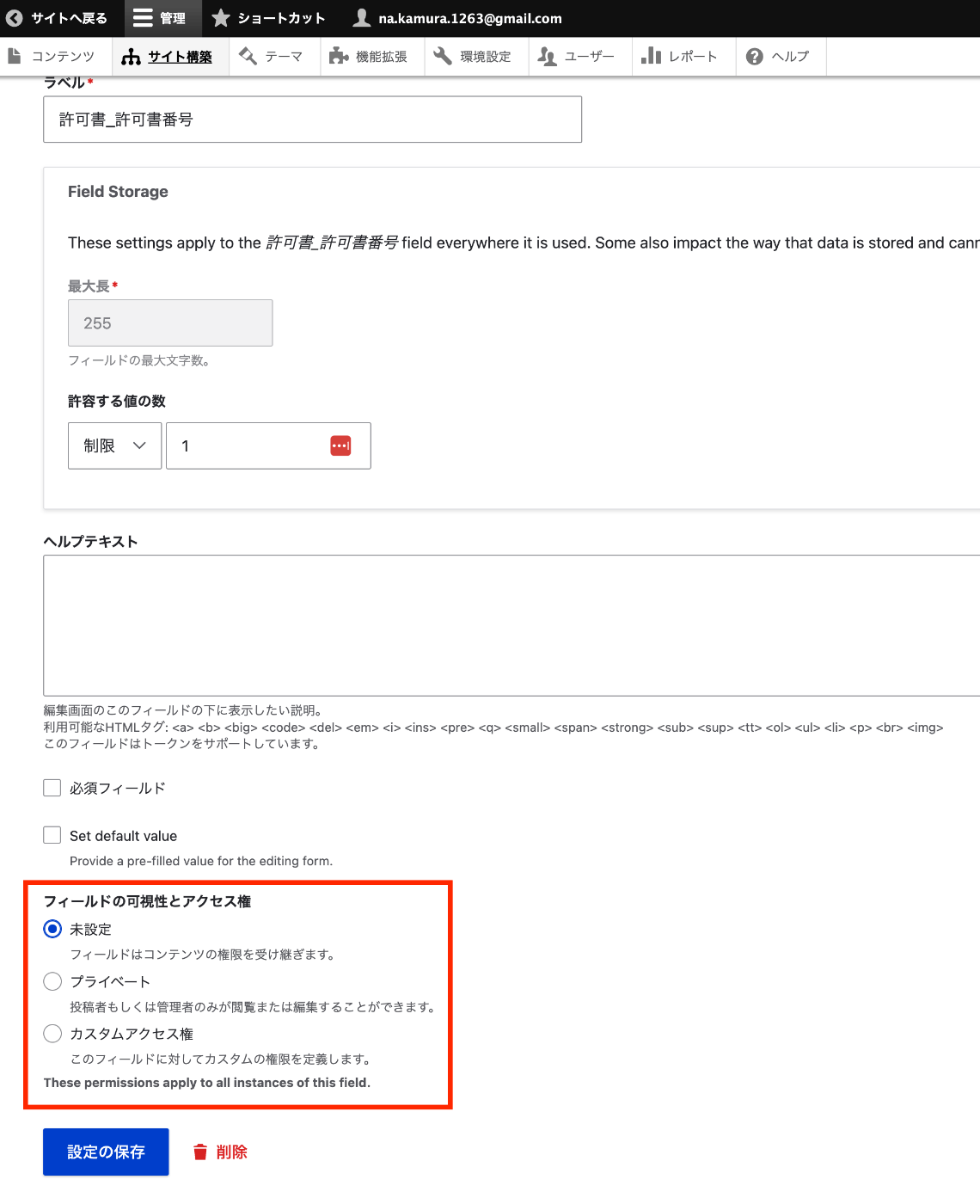
概要 Omeka Sではフィールド単位で公開・非公開を設定することができます。これをDrupalで実現する方法のメモです。 インストール composer.phar require 'drupal/field_permissions:^1.4' ./vendor/bin/drush en field_permissions 設定 以下のような、あるコンテンツタイプのあるフィールドの編集画面に遷移します。 /admin/structure/types/manage/bib_1/fields/node.bib_1.field_003_permission_number 以下に示すように、フィールドの可視性を設定することができます。 プログラムによるアクセス 以下のように、access関数を使って、フィールドのビュー権限をチェックすることができました。 // ログインユーザーのアカウントを取得 $current_user = \Drupal::currentUser(); $fieldDefinitions = \Drupal::service('entity_field.manager')->getFieldDefinitions('node', $nodeType); foreach ($fieldDefinitions as $fieldName => $definition) { $field = $nodeEntity->get($fieldName); // フィールドのビュー権限をチェック if (!$field->access('view', $current_user)) { continue; } ... まとめ よりよい方法があるかもしれませんが、Drupalでフィールド単位での公開・非公開にあたり、参考になりましたら幸いです。

画像ファイルに対してGoogle Cloud Visionを適用して、IIIFマニフェストおよびTEI/XMLファイルを作成する

画像ファイルに対してGoogle Cloud Visionを適用して、IIIFマニフェストおよびTEI/XMLファイルを作成する

概要 画像ファイルに対してGoogle Cloud Visionを適用して、IIIFマニフェストおよびTEI/XMLファイルを作成するライブラリを作成しました。 https://github.com/nakamura196/iiif_tei_py 本ライブラリの使用方法を説明します。 使用方法 以下で使い方などを確認できます。 https://nakamura196.github.io/iiif_tei_py/ ライブラリのインストール GitHubのリポジトリから、ライブラリをインストールします。 pip install https://github.com/nakamura196/iiif_tei_py GCのサービスアカウントの作成 以下の記事などを参考に、GC(Google Cloud)のサービスアカウントキー(JSONファイル)をダウンロードします。 https://book.st-hakky.com/data-science/data-science-gcp-vision-api-setting/ そして、以下のような.envファイルを作成します。 GOOGLE_APPLICATION_CREDENTIALS=your-google-credentials.json 実行 入力サンプル画像として、IIIF Cookbookでも使用されている以下の画像を使用します。 https://iiif.io/api/presentation/2.1/example/fixtures/resources/page1-full.png 以下のようなファイルを作成して実行します。 from iiif_tei_py.core import CoreClient cred_path = CoreClient.load_env() url = "https://iiif.io/api/presentation/2.1/example/fixtures/resources/page1-full.png" output_tei_xml_file_path = "./tmp/01/output.xml" CoreClient.create_tei_xml_with_gocr(url, output_tei_xml_file_path, cred_path, title="Sample") 上記の例では、IIIFマニフェストファイルが./tmp/01/output.jsonに、TEI/XMLファイルが./tmp/01/output.xmlに作成されます。 結果の確認 IIIF IIIFマニフェストファイルをMiradorで表示した例が以下です。 JSONファイルの内容は以下です。 { "@context": "http://iiif.io/api/presentation/3/context.json", "id": "http://example.org/iiif/abc/manifest", "label": { "none": [ "Sample" ] }, "type": "Manifest", "items": [ { "id": "http://example.org/iiif/abc/canvas/p1", "type": "Canvas", "label": { "none": [ "[1]" ] }, "height": 1800, "width": 1200, "items": [ { "id": "http://example.org/iiif/abc/annotation/p0001-image", "type": "AnnotationPage", "items": [ { "body": { "id": "https://iiif.io/api/presentation/2.1/example/fixtures/resources/page1-full.png", "type": "Image", "format": "image/jpeg", "height": 1800, "width": 1200 }, "id": "http://example.org/iiif/abc/annotation/p0001-image/anno", "type": "Annotation", "motivation": "painting", "target": "http://example.org/iiif/abc/canvas/p1" } ] } ], "annotations": [ { "id": "http://example.org/iiif/abc/canvas/p1/curation", "type": "AnnotationPage", "items": [ { "body": { "type": "TextualBody", "value": "[00001] Top", "format": "text/plain" }, "id": "http://example.org/iiif/abc/canvas/p1#xywh=245/69/94/52", "type": "Annotation", "motivation": "commenting", "target": "http://example.org/iiif/abc/canvas/p1#xywh=245,69,94,52" }, { "body": { "type": "TextualBody", "value": "[00002] of", "format": "text/plain" }, "id": "http://example.org/iiif/abc/canvas/p1#xywh=355/69/49/52", "type": "Annotation", "motivation": "commenting", "target": "http://example.org/iiif/abc/canvas/p1#xywh=355,69,49,52" }, { "body": { "type": "TextualBody", "value": "[00003] First", "format": "text/plain" }, "id": "http://example.org/iiif/abc/canvas/p1#xywh=420/69/112/54", "type": "Annotation", "motivation": "commenting", "target": "http://example.org/iiif/abc/canvas/p1#xywh=420,69,112,54" }, { "body": { "type": "TextualBody", "value": "[00004] Page", "format": "text/plain" }, "id": "http://example.org/iiif/abc/canvas/p1#xywh=547/70/134/53", "type": "Annotation", "motivation": "commenting", "target": "http://example.org/iiif/abc/canvas/p1#xywh=547,70,134,53" }, { "body": { "type": "TextualBody", "value": "[00005] to", "format": "text/plain" }, "id": "http://example.org/iiif/abc/canvas/p1#xywh=697/71/50/52", "type": "Annotation", "motivation": "commenting", "target": "http://example.org/iiif/abc/canvas/p1#xywh=697,71,50,52" }, { "body": { "type": "TextualBody", "value": "[00006] Display", "format": "text/plain" }, "id": "http://example.org/iiif/abc/canvas/p1#xywh=763/71/189/54", "type": "Annotation", "motivation": "commenting", "target": "http://example.org/iiif/abc/canvas/p1#xywh=763,71,189,54" }, { "body": { "type": "TextualBody", "value": "[00007] Middle", "format": "text/plain" }, "id": "http://example.org/iiif/abc/canvas/p1#xywh=296/593/163/164", "type": "Annotation", "motivation": "commenting", "target": "http://example.org/iiif/abc/canvas/p1#xywh=296,593,163,164" }, { "body": { "type": "TextualBody", "value": "[00008] of", "format": "text/plain" }, "id": "http://example.org/iiif/abc/canvas/p1#xywh=433/733/76/76", "type": "Annotation", "motivation": "commenting", "target": "http://example.org/iiif/abc/canvas/p1#xywh=433,733,76,76" }, { "body": { "type": "TextualBody", "value": "[00009] First", "format": "text/plain" }, "id": "http://example.org/iiif/abc/canvas/p1#xywh=484/786/123/124", "type": "Annotation", "motivation": "commenting", "target": "http://example.org/iiif/abc/canvas/p1#xywh=484,786,123,124" }, { "body": { "type": "TextualBody", "value": "[00010] Page", "format": "text/plain" }, "id": "http://example.org/iiif/abc/canvas/p1#xywh=584/889/128/129", "type": "Annotation", "motivation": "commenting", "target": "http://example.org/iiif/abc/canvas/p1#xywh=584,889,128,129" }, { "body": { "type": "TextualBody", "value": "[00011] on", "format": "text/plain" }, "id": "http://example.org/iiif/abc/canvas/p1#xywh=691/998/80/80", "type": "Annotation", "motivation": "commenting", "target": "http://example.org/iiif/abc/canvas/p1#xywh=691,998,80,80" }, { "body": { "type": "TextualBody", "value": "[00012] Angle", "format": "text/plain" }, "id": "http://example.org/iiif/abc/canvas/p1#xywh=749/1057/148/149", "type": "Annotation", "motivation": "commenting", "target": "http://example.org/iiif/abc/canvas/p1#xywh=749,1057,148,149" }, { "body": { "type": "TextualBody", "value": "[00013] Bottom", "format": "text/plain" }, "id": "http://example.org/iiif/abc/canvas/p1#xywh=203/1686/175/55", "type": "Annotation", "motivation": "commenting", "target": "http://example.org/iiif/abc/canvas/p1#xywh=203,1686,175,55" }, { "body": { "type": "TextualBody", "value": "[00014] of", "format": "text/plain" }, "id": "http://example.org/iiif/abc/canvas/p1#xywh=398/1689/51/53", "type": "Annotation", "motivation": "commenting", "target": "http://example.org/iiif/abc/canvas/p1#xywh=398,1689,51,53" }, { "body": { "type": "TextualBody", "value": "[00015] First", "format": "text/plain" }, "id": "http://example.org/iiif/abc/canvas/p1#xywh=466/1689/109/54", "type": "Annotation", "motivation": "commenting", "target": "http://example.org/iiif/abc/canvas/p1#xywh=466,1689,109,54" }, { "body": { "type": "TextualBody", "value": "[00016] Page", "format": "text/plain" }, "id": "http://example.org/iiif/abc/canvas/p1#xywh=593/1690/130/54", "type": "Annotation", "motivation": "commenting", "target": "http://example.org/iiif/abc/canvas/p1#xywh=593,1690,130,54" }, { "body": { "type": "TextualBody", "value": "[00017] to", "format": "text/plain" }, "id": "http://example.org/iiif/abc/canvas/p1#xywh=740/1692/51/54", "type": "Annotation", "motivation": "commenting", "target": "http://example.org/iiif/abc/canvas/p1#xywh=740,1692,51,54" }, { "body": { "type": "TextualBody", "value": "[00018] Display", "format": "text/plain" }, "id": "http://example.org/iiif/abc/canvas/p1#xywh=808/1693/190/54", "type": "Annotation", "motivation": "commenting", "target": "http://example.org/iiif/abc/canvas/p1#xywh=808,1693,190,54" } ] } ] } ] } TEI また、TEI/XMLファイルをOxygen XML Editorで表示した例が以下です。 ...

Omeka Sの更新

Omeka Sの更新

概要 Omeka Sの更新作業に関する備忘録です。以下の公式ドキュメントも参考にしてください。 https://omeka.org/s/docs/user-manual/install/#updating 事前準備:バックアップ 更新作業の前には、不測の事態に備えてデータベースとファイル一式のバックアップを必ず取得してください。 1. データベースのバックアップ mysqldumpコマンドなどでデータベースのダンプファイルを作成します。 # mysqldump -u [DBユーザー名] -p [DB名] > [出力ファイル名] mysqldump -u db_user -p omeka_s_db > omeka_s_backup.sql 2. ファイルのバックアップ Omeka Sのインストールディレクトリ全体をバックアップ(複製)します。 cd /home/nakamura/www # ディレクトリごとコピーする場合(日付などを付与しておくと便利です) cp -r omeka-s omeka-s_backup_20240801 # または、tarコマンドで圧縮して保存する場合 # tar -czvf omeka-s_backup_20240801.tar.gz omeka-s メンテナンスモード 更新にあたり、メンテナンスモードに切り替えます。 以下のEasyAdminモジュールをインストールしておきます。 https://omeka.org/s/modules/EasyAdmin/ そして、以下の「設定」ボタンから、設定ページにアクセスします。 /admin/setting 「Maintenance」項目について、例えば「Public front-end」にチェックを入れて保存します。 結果、以下のように、メンテナンスページが表示されるようになります。 本体およびデフォルトテーマの更新 Omeka Sがインストールされたディレクトリに移動して、以下を実行します。 cd /home/nakamura/www/omeka-s 以下は、v4.1.1に更新する例です。 version=4.1.1 wget https://github.com/omeka/omeka-s/releases/download/v$version/omeka-s-$version.zip unzip omeka-s-$version.zip rm -rf *.zip rm -rf application rm -rf vendor mv omeka-s/application . mv omeka-s/*.php . mv omeka-s/composer.* . mv omeka-s/LICENSE . mv omeka-s/README.md . mv omeka-s/vendor . rm -rf ./themes/default mv omeka-s/themes/default ./themes/ rm -rf omeka-s /admin にアクセスすると、/migrate にリダイレクトされ、以下の画面が表示されます。「データベースの更新」ボタンを押します。 ...

Pythonを使ってRDFデータをDydraに登録する

Pythonを使ってRDFデータをDydraに登録する

概要 Pythonを使ってRDFデータをDydraに登録するライブラリを作成しました。 https://github.com/nakamura196/dydra-py 中途半端な実装が含まれますが、お役に立つ場面があれば幸いです。 工夫 インポートは以下で行なっています。 https://github.com/nakamura196/dydra-py/blob/main/dydra_py/api.py#L55 以下のように、SPARQLのINSERT DATA オペレーションを使用しています。 def import_by_file(self, file_path, format, graph_uri=None, verbose=False): """ Imports RDF data from a file into the Dydra store. Args: file_path (str): The path to the RDF file to import. format (str): The format of the RDF file (e.g., 'xml', 'nt'). graph_uri (str, optional): URI of the graph where data will be inserted. Defaults to None. """ headers = { "Authorization": f"Bearer {self.api_key}", "Content-Type": "application/sparql-update" } files = self._chunk_rdf_file(file_path, format=format) print("Number of chunks: ", len(files)) for file in tqdm(files): # RDFファイルの読み込み graph = rdflib.Graph() graph.parse(file, format=format) # フォーマットはファイルに応じて変更 nt_data = graph.serialize(format='nt') if graph_uri is None: query = f""" INSERT DATA {{ {nt_data} }} """ else: query = f""" INSERT DATA {{ GRAPH <{graph_uri}> {{ {nt_data} }} }} """ if verbose: print(query) response = requests.post(self.endpoint, data=query, headers=headers) if response.status_code == 200: print("Data successfully inserted.") else: print(f"Error: {response.status_code} {response.text}") 工夫 工夫した点として、サイズが大きいRDFファイルを一度にアップロードした際、プロセスが途中で止まってしまうケースがありました。 ...

OpenAIでストレージ内のすべてのファイルを削除する

OpenAIでストレージ内のすべてのファイルを削除する

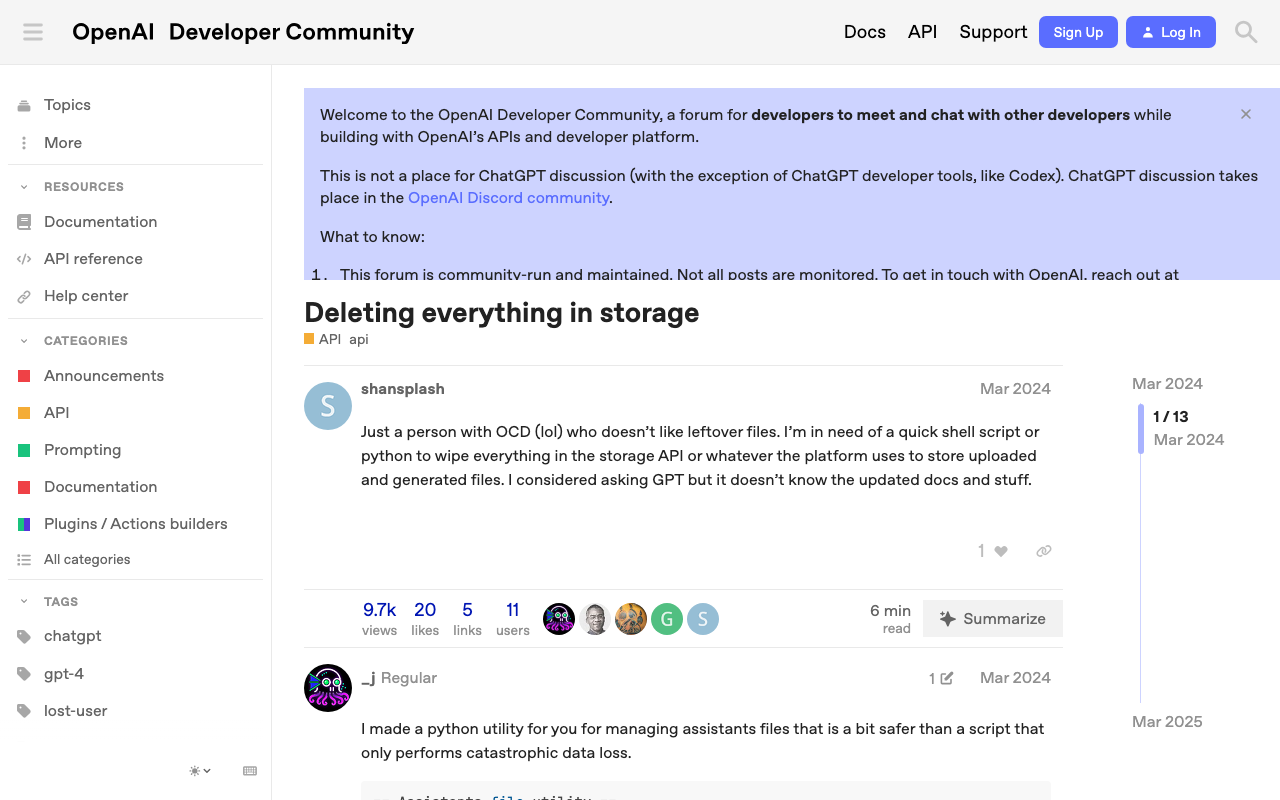
概要 OpenAIでストレージ内のすべてのファイルを削除する方法に関する備忘録です。 以下のページが参考になりました。 https://community.openai.com/t/deleting-everything-in-storage/664945 背景 以下のようなコードによってアップロードした複数ファイルを一括削除したいケースがありました。 file_paths = glob("data/txt/*.txt") file_streams = [open(path, "rb") for path in file_paths] # Use the upload and poll SDK helper to upload the files, add them to the vector store, # and poll the status of the file batch for completion. file_batch = client.beta.vector_stores.file_batches.upload_and_poll( vector_store_id=vector_store.id, files=file_streams ) # You can print the status and the file counts of the batch to see the result of this operation. print(file_batch.status) print(file_batch.file_counts) 方法 以下のコードを実行することに、一括削除を行うことができました。 ...

nuxt3-leafletで、指定したマーカーを前面に表示する

nuxt3-leafletで、指定したマーカーを前面に表示する

概要 nuxt3-leafletで、指定したマーカーを前面に表示する方法に関する備忘録です。 方法 以下のように、LMarkerにz-index-offset属性を用いることで、指定したマーカーを前面に表示することができました。 <template v-for="marker in markers"> <LMarker @click="selectMarker(marker)" :lat-lng="[marker.lat, marker.lng]" :z-index-offset="selectedSpotId === marker.id ? 1000 : 0" > <LTooltip> {{ marker.title }} </LTooltip> <LIcon :iconUrl="marker.icon" :iconSize="[25, 41]" :iconAnchor="[12, 41]" :popupAnchor="[1, -34]" :tooltipAnchor="[16, -28]" shadowUrl="https://esm.sh/leaflet@1.9.2/dist/images/marker-shadow.png" :shadowSize="[41, 41]" :shadowAnchor="[12, 41]" ></LIcon> </LMarker> </template> まとめ nuxt3-leafletの利用にあたり、参考になりましたら幸いです。

LEAF Writer: Miradorを追加する

LEAF Writer: Miradorを追加する

概要 LEAF Writerのカスタマイズ方法に関する調査記録です。 https://gitlab.com/calincs/cwrc/leaf-writer/leaf-writer 今回は以下のように、Miradorを追加します。 方法 以下を参考にしてください。 https://gitlab.com/nakamura196/leaf-writer/-/commit/377438739cdeb0a7b770ee9d4b9fea86081179d8 修正が必要なファイルは以下です。 import $ from 'jquery'; import 'jquery-ui'; import Writer from '../../../Writer'; // @ts-ignore import Mirador from 'mirador'; interface IiifViewerProps { attribute?: string; parentId: string; tag?: string; writer: Writer; } class IiifViewer { readonly writer: Writer; readonly id: string; readonly tagName: string; readonly attrName: string; // eslint-disable-next-line @typescript-eslint/no-explicit-any, @typescript-eslint/no-redundant-type-constituents miradorInstance: any | null; $pageBreaks: unknown; currentIndex = -1; ignoreScroll = false; constructor({ attribute, parentId, tag, writer }: IiifViewerProps) { this.writer = writer; this.id = `${parentId}_iiifViewer`; this.tagName = tag ?? 'pb'; // page break element name this.attrName = attribute ?? 'facs'; // attribute that stores the image URL $(`#${parentId}`).append(` <div id="${this.id}" style="position: absolute; top: 0; bottom: 0; left: 0; right: 0"></div> `); this.writer.event('loadingDocument').subscribe(() => this.reset()); this.writer.event('documentLoaded').subscribe((success: boolean, body: HTMLElement) => { console.log('documentLoaded', success, body); if (!success) return; this.processDocument(body); }); this.writer.event('writerInitialized').subscribe(() => { if (!this.writer.editor) return; }); } private processDocument(doc: HTMLElement) { // (doc).find const $facsimile = $(doc).find(`*[_tag="facsimile"]`); const manifestUri = $facsimile.attr('sameas'); const config = { id: this.id, windows: [ { loadedManifest: manifestUri, }, ], window: { sideBarOpen: false, }, }; // eslint-disable-next-line @typescript-eslint/no-unsafe-assignment, @typescript-eslint/no-unsafe-call, @typescript-eslint/no-unsafe-member-access this.miradorInstance = Mirador.viewer(config); } reset() { this.$pageBreaks = null; this.currentIndex = -1; } } export default IiifViewer; 以下の箇所で、<facsimile sameAs="https://dl.ndl.go.jp/api/iiif/3437686/manifest.json">の情報を取得しています。 ...

concurrent.futures.process.BrokenProcessPoolへの対処

concurrent.futures.process.BrokenProcessPoolへの対処

概要 nbdevで、nbdev_prepareを実行した際、以下のエラーが発生しました。 concurrent.futures.process.BrokenProcessPool: A process in the process pool was terminated abruptly while the future was running or pending. 対処法 以下を事前に実行することで、エラーを回避できました。 export OBJC_DISABLE_INITIALIZE_FORK_SAFETY=YES まとめ 同様の事象でお困りの方の参考になりましたら幸いです。