Home Articles Books Search About
日本語
LEAF Writer: CSS Customization

LEAF Writer: CSS Customization

Overview This is a research note on how to customize LEAF Writer. https://gitlab.com/calincs/cwrc/leaf-writer/leaf-writer This article specifically covers CSS-based visual customization. This allows you to set up an editing environment with vertical text display, as shown below. The following shows the display before customization. Method Specify the schema file as follows. https://github.com/kouigenjimonogatari/kouigenjimonogatari.github.io/blob/master/xml/lw/01.xml Specifically: <?xml-stylesheet type="text/css" href="https://kouigenjimonogatari.github.io/lw/tei_genji.css"?> LEAF Writer reads this schema file and changes the editor’s style accordingly. This is not a LEAF Writer-specific feature but is supported by general web browsers as well. ...

LEAF Writer: Customizing Schemas

LEAF Writer: Customizing Schemas

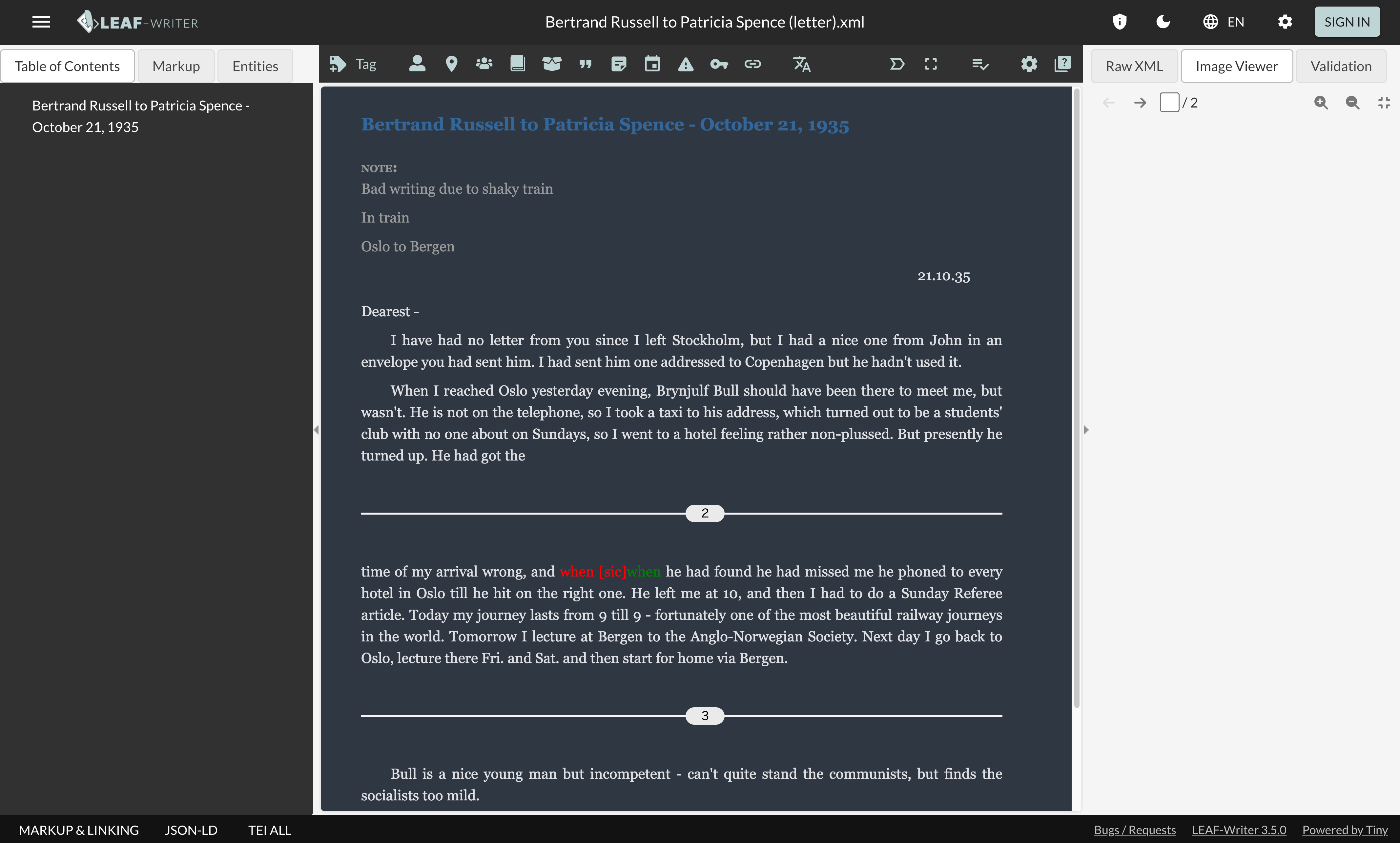
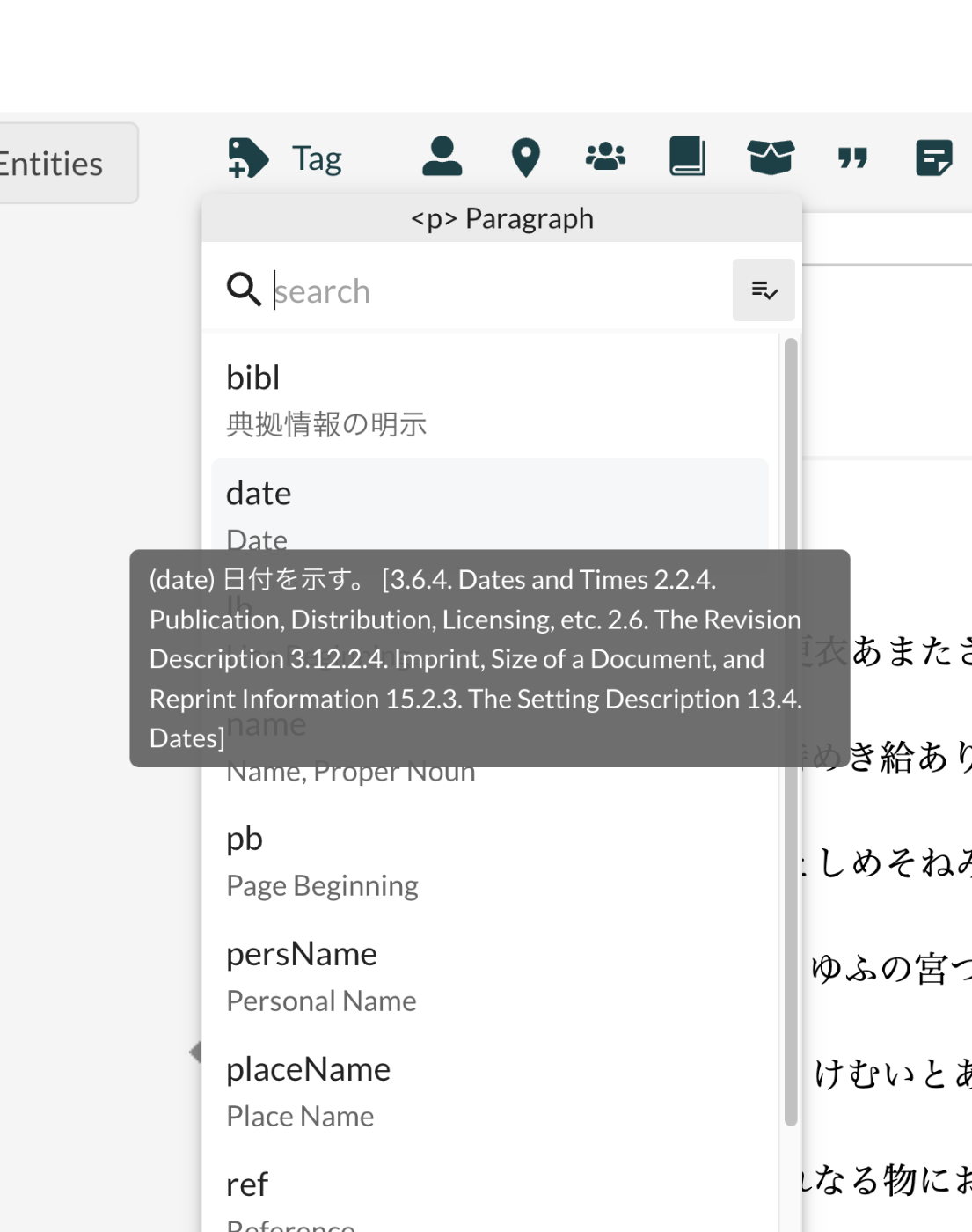
Overview This is an investigation record on how to customize LEAF Writer. https://gitlab.com/calincs/cwrc/leaf-writer/leaf-writer This time, it is a memo on how to customize schemas. The goal is to display Japanese translations and other customizations as shown below. Below is the display before customization. Based on the following schema, many elements are displayed with English descriptions. https://www.tei-c.org/release/xml/tei/custom/schema/relaxng/tei_all.rng Method Specify the schema file as follows. https://github.com/kouigenjimonogatari/kouigenjimonogatari.github.io/blob/master/xml/lw/01.xml Specifically: <?xml-model href="https://kouigenjimonogatari.github.io/lw/tei_genji.rng" type="application/xml" schematypens="http://relaxng.org/ns/structure/1.0"?> LEAF Writer reads this schema file and uses it for validation and presenting available elements. ...

Partial Update to TEI/XML Published in the Koui Genji Monogatari Text Data Repository

Partial Update to TEI/XML Published in the Koui Genji Monogatari Text Data Repository

Overview I publish TEI/XML files for the Koui Genji Monogatari (Variorum Tale of Genji) in the following repository. https://github.com/kouigenjimonogatari I made some changes to the TEI/XML published here, so this is a note about those changes. Folder Structure Files before the modifications are stored here. There are no changes from before. https://github.com/kouigenjimonogatari/kouigenjimonogatari.github.io/tree/master/tei The updated files are stored here. https://github.com/kouigenjimonogatari/kouigenjimonogatari.github.io/tree/master/xml/lw This directory contains XML files with the modifications described below. Modifications Adding a Schema The following rng file was added. ...

Running LEAF-Writer in a Local Environment

Running LEAF-Writer in a Local Environment

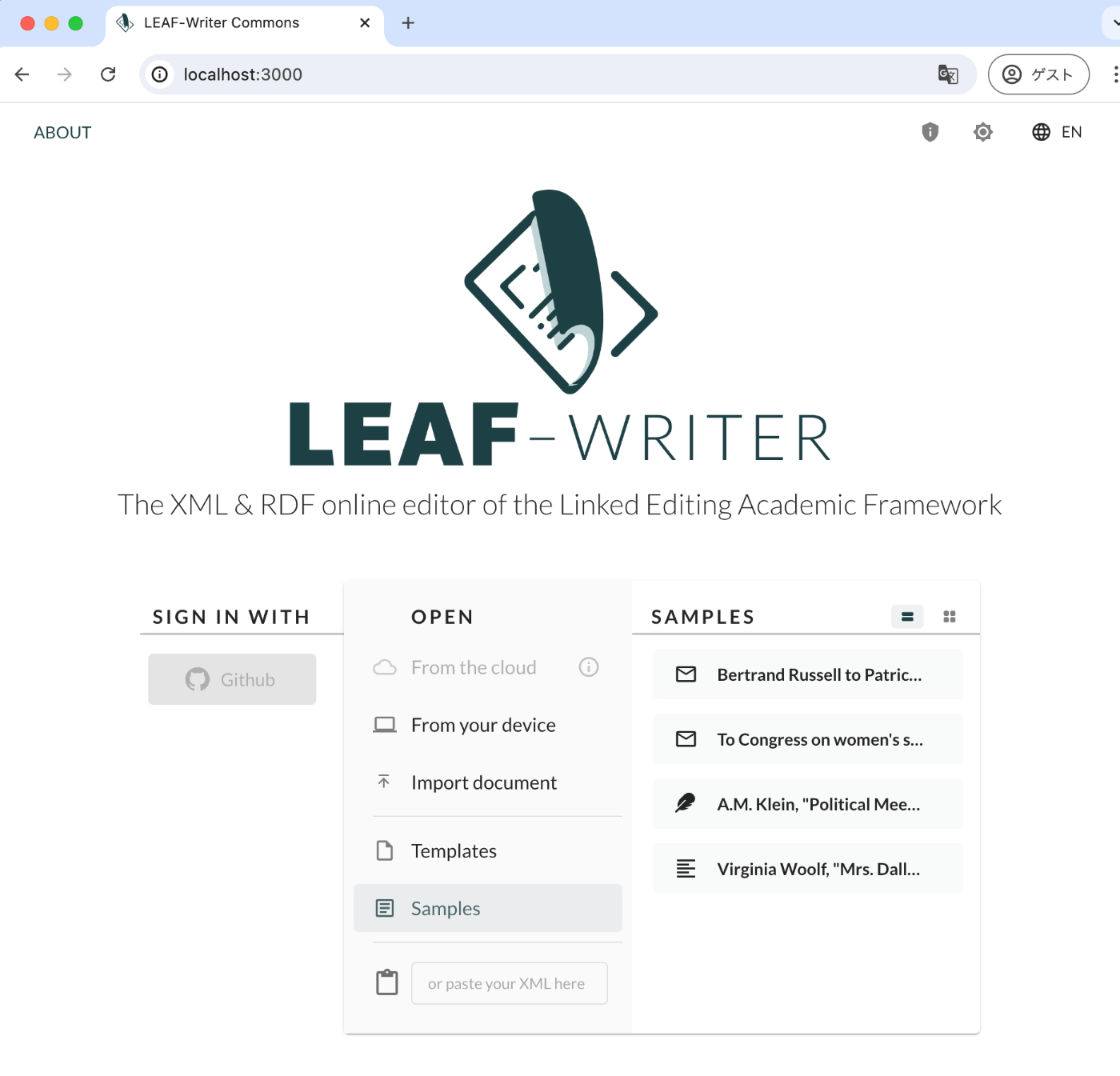
Overview I had the opportunity to run LEAF-Writer in a local environment, so here are my notes. Repository The following repository is used. https://gitlab.com/calincs/cwrc/leaf-writer/leaf-writer Method git clone https://gitlab.com/calincs/cwrc/leaf-writer/leaf-writer cd leaf-writer npm i npm run dev LEAF-Writer starts on port 3000. Summary There also seems to be a method using Docker, so I will share it once I figure it out.

Examining the Contents of the DHC Format

Examining the Contents of the DHC Format

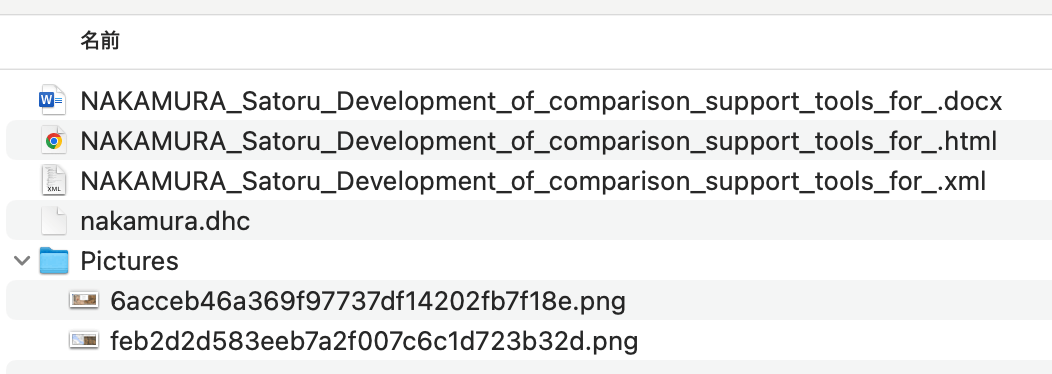
Overview At the annual conferences of Digital Humanities and The Japanese Association for Digital Humanities (JADH), it is common to use a tool called dhconvalidator to convert DOCX or ODT files into DHC files for submission. https://github.com/ADHO/dhconvalidator This article is a note for understanding this format. Examining the Contents DHC files are described as follows. This is essentially a ZIP archive containing their original OCT/DOCX file, an HTML rendering and an XML-TEI rendering, plus a folder with the image files, properly renamed). ...

Trying cwrc's wikidata-entity-lookup

Trying cwrc's wikidata-entity-lookup

Overview This is a continuation of the following article. One of the features of LEAF-WRITER is described as follows: the ability to look up and select identifiers for named entity tags (persons, organizations, places, or titles) from the following Linked Open Data authorities: DBPedia, Geonames, Getty, LGPN, VIAF, and Wikidata. This feature uses libraries such as the following. https://github.com/cwrc/wikidata-entity-lookup I tried out this feature. Usage npm packages are published at the following locations. ...

Trying the CWRC XML Validator API

Trying the CWRC XML Validator API

Overview One of the editors for TEI/XML is LEAF-WRITER. https://leaf-writer.leaf-vre.org/ It is described as follows: The XML & RDF online editor of the Linked Editing Academic Framework The GitLab repository is below. https://gitlab.com/calincs/cwrc/leaf-writer/leaf-writer One of the features of this tool is described as: continuous XML validation This validation appears to use the following API. https://validator.services.cwrc.ca/ The library seems to be: https://www.npmjs.com/package/@cwrc/leafwriter-validator This time, I tried the above API. ...

RELAX NG and Schematron

RELAX NG and Schematron

Overview When creating TEI/XML with oXygen XML Editor, the following template is generated. <?xml version="1.0" encoding="UTF-8"?> <?xml-model href="http://www.tei-c.org/release/xml/tei/custom/schema/relaxng/tei_all.rng" type="application/xml" schematypens="http://relaxng.org/ns/structure/1.0"?> <?xml-model href="http://www.tei-c.org/release/xml/tei/custom/schema/relaxng/tei_all.rng" type="application/xml" schematypens="http://purl.oclc.org/dsdl/schematron"?> <TEI xmlns="http://www.tei-c.org/ns/1.0"> <teiHeader> <fileDesc> <titleStmt> <title>Title</title> </titleStmt> <publicationStmt> <p>Publication Information</p> </publicationStmt> <sourceDesc> <p>Information about the source</p> </sourceDesc> </fileDesc> </teiHeader> <text> <body> <p>Some text here.</p> </body> </text> </TEI> I was curious about the following difference, so I am sharing the results of querying GPT-4. <?xml-model href="http://www.tei-c.org/release/xml/tei/custom/schema/relaxng/tei_all.rng" type="application/xml" schematypens="http://relaxng.org/ns/structure/1.0"?> <?xml-model href="http://www.tei-c.org/release/xml/tei/custom/schema/relaxng/tei_all.rng" type="application/xml" schematypens="http://purl.oclc.org/dsdl/schematron"?> Answer The difference between the 2nd and 3rd lines is the namespace specified in the schematypens attribute. Details are explained below. ...

Using the Docker Version of TEI Publisher

Using the Docker Version of TEI Publisher

Overview I had an opportunity to use the Docker version of TEI Publisher, so here are my notes. https://teipublisher.com/exist/apps/tei-publisher-home/index.html TEI Publisher is described as follows. TEI Publisher facilitates the integration of the TEI Processing Model into exist-db applications. The TEI Processing Model (PM) extends the TEI ODD specification format with a processing model for documents. That way intended processing for all elements can be expressed within the TEI vocabulary itself. It aims at the XML-savvy editor who is familiar with TEI but is not necessarily a developer. ...

Formatting XML Strings in Python

Formatting XML Strings in Python

Overview Notes on programs for formatting XML strings in Python. Program 1 I referenced the following. https://hawk-tech-blog.com/python-learn-prettyprint-xml/ I added processing to remove unnecessary blank lines. from xml.dom import minidom import re def prettify(rough_string): reparsed = minidom.parseString(rough_string) pretty = re.sub(r"[\t ]+\n", "", reparsed.toprettyxml(indent="\t")) # Remove unnecessary line breaks after indentation pretty = pretty.replace(">\n\n\t<", ">\n\t<") # Remove unnecessary blank lines pretty = re.sub(r"\n\s*\n", "\n", pretty) # Replace consecutive line breaks (including blank lines) with a single line break return pretty Program 2 I referenced the following. https://qiita.com/hrys1152/items/a87b4ca3c74ec4997f66 When processing TEI/XML, I recommend registering the namespace. ...

Parsing XML Strings in Node.js

Parsing XML Strings in Node.js

Overview To parse XML strings and extract information from them in Node.js, I recommend using the xmldom library. This allows you to work with XML in a way similar to how you manipulate the DOM in a browser. Below is how to set up a function to parse XML and extract elements, focusing on “PAGE” tags, using xmldom. Install the xmldom library: First, install xmldom, which is needed to parse XML strings. npm install xmldom Use xmldom to parse XML and extract the required elements. const { DOMParser } = require('xmldom'); const xmlString = "..."; // DOMParserを使用してXML文字列を解析 const parser = new DOMParser(); const xmlDoc = parser.parseFromString(xmlString, 'text/xml'); // 全てのPAGE要素を取得 const pages = xmlDoc.getElementsByTagName('PAGE'); // 発見されたPAGE要素の数をログに記録(例) console.log('PAGE要素の数:', pages.length); In this example, the basic function logs the XML string, parses it into a document, iterates over each “PAGE” element, and logs its attributes and content. The processing within the loop can be customized based on specific requirements, such as extracting particular details from each page. ...

TEI/XML Visualization Example: Map Display Using Leaflet

TEI/XML Visualization Example: Map Display Using Leaflet

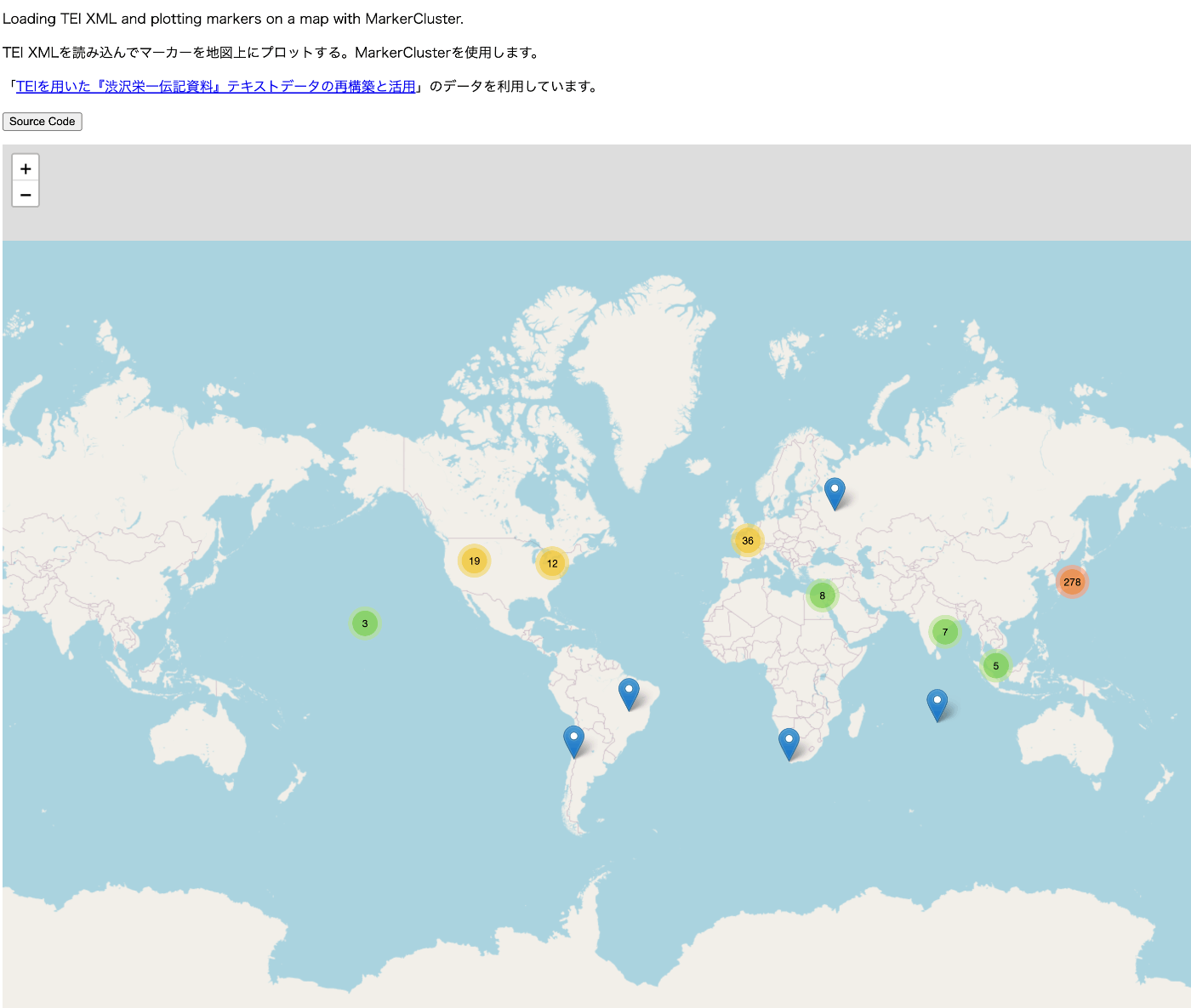
Overview For visualizing TEI/XML files, I created a repository that publishes visualization examples and source code. https://github.com/nakamura196/tei_visualize_demo You can see the visualization examples on the following page. https://nakamura196.github.io/tei_visualize_demo/ This time, I added an example of marker display using MarkerCluster, which I’ll introduce here. Prerequisites This assumes that you can already display markers using Leaflet (without using MarkerCluster). If you haven’t done so yet, please refer to the following visualization example and source code. ...

Aligning the Collated Tale of Genji with Modern Japanese Translations in Digital Genji Monogatari

Aligning the Collated Tale of Genji with Modern Japanese Translations in Digital Genji Monogatari

Overview “Digital Genji Monogatari” is a site that aims to propose an environment to support research on The Tale of Genji as well as education and research activities using classical texts, by collecting and creating various related data about The Tale of Genji and linking them together. https://genji.dl.itc.u-tokyo.ac.jp/ One of the features provided by this site is the “alignment of the Collated Tale of Genji with modern Japanese translations.” As shown below, the corresponding sections between the “Collated Tale of Genji” and Yosano Akiko’s translation published on Aozora Bunko are highlighted. ...

Usage Example of the Image Map Editor in Oxygen XML Editor

Usage Example of the Image Map Editor in Oxygen XML Editor

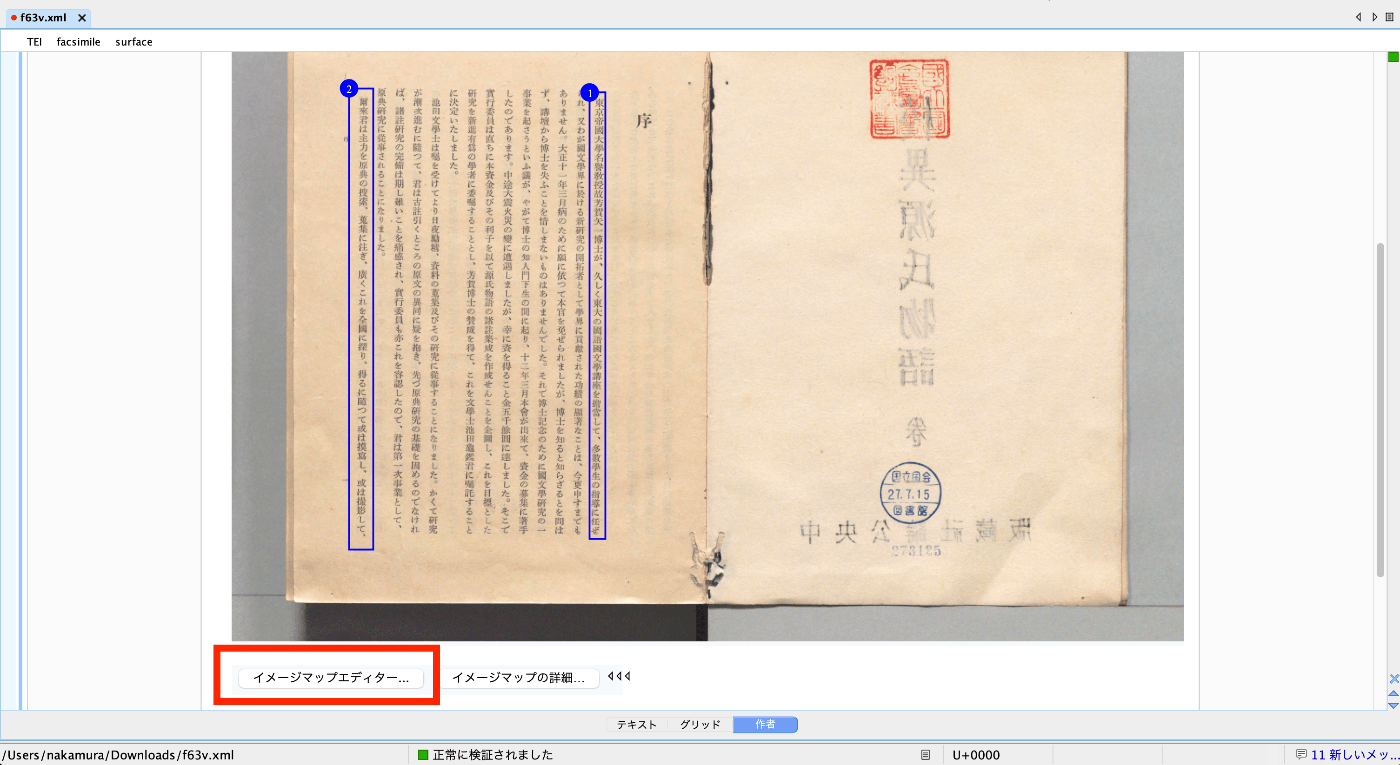
Overview This is an explanation of how to use the Image Map Editor in Oxygen XML Editor. Video https://youtu.be/9dZQ1v0Rky0?si=8EhAZdVsLqgPz2Rf Usage Prepare a TEI/XML file like the following. The url value of <graphic> can specify a relative path from the file, an absolute path on your PC, or a URL published on the internet. In the following example, the file digidepo_3437686_pn_null_9c48d89b-e2ec-4593-8d00-6fbc1d29d1bd.jpg stored in the same folder as the TEI/XML file is referenced. ...

Formatting and Syntax Highlighting XML in Nuxt3

Formatting and Syntax Highlighting XML in Nuxt3

Overview As shown in the following image, I had the opportunity to display XML text data using Nuxt3, so this is a memo. Installation I used the following two libraries. npm i xml-formatter npm i highlight.js Usage I created the following file as a Nuxt3 component. It formats XML strings with xml-formatter and then applies syntax highlighting with highlight.js. <script setup lang="ts"> import hljs from "highlight.js"; import "highlight.js/styles/xcode.css"; import formatter from "xml-formatter"; interface PropType { xml: string; } const props = withDefaults(defineProps<PropType>(), { xml: "", }); const formattedXML = ref<string>(""); onMounted(() => { // `highlightAuto` 関数が非同期でない場合は、 // `formattedXML` を直接アップデートできます。 // そうでない場合は、適切な非同期処理を行ってください。 formattedXML.value = hljs.highlightAuto(formatXML(props.xml)).value; }); const formatXML = (xmlstring: string) => { return formatter(xmlstring, { indentation: " ", filter: (node) => node.type !== "Comment", }); }; </script> <template> <pre class="pa-4" v-html="formattedXML"></pre> </template> <style> pre { /* 以下のスタイルは適切で、pre要素内のテキストの折り返しを制御しています。 */ white-space: pre-wrap; /* CSS 3 */ white-space: -moz-pre-wrap; /* Mozilla, 1999年から2002年までに対応 */ white-space: -pre-wrap; /* Opera 4-6 */ white-space: -o-pre-wrap; /* Opera 7 */ word-wrap: break-word; /* Internet Explorer 5.5+ */ } </style> Summary I hope this is helpful for visualizing TEI/XML data. ...

Mirador 3 Plugin Development: Adding Vertical Text Support to the Text Overlay Plugin

Mirador 3 Plugin Development: Adding Vertical Text Support to the Text Overlay Plugin

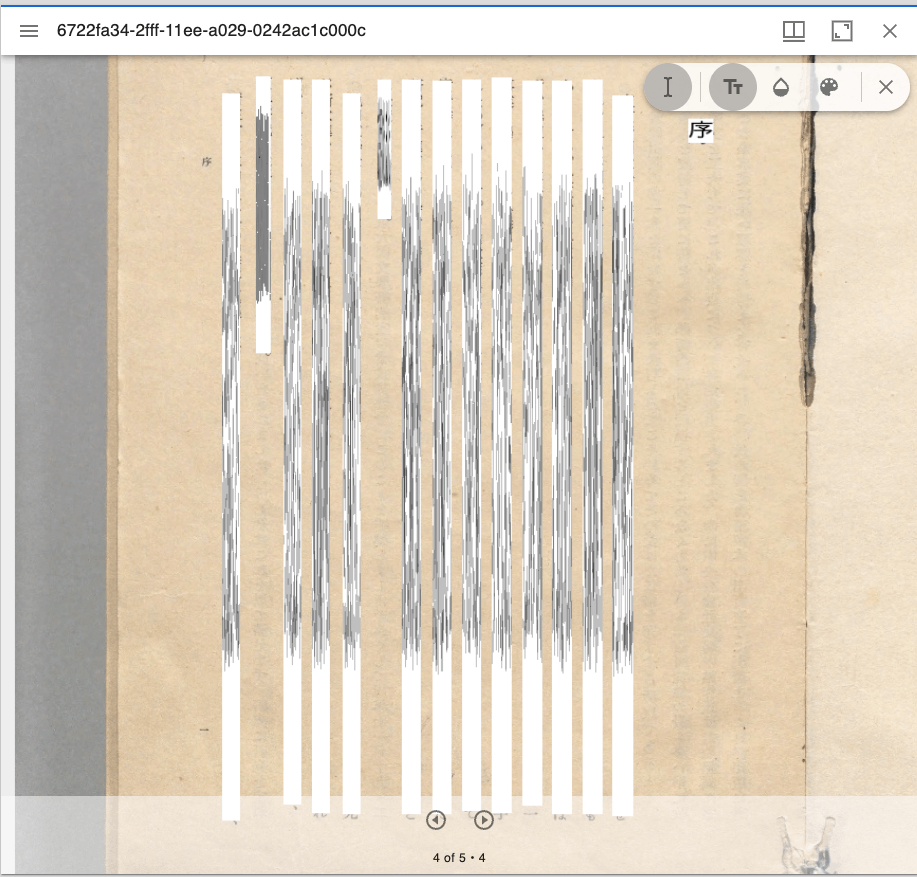
Overview Text Overlay plugin for Mirador 3 is a Mirador 3 plugin that displays selectable text overlays based on OCR or transcription. https://github.com/dbmdz/mirador-textoverlay A demo page is available at the following link. https://mirador-textoverlay.netlify.app/ However, when trying to display vertical text such as Japanese, it didn’t display correctly, as shown below. So I forked the above repository and made it possible to display vertical text as well. The source code is published in the following repository. (I hope to consider a pull request in the future.) ...

About ALTO (Analyzed Layout and Text Object) XML

About ALTO (Analyzed Layout and Text Object) XML

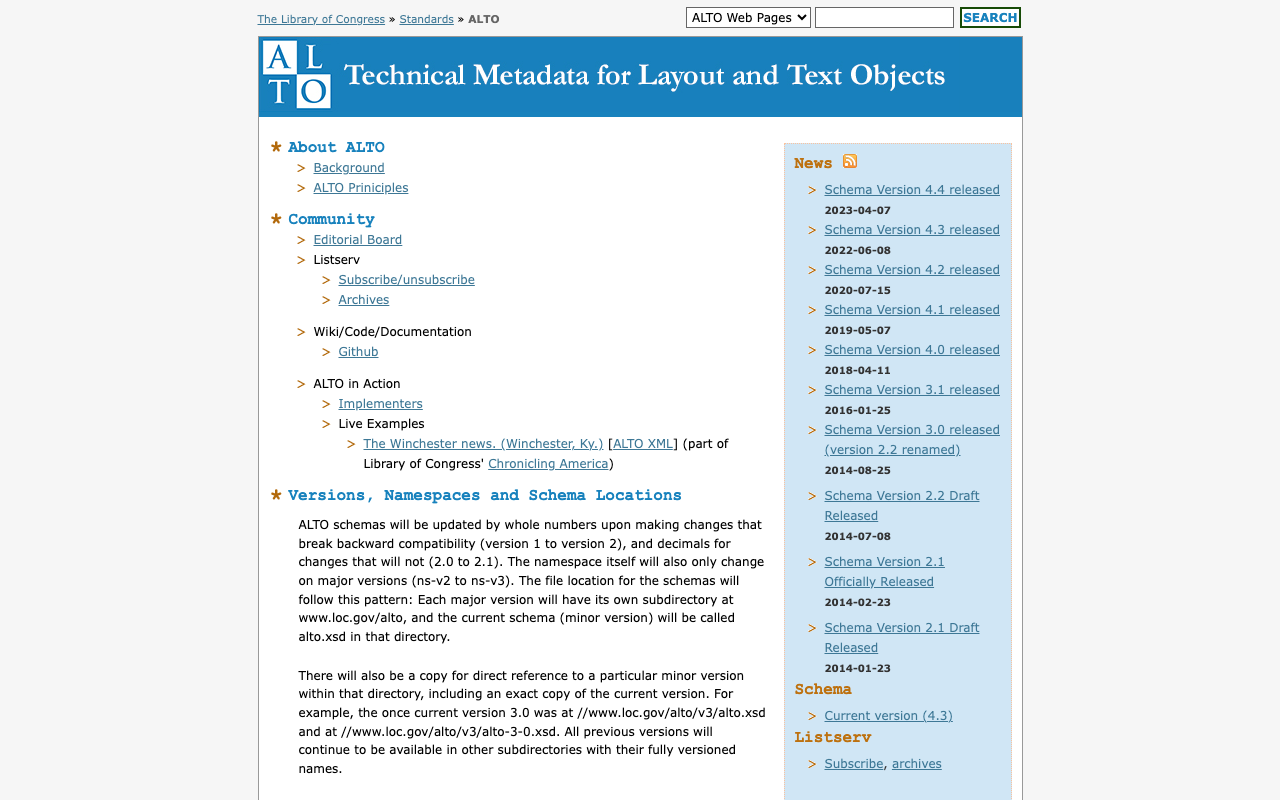
Overview I am sharing the results of querying GPT-4 about ALTO (Analyzed Layout and Text Object) XML. https://www.loc.gov/standards/alto/ Required Elements ALTO (Analyzed Layout and Text Object) XML is an XML schema for representing OCR-generated text and its layout. Its structure is very flexible, with many elements and attributes, but the required elements are limited. The simplest form of ALTO XML has the following hierarchical structure: <alto>: The root element. It must have @xmlns and @xmlns:xsi attributes indicating the version of the ALTO XML schema. It must also have two child elements: <Description> and <Layout>. ...

Prototype of an XML File Validation Tool Using JPCOAR Schema (v1)

Prototype of an XML File Validation Tool Using JPCOAR Schema (v1)

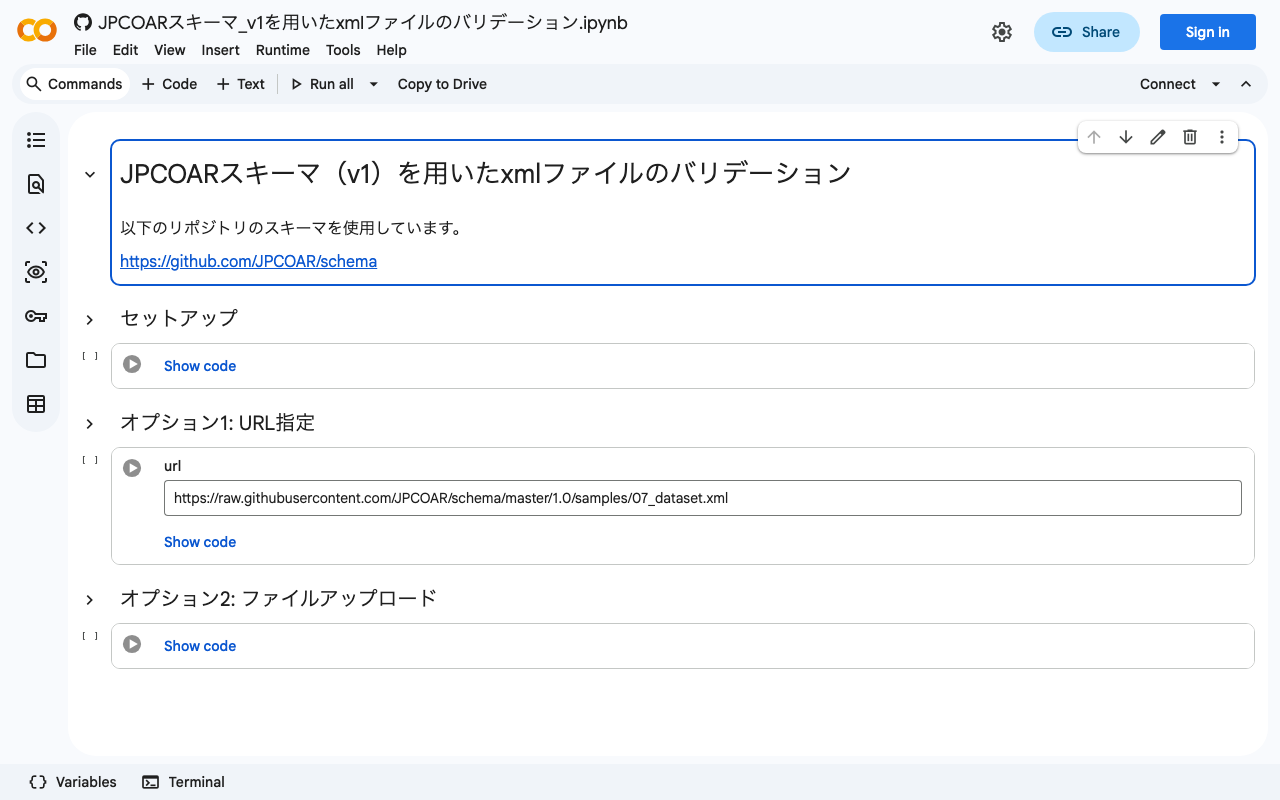
I previously wrote the following article, where I tried validating XML files using the JPCOAR schema. This time, based on the verification from the above article, I created a validation tool using Google Colab. You can try it at the following URL. https://colab.research.google.com/github/nakamura196/ndl_ocr/blob/main/JPCOARスキーマ_v1を用いたxmlファイルのバリデーション.ipynb You can validate target files by specifying the URL of a published XML file or by uploading a local file. I hope this serves as a helpful reference when creating XML files using the JPCOAR Schema (v1). ...

Collaborative Editing of TEI/XML Files Using Visual Studio Live Share (Not Limited to XML)

Collaborative Editing of TEI/XML Files Using Visual Studio Live Share (Not Limited to XML)

Overview Visual Studio Live Share is a VSCode extension that enables real-time collaborative development. https://visualstudio.microsoft.com/ja/services/live-share/ This time, we will try real-time collaborative editing of TEI/XML files using this extension. Demo Video A video of the collaborative editing was recorded. https://youtu.be/DzyuJAtzl90 The right side of the screen shows a user (nakamura196) using VSCode in a local environment, while the left side shows a user (Guest User) invited via Visual Studio Live Share editing using the online VSCode (vscode.dev). ...

Validating XML Files Using the JPCOAR Schema

Validating XML Files Using the JPCOAR Schema

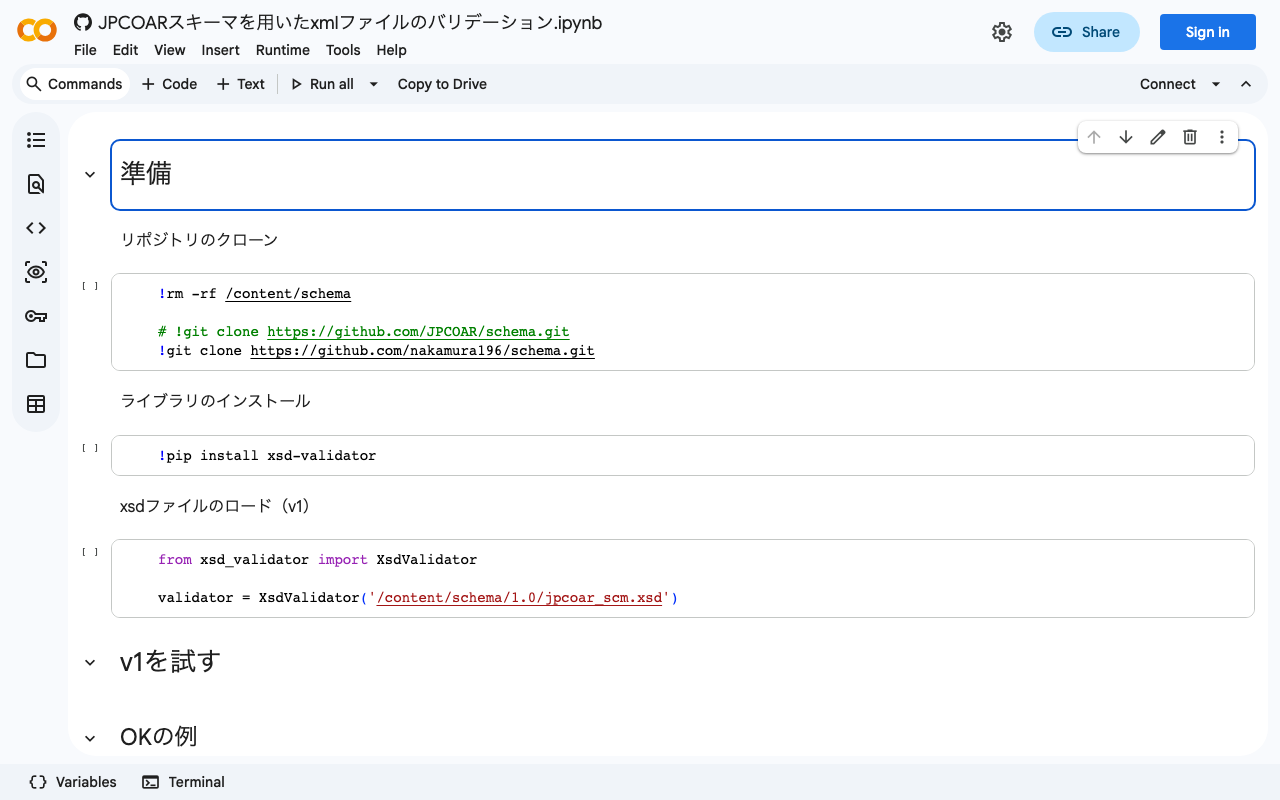
Overview JPCOAR Schema publishes XML Schema Definitions in the following repository. Thank you for creating the schema and making the data available. https://github.com/JPCOAR/schema This article is a memo of trying XML file validation using the above schema. (Since this is my first time doing this kind of validation, it may contain inaccurate terminology or information. I apologize.) A Google Colab notebook is also prepared. https://colab.research.google.com/github/nakamura196/ndl_ocr/blob/main/JPCOARスキーマを用いたxmlファイルのバリデーション.ipynb Preparation Clone the repository ...