Home Articles Books Search About
日本語
An Example of Representing IIIF Polygon Annotations in TEI/XML

An Example of Representing IIIF Polygon Annotations in TEI/XML

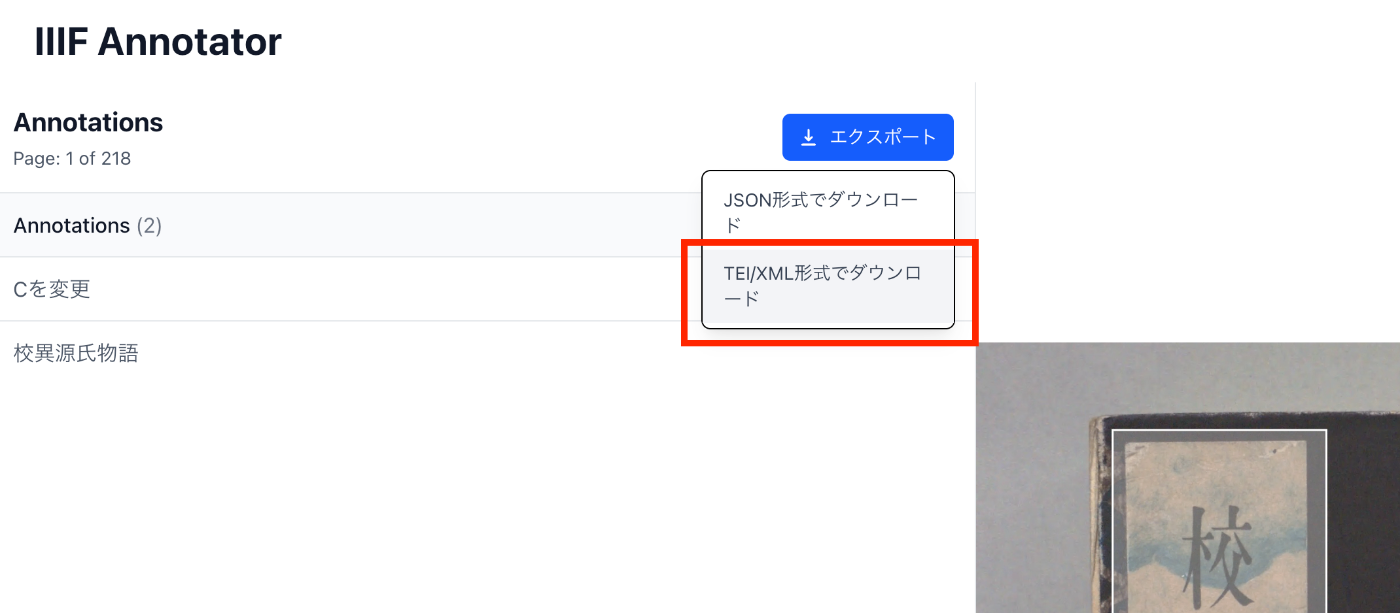
Overview This article introduces an example of representing IIIF polygon annotations in TEI/XML. Method In TEI/XML, you can represent polygon annotations using the zone tag and the points attribute. https://www.tei-c.org/release/doc/tei-p5-doc/en/html/ref-teidata.point.html Example For verification purposes, I added a TEI/XML export feature to the annotation tool introduced in the following article. Specifically, the following download option was added. An example of the TEI/XML obtained as a download result is shown below. Rectangles are described using ulx, uly, lrx, lry, while polygon information is described using points. ...

Scrolling to a Specific Element Using CETEIcean and XPath

Scrolling to a Specific Element Using CETEIcean and XPath

Overview This is a memo on how to scroll to a specific element using CETEIcean and XPath. Demo You can try it at the following URL. https://next-ceteicean-router.vercel.app/xpath/ After accessing the page and scrolling, it is displayed as follows. Obtaining the XPath The above example targets the XML file from the “Koui Genji Monogatari Text DB.” https://kouigenjimonogatari.github.io/tei/01.xml The following XPath is specified. /TEI/text[1]/body[1]/p[1]/seg[267] To obtain this XPath, you can right-click on the target element in Oxygen XML Editor and select “Copy XPath.” ...

Application of DTS (Distributed Text Services) dts:wrapper When Building Search Systems from TEI/XML

Application of DTS (Distributed Text Services) dts:wrapper When Building Search Systems from TEI/XML

Overview This is a note on the application of the DTS (Distributed Text Services) dts:wrapper tag when building search systems from TEI/XML. DTS (Distributed Text Services) is described as follows: Cayless, H., Clérice, T., Jonathan, R., Scott, I., & Almas, B. Distributed Text Services Specifications (Version 1-alpha) [Computer software]. https://github.com/distributed-text-services/specifications` References As an example of building DTS, the following may also be helpful. Example The following “Digital Engishiki” is used as an example. ...

A Sample App Displaying Images with Mirador and Text with CETEIcean

A Sample App Displaying Images with Mirador and Text with CETEIcean

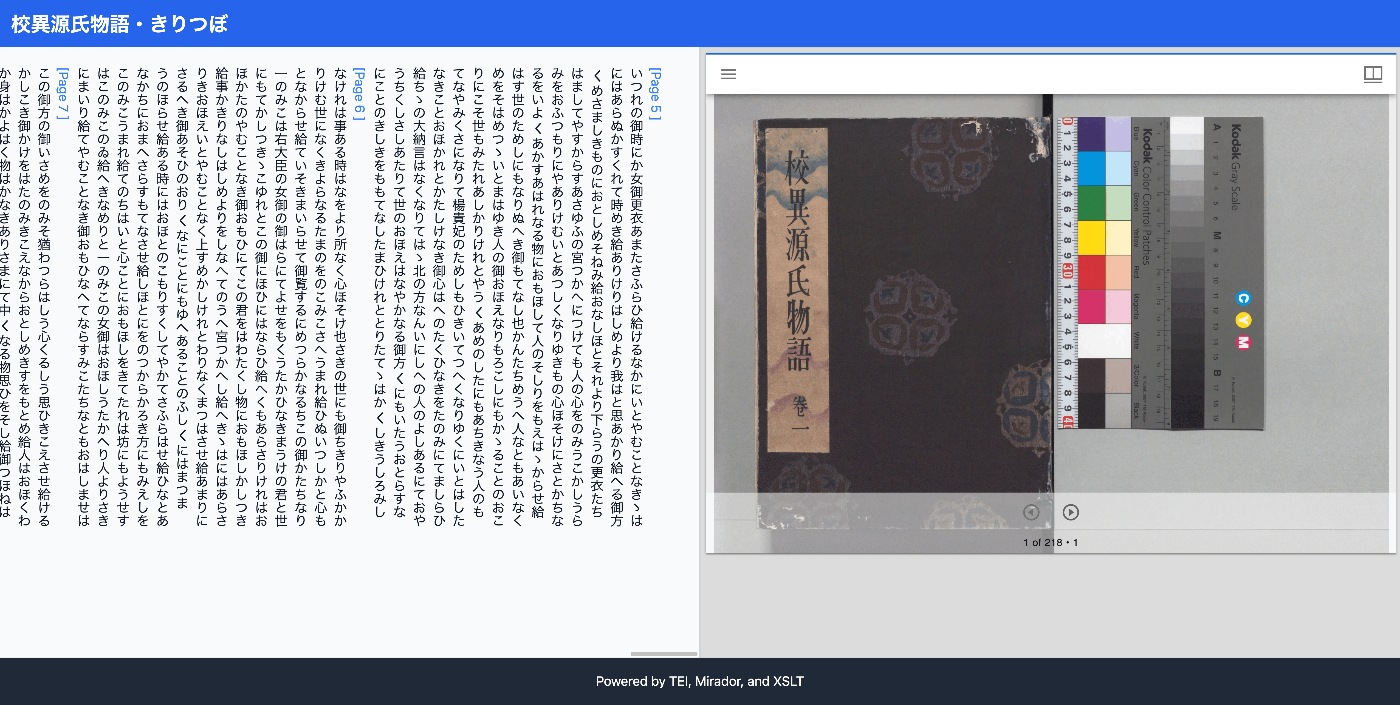
Overview I created a sample app that loads TEI/XML files, displays images with Mirador, and displays text with CETEIcean. You can try it from the following URL. Demo Site https://nakamura196.github.io/ceteicean-mirador/ Background I have previously developed applications that provide similar functionality. Implementation example using Next.js Implementation example using XSLT This time, I introduce an approach using only HTML and plain JavaScript. Target Data The target is the following Koui Genji Monogatari Text DB. ...

Developing a Viewer with Next.js + CETEIcean + React TEI Router

Developing a Viewer with Next.js + CETEIcean + React TEI Router

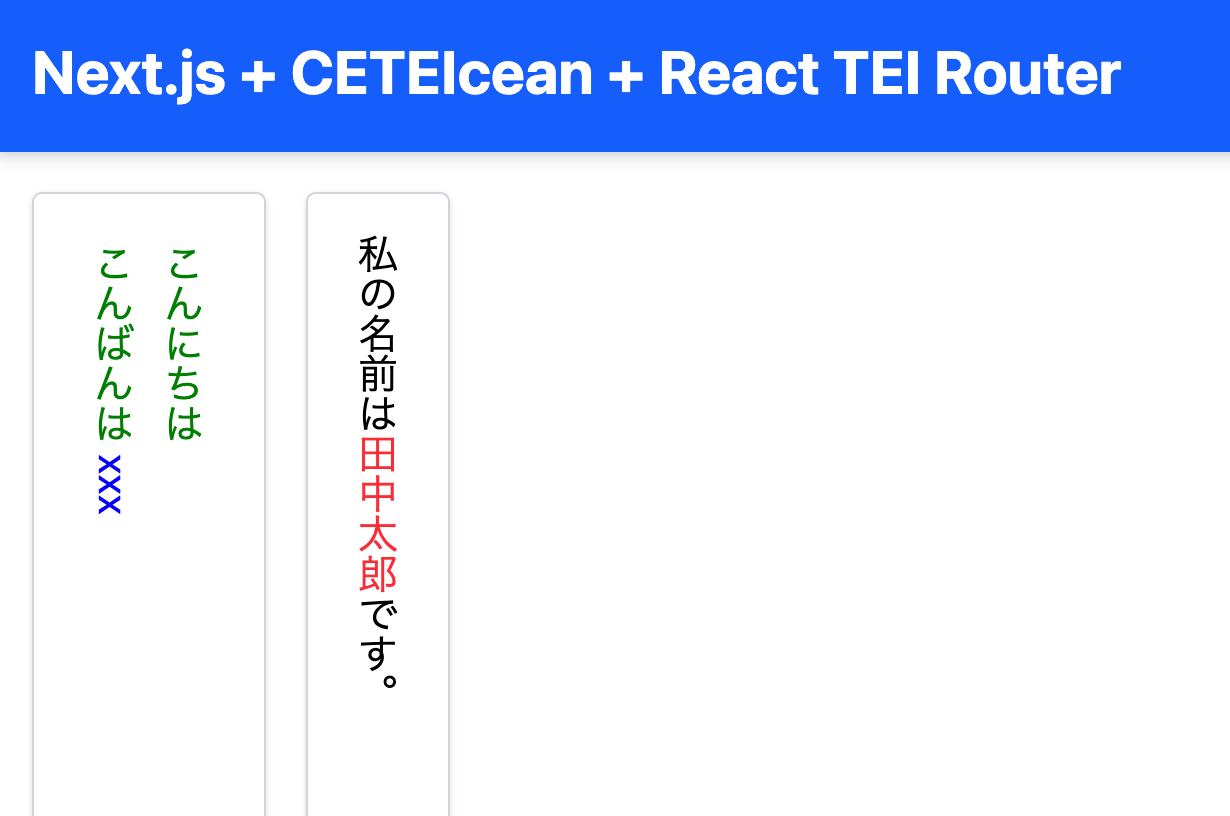
Overview This is a memo on developing a TEI/XML viewer combining Next.js, CETEIcean, and React TEI Router. Background CETEIcean is a JavaScript library that converts TEI/XML to HTML5. https://github.com/TEIC/CETEIcean React TEI Router is a library that enables structured display of TEI/XML using React components, based on CETEIcean. It is described as follows: https://github.com/pfefferniels/react-teirouter TEI for React using CETEIcean and routes By combining these, I created a viewer that can customize and display TEI/XML in Next.js. ...

Editing TEI/XML Files Using XSLT

Editing TEI/XML Files Using XSLT

Overview This article introduces one example of how to edit TEI/XML files while using XSLT. Related In the following article, I introduced how to preview XSLT results using a VSCode extension. In this article, I introduce a simpler method for editing TEI/XML files while using XSLT, without using the above extension. Installing Extensions Install the following extensions in VSCode: Live Server https://marketplace.visualstudio.com/items?itemName=ritwickdey.LiveServer Scholarly XML https://marketplace.visualstudio.com/items?itemName=raffazizzi.sxml Auto Close Tag https://marketplace.visualstudio.com/items?itemName=formulahendry.auto-close-tag Additionally, the following two extensions are recommended by Scholarly XML. However, since they were inconvenient in some of my use cases, I will make them optional for now. ...

Real-Time Preview of TEI/XML Using VSCode and XSLT

Real-Time Preview of TEI/XML Using VSCode and XSLT

Overview I prototyped a real-time preview environment for TEI/XML using VSCode and XSLT, so this is a memo of the process. Behavior An example of the operation is shown below. When you edit and save a TEI/XML file, the browser display is updated. https://youtu.be/ZParCRUc5AY?si=-aHHi3bIZGWoJYnP Preparation Install the following extensions: Live Server Trigger Task on Save When a TEI/XML file is saved, Trigger Task on Save executes the XSLT transformation, and the resulting HTML file is viewed with Live Server. ...

Creating PDFs from TEI/XML of the Koui Genji Monogatari Text Database

Creating PDFs from TEI/XML of the Koui Genji Monogatari Text Database

Overview The Koui Genji Monogatari (Collated Tale of Genji) Text Database publishes text data from “Koui Genji Monogatari.” https://kouigenjimonogatari.github.io/ This time, I added PDF files like the following to the database. https://kouigenjimonogatari.github.io/output/01/main.pdf This article describes how to create such PDF files using XSLT and TeX. Cloning the Repository Clone the repository as follows. git clone --depth 1 https://github.com/kouigenjimonogatari/kouigenjimonogatari.github.io Then install xslt3 with the following command. npm i xslt3 https://www.npmjs.com/package/xslt3 Creating the XSL File This time, we first convert the TEI/XML file to a TeX file. ...

Achieving Parallel Display of IIIF and TEI Using XSLT

Achieving Parallel Display of IIIF and TEI Using XSLT

Overview I had the opportunity to implement parallel display of IIIF and TEI using XSLT, so this is a memo of the process. The results can be viewed at the following link. It uses the “Koui Genji Monogatari Text DB.” https://kouigenjimonogatari.github.io/xml/xsl/01.xml Background For visualizing TEI/XML, I had previously often used CETEICean, a JavaScript library for converting TEI XML to HTML and displaying it in browsers. These efforts enabled flexible development when combined with JavaScript frameworks. ...

Customizing the LEAF Writer Editor Toolbar

Customizing the LEAF Writer Editor Toolbar

Overview LEAF Writer provides buttons at the top of the screen to support tag insertion. This article introduces how to customize them. As a result, I added functionality to insert <app><lem>aaa</lem><rdg>bbb</rdg></app>. https://youtu.be/XMnRP7s2atw Editing Edit the following file: packages/cwrc-leafwriter/src/components/editorToolbar/index.tsx Features for supporting tags such as person names and place names are configured as follows. For example, the description for organization has been commented out: ... const items: (MenuItem | Item)[] = [ { group: 'action', hide: isReadonly, icon: 'insertTag', onClick: () => { if (!container.current) return; const rect = container.current.getBoundingClientRect(); const posX = rect.left; const posY = rect.top + 34; showContextMenu({ // anchorEl: container.current, eventSource: 'ribbon', position: { posX, posY }, useSelection: true, }); }, title: 'Tag', tooltip: 'Add Tag', type: 'button', }, { group: 'action', type: 'divider', hide: isReadonly }, { color: entity.person.color.main, group: 'action', disabled: !isSupported('person'), hide: isReadonly, icon: entity.person.icon, onClick: () => window.writer.tagger.addEntityDialog('person'), title: 'Tag Person', type: 'iconButton', }, { color: entity.place.color.main, group: 'action', disabled: !isSupported('place'), hide: isReadonly, icon: entity.place.icon, onClick: () => window.writer.tagger.addEntityDialog('place'), title: 'Tag Place', type: 'iconButton', }, /* { color: entity.organization.color.main, group: 'action', disabled: !isSupported('organization'), hide: isReadonly, icon: entity.organization.icon, onClick: () => window.writer.tagger.addEntityDialog('organization'), title: 'Tag Organization', type: 'iconButton', }, ... As a result, the choices are limited as follows: ...

Using LEAF Writer from Next.js

Using LEAF Writer from Next.js

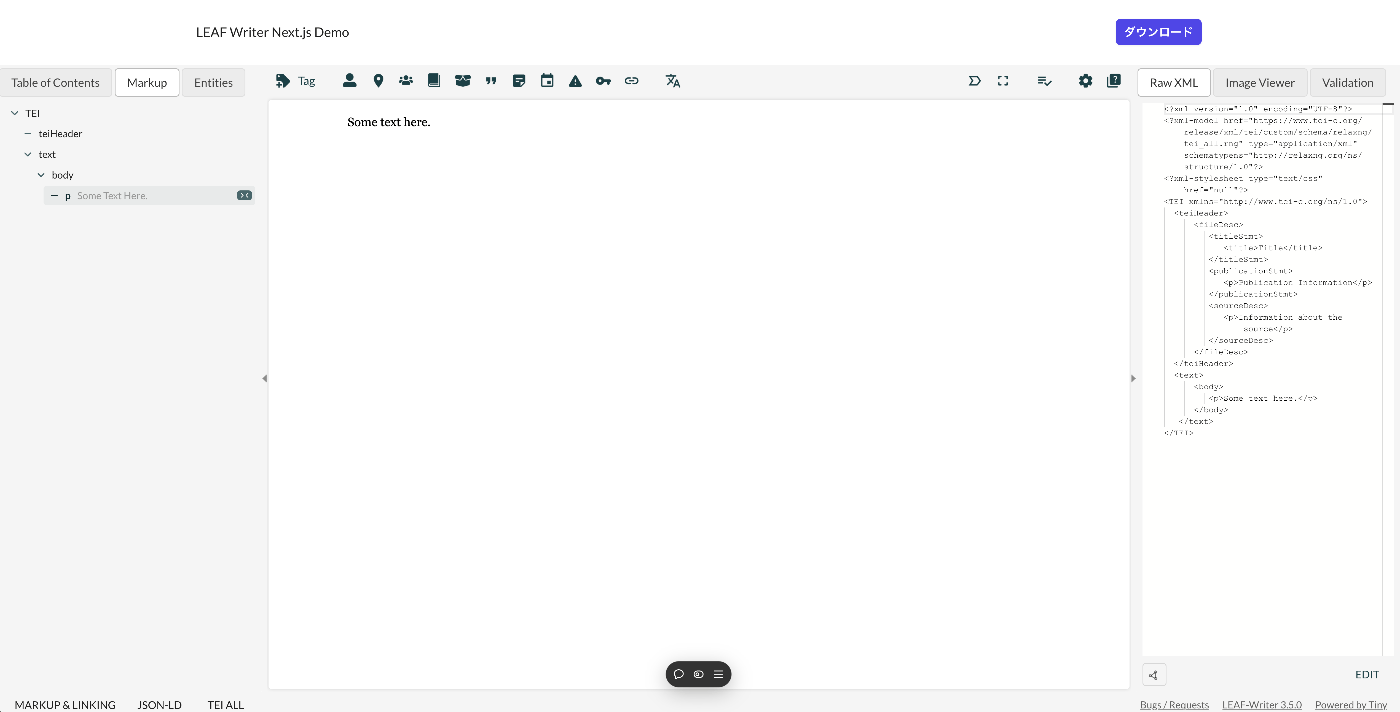
Overview This article introduces how to use LEAF Writer from Next.js. Demo You can try it from the following URL. https://leaf-writer-nextjs.vercel.app/ Below is a screenshot example. The header section is the part added using Next.js. The editor section uses LEAF Writer. The source code is available at the following link. https://github.com/nakamura196/leaf-writer-nextjs Usage Instructions are described at the following link. https://gitlab.com/calincs/cwrc/leaf-writer/leaf-writer/-/tree/main/packages/cwrc-leafwriter?ref_type=heads As a note, the div container’s id must be set to leaf-writer-container. I found that not doing so causes the styling to break. I would like to submit a pull request regarding this in the future. ...

Using Roma to Restrict Allowed Values for Tag Attributes

Using Roma to Restrict Allowed Values for Tag Attributes

Overview This is a memo on how to restrict the allowed values for tag attributes using Roma. Background In the following article, I described how to restrict the attributes available for a tag. For example, making only the key and type attributes available for the persName tag. In this article, I go further to restrict the allowed values for specific attributes. For example, allowing only “right marginal note” or “left marginal note” to be set for the type attribute. ...

GitHub Repository for DTS API for TEI/XML Files Published in the Koui Genji Monogatari Text DB

GitHub Repository for DTS API for TEI/XML Files Published in the Koui Genji Monogatari Text DB

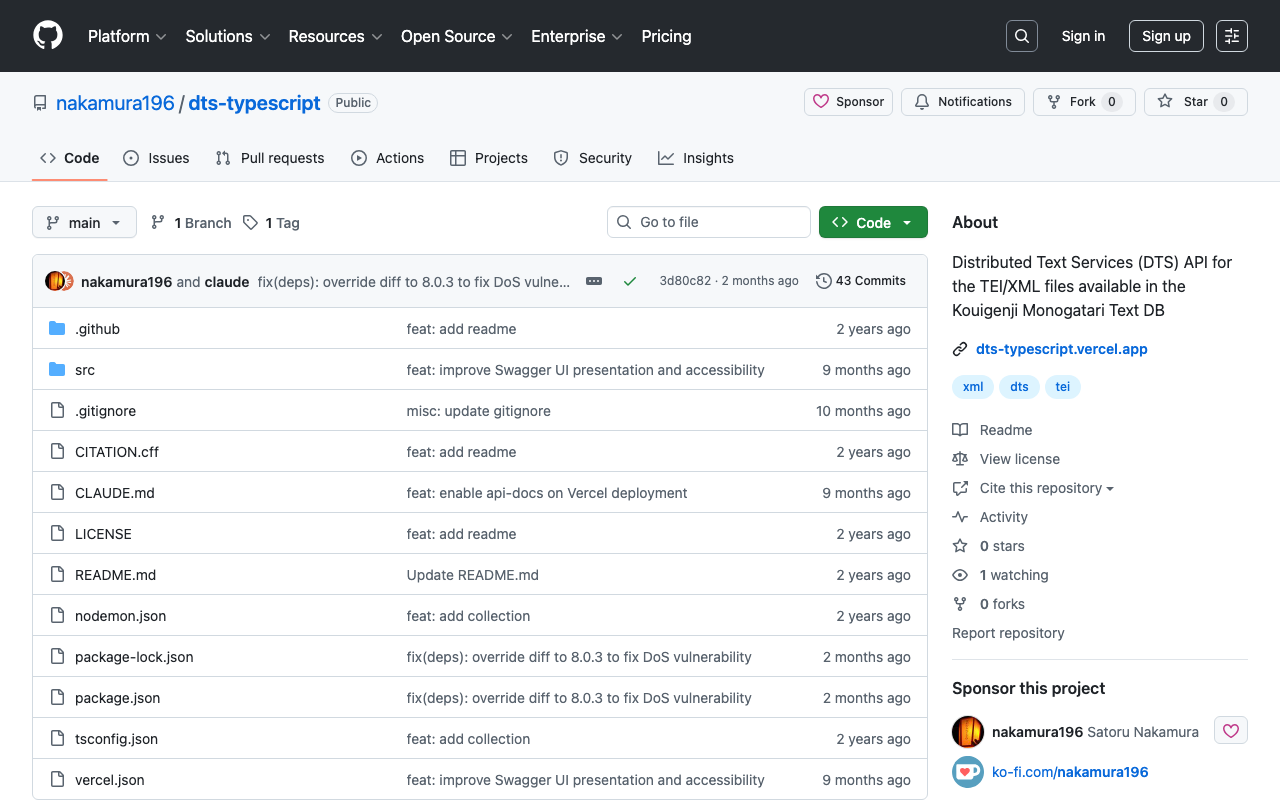
Overview I published the GitHub repository for the API introduced in the following article. The repository is below. https://github.com/nakamura196/dts-typescript There may be some incomplete aspects, but I hope this is helpful as a reference. Notes Vercel Rewrite By configuring as follows, access to / was redirected to /api/dts. { "version": 2, "builds": [ { "src": "src/index.ts", "use": "@vercel/node" } ], "rewrites": [ { "source": "/api/dts(.*)", "destination": "/src/index.ts" } ], "redirects": [ { "source": "/", "destination": "/api/dts", "permanent": true } ] } Collection ID The following is used as the collection ID. ...

Creating a DTS API for TEI/XML Files Published by the Koui Genji Monogatari Text DB

Creating a DTS API for TEI/XML Files Published by the Koui Genji Monogatari Text DB

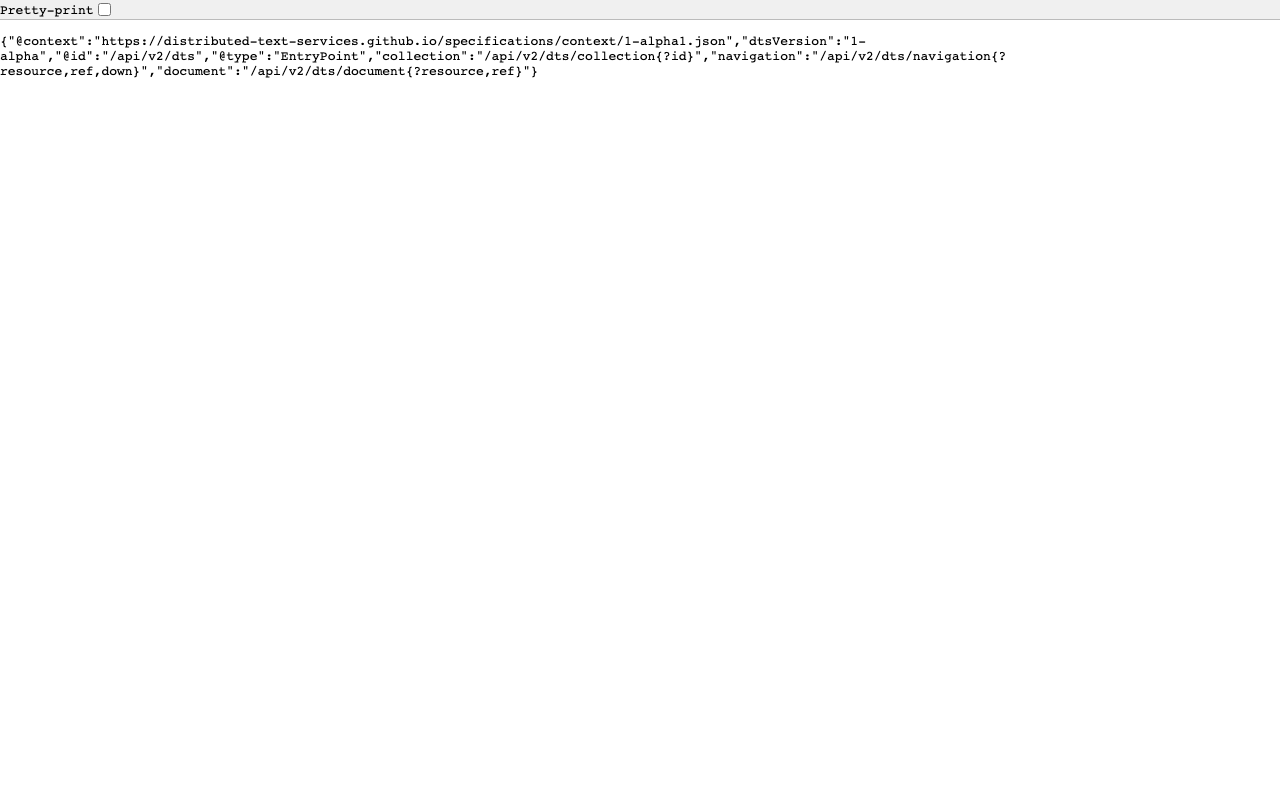
Overview This is a memo on creating a DTS (Distributed Text Services) API for TEI/XML files published by the Koui Genji Monogatari Text DB. Background The Koui Genji Monogatari Text DB is available at: https://kouigenjimonogatari.github.io/ It publishes TEI/XML files. Developed DTS The developed DTS is available at: https://dts-typescript.vercel.app/api/dts It is built with Express.js deployed on Vercel. For more information about DTS, please refer to: https://zenn.dev/nakamura196/articles/4233fe80b3e76d MyCapytain Library The following article introduced a library for using DTS from Python: ...

Trying Out DTS (Distributed Text Services)

Trying Out DTS (Distributed Text Services)

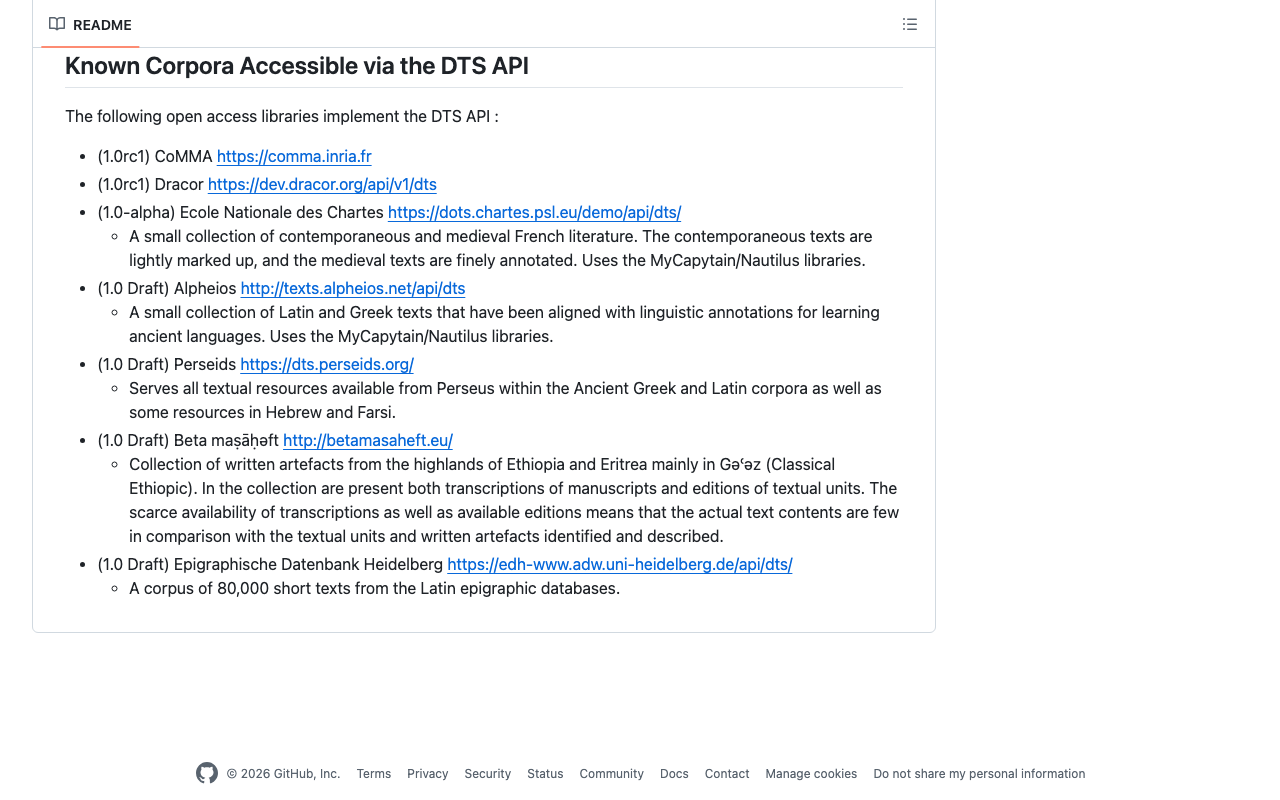
Overview I had the opportunity to learn how to use DTS (Distributed Text Services), and this is a memo of that experience. API Used We will use Alpheios, which is introduced at the following page. https://github.com/distributed-text-services/specifications/?tab=readme-ov-file#known-corpora-accessible-via-the-dts-api Top https://texts.alpheios.net/api/dts We can see that collections, documents, and navigation are available. { "navigation": "/api/dts/navigation", "@id": "/api/dts", "@type": "EntryPoint", "collections": "/api/dts/collections", "@context": "dts/EntryPoint.jsonld", "documents": "/api/dts/document" } Collection Endpoint collections https://texts.alpheios.net/api/dts/collections We can see that it contains 2 sub-collections. { "totalItems": 2, "member": [ { "@id": "urn:alpheios:latinLit", "@type": "Collection", "totalItems": 3, "title": "Classical Latin" }, { "@id": "urn:alpheios:greekLit", "@type": "Collection", "totalItems": 4, "title": "Ancient Greek" } ], "title": "None", "@id": "default", "@type": "Collection", "@context": { "dts": "https://w3id.org/dts/api#", "@vocab": "https://www.w3.org/ns/hydra/core#" } } Classical Latin Specifying the id urn:alpheios:latinLit to narrow the collection to Classical Latin. ...

Trying Out the MyCapytain Library

Trying Out the MyCapytain Library

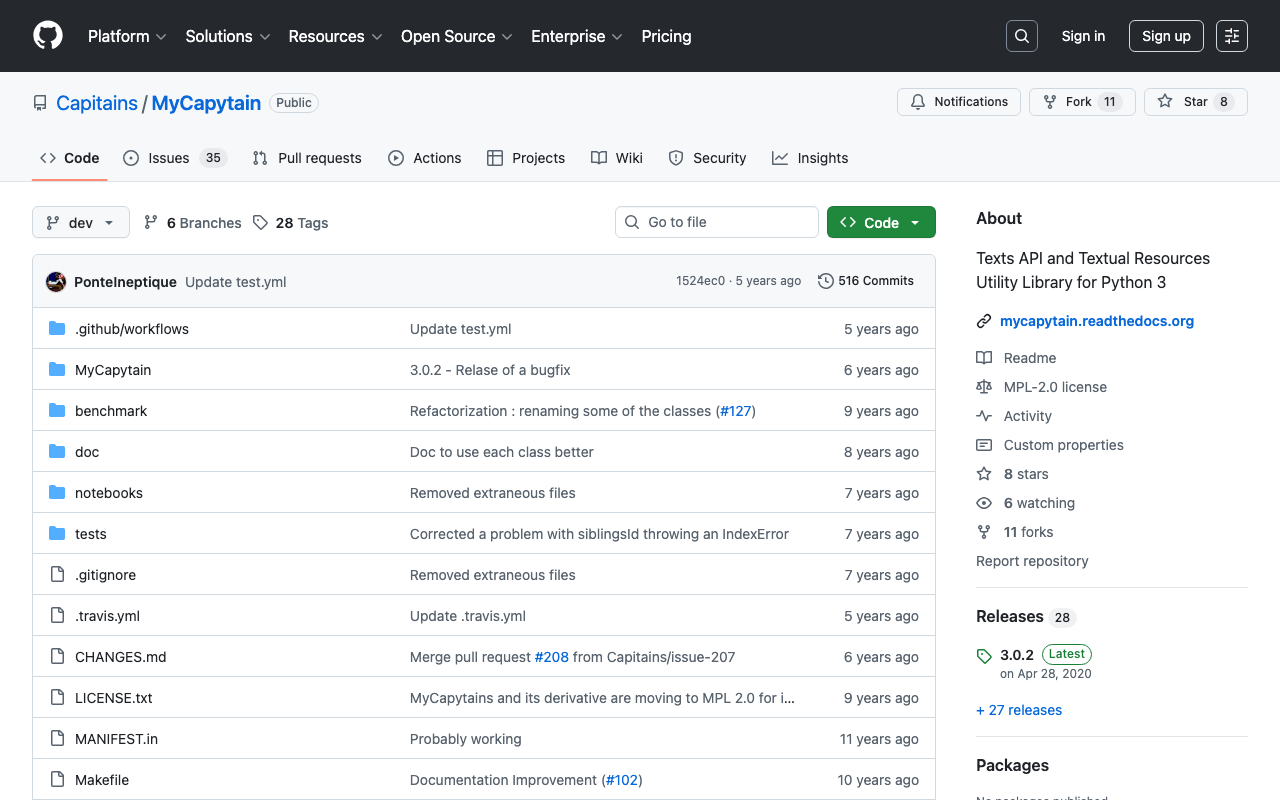
Overview This article tries out the MyCapytain library below. https://github.com/Capitains/MyCapytain Background In the following article, I covered CTS (Canonical Text Service). The following page provides explanations of CITE, CTS, and CapiTainS. https://brillpublishers.gitlab.io/documentation-cts/DTS_Guidelines.html The following document is about CITE, a system for the identification of texts and any other object. CTS is the name for the identification system itself. CapiTainS is the name for the software suite built around it. Before we go into details, we need to ask two questions: ...

Trying Canonical Text Services

Trying Canonical Text Services

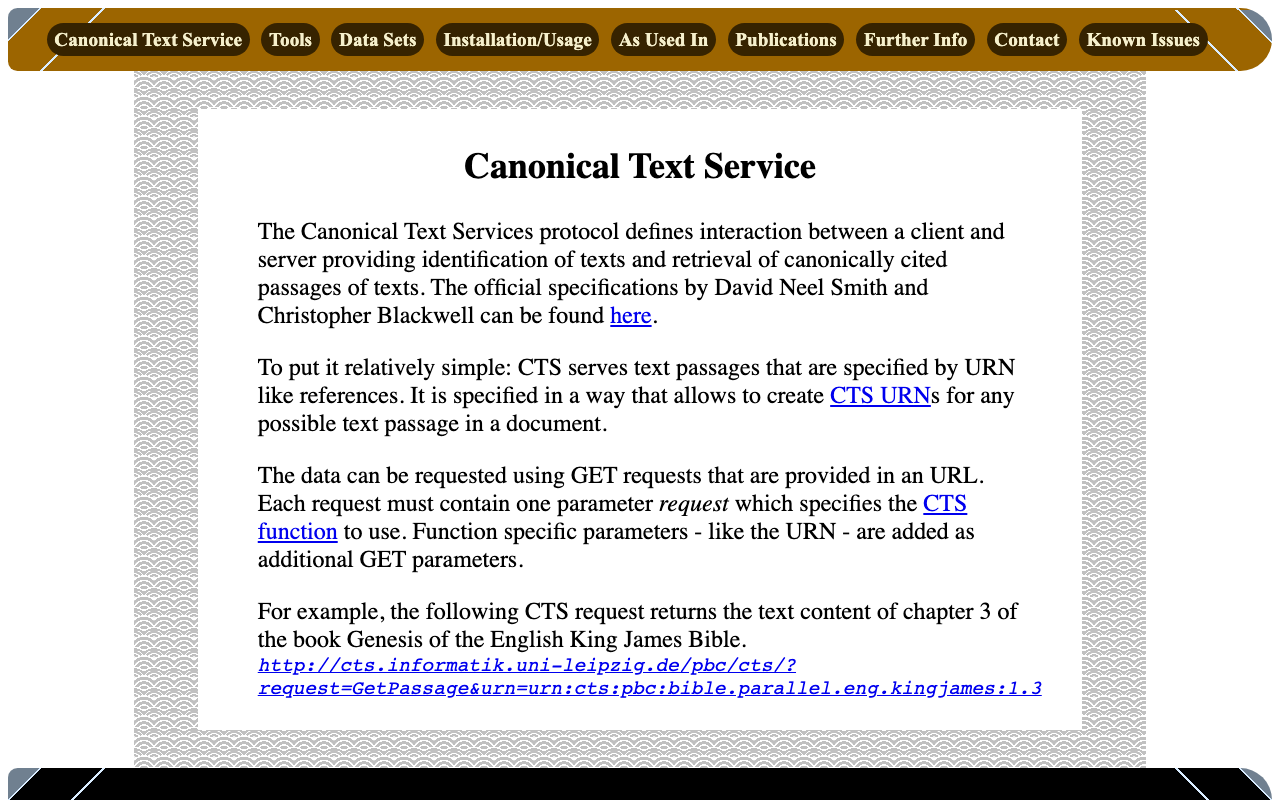
Overview Canonical Text Services is described as follows: The Canonical Text Services protocol defines interaction between a client and server providing identification of texts and retrieval of canonically cited passages of texts. The following site was used as a reference. http://cts.informatik.uni-leipzig.de/Canonical_Text_Service.html Usage The following was used as a reference. https://github.com/cite-architecture/cts_spec/blob/master/md/specification.md GetCapabilities A request to check the services supported by the server. http://cts.informatik.uni-leipzig.de/pbc/cts/?request=GetCapabilities <GetCapabilities xmlns="http://relaxng.org/ns/structure/1.0" xmlns:a="http://relaxng.org/ns/compatibility/annotations/1.0" xmlns:tei="http://www.tei-c.org/ns/1.0" xmlns:dc="http://purl.org/dc/elements/1.1/" xmlns:ti="http://chs.harvard.edu/xmlns/cts"> <request>GetCapabilities</request> <reply> <TextInventory tiversion="5.0.rc.1"> <corpuslicense>Public Domain</corpuslicense> <corpussource>http://paralleltext.info/data/</corpussource> <corpuslanguage>arb,ceb,ces,cym,deu,eng,fin,fra,ita,mya,rus,tgl,ukr</corpuslanguage> <corpusname>Parallel Bible Corpus</corpusname> <corpusdescription>The Bible corpus contains 1169 unique translations, which have been assigned 906 different ISO-639-3 codes. This CTS instance contains 20 bible translations from PBC that are available as Public Domain.</corpusdescription> <textgroup urn="urn:cts:pbc:bible"> <groupname>bible</groupname> <edition urn="urn:cts:pbc:bible.parallel.arb.norm:"> <title>The Bible in Arabic</title> <license>Public Domain</license> <source>http://paralleltext.info/data/ retrieved via Canonical Text Service http://cts.informatik.uni-leipzig.de/pbc/cts/</source> <publicationDate>1865</publicationDate> <language>arb</language> <contentType>xml</contentType> </edition> ... </textgroup> </TextInventory> </reply> </GetCapabilities> GetPassage Retrieves a specific portion of text based on a specified URN (Uniform Resource Name). ...

LEAF Writer: Adding Mirador

LEAF Writer: Adding Mirador

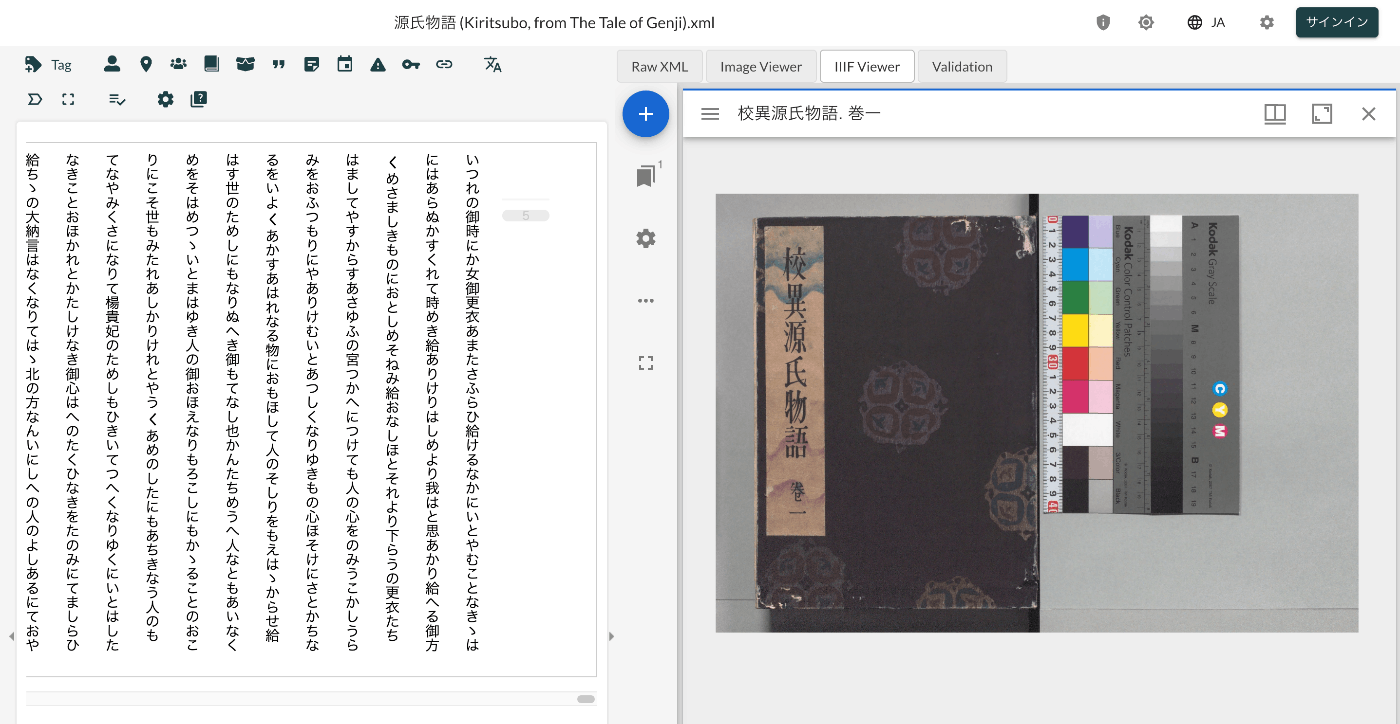
Overview This is a record of investigating how to customize LEAF Writer. https://gitlab.com/calincs/cwrc/leaf-writer/leaf-writer This time, we add Mirador as shown below. Method Please refer to the following. https://gitlab.com/nakamura196/leaf-writer/-/commit/377438739cdeb0a7b770ee9d4b9fea86081179d8 The file that needs to be modified is as follows. import $ from 'jquery'; import 'jquery-ui'; import Writer from '../../../Writer'; // @ts-ignore import Mirador from 'mirador'; interface IiifViewerProps { attribute?: string; parentId: string; tag?: string; writer: Writer; } class IiifViewer { readonly writer: Writer; readonly id: string; readonly tagName: string; readonly attrName: string; // eslint-disable-next-line @typescript-eslint/no-explicit-any, @typescript-eslint/no-redundant-type-constituents miradorInstance: any | null; $pageBreaks: unknown; currentIndex = -1; ignoreScroll = false; constructor({ attribute, parentId, tag, writer }: IiifViewerProps) { this.writer = writer; this.id = `${parentId}_iiifViewer`; this.tagName = tag ?? 'pb'; // page break element name this.attrName = attribute ?? 'facs'; // attribute that stores the image URL $(`#${parentId}`).append(` <div id="${this.id}" style="position: absolute; top: 0; bottom: 0; left: 0; right: 0"></div> `); this.writer.event('loadingDocument').subscribe(() => this.reset()); this.writer.event('documentLoaded').subscribe((success: boolean, body: HTMLElement) => { console.log('documentLoaded', success, body); if (!success) return; this.processDocument(body); }); this.writer.event('writerInitialized').subscribe(() => { if (!this.writer.editor) return; }); } private processDocument(doc: HTMLElement) { // (doc).find const $facsimile = $(doc).find(`*[_tag="facsimile"]`); const manifestUri = $facsimile.attr('sameas'); const config = { id: this.id, windows: [ { loadedManifest: manifestUri, }, ], window: { sideBarOpen: false, }, }; // eslint-disable-next-line @typescript-eslint/no-unsafe-assignment, @typescript-eslint/no-unsafe-call, @typescript-eslint/no-unsafe-member-access this.miradorInstance = Mirador.viewer(config); } reset() { this.$pageBreaks = null; this.currentIndex = -1; } } export default IiifViewer; The following section retrieves information from <facsimile sameAs="https://dl.ndl.go.jp/api/iiif/3437686/manifest.json">. ...

LEAF Writer: How to Add Sample Data

LEAF Writer: How to Add Sample Data

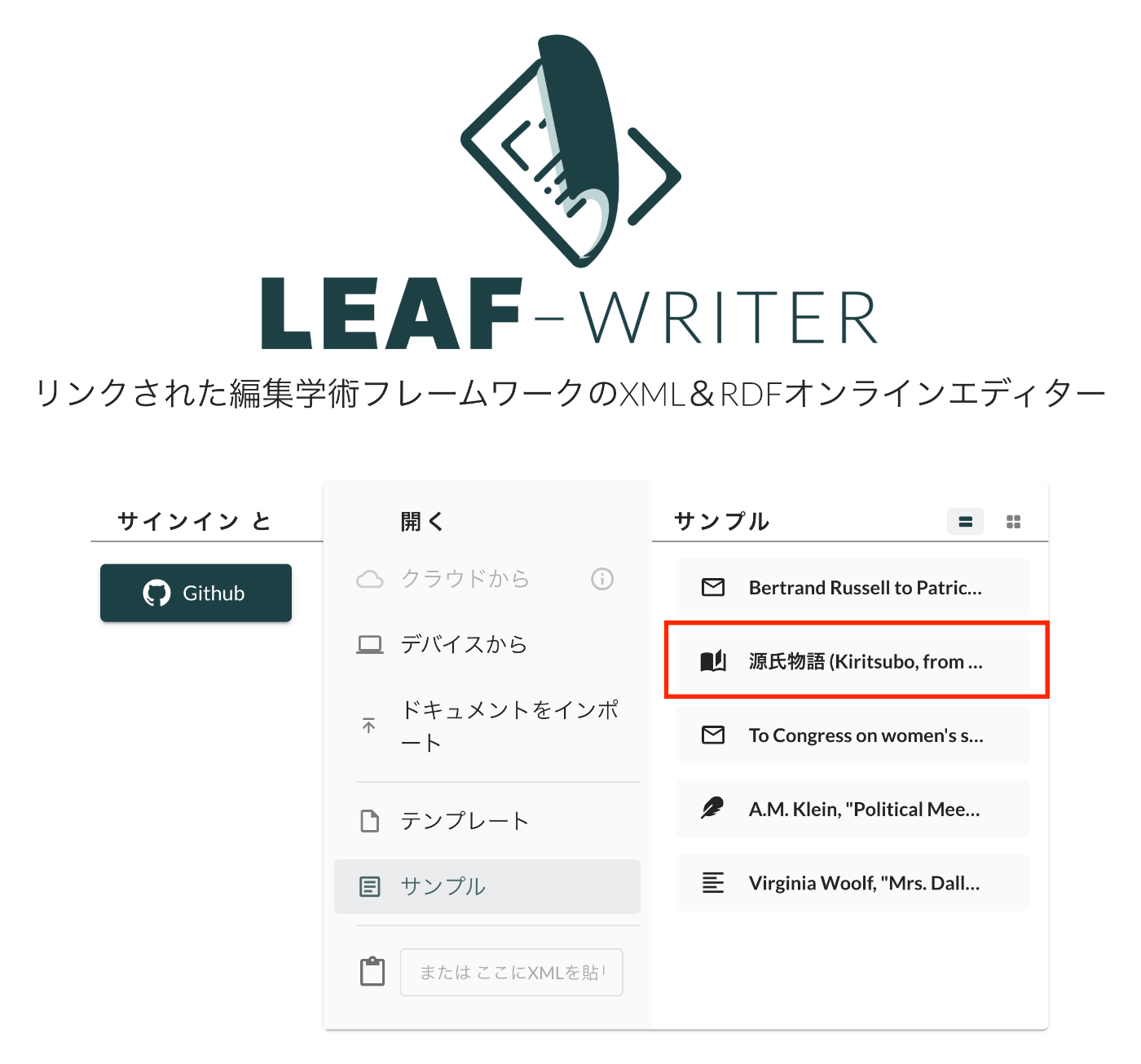
Overview This is a record of investigating how to customize LEAF Writer. https://gitlab.com/calincs/cwrc/leaf-writer/leaf-writer This time, it is a memo on how to add sample data. We add custom sample data as shown below. Method Please refer to the following. https://gitlab.com/nakamura196/leaf-writer/-/commit/c4e98090c94874037980819c9672eea10814eedb In addition to updating samples.json, it was also necessary to update apps/commons/src/icons/index.tsx to add an icon, although this is not mandatory. Result As shown below, the editor environment could be opened from the sample data. ...

LEAF Writer: How to Use the Image Viewer

LEAF Writer: How to Use the Image Viewer

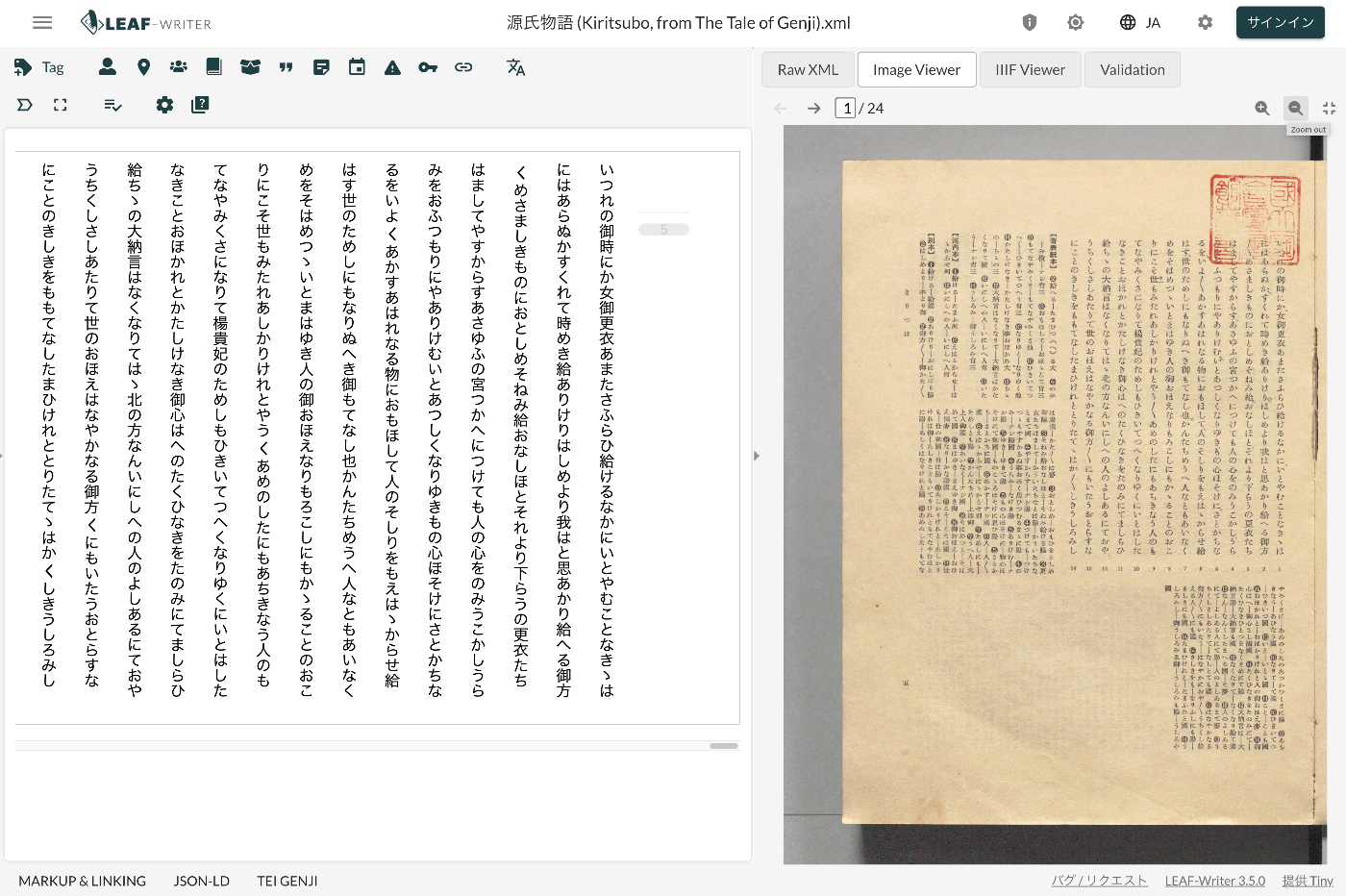
Overview LEAF Writer provides a feature for displaying text and images side by side, as shown below. It also offers a feature where the text moves in sync when you navigate through image pages. This article introduces TEI/XML markup examples for displaying images in the Image Viewer section. Method Specify the pb tag as follows. https://github.com/kouigenjimonogatari/kouigenjimonogatari.github.io/blob/master/xml/lw/01.xml Specifically, it looks like this: ... <pb corresp="#zone_0005" facs="https://dl.ndl.go.jp/api/iiif/3437686/R0000022/0,0,3445,4706/full/0/default.jpg" n="5"/> ... The image specified in the facs attribute of the pb element appears to be displayed in the Image Viewer section. ...