Home Articles Books Search About
日本語
Three Pitfalls When Adapting a SPARQL Client to Apache Jena Fuseki

Three Pitfalls When Adapting a SPARQL Client to Apache Jena Fuseki

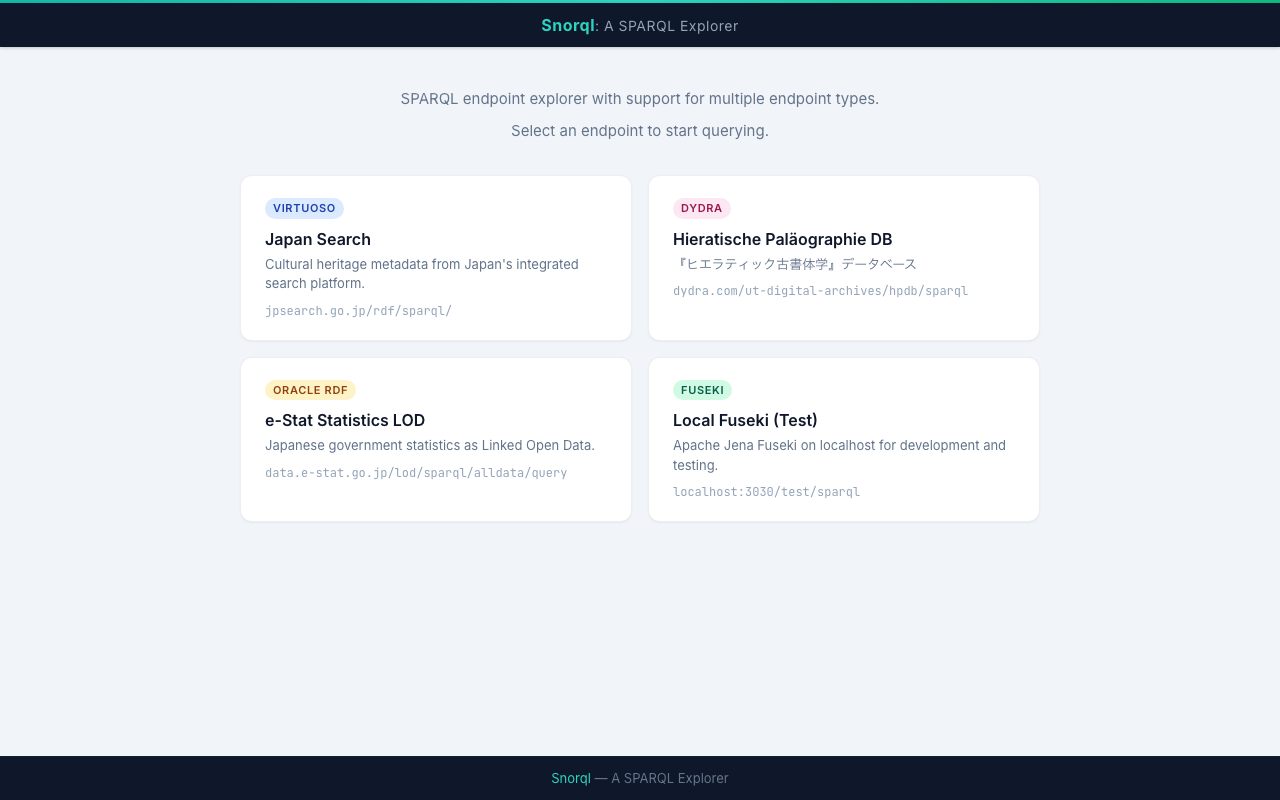
We adapted the SPARQL Explorer “Snorql”, originally built for Virtuoso and Dydra, to also work with Apache Jena Fuseki. Although SPARQL is a W3C standard, behavioral differences between endpoint implementations are surprisingly significant. This article documents the three issues we encountered during Fuseki support and their solutions. Development Environment We launched Fuseki with Docker and tested locally. # docker-compose.yml services: fuseki: image: stain/jena-fuseki container_name: fuseki ports: - "3030:3030" environment: - ADMIN_PASSWORD=admin - FUSEKI_DATASET_1=test volumes: - fuseki-data:/fuseki volumes: fuseki-data: docker compose up -d # Load test data curl -X POST 'http://localhost:3030/test/data' \ -H 'Content-Type: text/turtle' \ --data-binary @testdata.ttl 1. Different Response Format for DESCRIBE Symptom When sending a DESCRIBE query to Fuseki, results were not displayed on screen. JSON parse errors appeared in the console. ...
Commands for Restarting Virtuoso When It Stops

Commands for Restarting Virtuoso When It Stops

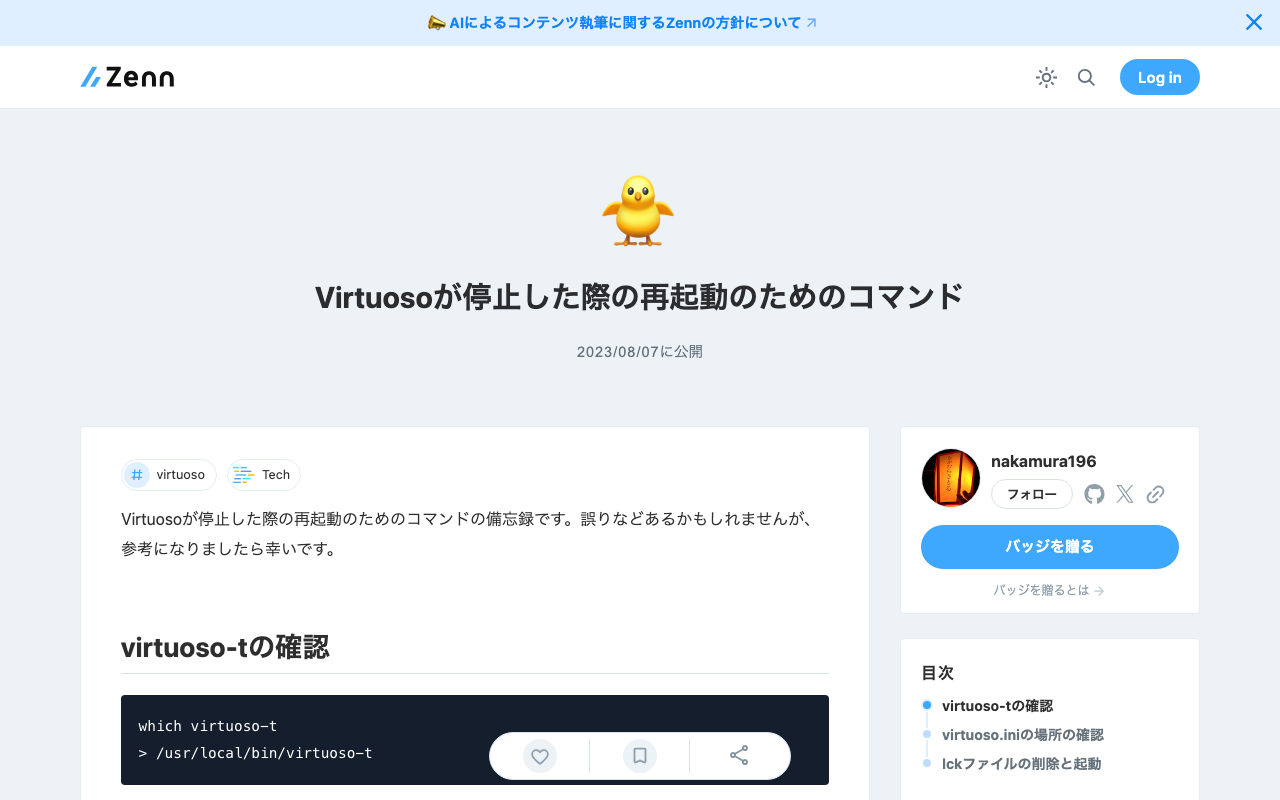
This is a personal note on the commands for restarting Virtuoso when it stops. There may be some errors, but I hope it serves as a useful reference. Checking virtuoso-t which virtuoso-t > /usr/local/bin/virtuoso-t Checking the Location of virtuoso.ini sudo find / -name virtuoso.ini > ... > /usr/local/var/lib/virtuoso/db/virtuoso.ini > ... Deleting the lck File and Starting sudo rm -rf /usr/local/var/lib/virtuoso/db/virtuoso.lck sudo /usr/local/bin/virtuoso-t +configfile /usr/local/var/lib/virtuoso/db/virtuoso.ini

Health Checking Virtuoso Running on Amazon EC2

Health Checking Virtuoso Running on Amazon EC2

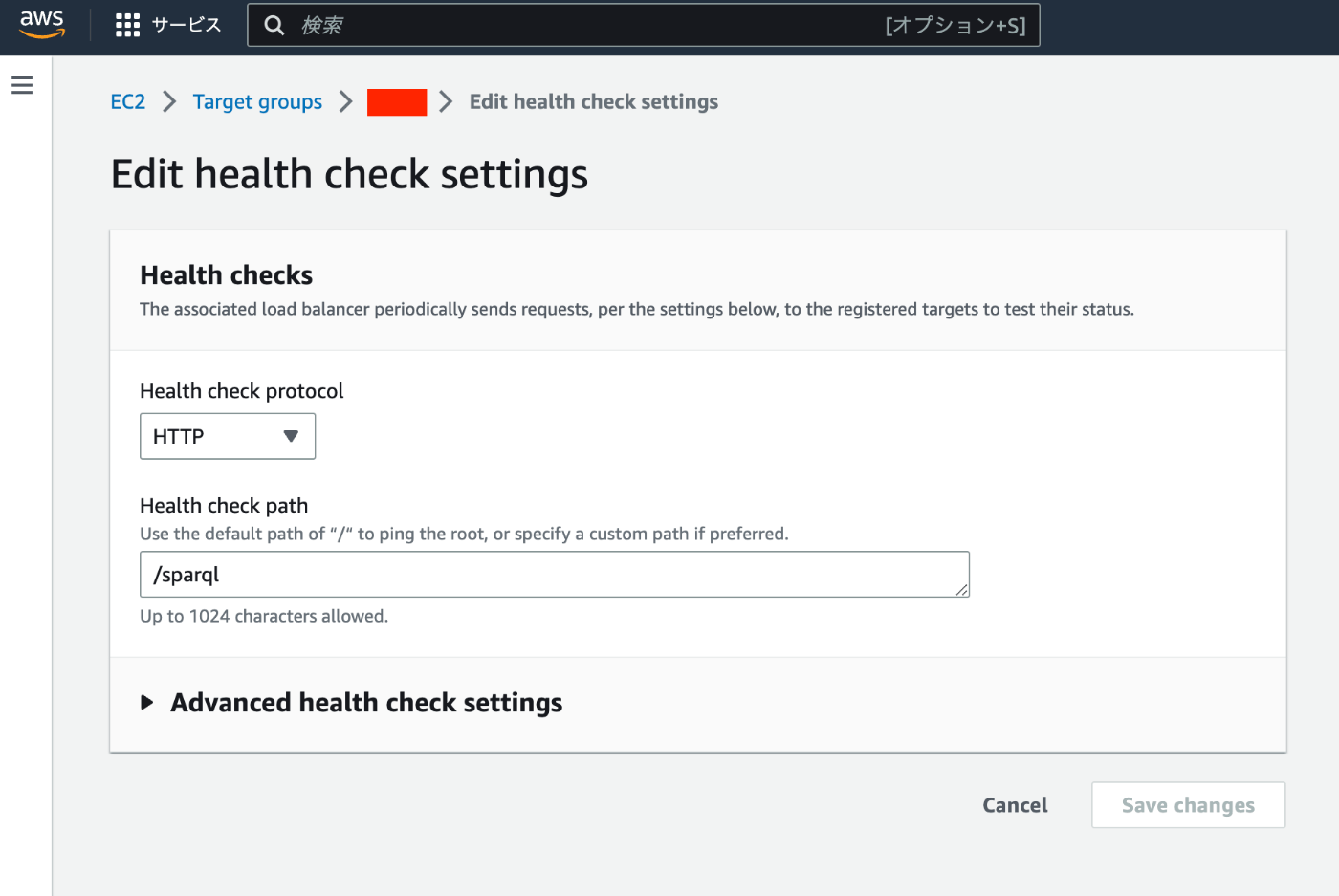
Overview I had the opportunity to set up health checks for Virtuoso running on Amazon EC2, so this is a memo of the process. Specifically, when Virtuoso (e.g., https://xxx.zzz/sparql) starts returning errors due to some issue, the details are sent via email notification. Method The following article introduces how to set up a Virtuoso RDF store on Amazon EC2. The above setup uses an ELB. Only one change needs to be made from the above article. The Health check path was set to /, but this should be changed to the path to the SPARQL endpoint (e.g., /sparql). ...

[Memo] How to Use Virtuoso

[Memo] How to Use Virtuoso

This is a memo on how to use Virtuoso, an RDF store. Checking Registered Graph URIs Conductor > Linked Data > Graphs > Graphs Manually Uploading RDF Files Conductor > Linked Data > Quad Store Upload Enabling Federated Query The following article was helpful. The “Account Roles” configuration was required. https://community.openlinksw.com/t/enabling-sparql-1-1-federated-query-processing-in-virtuoso/2477 I hope this serves as a helpful reference.

How to Manually Restart or Stop Virtuoso from the Command Line

How to Manually Restart or Stop Virtuoso from the Command Line

Here is how to manually restart or stop Virtuoso from the command line. The following article was used as a reference. https://stackoverflow.com/questions/42575039/how-to-manually-restart-or-stop-virtuoso-from-commandline The following approach seems to work well. isql {host}:{port} {UID} {PWD} EXEC=shutdown A specific example is as follows. isql localhost:1111 dba dba EXEC=shutdown If isql is not found as shown below, change the path and execute. isql localhost:1111 dba dba EXEC=shutdown bash: isql: command not found find / -name isql /usr/local/bin/isql /root/virtuoso-opensource/binsrc/tests/isql /usr/local/bin/isql localhost:1111 dba dba EXEC=shutdown I hope this serves as a helpful reference. ...

[RDF] Configuring URI Access to Redirect to the Snorql Interface

[RDF] Configuring URI Access to Redirect to the Snorql Interface

This is a continuation of the following article. This is a memo on configuring redirects so that accessing URLs like https://xxx.abc/data/123 redirects to https://xxx.abc/?describe=https://xxx.abc/data/123, using Japan Search’s RDF store as a reference. Japan Search example: https://jpsearch.go.jp/entity/chname/葛飾北斎 -> https://jpsearch.go.jp/rdf/sparql/easy/?describe=https://jpsearch.go.jp/entity/chname/葛飾北斎 Create a conf file like the following and place it in the appropriate location (e.g., /etc/httpd/conf.d/). RewriteEngine on RewriteCond %{HTTP_ACCEPT} .*text/html RewriteRule ^/((data|entity)/.*) https://xxx.abc/?describe=https://xxx.abc/$1 [L,R=303] Then restart Apache. systemctl restart httpd This enables redirecting to the Snorql interface. ...

Building a Virtuoso RDF Store Using AWS EC2

Building a Virtuoso RDF Store Using AWS EC2

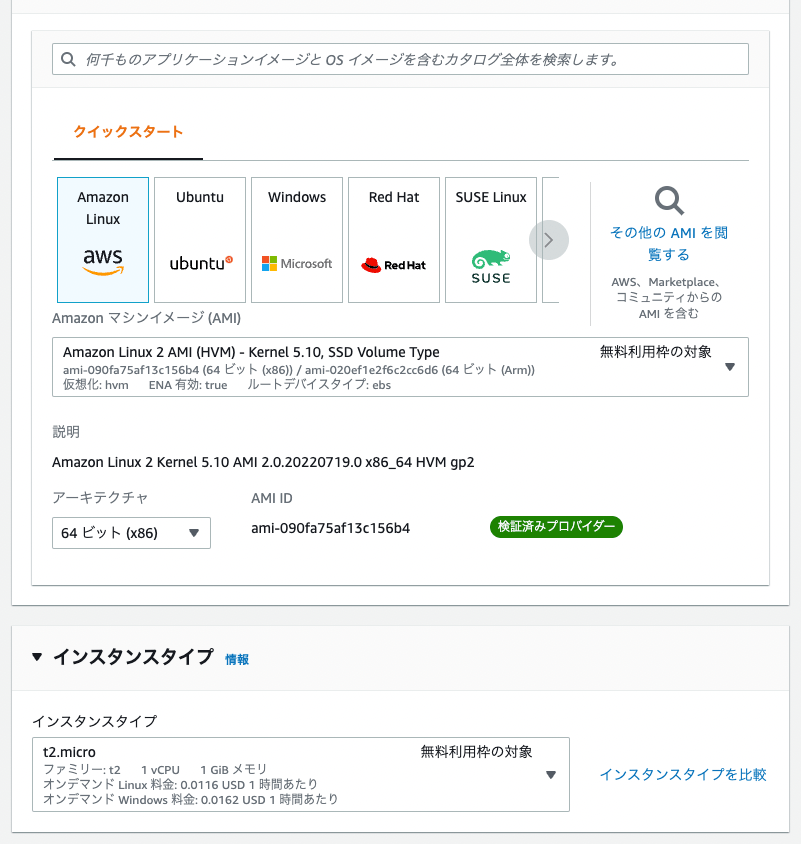
Introduction These are notes on building a Virtuoso RDF store using AWS EC2. This covers custom domain configuration, HTTPS connection, and Snorql installation. There are many other useful articles on building Virtuoso. Please refer to them as well: https://midoriit.com/2014/04/rdfストア環境構築virtuoso編1.html https://qiita.com/mirkohm/items/30991fec120541888acd https://zenn.dev/ningensei848/articles/virtuoso_on_gcp_faster_with_cos Prerequisites An ACM Certificate should already be created. Please refer to articles such as the following: https://dev.classmethod.jp/articles/specification-elb-setting/#toc-3 EC2 First, create an EC2 instance. Select Amazon Linux, and set the instance type to t2.micro. ...

How to Register and Delete RDF Files in Virtuoso RDF Store Using curl and Python

How to Register and Delete RDF Files in Virtuoso RDF Store Using curl and Python

Overview Notes on how to register and delete RDF files in Virtuoso RDF store using curl and Python. The following was used as a reference. https://vos.openlinksw.com/owiki/wiki/VOS/VirtRDFInsert#HTTP PUT curl As described on the above page. First, create myfoaf.rdf as sample data for registration. <rdf:RDF xmlns:foaf="http://xmlns.com/foaf/0.1/"> <foaf:Person rdf:about="http://www.example.com/people/中村覚"> <foaf:name>中村覚</foaf:name> </foaf:Person> </rdf:RDF> Next, execute the following command. curl -T ${filename1} ${endpoint}/DAV/home/${user}/rdf_sink/${filename2} -u ${user}:${passwd} A specific example is as follows. curl -T myfoaf.rdf http://localhost:8890/DAV/home/dba/rdf_sink/myfoaf.rdf -u dba:dba Python Here is an execution example. The following uses rdflib to create the RDF file from scratch. Also, by setting the action to delete, you can perform deletion. ...