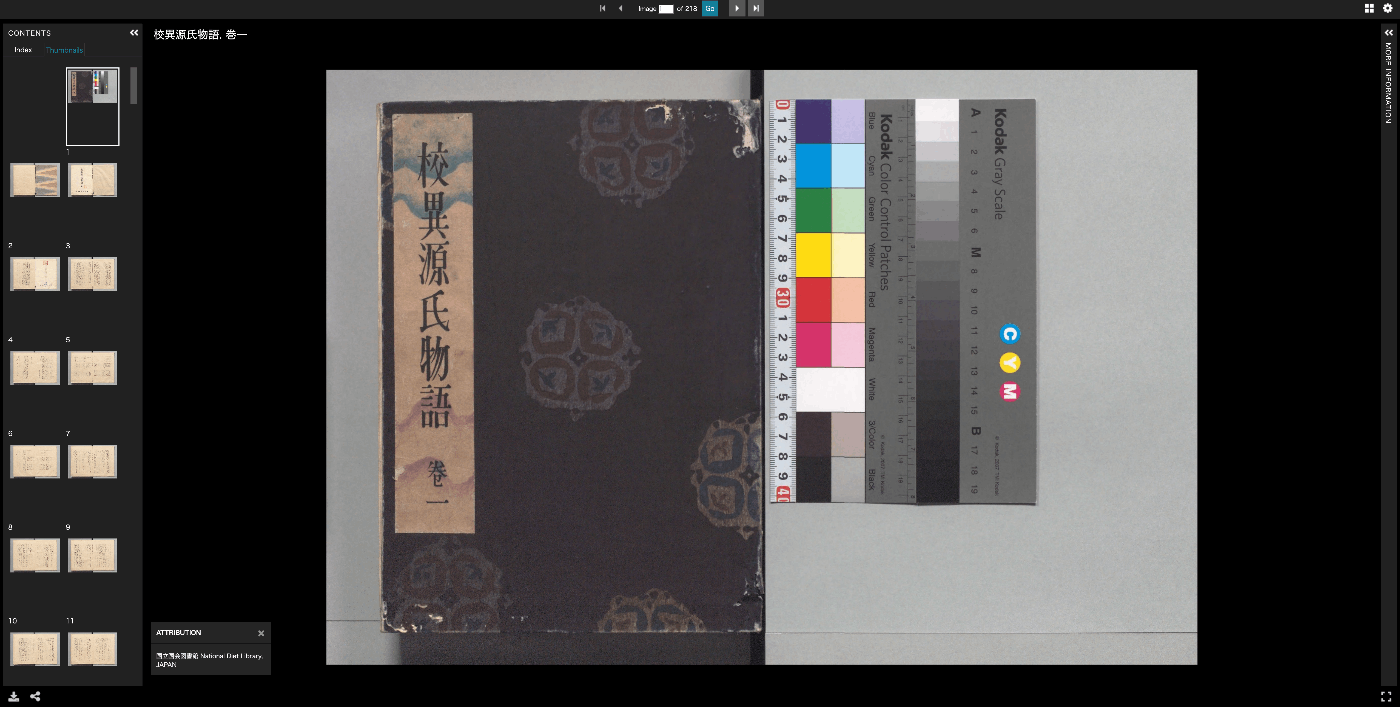
Using the Universal Viewer npm Package in Next.js
Overview Here are my notes on how to use the Universal Viewer npm package in Next.js. Installation Install with the following command. npm i universalviewer Implementation Since it uses useEffect, it appeared necessary to implement it as a client component. Also, by adding the uv class to the div tag, the CSS was applied correctly. 'use client' import { useEffect } from 'react' import dynamic from 'next/dynamic' interface ViewerProps { manifest: string cv?: number xywh?: string } // Component implementation function ViewerComponent({ manifest, cv, xywh }: ViewerProps) { useEffect(() => { // Import and initialize universalviewer const { init } = require('universalviewer') require('universalviewer/dist/esm/index.css') init('uv', { manifest, canvasIndex: cv, xywh }) }, [manifest, cv, xywh]) return ( <div id="uv" className="uv" style={{ width: '100%', height: '60vh' }}></div> ) } // Component that disables SSR and renders only on the client side const Viewer = dynamic(() => Promise.resolve(ViewerComponent), { ssr: false, loading: () => ( <div style={{ width: '100%', height: '60vh', display: 'flex', justifyContent: 'center', alignItems: 'center', background: '#f0f0f0', }} > Loading viewer... </div> ), }) export default Viewer There may be other available options, but I was able to specify the canvas index to initially load with cv and the display rectangle with xywh. ...