Home Articles Books Search About
日本語
Created a Custom OpenSeaDragon Viewer for Use in TEI Viewers

Created a Custom OpenSeaDragon Viewer for Use in TEI Viewers

Overview I created a Custom OpenSeaDragon Viewer intended for use in TEI viewers. Background In developing a viewer that links TEI and IIIF as shown below, a viewer with the following capabilities was needed. https://www.hi.u-tokyo.ac.jp/collection/digitalgallery/wakozukan/tei/ Ability to load IIIF manifest files. Ability to track page navigation within the viewer component from outside the component. Ability to highlight partial regions of images. Since I could not find an existing IIIF-compatible viewer that met all of the above requirements, I attempted to develop a custom viewer. I also tried publishing it as an npm package. ...

Trying Out Gatsby CETEIcean

Trying Out Gatsby CETEIcean

Overview I tried out Gatsby CETEIcean, created by Raffaele Viglianti. https://github.com/raffazizzi/gatsby-ceteicean-workshop Prototype Site The following is the prototype site. I have added several customizations, including MUI, vertical text display, and links to RDF data. https://nakamura196.github.io/gatsby-ceteicean-workshop/ The TEI/XML files from the “Koui Genji Monogatari Text DB” are used as the data source. https://kouigenjimonogatari.github.io/ Source Code The source code including the customizations can be found at the following link. https://github.com/nakamura196/gatsby-ceteicean-workshop Summary Using Gatsby CETEIcean, it seems possible to efficiently develop publishing environments for TEI/XML files. ...

Trying Out TEI Boilerplate

Trying Out TEI Boilerplate

Overview TEI Boilerplate is described as follows: A lightweight solution for publishing TEI (Text Encoding Initiative) P5 content directly in modern browsers. With TEI Boilerplate, you can serve TEI XML files directly to the web without server-side processing or conversion to HTML. The TEI Boilerplate Demo demonstrates many TEI features rendered by TEI Boilerplate. TEI Boilerplate is not a replacement for the many excellent XSLT solutions for publishing and displaying TEI/XML on the web. It is intended to be a simple, lightweight alternative to more complex XSLT solutions. ...

Introduction to "FairCopy": A TEI Text Creation Support Tool

Introduction to "FairCopy": A TEI Text Creation Support Tool

Overview A research colleague introduced me to “FairCopy,” a TEI text creation support tool. This tool allows you to create TEI texts through a GUI, and I found it very useful. It is a paid tool, but you can try it for free for 2 weeks, so I am sharing my findings here. Installation By submitting your information through the Sign Up page below, a trial code and the application download link will be displayed. ...

How to Use the Text Markup Tool "CATMA"

How to Use the Text Markup Tool "CATMA"

Overview This article introduces how to use “CATMA,” one of the text markup tools. https://catma.de/ Annotation results can be exported in TEI format, making it possible to create highly interoperable data that can be utilized in other systems. Additionally, though still experimental, a JSON API is also provided. By using this, one could annotate with CATMA and then use the results in other systems via the API. The above includes some untested content and somewhat advanced approaches, but this article will serve as notes on the basic usage of CATMA. ...

Trying the MediaWiki TEI Extension (Result: Did Not Work)

Trying the MediaWiki TEI Extension (Result: Did Not Work)

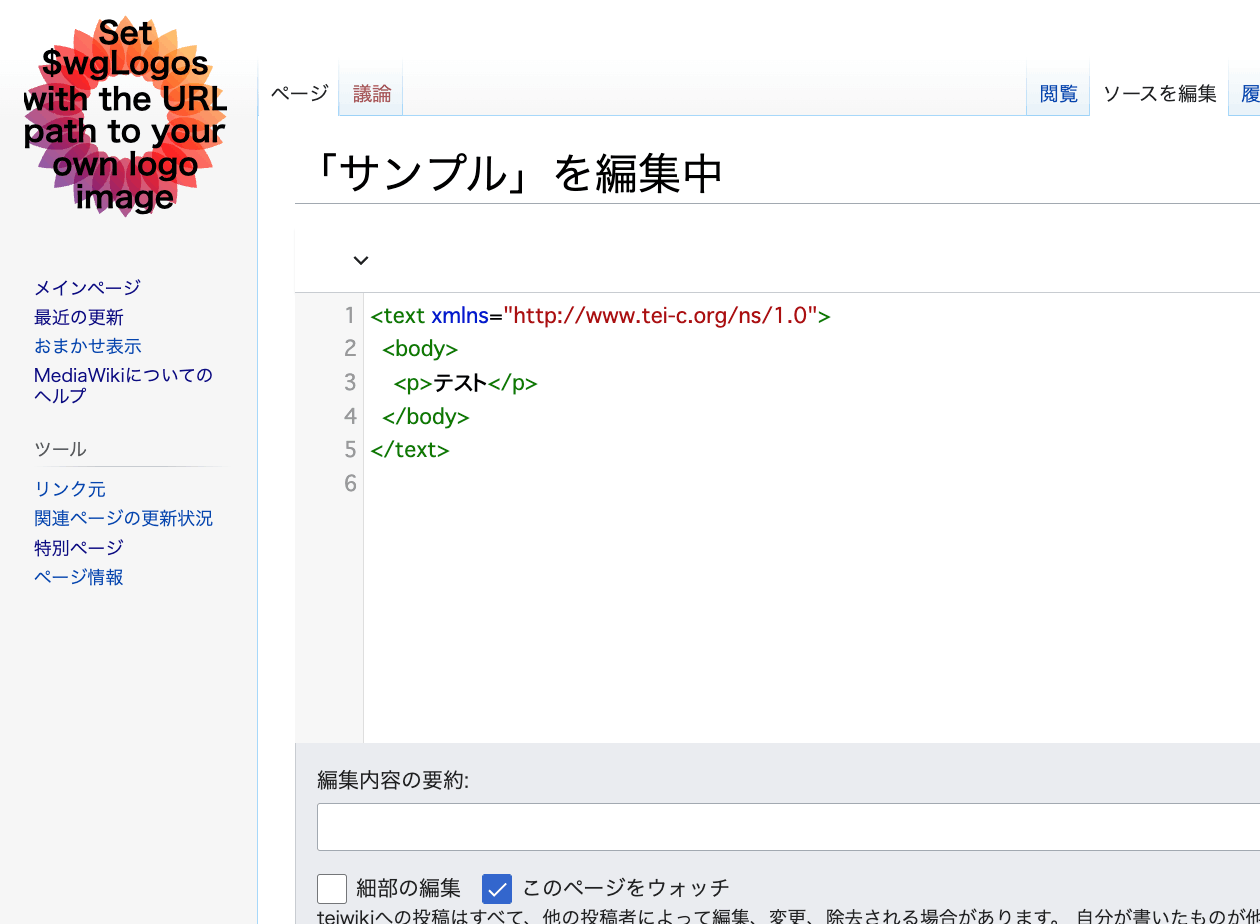
Overview An extension has been developed that enables TEI editing in MediaWiki. https://www.mediawiki.org/wiki/Extension:TEI An example of the editing screen is shown below. Scripto, a transcription support module for Omeka S, enables transcription of image data registered in Omeka S by linking Omeka S with MediaWiki. https://omeka.org/s/modules/Scripto/ I tried combining this environment with the TEI extension mentioned above to see if TEI-compliant transcription could be achieved. However, as a result, I was unable to get the TEI extension to work properly this time. ...

[TEI x JavaScript] Removing Unintended Whitespace in Nuxt 3

[TEI x JavaScript] Removing Unintended Whitespace in Nuxt 3

Problem When loading TEI/XML files and visualizing them with JavaScript (Vue.js, etc.), there were cases where unintended whitespace was inserted. Specifically, when writing HTML like the following: <template> <div> お問い合わせは <a href="#">こちらから</a> お願いします </div> </template> It would render with unintended spaces: “お問い合わせは こちらから お願いします” as shown below. A solution for this issue was published in the following repository: https://github.com/aokiken/vue-remove-whitespace However, I was unable to get it working in Nuxt 3 in my environment, so I used the source code as a reference and adapted it for Nuxt 3. ...

Double-Sided Ruby Annotations Using python-docx

Double-Sided Ruby Annotations Using python-docx

This is a memo on how to achieve double-sided ruby (furigana) in Word using python-docx. You can try it from the following notebook. https://colab.research.google.com/github/nakamura196/ndl_ocr/blob/main/python_docxを用いた両側ルビ.ipynb An output example is shown below. An input example is shown below. <body> <p> 私は <ruby> <rb> <ruby> <rb>打</rb> <rt place="right">ダ</rt> </ruby> <ruby> <rb>球</rb> <rt place="right">キウ</rt> </ruby> 場 </rb> <rt place="left">ビリヤード</rt> </ruby> に行きました。 </p> <p> <ruby> <rb>入学試験</rb> <rt place="above">にゅうがくしけん</rt> </ruby> があります。 </p> </body> The program is still incomplete, but I hope it serves as a helpful reference. ...

An Example Method for Converting TEI/XML Files to Vertical-Writing PDF

An Example Method for Converting TEI/XML Files to Vertical-Writing PDF

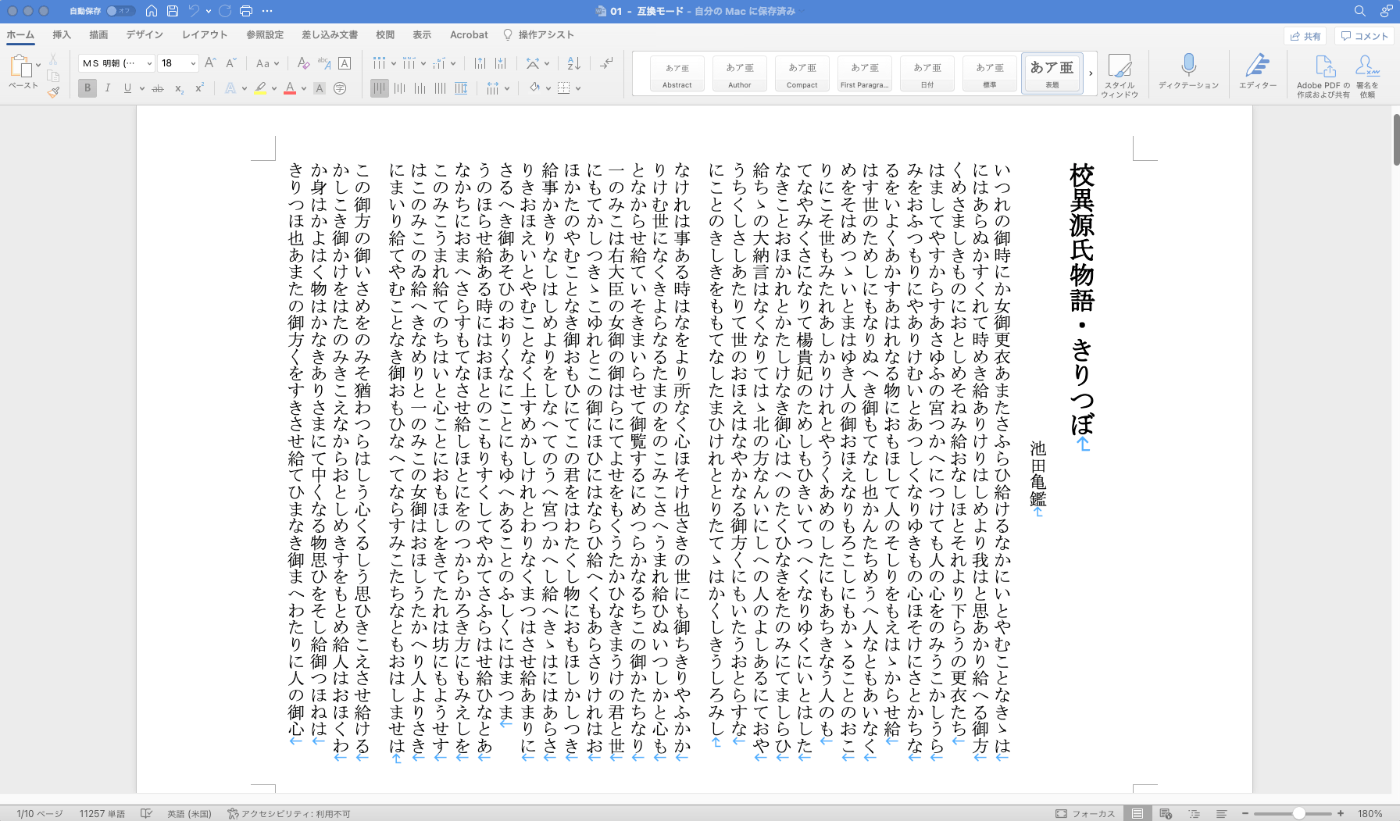
Overview This is a memo documenting one example method for converting TEI/XML files to vertical-writing (tategaki) PDF. You can try the program targeting “Koui Genji Monogatari” (Collated Tale of Genji) in the following notebook. https://colab.research.google.com/github/nakamura196/ndl_ocr/blob/main/TEI_XMLファイルを縦書きPDFに変換する.ipynb Conversion Workflow This time, I used Quarto. https://quarto.org/ Please refer to the following for installation instructions. https://quarto.org/docs/get-started/ TEI/XML -> qmd First, convert the contents of the TEI/XML file to a qmd file. Below is a sample conversion script. ...

Converting TEI/XML Files to EPUB Using Python

Converting TEI/XML Files to EPUB Using Python

Overview I had the opportunity to convert TEI/XML files to EPUB using Python, so here are my notes. While Oxygen XML Editor is one method for converting TEI/XML files to EPUB, this time I used the Python library “EbookLib.” I referenced the following article. https://dev.classmethod.jp/articles/try-create-epub-by-python-ebooklib/ In particular, this time the goal is to create a vertical-text EPUB from the TEI/XML files published in the “Koui Genji Monogatari Text Data Repository.” ...

I Created a Program to Extract Differences Between Two Texts

I Created a Program to Extract Differences Between Two Texts

Overview I created a program to extract differences between two texts. You can use it from the following Google Colab notebook. https://colab.research.google.com/github/nakamura196/ndl_ocr/blob/main/校異情報の生成.ipynb A well-known service for this purpose is “difff”, but this time I implemented it using Python. https://difff.jp/ For calculating the differences between texts, I used difflib.SequenceMatcher. https://docs.python.org/ja/3/library/difflib.html Usage You can choose between two output formats: HTML files and TEI files. HTML Here is an example of the HTML file output. ...

Added TEI/XML Download Functionality to the "NDL OCR x IIIF" App

Added TEI/XML Download Functionality to the "NDL OCR x IIIF" App

I added the ability to download OCR results in TEI/XML format to the app that allows viewing OCR results published in the National Diet Library’s “Next-Generation Digital Library” using an IIIF viewer. https://static.ldas.jp/ndl-ocr-iiif/ Please also refer to the following article about this app. In adding this feature, I updated the UI. The results are divided into “Viewer” and “Data.” For “Viewer,” in addition to the previously provided “Mirador” and “Curation Viewer,” I added “Universal Viewer” and “Image Annotator.” I also added a link to the “Next-Generation Digital Library” and implemented a page called “TEI Viewer” as a simple viewer for TEI/XML files. ...

Created a Sample Repository for Running XSLT in Node.js

Created a Sample Repository for Running XSLT in Node.js

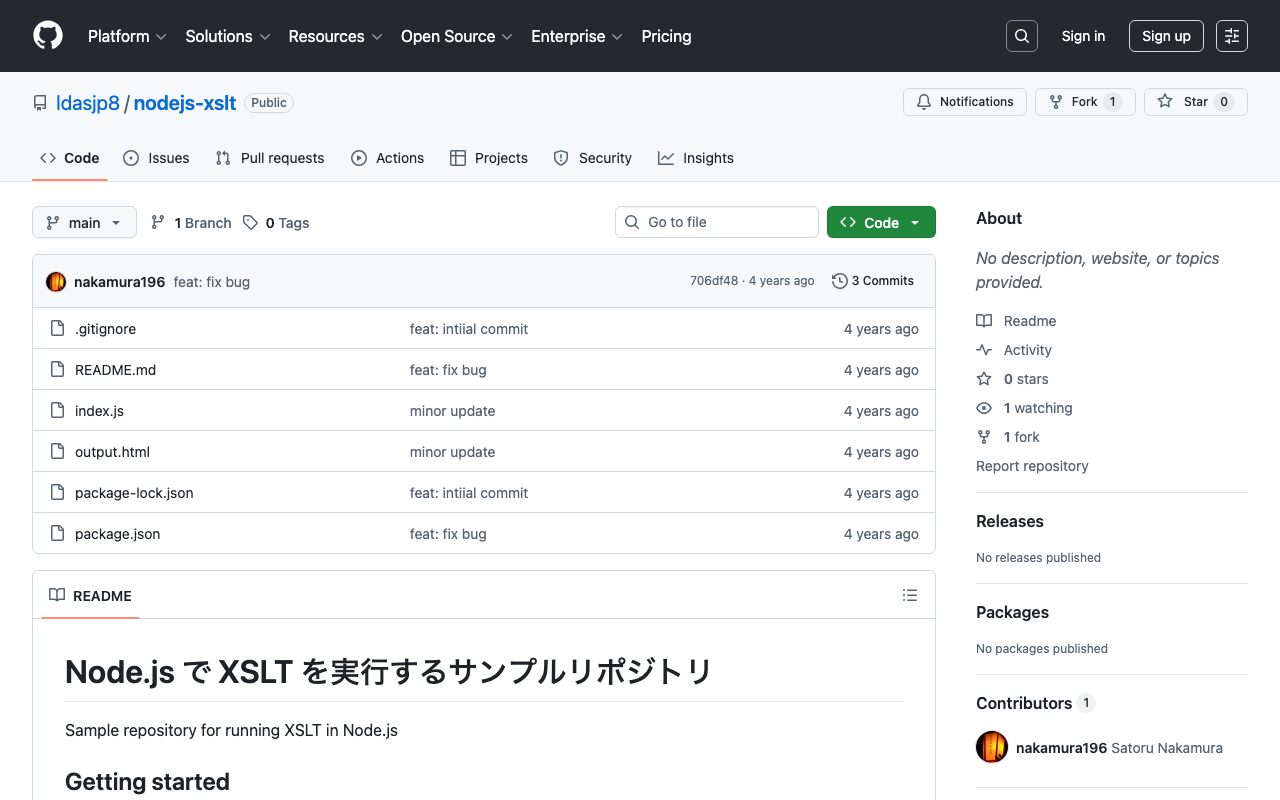
I created a sample repository for running XSLT in Node.js. https://github.com/ldasjp8/nodejs-xslt We hope this is helpful when processing TEI/XML files and similar in Node.js.

Created a Sample Program for Analyzing TEI/XML Files with Python

Created a Sample Program for Analyzing TEI/XML Files with Python

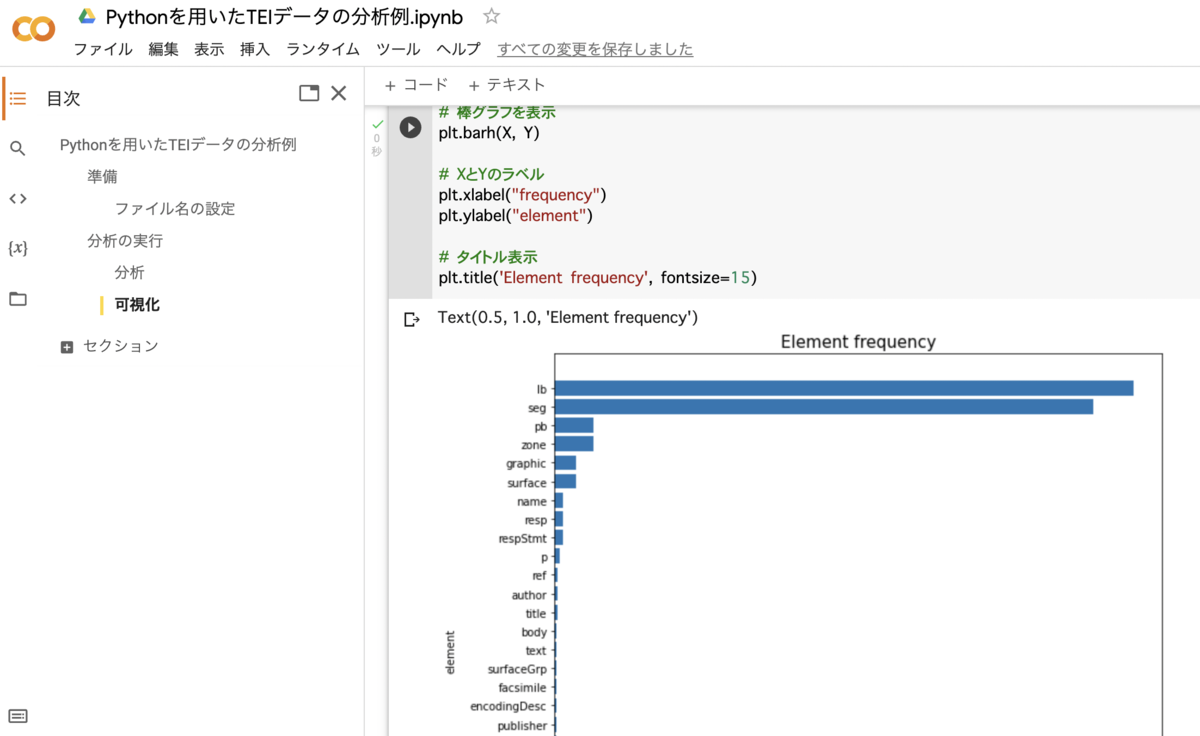
We created a sample program for analyzing TEI/XML files with Python. You can use it from the following Google Colab notebook: https://colab.research.google.com/drive/1fji80KZW8typjJMi01fyUWjrdYrNldsK We hope this serves as a useful reference for those considering the utilization of TEI data.

How to Use the Omeka S XML Viewer Module

How to Use the Omeka S XML Viewer Module

Note: Using this module requires some advanced procedures. If you are considering basic use of Omeka S, please be aware of this. Overview This article explains how to use the XML Viewer module, which enables the display of XML files in Omeka S. It can be used for purposes such as displaying XML files created with TEI. gitlab.com Installation As of March 4, 2022, this module is only published on GitLab and is not available on GitHub. ...

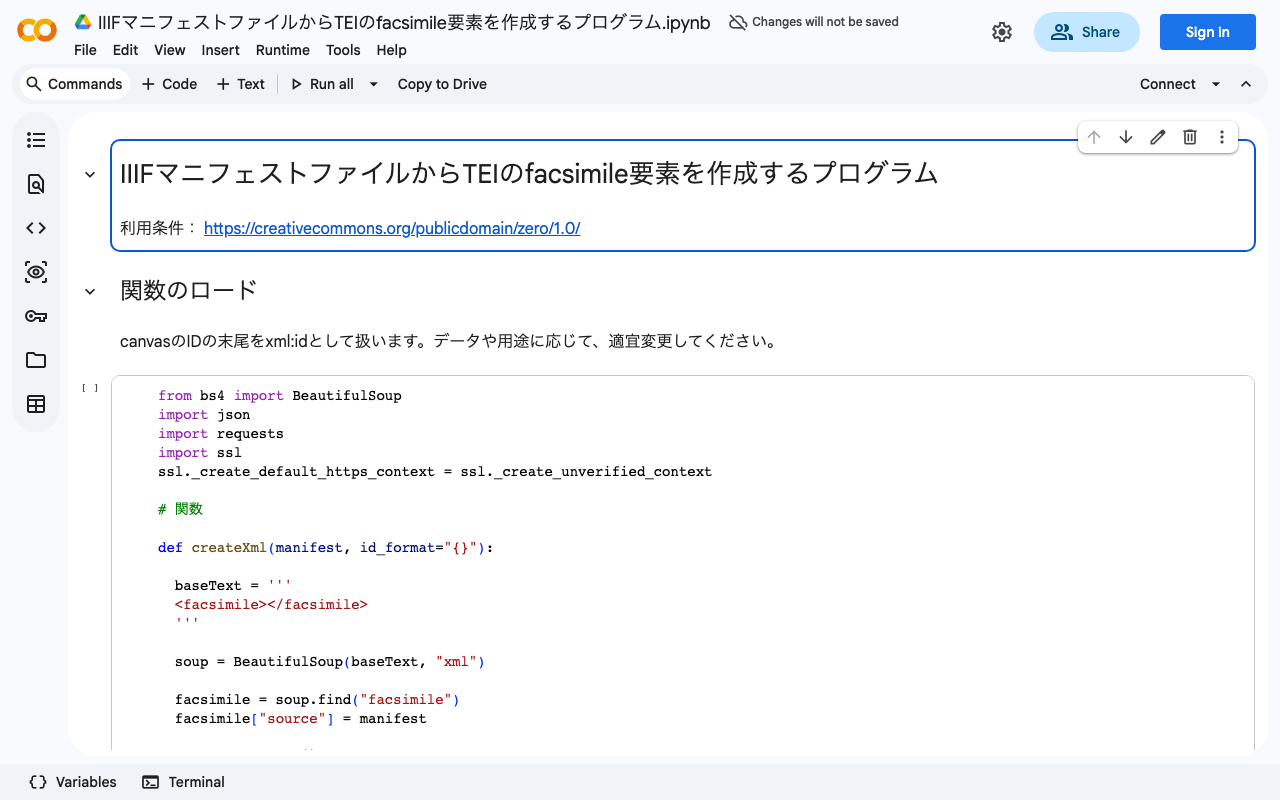
Created a Program to Generate TEI facsimile Elements from IIIF Manifest Files

Created a Program to Generate TEI facsimile Elements from IIIF Manifest Files

We created a program to generate TEI facsimile elements from IIIF manifest files. You can try it in the following Google Colaboratory notebook: colab.research.google.com We hope this serves as a useful reference for those considering integration between IIIF and TEI.

How to Get an Element with a Specific xml:id Value Using JavaScript querySelector()

How to Get an Element with a Specific xml:id Value Using JavaScript querySelector()

This is a memo on how to get an element with a specific xml:id value using JavaScript’s querySelector(). Specifically, for a variable called myDoc, you can retrieve the element as follows. This example gets the element with the value abc in its xml:id attribute. myDoc.querySelector("[*|id=‘abc’]") The key point is to specify it in the format *|(pipe)id. When working with TEI/XML files in JavaScript, there are cases where you need to retrieve elements using xml:id attribute values. Unlike other attributes such as type or corresp, the xml:id attribute has the prefix “xml:” in its attribute name. Therefore, you need to use the approach described above. ...

How to Add a Line Break Before the lb Tag in Oxygen Auto-Formatting

How to Add a Line Break Before the lb Tag in Oxygen Auto-Formatting

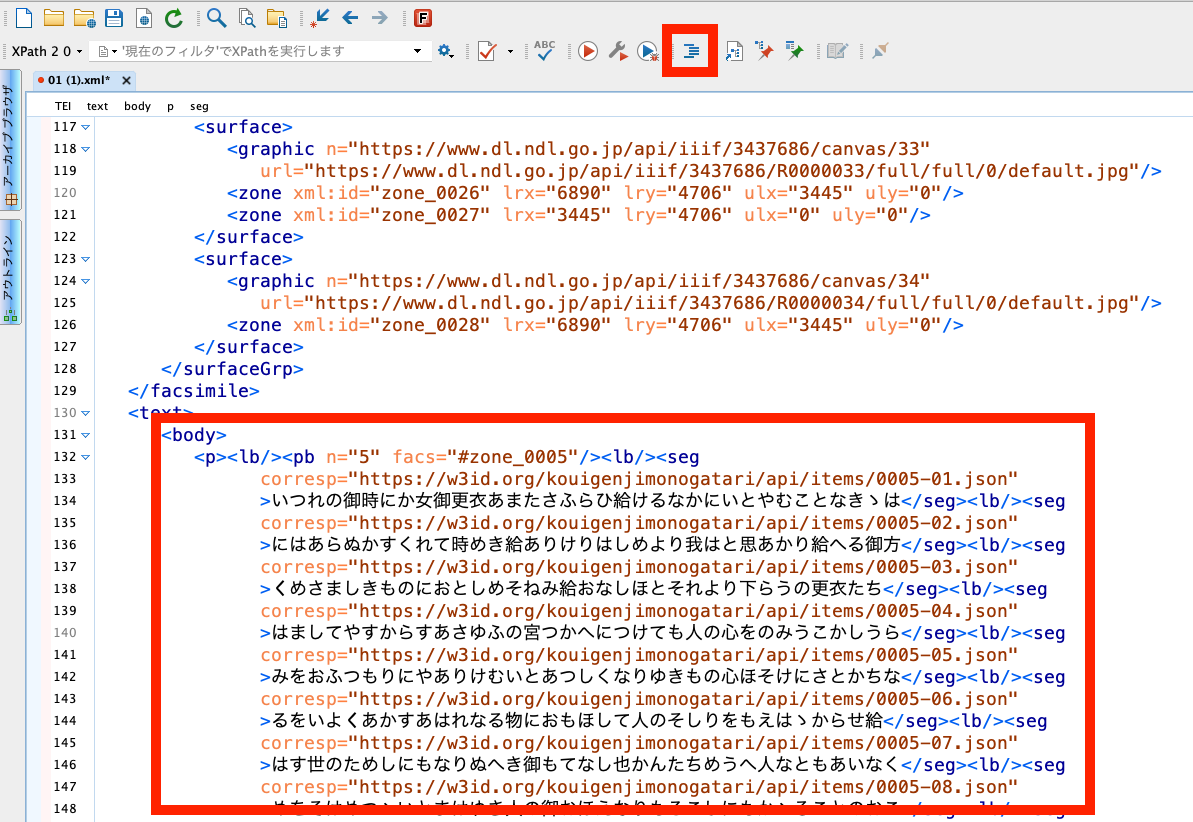
Overview This article introduces how to change the auto-formatting and indentation rules in “Oxygen XML Editor,” a useful tool for working with TEI/XML. Specifically, the goal is to ensure that a line break is inserted before the lb tag, which marks the beginning of a line. Background In “Oxygen XML Editor,” there is an auto-formatting and indentation feature. It is the icon shown at the top of the figure below. ...