Home Articles Books Search About
日本語
Trying Out the MyCapytain Library

Trying Out the MyCapytain Library

Overview This article tries out the MyCapytain library below. https://github.com/Capitains/MyCapytain Background In the following article, I covered CTS (Canonical Text Service). The following page provides explanations of CITE, CTS, and CapiTainS. https://brillpublishers.gitlab.io/documentation-cts/DTS_Guidelines.html The following document is about CITE, a system for the identification of texts and any other object. CTS is the name for the identification system itself. CapiTainS is the name for the software suite built around it. Before we go into details, we need to ask two questions: ...

Trying Canonical Text Services

Trying Canonical Text Services

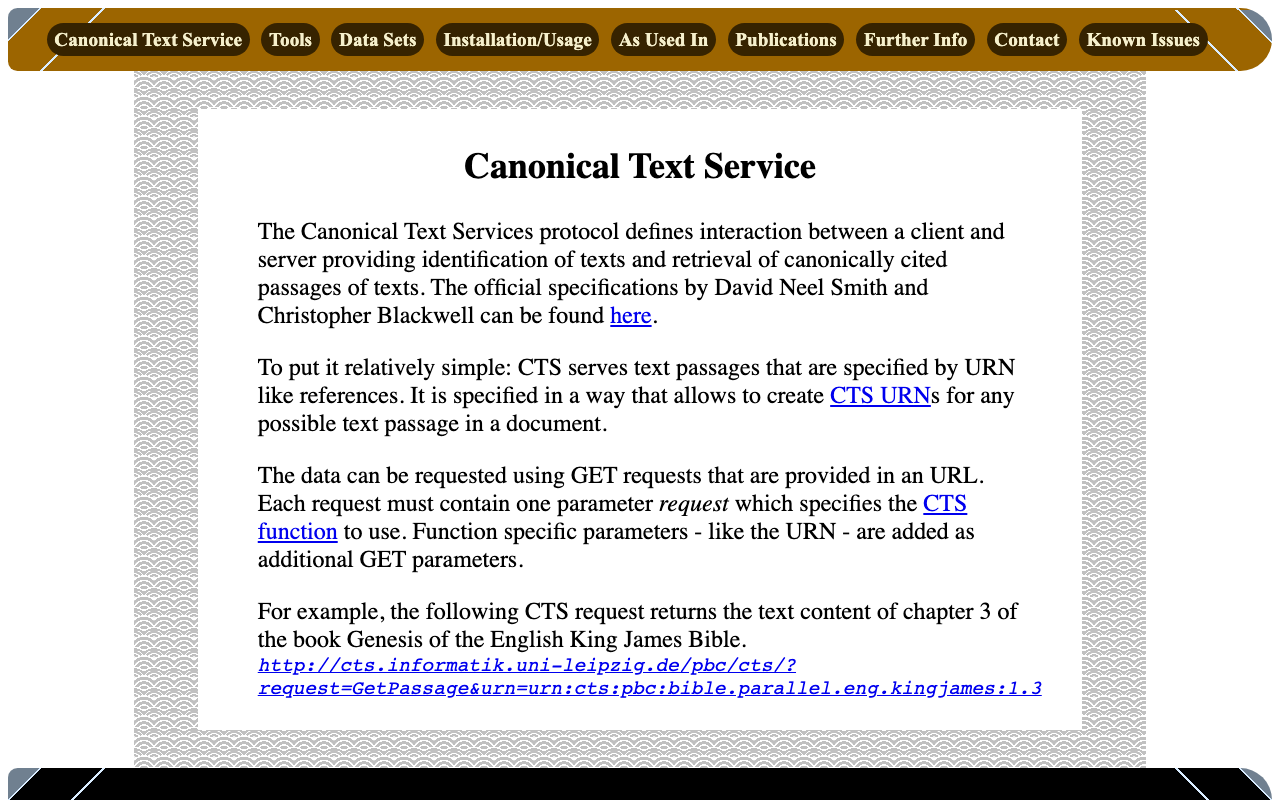
Overview Canonical Text Services is described as follows: The Canonical Text Services protocol defines interaction between a client and server providing identification of texts and retrieval of canonically cited passages of texts. The following site was used as a reference. http://cts.informatik.uni-leipzig.de/Canonical_Text_Service.html Usage The following was used as a reference. https://github.com/cite-architecture/cts_spec/blob/master/md/specification.md GetCapabilities A request to check the services supported by the server. http://cts.informatik.uni-leipzig.de/pbc/cts/?request=GetCapabilities <GetCapabilities xmlns="http://relaxng.org/ns/structure/1.0" xmlns:a="http://relaxng.org/ns/compatibility/annotations/1.0" xmlns:tei="http://www.tei-c.org/ns/1.0" xmlns:dc="http://purl.org/dc/elements/1.1/" xmlns:ti="http://chs.harvard.edu/xmlns/cts"> <request>GetCapabilities</request> <reply> <TextInventory tiversion="5.0.rc.1"> <corpuslicense>Public Domain</corpuslicense> <corpussource>http://paralleltext.info/data/</corpussource> <corpuslanguage>arb,ceb,ces,cym,deu,eng,fin,fra,ita,mya,rus,tgl,ukr</corpuslanguage> <corpusname>Parallel Bible Corpus</corpusname> <corpusdescription>The Bible corpus contains 1169 unique translations, which have been assigned 906 different ISO-639-3 codes. This CTS instance contains 20 bible translations from PBC that are available as Public Domain.</corpusdescription> <textgroup urn="urn:cts:pbc:bible"> <groupname>bible</groupname> <edition urn="urn:cts:pbc:bible.parallel.arb.norm:"> <title>The Bible in Arabic</title> <license>Public Domain</license> <source>http://paralleltext.info/data/ retrieved via Canonical Text Service http://cts.informatik.uni-leipzig.de/pbc/cts/</source> <publicationDate>1865</publicationDate> <language>arb</language> <contentType>xml</contentType> </edition> ... </textgroup> </TextInventory> </reply> </GetCapabilities> GetPassage Retrieves a specific portion of text based on a specified URN (Uniform Resource Name). ...

Applying Google Cloud Vision to Image Files to Create IIIF Manifests and TEI/XML Files

Applying Google Cloud Vision to Image Files to Create IIIF Manifests and TEI/XML Files

Overview I created a library that applies Google Cloud Vision to image files and generates IIIF manifest and TEI/XML files. https://github.com/nakamura196/iiif_tei_py This article explains how to use the library. Usage You can check the usage and more at the following page. https://nakamura196.github.io/iiif_tei_py/ Installing the Library Install the library from the GitHub repository. pip install https://github.com/nakamura196/iiif_tei_py Creating a GC Service Account Download a GC (Google Cloud) service account key (JSON file) by referring to articles such as the following. ...

LEAF Writer: Adding Mirador

LEAF Writer: Adding Mirador

Overview This is a record of investigating how to customize LEAF Writer. https://gitlab.com/calincs/cwrc/leaf-writer/leaf-writer This time, we add Mirador as shown below. Method Please refer to the following. https://gitlab.com/nakamura196/leaf-writer/-/commit/377438739cdeb0a7b770ee9d4b9fea86081179d8 The file that needs to be modified is as follows. import $ from 'jquery'; import 'jquery-ui'; import Writer from '../../../Writer'; // @ts-ignore import Mirador from 'mirador'; interface IiifViewerProps { attribute?: string; parentId: string; tag?: string; writer: Writer; } class IiifViewer { readonly writer: Writer; readonly id: string; readonly tagName: string; readonly attrName: string; // eslint-disable-next-line @typescript-eslint/no-explicit-any, @typescript-eslint/no-redundant-type-constituents miradorInstance: any | null; $pageBreaks: unknown; currentIndex = -1; ignoreScroll = false; constructor({ attribute, parentId, tag, writer }: IiifViewerProps) { this.writer = writer; this.id = `${parentId}_iiifViewer`; this.tagName = tag ?? 'pb'; // page break element name this.attrName = attribute ?? 'facs'; // attribute that stores the image URL $(`#${parentId}`).append(` <div id="${this.id}" style="position: absolute; top: 0; bottom: 0; left: 0; right: 0"></div> `); this.writer.event('loadingDocument').subscribe(() => this.reset()); this.writer.event('documentLoaded').subscribe((success: boolean, body: HTMLElement) => { console.log('documentLoaded', success, body); if (!success) return; this.processDocument(body); }); this.writer.event('writerInitialized').subscribe(() => { if (!this.writer.editor) return; }); } private processDocument(doc: HTMLElement) { // (doc).find const $facsimile = $(doc).find(`*[_tag="facsimile"]`); const manifestUri = $facsimile.attr('sameas'); const config = { id: this.id, windows: [ { loadedManifest: manifestUri, }, ], window: { sideBarOpen: false, }, }; // eslint-disable-next-line @typescript-eslint/no-unsafe-assignment, @typescript-eslint/no-unsafe-call, @typescript-eslint/no-unsafe-member-access this.miradorInstance = Mirador.viewer(config); } reset() { this.$pageBreaks = null; this.currentIndex = -1; } } export default IiifViewer; The following section retrieves information from <facsimile sameAs="https://dl.ndl.go.jp/api/iiif/3437686/manifest.json">. ...

LEAF Writer: How to Add Sample Data

LEAF Writer: How to Add Sample Data

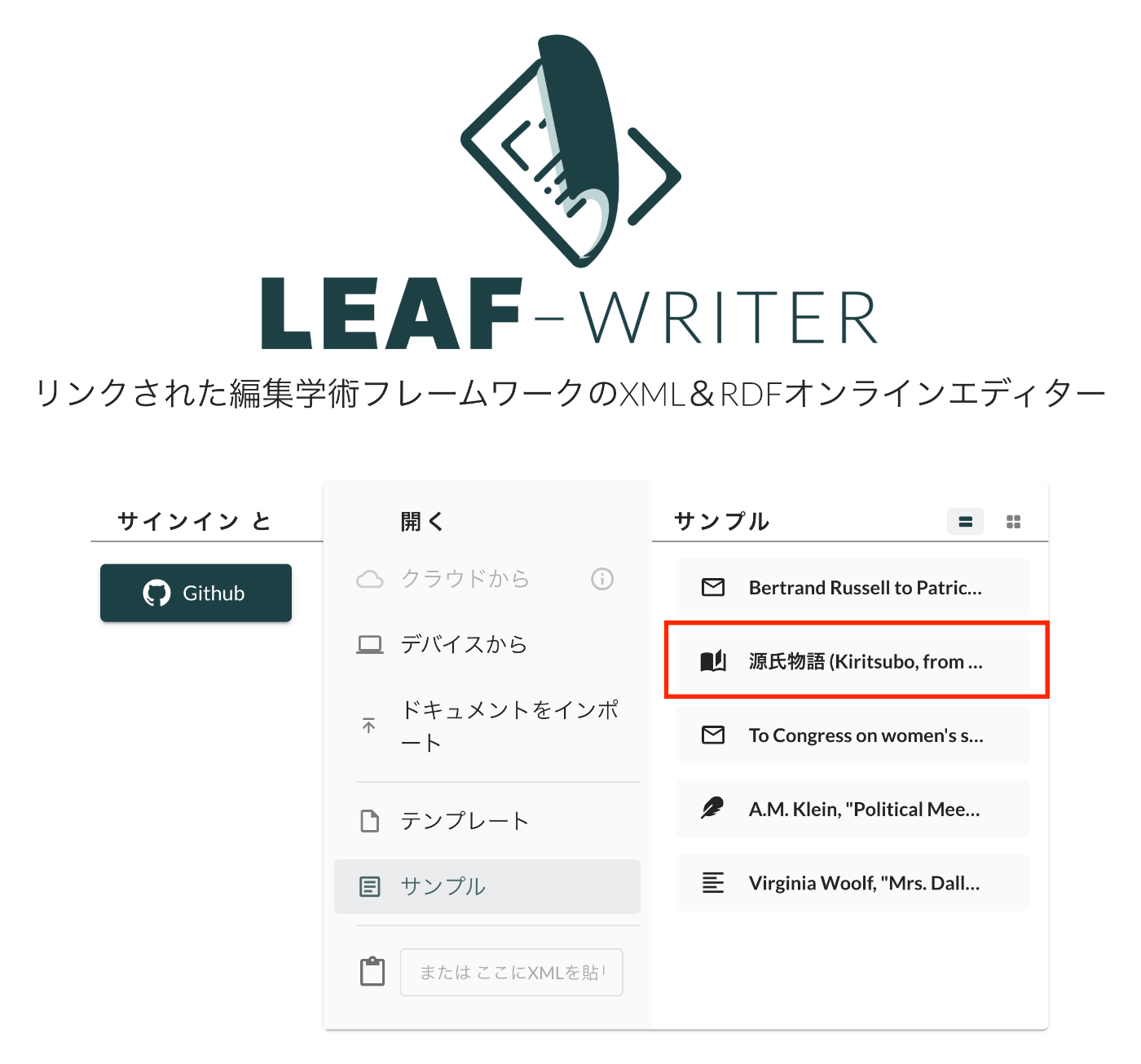
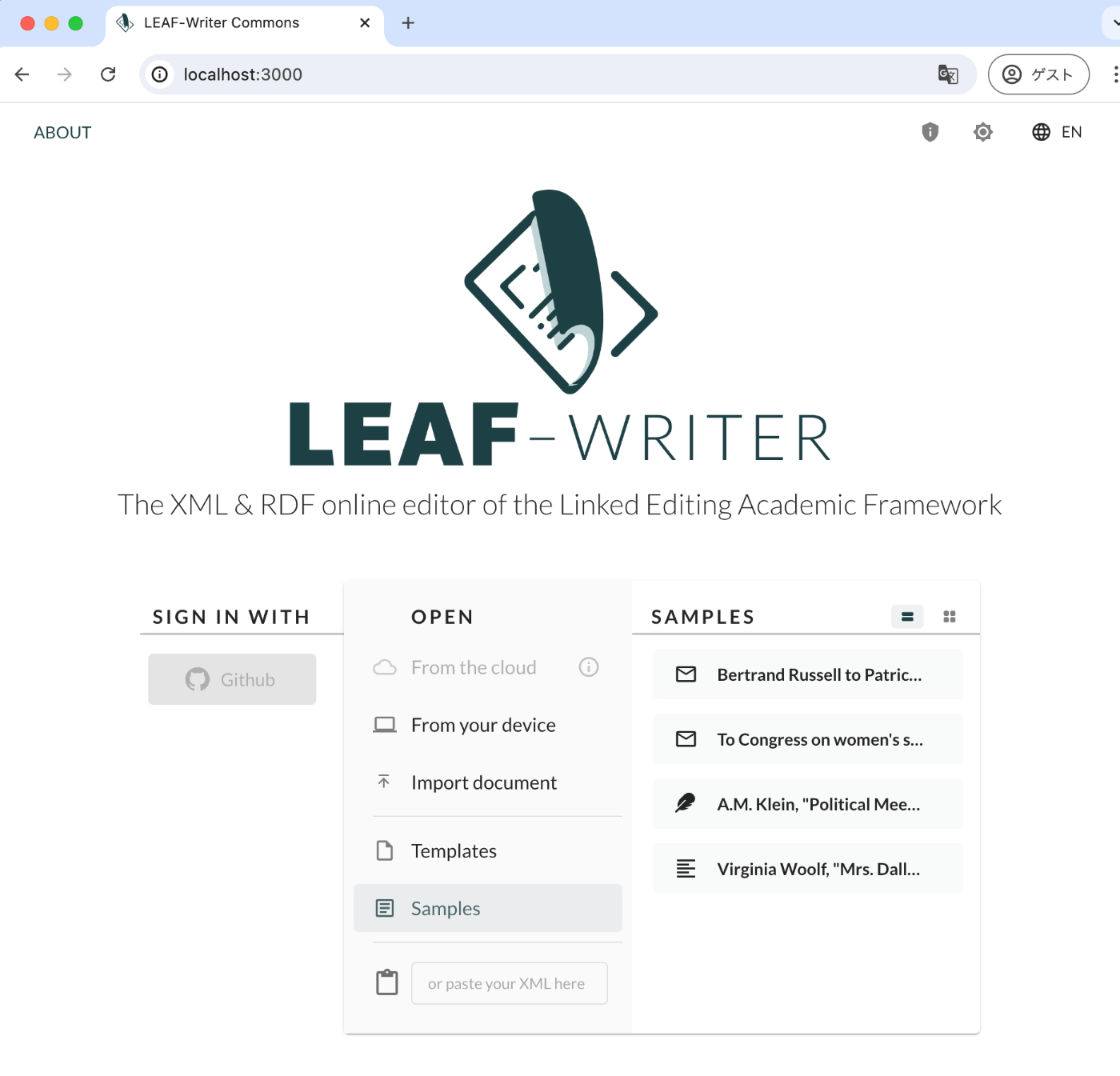
Overview This is a record of investigating how to customize LEAF Writer. https://gitlab.com/calincs/cwrc/leaf-writer/leaf-writer This time, it is a memo on how to add sample data. We add custom sample data as shown below. Method Please refer to the following. https://gitlab.com/nakamura196/leaf-writer/-/commit/c4e98090c94874037980819c9672eea10814eedb In addition to updating samples.json, it was also necessary to update apps/commons/src/icons/index.tsx to add an icon, although this is not mandatory. Result As shown below, the editor environment could be opened from the sample data. ...

LEAF Writer: How to Use the Image Viewer

LEAF Writer: How to Use the Image Viewer

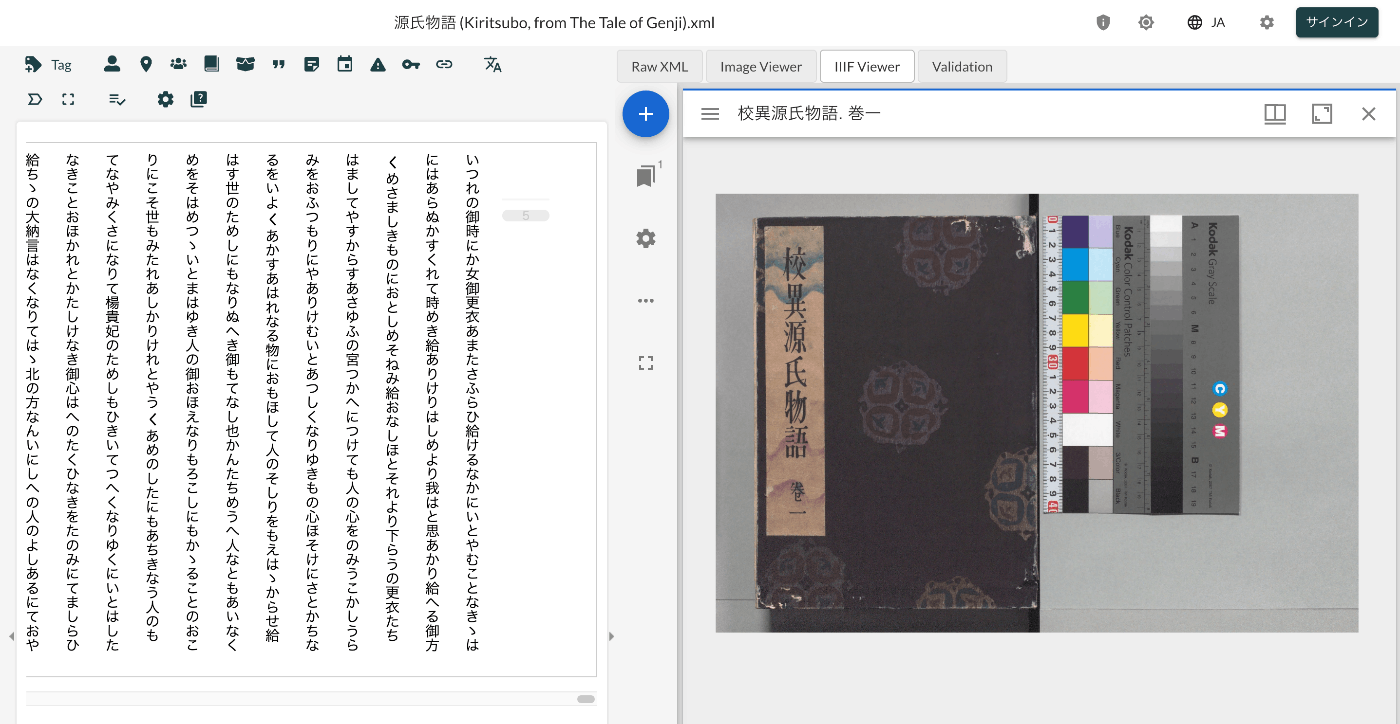
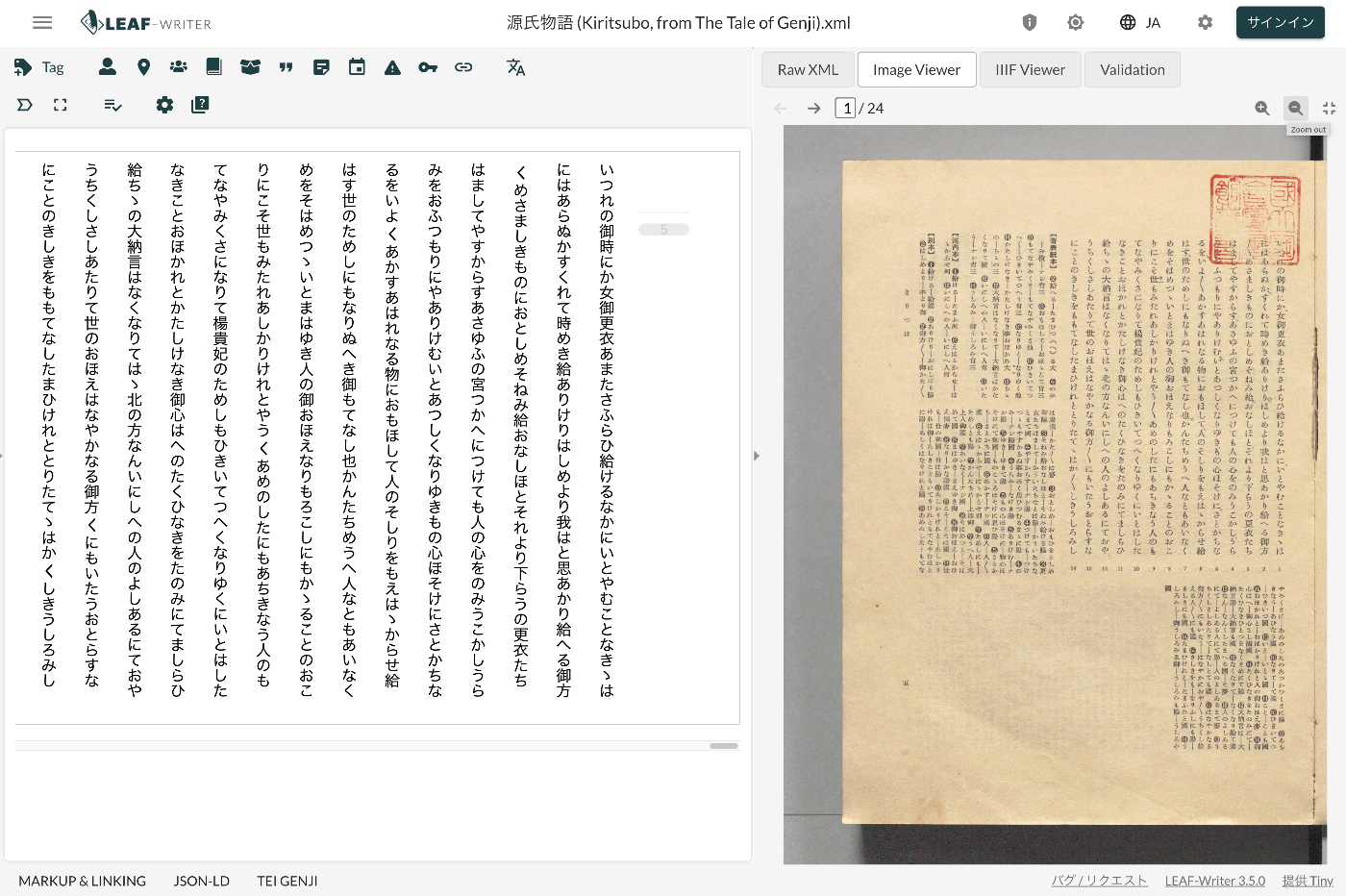
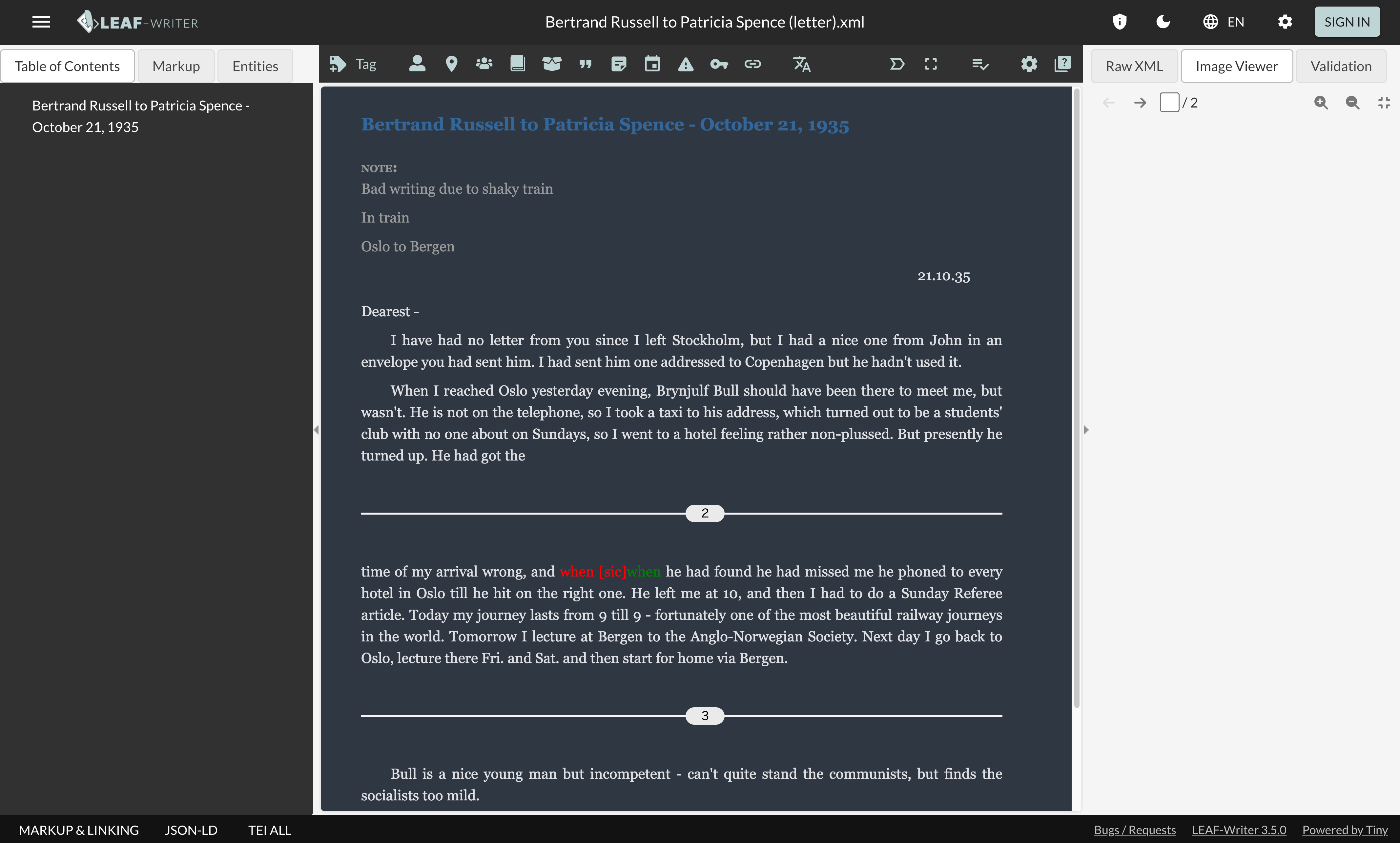
Overview LEAF Writer provides a feature for displaying text and images side by side, as shown below. It also offers a feature where the text moves in sync when you navigate through image pages. This article introduces TEI/XML markup examples for displaying images in the Image Viewer section. Method Specify the pb tag as follows. https://github.com/kouigenjimonogatari/kouigenjimonogatari.github.io/blob/master/xml/lw/01.xml Specifically, it looks like this: ... <pb corresp="#zone_0005" facs="https://dl.ndl.go.jp/api/iiif/3437686/R0000022/0,0,3445,4706/full/0/default.jpg" n="5"/> ... The image specified in the facs attribute of the pb element appears to be displayed in the Image Viewer section. ...

LEAF Writer: CSS Customization

LEAF Writer: CSS Customization

Overview This is a research note on how to customize LEAF Writer. https://gitlab.com/calincs/cwrc/leaf-writer/leaf-writer This article specifically covers CSS-based visual customization. This allows you to set up an editing environment with vertical text display, as shown below. The following shows the display before customization. Method Specify the schema file as follows. https://github.com/kouigenjimonogatari/kouigenjimonogatari.github.io/blob/master/xml/lw/01.xml Specifically: <?xml-stylesheet type="text/css" href="https://kouigenjimonogatari.github.io/lw/tei_genji.css"?> LEAF Writer reads this schema file and changes the editor’s style accordingly. This is not a LEAF Writer-specific feature but is supported by general web browsers as well. ...

LEAF Writer: Customizing Schemas

LEAF Writer: Customizing Schemas

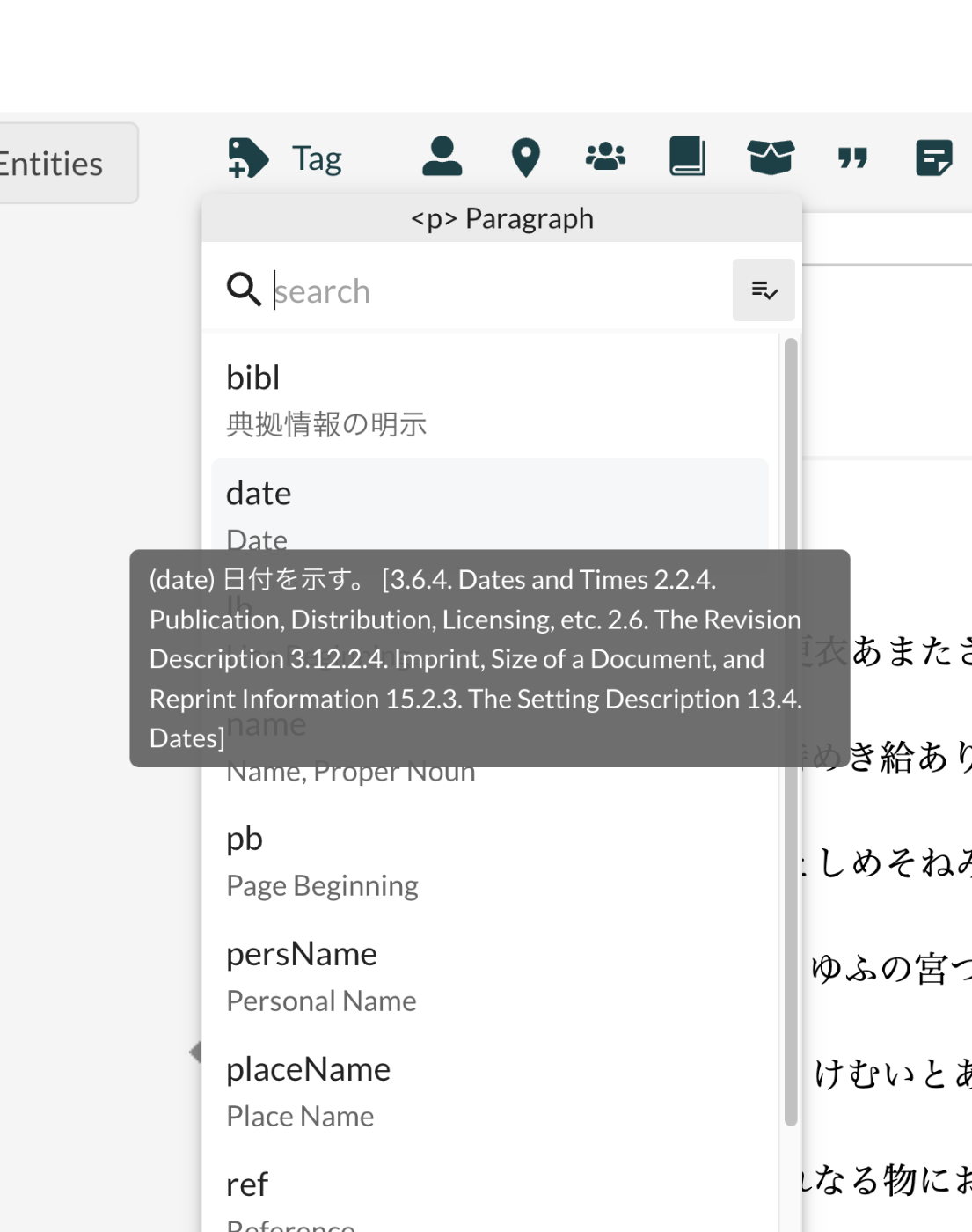
Overview This is an investigation record on how to customize LEAF Writer. https://gitlab.com/calincs/cwrc/leaf-writer/leaf-writer This time, it is a memo on how to customize schemas. The goal is to display Japanese translations and other customizations as shown below. Below is the display before customization. Based on the following schema, many elements are displayed with English descriptions. https://www.tei-c.org/release/xml/tei/custom/schema/relaxng/tei_all.rng Method Specify the schema file as follows. https://github.com/kouigenjimonogatari/kouigenjimonogatari.github.io/blob/master/xml/lw/01.xml Specifically: <?xml-model href="https://kouigenjimonogatari.github.io/lw/tei_genji.rng" type="application/xml" schematypens="http://relaxng.org/ns/structure/1.0"?> LEAF Writer reads this schema file and uses it for validation and presenting available elements. ...

Partial Update to TEI/XML Published in the Koui Genji Monogatari Text Data Repository

Partial Update to TEI/XML Published in the Koui Genji Monogatari Text Data Repository

Overview I publish TEI/XML files for the Koui Genji Monogatari (Variorum Tale of Genji) in the following repository. https://github.com/kouigenjimonogatari I made some changes to the TEI/XML published here, so this is a note about those changes. Folder Structure Files before the modifications are stored here. There are no changes from before. https://github.com/kouigenjimonogatari/kouigenjimonogatari.github.io/tree/master/tei The updated files are stored here. https://github.com/kouigenjimonogatari/kouigenjimonogatari.github.io/tree/master/xml/lw This directory contains XML files with the modifications described below. Modifications Adding a Schema The following rng file was added. ...

LEAF Writer: Entity Lookup for Japan Search

LEAF Writer: Entity Lookup for Japan Search

Overview This is an investigation record on how to customize LEAF Writer. https://gitlab.com/calincs/cwrc/leaf-writer/leaf-writer This time, it is a memo on how to add Entity Lookup. Specifically, we add functionality to query the Japan Search utilization schema, as shown below. Method The following changes were made to the forked repository. https://gitlab.com/nakamura196/leaf-writer/-/commit/69e10e2ddd17f6cd01501fbf29f0dd86d1e86a3a Usage You can try a version with partially Japanese-localized UI using the following repository. https://gitlab.com/nakamura196/leaf-writer Please refer to the following for startup instructions. ...

LEAF Writer: Adding Japanese UI

LEAF Writer: Adding Japanese UI

Overview This is a research note on how to customize LEAF Writer. https://gitlab.com/calincs/cwrc/leaf-writer/leaf-writer This article covers how to add Japanese UI as a note. Method The following changes were made to a forked repository. https://gitlab.com/nakamura196/leaf-writer/-/commit/c9b7053814fc1e5a27a1847f20076096832dd68b Usage You can try a version with partially Japanese-localized UI using the following repository. https://gitlab.com/nakamura196/leaf-writer For startup instructions, please refer to the following. Summary I hope this is helpful for applications of LEAF Writer. ...

Running LEAF-Writer in a Local Environment

Running LEAF-Writer in a Local Environment

Overview I had the opportunity to run LEAF-Writer in a local environment, so here are my notes. Repository The following repository is used. https://gitlab.com/calincs/cwrc/leaf-writer/leaf-writer Method git clone https://gitlab.com/calincs/cwrc/leaf-writer/leaf-writer cd leaf-writer npm i npm run dev LEAF-Writer starts on port 3000. Summary There also seems to be a method using Docker, so I will share it once I figure it out.

Examining the Contents of the DHC Format

Examining the Contents of the DHC Format

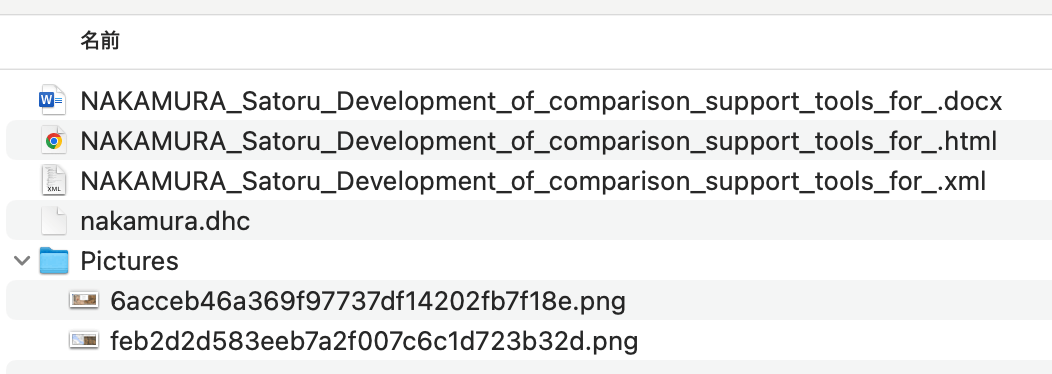
Overview At the annual conferences of Digital Humanities and The Japanese Association for Digital Humanities (JADH), it is common to use a tool called dhconvalidator to convert DOCX or ODT files into DHC files for submission. https://github.com/ADHO/dhconvalidator This article is a note for understanding this format. Examining the Contents DHC files are described as follows. This is essentially a ZIP archive containing their original OCT/DOCX file, an HTML rendering and an XML-TEI rendering, plus a folder with the image files, properly renamed). ...

Converting IIIF Curation Lists to TEI Facsimile Elements

Converting IIIF Curation Lists to TEI Facsimile Elements

Overview I created a library to convert IIIF Curation Lists to TEI facsimile elements. https://github.com/nakamura196/iiif-tei I also prepared a demo page for performing this conversion. https://nakamura196.github.io/nuxt3-demo/iiif-tei-demo A video demonstrating how to use it is available below. https://youtu.be/Y5JlrJbtgz8 I hope this serves as a useful reference.

Prototyping entity-lookup Using the Japan Search Utilization Schema

Prototyping entity-lookup Using the Japan Search Utilization Schema

Overview This is a continuation of the following article. I will prototype a package that performs CWRC entity-lookup using the Japan Search utilization schema. Demo You can try it on the following page. https://nakamura196.github.io/nuxt3-demo/entity-lookup/ Entity-lookup is performed against JPS, Wikidata, and VIAF for each type such as Person, Place, and Organization. Library It is published at the following location. https://github.com/nakamura196/jps-entity-lookup Based on the repository https://github.com/cwrc/wikidata-entity-lookup already published by CWRC, I mainly modified the following file to match the Japan Search utilization schema. ...

Trying cwrc's wikidata-entity-lookup

Trying cwrc's wikidata-entity-lookup

Overview This is a continuation of the following article. One of the features of LEAF-WRITER is described as follows: the ability to look up and select identifiers for named entity tags (persons, organizations, places, or titles) from the following Linked Open Data authorities: DBPedia, Geonames, Getty, LGPN, VIAF, and Wikidata. This feature uses libraries such as the following. https://github.com/cwrc/wikidata-entity-lookup I tried out this feature. Usage npm packages are published at the following locations. ...

Trying the CWRC XML Validator API

Trying the CWRC XML Validator API

Overview One of the editors for TEI/XML is LEAF-WRITER. https://leaf-writer.leaf-vre.org/ It is described as follows: The XML & RDF online editor of the Linked Editing Academic Framework The GitLab repository is below. https://gitlab.com/calincs/cwrc/leaf-writer/leaf-writer One of the features of this tool is described as: continuous XML validation This validation appears to use the following API. https://validator.services.cwrc.ca/ The library seems to be: https://www.npmjs.com/package/@cwrc/leafwriter-validator This time, I tried the above API. ...

RELAX NG and Schematron

RELAX NG and Schematron

Overview When creating TEI/XML with oXygen XML Editor, the following template is generated. <?xml version="1.0" encoding="UTF-8"?> <?xml-model href="http://www.tei-c.org/release/xml/tei/custom/schema/relaxng/tei_all.rng" type="application/xml" schematypens="http://relaxng.org/ns/structure/1.0"?> <?xml-model href="http://www.tei-c.org/release/xml/tei/custom/schema/relaxng/tei_all.rng" type="application/xml" schematypens="http://purl.oclc.org/dsdl/schematron"?> <TEI xmlns="http://www.tei-c.org/ns/1.0"> <teiHeader> <fileDesc> <titleStmt> <title>Title</title> </titleStmt> <publicationStmt> <p>Publication Information</p> </publicationStmt> <sourceDesc> <p>Information about the source</p> </sourceDesc> </fileDesc> </teiHeader> <text> <body> <p>Some text here.</p> </body> </text> </TEI> I was curious about the following difference, so I am sharing the results of querying GPT-4. <?xml-model href="http://www.tei-c.org/release/xml/tei/custom/schema/relaxng/tei_all.rng" type="application/xml" schematypens="http://relaxng.org/ns/structure/1.0"?> <?xml-model href="http://www.tei-c.org/release/xml/tei/custom/schema/relaxng/tei_all.rng" type="application/xml" schematypens="http://purl.oclc.org/dsdl/schematron"?> Answer The difference between the 2nd and 3rd lines is the namespace specified in the schematypens attribute. Details are explained below. ...

TEI Publisher ODD Configuration Examples (1)

TEI Publisher ODD Configuration Examples (1)

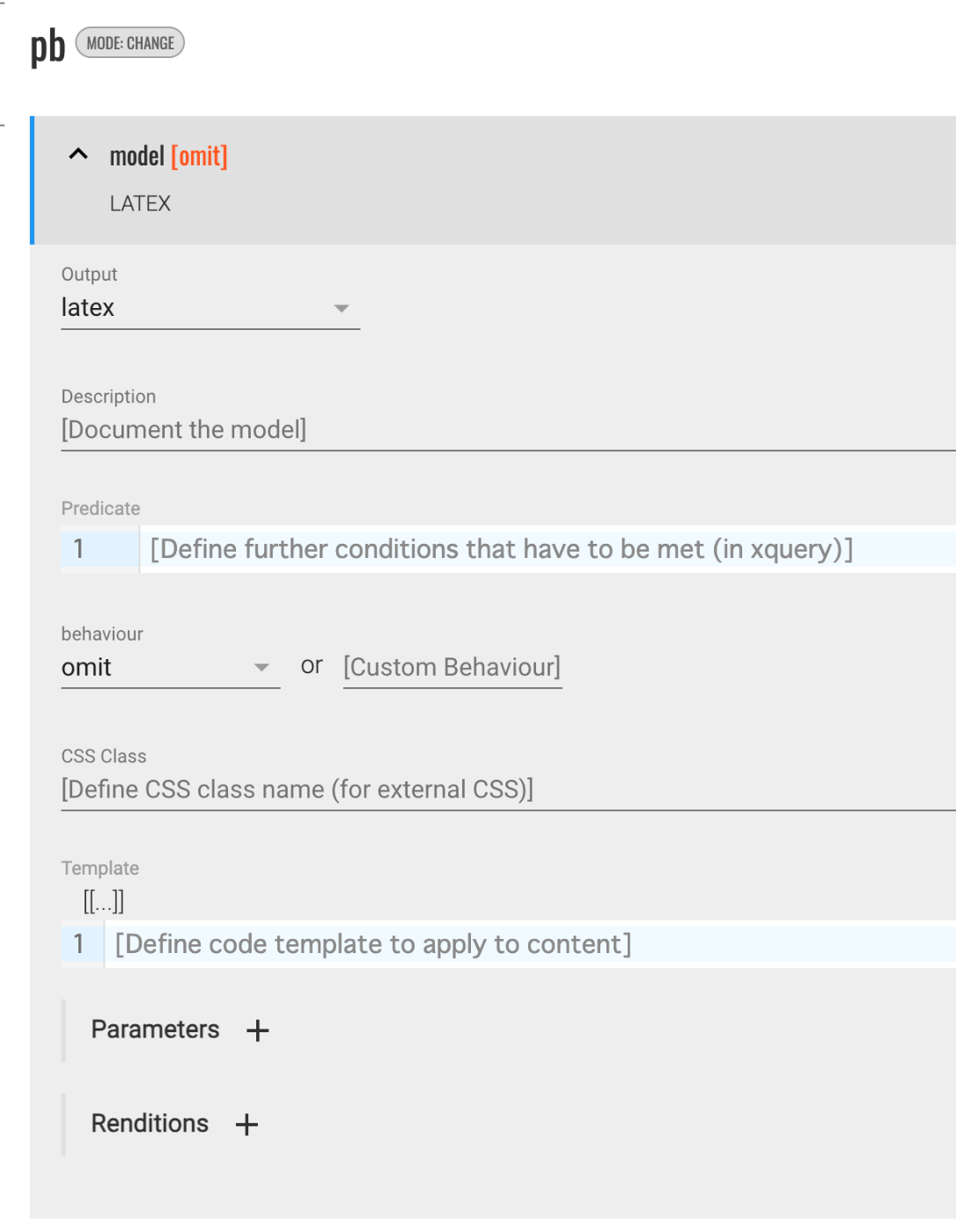
Overview This is a memo on configuring ODD settings in TEI Publisher. Hiding Elements in the Output The following was helpful as a reference. https://teipublisher.com/exist/apps/tei-publisher/documentation/odd-customization-other-behaviours Select omit for the behaviour. This caused the pb element to be hidden in the output (in the above example, latex). Adding Line Breaks with lb This may be specific to LaTeX conversion, but by selecting paragraph for the behaviour, a blank line was inserted where lb tags appeared. ...

Using the Docker Version of TEI Publisher

Using the Docker Version of TEI Publisher

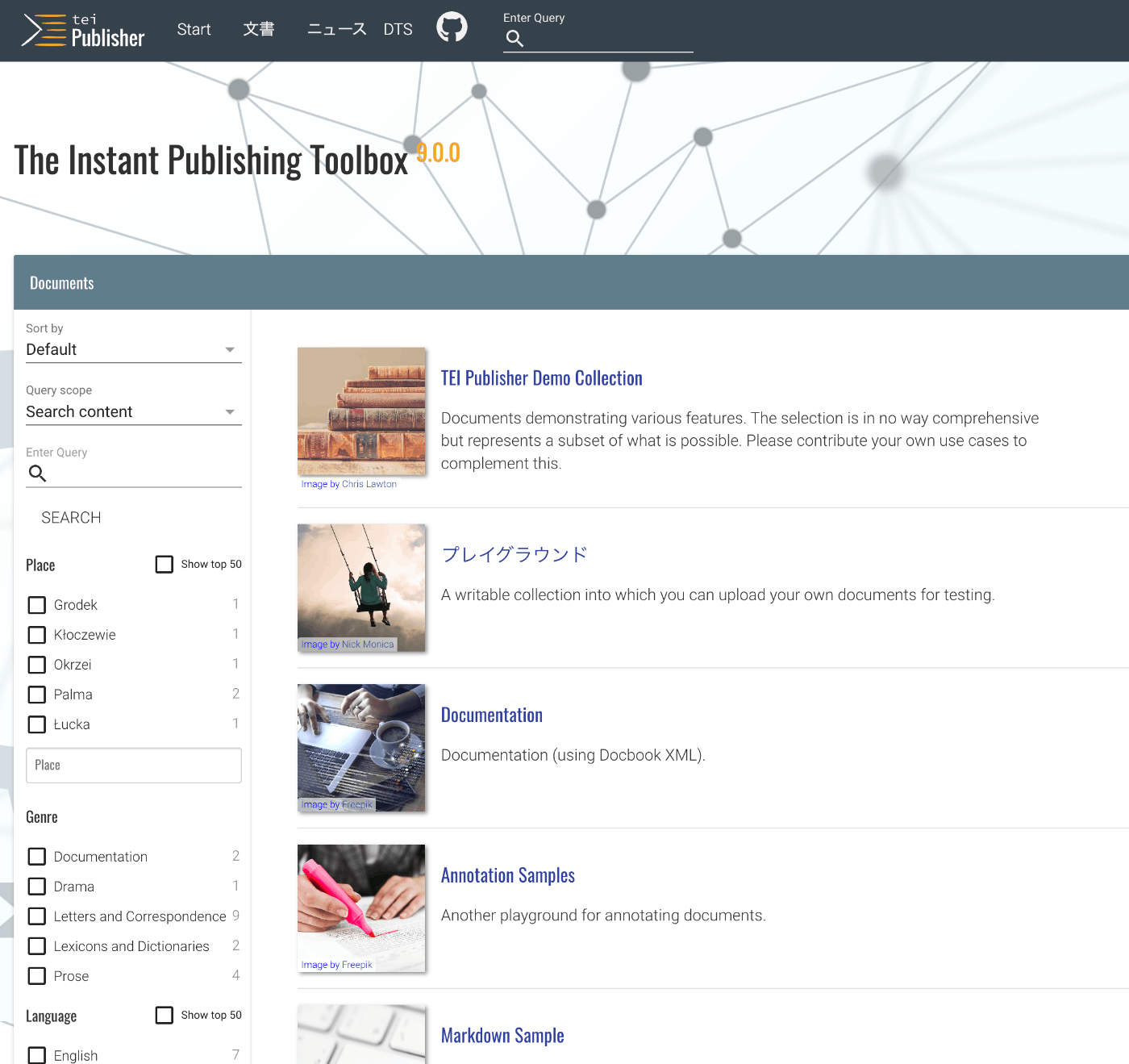
Overview I had an opportunity to use the Docker version of TEI Publisher, so here are my notes. https://teipublisher.com/exist/apps/tei-publisher-home/index.html TEI Publisher is described as follows. TEI Publisher facilitates the integration of the TEI Processing Model into exist-db applications. The TEI Processing Model (PM) extends the TEI ODD specification format with a processing model for documents. That way intended processing for all elements can be expressed within the TEI vocabulary itself. It aims at the XML-savvy editor who is familiar with TEI but is not necessarily a developer. ...