Home Articles Books Search About
日本語
Application of DTS (Distributed Text Services) dts:wrapper When Building Search Systems from TEI/XML

Application of DTS (Distributed Text Services) dts:wrapper When Building Search Systems from TEI/XML

Overview This is a note on the application of the DTS (Distributed Text Services) dts:wrapper tag when building search systems from TEI/XML. DTS (Distributed Text Services) is described as follows: Cayless, H., Clérice, T., Jonathan, R., Scott, I., & Almas, B. Distributed Text Services Specifications (Version 1-alpha) [Computer software]. https://github.com/distributed-text-services/specifications` References As an example of building DTS, the following may also be helpful. Example The following “Digital Engishiki” is used as an example. ...

A Sample App Displaying Images with Mirador and Text with CETEIcean

A Sample App Displaying Images with Mirador and Text with CETEIcean

Overview I created a sample app that loads TEI/XML files, displays images with Mirador, and displays text with CETEIcean. You can try it from the following URL. Demo Site https://nakamura196.github.io/ceteicean-mirador/ Background I have previously developed applications that provide similar functionality. Implementation example using Next.js Implementation example using XSLT This time, I introduce an approach using only HTML and plain JavaScript. Target Data The target is the following Koui Genji Monogatari Text DB. ...

How to Convert Word Files to TEI XML: A Guide to Using the TEIgarage API

How to Convert Word Files to TEI XML: A Guide to Using the TEIgarage API

This article was created by AI with some human modifications. Introduction In the world of digital humanities, it has become common to store documents in TEI (Text Encoding Initiative) format. TEI is a standard for structuring scholarly texts. This article explains how to convert documents created in Microsoft Word to TEI XML format using Python. What is TEIgarage? TEIgarage is an online service for converting documents in various formats to TEI XML. The service provides an API that can be called directly from programs. In this article, we will call this API from Python to convert Word files. ...

Developing a Viewer with Next.js + CETEIcean + React TEI Router

Developing a Viewer with Next.js + CETEIcean + React TEI Router

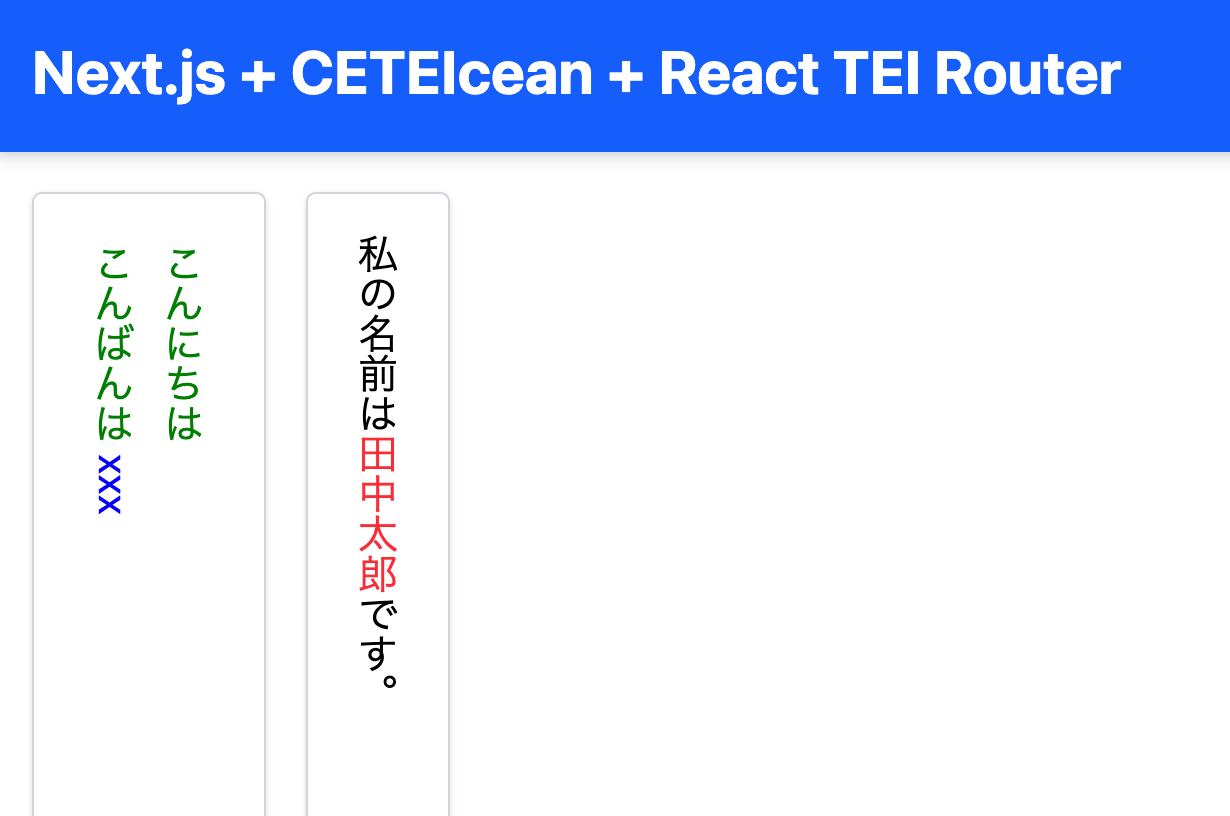
Overview This is a memo on developing a TEI/XML viewer combining Next.js, CETEIcean, and React TEI Router. Background CETEIcean is a JavaScript library that converts TEI/XML to HTML5. https://github.com/TEIC/CETEIcean React TEI Router is a library that enables structured display of TEI/XML using React components, based on CETEIcean. It is described as follows: https://github.com/pfefferniels/react-teirouter TEI for React using CETEIcean and routes By combining these, I created a viewer that can customize and display TEI/XML in Next.js. ...

Creating TEI/XML from VTT Files

Creating TEI/XML from VTT Files

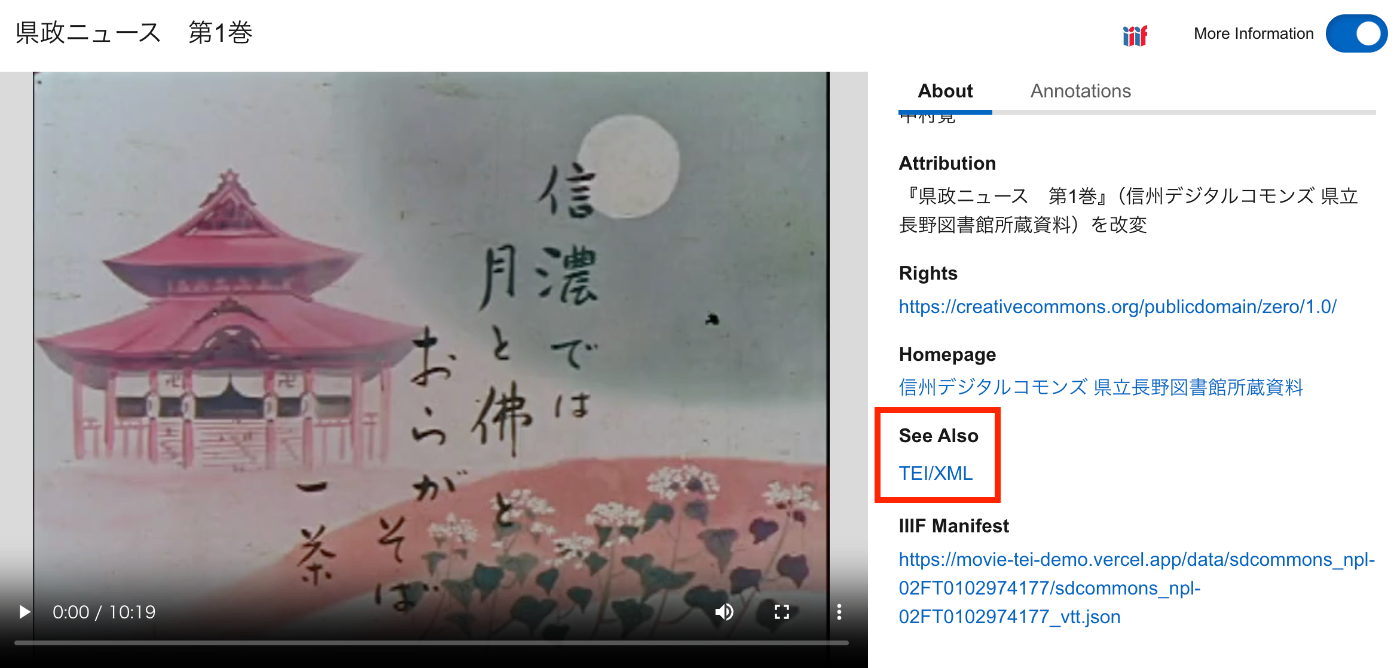
Overview This is a memorandum on how to create TEI/XML files from VTT files. Additionally, I will make it possible to access VTT files and TEI/XML files from an IIIF manifest. As a result, as shown below, the TEI/XML file is associated via SeeAlso, and the contents of the VTT file can be accessed from the “Annotations” tab. https://clover-iiif-demo.vercel.app/?manifest=https://movie-tei-demo.vercel.app/data/sdcommons_npl-02FT0102974177/sdcommons_npl-02FT0102974177_vtt.json References I referenced the following efforts from “The Ethiopian Language Archive.” The TEI/XML structuring method was particularly helpful. ...

A Program to Create TEI/XML Files with OCR Results from IIIF Manifest Files

A Program to Create TEI/XML Files with OCR Results from IIIF Manifest Files

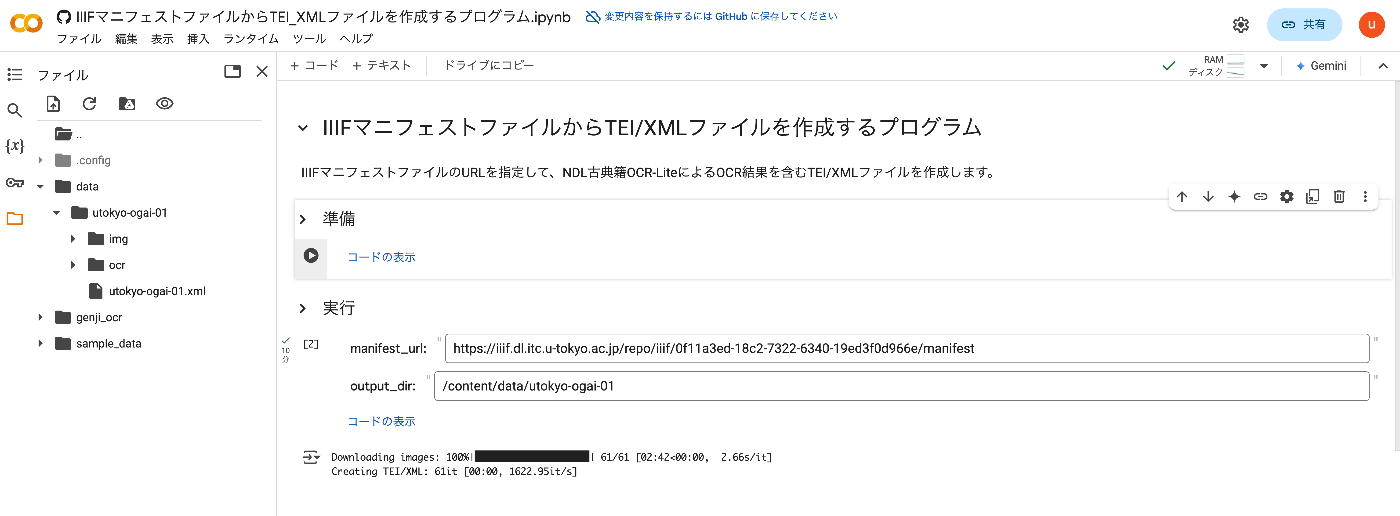
Overview I created a program to generate TEI/XML files containing OCR results from IIIF manifest files. This article explains how to use it. How It Works By specifying the URL of an IIIF manifest file, it creates a TEI/XML file containing OCR results from NDL Kotenseki OCR-Lite. https://github.com/ndl-lab/ndlkotenocr-lite Usage Access the following notebook: https://colab.research.google.com/github/nakamura196/000_tools/blob/main/IIIFマニフェストファイルからTEI_XMLファイルを作成するプログラム.ipynb Then press the first play button. Once complete, update the manifest_url and output_dir values in the “Execute” section and run the cell. ...

Created a Similar Text Search App for the Koui Genji Monogatari

Created a Similar Text Search App for the Koui Genji Monogatari

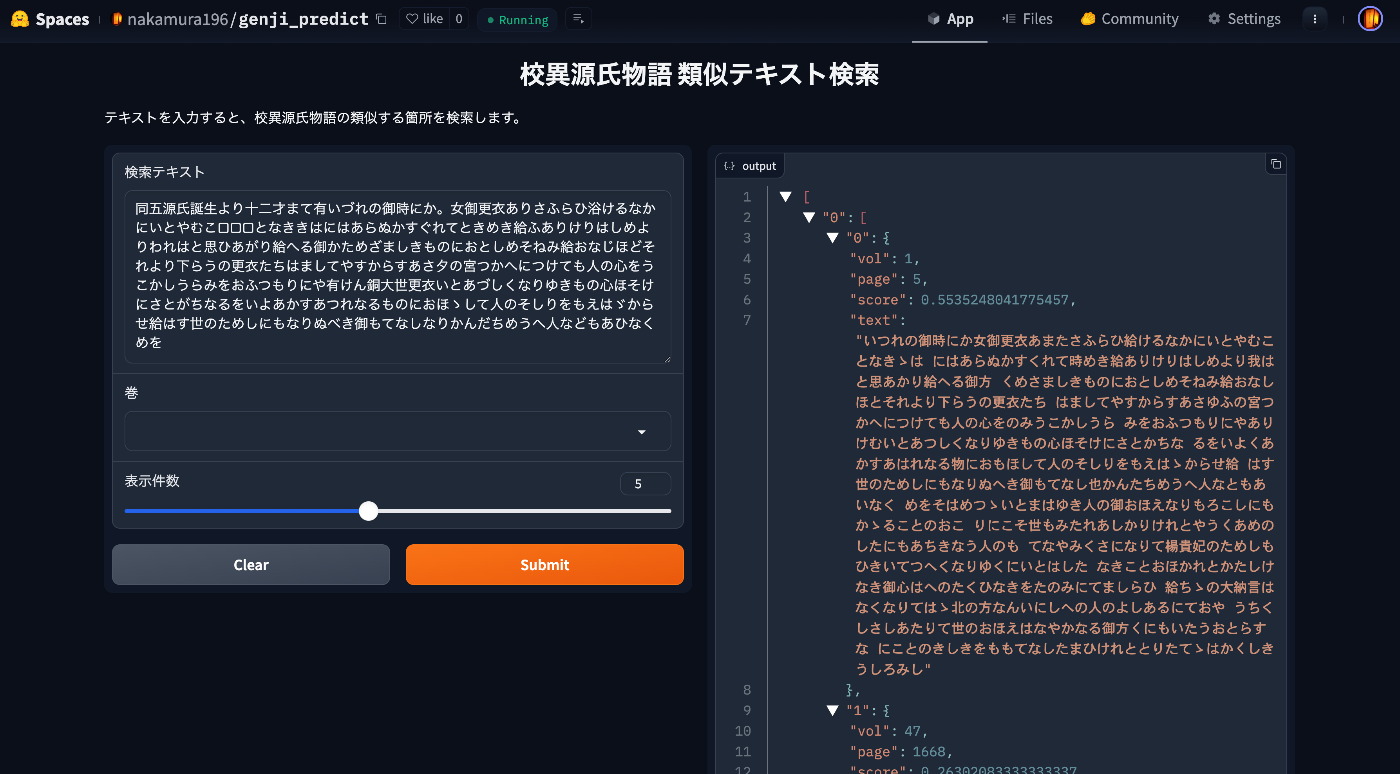
Overview I created a similar text search app for the Koui Genji Monogatari. You can try it from the following URL. https://huggingface.co/spaces/nakamura196/genji_predict This article introduces how to use the app. Data The text data published on the following Koui Genji Monogatari DB is used. https://kouigenjimonogatari.github.io/ How the App Works The mechanism is simple: text for each volume and page of the Koui Genji Monogatari is prepared in advance, the edit distance from the input string is calculated, and texts (along with volume and page numbers) with high similarity are returned. ...

Editing TEI/XML Files Using XSLT

Editing TEI/XML Files Using XSLT

Overview This article introduces one example of how to edit TEI/XML files while using XSLT. Related In the following article, I introduced how to preview XSLT results using a VSCode extension. In this article, I introduce a simpler method for editing TEI/XML files while using XSLT, without using the above extension. Installing Extensions Install the following extensions in VSCode: Live Server https://marketplace.visualstudio.com/items?itemName=ritwickdey.LiveServer Scholarly XML https://marketplace.visualstudio.com/items?itemName=raffazizzi.sxml Auto Close Tag https://marketplace.visualstudio.com/items?itemName=formulahendry.auto-close-tag Additionally, the following two extensions are recommended by Scholarly XML. However, since they were inconvenient in some of my use cases, I will make them optional for now. ...

Real-Time Preview of TEI/XML Using VSCode and XSLT

Real-Time Preview of TEI/XML Using VSCode and XSLT

Overview I prototyped a real-time preview environment for TEI/XML using VSCode and XSLT, so this is a memo of the process. Behavior An example of the operation is shown below. When you edit and save a TEI/XML file, the browser display is updated. https://youtu.be/ZParCRUc5AY?si=-aHHi3bIZGWoJYnP Preparation Install the following extensions: Live Server Trigger Task on Save When a TEI/XML file is saved, Trigger Task on Save executes the XSLT transformation, and the resulting HTML file is viewed with Live Server. ...

Creating PDFs from TEI/XML of the Koui Genji Monogatari Text Database

Creating PDFs from TEI/XML of the Koui Genji Monogatari Text Database

Overview The Koui Genji Monogatari (Collated Tale of Genji) Text Database publishes text data from “Koui Genji Monogatari.” https://kouigenjimonogatari.github.io/ This time, I added PDF files like the following to the database. https://kouigenjimonogatari.github.io/output/01/main.pdf This article describes how to create such PDF files using XSLT and TeX. Cloning the Repository Clone the repository as follows. git clone --depth 1 https://github.com/kouigenjimonogatari/kouigenjimonogatari.github.io Then install xslt3 with the following command. npm i xslt3 https://www.npmjs.com/package/xslt3 Creating the XSL File This time, we first convert the TEI/XML file to a TeX file. ...

Using Knight Lab's TimelineJS and StoryMapJS from Next.js

Using Knight Lab's TimelineJS and StoryMapJS from Next.js

Overview This is a memo on how to use Knight Lab’s TimelineJS and StoryMapJS from Next.js. Background Knight Lab’s TimelineJS and StoryMapJS are open source tools for digital storytelling. https://knightlab.northwestern.edu/ Data We use text data from “Shibusawa Eiichi Biographical Materials” published at the following location. https://github.com/shibusawa-dlab/lab1 Repository Published at the following location. https://github.com/nakamura196/shibusawa StoryMap By preparing a component like the following, it was possible to use it from Next.js. ...

Achieving Parallel Display of IIIF and TEI Using XSLT

Achieving Parallel Display of IIIF and TEI Using XSLT

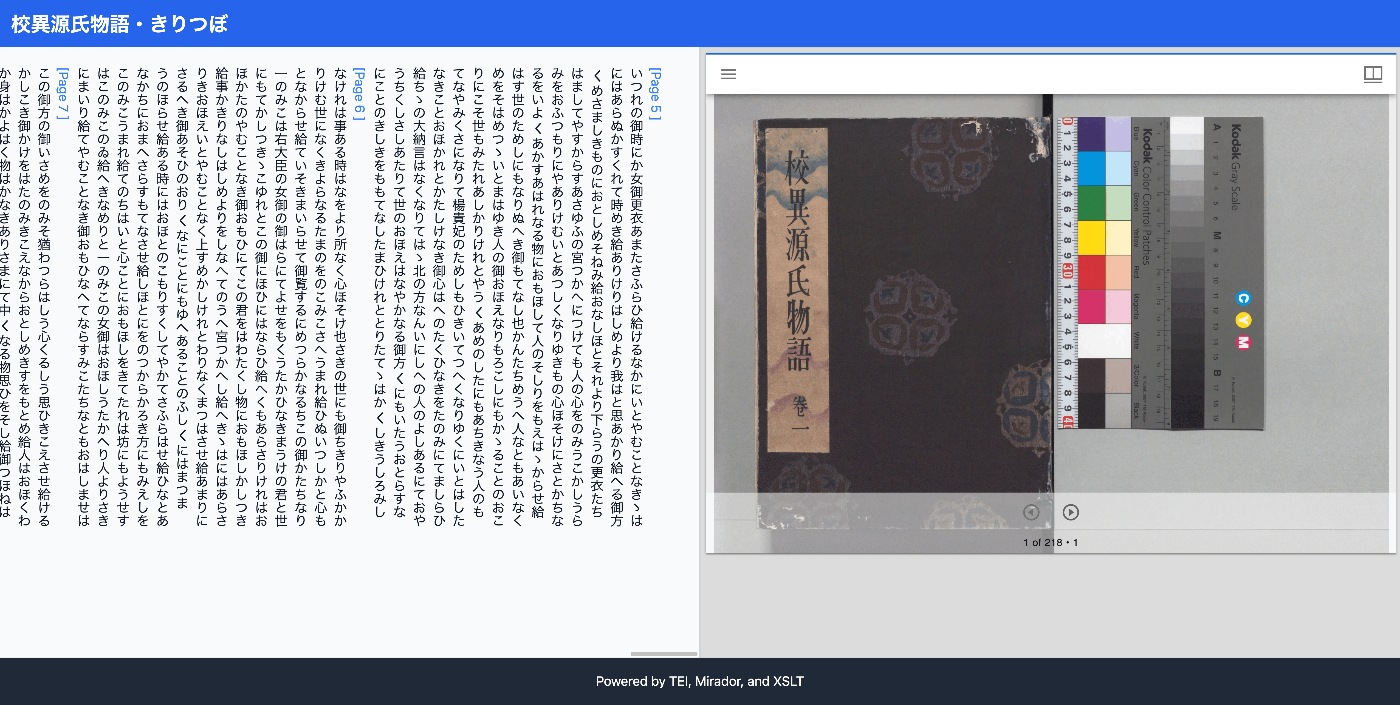
Overview I had the opportunity to implement parallel display of IIIF and TEI using XSLT, so this is a memo of the process. The results can be viewed at the following link. It uses the “Koui Genji Monogatari Text DB.” https://kouigenjimonogatari.github.io/xml/xsl/01.xml Background For visualizing TEI/XML, I had previously often used CETEICean, a JavaScript library for converting TEI XML to HTML and displaying it in browsers. These efforts enabled flexible development when combined with JavaScript frameworks. ...

Customizing the LEAF Writer Editor Toolbar

Customizing the LEAF Writer Editor Toolbar

Overview LEAF Writer provides buttons at the top of the screen to support tag insertion. This article introduces how to customize them. As a result, I added functionality to insert <app><lem>aaa</lem><rdg>bbb</rdg></app>. https://youtu.be/XMnRP7s2atw Editing Edit the following file: packages/cwrc-leafwriter/src/components/editorToolbar/index.tsx Features for supporting tags such as person names and place names are configured as follows. For example, the description for organization has been commented out: ... const items: (MenuItem | Item)[] = [ { group: 'action', hide: isReadonly, icon: 'insertTag', onClick: () => { if (!container.current) return; const rect = container.current.getBoundingClientRect(); const posX = rect.left; const posY = rect.top + 34; showContextMenu({ // anchorEl: container.current, eventSource: 'ribbon', position: { posX, posY }, useSelection: true, }); }, title: 'Tag', tooltip: 'Add Tag', type: 'button', }, { group: 'action', type: 'divider', hide: isReadonly }, { color: entity.person.color.main, group: 'action', disabled: !isSupported('person'), hide: isReadonly, icon: entity.person.icon, onClick: () => window.writer.tagger.addEntityDialog('person'), title: 'Tag Person', type: 'iconButton', }, { color: entity.place.color.main, group: 'action', disabled: !isSupported('place'), hide: isReadonly, icon: entity.place.icon, onClick: () => window.writer.tagger.addEntityDialog('place'), title: 'Tag Place', type: 'iconButton', }, /* { color: entity.organization.color.main, group: 'action', disabled: !isSupported('organization'), hide: isReadonly, icon: entity.organization.icon, onClick: () => window.writer.tagger.addEntityDialog('organization'), title: 'Tag Organization', type: 'iconButton', }, ... As a result, the choices are limited as follows: ...

Using LEAF Writer from Next.js

Using LEAF Writer from Next.js

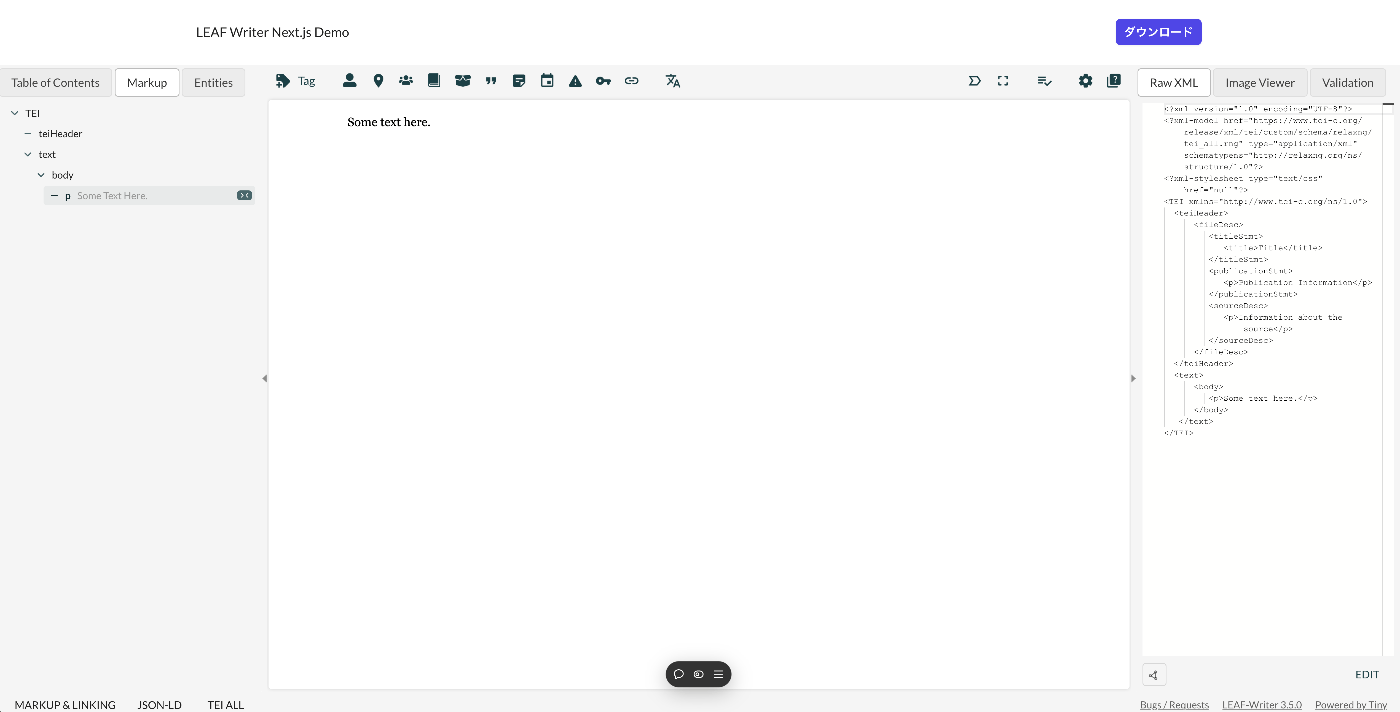
Overview This article introduces how to use LEAF Writer from Next.js. Demo You can try it from the following URL. https://leaf-writer-nextjs.vercel.app/ Below is a screenshot example. The header section is the part added using Next.js. The editor section uses LEAF Writer. The source code is available at the following link. https://github.com/nakamura196/leaf-writer-nextjs Usage Instructions are described at the following link. https://gitlab.com/calincs/cwrc/leaf-writer/leaf-writer/-/tree/main/packages/cwrc-leafwriter?ref_type=heads As a note, the div container’s id must be set to leaf-writer-container. I found that not doing so causes the styling to break. I would like to submit a pull request regarding this in the future. ...

Using Roma to Restrict Allowed Values for Tag Attributes

Using Roma to Restrict Allowed Values for Tag Attributes

Overview This is a memo on how to restrict the allowed values for tag attributes using Roma. Background In the following article, I described how to restrict the attributes available for a tag. For example, making only the key and type attributes available for the persName tag. In this article, I go further to restrict the allowed values for specific attributes. For example, allowing only “right marginal note” or “left marginal note” to be set for the type attribute. ...

Using Roma to Restrict Attributes for Tags According to Your Project

Using Roma to Restrict Attributes for Tags According to Your Project

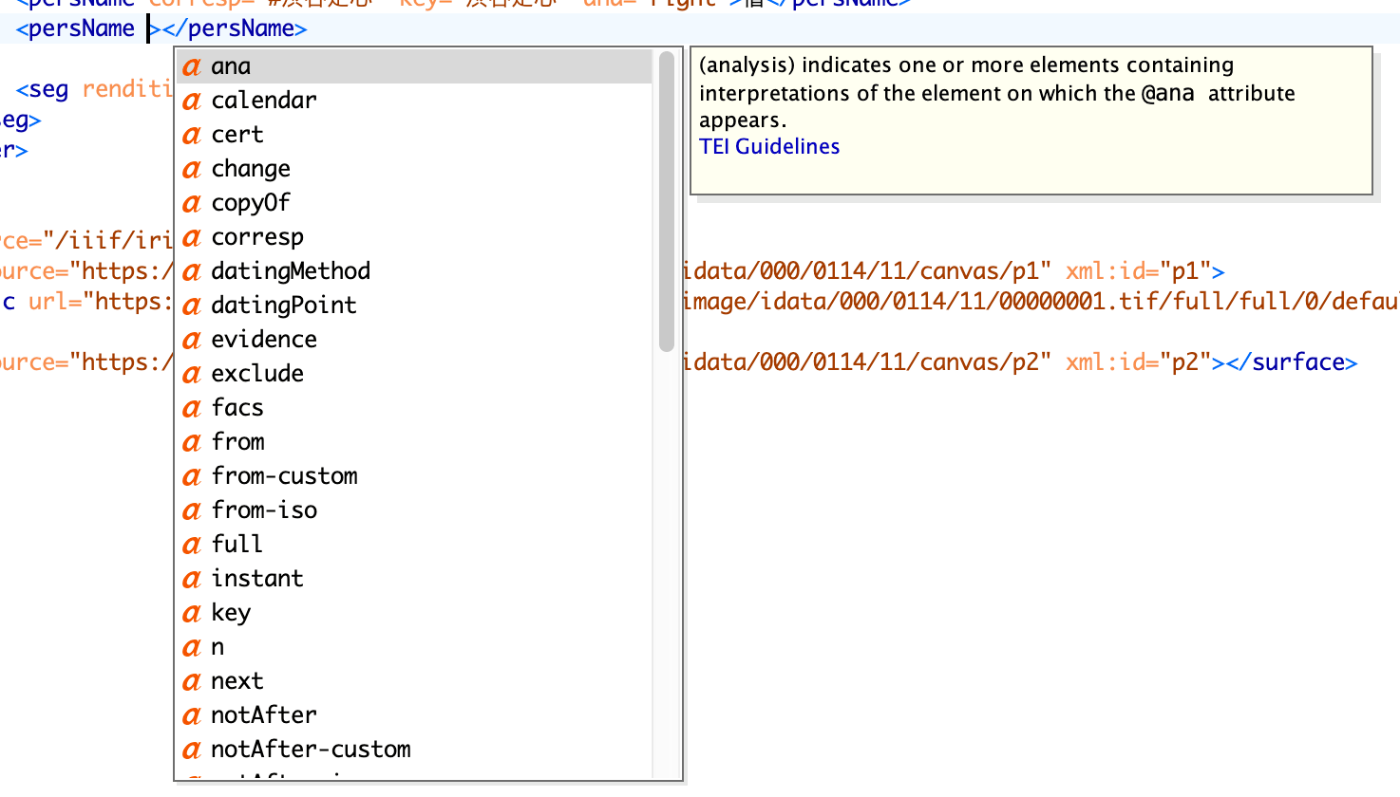
Overview This is a personal note on how to restrict attributes used for tags according to your project using Roma. Background In the following article, I described how to restrict tags according to your project using Roma. This time, as an extension of that, we will customize the attributes used for each tag. Use Case Here, as an example, we will try restricting the available attributes for persName. When using the default (tei_all.rng) with Oxygen XML Editor, as shown below, many options are presented as available attributes for the persName tag. ...

GitHub Repository for DTS API for TEI/XML Files Published in the Koui Genji Monogatari Text DB

GitHub Repository for DTS API for TEI/XML Files Published in the Koui Genji Monogatari Text DB

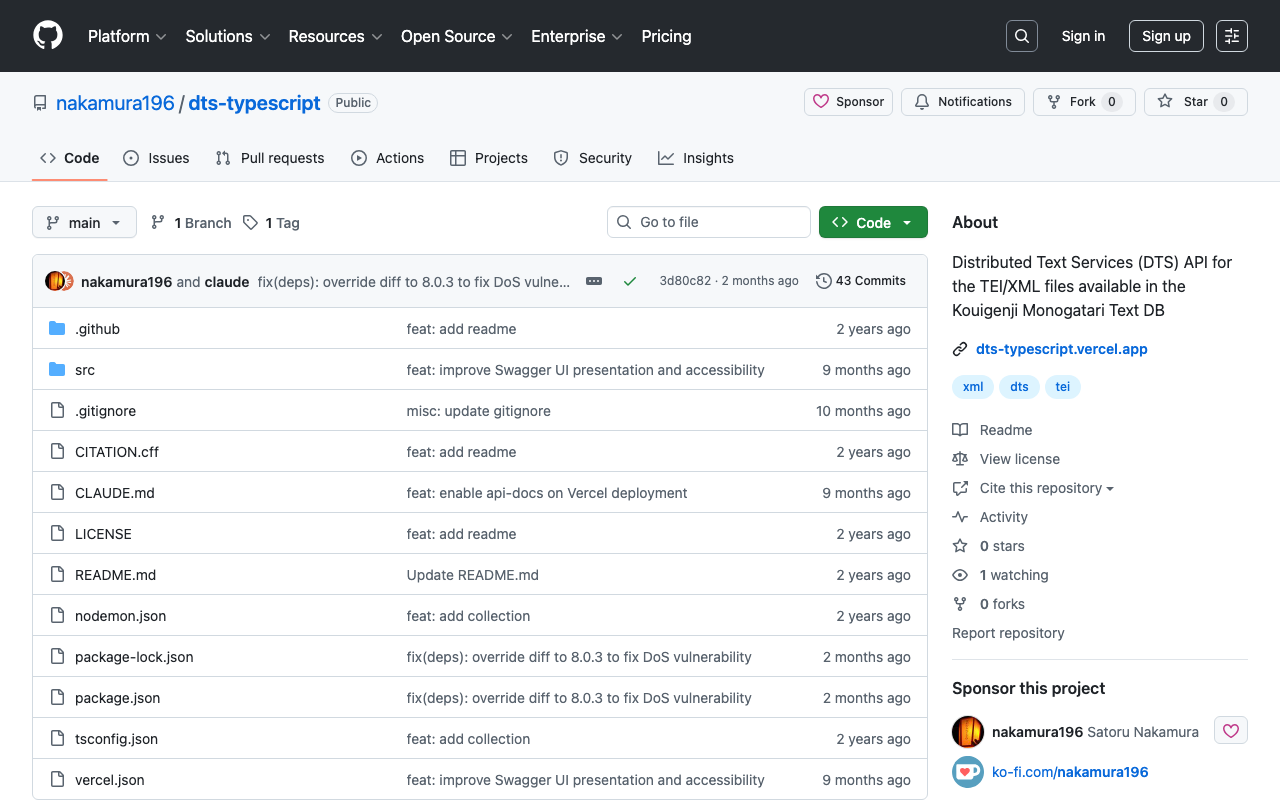
Overview I published the GitHub repository for the API introduced in the following article. The repository is below. https://github.com/nakamura196/dts-typescript There may be some incomplete aspects, but I hope this is helpful as a reference. Notes Vercel Rewrite By configuring as follows, access to / was redirected to /api/dts. { "version": 2, "builds": [ { "src": "src/index.ts", "use": "@vercel/node" } ], "rewrites": [ { "source": "/api/dts(.*)", "destination": "/src/index.ts" } ], "redirects": [ { "source": "/", "destination": "/api/dts", "permanent": true } ] } Collection ID The following is used as the collection ID. ...

Creating a DTS API for TEI/XML Files Published by the Koui Genji Monogatari Text DB

Creating a DTS API for TEI/XML Files Published by the Koui Genji Monogatari Text DB

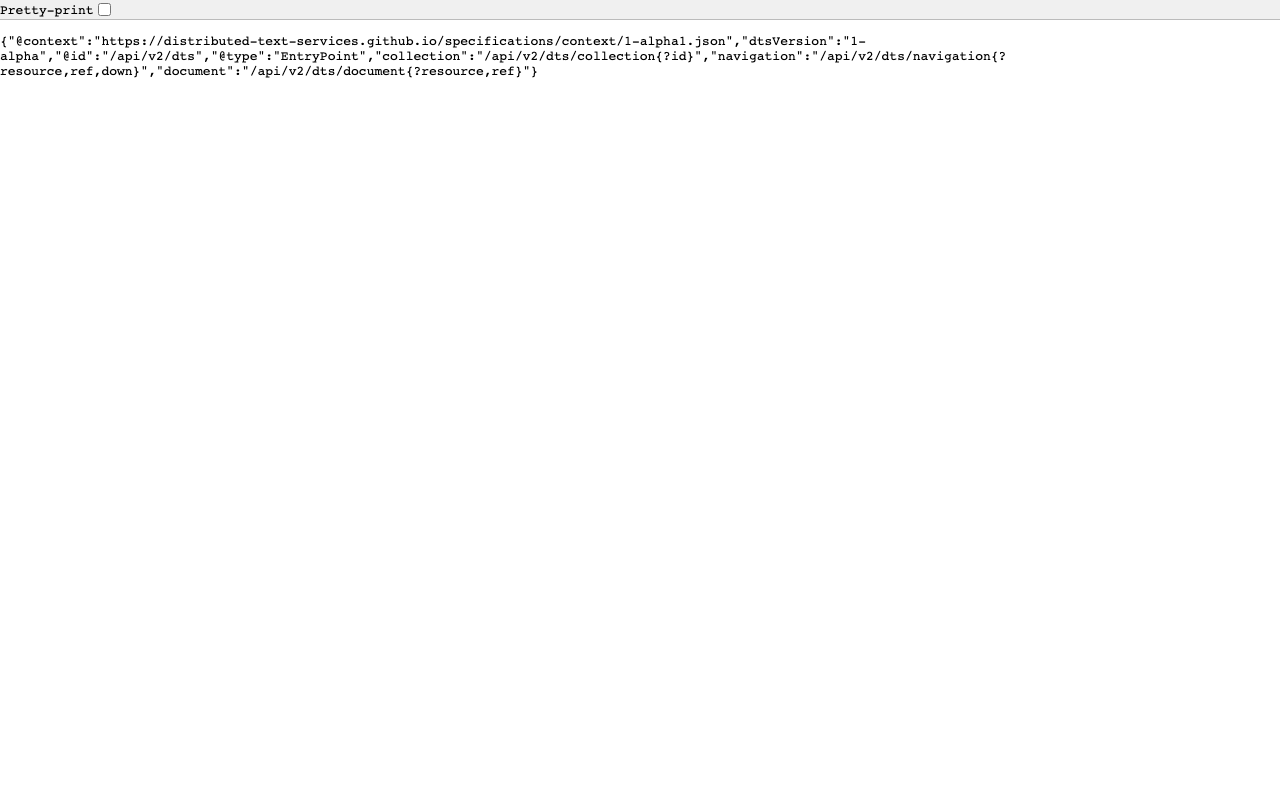
Overview This is a memo on creating a DTS (Distributed Text Services) API for TEI/XML files published by the Koui Genji Monogatari Text DB. Background The Koui Genji Monogatari Text DB is available at: https://kouigenjimonogatari.github.io/ It publishes TEI/XML files. Developed DTS The developed DTS is available at: https://dts-typescript.vercel.app/api/dts It is built with Express.js deployed on Vercel. For more information about DTS, please refer to: https://zenn.dev/nakamura196/articles/4233fe80b3e76d MyCapytain Library The following article introduced a library for using DTS from Python: ...

Trying Out DTS (Distributed Text Services)

Trying Out DTS (Distributed Text Services)

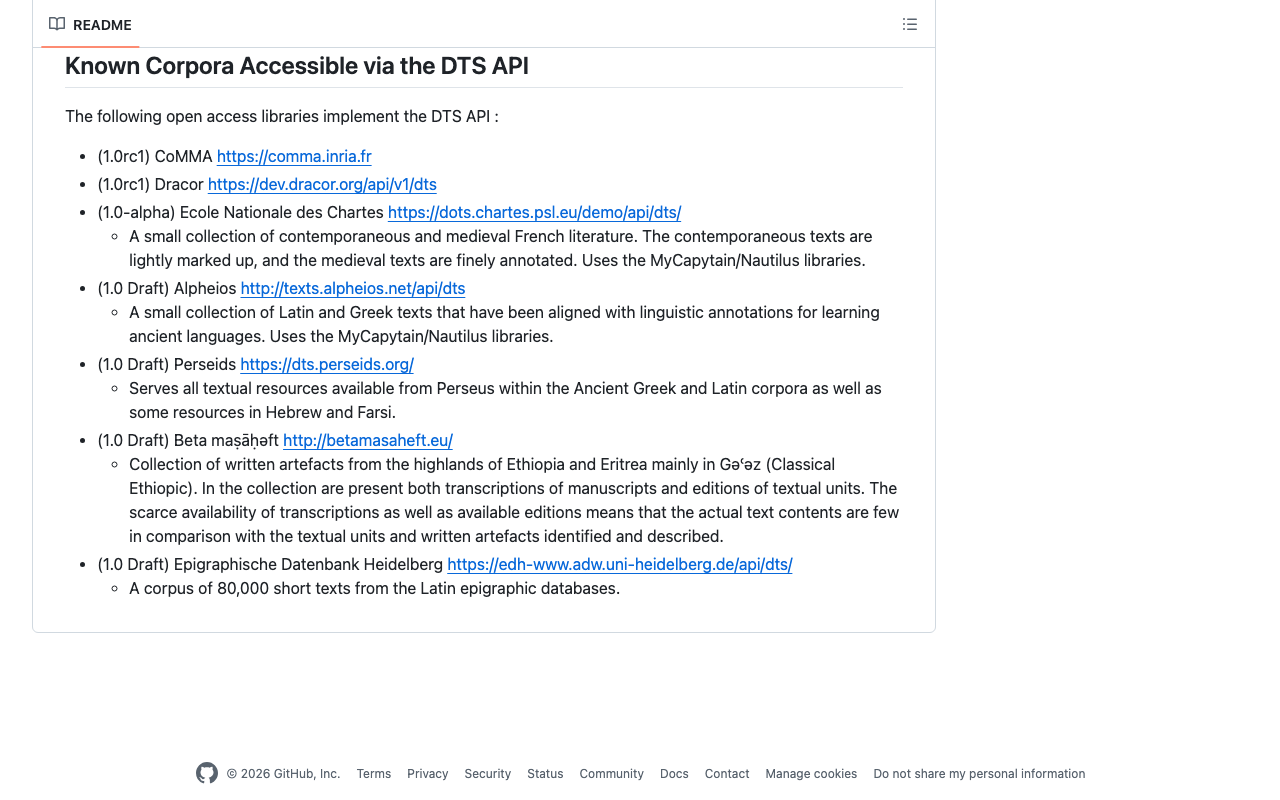
Overview I had the opportunity to learn how to use DTS (Distributed Text Services), and this is a memo of that experience. API Used We will use Alpheios, which is introduced at the following page. https://github.com/distributed-text-services/specifications/?tab=readme-ov-file#known-corpora-accessible-via-the-dts-api Top https://texts.alpheios.net/api/dts We can see that collections, documents, and navigation are available. { "navigation": "/api/dts/navigation", "@id": "/api/dts", "@type": "EntryPoint", "collections": "/api/dts/collections", "@context": "dts/EntryPoint.jsonld", "documents": "/api/dts/document" } Collection Endpoint collections https://texts.alpheios.net/api/dts/collections We can see that it contains 2 sub-collections. { "totalItems": 2, "member": [ { "@id": "urn:alpheios:latinLit", "@type": "Collection", "totalItems": 3, "title": "Classical Latin" }, { "@id": "urn:alpheios:greekLit", "@type": "Collection", "totalItems": 4, "title": "Ancient Greek" } ], "title": "None", "@id": "default", "@type": "Collection", "@context": { "dts": "https://w3id.org/dts/api#", "@vocab": "https://www.w3.org/ns/hydra/core#" } } Classical Latin Specifying the id urn:alpheios:latinLit to narrow the collection to Classical Latin. ...

The Relationship Between DTS and CTS

The Relationship Between DTS and CTS

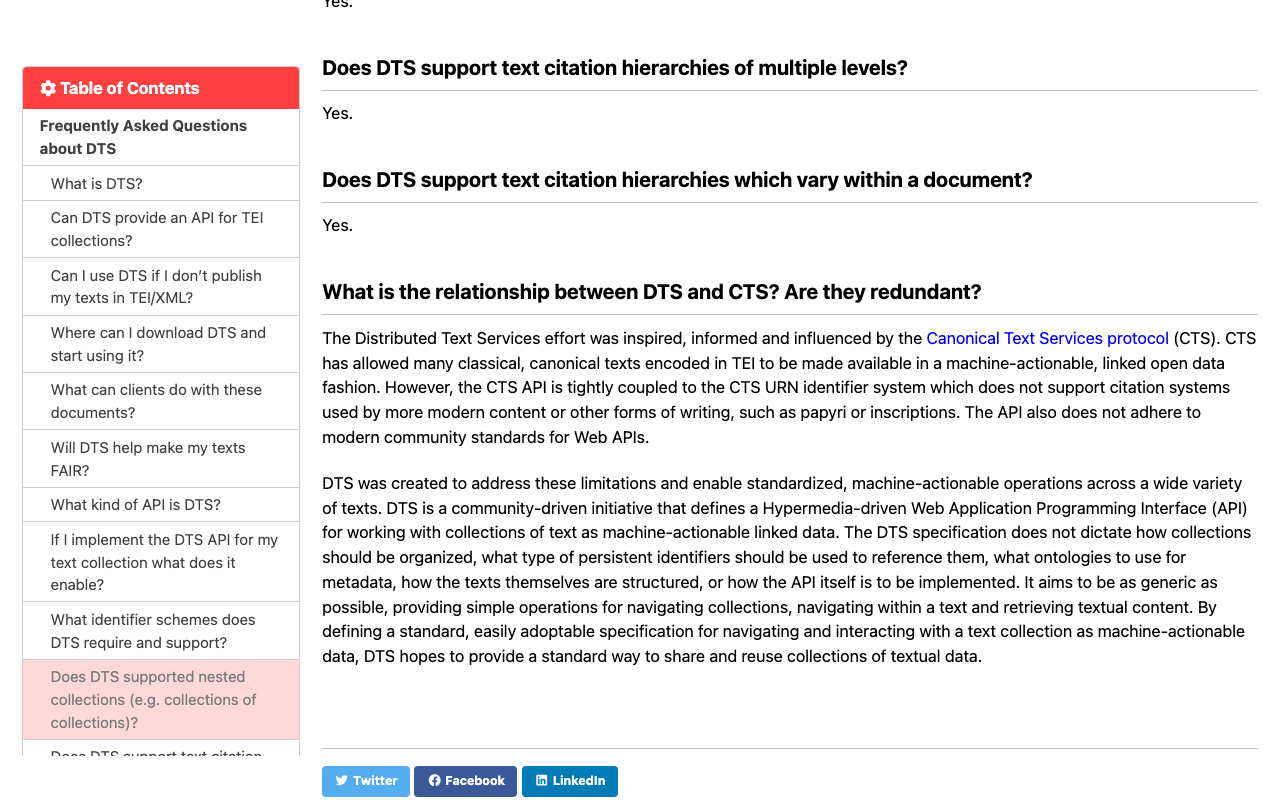
Overview This is a summary of the investigation into the relationship between DTS (Distributed Text Services) and CTS (Canonical Text Services protocol). The details were found at the following page. https://distributed-text-services.github.io/specifications/FAQ.html#what-is-the-relationship-between-dts-and-cts-are-they-redundant (Machine Translation) Japanese Translation What is the relationship between DTS and CTS? Are they redundant? DTS (Distributed Text Services) was developed with inspiration from and influenced by the Canonical Text Services (CTS) protocol. CTS made it possible to provide many classical and canonical texts encoded in TEI format as machine-processable Linked Open Data. However, the CTS API is closely tied to the CTS URN identifier system and does not accommodate citation systems used in modern content or other forms of writing such as papyri and inscriptions. Additionally, this API does not conform to the latest community standards for Web APIs. ...