Home Articles Books Search About
日本語

No Firebase Needed: Operating an iOS App with Apple-Native Tools Only

Introduction When you start operating an iOS app, you quickly face these questions: Is the app crashing? Where? How many downloads and sessions do we have? How can we prompt users on old versions to update? How can we encourage reviews? Most guides recommend Firebase Crashlytics + Firebase Analytics, but this means sending user device information, usage data, and crash logs to Google’s servers. You’ll also need to declare “data collection and tracking” when submitting to the App Store. ...

Diagnosing and Fixing Memory-Related Crashes in an iOS OCR App

KotenOCR is an iOS app that performs OCR on classical Japanese texts using ONNX Runtime. It ships with 6 ONNX models totaling approximately 230MB on disk. After reaching 300 downloads, the crash rate was found to be 6.7% (20 crashes). No crash logs appeared in Xcode Organizer, so a different investigation approach was required. Investigation Approach Four parallel investigation tracks were pursued: Memory and model size analysis Image processing pipeline review ONNX Runtime thread safety audit Camera and UI lifecycle inspection Root Causes The investigation identified four issues, listed here in order of estimated severity. ...

Parallelizing OCR Recognition on iOS with Swift Concurrency for up to 6.7x Speedup

Parallelizing OCR Recognition on iOS with Swift Concurrency for up to 6.7x Speedup

OCR Pipeline Structure An OCR pipeline using ONNX Runtime on iOS generally follows these steps: Text region detection on the full image (Detection) Character recognition for each detected region (Recognition) Reading order estimation and text assembly Detection runs once on the entire image. Recognition, however, runs once per detected region. When the number of regions is large, recognition dominates the total processing time. The Problem with Sequential Processing Running recognition in a simple for loop means processing time scales linearly with the number of regions. ...

KotenOCR: An Offline iOS App for Recognizing Classical Japanese Cursive Script

KotenOCR: An Offline iOS App for Recognizing Classical Japanese Cursive Script

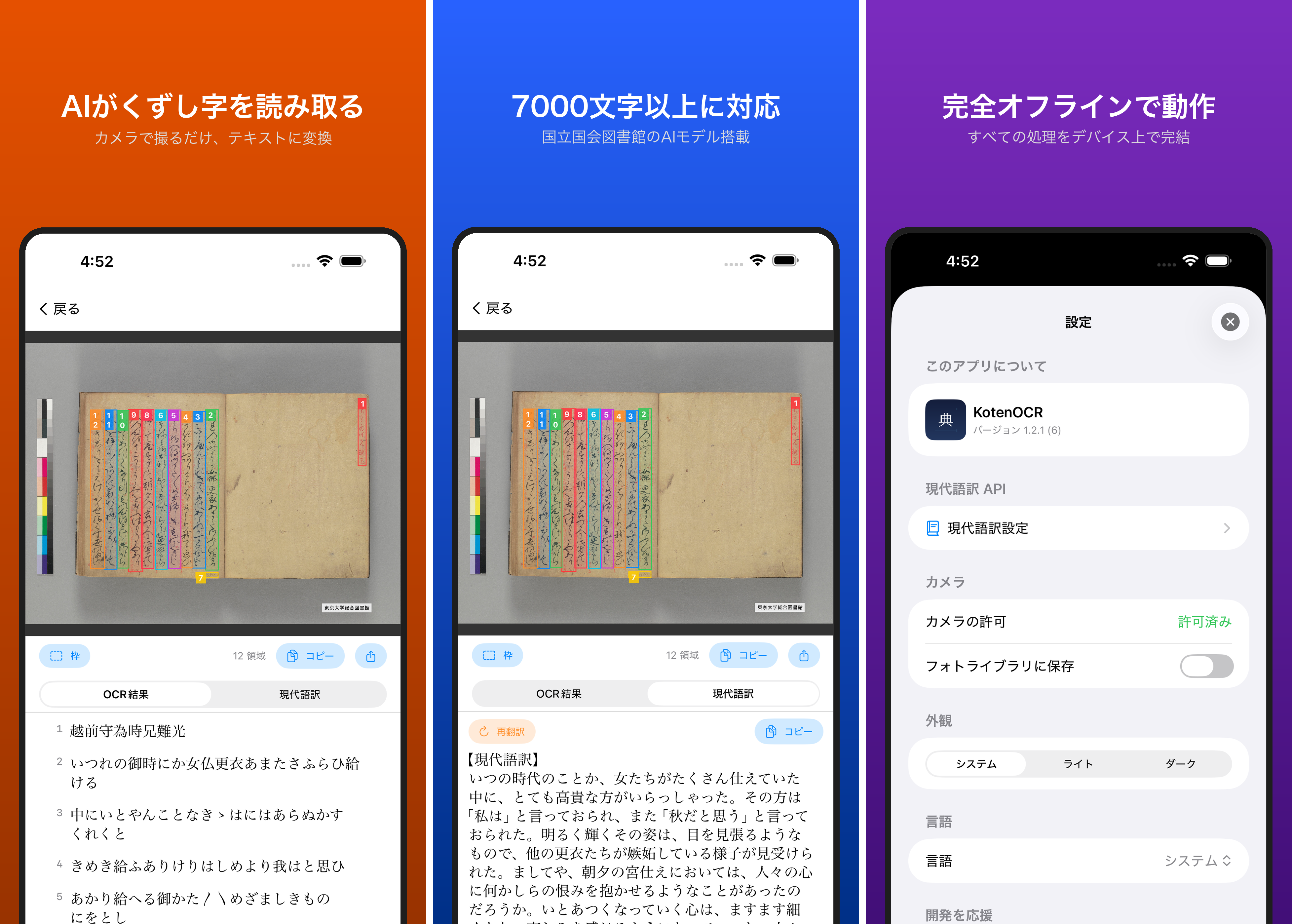
Introduction Reading kuzushiji — the cursive script used in pre-modern Japanese texts — is challenging even for trained scholars. While AI-powered OCR has made machine recognition possible in recent years, as far as I could find, no tool previously offered offline kuzushiji recognition on a smartphone. KotenOCR brings the National Diet Library’s lightweight kuzushiji OCR model (NDL Koten OCR-Lite) to iOS, letting you recognize classical Japanese text simply by taking a photo — with no internet connection required. ...