Home Articles Books Search About
日本語
A Library for Creating RDF Files from VSDX Files

A Library for Creating RDF Files from VSDX Files

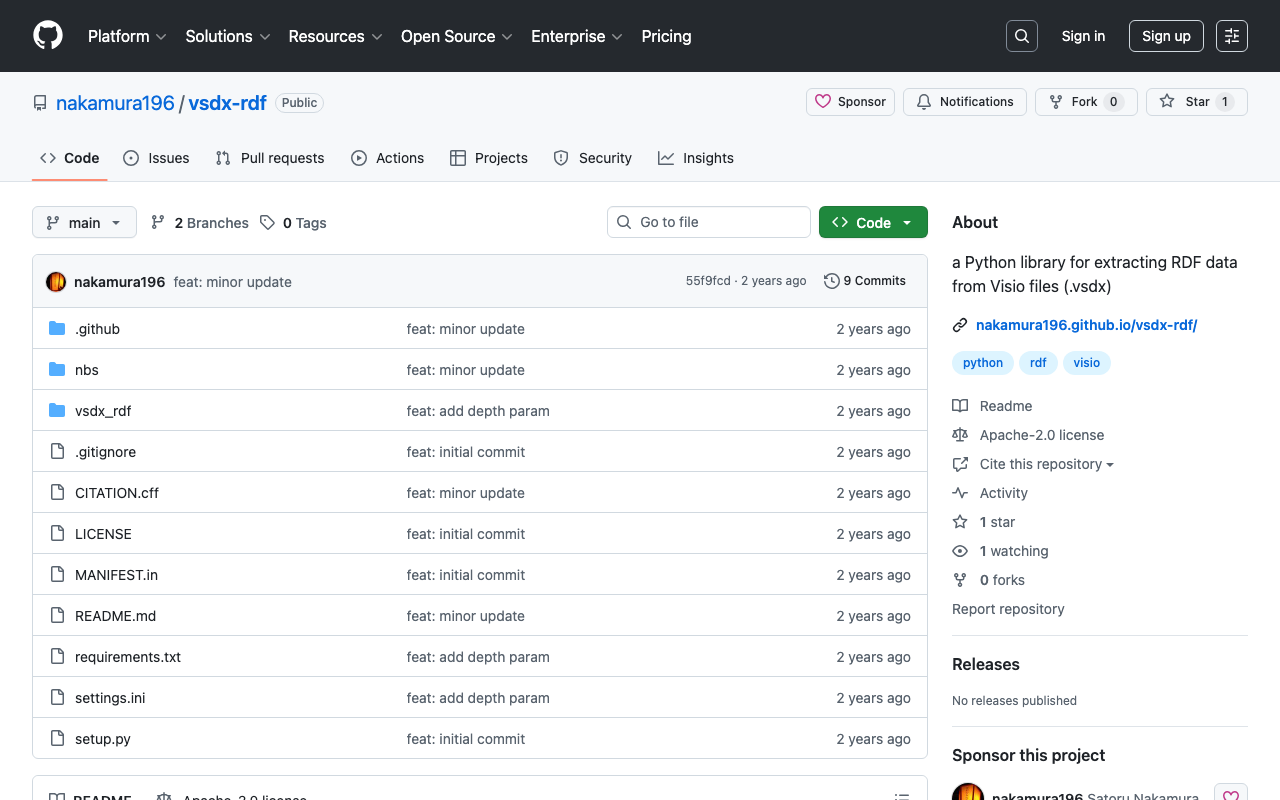
Overview This is a memo about a library I created for generating RDF files from VSDX files. https://github.com/nakamura196/vsdx-rdf Background I have been exploring methods for creating RDF data using Microsoft Visio in articles like the following. This article corresponds to the note in the above article that said “This library will be introduced in a separate article.” Usage Please refer to the following. https://nakamura196.github.io/vsdx-rdf/ Google Colab A notebook is available for trying out this library. ...

Understanding the Relationship Between RDF, Turtle, JSON-LD, and IIIF Manifest Files

Understanding the Relationship Between RDF, Turtle, JSON-LD, and IIIF Manifest Files

Overview To verify that IIIF manifests are written in JSON-LD, I tried converting them to other formats, so this is a memo of that process. We hope this serves as a useful reference for understanding the relationship between RDF and file formats such as JSON-LD and Turtle, as well as their relationship with IIIF manifest files described in JSON-LD. Target For this exercise, we will use the following manifest file published on the NDL Digital Collection. ...

Applied Examples of Data Description Using Linked Data

Applied Examples of Data Description Using Linked Data

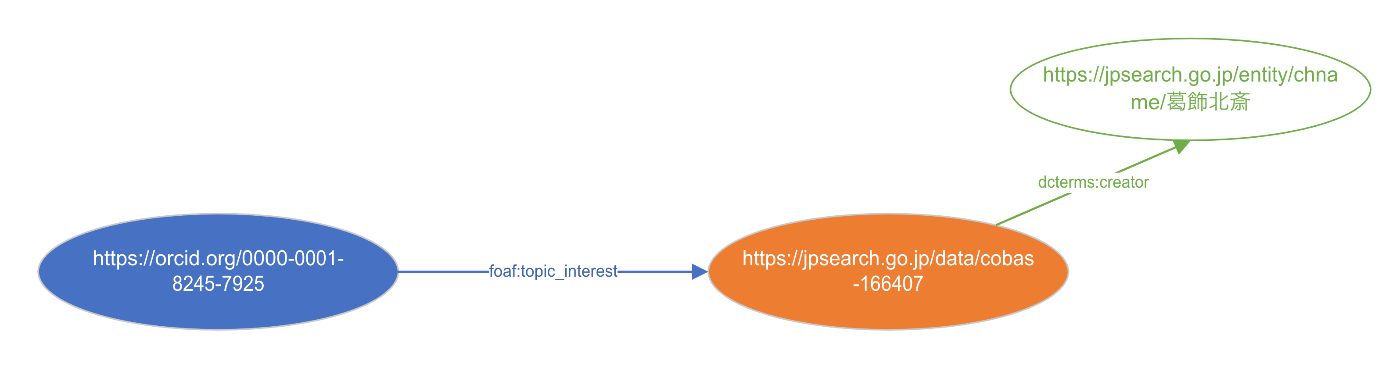
Overview I have written the following articles related to RDF. I tried visualizing these together, so here are my notes. Data The following data was used this time. I described information such as: a person named “Satoru Nakamura (0000-0001-8245-7925)” is interested in “Thirty-Six Views of Mount Fuji: Fine Wind, Clear Morning (cobas-166407)” held by the Tokyo National Museum, and its creator is “Katsushika Hokusai.” The TTL description is as follows. ...

Using prefix.cc

Using prefix.cc

Overview This is a memo about trying prefix.cc for resolving prefixes in RDF data. https://prefix.cc/ Namespace Lookup API This is a service that allows you to retrieve URIs by providing a prefix. https://prefix.cc/about/api For example, providing the following: https://prefix.cc/foaf.file.json Returns the following result. { "foaf": "http://xmlns.com/foaf/0.1/" } Reverse Lookup API For example, providing the following: https://prefix.cc/reverse?uri=http://xmlns.com/foaf/0.1/&format=json Returns the same JSON result as above. Adding New Entries The following jps prefix used by Japan Search was not available. ...

Notes on Adding and Visualizing RDF Data

Notes on Adding and Visualizing RDF Data

Overview This article explains the process of converting data created with Microsoft Visio to RDF format, and the method for adding RDF data when a specific URI (in this case, a Japan Search URI containing information about Katsushika Hokusai) is specified. We introduce techniques for handling Visio data in RDF format through the conversion process, and present the results of incorporating information about Katsushika Hokusai as a concrete example. Background In the following article, I introduced an example of converting data created with Microsoft Visio to RDF: ...

Retrieving RDF from URIs Using Content Negotiation in Python

Retrieving RDF from URIs Using Content Negotiation in Python

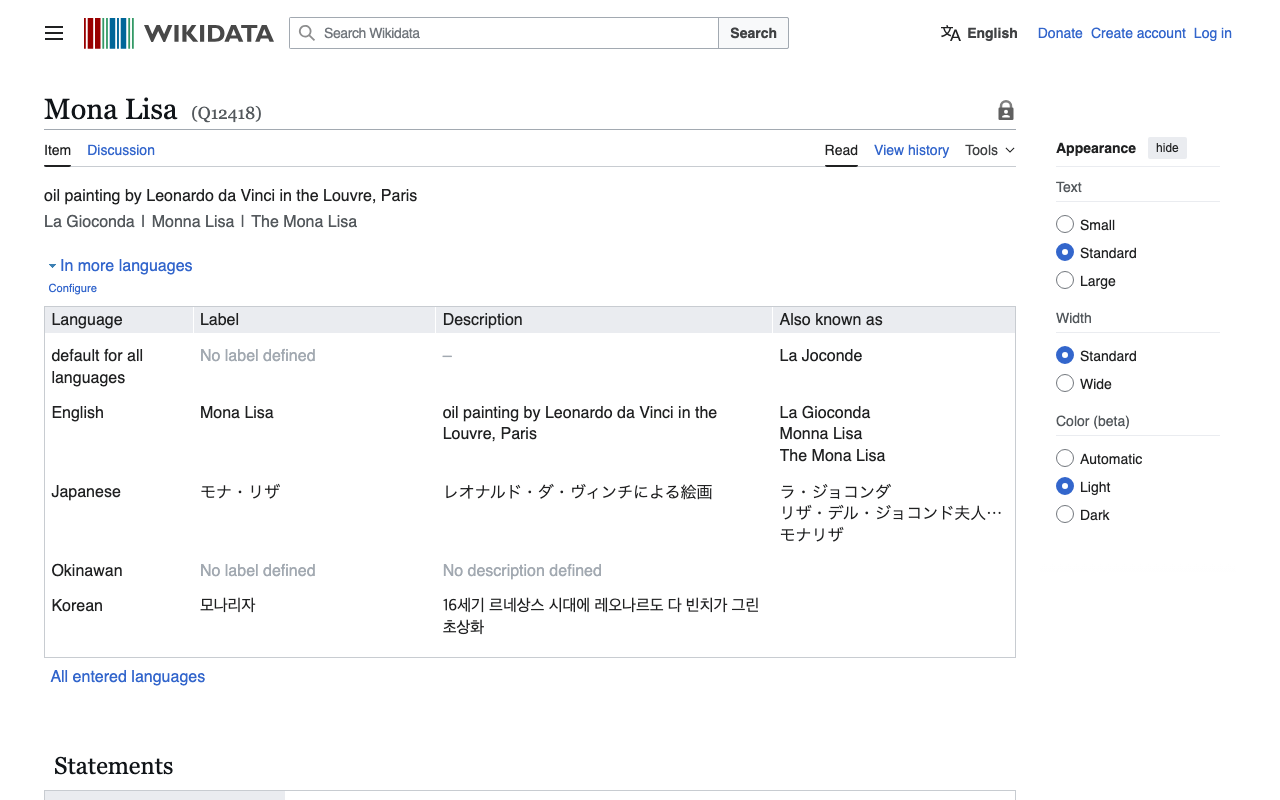
Overview I had an opportunity to retrieve RDF data from Wikidata entity URIs, so here are my notes. Without Content Negotiation First, make a request with empty headers as follows. import requests # URL for the Wikidata entity in RDF format url = "http://www.wikidata.org/entity/Q12418" headers = { } # Sending a GET request to the URL response = requests.get(url, headers=headers) # Checking if the request was successful if response.status_code == 200: text = response.text print(text[:5000]) else: print("Failed to retrieve RDF data. Status code:", response.status_code) In this case, you can retrieve text data in JSON format as follows. ...

Creating RDF Data Using Microsoft Visio

Creating RDF Data Using Microsoft Visio

Overview I had the opportunity to use Microsoft Visio for creating RDF data, so this is a memo of that experience. https://www.microsoft.com/ja-jp/microsoft-365/visio/flowchart-software Note that Microsoft Visio is not a tool specialized for creating RDF data, but it is a flowchart and diagramming software with high usability. Therefore, I attempted to convert data created with this tool into RDF. For converting data created in Microsoft Visio to RDF, the following Python library is used. ...

Using "ARC2 RDF Graph Visualization" from Python

Using "ARC2 RDF Graph Visualization" from Python

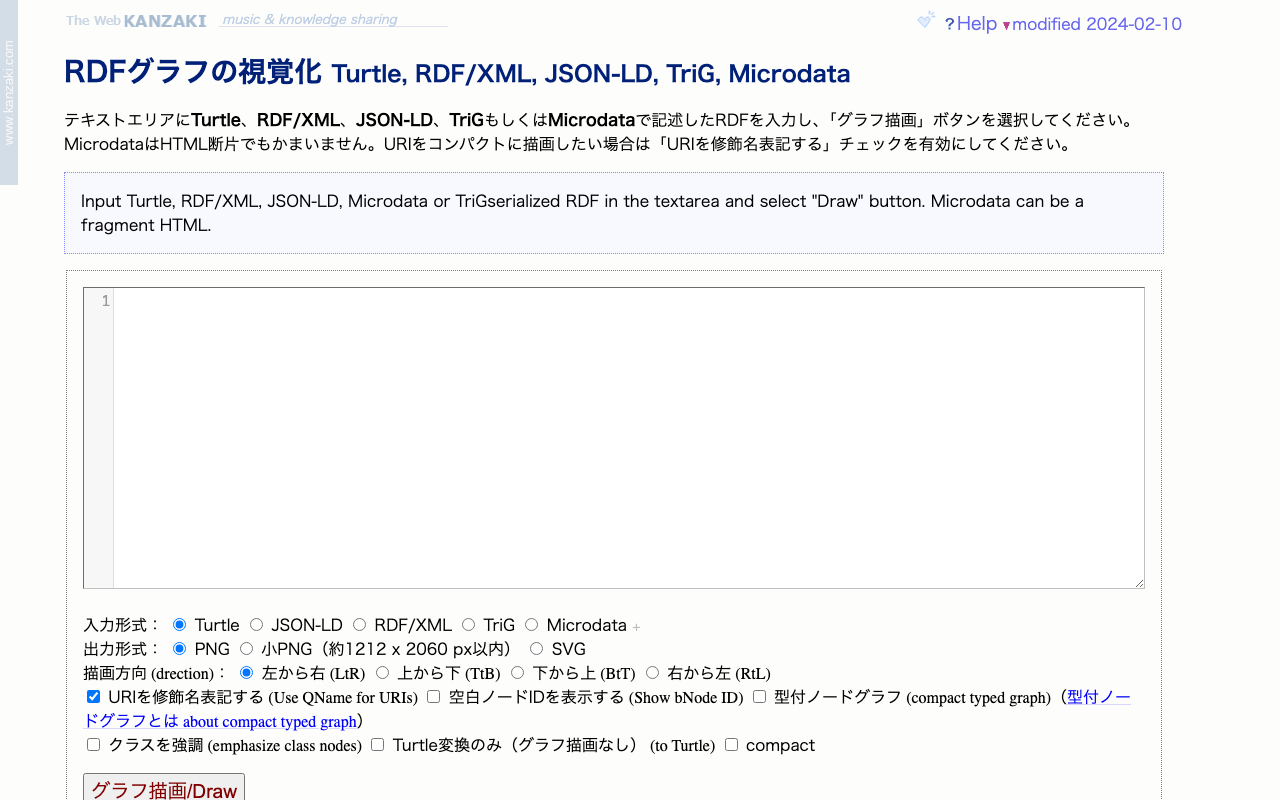
Overview I had the opportunity to use “ARC2 RDF Graph Visualization” published by Masahide Kanzaki from Python, so here are my notes. The public page for “ARC2 RDF Graph Visualization” is below. https://www.kanzaki.com/works/2009/pub/graph-draw By providing RDF described in Turtle, RDF/XML, JSON-LD, TriG, or Microdata as input, you can obtain visualization results as png or svg files. Usage Example in Python import requests text = "@prefix ns1: <http://example.org/propery/> .\n\n<http://example.org/bbb> ns1:aaa \"ccc\" ." output_path = "./graph.png" # Data needed for POST request url = "https://www.kanzaki.com/works/2009/pub/graph-draw" data = { "RDF": text, "rtype": "turtle", "gtype": "png", "rankdir": "lr", "qname": "on", } # Send POST request response = requests.post(url, data=data) # Check if response is not a PNG image if response.headers['Content-Type'] != 'image/png': print("Response is not a PNG image. Displaying content:") # print(response.text[:500]) # Display first 500 characters # [:500] else: os.makedirs(os.path.dirname(output_path), exist_ok=True) # Save response as PNG file with open(output_path, 'wb') as f: f.write(response.content) Summary I hope this is helpful for visualizing RDF data. ...

Prototyping entity-lookup Using the Japan Search Utilization Schema

Prototyping entity-lookup Using the Japan Search Utilization Schema

Overview This is a continuation of the following article. I will prototype a package that performs CWRC entity-lookup using the Japan Search utilization schema. Demo You can try it on the following page. https://nakamura196.github.io/nuxt3-demo/entity-lookup/ Entity-lookup is performed against JPS, Wikidata, and VIAF for each type such as Person, Place, and Organization. Library It is published at the following location. https://github.com/nakamura196/jps-entity-lookup Based on the repository https://github.com/cwrc/wikidata-entity-lookup already published by CWRC, I mainly modified the following file to match the Japan Search utilization schema. ...

Counting Triples in an RDF Store 2: Co-occurrence Frequency

Counting Triples in an RDF Store 2: Co-occurrence Frequency

Overview I had the opportunity to count co-occurrence frequencies for RDF triples, so here are my notes. Following the previous article, I will again use the Japan Search RDF store as an example. Example 1 The following query counts the number of triples among sword-type instances that share a common creator (schema:creator). The filter avoids counting identical instances and prevents duplicate counting. select (count(*) as ?count) where { ?entity1 a type:刀剣; schema:creator ?value . ?entity2 a type:刀剣; schema:creator ?value . FILTER(?entity1 != ?entity2 && ?entity1 < ?entity2) } https://jpsearch.go.jp/rdf/sparql/easy/?query=select+(count(*)+as+%3Fcount)+where+{ ++%3Fentity1+a+type%3A刀剣%3B +++++++++++++schema%3Acreator+%3Fvalue+. ++%3Fentity2+a+type%3A刀剣%3B +++++++++++++schema%3Acreator+%3Fvalue+. ++FILTER(%3Fentity1+!%3D+%3Fentity2+%26%26+%3Fentity1+<+%3Fentity2) } ...

Counting the Number of Triples in an RDF Store

Counting the Number of Triples in an RDF Store

Overview Here are my notes on how to count the number of triples in an RDF store. This time, we will use the Japan Search RDF store as an example. https://jpsearch.go.jp/rdf/sparql/easy/ Number of Triples The following query counts the number of triples: SELECT (COUNT(*) AS ?NumberOfTriples) WHERE { ?s ?p ?o . } The result is: https://jpsearch.go.jp/rdf/sparql/easy/?query=SELECT+(COUNT(*)+AS+%3FNumberOfTriples) WHERE+{ ++%3Fs+%3Fp+%3Fo+. } At the time of writing this article (May 6, 2024), there were 1,280,645,565 triples (approximately 1.28 billion). ...

Using the Course of Study LOD

Using the Course of Study LOD

Overview The Course of Study LOD is described as follows. The Course of Study LOD publishes the content, codes, and related information of the Course of Study and Education Guidelines published by the Ministry of Education, Culture, Sports, Science and Technology as Linked Open Data (LOD). The target for LOD conversion is the latest version of the code tables for all school types of current and former Courses of Study and Education Guidelines (including partial revisions) that are currently published. ...

Using the Media Arts Database SPARQL Endpoint with Yasgui

Using the Media Arts Database SPARQL Endpoint with Yasgui

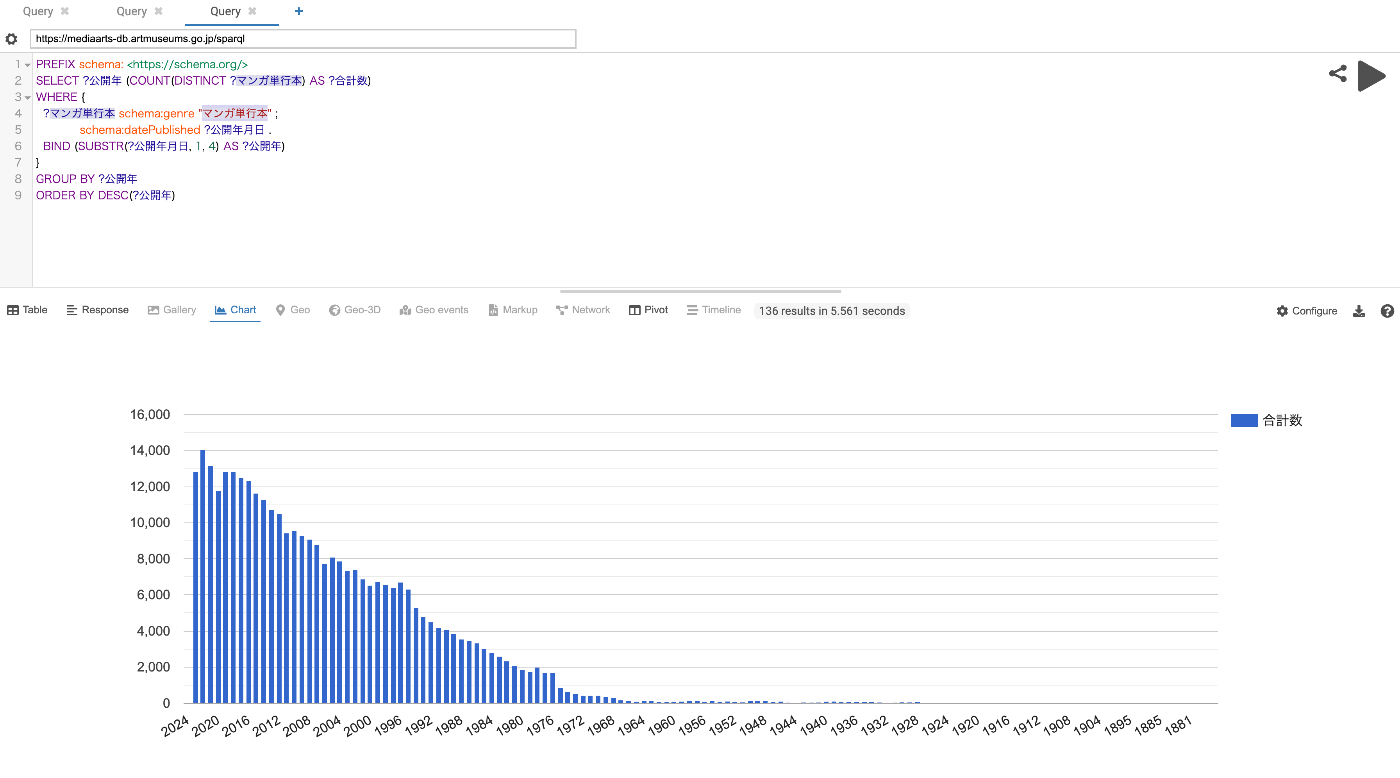
Overview The Media Arts Database was officially released on 2024/1/31. https://mediaarts-db.artmuseums.go.jp/ This article introduces usage examples of the Media Arts Database SPARQL endpoint with Yasgui. I hope the following article about Yasgui is also helpful. Usage Examples Time-series changes in the number of published manga tankoubon (collected volumes) https://api.triplydb.com/s/AqIH1InmC Time-series changes in the number of published game packages https://api.triplydb.com/s/L2REuOshZ Time-series changes in the number of published manga tankoubon containing “isekai” (another world) or “tensei” (reincarnation) https://api.triplydb.com/s/4ciTNJGb2 ...

Converting JSON-LD Data to RDF/XML and Turtle Using EASY RDF

Converting JSON-LD Data to RDF/XML and Turtle Using EASY RDF

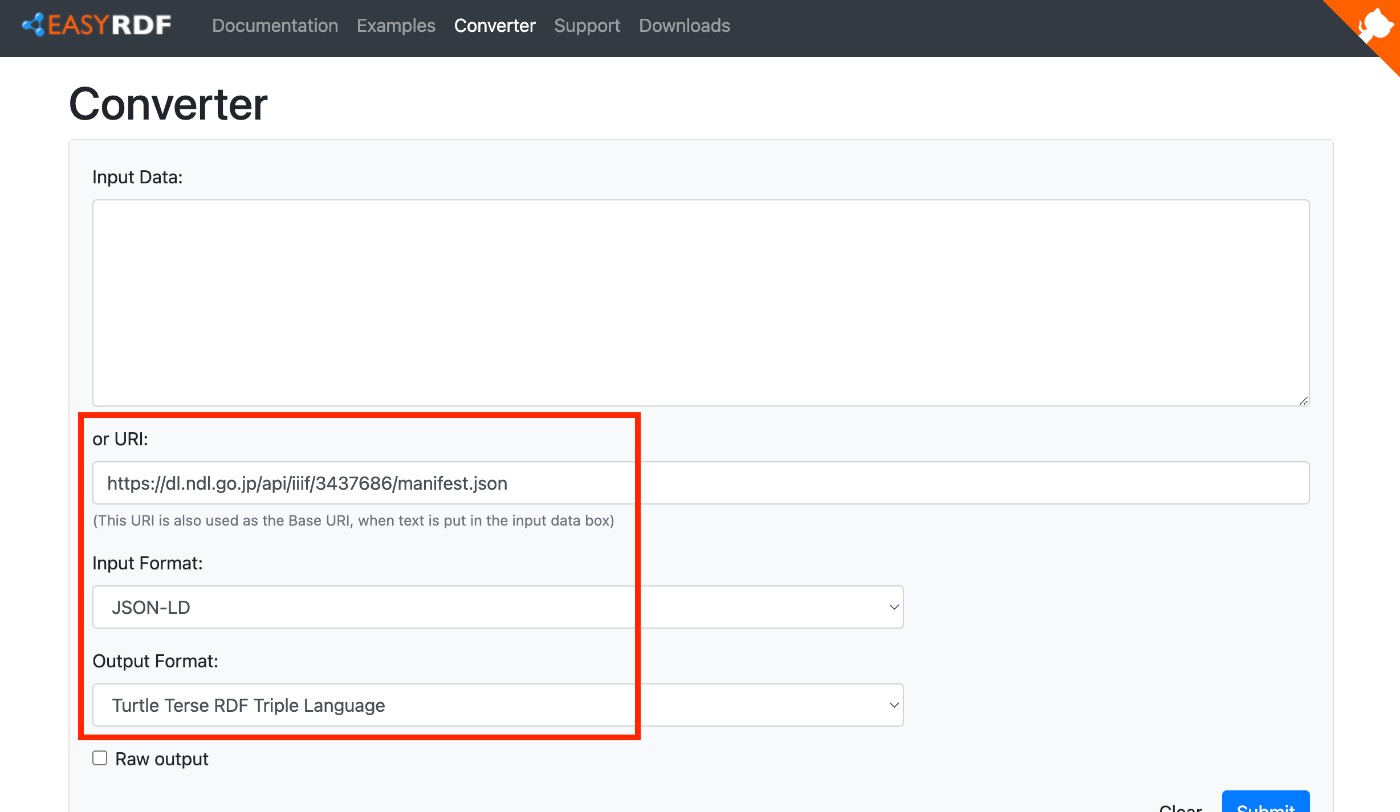
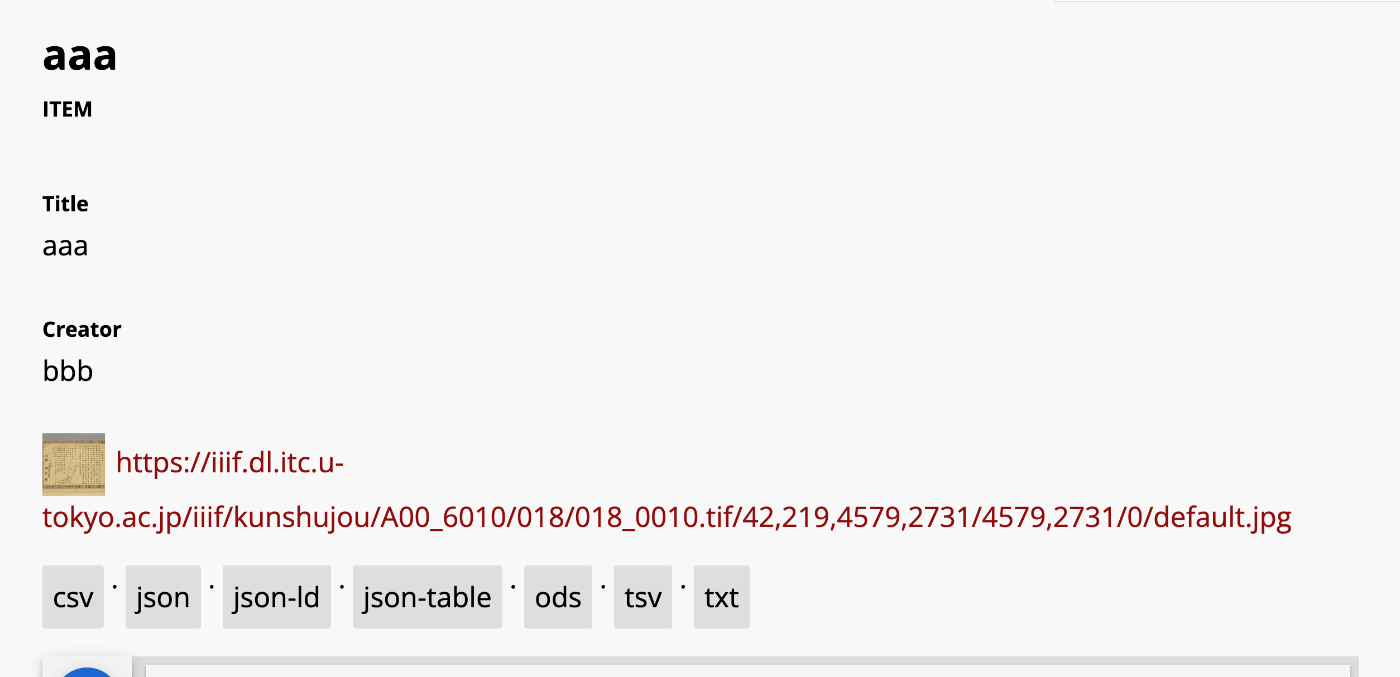
Overview In the following article, I introduced how to add an export feature. One of the export formats available is JSON-LD. In this article, we will try converting this JSON-LD to RDF/XML and Turtle formats. Tool Used This time, we will use EASY RDF. https://www.easyrdf.org/converter Copy the contents of the following JSON-LD obtained through the Omeka S export. { "@context": "https://omekas.aws.ldas.jp/xxx/omekas/api-context", "@id": "https://omekas.aws.ldas.jp/xxx/omekas/api/items/12", "@type": "o:Item", "o:id": 12, "o:is_public": true, "o:owner": { "@id": "https://omekas.aws.ldas.jp/xxx/omekas/api/users/1", "o:id": 1 }, "o:resource_class": null, "o:resource_template": null, "o:thumbnail": null, "o:title": "aaa", "thumbnail_display_urls": { "large": "https://omekas.aws.ldas.jp/xxx/omekas/files/large/4f57960c4471c954c6d3aac0a23bd441a6f4eb8b.jpg", "medium": "https://omekas.aws.ldas.jp/xxx/omekas/files/medium/4f57960c4471c954c6d3aac0a23bd441a6f4eb8b.jpg", "square": "https://omekas.aws.ldas.jp/xxx/omekas/files/square/4f57960c4471c954c6d3aac0a23bd441a6f4eb8b.jpg" }, "o:created": { "@value": "2023-07-26T22:52:31+00:00", "@type": "http://www.w3.org/2001/XMLSchema#dateTime" }, "o:modified": { "@value": "2023-10-17T06:56:16+00:00", "@type": "http://www.w3.org/2001/XMLSchema#dateTime" }, "o:media": [ { "@id": "https://omekas.aws.ldas.jp/xxx/omekas/api/media/13", "o:id": 13 } ], "o:item_set": [], "o:site": [ { "@id": "https://omekas.aws.ldas.jp/xxx/omekas/api/sites/1", "o:id": 1 } ], "dcterms:title": [ { "type": "literal", "property_id": 1, "property_label": "Title", "is_public": true, "@value": "aaa" } ], "dcterms:creator": [ { "type": "literal", "property_id": 2, "property_label": "Creator", "is_public": true, "@value": "bbb" } ] } Then, paste it into the Input Data form in EASY RDF. ...

Visualizing Item Counts by Latest Update Year for the Japan Search Utilization Schema

Visualizing Item Counts by Latest Update Year for the Japan Search Utilization Schema

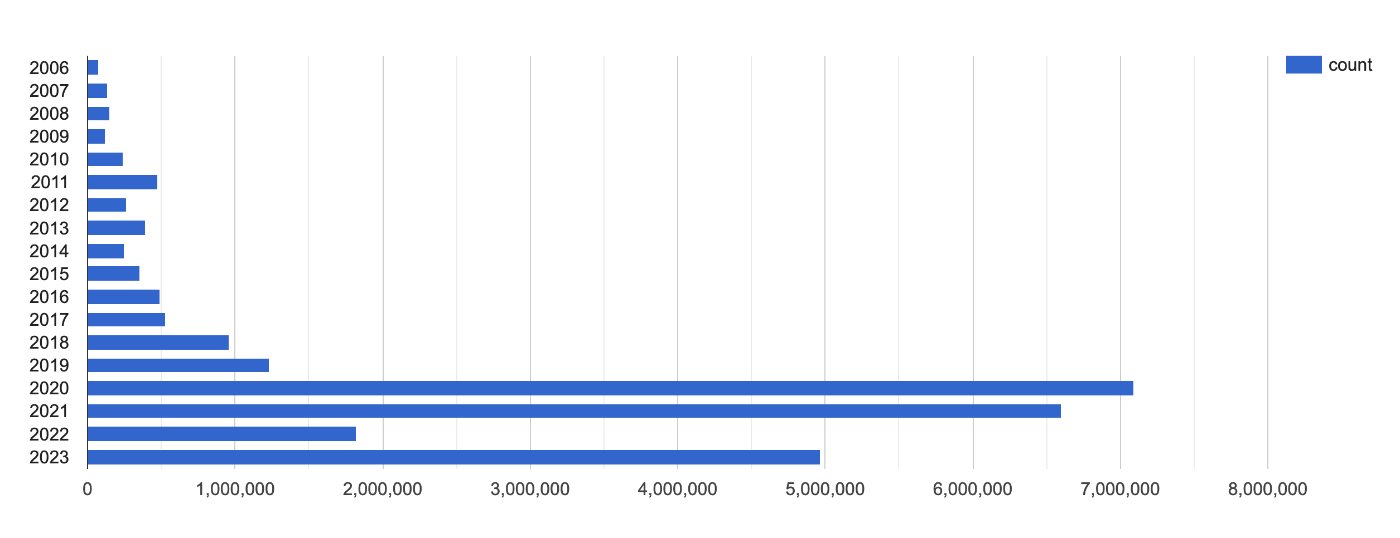
This is a memo about visualizing item counts by latest update year for the Japan Search utilization schema. https://api.triplydb.com/s/bfcE2qF65 It is based on the following query. https://zenn.dev/nakamura196/books/a4534e306de7e7/viewer/e38587 We hope this is helpful.

Utilizing Exhibition Information Stored in the Cultural Japan RDF Store

Utilizing Exhibition Information Stored in the Cultural Japan RDF Store

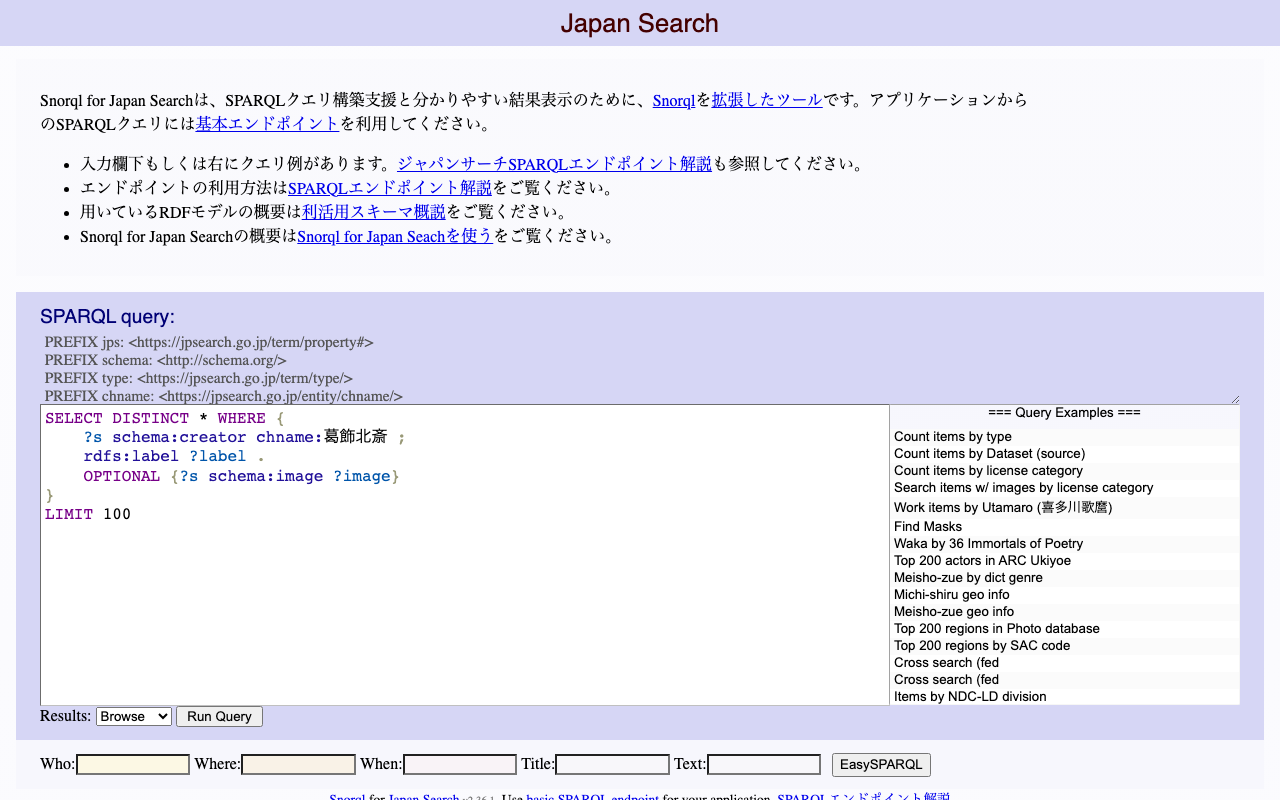
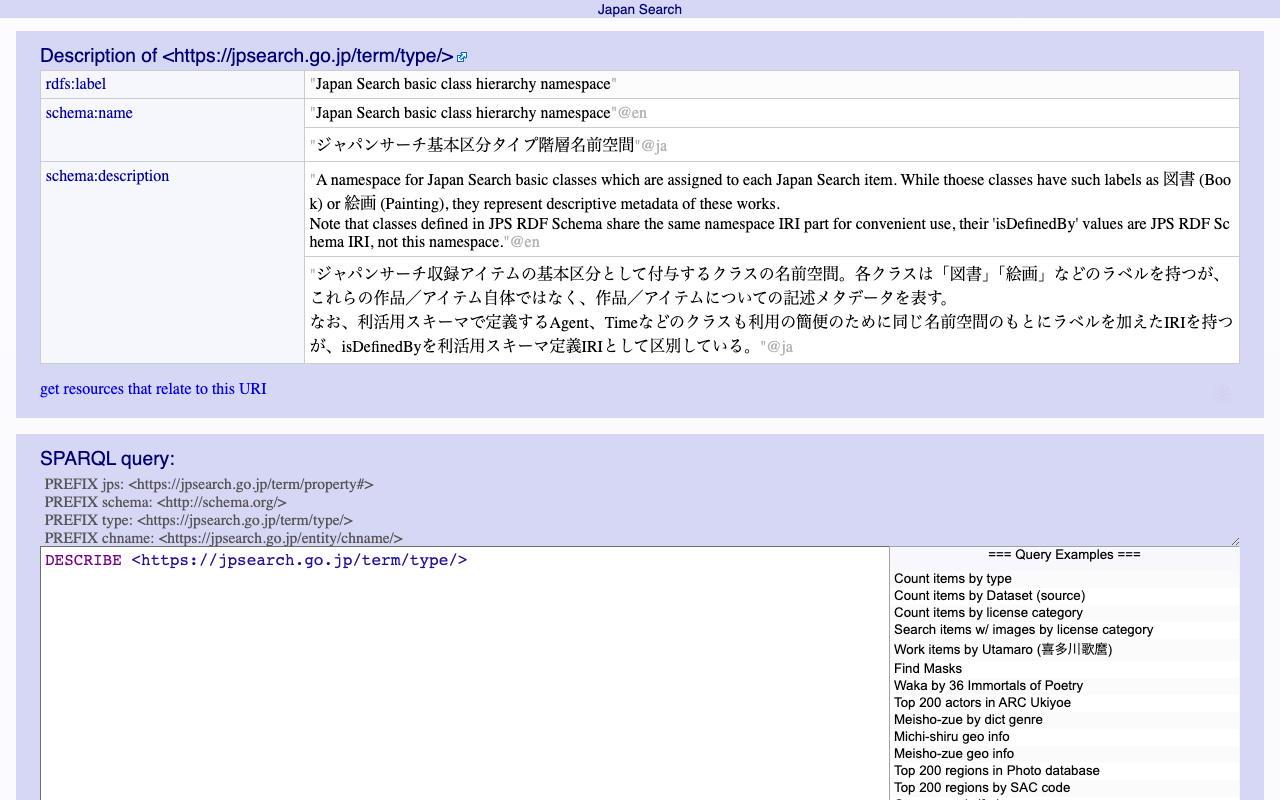
Overview The Cultural Japan RDF store contains information about exhibitions. A list can be retrieved using the following query, which specifies type:展覧会 (Exhibition) for rdf:type. PREFIX type: <https://jpsearch.go.jp/term/type/> PREFIX rdfs: <http://www.w3.org/2000/01/rdf-schema#> select distinct * where { ?s rdf:type type:展覧会; rdfs:label ?label . } https://ld.cultural.jp/snorql/?query=select+distinct+*+where+{ %3Fs+rdf%3Atype+type%3A展覧会%3B +++++++rdfs%3Alabel+%3Flabel+.+ } ++ This article introduces an example of how to utilize this exhibition information. List of Exhibitions Each exhibition has values such as jps:temporal and jps:spatial (which may have multiple values). https://ld.cultural.jp/data/apmoa-exhib-2021-soga The following query can be used to retrieve a list including exhibition metadata. ...

Checking ORCID RDF Data

Checking ORCID RDF Data

Here is how to check the RDF data of ORCID. The following ORCID ID is used as the target. https://orcid.org/0000-0001-8245-7925 For browsing, I use the Linked Data Browser developed by Masahide Kanzaki. https://www.kanzaki.com/works/2014/pub/ld-browser For example, you can browse the RDF data from the following URL. https://www.kanzaki.com/works/2014/pub/ld-browser?u=https%3A%2F%2Forcid.org%2F0000-0001-8245-7925 The specific RDF data is as follows. <rdf:RDF xmlns:rdf="http://www.w3.org/1999/02/22-rdf-syntax-ns#" xmlns:owl="http://www.w3.org/2002/07/owl#" xmlns:prov="http://www.w3.org/ns/prov#" xmlns:pav="http://purl.org/pav/" xmlns:rdfs="http://www.w3.org/2000/01/rdf-schema#" xmlns:gn="http://www.geonames.org/ontology#" xmlns:foaf="http://xmlns.com/foaf/0.1/" xmlns:xsd="http://www.w3.org/2001/XMLSchema#"> <foaf:PersonalProfileDocument rdf:about="http://pub.orcid.org/orcid-pub-web/experimental_rdf_v1/0000-0001-8245-7925"> <pav:createdOn rdf:datatype="http://www.w3.org/2001/XMLSchema#dateTime" >2017-07-14T00:27:17.421Z</pav:createdOn> <prov:generatedAtTime rdf:datatype="http://www.w3.org/2001/XMLSchema#dateTime" >2022-12-14T02:40:04.693Z</prov:generatedAtTime> <pav:lastUpdateOn rdf:datatype="http://www.w3.org/2001/XMLSchema#dateTime" >2022-12-14T02:40:04.693Z</pav:lastUpdateOn> <pav:createdWith rdf:resource="https://orcid.org"/> <prov:wasAttributedTo> <prov:Person rdf:about="https://orcid.org/0000-0001-8245-7925"> <foaf:account> <foaf:OnlineAccount rdf:about="https://orcid.org/0000-0001-8245-7925#orcid-id"> <rdfs:label>0000-0001-8245-7925</rdfs:label> <foaf:accountName>0000-0001-8245-7925</foaf:accountName> <foaf:accountServiceHomepage rdf:resource="https://orcid.org"/> </foaf:OnlineAccount> </foaf:account> <foaf:publications> <foaf:Document rdf:about="https://orcid.org/0000-0001-8245-7925#workspace-works"/> </foaf:publications> <foaf:page rdf:resource="https://researchmap.jp/nakamura.satoru/?lang=english"/> <foaf:based_near> <gn:Feature> <gn:parentCountry> <rdf:Description rdf:about="http://sws.geonames.org/1861060/"> <gn:name>Japan</gn:name> <gn:countryCode>JP</gn:countryCode> <rdfs:label>Japan</rdfs:label> </rdf:Description> </gn:parentCountry> <gn:countryCode>JP</gn:countryCode> </gn:Feature> </foaf:based_near> <foaf:familyName>Nakamura</foaf:familyName> <foaf:givenName>Satoru</foaf:givenName> <rdfs:label>Satoru Nakamura</rdfs:label> <rdf:type rdf:resource="http://xmlns.com/foaf/0.1/Person"/> </prov:Person> </prov:wasAttributedTo> <pav:createdBy rdf:resource="https://orcid.org/0000-0001-8245-7925"/> <foaf:maker rdf:resource="https://orcid.org/0000-0001-8245-7925"/> <foaf:primaryTopic rdf:resource="https://orcid.org/0000-0001-8245-7925"/> </foaf:PersonalProfileDocument> </rdf:RDF> I hope this is helpful as a reference. ...

Creating RDF from Excel

Creating RDF from Excel

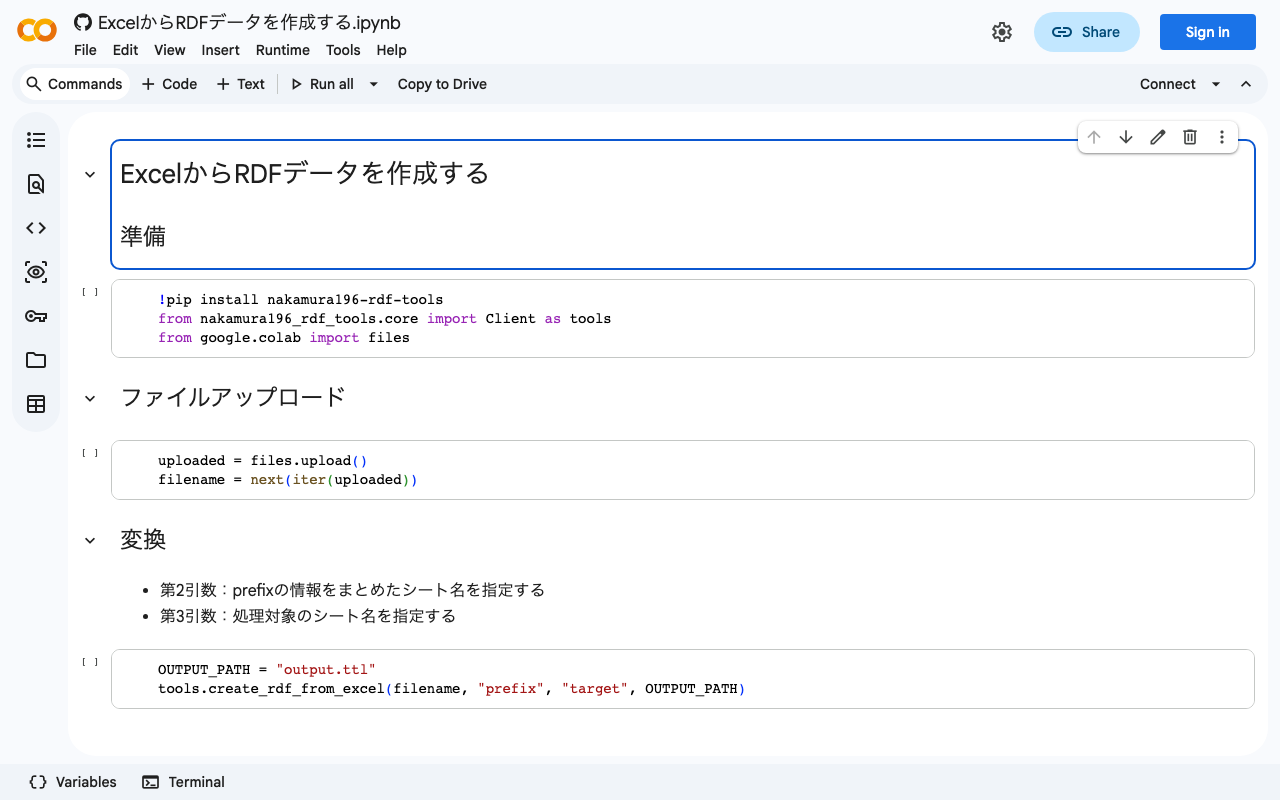
Overview For creating RDF data, I prototyped a Python library that converts data created in Excel to RDF data. It is still a work in progress, but here are my notes. Notebook You can try it from the following notebook. https://colab.research.google.com/github/nakamura196/ndl_ocr/blob/main/ExcelからRDFデータを作成する.ipynb Source Excel Data Create an Excel file like the following. https://docs.google.com/spreadsheets/d/16SufG69_aZP0u0Kez8bisImGvVb4-z990AEPesdVxLo/edit#gid=0 In the above example, the prefix information used is organized in a sheet named “prefix.” The actual data is entered in a sheet named “target.” Referencing the specifications of Omeka S’s Bulk Import, language labels like “@ja” and types like “^^uri” are specified. ...

Trying to Create a ShEx File

Trying to Create a ShEx File

Overview ShEx is described on Wikipedia as: Shape Expressions is a data modeling language for validating and describing Resource Description Framework Here are my notes from attempting to create a ShEx file. Creating a ShEx File This time, we start with RDF data in data/tmp/merged.ttl. We use shexer to create a ShEx file from the RDF data. pip install shexer Get the list of classes in the RDF data. ...

Obtaining Persistent Identifiers with w3id.org and Redirecting to Snorql

Obtaining Persistent Identifiers with w3id.org and Redirecting to Snorql

Overview I created the following page for publishing RDF data. https://sukilam-educational-metadata.github.io/ In particular, from the following page, you can search RDF data using SPARQL and Snorql. For Snorql, I am using “Snorql for Japan Search”. Please try the query examples at the bottom of the page. https://sukilam-educational-metadata.github.io/snorql/ When publishing this page, I obtained persistent identifiers using w3id.org and set up redirects to Snorql, so this is a personal note for future reference. ...