Home Articles Books Search About
日本語
Connecting Django with AWS OpenSearch

Connecting Django with AWS OpenSearch

Overview These are notes on how to connect Django with AWS OpenSearch. The following article was helpful. https://testdriven.io/blog/django-drf-elasticsearch/ However, since the above article targets Elasticsearch, changes corresponding to OpenSearch were needed. Changes Changes for OpenSearch were needed starting from the Elasticsearch Setup section of the article. https://testdriven.io/blog/django-drf-elasticsearch/#elasticsearch-setup Specifically, the following two libraries were required. (env)$ pip install opensearch-py (env)$ pip install django-opensearch-dsl After that, by replacing django_elasticsearch_dsl with django-opensearch-dsl and elasticsearch_dsl with opensearchpy, I was able to proceed as described in the article. ...
Content Registration and Multilingual Support Using Drupal Key Auth

Content Registration and Multilingual Support Using Drupal Key Auth

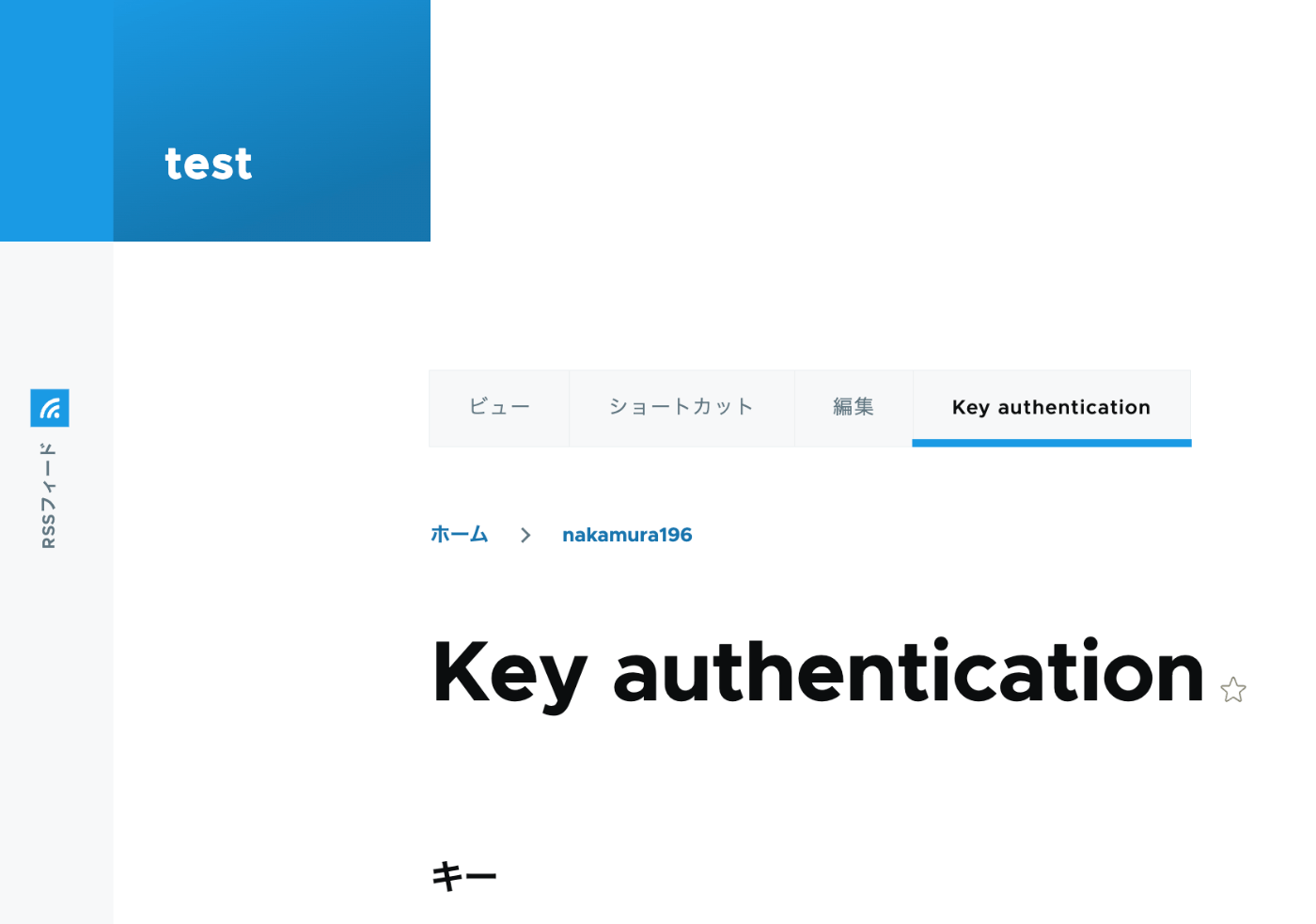
Overview In the following article, I performed content registration using Python with Basic authentication. This time, I tried API Key Authentication, referring to the following article. https://designkojo.com/post-drupal-using-jsonapi-vuejs-front-end API Key Authentication The following module was used. https://www.drupal.org/project/key_auth A “Key authentication” tab appeared on the user edit screen, allowing an API key to be generated. When using the API key, the following program can be used. import requests endpoint = 'http://{IP address or domain name}/jsonapi/node/article' key = '{API key}' headers = { 'Accept': 'application/vnd.api+json', 'Content-Type': 'application/vnd.api+json', "api-key": key } payload = { "data": { "type": "node--article", "attributes": { "title": "What's up from Python", "body": { "value": "Be water. My friends.", "format": "plain_text" } } } } r = requests.post(endpoint, headers=headers, json=payload) r.json() Notes on Multilingual Support As a note, it appears that creating translation data is not supported. ...

Trying Wagtail

Trying Wagtail

Overview I tried Wagtail, so here are my notes on issues I encountered. I basically followed the tutorial below: https://docs.wagtail.org/en/v5.0.1/getting_started/tutorial.html Search Feature When I added a page with the Japanese title “My First Article,” the following search did not return any results. http://localhost:8000/admin/pages/search/?q=はじめて On the other hand, the following search did return results. It appeared that partial matching for Japanese is not supported by default. http://localhost:8000/admin/pages/search/?q=はじめての記事 Wagtail API Information about the API is available here: ...

Customizing Views for Custom Models in Django REST Framework JSON:API (DJA)

Customizing Views for Custom Models in Django REST Framework JSON:API (DJA)

Overview Let’s customize the views for the model added in the following article. Sort Let’s add ordering_fields. ... class UserInfoViewset(ModelViewSet): ordering_fields = ("user_name", ) # Added here queryset = UserInfo.objects.all() serializer_class = UserInfoSerializer def get_object(self): entry_pk = self.kwargs.get("entry_pk", None) if entry_pk is not None: return Entry.objects.get(id=entry_pk).blog return super().get_object() ... As a result, only user_name became selectable in the “Filters” display. For example, sorting by age returned a validation error. Filter ... class UserInfoViewset(ModelViewSet): queryset = UserInfo.objects.all() serializer_class = UserInfoSerializer ordering_fields = ("user_name", ) # Added from here below # override the default filter backends in order to test QueryParameterValidationFilter # without breaking older usage of non-standard query params like `page_size`. filter_backends = ( QueryParameterValidationFilter, OrderingFilter, DjangoFilterBackend, SearchFilter, ) rels = ( "exact", "iexact", "contains", "icontains", "gt", "gte", "lt", "lte", "in", "regex", "isnull", ) filterset_fields = { "id": ("exact", "in"), "user_name": rels } search_fields = ("user_name", ) ... ... With the above, the following filter became possible. ...

Adding Custom Models to Django REST framework JSON:API (DJA)

Adding Custom Models to Django REST framework JSON:API (DJA)

Overview In the following article, I confirmed the basic operations of Django REST framework JSON:API (DJA). In this article, I will try adding a custom model to DJA. References I will add a UserInfo model, referencing the following article. https://tech-blog.rakus.co.jp/entry/20220329/python Steps Define the Model Add the following: # ユーザ情報を格納する class UserInfo(BaseModel): user_name = models.CharField(verbose_name='ユーザ名',max_length=32) # ユーザ名 birth_day = models.DateField(verbose_name='生年月日') # 生年月日 age = models.PositiveSmallIntegerField(verbose_name='年齢',null=True,unique=False) # 年齢 created_at = models.DateTimeField(verbose_name='作成日時',auto_now_add=True) Build the Database Execute the following: % django-admin makemigrations --settings=example.settings Migrations for 'example': example/migrations/0013_userinfo.py - Create model UserInfo % django-admin migrate --settings=example.settings Operations to perform: Apply all migrations: auth, contenttypes, example, sessions, sites Running migrations: Applying example.0013_userinfo... OK For reference, the following file is created: ...

Trying Django REST Framework JSON:API (DJA)

Trying Django REST Framework JSON:API (DJA)

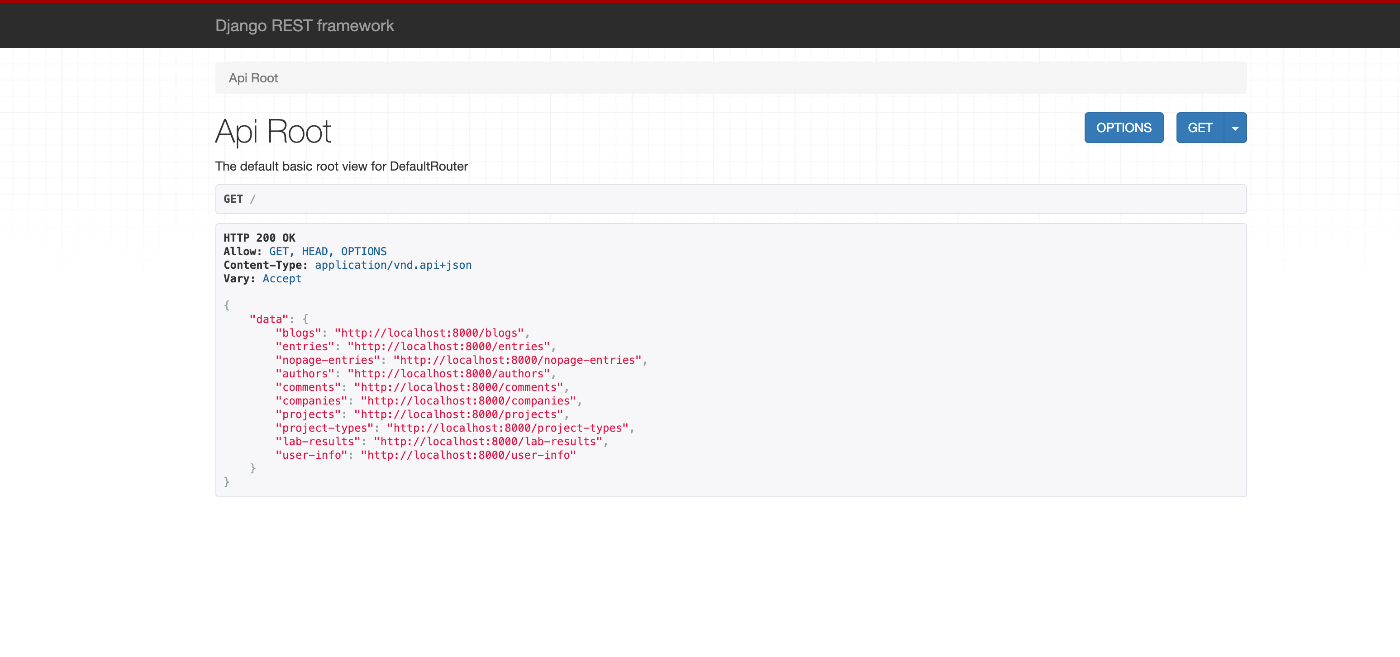
Overview I had an opportunity to try Django REST framework JSON:API (DJA), so here are my notes. https://django-rest-framework-json-api.readthedocs.io/en/stable/index.html Installation Launch the example app described on the following page. https://django-rest-framework-json-api.readthedocs.io/en/stable/getting-started.html git clone https://github.com/django-json-api/django-rest-framework-json-api.git cd django-rest-framework-json-api python3 -m venv env source env/bin/activate pip install -Ur requirements.txt django-admin migrate --settings=example.settings django-admin loaddata drf_example --settings=example.settings django-admin runserver --settings=example.settings As a result, the following screens were obtained. http://localhost:8000 for the list of available collections (in a non-JSON:API format!), ...

Creating PDF Files from IIIF Manifest Files

Creating PDF Files from IIIF Manifest Files

Overview I had the opportunity to create PDF files from IIIF manifest files. As a solution, I found the following repository, but was unable to get it working. https://github.com/jbaiter/pdiiif While the above repository uses JavaScript, this time I created a conversion tool using Python. Usage You can try it from the following notebook. https://colab.research.google.com/github/nakamura196/ndl_ocr/blob/main/iiif2pdf.ipynb During the initial installation, img2pdf is installed, but due to PIL version dependencies, a “RESTART RUNTIME” button will appear. Please click it and then re-run the same cell. ...

Prototype of an XML File Validation Tool Using JPCOAR Schema (v1)

Prototype of an XML File Validation Tool Using JPCOAR Schema (v1)

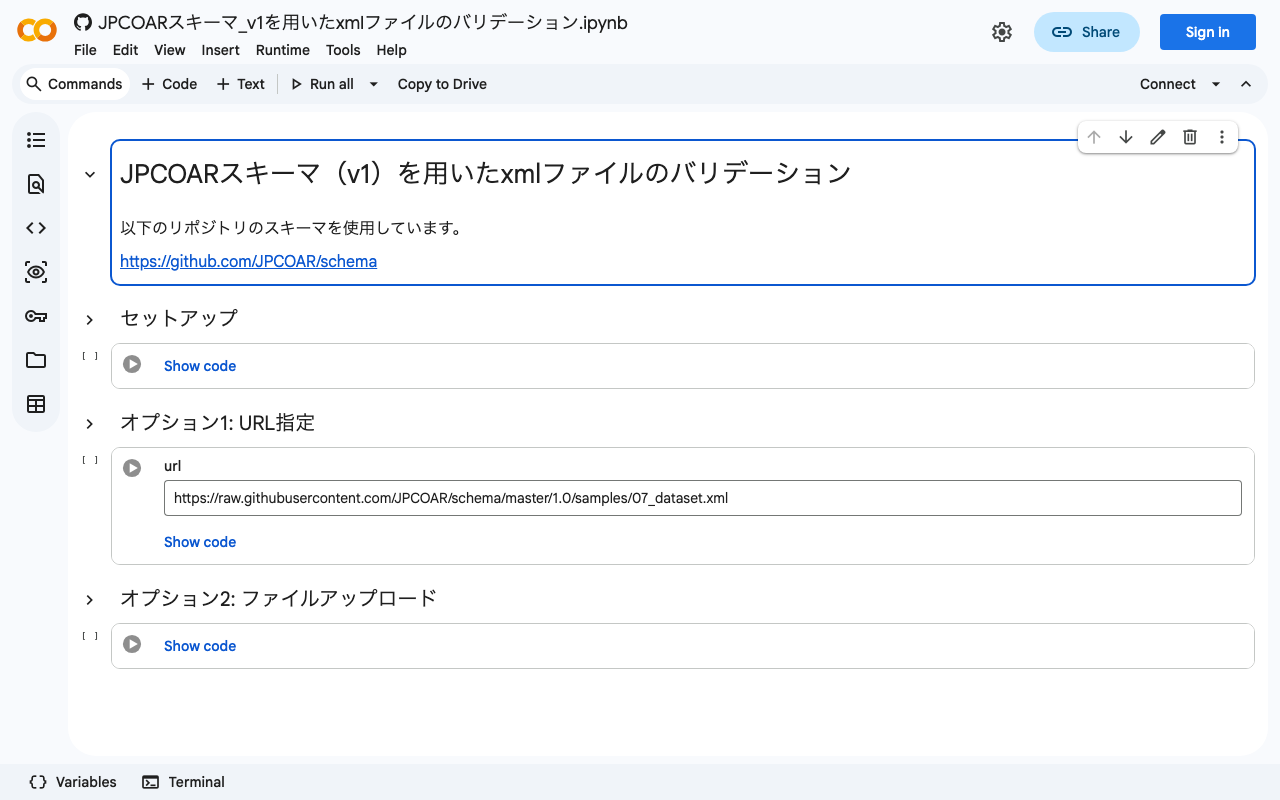
I previously wrote the following article, where I tried validating XML files using the JPCOAR schema. This time, based on the verification from the above article, I created a validation tool using Google Colab. You can try it at the following URL. https://colab.research.google.com/github/nakamura196/ndl_ocr/blob/main/JPCOARスキーマ_v1を用いたxmlファイルのバリデーション.ipynb You can validate target files by specifying the URL of a published XML file or by uploading a local file. I hope this serves as a helpful reference when creating XML files using the JPCOAR Schema (v1). ...

Bug Fixes and Feature Additions to the NDL Classical Book OCR Tutorial Using Google Colab

Bug Fixes and Feature Additions to the NDL Classical Book OCR Tutorial Using Google Colab

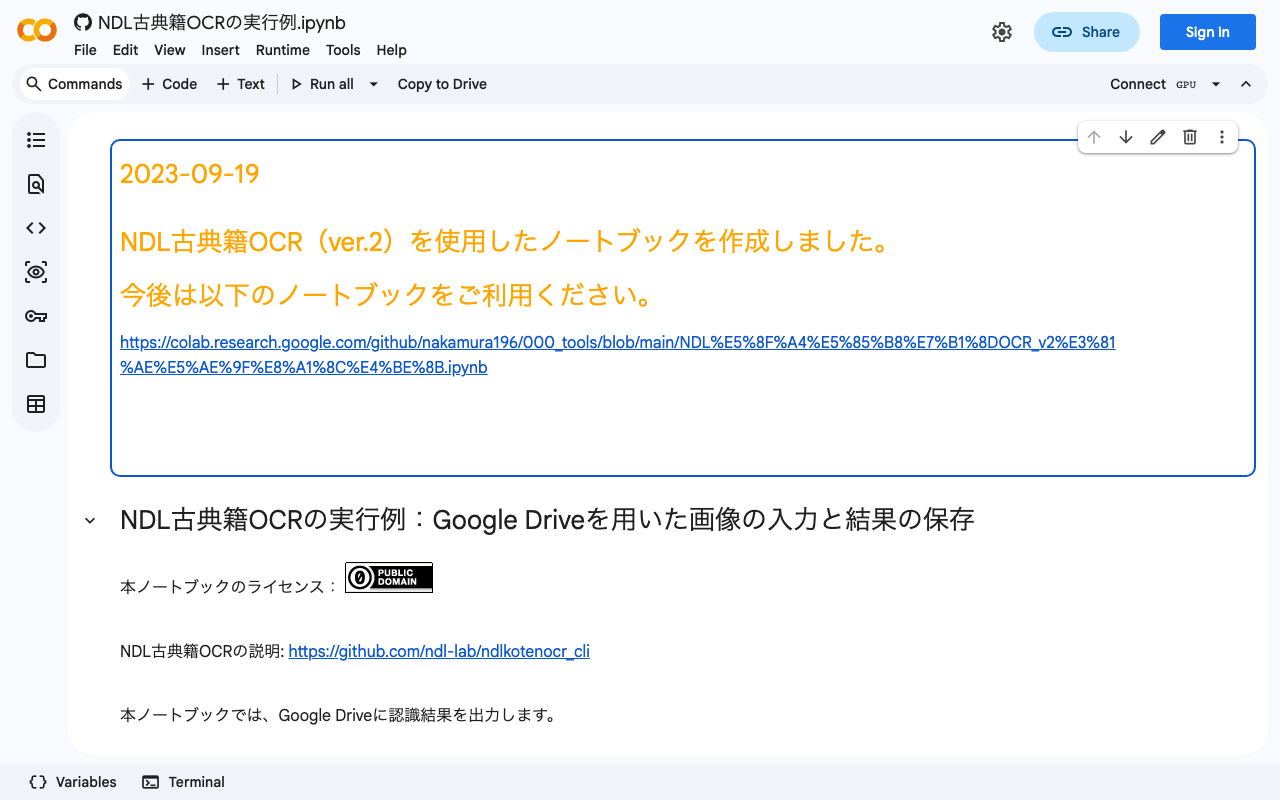
Overview I have been creating a tutorial for the NDL “Classical Book” OCR application using Google Colab, as introduced in the following article. This time, the following updates were made. Added terms of use Fixed bugs Added support for IIIF Presentation API v3 manifest file input The updated notebook can be accessed at the same URL as before. https://colab.research.google.com/github/nakamura196/ndl_ocr/blob/main/NDL古典籍OCRの実行例.ipynb Terms of Use Please use the notebook itself under CC0. However, the “NDL Classical Book OCR Application” is released by the National Diet Library under the CC BY 4.0 license, so please include the appropriate credit. Also, please check the terms of use for the materials to which OCR is applied. ...

Registering Taxonomies and Adding Them to Content in Drupal Using Python

Registering Taxonomies and Adding Them to Content in Drupal Using Python

Overview This is a continuation of the following series. This time, we will register taxonomies and add them to content. Registering Taxonomies A taxonomy called ne_class was created in advance through the GUI. It can be listed at the following URL. /jsonapi/taxonomy_term/ne_class Below is the program for registering a new taxonomy. Please configure host, username, and password as appropriate. payload = { "data": { "type": "taxonomy_term--ne_class", "attributes": { "name": "干瀬", } } } _type = "ne_class" url = f"{host}/jsonapi/taxonomy_term/{_type}" r = requests.post(url, headers=headers, auth=(username, password), json=payload) r.json() The following result is obtained. ...

Updating and Deleting Drupal Content Using Python

Updating and Deleting Drupal Content Using Python

Overview In the following article, I described how to create new content. This time, I’ll try updating and deleting existing content. Filtering Items With the following program, you can retrieve registered content. This time, I retrieved content with the title “Pre-update title.” res["data"] is an array. username = "xxx" password = "xxx" host = "xxx" query = { "title": "更新前のタイトル" } item_type = "article" filters = [] for key, value in query.items(): filters.append(f'filter[{key}]={value}') filter_str = '&'.join(filters) endpoint = f'{host}/jsonapi/node/{item_type}?{filter_str}' r = requests.get(endpoint, headers=headers, auth=(username, password)) res = r.json() len(res['data']) Getting the ID of the Content to Update An ID like 730f844d-b476-4485-8957-c33fccb7f8ac is obtained. ...

Adding Content to Drupal Using Python

Adding Content to Drupal Using Python

Overview I had an opportunity to add content to Drupal using Python, so this is a memo of the process. I referenced the following article. https://weimingchenzero.medium.com/use-python-to-call-drupal-9-core-restful-api-to-create-new-content-9f3fa8628ab4 Preparing Drupal I set it up on Amazon Lightsail. The following article is a useful reference. https://annai.co.jp/article/use-aws-lightsail Modules Install the following modules. HTTP Basic Auth JSON:API RESTful Web Services Serialization Changing JSON:API Settings Access the following page to change the settings. </admin/config/services/jsonapi> Python Set {IP address or domain name} and {password} as appropriate. ...

Creating RDF from Excel

Creating RDF from Excel

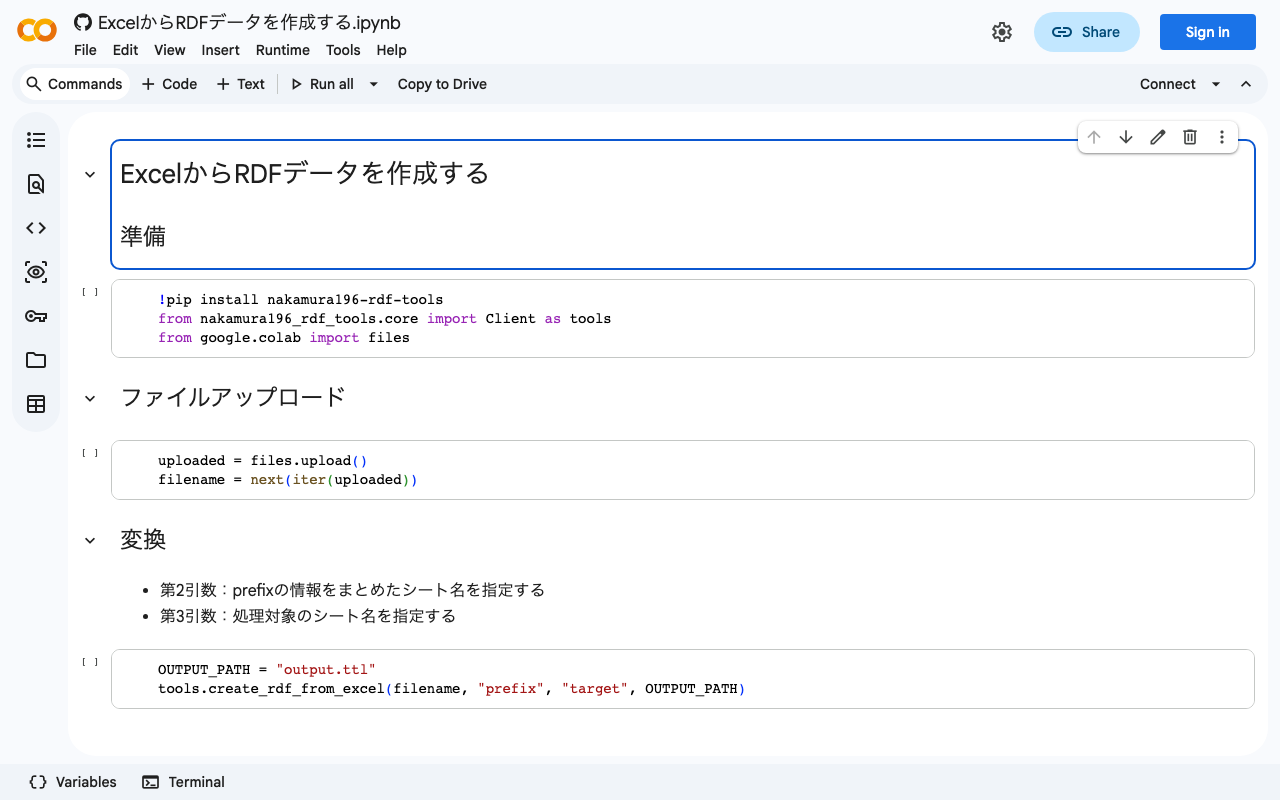
Overview For creating RDF data, I prototyped a Python library that converts data created in Excel to RDF data. It is still a work in progress, but here are my notes. Notebook You can try it from the following notebook. https://colab.research.google.com/github/nakamura196/ndl_ocr/blob/main/ExcelからRDFデータを作成する.ipynb Source Excel Data Create an Excel file like the following. https://docs.google.com/spreadsheets/d/16SufG69_aZP0u0Kez8bisImGvVb4-z990AEPesdVxLo/edit#gid=0 In the above example, the prefix information used is organized in a sheet named “prefix.” The actual data is entered in a sheet named “target.” Referencing the specifications of Omeka S’s Bulk Import, language labels like “@ja” and types like “^^uri” are specified. ...

How to Extract respStmt name Values from TEI/XML Files (Explained by GPT-4)

How to Extract respStmt name Values from TEI/XML Files (Explained by GPT-4)

How to Extract respStmt name Values from TEI/XML Files: Approaches Using BeautifulSoup and ElementTree in Python This article introduces how to extract respStmt name values from TEI/XML files using Python’s BeautifulSoup and ElementTree. Method 1: Using ElementTree First, we extract the respStmt name value using Python’s standard library xml.etree.ElementTree. import xml.etree.ElementTree as ET # Load the XML file tree = ET.parse('your_file.xml') root = tree.getroot() # Define the namespace ns = {'tei': 'http://www.tei-c.org/ns/1.0'} # Extract the respStmt name value name = root.find('.//tei:respStmt/tei:name', ns) # Display the name text if name is not None: print(name.text) else: print("The name tag was not found.") Method 2: Using BeautifulSoup Next, we extract the respStmt name value using BeautifulSoup. First, make sure the beautifulsoup4 and lxml libraries are installed. If they are not installed, you can install them with the following command. ...

Memo on Using nbdev

Memo on Using nbdev

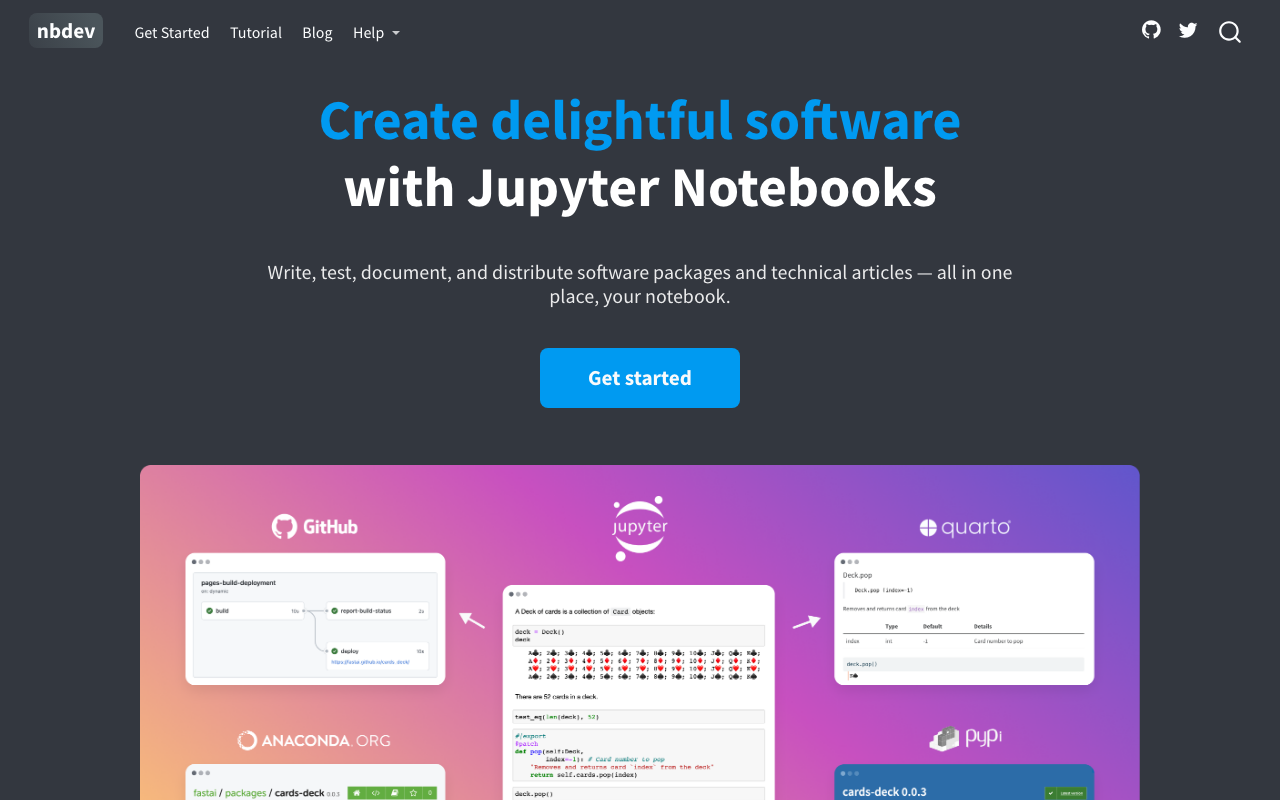
Overview When creating Python packages, I use nbdev. https://nbdev.fast.ai/ nbdev is described as follows: Write, test, document, and distribute software packages and technical articles — all in one place, your notebook. This article serves as a memo when using nbdev. Installation The following tutorial page is a helpful reference. https://nbdev.fast.ai/tutorials/tutorial.html Below is a brief overview of the workflow. After installing the related tools, create a GitHub repository, clone it, and then execute the following in the cloned directory. ...

Publishing Images Using IIIF Image API Level 0

Publishing Images Using IIIF Image API Level 0

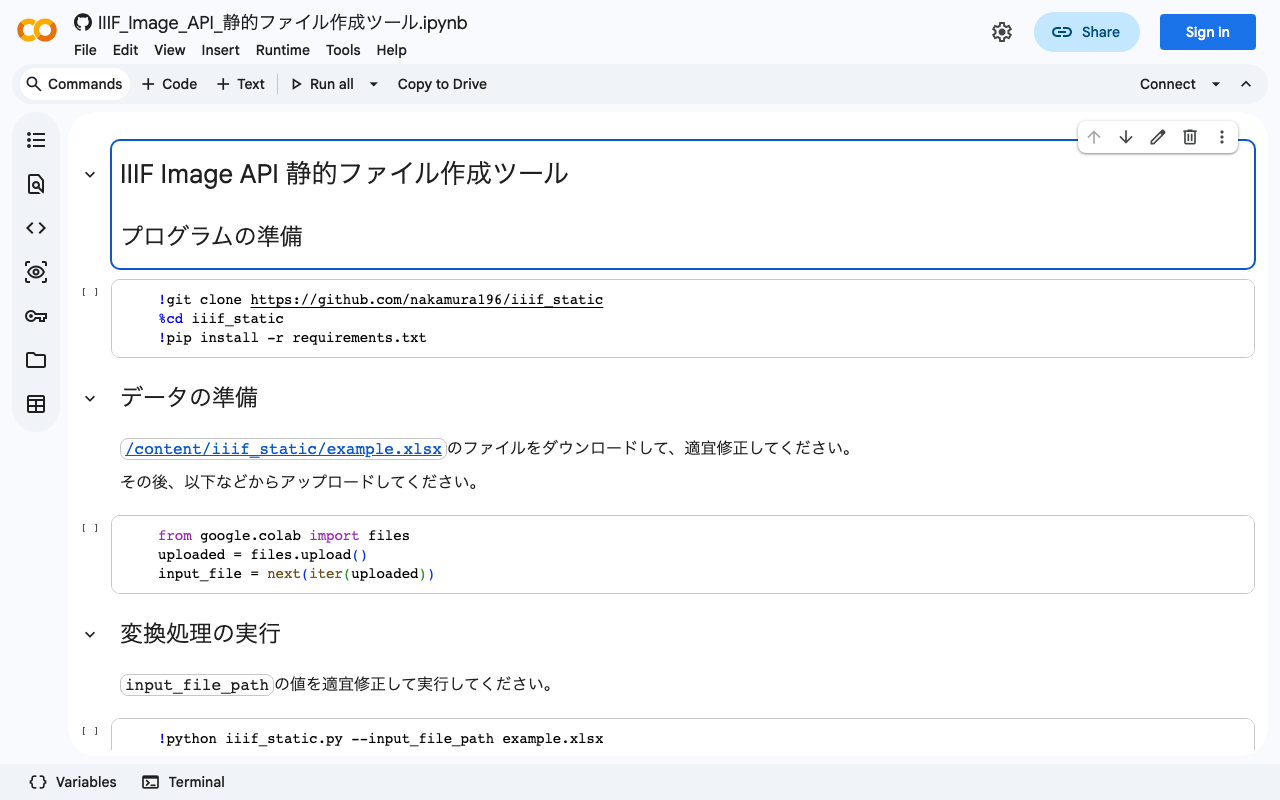
Overview IIIF Image API level 0 delivers images using pre-generated static tile images. This enables image publishing using only static file hosting services such as GitHub Pages or Amazon S3. However, it has the drawback of not being able to extract arbitrary regions of images. This article introduces an example of publishing images using IIIF Image API level 0. Tool You can try it with the following notebook. https://colab.research.google.com/github/nakamura196/ndl_ocr/blob/main/IIIF_Image_API_静的ファイル作成ツール.ipynb This notebook is based on the following script. ...

NDL Classical Text OCR Using Google Colab

NDL Classical Text OCR Using Google Colab

Overview I created an NDL “Classical Text” OCR application using Google Colab. You can try it at the following URL. https://colab.research.google.com/github/nakamura196/ndl_ocr/blob/main/NDL古典籍OCRの実行例.ipynb The description of NDL Classical Text OCR is as follows. https://github.com/ndl-lab/ndlkotenocr_cli The notebook was created with reference to @blue0620’s notebook. Thank you! https://twitter.com/blue0620/status/1617888733323485184 In the notebook I created, I added support for additional input formats and a feature to save to Google Drive. How to Use The usage is almost the same as the NDLOCR application. Please refer to the following video. ...

Validating XML Files Using the JPCOAR Schema

Validating XML Files Using the JPCOAR Schema

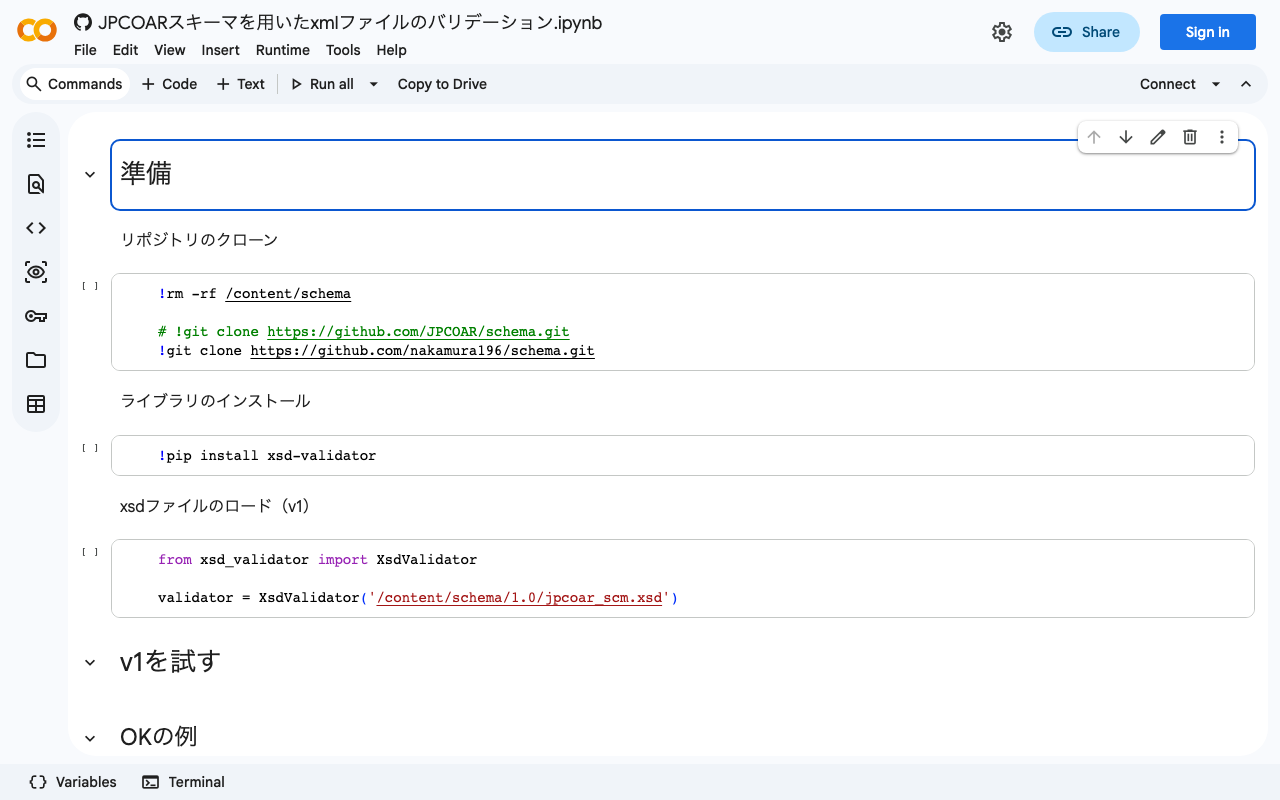
Overview JPCOAR Schema publishes XML Schema Definitions in the following repository. Thank you for creating the schema and making the data available. https://github.com/JPCOAR/schema This article is a memo of trying XML file validation using the above schema. (Since this is my first time doing this kind of validation, it may contain inaccurate terminology or information. I apologize.) A Google Colab notebook is also prepared. https://colab.research.google.com/github/nakamura196/ndl_ocr/blob/main/JPCOARスキーマを用いたxmlファイルのバリデーション.ipynb Preparation Clone the repository ...

Trying the jingtrang Library for RELAX NG Schema: Creating RNG Files

Trying the jingtrang Library for RELAX NG Schema: Creating RNG Files

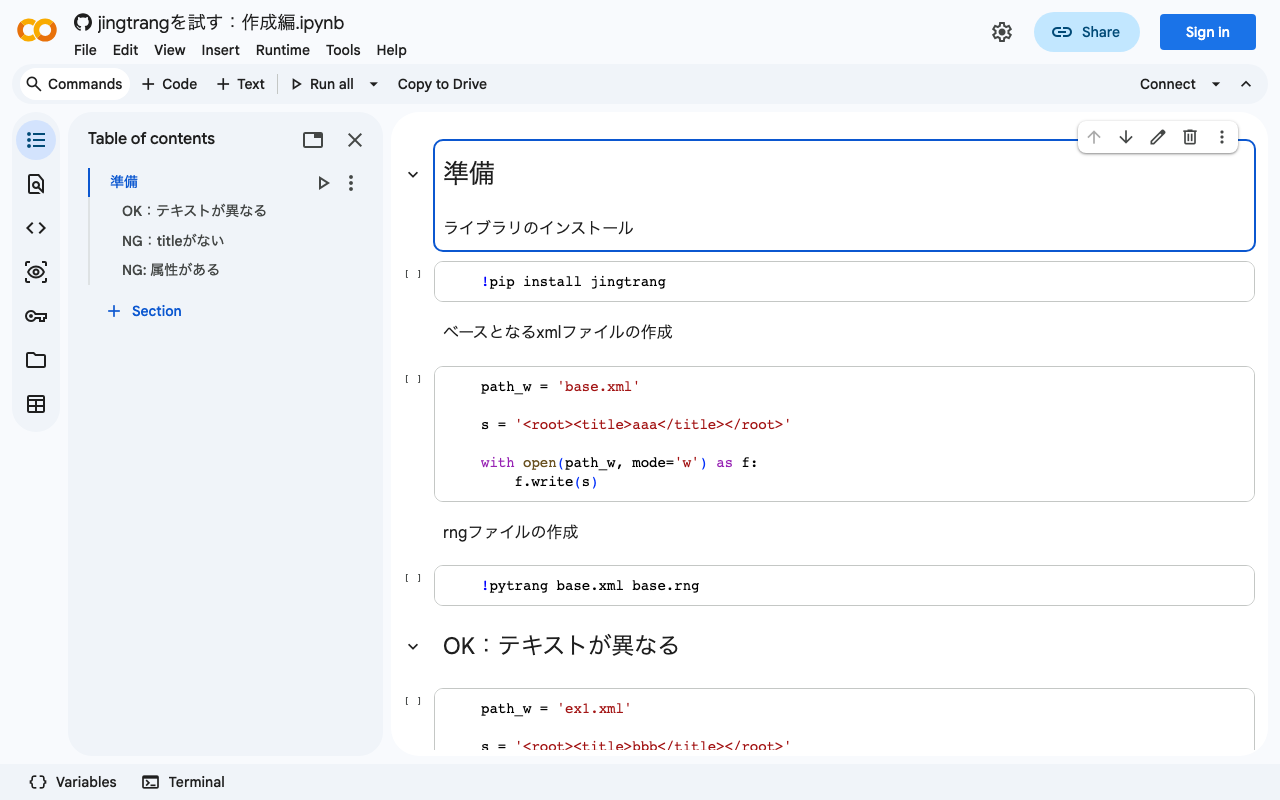
Overview In the following article, I performed XML file validation using jingtrang and RNG files. Since this jingtrang library can create RNG files from XML files, I decided to try it out. I also prepared a Google Colab notebook. https://colab.research.google.com/github/nakamura196/ndl_ocr/blob/main/jingtrangを試す:作成編.ipynb Creating an RNG File As the source file for creating the RNG file, I prepared the following: <root><title>aaa</title></root> For the above file, execute the following: pytrang base.xml base.rng As a result, the following file was created: ...

Trying the jingtrang Library for RELAX NG Schema: Validation

Trying the jingtrang Library for RELAX NG Schema: Validation

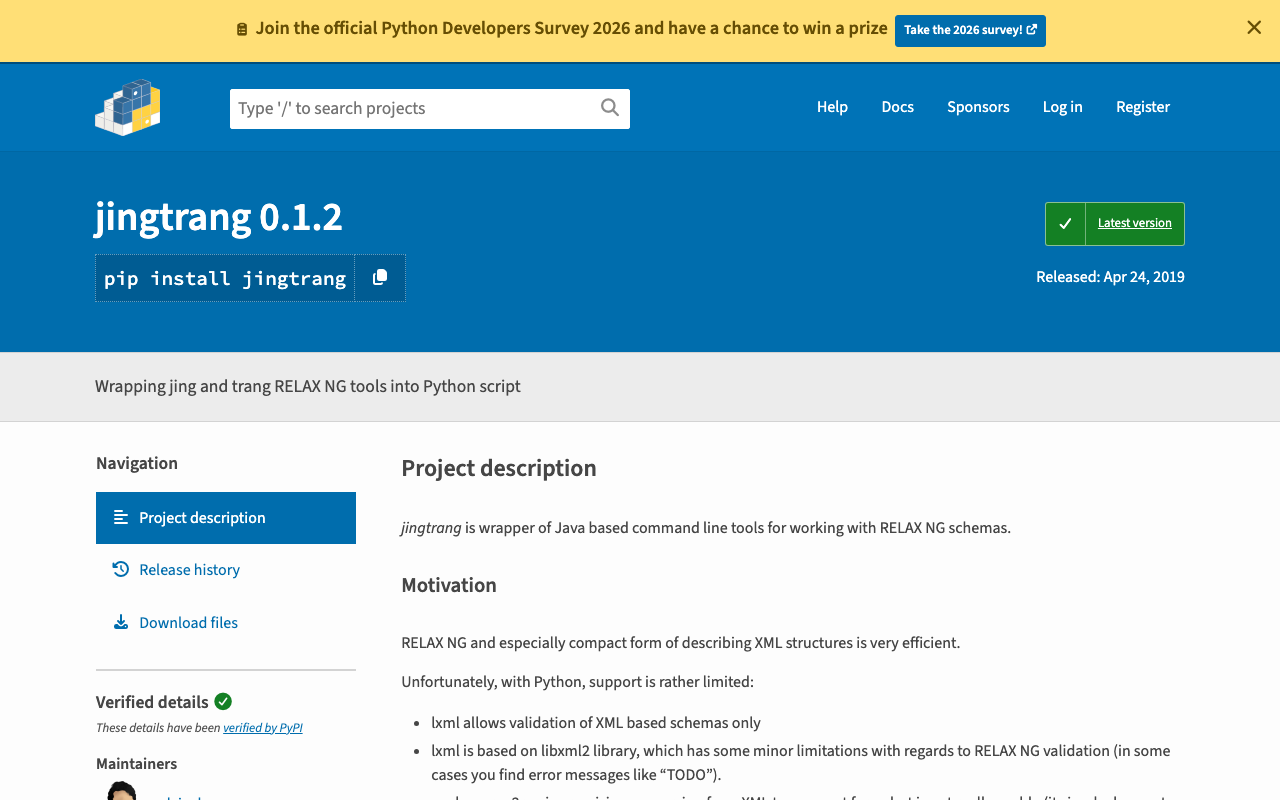
Overview I had an opportunity to create an XML file conforming to a specific schema, and needed to verify that the XML file matched the schema. To meet this requirement, I tried the jingtrang library for working with RELAX NG schemas, so here are my notes: https://pypi.org/project/jingtrang/ I also prepared a Google Colab notebook: https://colab.research.google.com/github/nakamura196/ndl_ocr/blob/main/jingtrangを試す.ipynb Trying Validation # ライブラリのインストール pip install jingtrang # rngファイルのダウンロード(tei_allを使用) wget https://raw.githubusercontent.com/nakamura196/test2021/main/tei_all.rng # validation対象のXMLファイルの用意(校異源氏物語テキストのダウンロード) wget https://kouigenjimonogatari.github.io/tei/01.xml Passing Example Running the following produced no output: ...