Home Articles Books Search About
日本語
How to Use the Files/Markers Tabs in the @samvera/ramp Viewer

How to Use the Files/Markers Tabs in the @samvera/ramp Viewer

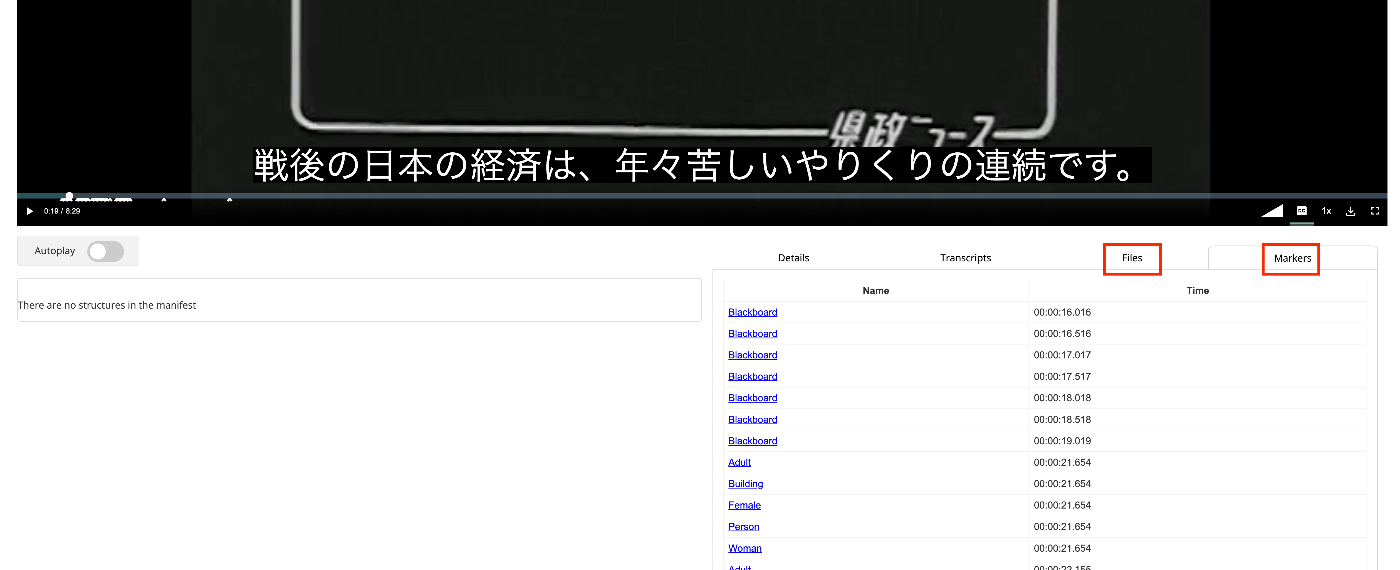
Overview I looked into how to use the Files/Markers tabs of the @samvera/ramp viewer, one of the viewers compatible with IIIF Audio/Visual, so this is a personal note for future reference. Documentation For Files, documentation was found at the following. https://samvera-labs.github.io/ramp/#supplementalfiles For Markers, documentation is found at the following. https://samvera-labs.github.io/ramp/#markersdisplay Data Used “Kensei News Volume 1” (Nagano Prefectural Library) is used. https://www.ro-da.jp/shinshu-dcommons/library/02FT0102974177 Files Tab It is documented that it reads the rendering property. The rendering property is also featured in the following Cookbook. ...
Adding a Table of Contents to Videos Using iiif-prezi3

Adding a Table of Contents to Videos Using iiif-prezi3

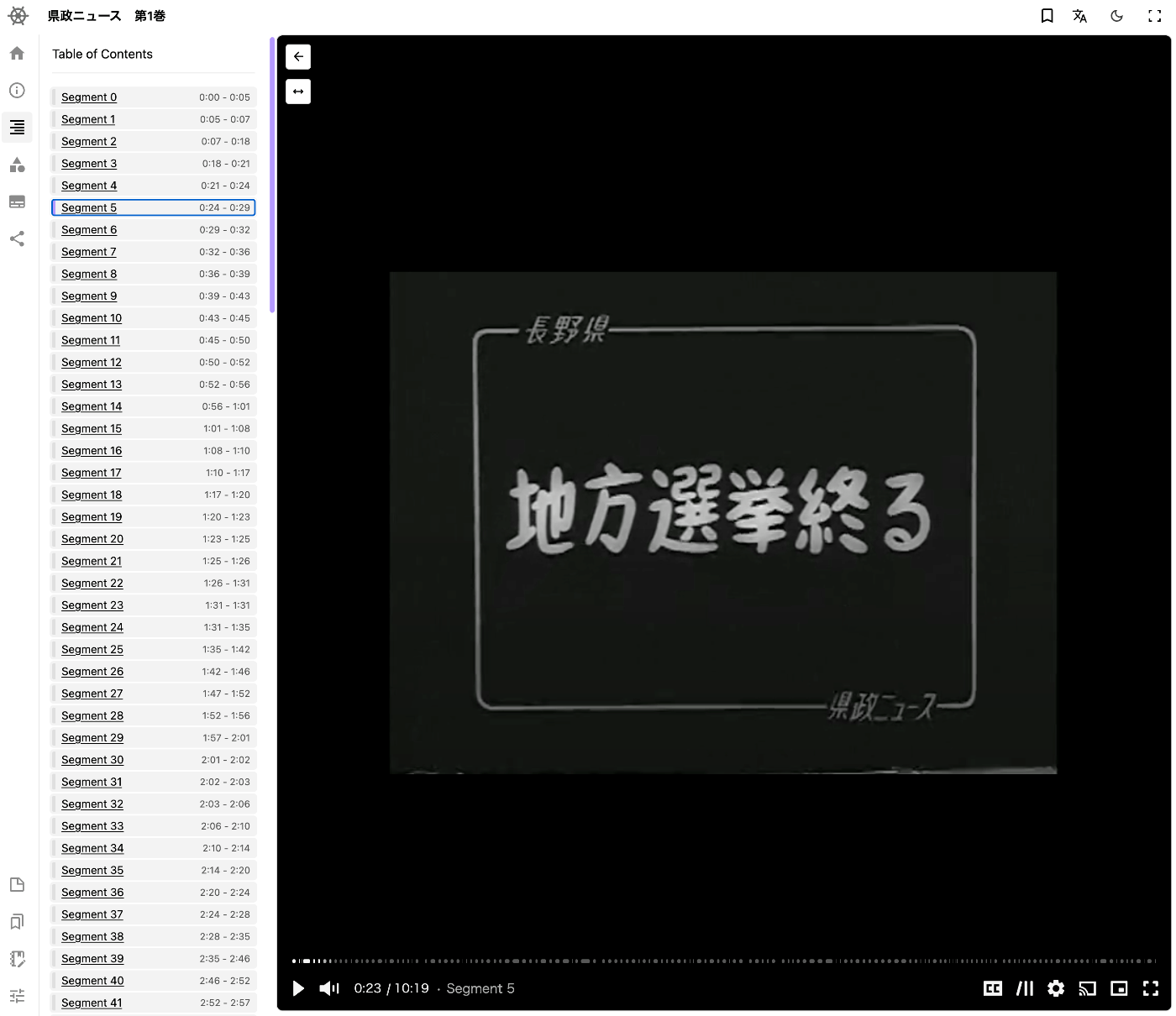
Overview This is a memo on how to add a table of contents to videos using iiif-prezi3. Segment Detection We use Amazon Rekognition’s video segment detection. https://docs.aws.amazon.com/ja_jp/rekognition/latest/dg/segments.html Sample code is available at the following link. https://docs.aws.amazon.com/ja_jp/rekognition/latest/dg/segment-example.html Data Used We use “Prefectural News Volume 1” (Nagano Prefectural Library). https://www.ro-da.jp/shinshu-dcommons/library/02FT0102974177 Reflecting in the Manifest File We assume that a manifest file has already been created by referring to the following article. The following script adds a VTT file to the manifest file. ...

Setting Subtitles on Videos Using iiif-prezi3

Setting Subtitles on Videos Using iiif-prezi3

Overview This is a memo on how to set subtitles on videos using iiif-prezi3. Creating Subtitles Subtitle files were created using the OpenAI API. The video file is converted to an audio file. from openai import OpenAI from pydub import AudioSegment from dotenv import load_dotenv class VideoClient: def __init__(self): load_dotenv(verbose=True) api_key = os.getenv("OPENAI_API_KEY") self.client = OpenAI(api_key=api_key) def get_transcriptions(self, input_movie_path): audio = AudioSegment.from_file(input_movie_path) # Write audio to a temporary file with tempfile.NamedTemporaryFile(suffix=".mp3") as temp_audio_file: audio.export(temp_audio_file.name, format="mp3") # Export in MP3 format temp_audio_file.seek(0) # Reset file pointer to the beginning # Get transcript with Whisper API with open(temp_audio_file.name, "rb") as audio_file: # Get transcript with Whisper API transcript = self.client.audio.transcriptions.create( model="whisper-1", file=audio_file, response_format="vtt" ) return transcript Data Used “Kensei News Volume 1” (Nagano Prefectural Library) is used. ...

Adding Annotations to Videos Using iiif-prezi3

Adding Annotations to Videos Using iiif-prezi3

Overview This is a note on how to add annotations to videos using iiif-prezi3. Adding Annotations Amazon Rekognition’s label detection is used. https://docs.aws.amazon.com/rekognition/latest/dg/labels.html?pg=ln&sec=ft Sample code is available at the following link. https://docs.aws.amazon.com/ja_jp/rekognition/latest/dg/labels-detecting-labels-video.html In particular, by setting the aggregation in GetLabelDetection to SEGMENTS, you can obtain StartTimestampMillis and EndTimestampMillis. However, please note the following. When aggregated by SEGMENTS, information about detected instances with bounding boxes is not returned. Data Used The video “Prefectural News Vol. 1” (Nagano Prefectural Library) is used. ...