Home Articles Books Search About
日本語
[Omeka S Module Development] Updating IIIF Viewers

[Omeka S Module Development] Updating IIIF Viewers

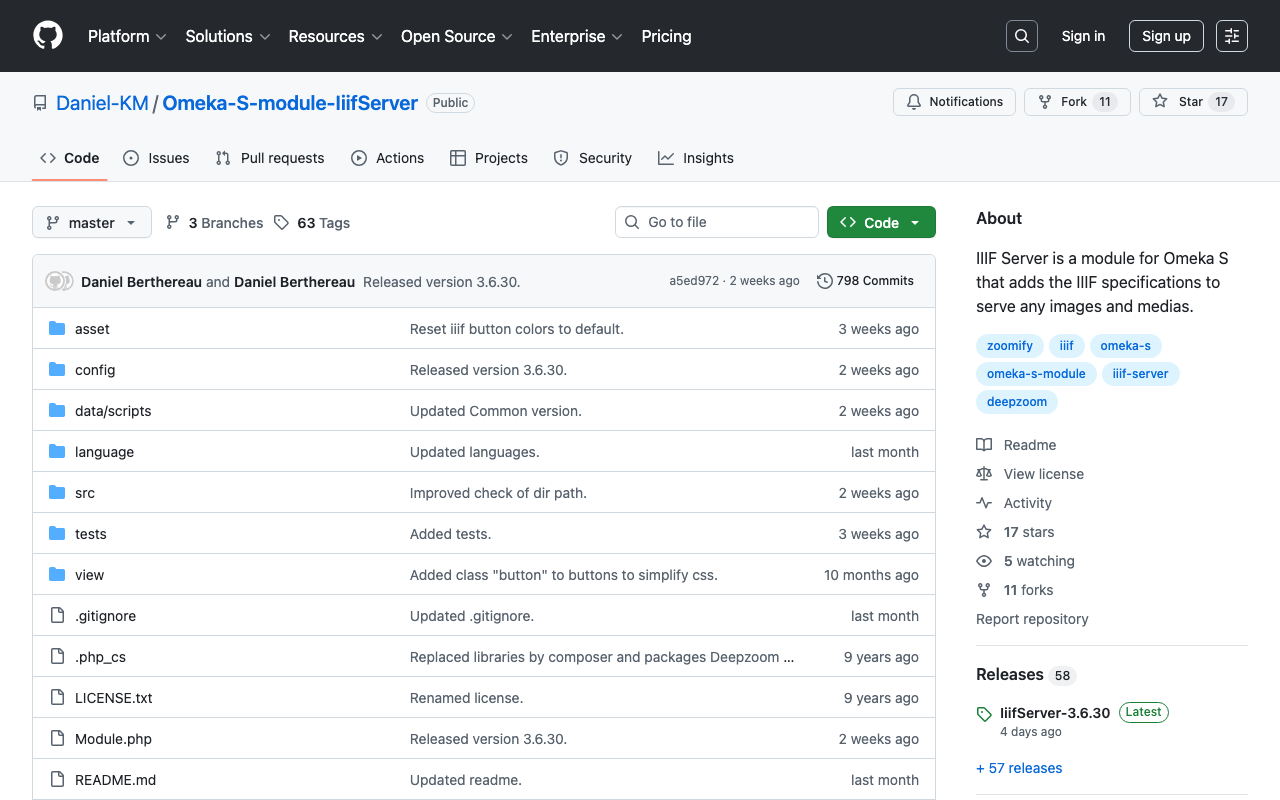
Overview I made feature improvements to the Omeka S module “IIIF Viewers,” which configures IIIF manifest icons and multiple IIIF-compatible viewers. https://github.com/omeka-j/Omeka-S-module-IiifViewers Along with these improvements, version 1.1.0 has been released. https://github.com/omeka-j/Omeka-S-module-IiifViewers/releases/tag/1.1.0 For the release, the method described in the following article was used. The specific improvements are described below. Fixing IIIF Manifest Icon URLs As mentioned in the following article, there was a bug where the IIIF manifest icon could not be loaded into other viewers via drag and drop. This improvement fixes that bug. ...

Creating a GitHub Release Script for Omeka S Module Development

Creating a GitHub Release Script for Omeka S Module Development

I created a GitHub release script for Omeka S module development. For this development, I referenced the GitHub repository usage of Daniel-KM, who has developed numerous Omeka S modules. Specifically, GitHub repositories are created with the naming convention “Omeka-S-module-{module name}”. Example: https://github.com/Daniel-KM/Omeka-S-module-EasyInstall For releases, they are tagged with “{module name}-{version}” and a file named “{module name}-{version}.zip” is attached. Example: https://github.com/Daniel-KM/Omeka-S-module-EasyInstall/releases/tag/3.3.6 When this zip file is extracted, a folder named “{module name}” is created. This is necessary because Omeka S requires the module folder name to match the module name. ...

Batch Download Script for Omeka S Modules

Batch Download Script for Omeka S Modules

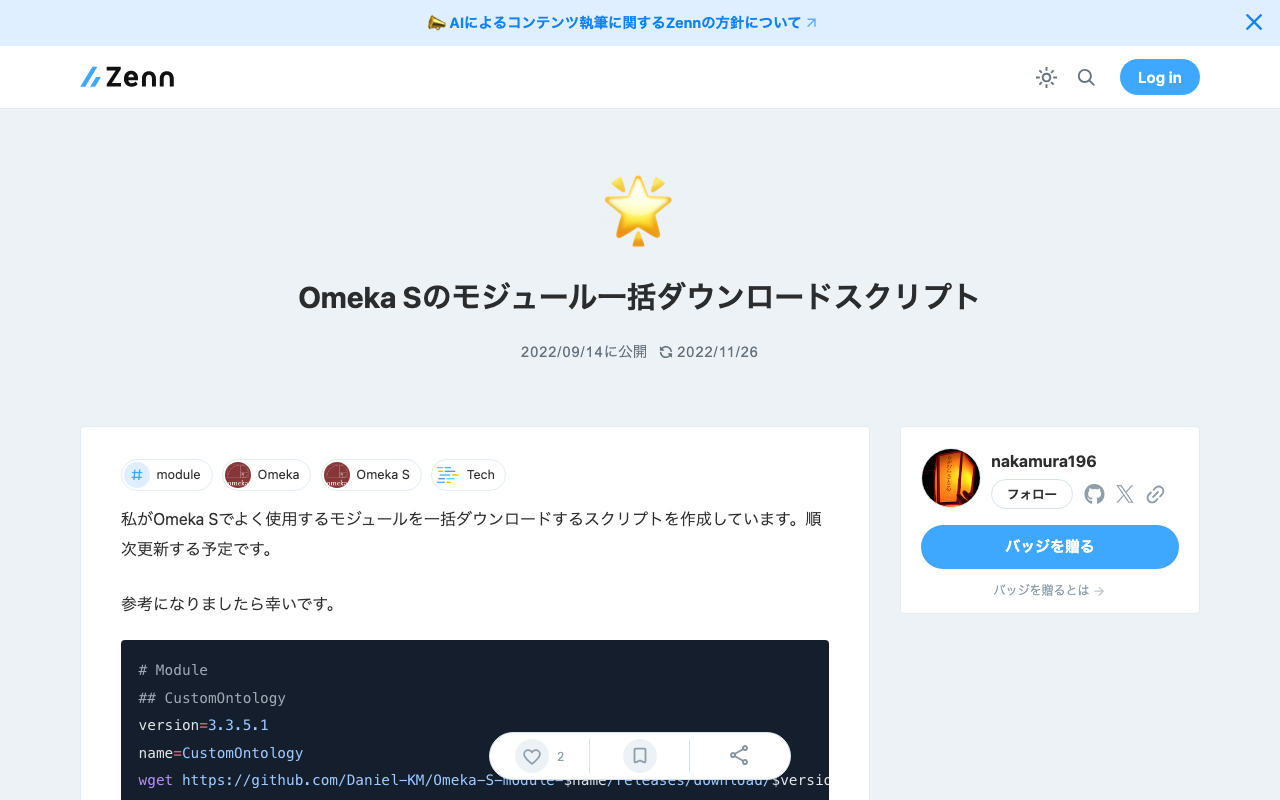
I have created a script to batch download the modules I frequently use in Omeka S. I plan to update it gradually. I hope this serves as a helpful reference. # Module ## CustomOntology version=3.3.5.1 name=CustomOntology wget https://github.com/Daniel-KM/Omeka-S-module-$name/releases/download/$version/$name-$version.zip unzip $name-$version.zip rm $name-$version.zip ## IIIF Server version=3.6.6.7 name=IiifServer wget https://github.com/Daniel-KM/Omeka-S-module-$name/releases/download/$version/$name-$version.zip unzip $name-$version.zip rm $name-$version.zip ## Universal Viewer version=3.6.4.5 name=UniversalViewer wget https://github.com/Daniel-KM/Omeka-S-module-$name/releases/download/$version/$name-$version.zip unzip $name-$version.zip rm $name-$version.zip ## iiif viewers wget https://github.com/omeka-j/Omeka-S-module-IiifViewers/releases/download/1.1.0/IiifViewers-1.1.0.zip unzip IiifViewers-1.1.0.zip rm IiifViewers-1.1.0.zip ## easy admin wget https://github.com/Daniel-KM/Omeka-S-module-EasyAdmin/releases/download/3.3.7/EasyAdmin-3.3.7.zip unzip EasyAdmin-3.3.7.zip rm EasyAdmin-3.3.7.zip

Omeka S Theme Development: Fixed a Bug in the Bootstrap 5 Omeka S Theme

Omeka S Theme Development: Fixed a Bug in the Bootstrap 5 Omeka S Theme

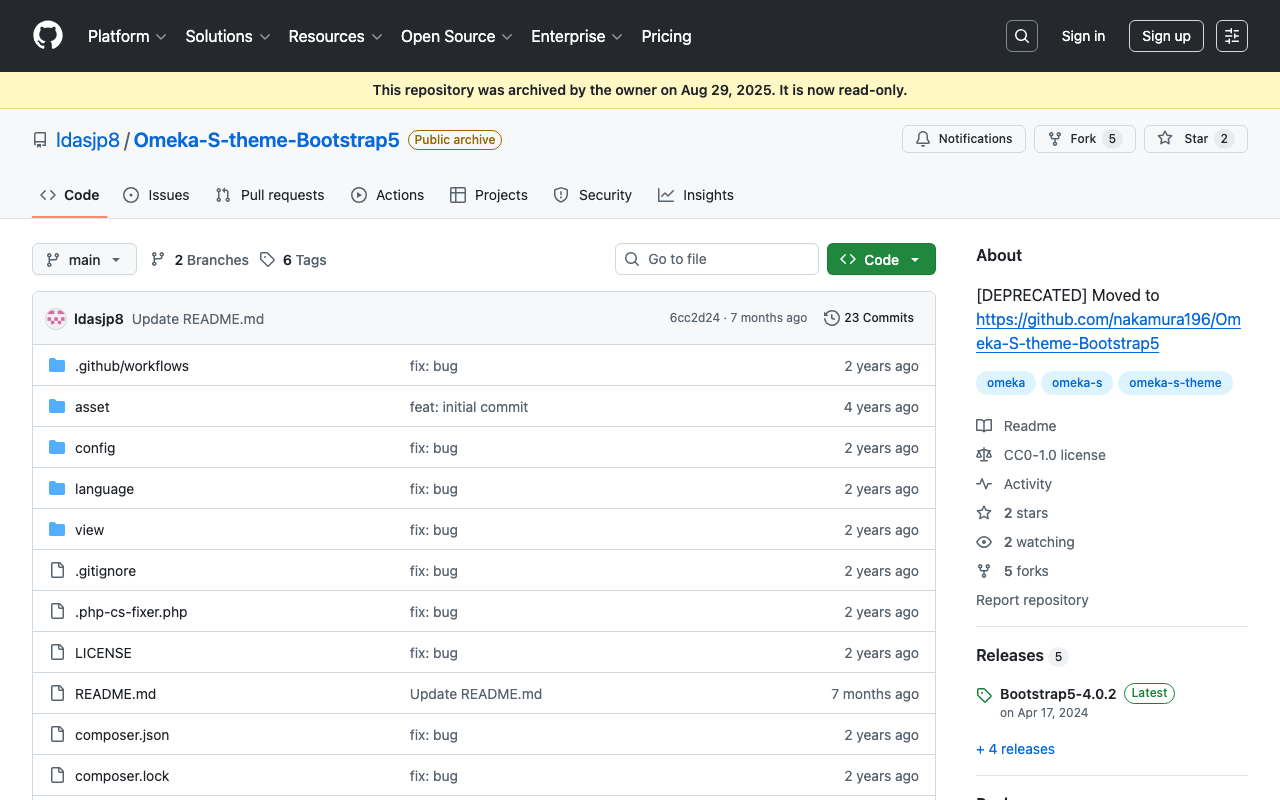
I have published a Bootstrap 5-based Omeka S theme at the following link. https://github.com/ldasjp8/Omeka-S-theme-Bootstrap5 How to use this theme is introduced in the following article. As noted in the above article, there had been a bug with the display style option. This bug has been fixed in the following commit. https://github.com/ldasjp8/Omeka-S-theme-Bootstrap5/commit/3b456277fe4f75cdcc0044a0fe0df7e7e2e14156 I hope this is helpful for those using this theme.

Script for Initial Setup of Omeka S on Amazon Lightsail

Script for Initial Setup of Omeka S on Amazon Lightsail

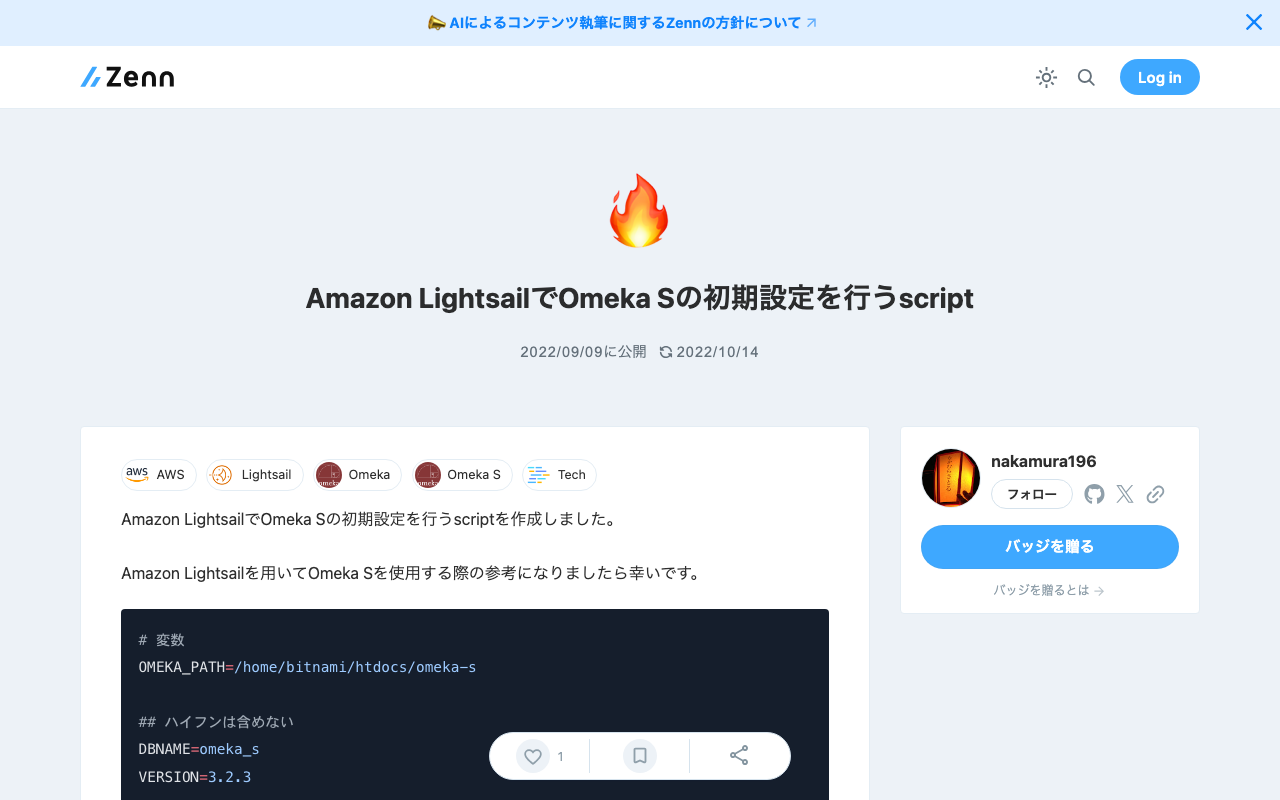
I created a script for the initial setup of Omeka S on Amazon Lightsail. I hope this serves as a useful reference when using Omeka S with Amazon Lightsail. # 変数 OMEKA_PATH=/home/bitnami/htdocs/omeka-s ## ハイフンは含めない DBNAME=omeka_s VERSION=3.2.3 ############# set -e mkdir $OMEKA_PATH # Omekaのダウンロード wget https://github.com/omeka/omeka-s/releases/download/v$VERSION/omeka-s-$VERSION.zip unzip -q omeka-s-$VERSION.zip mv omeka-s/* $OMEKA_PATH # .htaccessの移動 mv omeka-s/.htaccess $OMEKA_PATH # 不要なフォルダの削除 rm -rf omeka-s rm omeka-s-$VERSION.zip # 元からあったindex.htmlを削除(もし存在すれば) if [ -e $OMEKA_PATH/index.html ]; then rm $OMEKA_PATH/index.html fi # データベースの作成 cat <<EOF > sql.cnf [client] user = root password = $(cat /home/bitnami/bitnami_application_password) host = localhost EOF mysql --defaults-extra-file=sql.cnf -e "create database $DBNAME"; # Omeka Sの設定 cat <<EOF > $OMEKA_PATH/config/database.ini user = root password = $(cat bitnami_application_password) dbname = $DBNAME host = localhost EOF sudo chown -R daemon:daemon $OMEKA_PATH/files sudo apt install imagemagick -y

Output Content of IIIF Manifests (Version 2) from the Omeka S IIIF Server

Output Content of IIIF Manifests (Version 2) from the Omeka S IIIF Server

Overview IIIF Server is a module for delivering IIIF manifests from Omeka S. https://github.com/Daniel-KM/Omeka-S-module-IiifServer In this article, we examine the output content of these IIIF manifests (specifically, IIIF Presentation API version 2). Example The following is an example of a IIIF manifest for an item with ID test-111 on an Omeka S instance published at https://shared.ldas.jp/omeka-s. { "@context": "http://iiif.io/api/presentation/2/context.json", "@id": "https://shared.ldas.jp/omeka-s/iiif/test-111/manifest", "@type": "sc:Manifest", "label": "Sample Item", "thumbnail": { "@id": "https://iiif.dl.itc.u-tokyo.ac.jp/iiif/kunshujou/A00_6010/001/001_0001.tif/full/!200,200/0/default.jpg", "@type": "dctypes:Image", "format": "image/jpeg", "width": 200, "height": 200 }, "license": "https://shared.ldas.jp/omeka-s/s/test/page/reuse", "attribution": "サンプル機関", "related": { "@id": "https://shared.ldas.jp/omeka-s", "format": "text/html" }, "seeAlso": { "@id": "https://shared.ldas.jp/omeka-s/api/items/1270", "format": "application/ld+json" }, "metadata": [ { "label": "Title", "value": "Sample Item" }, { "label": "Identifier", "value": "test-111" } ], "sequences": [ { "@id": "https://shared.ldas.jp/omeka-s/iiif/test-111/sequence/normal", "@type": "sc:Sequence", "label": "Current Page Order", "viewingDirection": "left-to-right", "canvases": [ { "@id": "https://shared.ldas.jp/omeka-s/iiif/test-111/canvas/p1", "@type": "sc:Canvas", "label": "1", "thumbnail": { "@id": "https://iiif.dl.itc.u-tokyo.ac.jp/iiif/kunshujou/A00_6010/001/001_0001.tif/full/!200,200/0/default.jpg", "@type": "dctypes:Image", "format": "image/jpeg", "width": 200, "height": 200 }, "width": 6401, "height": 4810, "images": [ { "@id": "https://shared.ldas.jp/omeka-s/iiif/test-111/annotation/p0001-image", "@type": "oa:Annotation", "motivation": "sc:painting", "resource": { "@id": "https://iiif.dl.itc.u-tokyo.ac.jp/iiif/kunshujou/A00_6010/001/001_0001.tif/full/full/0/default.jpg", "@type": "dctypes:Image", "format": "image/jpeg", "width": 6401, "height": 4810, "service": { "@context": "http://iiif.io/api/image/2/context.json", "@id": "https://iiif.dl.itc.u-tokyo.ac.jp/iiif/kunshujou/A00_6010/001/001_0001.tif", "profile": "http://iiif.io/api/image/2/level1.json" } }, "on": "https://shared.ldas.jp/omeka-s/iiif/test-111/canvas/p1" } ] }, { "@id": "https://shared.ldas.jp/omeka-s/iiif/test-111/canvas/p2", "@type": "sc:Canvas", "label": "2枚目", "thumbnail": { "@id": "https://iiif.dl.itc.u-tokyo.ac.jp/iiif/kunshujou/A00_6010/001/001_0002.tif/full/!200,200/0/default.jpg", "@type": "dctypes:Image", "format": "image/jpeg", "width": 200, "height": 200 }, "width": 6401, "height": 4810, "images": [ { "@id": "https://shared.ldas.jp/omeka-s/iiif/test-111/annotation/p0002-image", "@type": "oa:Annotation", "motivation": "sc:painting", "resource": { "@id": "https://iiif.dl.itc.u-tokyo.ac.jp/iiif/kunshujou/A00_6010/001/001_0002.tif/full/full/0/default.jpg", "@type": "dctypes:Image", "format": "image/jpeg", "width": 6401, "height": 4810, "service": { "@context": "http://iiif.io/api/image/2/context.json", "@id": "https://iiif.dl.itc.u-tokyo.ac.jp/iiif/kunshujou/A00_6010/001/001_0002.tif", "profile": "http://iiif.io/api/image/2/level1.json" } }, "on": "https://shared.ldas.jp/omeka-s/iiif/test-111/canvas/p2" } ], "metadata": [ { "label": "Title", "value": "2枚目" } ] } ] } ] } Below, I will explain each type. ...

[Omeka S] Created a Foundation S Theme That Works Around the Japanese Search Bug

[Omeka S] Created a Foundation S Theme That Works Around the Japanese Search Bug

As summarized in the following article, there are some issues with full-text search in Japanese in Omeka S with the default settings. https://nakamura196.hatenablog.com/entry/2022/03/07/083004 In the above article, I introduced “Workaround 2” as a simple solution to this issue. This time, I created a repository that applies this workaround to “Foundation S,” one of the themes for Omeka S. https://github.com/nakamura196/foundation-s I hope this is helpful for those using the “Foundation S” theme who are experiencing issues with Japanese search. ...

[Omeka S] Handling Bulk Import Bugs (Including Installation from Source Code)

[Omeka S] Handling Bulk Import Bugs (Including Installation from Source Code)

Overview Regarding Bulk Import, one of the modules for bulk data registration in Omeka S, the latest version as of August 21, 2022 (ver.3.3.33.4) appears to contain a bug. Specifically, the following issue describes a bug that occurs during bulk media registration. https://gitlab.com/Daniel-KM/Omeka-S-module-BulkImport/-/issues/11 This bug has already been addressed in the following commit. https://github.com/Daniel-KM/Omeka-S-module-BulkImport/commit/7d568a97f08459e22e7c5fbaa8163b17ab4ba805 However, as of today, a release version has not yet been published, so installation from source code is necessary. ...

Trying Omeka Classic as a Headless CMS

Trying Omeka Classic as a Headless CMS

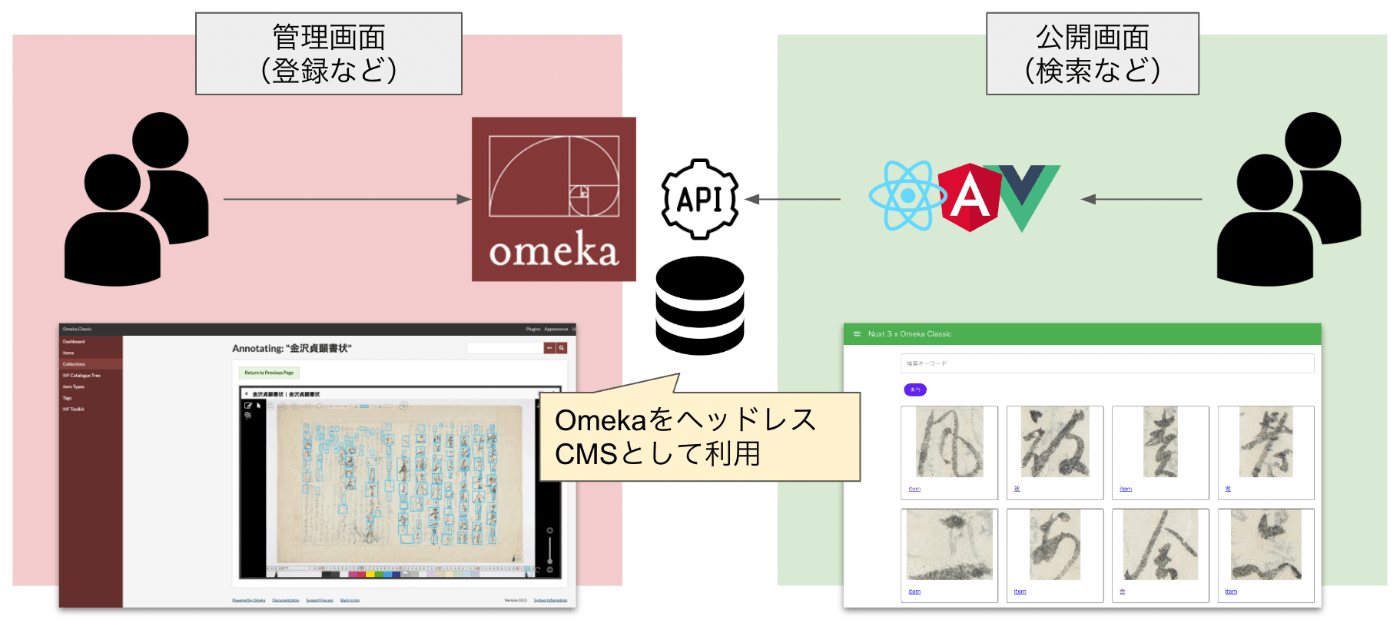
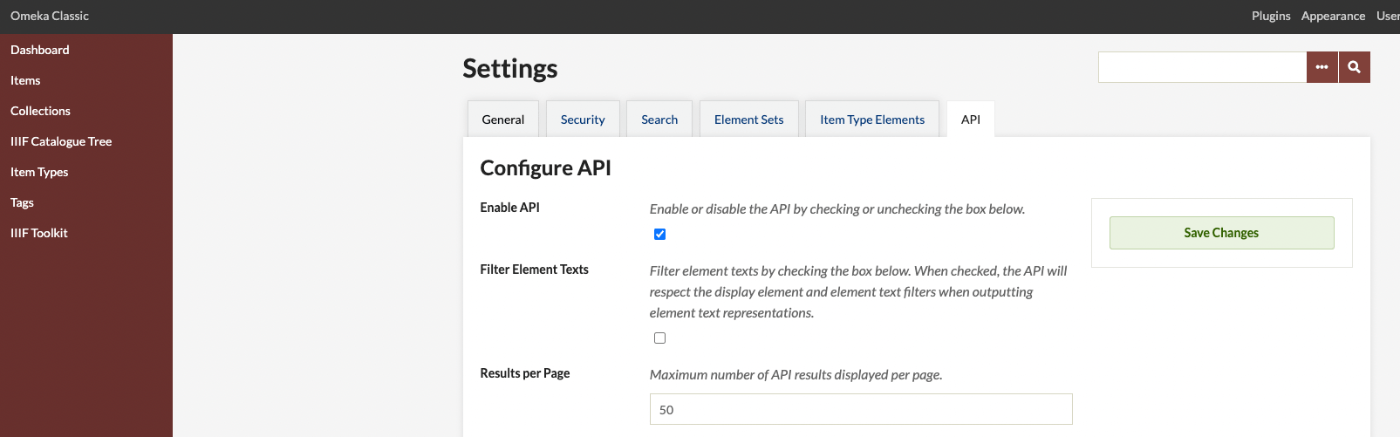
Overview Omeka S and Omeka Classic are very useful tools for building digital archives and for humanities (informatics) research. https://omeka.org/ They come with a REST API as standard and have high extensibility through the addition of modules and plugins. Various existing assets can also be used, including IIIF-related tools, transcription support tools, and tools for handling spatiotemporal information. On the other hand, I (personally) feel that theme development for changing the appearance of sites requires knowledge of PHP and Omeka, making it relatively difficult. On this point, the Headless CMS approach, where the backend and frontend are separated, has been gaining popularity in recent years. ...

Bulk Registration of Annotations Using the IIIF Toolkit for Omeka Classic

Bulk Registration of Annotations Using the IIIF Toolkit for Omeka Classic

Introduction This article is primarily a memorandum. There may be many unclear points, so please bear with me. In particular, I hope this serves as a useful reference for how to use the annotation endpoint used by the IIIF Toolkit, as introduced below. https://github.com/utlib/IiifItems/wiki/The-Mirador-Omeka-Annotator-Endpoint Overview The IIIF Toolkit plugin for Omeka Classic is a very useful tool that can load IIIF manifest files and add annotations to images. https://zenn.dev/nakamura196/books/2a0aa162dcd0eb/viewer/b37a8c This article covers how to bulk register annotations that were created independently of Omeka Classic into Omeka Classic. ...

Building an Omeka Classic Site Using Amazon Lightsail (Including Custom Domain + SSL)

Building an Omeka Classic Site Using Amazon Lightsail (Including Custom Domain + SSL)

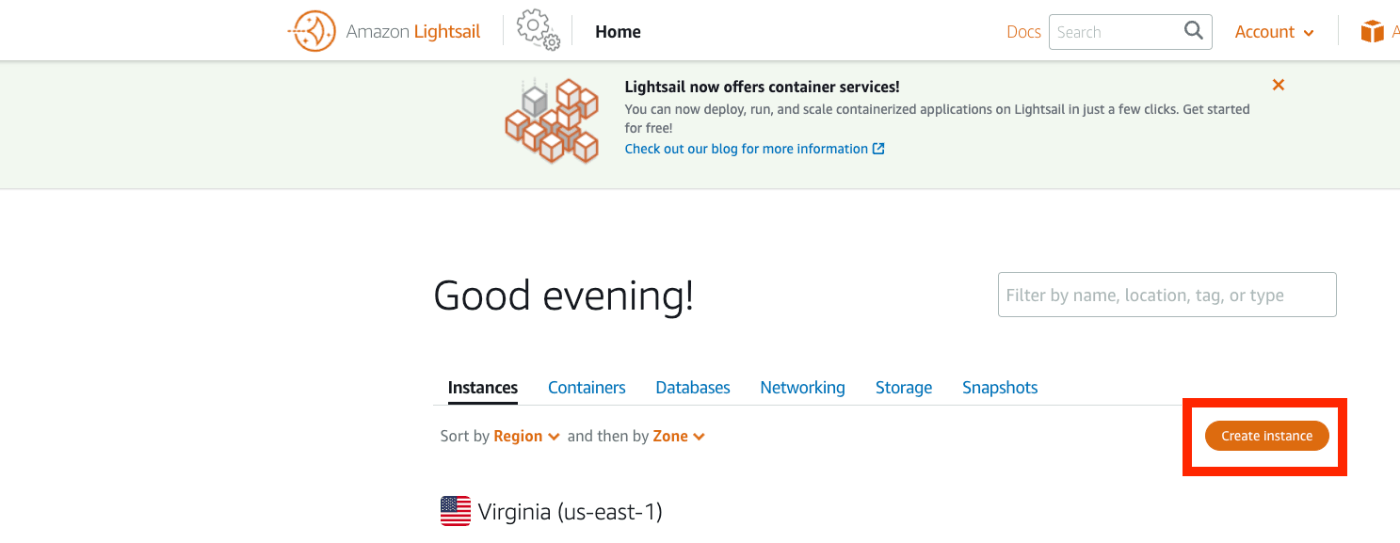
Overview I summarized how to build Omeka S using Amazon Lightsail in the following article. This time, I will introduce how to build Omeka Classic using Amazon Lightsail. As described in the following book, Omeka Classic is useful for building annotation environments using the IIIF Toolkit. https://zenn.dev/nakamura196/books/2a0aa162dcd0eb Amazon Lightsail Creating an Instance Access the following page. https://lightsail.aws.amazon.com/ls/webapp/home/instances Then click the “Create Instance” button. Under “Select a blueprint,” choose “LAMP (PHP 7).” ...

Scheduled Backup of Omeka S Data Using AWS Copilot

Scheduled Backup of Omeka S Data Using AWS Copilot

Overview I previously created a program to download Omeka S data. This time, I use AWS Copilot to run the above program on a scheduled basis. Installing AWS Copilot Please refer to the following. https://docs.aws.amazon.com/ja_jp/AmazonECS/latest/developerguide/AWS_Copilot.html Preparing Files Create three files in any location: Dockerfile, main.sh, and .env. Dockerfile FROM python:3 COPY *.sh . CMD sh main.sh main.sh set -e export output_dir=../docs # Program to download data from Omeka S export repo_tool=https://github.com/nakamura196/omekas_backup.git dir_tool=tool dir_dataset=dataset # If folder exists if [ -d $dir_tool ]; then rm -rf $dir_tool rm -rf $dir_dataset fi # clone git clone --depth 1 $repo_tool $dir_tool git clone --depth 1 $repo_dataset $dir_dataset # requirements.txt cd $dir_tool pip install --upgrade pip pip install -r requirements.txt # Execute cd src sh main.sh # copy odir=../../$dir_dataset/$subdir mkdir -p $odir cd $odir cp -r ../../$dir_tool/data . cp -r ../../$dir_tool/docs . # git git status git add . git config user.email "$email" git config user.name "$name" git commit -m "update" git push # Cleanup cd ../../ rm -rf $dir_tool rm -rf $dir_dataset .env api_url=https://dev.omeka.org/omeka-s-sandbox/api github_url=https://<personal-access-token>@github.com/<username>/<repository-name>.git username=nakamura email=nakamura@example.org dirname=dev The following is an explanation of the parameters. ...

Created a Program to Download Data from Omeka Classic

Created a Program to Download Data from Omeka Classic

I created a program to download data from Omeka Classic. It is published in the following repository. https://github.com/nakamura196/omekac_backup I also created a Google Colab notebook that demonstrates how to run this program. https://colab.research.google.com/github/nakamura196/ndl_ocr/blob/main/omeka_classic_backup.ipynb In the above tutorial, data download is performed targeting the following Omeka Classic site. https://jinmoncom2017.omeka.net/ After execution, the API download results are output to the docs folder. You can use the above data for backups, etc. I hope this serves as a useful reference when using Omeka Classic. ...

Created a Program to Download Omeka S Data

Created a Program to Download Omeka S Data

I created a program to download Omeka S data. It is published in the following repository. https://github.com/nakamura196/omekas_backup I also created a Google Colab showing an execution example of this program. https://colab.research.google.com/github/nakamura196/ndl_ocr/blob/main/omekas_backup.ipynb In the above tutorial, data download is executed targeting the following Omeka S sandbox. https://omeka.org/s/download/#sandbox After execution, API download results are output to the docs folder, and an MS Excel file summarizing them is output to the data folder. ...

[Omeka S Module] How to Disable Image API in the IIIF Server Module

[Omeka S Module] How to Disable Image API in the IIIF Server Module

Overview In the Omeka S module “IIIF Server,” which generates IIIF manifests, you can configure settings to not use the Image API. This makes it easier to deliver IIIF manifests in resource-limited environments such as rental servers. I previously wrote the following article: https://nakamura196.hatenablog.com/entry/2021/07/22/171657 As of May 2022, the configuration method has changed due to module updates, so I am writing this article about the updated settings. For the advantages and disadvantages of not using the Image API, please refer to the article above. ...

[Omeka S Theme] Partial Mapping Module Support for Bootstrap 5 Theme

[Omeka S Theme] Partial Mapping Module Support for Bootstrap 5 Theme

Overview For the following Omeka S theme using Bootstrap 5, when the Mapping module was installed, display issues occurred on the map-browse page as described below. https://github.com/ldasjp8/Omeka-S-theme-Bootstrap5 The fix was made as follows. https://github.com/ldasjp8/Omeka-S-theme-Bootstrap5/commit/d60c93ff6d79b5505d25ef26e31e3776f55199d4 Before Fix The geographic-related forms had display issues. After Fix The display issues with the geographic-related forms were fixed. Summary There are still pages and modules with display issues, but I plan to address them gradually. ...

[Omeka S] How to Use the "IIIF Viewers" Module for Multiple IIIF-Compatible Viewers

[Omeka S] How to Use the "IIIF Viewers" Module for Multiple IIIF-Compatible Viewers

Overview I have developed and published the “IIIF Viewers” module for Omeka S, which displays IIIF manifest URI icons and viewers. The development of this module was supported by the National Institute of Japanese Literature. https://github.com/omeka-j/Omeka-S-module-IiifViewers Below, I will explain how to use this module. Installation The module can be installed using the standard method for Omeka S. Specifically, first click on the “Releases” link shown below. Next, click the following link to download the zip file. Extract the downloaded file and place the extracted folder “IiifViewers” into the “modules” folder of your installed Omeka S. ...

Registering DC-NDL (National Diet Library Dublin Core Metadata Description) as a Vocabulary in Omeka S

Registering DC-NDL (National Diet Library Dublin Core Metadata Description) as a Vocabulary in Omeka S

Here is how to register DC-NDL (National Diet Library Dublin Core Metadata Description) as a vocabulary in Omeka S. First, select “Vocabularies” as shown below. Next, click the button in the upper right. (The translation data for this button label is incorrect; I hope to fix it in the future.) Then, enter the required information as shown on the following screen. The specific information is as follows. Category Field Value Notes Basic Information Label DC-NDL This value is arbitrary. Basic Information Namespace URI http://ndl.go.jp/dcndl/terms/ Basic Information Namespace Prefix dcndl File Vocabulary URL https://www.ndl.go.jp/jp/dlib/standards/meta/2020/12/ndl-terms.rdf As a result, DC-NDL becomes available as a vocabulary as shown below. ...

Simple Backup of Omeka S Using gdrive

Simple Backup of Omeka S Using gdrive

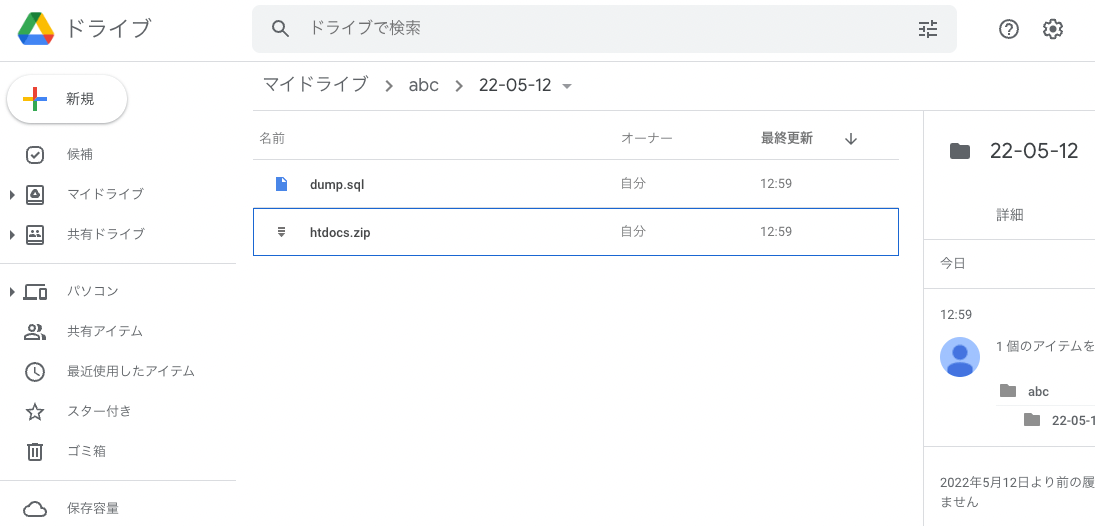
Overview This is a memo on how to perform simple backups of Omeka S using gdrive. As an example, we target Omeka S installed on a LAMP environment launched on Amazon Lightsail. Please refer to the following for installation instructions. Installing gdrive This time, we will back up files to Google Drive. For this purpose, we use gdrive. Please install gdrive by referring to the following article. Prepare a Backup Script In the $HOME directory, create a file such as backup.sh. An example of the file contents is as follows. ...

Building an Omeka S Site Using Amazon Lightsail (Including Custom Domain + SSL)

Building an Omeka S Site Using Amazon Lightsail (Including Custom Domain + SSL)

Update History 2022/09/08 Updated the script descriptions to the latest version. Overview Amazon Lightsail is described as follows: Amazon Lightsail is an easy-to-use virtual private server (VPS) that makes it easy to manage cloud resources such as containers at a predictable, low price. This article introduces how to build Omeka S using Amazon Lightsail. It also covers the “custom domain” and “SSL” configuration that are generally required when making a database publicly available. ...