Home Articles Books Search About
日本語
Mirador Repository with Vertical Text Support for the Text Overlay Plugin

Mirador Repository with Vertical Text Support for the Text Overlay Plugin

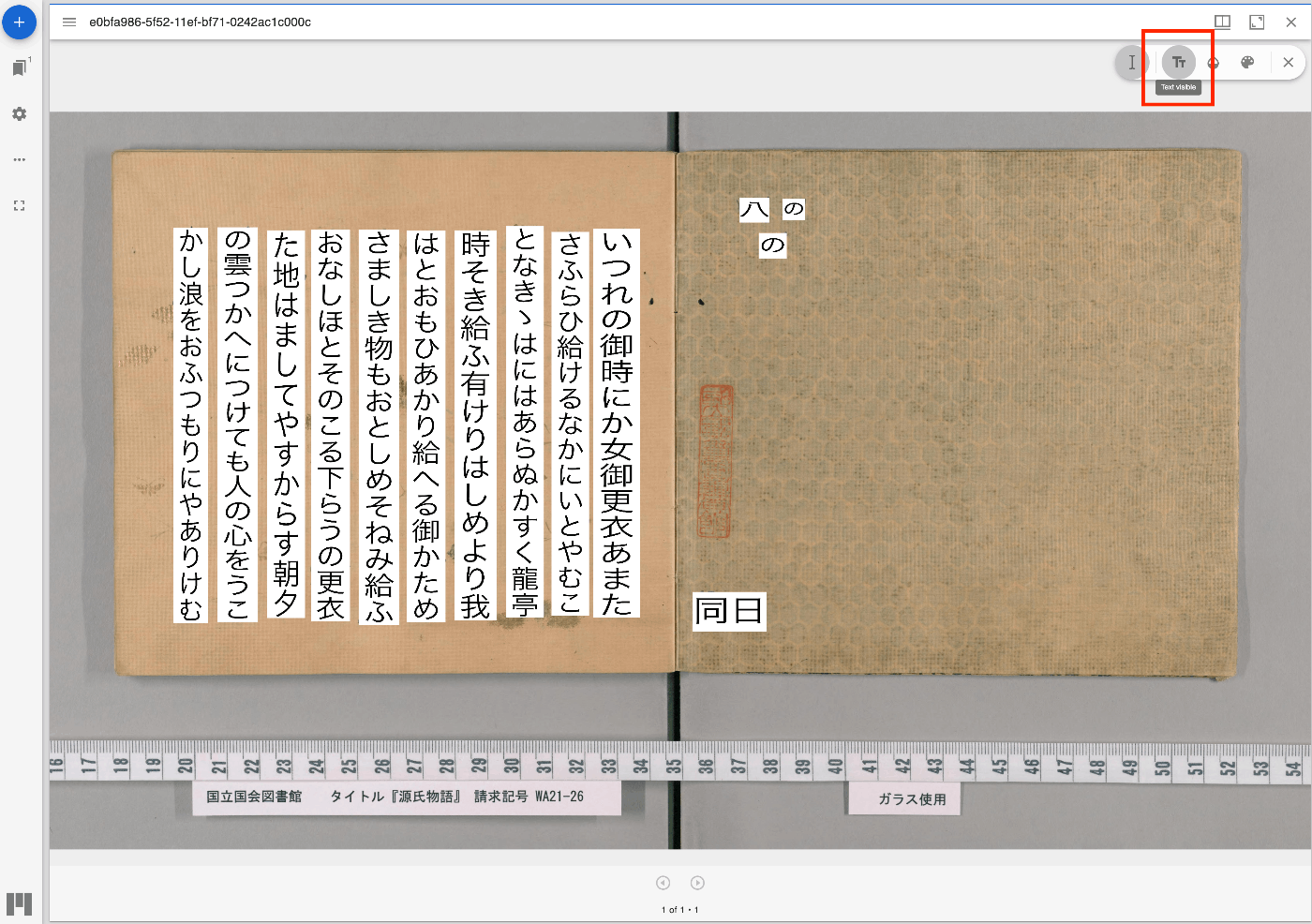
Overview I have updated the Mirador repository with the Text Overlay plugin that supports vertical text. https://github.com/nakamura196/mirador-integration-textoverlay References The original Text Overlay plugin repository is below. https://github.com/dbmdz/mirador-textoverlay Demo You can check the behavior on the following page. https://nakamura196.github.io/mirador-integration-textoverlay/ Press the “Text visible” button in the upper right to display the text. If it remains in a loading state, try reloading the page. References The Text Overlay plugin was added to Mirador 3 using the method introduced in the following article. ...

Applying Google Cloud Vision to Image Files to Create IIIF Manifests and TEI/XML Files

Applying Google Cloud Vision to Image Files to Create IIIF Manifests and TEI/XML Files

Overview I created a library that applies Google Cloud Vision to image files and generates IIIF manifest and TEI/XML files. https://github.com/nakamura196/iiif_tei_py This article explains how to use the library. Usage You can check the usage and more at the following page. https://nakamura196.github.io/iiif_tei_py/ Installing the Library Install the library from the GitHub repository. pip install https://github.com/nakamura196/iiif_tei_py Creating a GC Service Account Download a GC (Google Cloud) service account key (JSON file) by referring to articles such as the following. ...

Handling Shared Memory Shortage When Running ndlocr_cli and Other Issues

Handling Shared Memory Shortage When Running ndlocr_cli and Other Issues

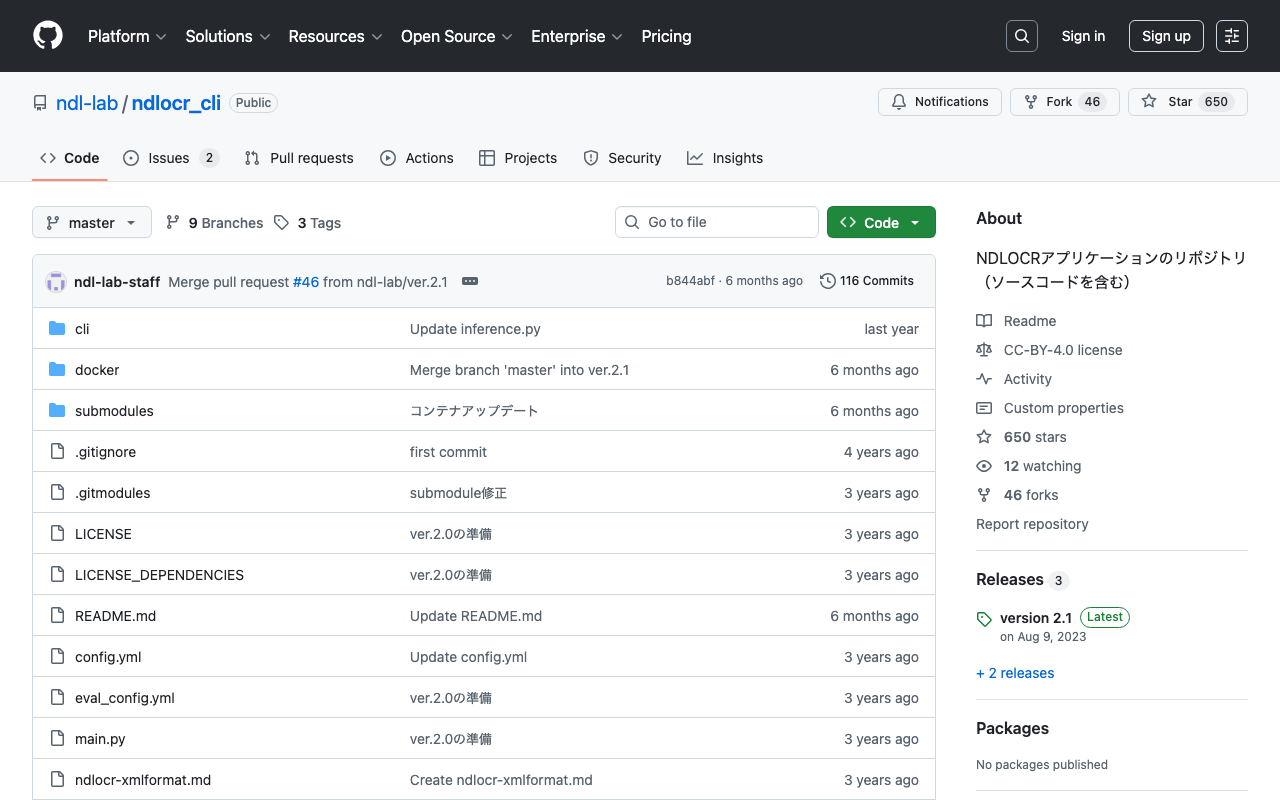
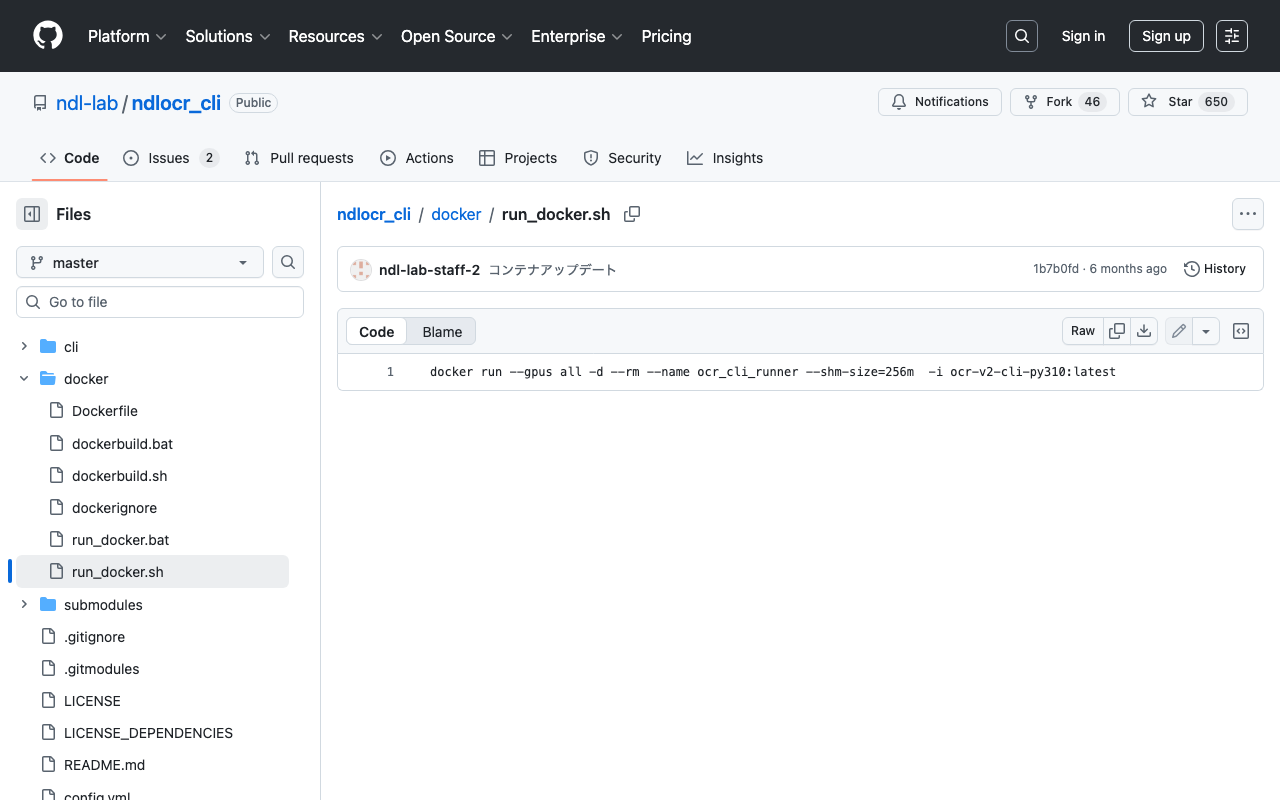
Overview This is a memo about issues I encountered when running ndlocr_cli (the NDLOCR (ver.2.1) application repository) and the steps taken to resolve them. Note that many of these issues were caused by my own configuration oversights or atypical usage, and are unlikely to occur during normal use. Please refer to this article if you encounter similar issues. Shared Memory Shortage When running ndlocr_cli, the following error occurred. Predicting: 0it [00:00, ?it/s]ERROR: Unexpected bus error encountered in worker. This might be caused by insufficient shared memory (shm). DataLoader worker (pid(s) 3999) exited unexpectedly The response from ChatGPT was as follows. ...

Disk Space After Installing ndlocr_cli with Docker

Disk Space After Installing ndlocr_cli with Docker

Notes on disk space after installing ndlocr_cli with Docker. I set up ndlocr_cli by following the steps described in the following article. As shown below, approximately 50GB of space is used, so you need to process input/output image files etc. with the remaining capacity. (The example below shows a case with 200GB of disk space allocated.) mdxuser@ubuntu-2204:~/ndlocr_cli$ df -h Filesystem Size Used Avail Use% Mounted on tmpfs 5.7G 1.4M 5.7G 1% /run /dev/sda2 196G 45G 143G 24% / tmpfs 29G 0 29G 0% /dev/shm tmpfs 5.0M 0 5.0M 0% /run/lock /dev/sda1 1.1G 6.1M 1.1G 1% /boot/efi tmpfs 5.7G 4.0K 5.7G 1% /run/user/1000 I hope this is helpful when specifying the virtual disk size (GB) when launching virtual machines on AWS (Amazon Web Services) or mdx (Data-Driven Society Creation Platform). ...

Created Notebooks Using NDLOCR and NDL Classical Japanese OCR ver.2

Created Notebooks Using NDLOCR and NDL Classical Japanese OCR ver.2

Notice 2026-02-24 ! The notebooks provided on this page will no longer be updated. For NDLOCR, “NDLOCR-Lite” has been released as a desktop application and command-line tool for easy use. Please use this going forward. https://github.com/ndl-lab/ndlocr-lite 2025-04-02 There is currently a bug. Please refrain from using it until the fix is complete. The bug has been fixed. 2025-03-21 For NDL Classical Japanese OCR, “NDL Classical Japanese OCR-Lite” has been released as a desktop application for easy use. Please use this going forward. ...

Running NDL Classical Japanese OCR on mdx

Running NDL Classical Japanese OCR on mdx

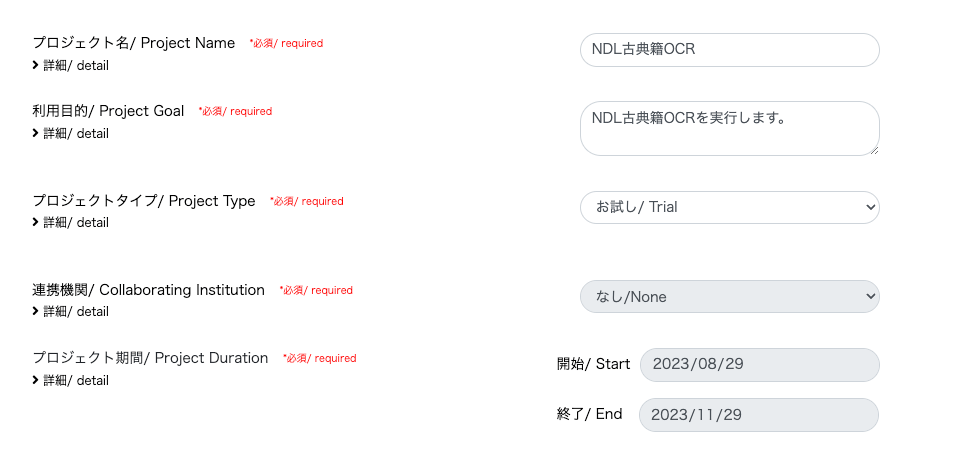
Update History 2024-05-22 Added the section “Adding the Docker Command User to the docker Group”. Overview mdx is a data platform for industry-academia-government collaboration co-created by universities and research institutions. https://mdx.jp/ In this article, we will run NDL Classical Japanese OCR using an mdx virtual machine. https://github.com/ndl-lab/ndlkotenocr_cli Project Application For the project type, we selected “Trial”. With the “Trial” type, one GPU pack was allocated. Creating a Virtual Machine Deployment We selected “01_Ubuntu-2204-server-gpu (Recommended)”. ...

Mirador 3 Plugin Development: Adding Vertical Text Support to the Text Overlay Plugin

Mirador 3 Plugin Development: Adding Vertical Text Support to the Text Overlay Plugin

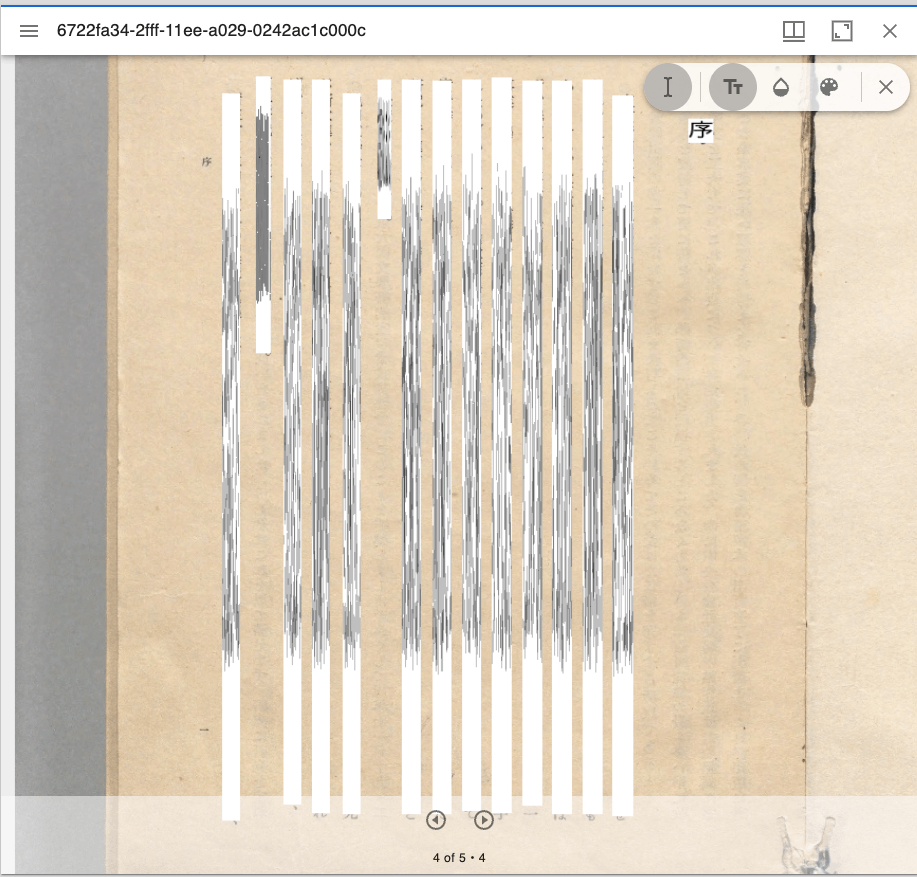
Overview Text Overlay plugin for Mirador 3 is a Mirador 3 plugin that displays selectable text overlays based on OCR or transcription. https://github.com/dbmdz/mirador-textoverlay A demo page is available at the following link. https://mirador-textoverlay.netlify.app/ However, when trying to display vertical text such as Japanese, it didn’t display correctly, as shown below. So I forked the above repository and made it possible to display vertical text as well. The source code is published in the following repository. (I hope to consider a pull request in the future.) ...

About ALTO (Analyzed Layout and Text Object) XML

About ALTO (Analyzed Layout and Text Object) XML

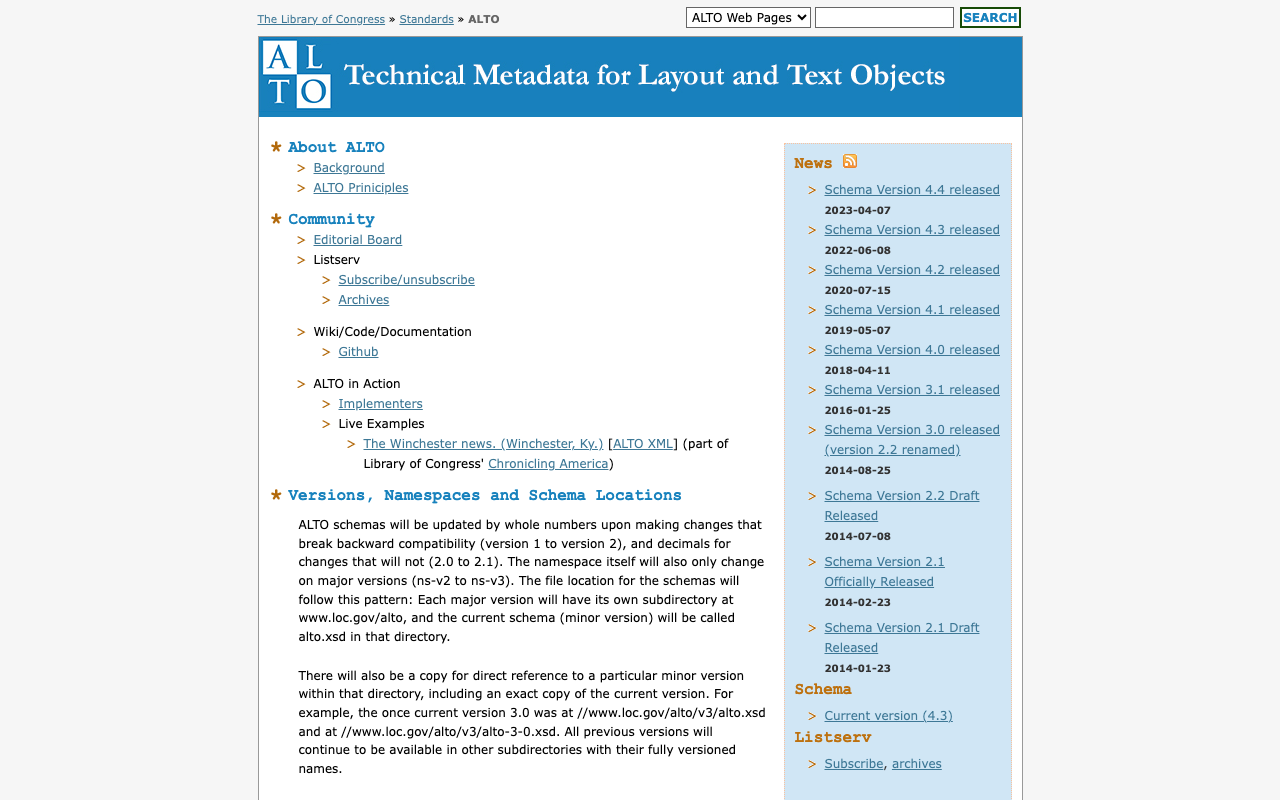
Overview I am sharing the results of querying GPT-4 about ALTO (Analyzed Layout and Text Object) XML. https://www.loc.gov/standards/alto/ Required Elements ALTO (Analyzed Layout and Text Object) XML is an XML schema for representing OCR-generated text and its layout. Its structure is very flexible, with many elements and attributes, but the required elements are limited. The simplest form of ALTO XML has the following hierarchical structure: <alto>: The root element. It must have @xmlns and @xmlns:xsi attributes indicating the version of the ALTO XML schema. It must also have two child elements: <Description> and <Layout>. ...

Bug Fixes and Feature Additions to the NDL Classical Book OCR Tutorial Using Google Colab

Bug Fixes and Feature Additions to the NDL Classical Book OCR Tutorial Using Google Colab

Overview I have been creating a tutorial for the NDL “Classical Book” OCR application using Google Colab, as introduced in the following article. This time, the following updates were made. Added terms of use Fixed bugs Added support for IIIF Presentation API v3 manifest file input The updated notebook can be accessed at the same URL as before. https://colab.research.google.com/github/nakamura196/ndl_ocr/blob/main/NDL古典籍OCRの実行例.ipynb Terms of Use Please use the notebook itself under CC0. However, the “NDL Classical Book OCR Application” is released by the National Diet Library under the CC BY 4.0 license, so please include the appropriate credit. Also, please check the terms of use for the materials to which OCR is applied. ...

Web Application for NDL Classical Book OCR Using Hugging Face Space

Web Application for NDL Classical Book OCR Using Hugging Face Space

Overview I created a web application for NDL Classical Book OCR using Hugging Face Space. You can try it at the link below. Upload an image, and after about 1 minute, the OCR result text and JSON data will be displayed. https://huggingface.co/spaces/nakamura196/ndl_kotenseki_ocr The following article was used as a reference for creating this application. https://qiita.com/relu/items/e882e23a9bd07243211b Choosing the Right Tool I have separately prepared a Google Colab tutorial as another environment for trying NDL Classical Book OCR. ...

Running NDL Classical Japanese OCR on Amazon EC2 CPU Environment

Running NDL Classical Japanese OCR on Amazon EC2 CPU Environment

Overview This is a memo of running NDL Classical Japanese OCR on an Amazon EC2 CPU environment. The advantage is that it can be run without preparing an expensive GPU environment, but please note that it takes about 30 seconds to 1 minute per image. The following article was referenced when building this environment. https://qiita.com/relu/items/e882e23a9bd07243211b Instance Select Ubuntu from Quick Start. For the instance type, I recommend t2.medium or higher. Errors occurred with smaller instances. ...

Running NDL Classical Text OCR Using Amazon SageMaker Studio

Running NDL Classical Text OCR Using Amazon SageMaker Studio

Overview Previously, I created tutorials for NDL OCR and NDL Classical Text OCR using Google Cloud Platform and Google Colab. This time, I will explain how to run NDL Classical Text OCR using Amazon SageMaker Studio. Please note that this method incurs costs during execution. The description of Amazon SageMaker Studio is available at the following link: https://aws.amazon.com/jp/sagemaker/studio/ Domain Setup and Other Configuration For domain setup and other configuration, please refer to articles such as the following: ...

NDL Classical Text OCR Using Google Colab

NDL Classical Text OCR Using Google Colab

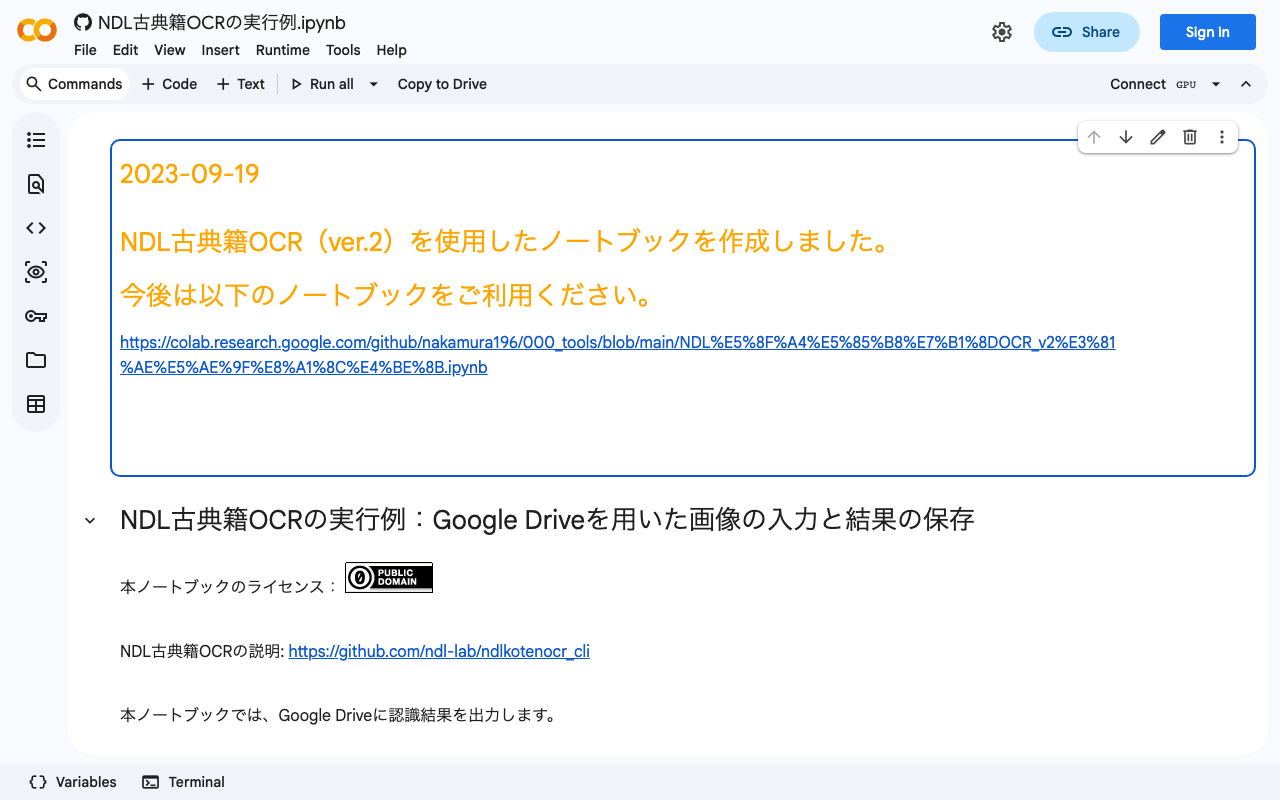
Overview I created an NDL “Classical Text” OCR application using Google Colab. You can try it at the following URL. https://colab.research.google.com/github/nakamura196/ndl_ocr/blob/main/NDL古典籍OCRの実行例.ipynb The description of NDL Classical Text OCR is as follows. https://github.com/ndl-lab/ndlkotenocr_cli The notebook was created with reference to @blue0620’s notebook. Thank you! https://twitter.com/blue0620/status/1617888733323485184 In the notebook I created, I added support for additional input formats and a feature to save to Google Drive. How to Use The usage is almost the same as the NDLOCR application. Please refer to the following video. ...

Building a Layout Extraction Model Using the NDL-DocL Dataset and YOLOv5

Building a Layout Extraction Model Using the NDL-DocL Dataset and YOLOv5

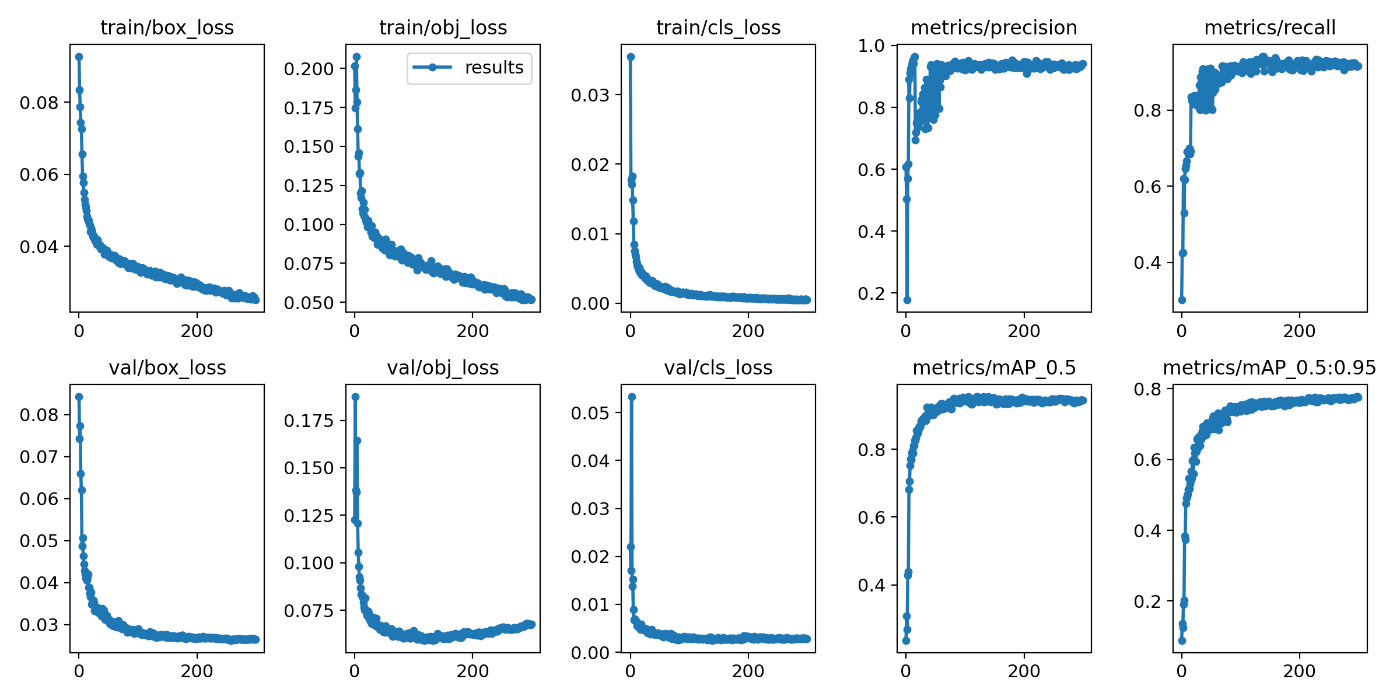
Overview I built a layout extraction model using the NDL-DocL dataset and YOLOv5. https://github.com/ndl-lab/layout-dataset https://github.com/ultralytics/yolov5 You can try this model using the following notebook. https://colab.research.google.com/github/nakamura196/ndl_ocr/blob/main/NDL_DocLデータセットとYOLOv5を用いたレイアウト抽出モデル.ipynb This article is a record of the training process above. Creating the Dataset The NDL-DocL dataset in Pascal VOC format is converted to YOLO format. For this method, refer to the following article. In addition to the conversion from Pascal VOC format to COCO format, conversion from COCO format to YOLO format was added. ...

NDL OCR Now Supports Ruby (Furigana) Text Extraction

NDL OCR Now Supports Ruby (Furigana) Text Extraction

Overview For NDL OCR, the default setting previously did not include ruby (furigana) text extraction. Thanks to the cooperation of the NDL team, it is now possible to configure whether or not to perform text extraction for ruby. https://github.com/ndl-lab/ndlocr_cli/ Setting the following to True in config.yaml enables the ruby text extraction feature. yield_block_rubi: False Please note the following caveats when using this feature: Ruby text is not always split at the exact kanji positions where furigana is placed; multiple ruby sections may be merged into a single output Because ruby characters are small, they may sometimes be output as a placeholder character Tutorial Notebook Updates The ruby text extraction option has also been added to the Google Colab tutorial. ...

Created a Video on How to Use the NDLOCR App with Google Colab

Created a Video on How to Use the NDLOCR App with Google Colab

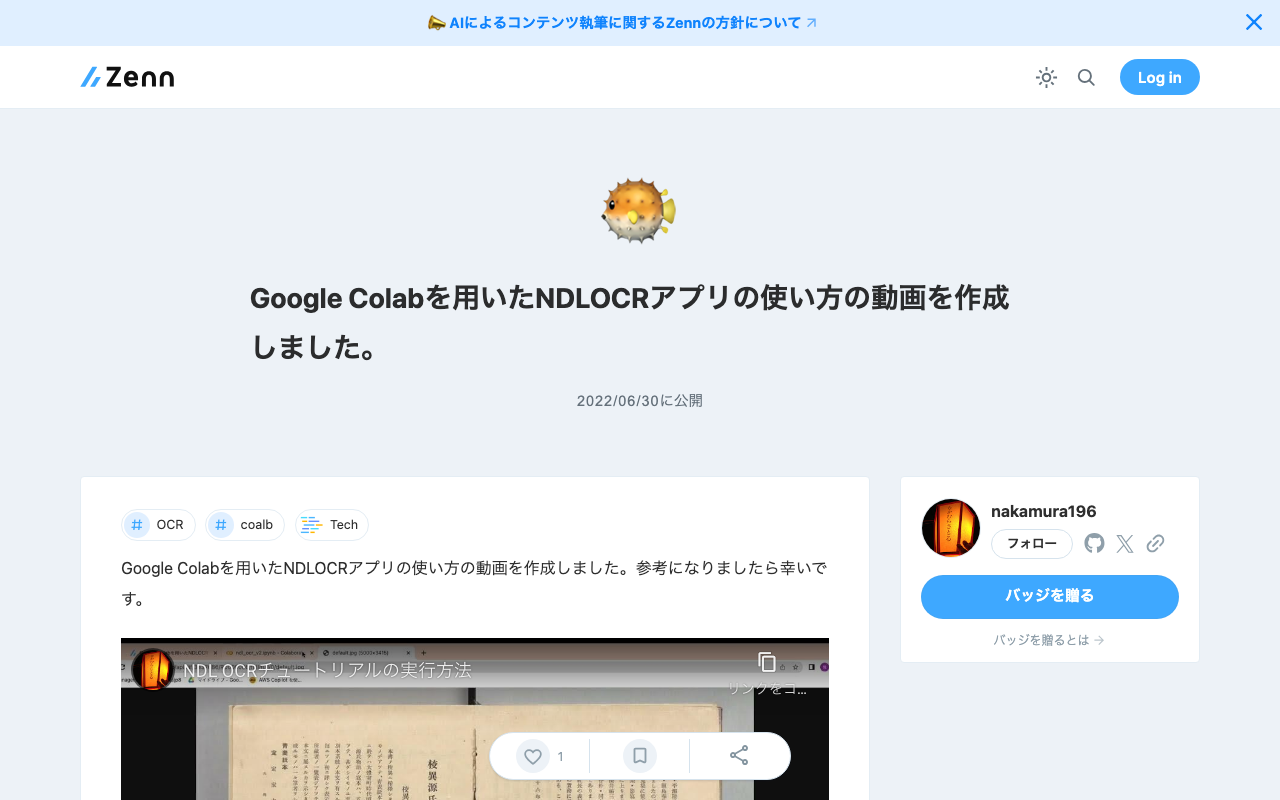
I created a video on how to use the NDLOCR app with Google Colab. I hope it serves as a useful reference. https://youtu.be/46p7ZZSul0o The blog used in the video is the following. Note that the “Initial Setup” portion has been trimmed in the video. In reality, it takes about 3-5 minutes, so please be aware.

Running gcv2hocr on Google Colab: Creating Searchable PDFs with Transparent Text Using Google Vision API

Running gcv2hocr on Google Colab: Creating Searchable PDFs with Transparent Text Using Google Vision API

Overview gcv2hocr is a repository that converts Google Cloud Vision OCR output to hOCR format and creates searchable PDFs. https://github.com/dinosauria123/gcv2hocr I created a notebook to run the above repository on Google Colab. https://colab.research.google.com/github/nakamura196/ndl_ocr/blob/main/gcv2hocrの実行サンプル.ipynb As shown below, you can create searchable PDF files. How to Use Access the following notebook. https://colab.research.google.com/github/nakamura196/ndl_ocr/blob/main/gcv2hocrの実行サンプル.ipynb First, obtain an API key to use the Google Cloud Vision API. The following article may be helpful. https://zenn.dev/tmitsuoka0423/articles/get-gcp-api-key ...

Created Version 2 of the NDLOCR App Using Google Colab

Created Version 2 of the NDLOCR App Using Google Colab

Announcements Notebook URL https://colab.research.google.com/github/nakamura196/ndl_ocr/blob/main/ndl_ocr_v2.ipynb 2022-07-06 A demo video showing how to use it has been created. https://youtu.be/46p7ZZSul0o Additionally, a ruby (furigana) text conversion feature has been added. Overview I created an NDLOCR app using Google Colab and introduced it in the following article. This time, I created Version 2, an improved version of the above notebook. You can access the notebook from the following link. https://colab.research.google.com/github/nakamura196/ndl_ocr/blob/main/ndl_ocr_v2.ipynb Features Support for multiple input formats has been added. The following options are available: ...

Execution Time for NDLOCR Using Google Colab

Execution Time for NDLOCR Using Google Colab

I recently wrote the following article: This time, I conducted a brief investigation on the execution time of NDLOCR using Google Colab, and here are the results. Configuration The GPU used was: Fri Apr 29 06:26:29 2022 +-----------------------------------------------------------------------------+ | NVIDIA-SMI 460.32.03 Driver Version: 460.32.03 CUDA Version: 11.2 | |-------------------------------+----------------------+----------------------+ | GPU Name Persistence-M| Bus-Id Disp.A | Volatile Uncorr. ECC | | Fan Temp Perf Pwr:Usage/Cap| Memory-Usage | GPU-Util Compute M. | | | | MIG M. | |===============================+======================+======================| | 0 Tesla V100-SXM2... Off | 00000000:00:04.0 Off | 0 | | N/A 35C P0 23W / 300W | 0MiB / 16160MiB | 0% Default | | | | N/A | +-------------------------------+----------------------+----------------------+ +-----------------------------------------------------------------------------+ | Processes: | | GPU GI CI PID Type Process name GPU Memory | | ID ID Usage | |=============================================================================| | No running processes found | +-----------------------------------------------------------------------------+ The following image was used. The size was 5000 x 3415 px, 1.1 MB: ...

Running NDLOCR App with Google Colab (Image Input and Result Saving via Google Drive)

Running NDLOCR App with Google Colab (Image Input and Result Saving via Google Drive)

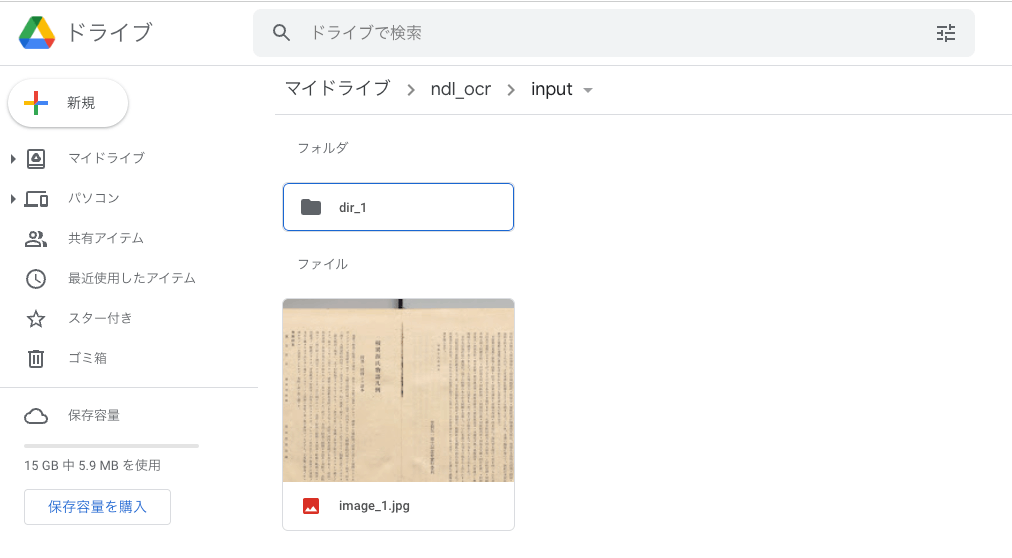
Overview Previously, I shared a method for running the NDLOCR app using Google Cloud Platform’s Compute Engine. However, the above method involves somewhat cumbersome procedures and incurs costs. While it is suitable for production environments, it presented a high barrier for small-scale or experimental use. To address this issue, @blue0620 created a method for running the NDLOCR app using Google Colab. https://twitter.com/blue0620/status/1519294332159012864 By using the above notebook, you can easily (with one click from “Runtime” > “Run all”) and freely run OCR. ...