Home Articles Books Search About
日本語
Parallelizing OCR Recognition on iOS with Swift Concurrency for up to 6.7x Speedup

Parallelizing OCR Recognition on iOS with Swift Concurrency for up to 6.7x Speedup

OCR Pipeline Structure An OCR pipeline using ONNX Runtime on iOS generally follows these steps: Text region detection on the full image (Detection) Character recognition for each detected region (Recognition) Reading order estimation and text assembly Detection runs once on the entire image. Recognition, however, runs once per detected region. When the number of regions is large, recognition dominates the total processing time. The Problem with Sequential Processing Running recognition in a simple for loop means processing time scales linearly with the number of regions. ...

KotenOCR: An Offline iOS App for Recognizing Classical Japanese Cursive Script

KotenOCR: An Offline iOS App for Recognizing Classical Japanese Cursive Script

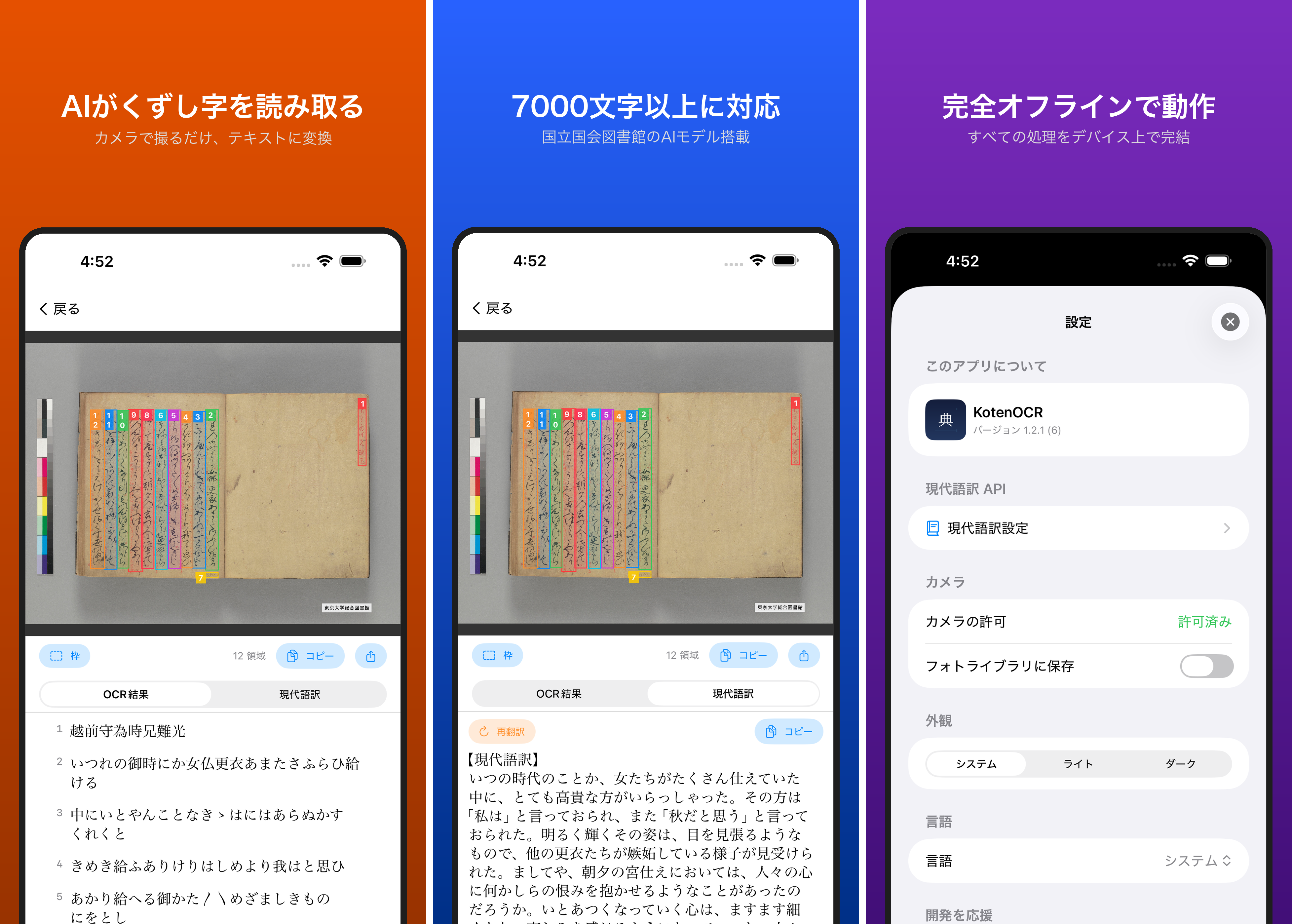
Introduction Reading kuzushiji — the cursive script used in pre-modern Japanese texts — is challenging even for trained scholars. While AI-powered OCR has made machine recognition possible in recent years, as far as I could find, no tool previously offered offline kuzushiji recognition on a smartphone. KotenOCR brings the National Diet Library’s lightweight kuzushiji OCR model (NDL Koten OCR-Lite) to iOS, letting you recognize classical Japanese text simply by taking a photo — with no internet connection required. ...

Transkribus: AI-Powered Handwritten Text Recognition for Historical Documents

Transkribus: AI-Powered Handwritten Text Recognition for Historical Documents

TL;DR Transkribus is an AI-based Handwritten Text Recognition (HTR) platform. Supporting over 100 languages, it can recognize not only printed text but also handwriting. Its custom model training feature allows you to optimize recognition accuracy for specific handwriting styles and scripts. It has become an essential tool for DH researchers working on historical document transcription. What is Transkribus? Transkribus originated as a project at the University of Innsbruck, Austria, and is currently managed by READ-COOP SCE (a European cooperative). Its development has been supported by funding from the EU’s Horizon 2020 programme and other sources. ...

BDRC Tibetan OCR: Introduction and Implementation Examples of a Tibetan OCR Tool

BDRC Tibetan OCR: Introduction and Implementation Examples of a Tibetan OCR Tool

Overview Digitizing Tibetan manuscripts is one of the important challenges in digital humanities. Precious Buddhist scriptures and historical documents are preserved in libraries around the world, yet most have not yet been converted to text data. Manual transcription requires enormous time and cost, and researchers with the necessary expertise are limited. This article introduces BDRC Tibetan OCR, an open-source Tibetan OCR system developed by the Buddhist Digital Resource Center (BDRC). ...

Azure OpenAI GPT-4 vs Document Intelligence: Comparative Evaluation of Japanese Vertical Text OCR

Azure OpenAI GPT-4 vs Document Intelligence: Comparative Evaluation of Japanese Vertical Text OCR

Overview We performed OCR processing on Japanese vertical-writing manuscript paper using two OCR services provided by Microsoft Azure (Azure OpenAI GPT-4 Vision and Azure Document Intelligence), and conducted a detailed comparative evaluation of the results. Test Image Image Source: Canva template (400-character manuscript paper) URL: https://www.canva.com/ja_jp/templates/EAFbqUoH7P8/ Image Characteristics: 20x20 grid, 400-character manuscript paper Vertical writing layout Light grid lines (cells) Distinction between title and body sections Ground Truth 原稿のタイトル 佐藤ちあき 原稿用紙に書くテキストが入ります。作文や小論文を作ったり、小説を書いたりなどにご活用ください。 このテキストを使用する場合は、日本語の全角を使うことでマスにあった文字を打つことができます。手書きで使用したい場合は、このテキストを削除し、印刷してご使用ください。 1. Recognition Results by Azure OpenAI GPT-4.1 Recognized Text 原稿のタイトル 佐藤 ちあき 原稿用紙に書くテキストが入ります。作文や小論文を作ったり、小説を書いたりなどにご活用ください。 このテキストを使用する場合は、日本語の全角を使うことでマスにあった文字を打つことができます。手書きで使用したい場合は、このテキストを削除し、印刷してご使用ください。 Evaluation GPT-4.1 demonstrated the following characteristics with vertical-writing manuscript paper: ...

LLM-Based Manuscript Paper OCR Performance Comparison: Verification of Vertical Japanese Recognition Accuracy

LLM-Based Manuscript Paper OCR Performance Comparison: Verification of Vertical Japanese Recognition Accuracy

Introduction In this article, we compared and verified the OCR performance of major LLM models using actual manuscript paper images. While many OCR benchmarks target printed documents and horizontally written text, we evaluate recognition accuracy on the special format of Japanese vertical manuscript paper to more practically verify each model’s Japanese document understanding capabilities. Features of This Verification Using the uniquely Japanese manuscript paper format: Verification with images containing complex elements such as characters placed in grid cells, vertical writing layout, and distinctive margin composition Assuming practical use cases: Performance evaluation on manuscript paper used in actual writing scenarios such as essays, novels, and academic papers Comprehensive comparison of the latest models: Comparison of the latest models – GPT-5, GPT-4.1, Gemini 2.5 Pro, Claude Opus 4.1, and Claude Sonnet 4 – under identical conditions Verification Overview Image Used Image source: Canva template (400-character manuscript paper) URL: https://www.canva.com/ja_jp/templates/EAFbqUoH7P8/ Image characteristics: 20x20 grid, 400-character manuscript paper Vertical writing layout Faint grid lines (cells) Distinction between title area and body area ...

Challenges and Solutions for Preserving Order in PDF Transparent Text Extraction

Challenges and Solutions for Preserving Order in PDF Transparent Text Extraction

Background When extracting the transparent text layer from PDF files, we encountered the problem of “text order differing from the original PDF.” This article explains the cause of this issue and solutions in both JavaScript and Python. There may be some inaccuracies, but we hope this serves as a useful reference. What is PDF Transparent Text? The transparent text layer of a PDF is searchable text information embedded within the PDF file. OCR-processed PDFs and digitally generated PDFs contain this transparent text layer, enabling the following features: ...

TEI ODD File Customization: A Case Study with NDL Classical Book OCR

TEI ODD File Customization: A Case Study with NDL Classical Book OCR

Overview TEI (Text Encoding Initiative) is an international standard for digitizing and sharing texts in humanities research. This article introduces the process of customizing a TEI ODD file to match the output format of the NDL Classical Book OCR-Lite application. ODD (One Document Does it all) is a mechanism for customizing TEI schemas, allowing you to define your own schema containing only the elements and attributes you need. Background: Developing the NDL Classical Book OCR-Lite Application We are developing an application that outputs the results of NDL Classical Book OCR-Lite in TEI/XML format. The application is designed to perform OCR processing on Japanese classical books and output the results in standard TEI format. ...

Development of the NDL Kotenseki OCR-Lite Next.js Version

Development of the NDL Kotenseki OCR-Lite Next.js Version

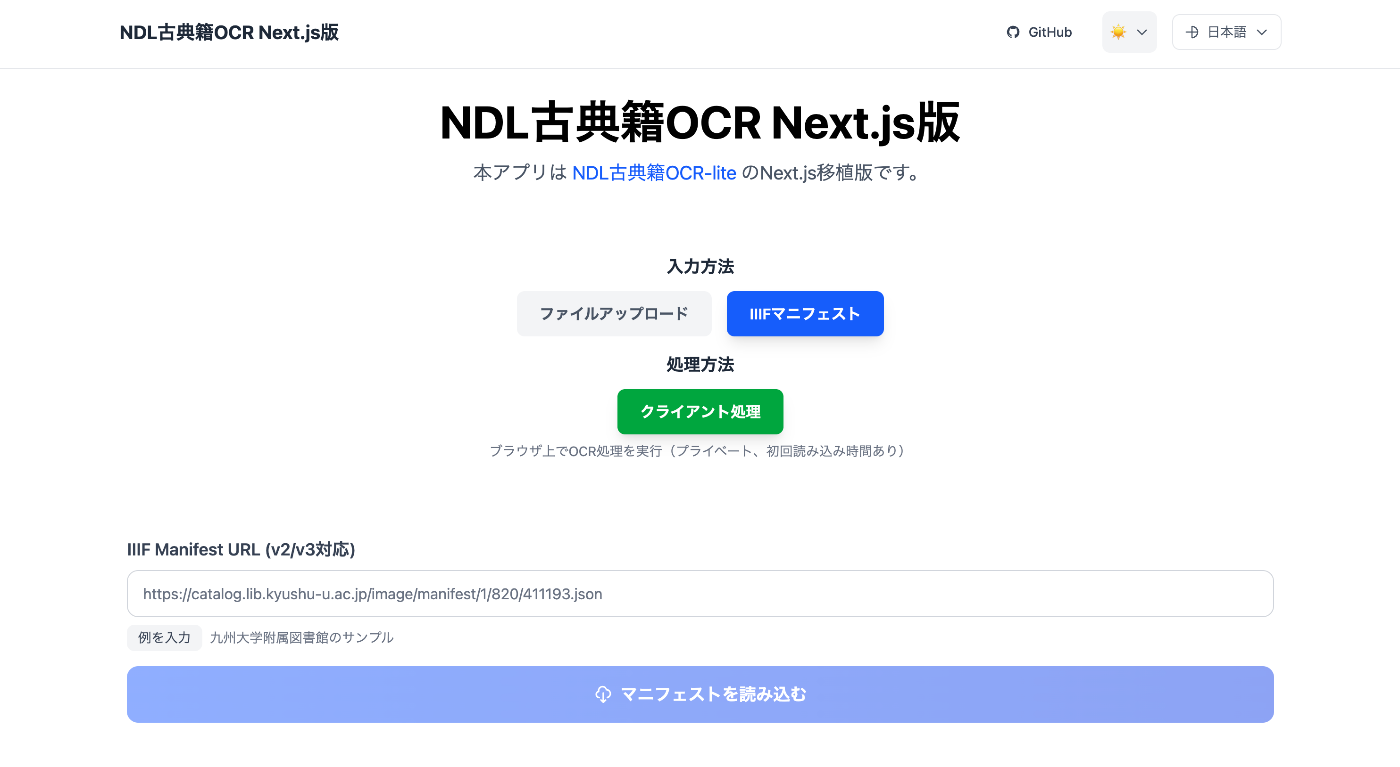
Overview @yuta1984 developed a “WebAssembly-based web port of NDL Kotenseki OCR-Lite”: https://github.com/yuta1984/ndlkotenocr-lite-web Using the above repository as a reference, I created a Next.js version: https://nkol.vercel.app/ja/ In addition, the following features have been added: IIIF manifest file input form TEI/XML file download functionality Creation of an ODD file for the output format Usage As an example, we use the Tale of Genji from the Kyushu University Library: https://catalog.lib.kyushu-u.ac.jp/image/manifest/1/820/411193.json After entering the manifest file and clicking the “Load” button, a list of images is displayed as shown below: ...

A Scalable OCR Processing System Using NDL Classical Japanese OCR Lite on Azure Container Apps

A Scalable OCR Processing System Using NDL Classical Japanese OCR Lite on Azure Container Apps

Important Usage Notice The system described in this article may place load on external servers. Please exercise caution when using it. Server load: Parallel requests place load on target servers DoS risk: A large number of simultaneous accesses may be mistaken for a DoS attack Recommended approach: Download images locally in advance and run only the OCR processing in parallel Check terms of service: Always review the target server’s terms of service and obtain prior permission if necessary Appropriate rate limiting: In production, conservative concurrency settings (around 5-10 parallel) are strongly recommended Responsible use: Always be considerate of server administrators and other users This article is a record of a technical proof of concept. We ask readers to use the system responsibly. ...

Trying DToC: Dynamic Table of Contexts

Trying DToC: Dynamic Table of Contexts

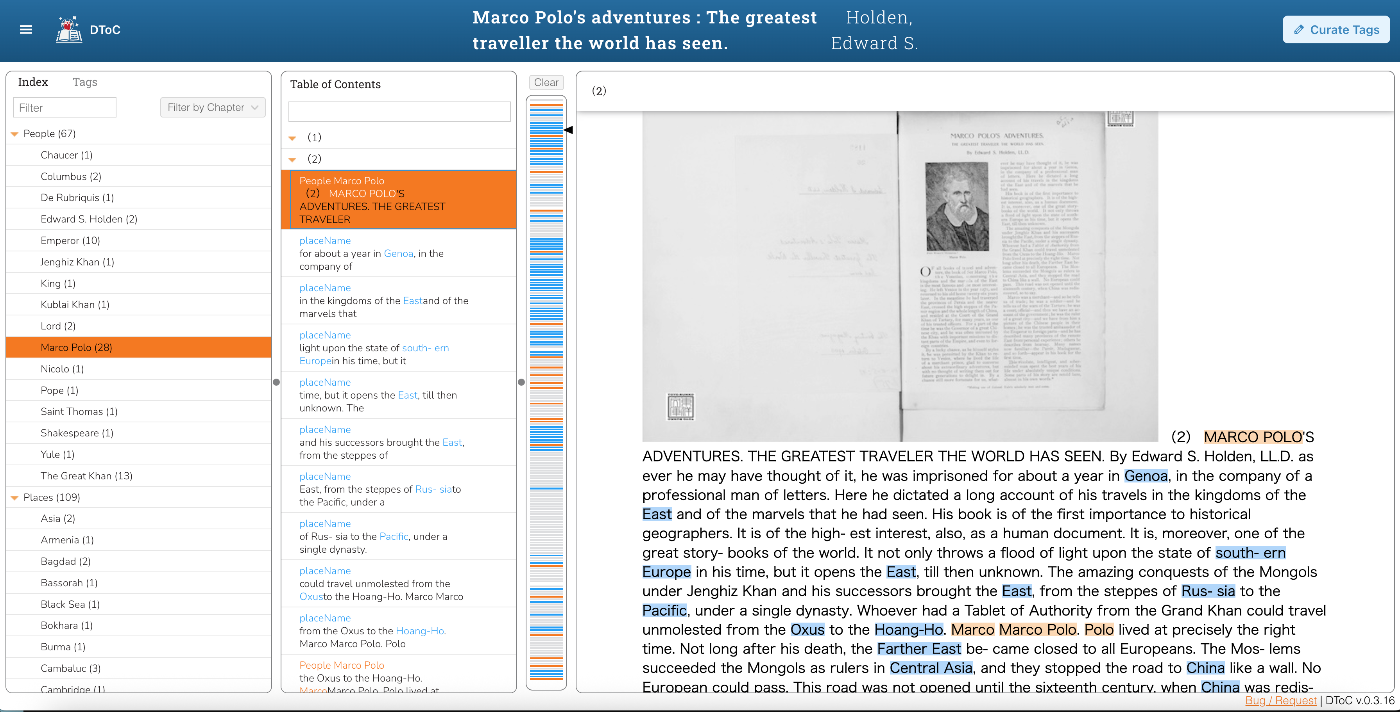
Overview I had an opportunity to try DToC: Dynamic Table of Contexts, so this is a memorandum. https://www.leaf-vre.org/docs/features/dtoc The machine-translated description is as follows: It brings innovation to electronic reading by combining the power of semantic markup with book navigation features. The traditional overview functions of printed books – the table of contents and keyword index – are dynamically integrated with full-text search and tag-based indexing features, creating a new reading experience. ...

Creating TEI/XML Files from IIIF Manifest Files Using NDL Kotenseki OCR-Lite

Creating TEI/XML Files from IIIF Manifest Files Using NDL Kotenseki OCR-Lite

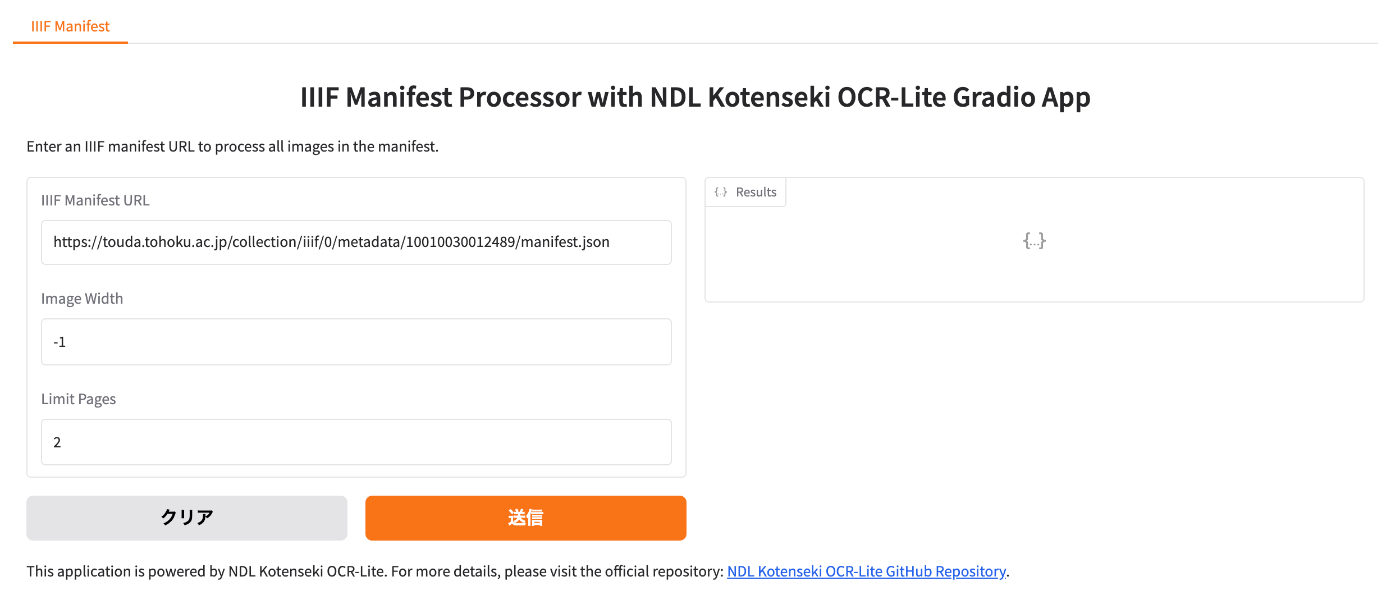
Overview This article introduces a Gradio app that creates TEI/XML files from IIIF manifest files using NDL Kotenseki OCR-Lite. It can be accessed at the following URL: https://nakamura196-ndlkotenocr-lite-iiif.hf.space/ Background This is a continuation of the following articles: Previously, two separate apps were needed, but with this update, the entire conversion process can be completed within a single Gradio app. Additionally, issues such as difficulty tracking progress when processing manifest files with many image pages, and the inability to copy processing results, have been fixed. ...

Part 2: Creating Annotated IIIF Manifest Files and TEI/XML Files Using NDL Classical Book OCR-Lite

Part 2: Creating Annotated IIIF Manifest Files and TEI/XML Files Using NDL Classical Book OCR-Lite

Overview In the following article, I introduced how to create annotated IIIF manifest files and TEI/XML files using NDL Classical Book OCR-Lite. Since the explanation above was insufficient in many areas, I will re-introduce how to use it. Supplement Along with writing this article, the following improvements were made. Process 1: Creating IIIF Manifest Files Added support for IIIF Presentation API v3. Process 2: Creating TEI/XML Files Added a form that accepts string input, considering the connection with Process 1. Usage Process 1: Creating IIIF Manifest Files Access the following. ...

A Program to Create TEI/XML Files with OCR Results from IIIF Manifest Files

A Program to Create TEI/XML Files with OCR Results from IIIF Manifest Files

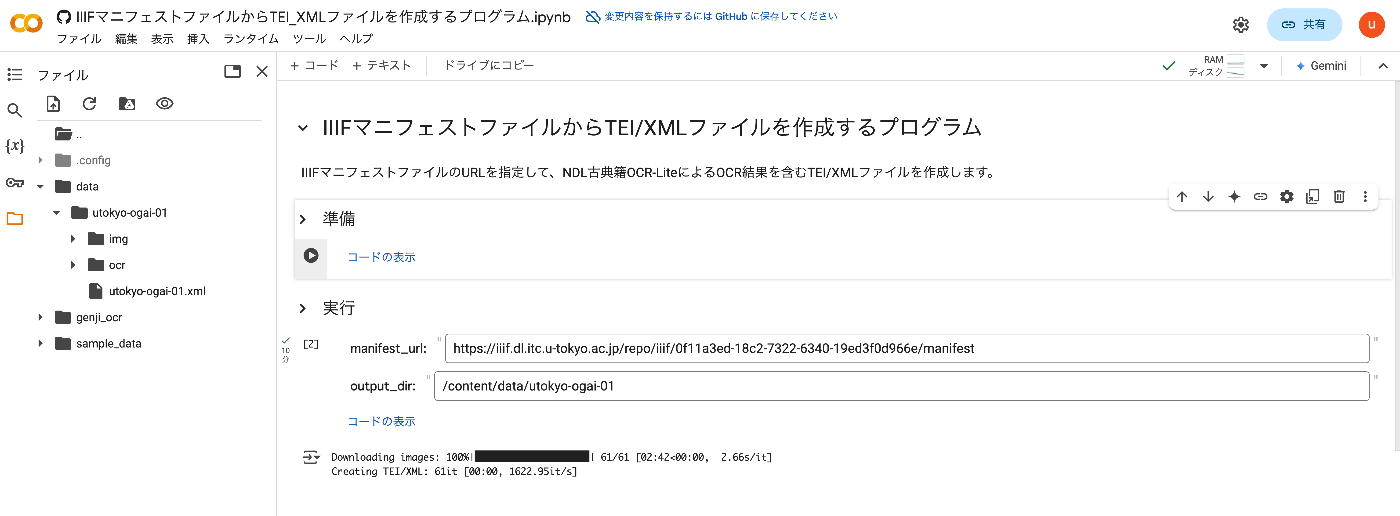
Overview I created a program to generate TEI/XML files containing OCR results from IIIF manifest files. This article explains how to use it. How It Works By specifying the URL of an IIIF manifest file, it creates a TEI/XML file containing OCR results from NDL Kotenseki OCR-Lite. https://github.com/ndl-lab/ndlkotenocr-lite Usage Access the following notebook: https://colab.research.google.com/github/nakamura196/000_tools/blob/main/IIIFマニフェストファイルからTEI_XMLファイルを作成するプログラム.ipynb Then press the first play button. Once complete, update the manifest_url and output_dir values in the “Execute” section and run the cell. ...

Created a Similar Text Search App for the Koui Genji Monogatari

Created a Similar Text Search App for the Koui Genji Monogatari

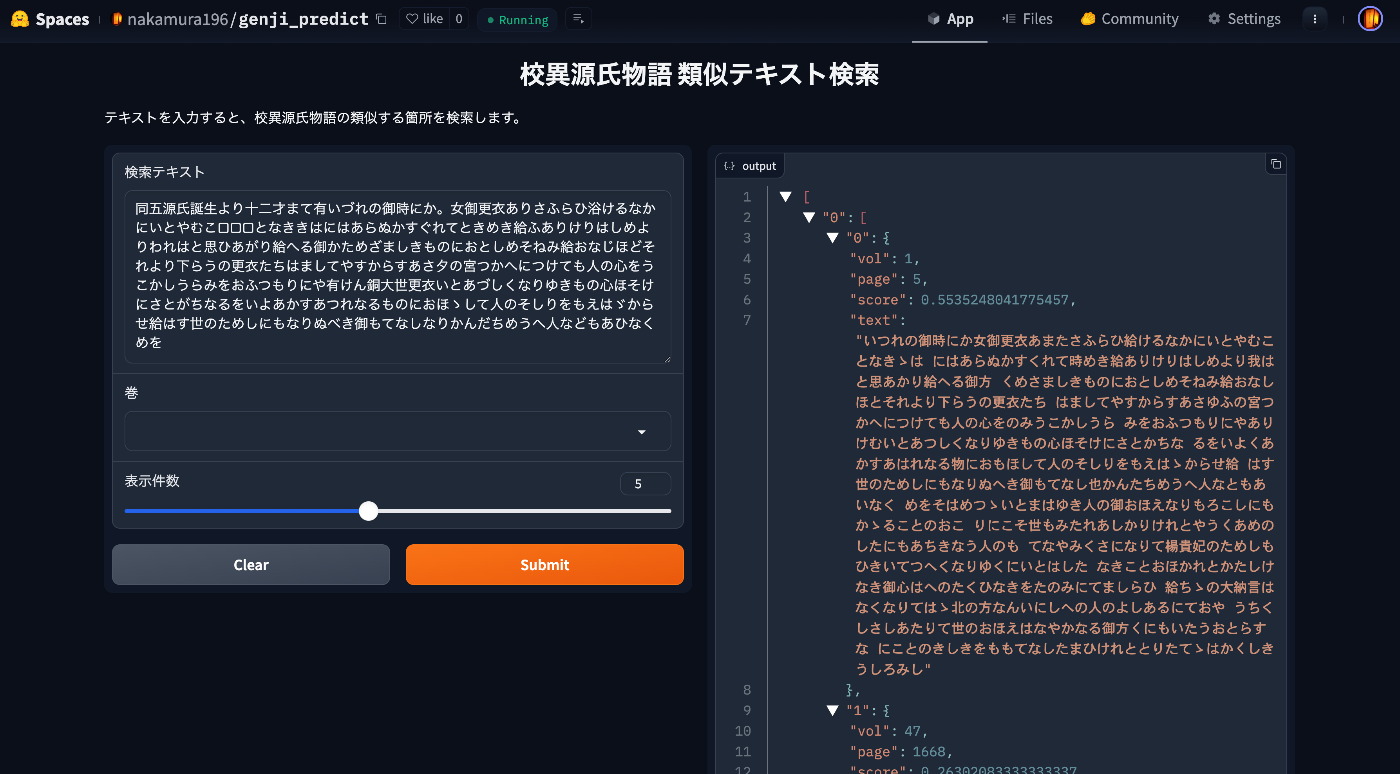
Overview I created a similar text search app for the Koui Genji Monogatari. You can try it from the following URL. https://huggingface.co/spaces/nakamura196/genji_predict This article introduces how to use the app. Data The text data published on the following Koui Genji Monogatari DB is used. https://kouigenjimonogatari.github.io/ How the App Works The mechanism is simple: text for each volume and page of the Koui Genji Monogatari is prepared in advance, the edit distance from the input string is calculated, and texts (along with volume and page numbers) with high similarity are returned. ...

Building an NDLOCR Gradio App Using Azure Virtual Machines

Building an NDLOCR Gradio App Using Azure Virtual Machines

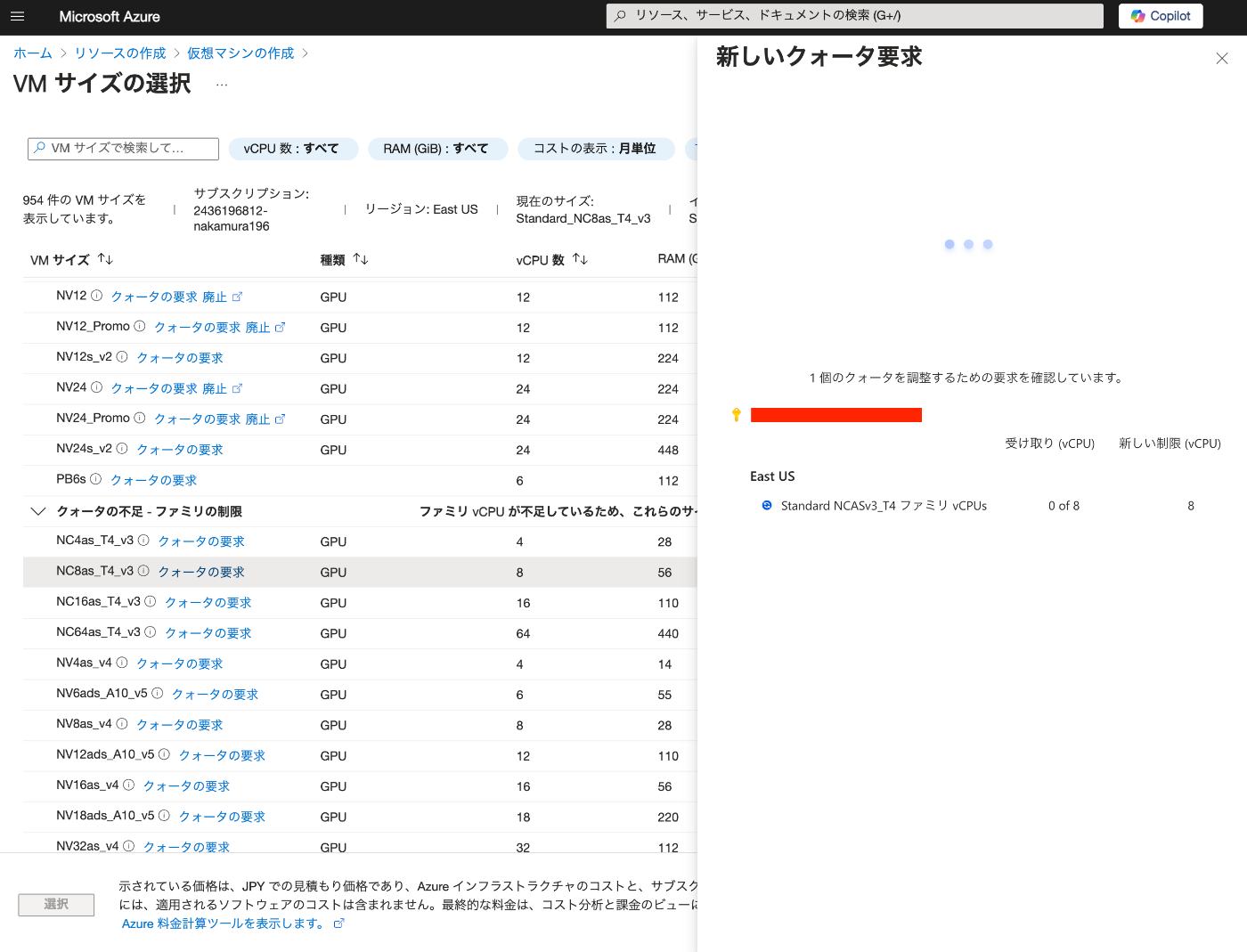
Overview In the following article, I introduced a Gradio app using Azure virtual machines and NDLOCR. This article provides notes on how to build this app. Building the Virtual Machine To use a GPU, it was necessary to request a quota. After the request, “NC8as_T4_v3” was used for this project. Building the Docker Environment The following article was used as a reference. https://zenn.dev/koki_algebra/scraps/32ba86a3f867a4 Disabling Secure Boot The following is stated: ...

Created a Gradio App to Try ndlocr_cli (NDLOCR ver.2.1) Application

Created a Gradio App to Try ndlocr_cli (NDLOCR ver.2.1) Application

Overview I created a Gradio app that allows you to try the ndlocr_cli (NDLOCR ver.2.1) application. Please try it at the following URL. https://ndlocr.aws.ldas.jp/ Notes Currently, only single image uploads are supported. I plan to add options such as PDF upload functionality in the future. It uses the “NVIDIA Tesla T4 GPU” installed in the “NC8as_T4_v3” VM available on Azure. Summary I’m not sure how long I can continue providing this in its current form, but I hope it will be useful for verifying the accuracy of the ndlocr_cli (NDLOCR ver.2.1) application. ...

Building a Gradio App Using NDL Kotenseki OCR-Lite

Building a Gradio App Using NDL Kotenseki OCR-Lite

Overview I built a Gradio App using NDL Kotenseki OCR-Lite. You can try it at the following URL. https://huggingface.co/spaces/nakamura196/ndlkotenocr-lite “NDL Kotenseki OCR-Lite” provides a desktop application, so an execution environment is available without the need for a web app like Gradio. Therefore, the intended use cases for this web app include usage from smartphones or tablets, and integration via web API. Development Notes and Bug Fixes Using Submodules The original ndlkotenocr-lite was introduced as a submodule. ...

Using NDL Classical Book OCR-Lite (ndlkotenocr-lite) on Mac OS

Using NDL Classical Book OCR-Lite (ndlkotenocr-lite) on Mac OS

Overview On November 26, 2024, NDL Lab released NDL Classical Book OCR-Lite. https://lab.ndl.go.jp/news/2024/2024-11-26/ This article introduces how to use it on Mac OS. Usage (Video) https://www.youtube.com/watch?v=NYv93sJ6WLU Usage (Text) Access the following. https://github.com/ndl-lab/ndlkotenocr-lite/releases/tag/1.0.0 Select the one containing “macos” from the list. Also select the one matching your chip. Clicking the link downloads “ndlkotenocr-lite_v1.0.0_macos_m1.tar.gz” as shown below. After extracting by double-clicking, the application “NDLkotenOCR-Lite” is extracted inside a macos folder. ...

Creating a Transparent Text PDF from a Single Page Using Google Cloud Vision API

Creating a Transparent Text PDF from a Single Page Using Google Cloud Vision API

Overview I had the opportunity to create a transparent text PDF from a PDF using Google Cloud Vision API, so this is a personal note for future reference. Below is an example of searching for simple. Background This time, we target PDFs consisting of a single page. Procedure Creating the Image Create an image to be used as the OCR target. With the default settings, the resulting image was blurry, so I set the resolution to 2x and performed position alignment considering the resolution in the process described below. ...