Home Articles Books Search About
日本語
Trying the Babylon.js Vue Tutorial with Nuxt 3

Trying the Babylon.js Vue Tutorial with Nuxt 3

Overview Previously, I created a repository combining Babylon.js and Nuxt 3. Meanwhile, a tutorial for using Vue with Babylon.js has been published at the following link. https://doc.babylonjs.com/communityExtensions/Babylon.js+ExternalLibraries/BabylonJS_and_Vue This time, I implemented the following tutorial from the above site using Nuxt 3. https://doc.babylonjs.com/communityExtensions/Babylon.js+ExternalLibraries/BabylonJS_and_Vue/BabylonJS_and_Vue_2 The demo site is as follows. https://nakamura196.github.io/nuxt3-babylonjs/ The source code is as follows. https://github.com/nakamura196/nuxt3-babylonjs Tutorial Passing data from BabylonJS to Vue using callbacks This is the most verbose, but the safest, most extensible, and most reusable approach. Basically, you create methods in the BabylonJS scene code and export them accordingly, allowing you to import them in Vue components and call each one. ...

Hosting Nuxt 3 SSR on Vercel (+ Enabling CORS)

Hosting Nuxt 3 SSR on Vercel (+ Enabling CORS)

I had the opportunity to host Nuxt 3 SSR on Vercel, so this is a note for reference. For the build settings, I needed to set the Output Directory to .output/server as follows. For enabling CORS, the following article was helpful. https://vercel.com/guides/how-to-enable-cors Specifically, I was able to handle this by placing the following file at the root of the project. { "headers": [ { "source": "/api/(.*)", "headers": [ { "key": "Access-Control-Allow-Credentials", "value": "true" }, { "key": "Access-Control-Allow-Origin", "value": "*" }, { "key": "Access-Control-Allow-Methods", "value": "GET,OPTIONS,PATCH,DELETE,POST,PUT" }, { "key": "Access-Control-Allow-Headers", "value": "X-CSRF-Token, X-Requested-With, Accept, Accept-Version, Content-Length, Content-MD5, Content-Type, Date, X-Api-Version" } ] } ] } There may be incorrect descriptions, but I hope this is helpful. ...

Using Babylon.js with Nuxt3 and Vuetify Together

Using Babylon.js with Nuxt3 and Vuetify Together

I had the opportunity to use Babylon.js combined with Nuxt3 and Vuetify, so this is a memo of my experience. The site I built can be viewed at the following URL. https://nakamura196.github.io/nuxt3-babylonjs/ The source code is available below. https://github.com/nakamura196/nuxt3-babylonjs I hope this is helpful when developing an app with this combination.

Introducing an IIIF Viewer in Nuxt3 with SSR

Introducing an IIIF Viewer in Nuxt3 with SSR

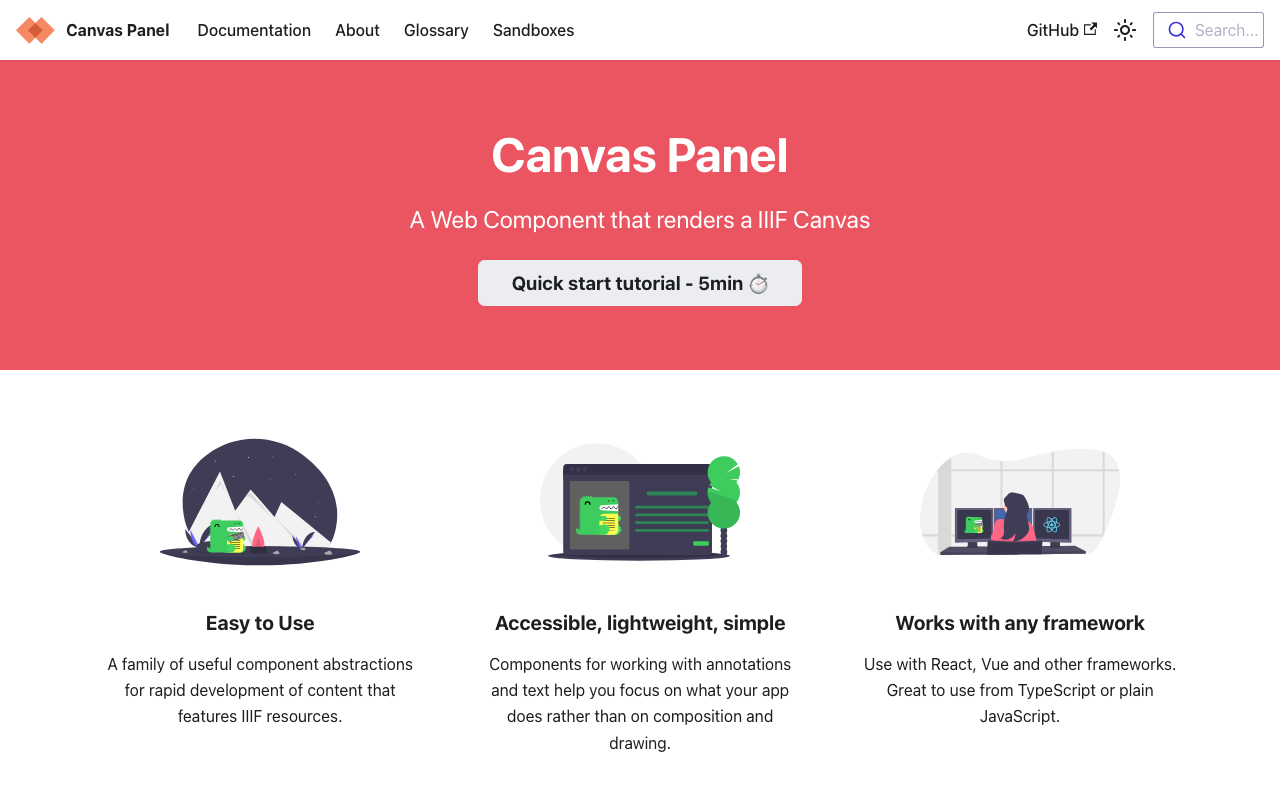
Overview This is a memo on how to introduce an IIIF viewer in Nuxt3 with SSR. Canvas Panel This section covers the introduction of the following viewer. https://iiif-canvas-panel.netlify.app/ Installation npm i @digirati/canvas-panel-web-components Page Please refer to the following. https://github.com/nakamura196/nuxt3-iiif-viewer/blob/main/pages/canvas-panel/index.vue Display Example https://nakamura196.github.io/nuxt3-iiif-viewer/canvas-panel Tify This section covers the introduction of the following viewer. https://github.com/tify-iiif-viewer/tify Installation npm i tify Page Please refer to the following. https://github.com/nakamura196/nuxt3-iiif-viewer/blob/main/pages/tify/index.vue In the case of SSR, a document is not defined. error occurred, so I added the following file to the plugins. ...

Deploying Nuxt 3 on Amazon Lightsail: Using pm2

Deploying Nuxt 3 on Amazon Lightsail: Using pm2

Introduction When deploying applications developed with Nuxt 3 and similar frameworks, I often use GitHub Pages, Netlify, AWS Amplify, and Serverless Framework + Lambda. However, this time I had the opportunity to deploy using a VPS, so this is a memo. References Specifically, I use Amazon Lightsail and pm2. Creating an Amazon Lightsail Instance Select the Node.js blueprint. Also, since port 3000 is used, open the firewall for it. ...

[TEI x JavaScript] Removing Unintended Whitespace in Nuxt 3

[TEI x JavaScript] Removing Unintended Whitespace in Nuxt 3

Problem When loading TEI/XML files and visualizing them with JavaScript (Vue.js, etc.), there were cases where unintended whitespace was inserted. Specifically, when writing HTML like the following: <template> <div> お問い合わせは <a href="#">こちらから</a> お願いします </div> </template> It would render with unintended spaces: “お問い合わせは こちらから お願いします” as shown below. A solution for this issue was published in the following repository: https://github.com/aokiken/vue-remove-whitespace However, I was unable to get it working in Nuxt 3 in my environment, so I used the source code as a reference and adapted it for Nuxt 3. ...

An Example of Manipulating JSON Files with Nuxt 3's server/api

An Example of Manipulating JSON Files with Nuxt 3's server/api

This is an example of how to manipulate (import and use) JSON files with Nuxt 3’s server/api. The following article was used as a reference. https://github.com/nuxt/framework/discussions/775#discussioncomment-1470136 While there is much room for improvement in areas such as type definitions, the following approach was confirmed to work. // async/await を使用しています。 export default defineEventHandler(async (event) => { const items_: any = await import('~/assets/index.json') // .defaultをつける点に注意 const items_total: any[] = items_.default // 以下の参考リンクを参照してください。 const query = getQuery(event) const page: number = Number(query.page) || 1; const size: number = Number(query.size) || 20; const items: any[] = items_total.slice((page - 1) * size, page * size); return { "hits": { "total": { "value": items_total.length, }, "hits": items } } }); With the above, by using a query like /api/items?page=2&size=40, it was possible to return a portion of the imported JSON file (~/assets/index.json). Paths other than assets seem to work as well, but this has not been thoroughly verified. ...

An Example of Deploying Nuxt 3 to Netlify and AWS

An Example of Deploying Nuxt 3 to Netlify and AWS

Overview This is a personal note on an example of deploying Nuxt 3 to Netlify and AWS. Below are the deployment examples. Netlify app.vue https://nuxt3-nakamura196.netlify.app/ server/api/hello.ts https://nuxt3-nakamura196.netlify.app/api/hello AWS (Serverless) app.vue https://nuxt3.aws.ldas.jp/ server/api/hello.ts https://nuxt3.aws.ldas.jp/api/hello The source code is at the following URL. https://github.com/nakamura196/nuxt3 I will explain each of them below. Netlify By referring to the following article, I was able to deploy including BFF (Backend for Frontend). https://blog.cloud-acct.com/posts/nuxt3-netlify-deploy/ AWS (Serverless) The following article was helpful for the method using Lambda Functions URL. ...

I Created an IIIF Image API Tool Using Nuxt 3 and Vuetify 3

I Created an IIIF Image API Tool Using Nuxt 3 and Vuetify 3

Overview I created an IIIF Image API tool using Nuxt 3 and Vuetify 3. The background for developing this tool was a need to work with the IIIF Image API, as well as the purpose of learning how to use Nuxt 3. The GitHub repository is as follows. I hope it serves as a useful reference. https://github.com/nakamura196/nuxt3-vuetify3 Usage You can access it from the following URL. https://nv3.netlify.app/ As shown below, pressing the “Example” button inputs a URL into the text form at the top of the screen, and the elements contained in that URL (such as “region” and “size”) are displayed at the bottom of the screen. ...