Home Articles Books Search About
日本語
KotenOCR: An Offline iOS App for Recognizing Classical Japanese Cursive Script

KotenOCR: An Offline iOS App for Recognizing Classical Japanese Cursive Script

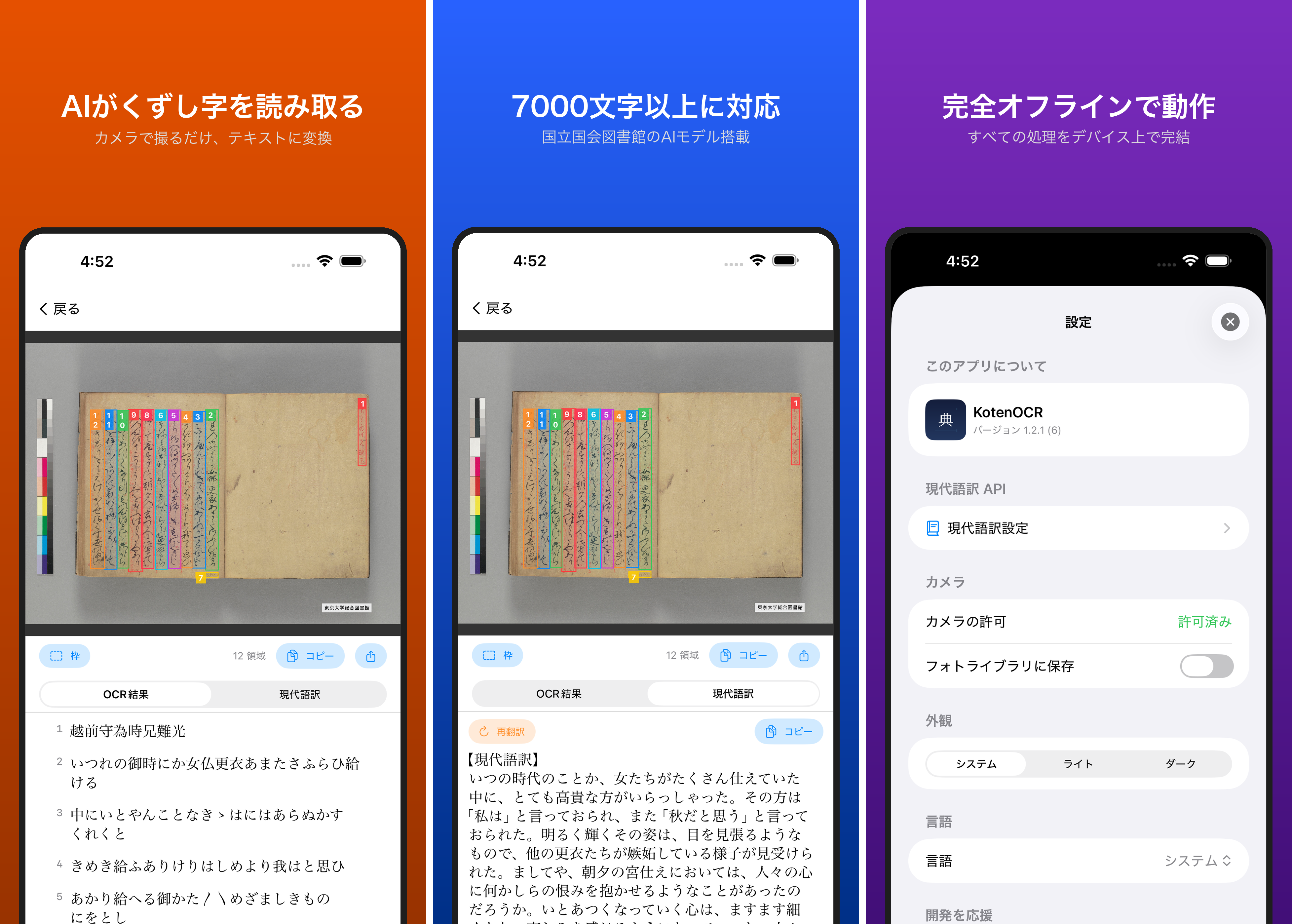
Introduction Reading kuzushiji — the cursive script used in pre-modern Japanese texts — is challenging even for trained scholars. While AI-powered OCR has made machine recognition possible in recent years, as far as I could find, no tool previously offered offline kuzushiji recognition on a smartphone. KotenOCR brings the National Diet Library’s lightweight kuzushiji OCR model (NDL Koten OCR-Lite) to iOS, letting you recognize classical Japanese text simply by taking a photo — with no internet connection required. ...
Building an NDLOCR Gradio App Using Azure Virtual Machines

Building an NDLOCR Gradio App Using Azure Virtual Machines

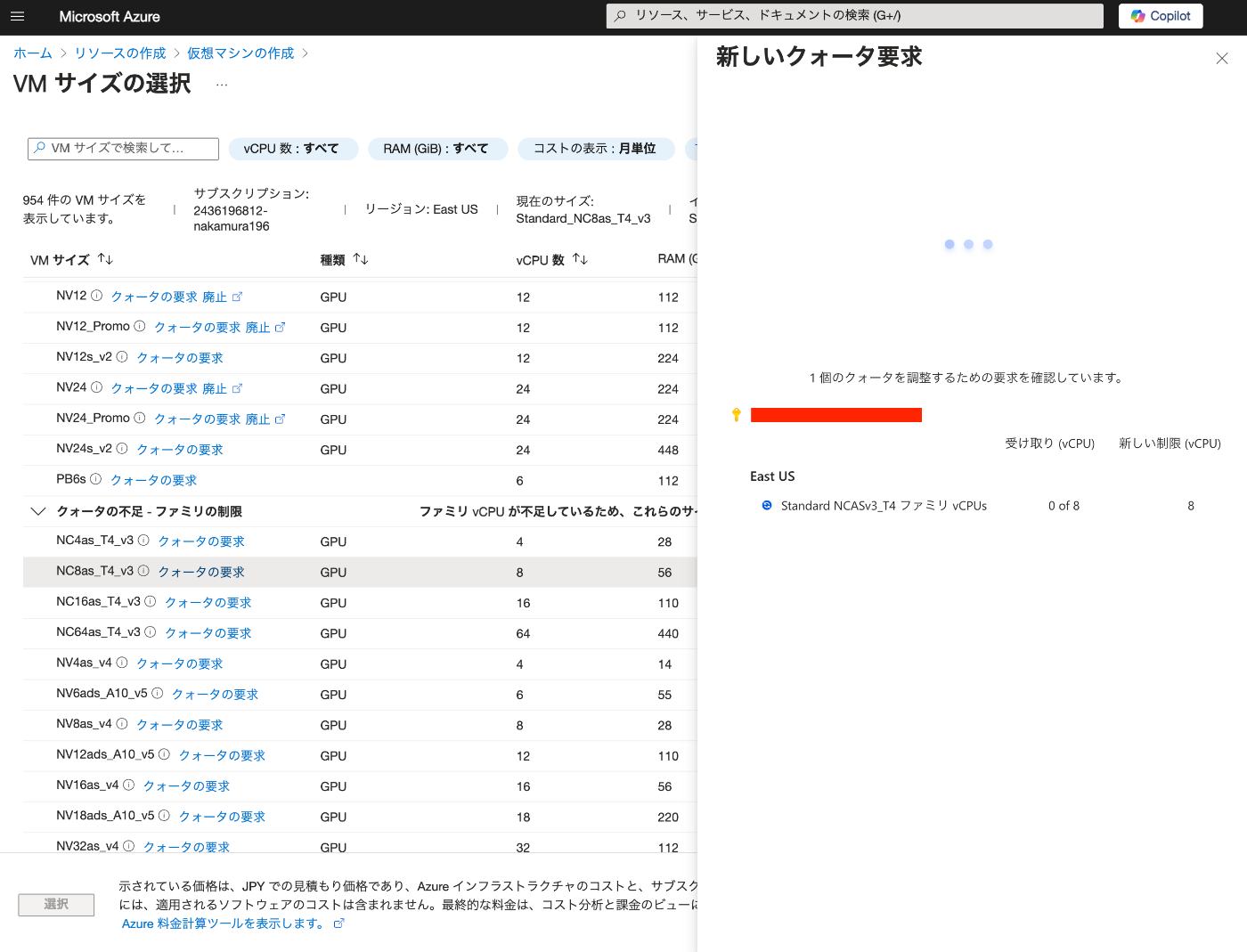
Overview In the following article, I introduced a Gradio app using Azure virtual machines and NDLOCR. This article provides notes on how to build this app. Building the Virtual Machine To use a GPU, it was necessary to request a quota. After the request, “NC8as_T4_v3” was used for this project. Building the Docker Environment The following article was used as a reference. https://zenn.dev/koki_algebra/scraps/32ba86a3f867a4 Disabling Secure Boot The following is stated: ...

Created a Gradio App to Try ndlocr_cli (NDLOCR ver.2.1) Application

Created a Gradio App to Try ndlocr_cli (NDLOCR ver.2.1) Application

Overview I created a Gradio app that allows you to try the ndlocr_cli (NDLOCR ver.2.1) application. Please try it at the following URL. https://ndlocr.aws.ldas.jp/ Notes Currently, only single image uploads are supported. I plan to add options such as PDF upload functionality in the future. It uses the “NVIDIA Tesla T4 GPU” installed in the “NC8as_T4_v3” VM available on Azure. Summary I’m not sure how long I can continue providing this in its current form, but I hope it will be useful for verifying the accuracy of the ndlocr_cli (NDLOCR ver.2.1) application. ...

Using NDL Classical Book OCR-Lite (ndlkotenocr-lite) on Mac OS

Using NDL Classical Book OCR-Lite (ndlkotenocr-lite) on Mac OS

Overview On November 26, 2024, NDL Lab released NDL Classical Book OCR-Lite. https://lab.ndl.go.jp/news/2024/2024-11-26/ This article introduces how to use it on Mac OS. Usage (Video) https://www.youtube.com/watch?v=NYv93sJ6WLU Usage (Text) Access the following. https://github.com/ndl-lab/ndlkotenocr-lite/releases/tag/1.0.0 Select the one containing “macos” from the list. Also select the one matching your chip. Clicking the link downloads “ndlkotenocr-lite_v1.0.0_macos_m1.tar.gz” as shown below. After extracting by double-clicking, the application “NDLkotenOCR-Lite” is extracted inside a macos folder. ...

Trying NDLTSR (NDL Table Structure Recognition)

Trying NDLTSR (NDL Table Structure Recognition)

Overview NDLTSR (NDL Table Structure Recognition) is described as follows. A program for recognizing the structure of tables contained in document images is publicly available. By combining it with OCR text data with coordinates, it can be used to structure text data contained in tables. Reference (external link): Addition of new functionality (table structuring) to the Next Generation Digital Library and publication of source code and dataset for the new functionality. This program enables inference of table structures using a machine learning model trained on the NDLTableSet published by the National Diet Library, and also allows retraining with user-provided datasets using the same method as LORE-TSR (external link). ...

Created Notebooks Using NDLOCR and NDL Classical Japanese OCR ver.2

Created Notebooks Using NDLOCR and NDL Classical Japanese OCR ver.2

Notice 2026-02-24 ! The notebooks provided on this page will no longer be updated. For NDLOCR, “NDLOCR-Lite” has been released as a desktop application and command-line tool for easy use. Please use this going forward. https://github.com/ndl-lab/ndlocr-lite 2025-04-02 There is currently a bug. Please refrain from using it until the fix is complete. The bug has been fixed. 2025-03-21 For NDL Classical Japanese OCR, “NDL Classical Japanese OCR-Lite” has been released as a desktop application for easy use. Please use this going forward. ...

Running NDL Classical Japanese OCR on mdx

Running NDL Classical Japanese OCR on mdx

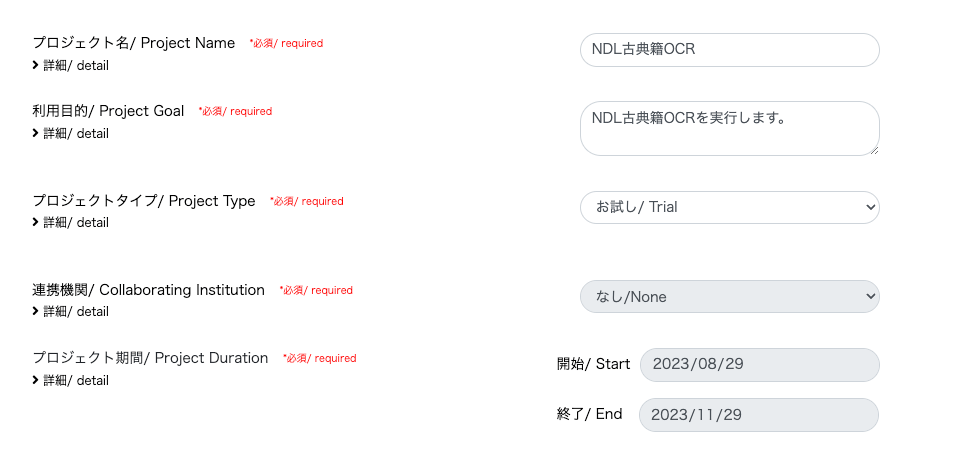
Update History 2024-05-22 Added the section “Adding the Docker Command User to the docker Group”. Overview mdx is a data platform for industry-academia-government collaboration co-created by universities and research institutions. https://mdx.jp/ In this article, we will run NDL Classical Japanese OCR using an mdx virtual machine. https://github.com/ndl-lab/ndlkotenocr_cli Project Application For the project type, we selected “Trial”. With the “Trial” type, one GPU pack was allocated. Creating a Virtual Machine Deployment We selected “01_Ubuntu-2204-server-gpu (Recommended)”. ...

Conversion and Visualization of the NDL-DocL Dataset (Document Image Layout Dataset)

Conversion and Visualization of the NDL-DocL Dataset (Document Image Layout Dataset)

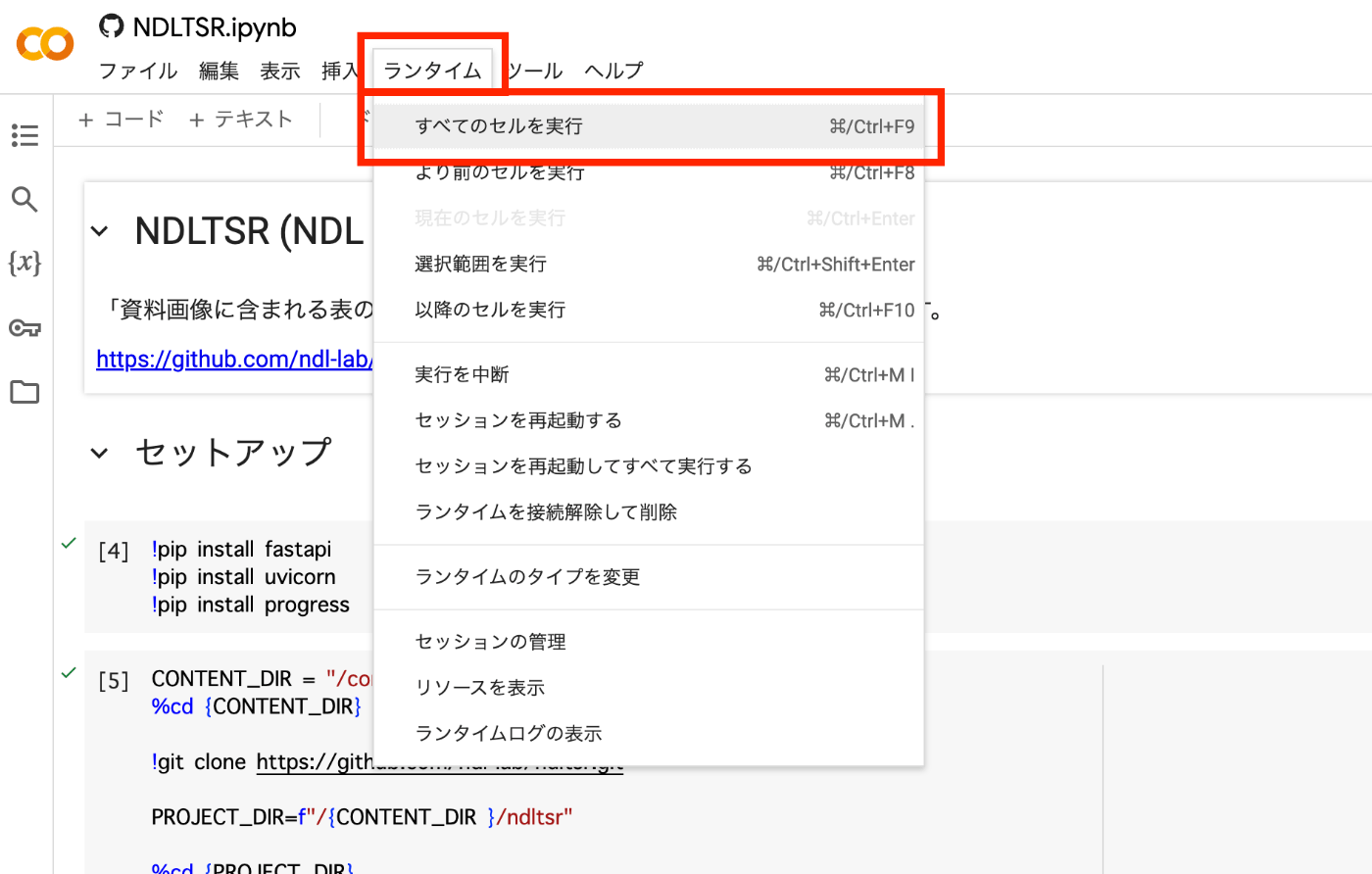
I created a notebook that converts Pascal VOC format XML files to COCO format JSON files and visualizes the contents of the NDL-DocL Dataset (Document Image Layout Dataset) published by NDL Lab. https://github.com/nakamura196/ndl_ocr/blob/main/NDL_DocLデータセット(資料画像レイアウトデータセット)の変換と可視化.ipynb By opening the above notebook and pressing “Runtime” > “Run all cells,” you can perform the conversion and visualization. By using the “/content/img” folder and “/content/dataset_kotenseki.json” file created after execution, you can use the data in machine learning programs that require COCO format data. ...

NDL OCR Now Supports Ruby (Furigana) Text Extraction

NDL OCR Now Supports Ruby (Furigana) Text Extraction

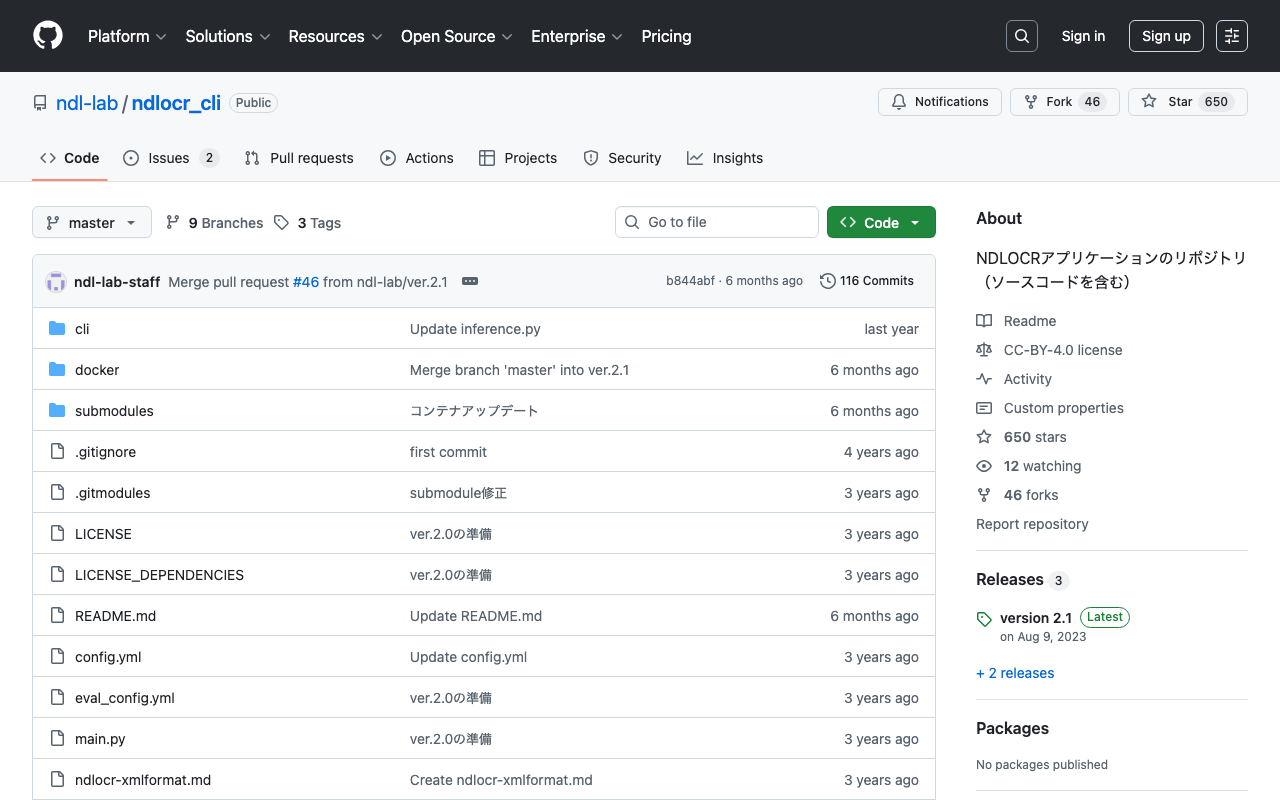
Overview For NDL OCR, the default setting previously did not include ruby (furigana) text extraction. Thanks to the cooperation of the NDL team, it is now possible to configure whether or not to perform text extraction for ruby. https://github.com/ndl-lab/ndlocr_cli/ Setting the following to True in config.yaml enables the ruby text extraction feature. yield_block_rubi: False Please note the following caveats when using this feature: Ruby text is not always split at the exact kanji positions where furigana is placed; multiple ruby sections may be merged into a single output Because ruby characters are small, they may sometimes be output as a placeholder character Tutorial Notebook Updates The ruby text extraction option has also been added to the Google Colab tutorial. ...