Home Articles Books Search About
日本語
Uploading Files and More Using the GakuNin RDM API

Uploading Files and More Using the GakuNin RDM API

Background These are notes on how to upload files and perform other operations using the GakuNin RDM API. References The following article explains how to obtain a PAT (Personal Access Token). The following article introduces a method using OAuth (Open Authorization). If you are using it from a web application, this may be helpful. Method I created the following repository using nbdev. https://github.com/nakamura196/grdm-tools The documentation can be found here. ...
A Python Library for Visualizing the Contents of Archivematica METS Files

A Python Library for Visualizing the Contents of Archivematica METS Files

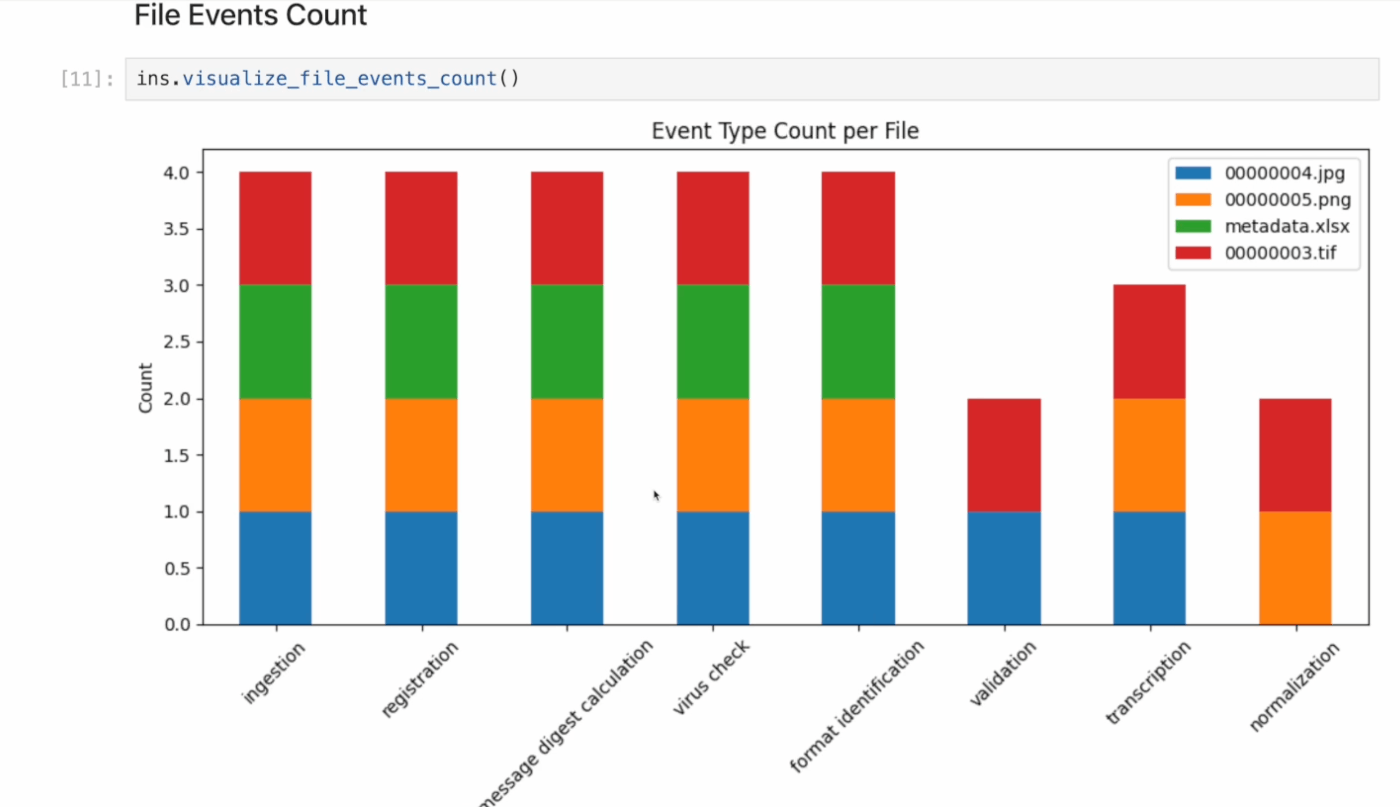
Overview I created a Python library for visualizing the contents of Archivematica METS files. For example, it visualizes aggregated results of processes (premis:event) performed during AIP creation, as shown below. Background In the following article, I introduced METSFlask, a web application for exploring Archivematica METS files in a human-friendly way. What I created this time is a library version of the functionality provided by METSFlask, making it easier to use outside of Flask. ...

Applying Google Cloud Vision to Image Files to Create IIIF Manifests and TEI/XML Files

Applying Google Cloud Vision to Image Files to Create IIIF Manifests and TEI/XML Files

Overview I created a library that applies Google Cloud Vision to image files and generates IIIF manifest and TEI/XML files. https://github.com/nakamura196/iiif_tei_py This article explains how to use the library. Usage You can check the usage and more at the following page. https://nakamura196.github.io/iiif_tei_py/ Installing the Library Install the library from the GitHub repository. pip install https://github.com/nakamura196/iiif_tei_py Creating a GC Service Account Download a GC (Google Cloud) service account key (JSON file) by referring to articles such as the following. ...

Handling concurrent.futures.process.BrokenProcessPool

Handling concurrent.futures.process.BrokenProcessPool

Overview When running nbdev_prepare with nbdev, the following error occurred. concurrent.futures.process.BrokenProcessPool: A process in the process pool was terminated abruptly while the future was running or pending. Solution Running the following command beforehand resolved the error. export OBJC_DISABLE_INITIALIZE_FORK_SAFETY=YES Summary I hope this is helpful for anyone experiencing the same issue.

Handling nbdev Errors on macOS

Handling nbdev Errors on macOS

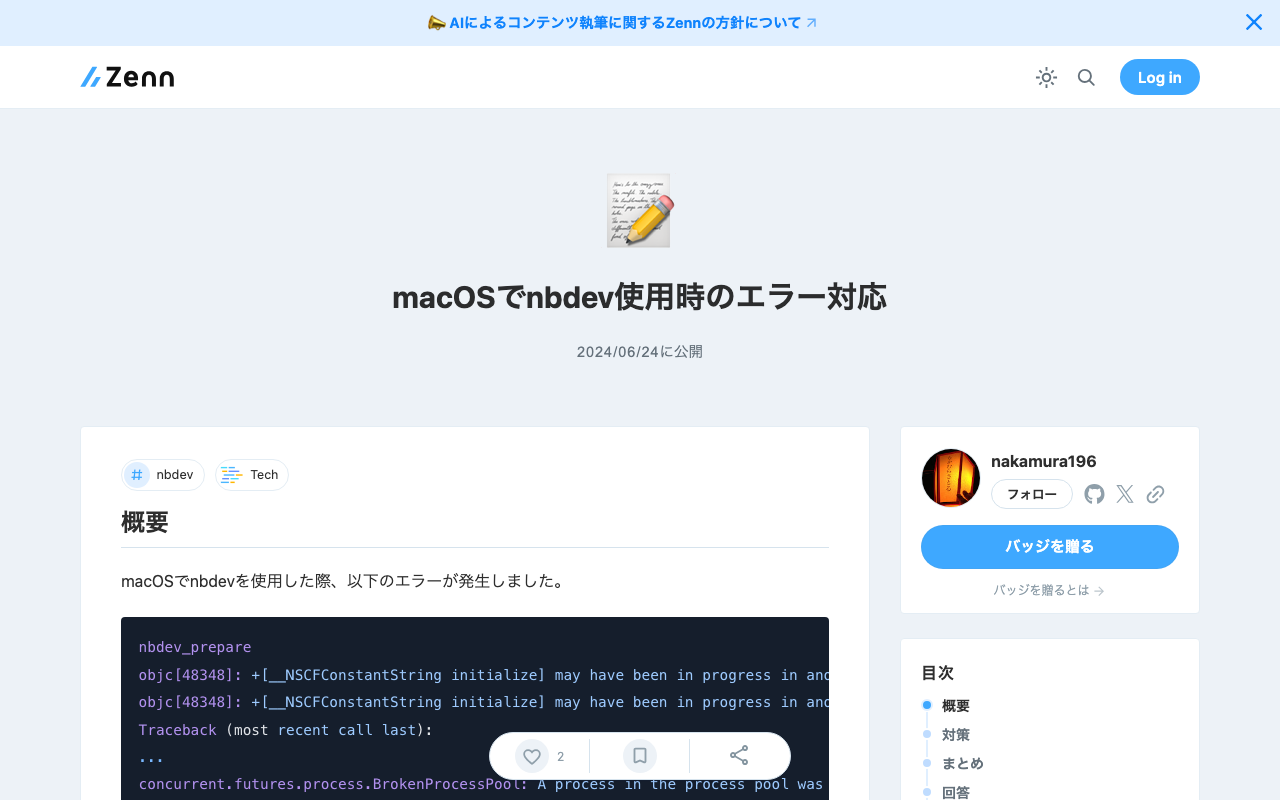
Overview When using nbdev on macOS, the following error occurred. nbdev_prepare objc[48348]: +[__NSCFConstantString initialize] may have been in progress in another thread when fork() was called. objc[48348]: +[__NSCFConstantString initialize] may have been in progress in another thread when fork() was called. We cannot safely call it or ignore it in the fork() child process. Crashing instead. Set a breakpoint on objc_initializeAfterForkError to debug. Traceback (most recent call last): ... concurrent.futures.process.BrokenProcessPool: A process in the process pool was terminated abruptly while the future was running or pending. This is a personal note on addressing this error. ...

Handling "two factor auth enabled..." on PyPI

Handling "two factor auth enabled..." on PyPI

Overview Two-factor authentication is becoming mandatory on PyPI. https://blog.pypi.org/posts/2023-05-25-securing-pypi-with-2fa/ After setting up two-factor authentication and attempting to upload, the following error occurred. Uploading xxxx.whl 100% ━━━━━━━━━━━━━━━━━━━━━━━━━━━━━━━━━━━━━━━━ 22.2/22.2 kB • 00:00 • 65.2 MB/s WARNING Error during upload. Retry with the --verbose option for more details. ERROR HTTPError: 401 Unauthorized from https://upload.pypi.org/legacy/ User <アカウント名> has two factor auth enabled, an API Token or Trusted Publisher must be used to upload in place of password. Solution I had ~/.pypirc configured as follows. ...

Memo on Using nbdev

Memo on Using nbdev

Overview When creating Python packages, I use nbdev. https://nbdev.fast.ai/ nbdev is described as follows: Write, test, document, and distribute software packages and technical articles — all in one place, your notebook. This article serves as a memo when using nbdev. Installation The following tutorial page is a helpful reference. https://nbdev.fast.ai/tutorials/tutorial.html Below is a brief overview of the workflow. After installing the related tools, create a GitHub repository, clone it, and then execute the following in the cloned directory. ...

A Python Package for Interacting with the Omeka S REST API

A Python Package for Interacting with the Omeka S REST API

Overview A package has been developed that allows you to operate the Omeka S REST API from Python. https://github.com/wragge/omeka_s_tools Furthermore, based on the above repository, I have created a repository with several additional features. https://github.com/nakamura196/omeka_s_tools2 In this article, I will introduce this repository. Usage Please refer to the following page. https://nakamura196.github.io/omeka_s_tools2/ This repository was developed using nbdev, which allows package development and documentation to proceed in parallel, and I found it to be a very convenient system. ...