Home Articles Books Search About
日本語
Sending Emails via Amazon SES from Omeka S on Amazon Lightsail

Sending Emails via Amazon SES from Omeka S on Amazon Lightsail

Overview To send emails from Omeka S running on Amazon Lightsail, it appears that email sending configuration is required. This article introduces how to use Amazon SES. https://aws.amazon.com/jp/ses/ The following forum discussion was helpful. https://forum.omeka.org/t/configuring-sendmail-or-smtp-for-omeka-s-on-amazon-lightsail/19335/1 Amazon SES Configuration Configure Amazon SES by referring to the following site. https://qiita.com/Shun_konno/items/f51ae599b68e0d2d36ea Omeka S Configuration Edit the Omeka S local.config.php file as follows. <?php return [ 'logger' => [ // Log settings (as needed) ], 'mail' => [ 'transport' => [ 'type' => 'smtp', // Use SMTP 'options' => [ 'name' => 'ses-smtp-user', // Any name 'host' => 'email-smtp.us-east-1.amazonaws.com', // SES SMTP server endpoint 'port' => 587, // Port supported by SES (e.g., 587) 'connection_class' => 'plain', // Authentication type 'connection_config' => [ 'username' => 'your-ses-smtp-username', // SES SMTP username 'password' => 'your-ses-smtp-password', // SES SMTP password 'ssl' => 'tls', // SSL type ('tls' recommended) 'use_complete_quit' => true, ], ], ], ], // Other settings... ]; For host, specify the Amazon SES SMTP server endpoint corresponding to the AWS region you are using. The example uses the us-east-1 region endpoint, but change it as needed. For username and password, use the SMTP credentials generated in Amazon SES. Summary We hope this is helpful when using Omeka S with Amazon Lightsail. ...

Running Strapi on Amazon Lightsail (SSL, Custom Domain)

Running Strapi on Amazon Lightsail (SSL, Custom Domain)

Overview I had the opportunity to run Strapi on Amazon Lightsail, so here are my notes. I referenced the following article: https://zenn.dev/holykzm/articles/1e54cc25207657 Instance Select Node.js. Choose an instance with at least 1GB of memory. If you build on Lightsail, an out-of-memory error will occur with less. SSL and Custom Domain Please refer to the following: https://zenn.dev/nakamura196/articles/5772d6c918508a#独自ドメインの付与 Assign a Static IP, configure a custom domain in Route 53, and run the following: ...

Script for Initial Setup of Omeka S on Amazon Lightsail (Adding the Easy Admin Module)

Script for Initial Setup of Omeka S on Amazon Lightsail (Adding the Easy Admin Module)

I created an updated version of the “Script for Initial Setup of Omeka S on Amazon Lightsail” introduced in the following article. This version adds “Easy Admin,” which makes it easy to add themes and modules, and also fixes permissions for related directories. I hope you find this helpful. # 変数 OMEKA_PATH=/home/bitnami/htdocs/omeka-s ## ハイフンは含めない DBNAME=omeka_s VERSION=3.2.3 ############# set -e mkdir $OMEKA_PATH # Omekaのダウンロード wget https://github.com/omeka/omeka-s/releases/download/v$VERSION/omeka-s-$VERSION.zip unzip -q omeka-s-$VERSION.zip mv omeka-s/* $OMEKA_PATH # .htaccessの移動 mv omeka-s/.htaccess $OMEKA_PATH # 不要なフォルダの削除 rm -rf omeka-s rm omeka-s-$VERSION.zip # 元からあったindex.htmlを削除(もし存在すれば) if [ -e $OMEKA_PATH/index.html ]; then rm $OMEKA_PATH/index.html fi # データベースの作成 cat <<EOF > sql.cnf [client] user = root password = $(cat /home/bitnami/bitnami_application_password) host = localhost EOF mysql --defaults-extra-file=sql.cnf -e "create database $DBNAME"; # Omeka Sの設定 cat <<EOF > $OMEKA_PATH/config/database.ini user = root password = $(cat bitnami_application_password) dbname = $DBNAME host = localhost EOF sudo chown -R daemon:daemon $OMEKA_PATH/files sudo apt install imagemagick -y # Module cd $OMEKA_PATH/modules ## easy admin wget https://github.com/Daniel-KM/Omeka-S-module-EasyAdmin/releases/download/3.3.7/EasyAdmin-3.3.7.zip unzip EasyAdmin-3.3.7.zip rm EasyAdmin-3.3.7.zip sudo chown -R daemon:daemon $OMEKA_PATH/files sudo chown -R daemon:daemon $OMEKA_PATH/modules sudo chown -R daemon:daemon $OMEKA_PATH/themes

Deploying Nuxt 3 on Amazon Lightsail: Using pm2

Deploying Nuxt 3 on Amazon Lightsail: Using pm2

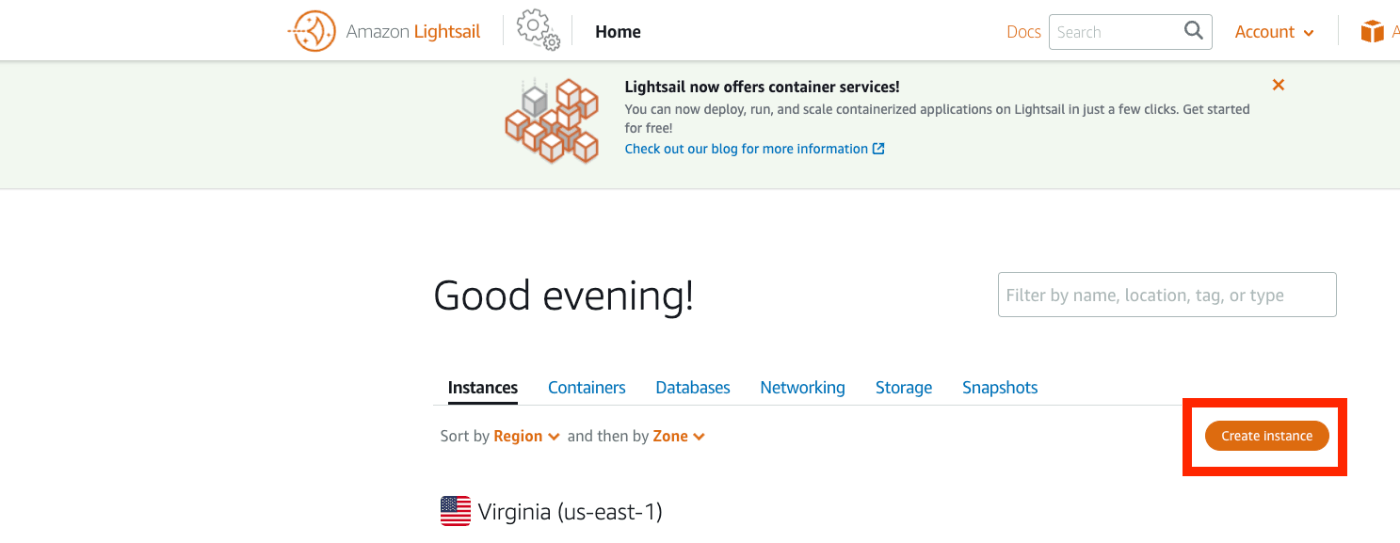
Introduction When deploying applications developed with Nuxt 3 and similar frameworks, I often use GitHub Pages, Netlify, AWS Amplify, and Serverless Framework + Lambda. However, this time I had the opportunity to deploy using a VPS, so this is a memo. References Specifically, I use Amazon Lightsail and pm2. Creating an Amazon Lightsail Instance Select the Node.js blueprint. Also, since port 3000 is used, open the firewall for it. ...

Script for Initial Setup of Omeka Classic on Amazon Lightsail

Script for Initial Setup of Omeka Classic on Amazon Lightsail

I created a script for the initial setup of Omeka Classic on Amazon Lightsail. This is the “Omeka Classic version” of the following article. I hope this serves as a helpful reference when using Omeka Classic with Amazon Lightsail. # Variables OMEKA_PATH=/home/bitnami/htdocs/omeka ## Do not include hyphens DBNAME=omeka VERSION=3.0.3 ############# set -e mkdir -p $OMEKA_PATH # Download Omeka wget https://github.com/omeka/Omeka/releases/download/v$VERSION/omeka-$VERSION.zip unzip -q omeka-$VERSION.zip mv omeka-$VERSION/* $OMEKA_PATH # Move .htaccess mv omeka-$VERSION/.htaccess $OMEKA_PATH # Remove unnecessary folders rm -rf omeka-$VERSION rm omeka-$VERSION.zip # Remove existing index.html (if it exists) if [ -e $OMEKA_PATH/index.html ]; then rm $OMEKA_PATH/index.html fi # Create database cat <<EOF > sql.cnf [client] user = root password = $(cat /home/bitnami/bitnami_application_password) host = localhost EOF mysql --defaults-extra-file=sql.cnf -e "create database $DBNAME"; # Omeka S configuration cat <<EOF > $OMEKA_PATH/db.ini [database] host = localhost username = root password = $(cat bitnami_application_password) dbname = $DBNAME prefix = "omeka_" charset = "utf8" EOF sudo chown -R daemon:daemon $OMEKA_PATH/files sudo apt install imagemagick -y

Script for Initial Setup of Omeka S on Amazon Lightsail

Script for Initial Setup of Omeka S on Amazon Lightsail

I created a script for the initial setup of Omeka S on Amazon Lightsail. I hope this serves as a useful reference when using Omeka S with Amazon Lightsail. # 変数 OMEKA_PATH=/home/bitnami/htdocs/omeka-s ## ハイフンは含めない DBNAME=omeka_s VERSION=3.2.3 ############# set -e mkdir $OMEKA_PATH # Omekaのダウンロード wget https://github.com/omeka/omeka-s/releases/download/v$VERSION/omeka-s-$VERSION.zip unzip -q omeka-s-$VERSION.zip mv omeka-s/* $OMEKA_PATH # .htaccessの移動 mv omeka-s/.htaccess $OMEKA_PATH # 不要なフォルダの削除 rm -rf omeka-s rm omeka-s-$VERSION.zip # 元からあったindex.htmlを削除(もし存在すれば) if [ -e $OMEKA_PATH/index.html ]; then rm $OMEKA_PATH/index.html fi # データベースの作成 cat <<EOF > sql.cnf [client] user = root password = $(cat /home/bitnami/bitnami_application_password) host = localhost EOF mysql --defaults-extra-file=sql.cnf -e "create database $DBNAME"; # Omeka Sの設定 cat <<EOF > $OMEKA_PATH/config/database.ini user = root password = $(cat bitnami_application_password) dbname = $DBNAME host = localhost EOF sudo chown -R daemon:daemon $OMEKA_PATH/files sudo apt install imagemagick -y

Simple Backup of Omeka S Using gdrive

Simple Backup of Omeka S Using gdrive

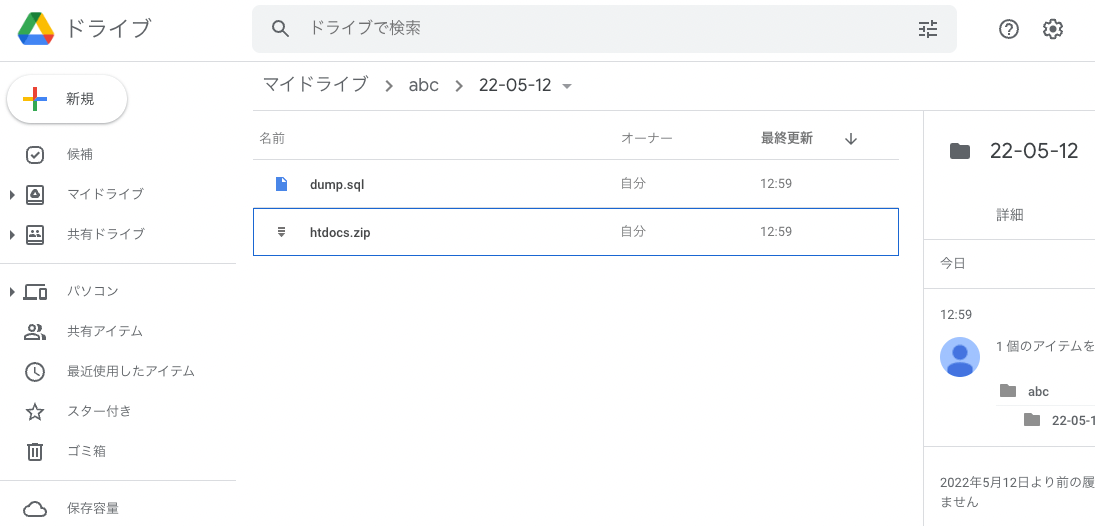
Overview This is a memo on how to perform simple backups of Omeka S using gdrive. As an example, we target Omeka S installed on a LAMP environment launched on Amazon Lightsail. Please refer to the following for installation instructions. Installing gdrive This time, we will back up files to Google Drive. For this purpose, we use gdrive. Please install gdrive by referring to the following article. Prepare a Backup Script In the $HOME directory, create a file such as backup.sh. An example of the file contents is as follows. ...

Building an Omeka S Site Using Amazon Lightsail (Including Custom Domain + SSL)

Building an Omeka S Site Using Amazon Lightsail (Including Custom Domain + SSL)

Update History 2022/09/08 Updated the script descriptions to the latest version. Overview Amazon Lightsail is described as follows: Amazon Lightsail is an easy-to-use virtual private server (VPS) that makes it easy to manage cloud resources such as containers at a predictable, low price. This article introduces how to build Omeka S using Amazon Lightsail. It also covers the “custom domain” and “SSL” configuration that are generally required when making a database publicly available. ...