Home Articles Books Search About
日本語
Launching Cantaloupe, a IIIF Image Server, on EC2

Launching Cantaloupe, a IIIF Image Server, on EC2

Overview This is a reference guide on how to launch Cantaloupe, a IIIF image server, on EC2. https://cantaloupe-project.github.io/ Additionally, this article introduces an example of Delegate Methods for restricting image download sizes. Specifically, it addresses cases where an error occurs when attempting to retrieve a full-size image via /full/full/. https://cantaloupe-project.github.io/manual/5.0/access-control.html Setting Up Cantaloupe Creating an EC2 Instance I created an EC2 instance with the platform set to Ubuntu, instance type set to t2.medium, and storage set to 8 GB. ...
Trying Mirador 2's Physical Document Ruler

Trying Mirador 2's Physical Document Ruler

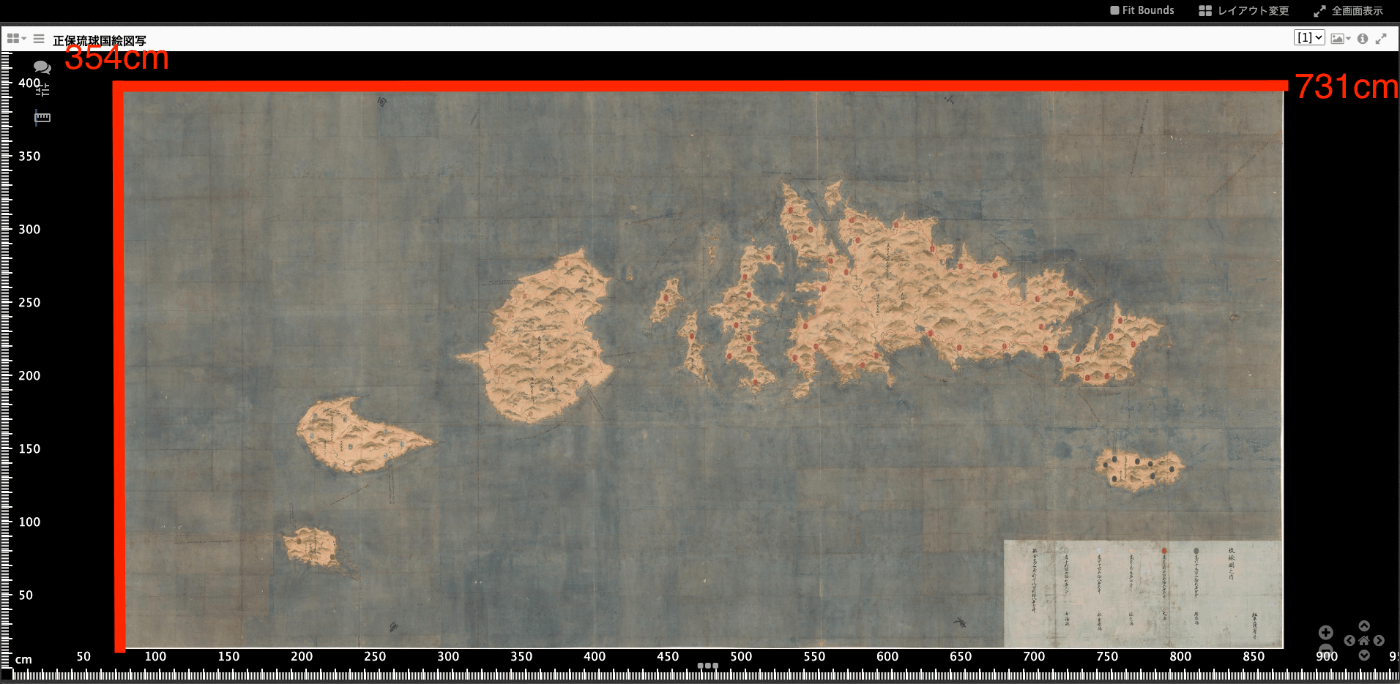
Overview IIIF’s Linking to External Services includes Physical Dimensions. https://iiif.io/api/annex/services/#physical-dimensions It is described as follows. For digitized objects, it is often useful to know the physical dimensions of the object. When available, they allow a client to present a ruler, or other rendition of physical scale, to the user. For Mirador ver.2 and ver.3, the following plugins exist respectively. ver.2 https://github.com/dbmdz/mirador-plugins#physical-document-ruler ver.3 https://github.com/ubleipzig/mirador-ruler-plugin Unfortunately, I was unable to successfully introduce the ver.3 plugin. Therefore, I will explain how to use the Physical Document Ruler with Mirador 2. ...

Mirador 3 Plugin Development: Adding Vertical Text Support to the Text Overlay Plugin

Mirador 3 Plugin Development: Adding Vertical Text Support to the Text Overlay Plugin

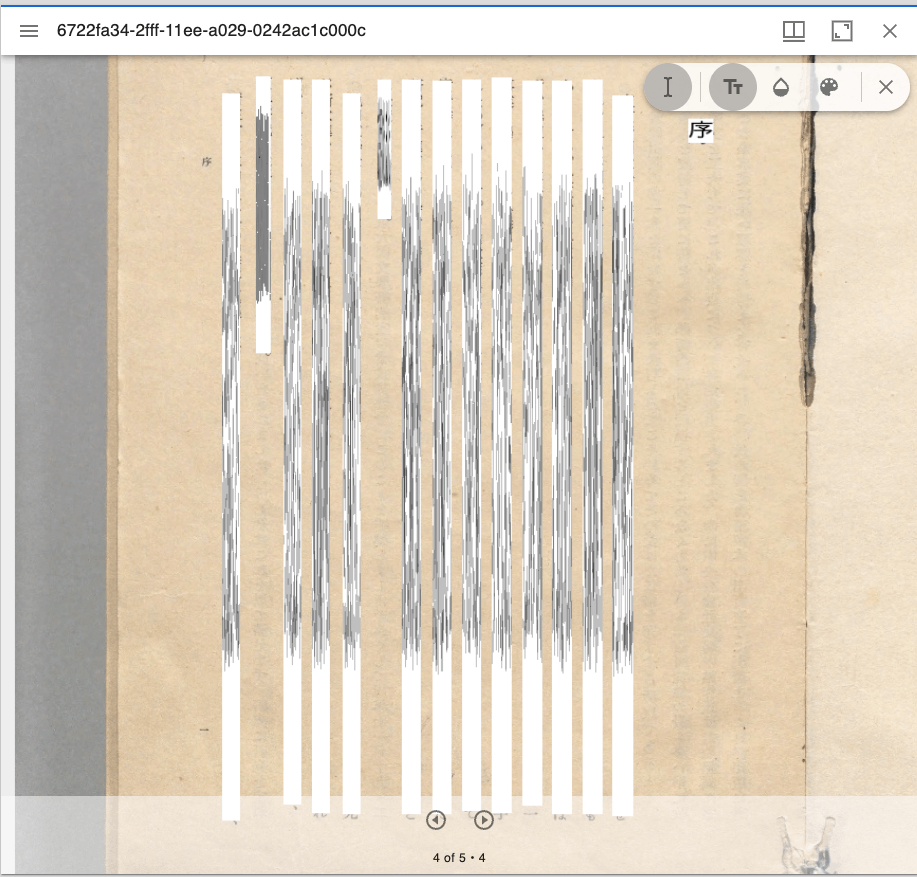
Overview Text Overlay plugin for Mirador 3 is a Mirador 3 plugin that displays selectable text overlays based on OCR or transcription. https://github.com/dbmdz/mirador-textoverlay A demo page is available at the following link. https://mirador-textoverlay.netlify.app/ However, when trying to display vertical text such as Japanese, it didn’t display correctly, as shown below. So I forked the above repository and made it possible to display vertical text as well. The source code is published in the following repository. (I hope to consider a pull request in the future.) ...

Trying the mirador-annotations Plugin and SimpleAnnotationServer with Mirador 3

Trying the mirador-annotations Plugin and SimpleAnnotationServer with Mirador 3

Overview mirador-annotations is a Mirador 3 plugin that adds annotation creation tools. https://github.com/ProjectMirador/mirador-annotations This time, I tried combining it with the following SimpleAnnotationServer, and this is a memorandum of the process. https://github.com/glenrobson/SimpleAnnotationServer Preparing SimpleAnnotationServer Follow the Getting Started guide below. https://github.com/glenrobson/SimpleAnnotationServer#getting-started When you access http://localhost:8888/index.html, the following screen is displayed. The endpoint appears to be http://localhost:8888/annotation/, which displays a list of registered annotations (initially empty). This endpoint will be used from Mirador 3. ...

[Omeka S Module Introduction] IiifPresentation: Adding IIIF Presentation API

[Omeka S Module Introduction] IiifPresentation: Adding IIIF Presentation API

Overview I tried the IiifPresentation module that adds IIIF Presentation API support, so here are my notes. https://omeka.org/s/modules/IiifPresentation/ As far as I could tell from a brief trial, there did not seem to be a significant difference from the features provided by the IIIF Server module below. https://omeka.org/s/modules/IiifServer/ One difference is that this module was developed by the Omeka Team, and it has the advantage of being usable without detailed configuration. ...

Updated Mirador to 2.7 in the Omeka Classic IIIF Toolkit

Updated Mirador to 2.7 in the Omeka Classic IIIF Toolkit

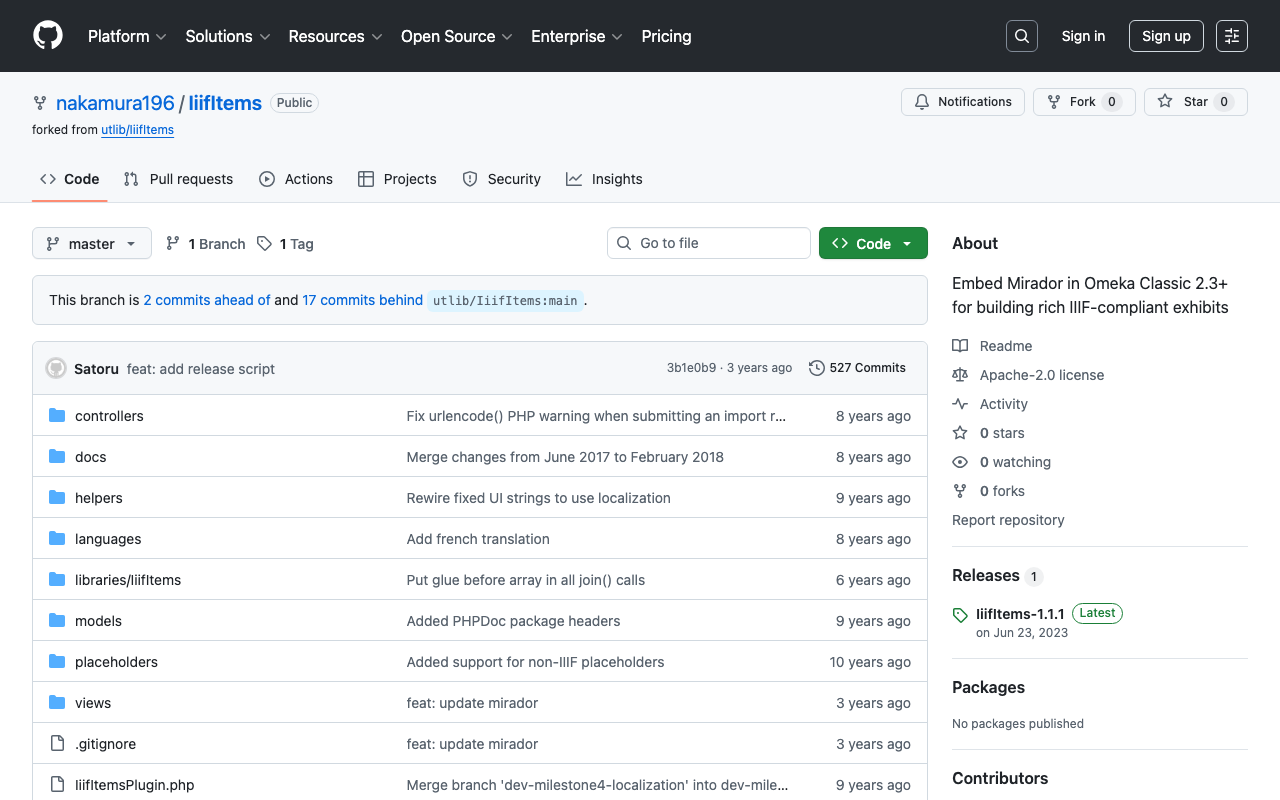
Overview I updated Mirador to 2.7 in the Omeka Classic IIIF Toolkit. You can check the source code on the following page. https://github.com/nakamura196/IiifItems You can also download the zip file from the following URL. https://github.com/nakamura196/IiifItems/releases/download/1.1.1/IiifItems-1.1.1.zip What This Enables By using Mirador 2.7, it becomes possible to display images in the viewer even if they do not support the IIIF Image API. This makes it possible to add and manage annotations using Mirador for publicly available images as well. ...

Batch Registering Data to Omeka Classic IIIF Toolkit

Batch Registering Data to Omeka Classic IIIF Toolkit

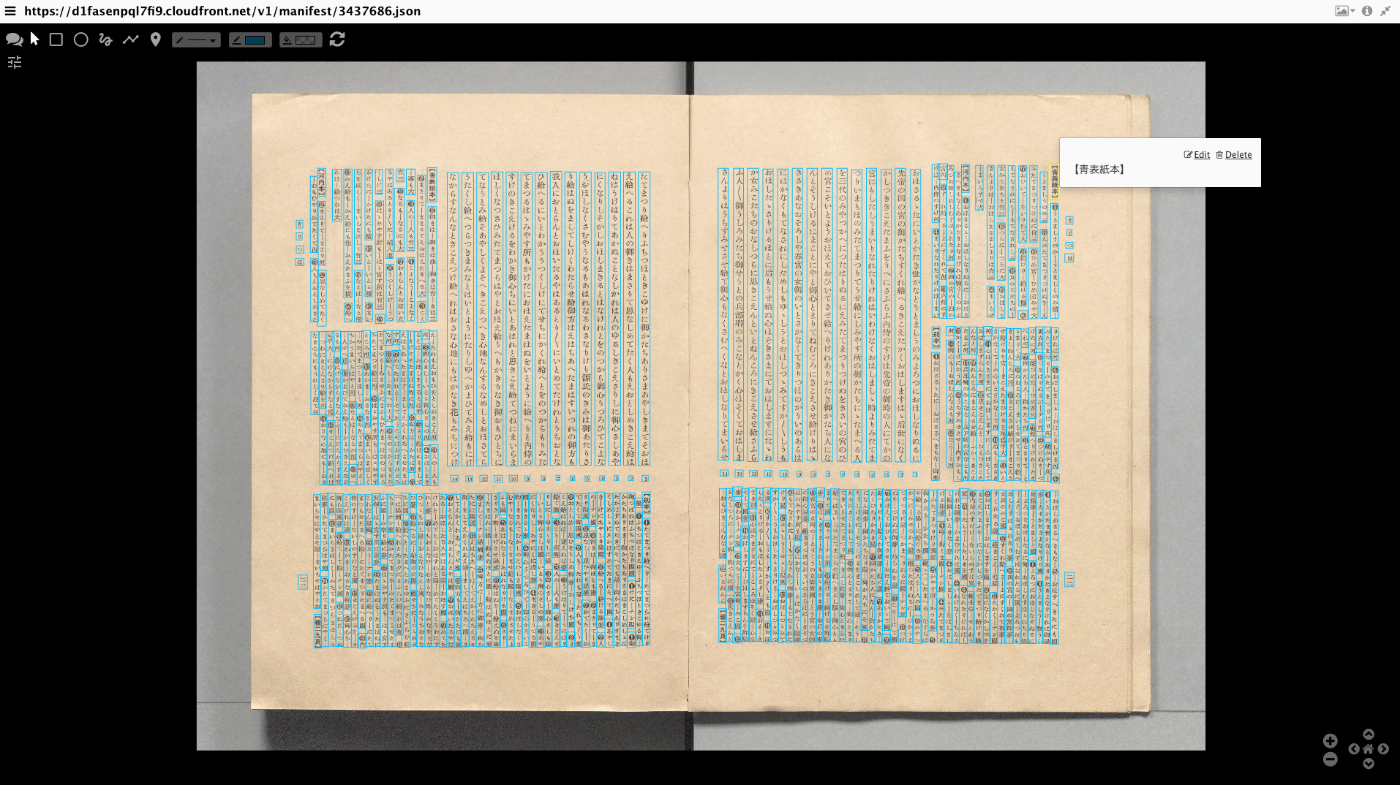
Overview This article explains how to batch register data to Omeka Classic IIIF Toolkit. For setting up Omeka Classic IIIF Toolkit, please refer to the following: This also builds on the content of the following article, making it easier to use by accepting Excel data as input. Preparing the Excel File Prepare an Excel file like the following: https://github.com/nakamura196/000_tools/blob/main/data/sample.xlsx Create three sheets: “collection,” “item,” and “annotation.” collection manifest_uri https://d1fasenpql7fi9.cloudfront.net/v1/manifest/3437686.json ...

Mirador 3 Plugin Development: Copying a Window

Mirador 3 Plugin Development: Copying a Window

Overview I created a plugin for Mirador 3 that copies a window. Note that this functionality is already provided by the following plugin. https://github.com/ProjectMirador/mirador-plugin-demos Therefore, this plugin was created to learn the plugin development process. I hope this plugin serves as a useful reference from that perspective. Here is a screenshot. The source code is available here. https://github.com/nakamura196/mirador-copy-window-plugin The demo site is available here. https://nakamura196.github.io/mirador-copy-window-plugin/ Development Notes For developing this plugin, I first cloned the following repository and made modifications to it. ...

Guide to the IIIF Mirador 2 Annotation Interface

Guide to the IIIF Mirador 2 Annotation Interface

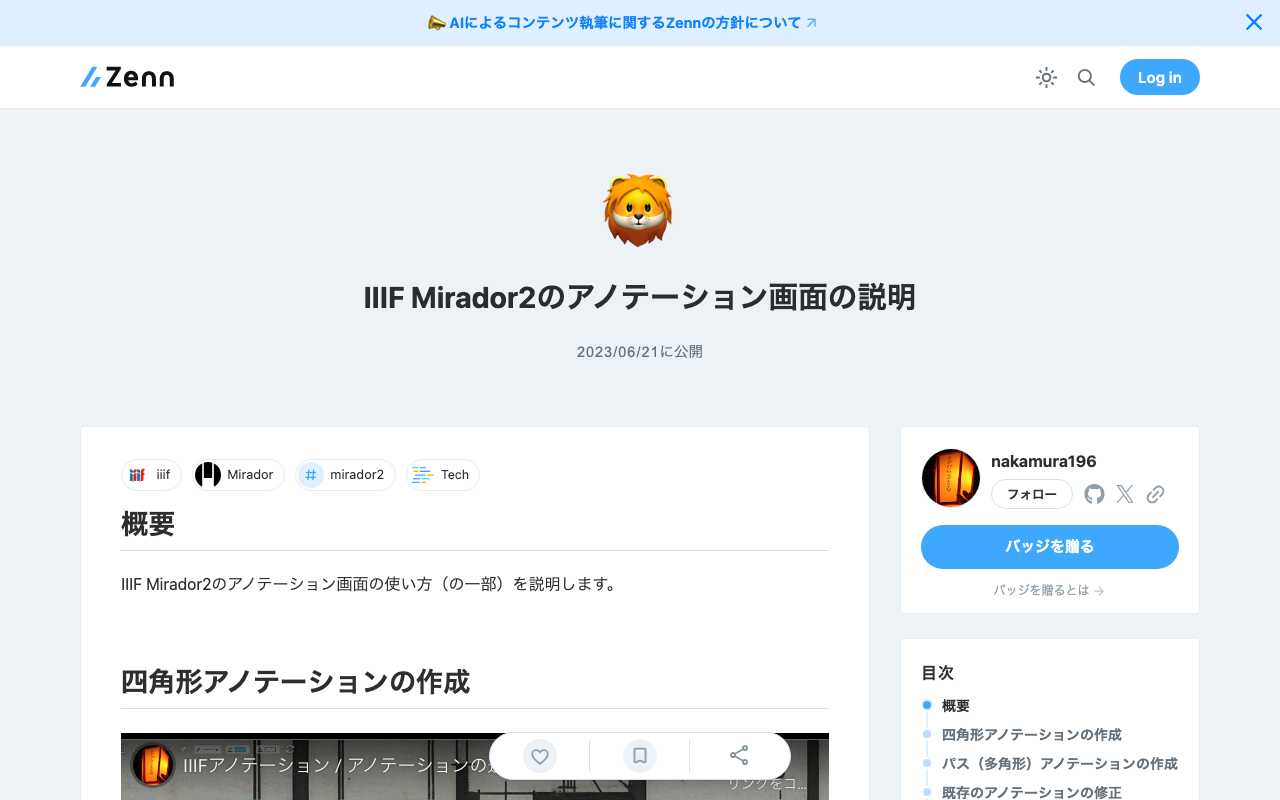
Overview This article explains (part of) how to use the annotation interface in IIIF Mirador 2. Creating Rectangle Annotations https://www.youtube.com/watch?v=jny09nLZvLU Creating Path (Polygon) Annotations To finish an annotation, double-click. https://www.youtube.com/watch?v=4cM-6-rXL9M Editing Existing Annotations https://www.youtube.com/watch?v=HlE36inbgq4 Deleting Existing Annotations https://www.youtube.com/watch?v=STk2vjLc_-k Summary I hope this is helpful when creating annotations using IIIF Mirador 2.

Creating PDF Files from IIIF Manifest Files

Creating PDF Files from IIIF Manifest Files

Overview I had the opportunity to create PDF files from IIIF manifest files. As a solution, I found the following repository, but was unable to get it working. https://github.com/jbaiter/pdiiif While the above repository uses JavaScript, this time I created a conversion tool using Python. Usage You can try it from the following notebook. https://colab.research.google.com/github/nakamura196/ndl_ocr/blob/main/iiif2pdf.ipynb During the initial installation, img2pdf is installed, but due to PIL version dependencies, a “RESTART RUNTIME” button will appear. Please click it and then re-run the same cell. ...

About the Image Server Configuration for Omeka S

About the Image Server Configuration for Omeka S

Overview The Image Server for Omeka S is a module that enables image delivery compatible with the IIIF Image API. https://omeka.org/s/modules/ImageServer/ When used in combination with the IIIF Server module, it also enables delivery via IIIF manifests. The Image Server module allows various settings, including methods for creating tile images. This article shares the investigation results regarding these settings. Experimental Environment This time, I will use an Amazon Lightsail LAMP instance. I use a relatively low-spec environment with 2 GB RAM and 1 vCPU. ...

Drupal: Linking Content of Different Content Types to Each Other

Drupal: Linking Content of Different Content Types to Each Other

Overview I investigated how to link content of different content types to each other, and here are my notes. Specifically, as shown below, item 1 is connected to a content item called image 1 through a field called iiif_image2. The goal is to add a link to item 1 on the image 1 page. I referenced the following article for this implementation. https://drupal.stackexchange.com/questions/255447/view-for-entity-reference-reverse-backwards-forwards Method Adding a View Navigate to /admin/structure/views and click “+ Add view” ...

Drupal: Creating Custom REST Resources

Drupal: Creating Custom REST Resources

Overview I created a custom REST resource by following the instructions below. https://www.drupal.org/docs/drupal-apis/restful-web-services-api/custom-rest-resources By following the above article, I was able to obtain a JSON result from the following URL. /demo_rest_api/demo_resource { "message": "Hello, this is a rest service" } REST UI Module The above article included the following note: If you are using the REST UI contrib module, you should now be able to see it in the list of available endpoints and you should be able to configure the GET method. ...

Bug Fixes and Feature Additions to the NDL Classical Book OCR Tutorial Using Google Colab

Bug Fixes and Feature Additions to the NDL Classical Book OCR Tutorial Using Google Colab

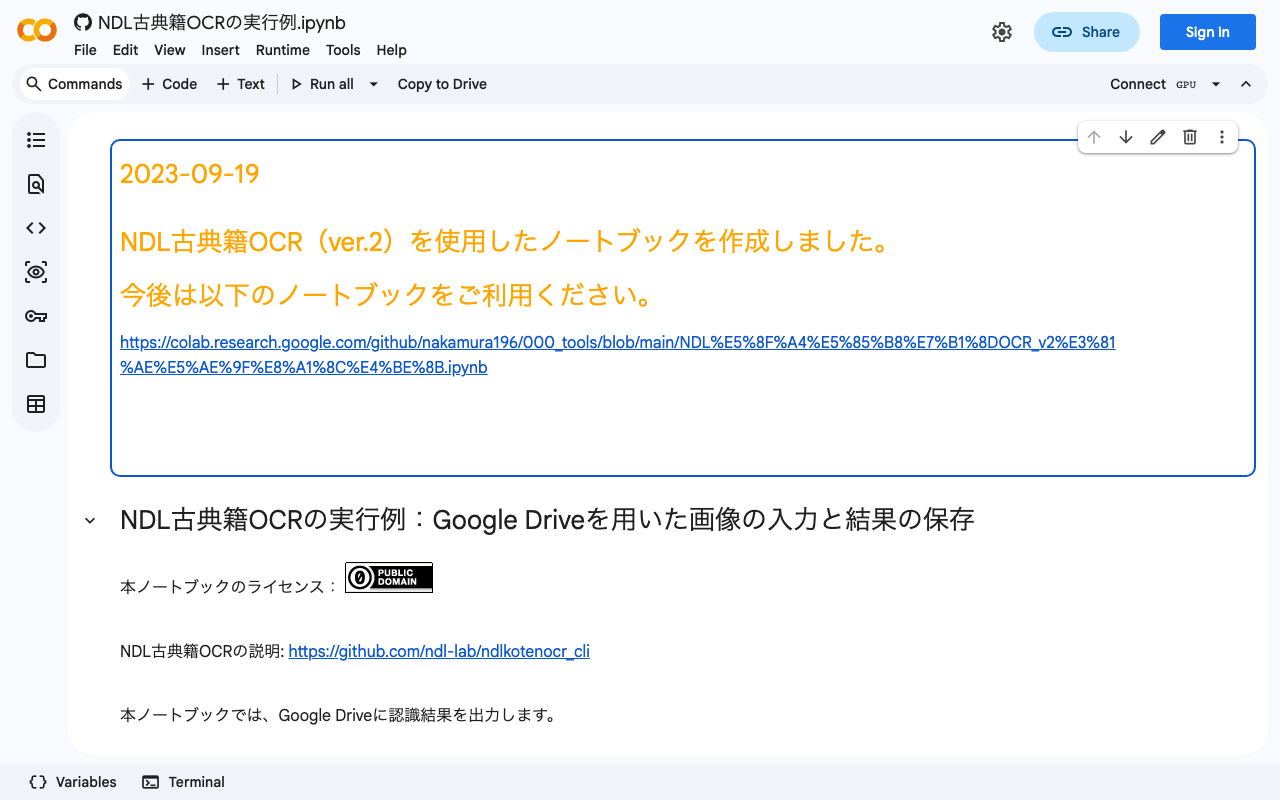
Overview I have been creating a tutorial for the NDL “Classical Book” OCR application using Google Colab, as introduced in the following article. This time, the following updates were made. Added terms of use Fixed bugs Added support for IIIF Presentation API v3 manifest file input The updated notebook can be accessed at the same URL as before. https://colab.research.google.com/github/nakamura196/ndl_ocr/blob/main/NDL古典籍OCRの実行例.ipynb Terms of Use Please use the notebook itself under CC0. However, the “NDL Classical Book OCR Application” is released by the National Diet Library under the CC BY 4.0 license, so please include the appropriate credit. Also, please check the terms of use for the materials to which OCR is applied. ...

Creating IIIF Presentation API v3 Manifest Files Using Omeka S

Creating IIIF Presentation API v3 Manifest Files Using Omeka S

Overview I needed to create IIIF Presentation API v3 manifest files, so I will introduce how to create them using Omeka S. Installing Omeka S and the IIIF Server Module Please install by referring to the following resource. https://zenn.dev/nakamura196/books/f4f87f9730e12e Creating Items in Omeka S This time, we will use the following image published by the National Diet Library. https://dl.ndl.go.jp/api/iiif/2585098/R0000003/full/full/0/default.jpg Create a new item and give it an appropriate title. ...

I Created Digital Archive Tools Centered on IIIF

I Created Digital Archive Tools Centered on IIIF

Overview I created digital archive tools centered on IIIF. You can try them at the following URL. https://nakamura196.github.io/viewer/ Currently, two features are provided: Image comparison using Mirador 3 Canvas number specification tool Image Comparison Using Mirador 3 https://nakamura196.github.io/viewer/input Specify the URLs of the manifest files or Canvas URIs you want to compare. Please try the examples provided. You can compare images as shown below. Canvas Number Specification Tool https://nakamura196.github.io/viewer/canvas ...

Changing Annotation Colors in IIIF Curation Viewer

Changing Annotation Colors in IIIF Curation Viewer

Overview I received a request to change the colors of annotations added in IIIF Curation Viewer, so I will introduce one method for doing so. The types of annotation markers are documented at the following link: http://codh.rois.ac.jp/software/iiif-curation-viewer/annotation.html#マーカーの種類 While it is possible to manually or programmatically modify the JSON data, this time I will introduce a method using a GUI. Video I recorded a video of the workflow. Please use it as a reference. The example uses “Night Parade of One Hundred Demons” (held by the University of Tokyo General Library). ...

Creating IIIF Manifest Files Using a Headless CMS

Creating IIIF Manifest Files Using a Headless CMS

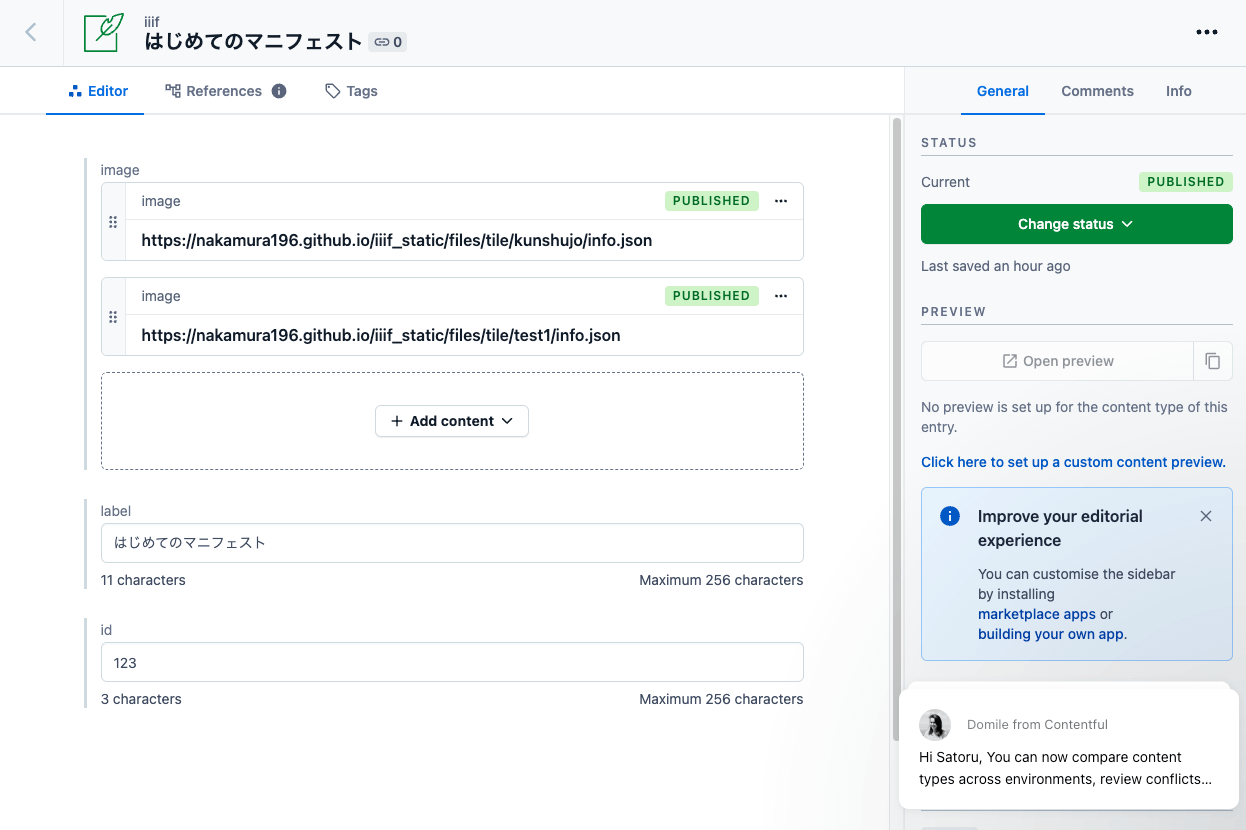
Overview As a learning exercise for Headless CMS, I attempted to generate IIIF manifests from information registered in a CMS. Here are the results. (That said, the server-side processing details are not visible from the app below.) https://iiif-headless-cms.vercel.app/ This article serves as a memorandum of the above effort. Contentful https://www.contentful.com/ I created a Content model called iiif as shown below. For associating image data (url, width, height), both the “JSON object” and “Reference” fields seemed usable, but I chose “Reference” here and created a separate Content model called image to manage image data information. ...

Publishing Images Using IIIF Image API Level 0

Publishing Images Using IIIF Image API Level 0

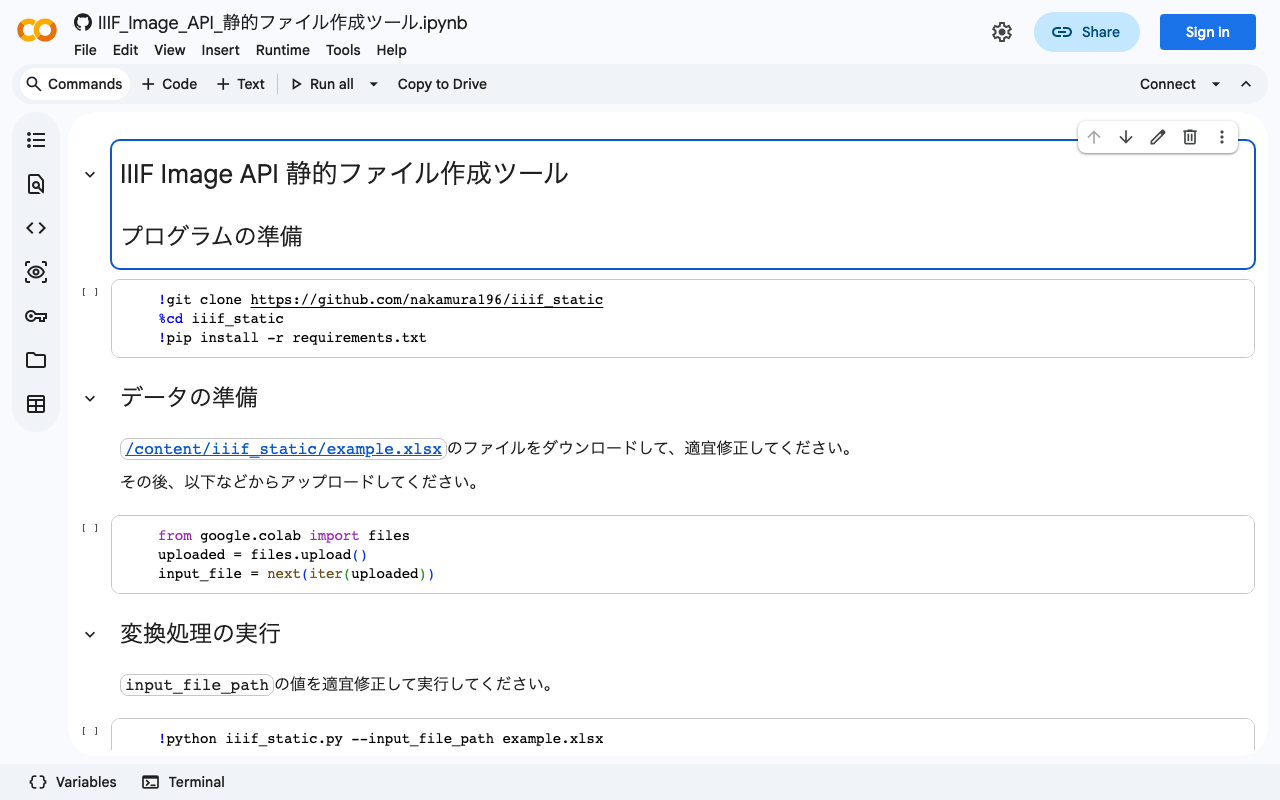
Overview IIIF Image API level 0 delivers images using pre-generated static tile images. This enables image publishing using only static file hosting services such as GitHub Pages or Amazon S3. However, it has the drawback of not being able to extract arbitrary regions of images. This article introduces an example of publishing images using IIIF Image API level 0. Tool You can try it with the following notebook. https://colab.research.google.com/github/nakamura196/ndl_ocr/blob/main/IIIF_Image_API_静的ファイル作成ツール.ipynb This notebook is based on the following script. ...

How to Use IIIF Presentation Validator in a Local Environment

How to Use IIIF Presentation Validator in a Local Environment

Overview IIIF Presentation Validator is, as the name suggests, a tool for validating IIIF Presentation API manifests. https://presentation-validator.iiif.io/ The following article explains how to use it. This time, I needed to validate manifests in a local environment while creating IIIF Presentation API v3 compliant manifest files, as introduced in the following article. So I installed this tool locally, and here are my notes. Installation Method Instructions are available at the following link, but running Step one did not work. (There was also this Issue filed.) ...