Home Articles Books Search About
日本語
How to Convert CMYK Color Images Without Color Inversion

How to Convert CMYK Color Images Without Color Inversion

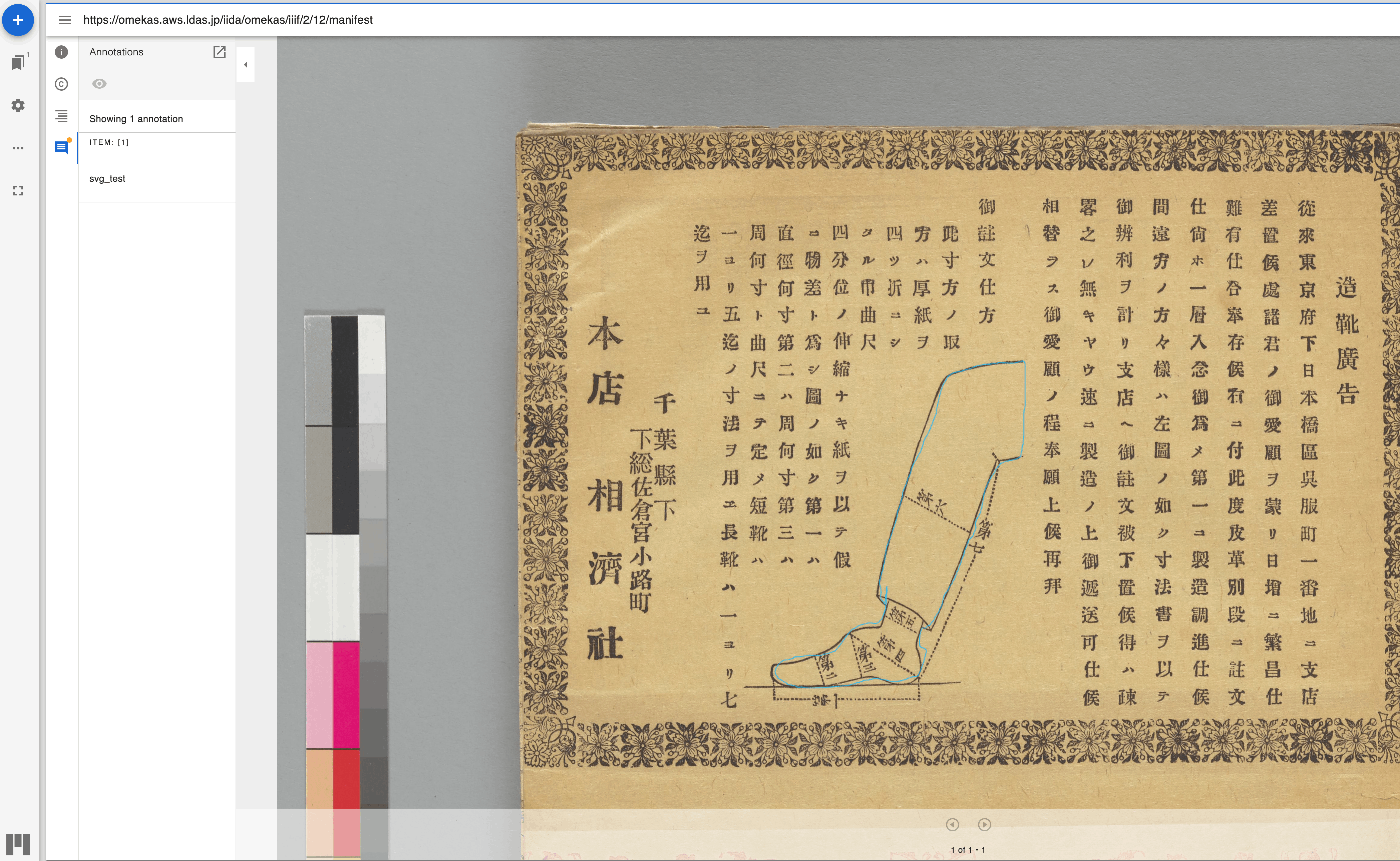
Overview For example, when delivering images via IIIF, performing the following conversion on CMYK color images using ImageMagick would sometimes result in inverted colors. convert source_image.tif -alpha off -define tiff:tile-geometry=256x256 -compress jpeg 'ptif:output_image.tif' Original image (Using an image published on Nuno LAB..) Display example in Image Annotator (created by Masahide Kanzaki) This is not a problem with image servers such as Cantaloupe Image Server or IIPImage, nor with viewers like Image Annotator, Mirador, or Universal Viewer. Rather, the issue lies in the generated tiled TIFF images. ...

Prototyping Digital Archive Tools: Mainly IIIF Usage Support

Prototyping Digital Archive Tools: Mainly IIIF Usage Support

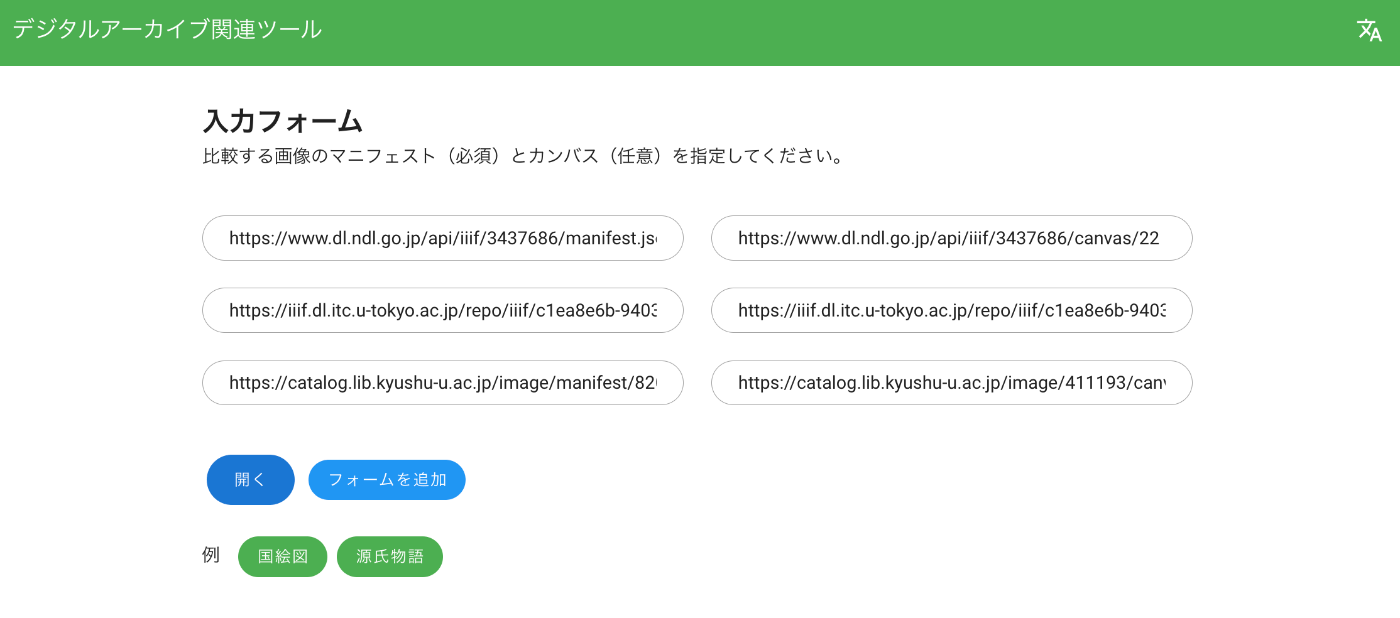
Overview I created “Digital Archive Tools.” It mainly provides support features for using IIIF (International Image Interoperability Framework). https://nakamura196.github.io/viewer/ Feature 1: Image Comparison with Mirador 3 https://nakamura196.github.io/viewer/input You specify the URLs of the manifest files and the canvas IDs you want to compare, as shown below. As a result, you can compare images as follows. Feature 2: Page Number Specification Tool ! This only supports IIIF Presentation API Version 2. ...

Workaround When Presentation API v2 Manifests Cannot Be Displayed in Mirador 3

Workaround When Presentation API v2 Manifests Cannot Be Displayed in Mirador 3

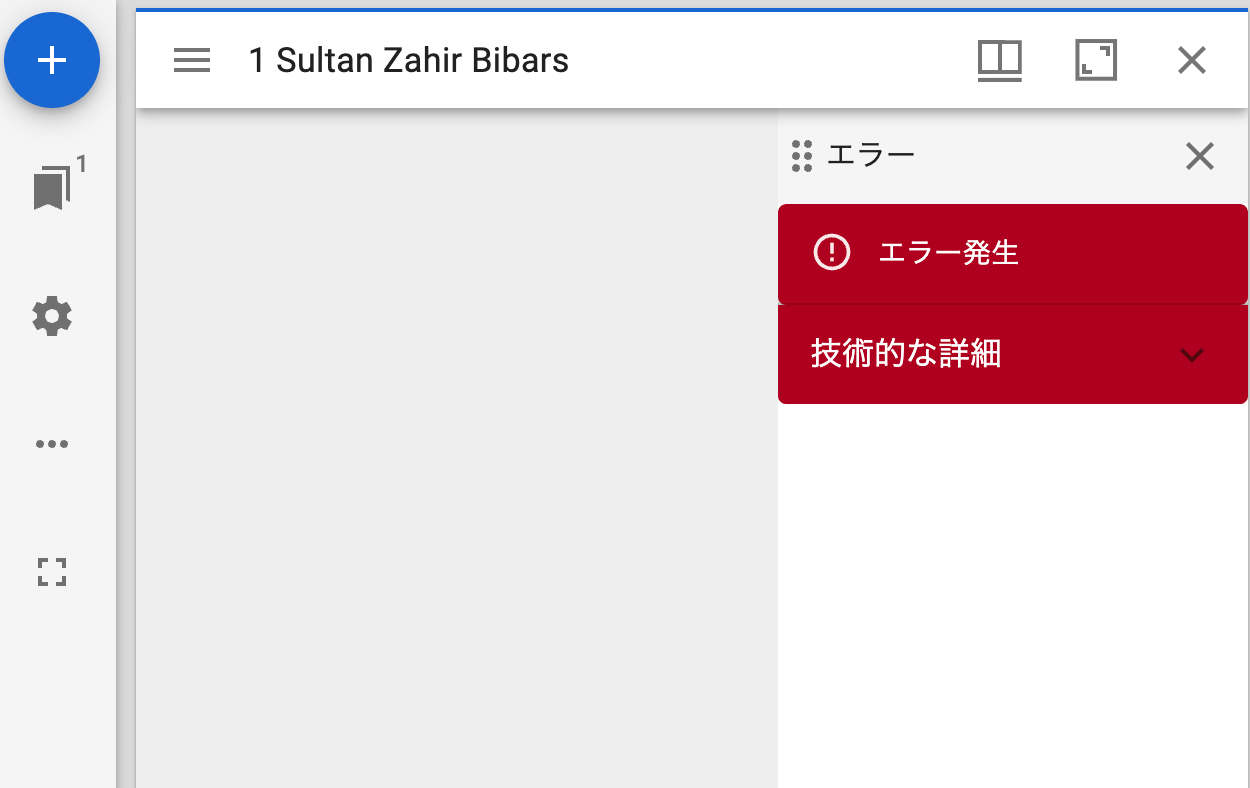
Overview When loading a Presentation API v2 manifest file like the following into Mirador 3, a display error occurred. https://gist.githubusercontent.com/nakamura196/42fb6bca6a9fa137234c334cb313fc58/raw/4188ebccb7406ff5132331a4fecc4ace8bdd7ebc/ng.json Below is the display in Mirador 3. I investigated the cause and workaround, and am sharing the findings here. Cause The following error message was displayed. Despite providing IIIF v2 input, it appeared to be interpreted as v3. Error: A IIIF v3 localized property value must have an array as the value for a given language. at PropertyValue.ts:126:20 at Array.map (<anonymous>) at t.parse (PropertyValue.ts:123:29) at t.getLabel (ManifestResource.ts:35:28) at canvases.js:162:12 at index.js:67:25 at h (defaultMemoize.js:123:20) at index.js:81:40 at h (defaultMemoize.js:123:20) at Function.mapToProps (OpenSeadragonViewer.js:39:12) This appeared to occur when the canvas label was written in object format, as shown below: ...

Updating the IIIF Viewers Module for Omeka S

Updating the IIIF Viewers Module for Omeka S

Overview IIIF Viewers is one of the modules for Omeka S. https://github.com/omeka-j/Omeka-S-module-IiifViewers The latest release is available here: https://github.com/omeka-j/Omeka-S-module-IiifViewers/releases/latest I made several updates this time, so this is a memorandum. Universal Viewer Version Update I updated Universal Viewer to v4.0.25. Additionally, I documented how to update Universal Viewer in the following section of README.md: https://github.com/omeka-j/Omeka-S-module-IiifViewers?tab=readme-ov-file#compilation-of-universal-viewer This was based on the documentation in the following module: https://github.com/Daniel-KM/Omeka-S-module-UniversalViewer I also documented how to update Mirador, but since the latest version was already installed, no update was performed. ...

Created a Simple TEI/XML File Viewer Using Next.js

Created a Simple TEI/XML File Viewer Using Next.js

Overview I created a simple viewer that displays the contents of TEI/XML files. https://github.com/utda/tei-viewer Here is a display example targeting TEI/XML of the Koui Genji Monogatari: https://utda.github.io/tei-viewer/?u=https://kouigenjimonogatari.github.io/tei/01.xml&v=true Usage As a minimum feature, when a IIIF manifest file is associated, the Mirador viewer is displayed. The association method is based on the following format: https://github.com/TEI-EAJ/jp_guidelines/wiki/IIIF画像とのリンク Additionally, when the n attribute is given to the pb tag, a page number display feature is provided. Furthermore, for Japanese language support, when v=true is given as a query parameter, vertical text is displayed. ...

An Example of Specifying Image Frames in Universal Viewer

An Example of Specifying Image Frames in Universal Viewer

In recent years, it has become common for museums, libraries, and archives to publish images using the International Image Interoperability Framework (IIIF), an international framework for image sharing. https://iiif.io/ For publishing IIIF images, viewers such as Mirador and Universal Viewer are used. https://projectmirador.org/ https://universalviewer.io/ In digital archive systems that adopt the latter Universal Viewer, you can often obtain a URL specifying a particular frame by appending “#?cv={image frame index}”. Note that the index starts from 0, so to specify the 2nd frame, you would use 1. ...

How to Access S3 Buckets and Enable SSL Communication Using Docker-based Cantaloupe

How to Access S3 Buckets and Enable SSL Communication Using Docker-based Cantaloupe

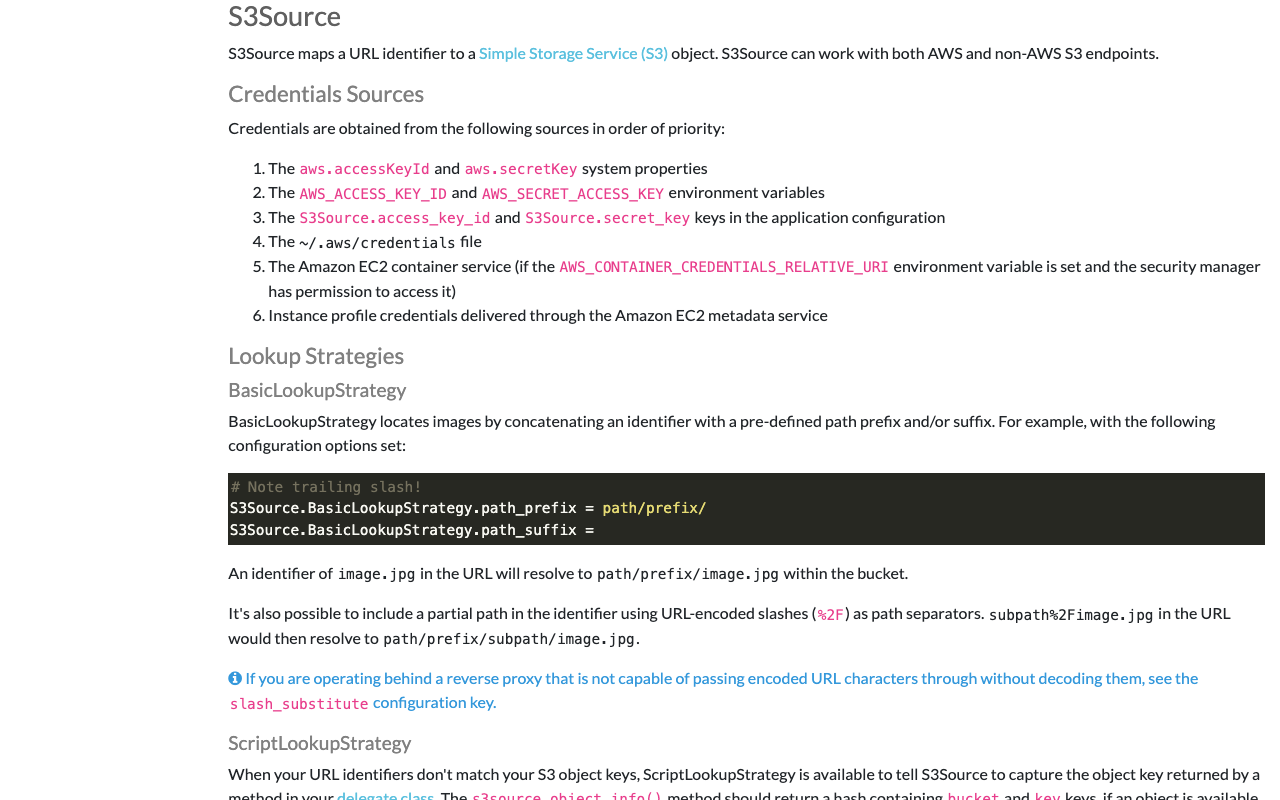
Overview I introduced how to use the Docker version of Cantaloupe in the following article. To use this Docker-based Cantaloupe in a (non-large-scale) production environment, connection to Amazon S3 and SSL support are required. Here is an example of how to do this. Connecting to Amazon S3 The official documentation is available at: https://cantaloupe-project.github.io/manual/5.0/sources.html#S3Source The following Japanese article is also available: For the Docker version covered here, information was found at: ...

Trying the Docker Version of Cantaloupe

Trying the Docker Version of Cantaloupe

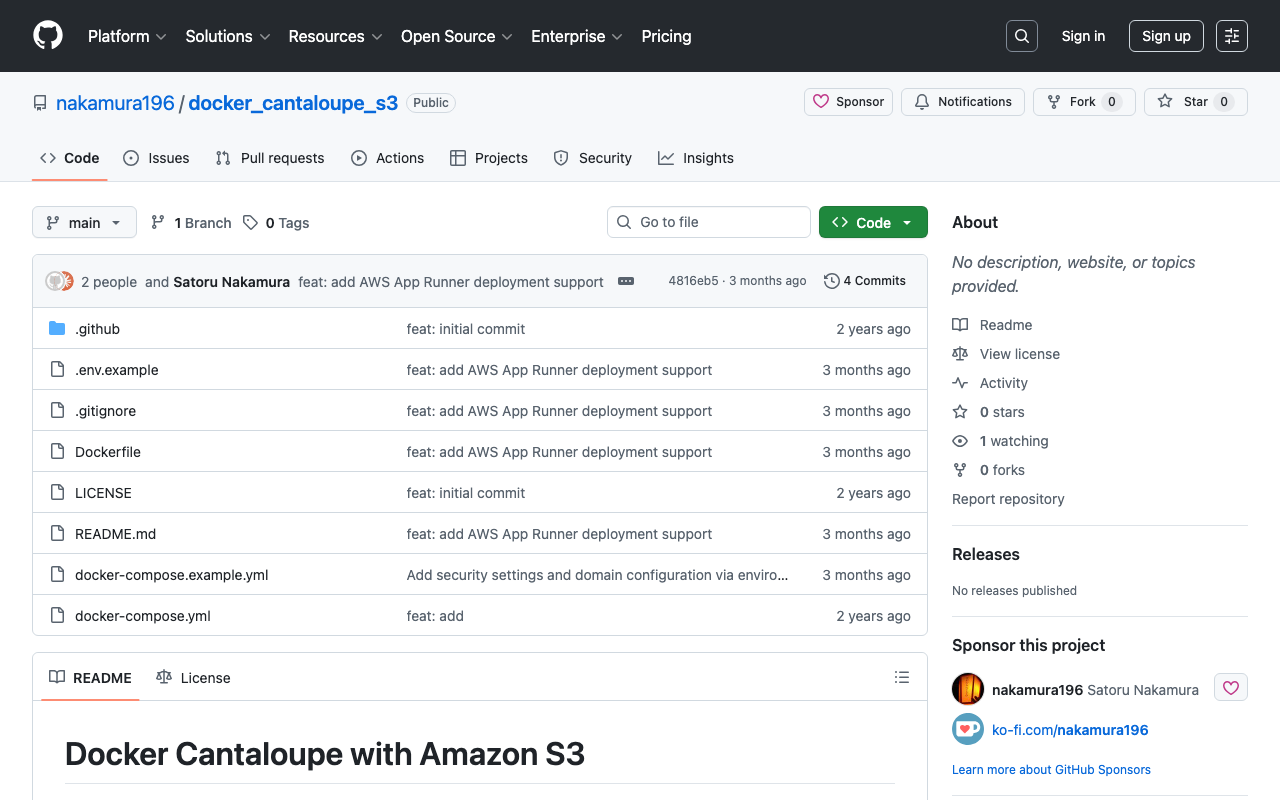
Overview While trying the Docker version of TEI Publisher, I found that a Docker version of Cantaloupe was being used, so I created a repository for using it standalone. https://github.com/nakamura196/docker_cantaloupe Usage instructions are provided in the README of the above repository. The following Docker image is used. https://hub.docker.com/r/islandora/cantaloupe Reference: Images That Can Be Served by Cantaloupe This is explained on the following page. https://cantaloupe-project.github.io/manual/5.0/images.html For high-resolution images, JPEG2000 or Pyramidal Tiled TIFF is recommended. ...

Georeferencing with Allmaps

Georeferencing with Allmaps

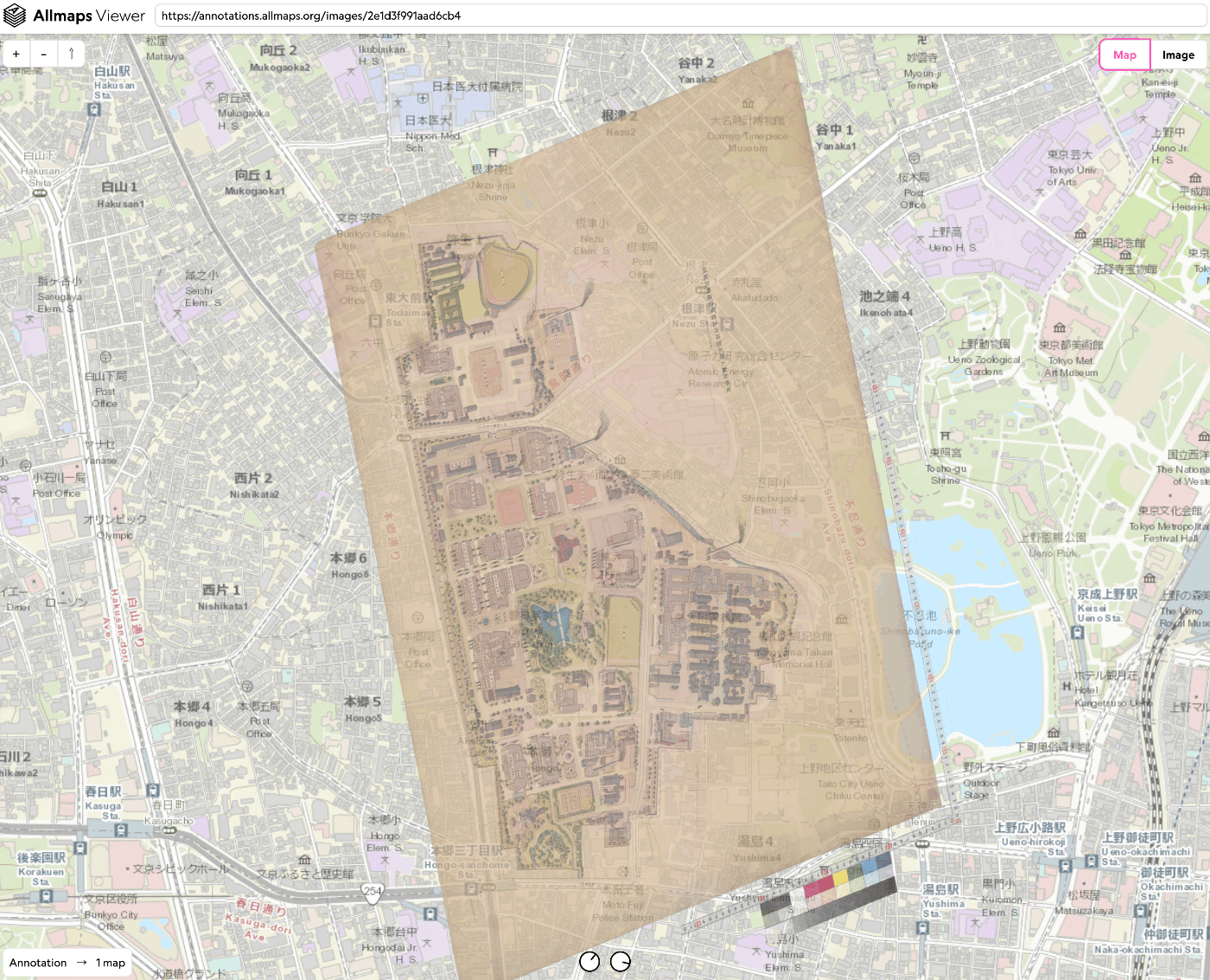
Overview This time, we try georeferencing using Allmaps. https://allmaps.org/ Allmaps is described as follows. Allmaps makes it easier and more inspiring to curate, georeference and explore collections of digitized maps. This time, we use the “Bird’s-eye View of the University of Tokyo Main Campus and Faculty of Agriculture Buildings” held by the University of Tokyo Library for Agriculture and Life Sciences. https://da.dl.itc.u-tokyo.ac.jp/portal/assets/187cc82d-11e6-9912-9dd4-b4cca9b10970 We create the following result. https://viewer.allmaps.org/?url=https%3A%2F%2Fannotations.allmaps.org%2Fimages%2F2e1d3f991aad6cb4 ...

Example of Creating a Page Using Universal Viewer v4

Example of Creating a Page Using Universal Viewer v4

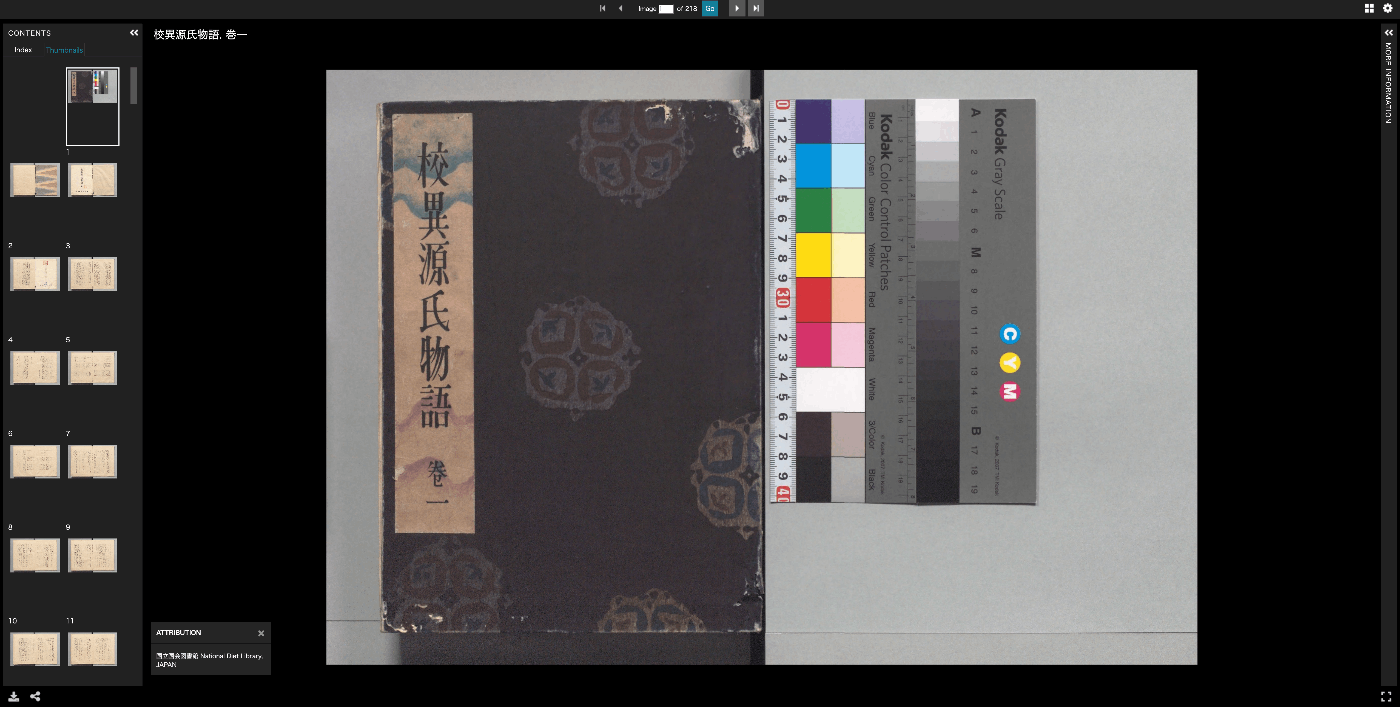
Overview I created a page where Universal Viewer is displayed across the entire page, as shown below, so this is a memo of the process. Universal Viewer v4 is used. https://nuxt3-demo-nine.vercel.app/uv/?manifest=https://dl.ndl.go.jp/api/iiif/3437686/manifest.json Source Code Please refer to the following source code. https://github.com/nakamura196/nuxt3-demo/blob/main/public/uv/index.html Referring to the following page: https://github.com/UniversalViewer/universalviewer/wiki/UV-Examples and the following sample, the viewer size is adjusted to change according to page resizing. https://codesandbox.io/s/uv-url-adapter-example-9d6x8 It also includes code to receive a manifest query parameter. ...

Cantaloupe: Running as a Service

Cantaloupe: Running as a Service

Overview The Cantaloupe Image Server can be run with the following command. java -Dcantaloupe.config=cantaloupe.properties -Xmx2g -jar cantaloupe-5.0.5.jar However, with this method, the Cantaloupe server stops when the SSH connection is lost, for example. Here I introduce how to run it as a service. Method Create a service file: Create a service file (e.g., cantaloupe.service) in the /etc/systemd/system/ directory with sudo privileges. [Unit] Description=Cantaloupe Image Server [Service] User=ubuntu # Please modify the following paths as appropriate WorkingDirectory=/home/ubuntu/cantaloupe-5.0.5 ExecStart=/usr/bin/java -Dcantaloupe.config=cantaloupe.properties -Xmx2g -jar cantaloupe-5.0.5.jar SuccessExitStatus=143 [Install] WantedBy=multi-user.target In this file, the Java command to execute is specified in ExecStart. Also, User and WorkingDirectory need to be set appropriately. ...

Cantaloupe: Serving Images Stored in Amazon S3

Cantaloupe: Serving Images Stored in Amazon S3

Overview This is a note on how to serve images stored in Amazon S3 using Cantaloupe Image Server, one of the IIIF image servers. As an alternative method for serving images stored in Amazon S3, I also introduced an approach in the following article. (The tools may have been updated since the article was written, so the instructions may not work exactly as described.) Configuration The official manual is available at the following link. ...

Created a Python Library to Convert Freehand Annotations to Rectangles

Created a Python Library to Convert Freehand Annotations to Rectangles

Created a Python Library to Convert Freehand Annotations to Rectangles Taking freehand annotations created as shown below as input, they are converted to rectangular annotations as follows. The “Tanaka Yoshio Hakubutsugaku Collection” (held by the University of Tokyo General Library) is used. For specific usage instructions, please refer to the following notebook. https://github.com/nakamura196/000_tools/blob/main/フリーハンドのアノテーションを矩形にconversionする.ipynb I hope this serves as a useful reference for utilizing IIIF annotations.

Trying the IIIF Content State API

Trying the IIIF Content State API

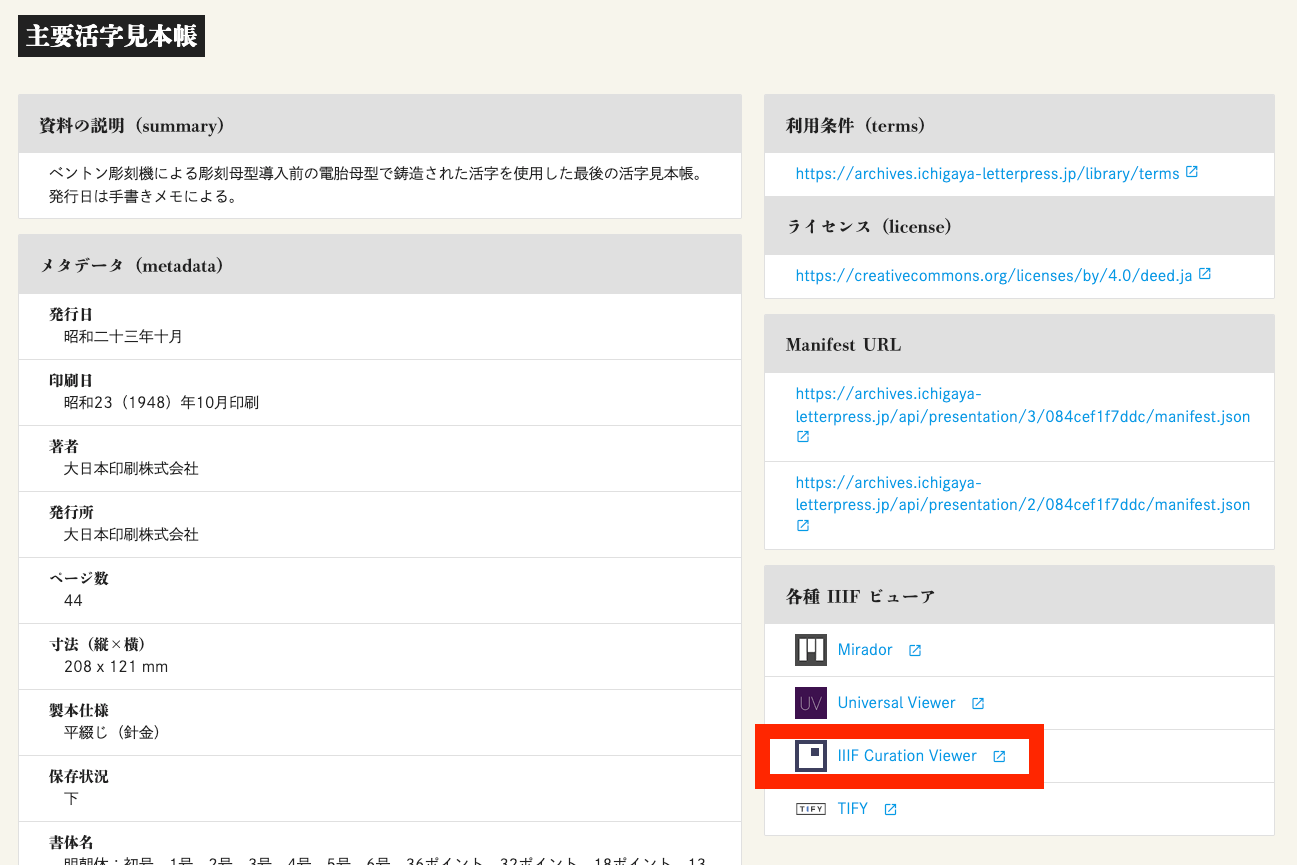
Overview I had the opportunity to try the IIIF Content State API, so this is a memo of the process. https://iiif.io/api/content-state/1.0/ The IIIF Content State API is described in Current Awareness-R as follows: “The IIIF Content State API” can generate links that specify in detail how an object should be displayed, including rotation angle and display position on the page image. https://current.ndl.go.jp/car/45832 Trying It Out The “Shueitai / Letterpress Printing Digital Library” provides the IIIF Content State API. ...

Trying Cantaloupe Access Control

Trying Cantaloupe Access Control

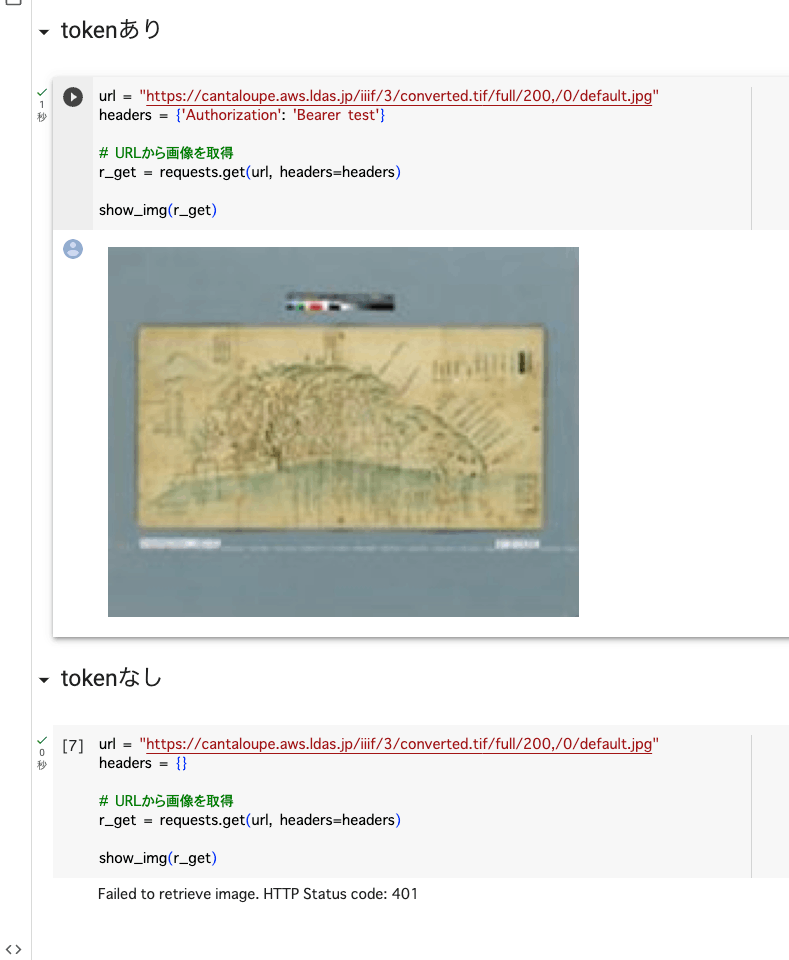
Overview This is a memo about trying Cantaloupe’s Access Control. https://cantaloupe-project.github.io/manual/5.0/access-control.html Bearer Authentication I referenced the following. https://cantaloupe-project.github.io/manual/5.0/access-control.html#Tiered Access All or Nothing Access This returns an error when the authentication information is incorrect. I configured it so that images are returned when the token is test, as shown below. def authorize(options = {}) header = context['request_headers'] .select{ |name, value| name.downcase == 'authorization' } .values.first if header&.start_with?('Bearer ') token = header[7..header.length - 1] if token == "test" return true end end return { 'status_code' => 401, 'challenge' => 'Bearer charset="UTF-8"' } end I created a Google Colab notebook to verify the above behavior. ...

Adding Values to info.json in Cantaloupe

Adding Values to info.json in Cantaloupe

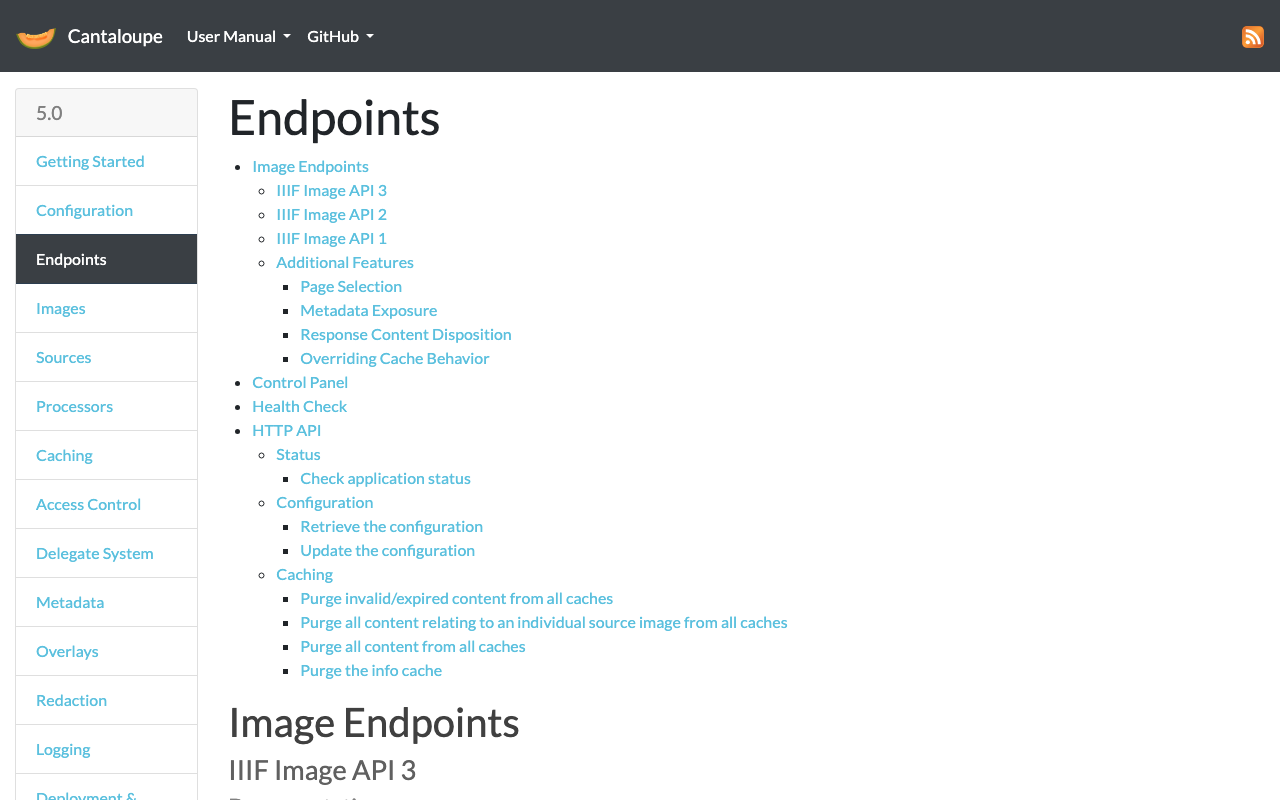
Overview Referring to the following, I tried adding values to the info.json returned by Cantaloupe. https://cantaloupe-project.github.io/manual/5.0/endpoints.html Method Referring to the page above, I modified extra_iiif3_information_response_keys as follows. def extra_iiif3_information_response_keys(options = {}) { 'rights' => 'http://example.org/license.html', 'service' => [ { '@id': 'https://example.org/auth/login', '@type': 'AuthCookieService1', 'profile': 'http://iiif.io/api/auth/1/login', 'label': 'Log In' } ], 'exif' => context.dig('metadata', 'exif'), 'iptc' => context.dig('metadata', 'iptc'), 'xmp' => context.dig('metadata', 'xmp_string') } end As a result, I was able to obtain the following info.json. { "@context": "http://iiif.io/api/image/3/context.json", "id": "https://cantaloupe.aws.ldas.jp/iiif/3/converted.tif", ... "rights": "http://example.org/license.html", "service": [ { "@id": "https://example.org/auth/login", "@type": "AuthCookieService1", "profile": "http://iiif.io/api/auth/1/login", "label": "Log In" } ], "exif": { "tagSet": "Baseline TIFF", "fields": { "ImageWidth": 13300, "ImageLength": 10400, "BitsPerSample": 8, "Compression": 7, "PhotometricInterpretation": 6, ... This can likely be used in combination with license display and the IIIF Auth API. ...

Trying Cantaloupe Overlays

Trying Cantaloupe Overlays

Overview Let’s try the overlay feature provided by Cantaloupe. https://cantaloupe-project.github.io/manual/5.0/overlays.html BasicStrategy With BasicStrategy, overlays are applied based on the settings in cantaloupe.properties. As shown below, you can overlay an image on another image. I used the following image from Irasutoya. https://www.irasutoya.com/2020/12/blog-post_279.html Since I set position to bottom right in the configuration file described below, the specified image appeared in the bottom right as shown below. I modified overlays.BasicStrategy.enabled and overlays.BasicStrategy.image in cantaloupe.properties. ...

Enabling the Cantaloupe Admin Panel

Enabling the Cantaloupe Admin Panel

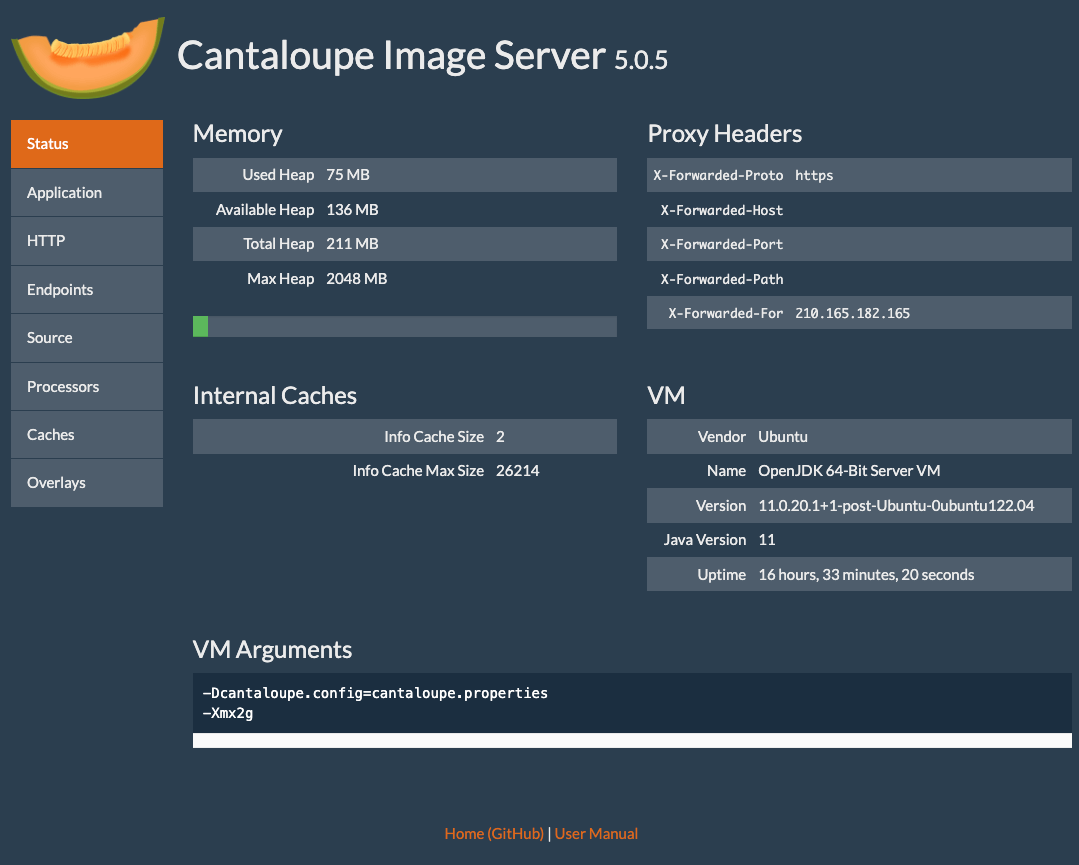
Overview Here is how to enable the admin panel for Cantaloupe. I was able to view server information as shown below. Configuration Edit the following section in cantaloupe.properties. # Enables the Control Panel, at /admin. endpoint.admin.enabled = true # false endpoint.admin.username = admin endpoint.admin.secret = <パスワード> As a result, if you access a URL like the following and the Basic authentication screen appears, the setup is complete. https://cantaloupe.aws.ldas.jp/admin Summary I hope this serves as a useful reference when using Cantaloupe. ...

Enabling HTTPS for Cantaloupe on EC2

Enabling HTTPS for Cantaloupe on EC2

Introduction In the following article, I described how to set up Cantaloupe on EC2. This time, I will configure a custom domain and enable HTTPS. Custom Domain Configuration This time, I will assign the domain cantaloupe.aws.ldas.jp to 54.172.71.20. When using Route 53, it can be configured as follows. Obtaining an SSL Certificate sudo su apt install certbot certbot certonly --standalone -d cantaloupe.aws.ldas.jp root@ip-172-31-62-61:/home/ubuntu# certbot certonly --standalone -d cantaloupe.aws.ldas.jp Saving debug log to /var/log/letsencrypt/letsencrypt.log Enter email address (used for urgent renewal and security notices) (Enter 'c' to cancel): xxx@gmail.com - - - - - - - - - - - - - - - - - - - - - - - - - - - - - - - - - - - - - - - - Please read the Terms of Service at https://letsencrypt.org/documents/LE-SA-v1.3-September-21-2022.pdf. You must agree in order to register with the ACME server. Do you agree? - - - - - - - - - - - - - - - - - - - - - - - - - - - - - - - - - - - - - - - - (Y)es/(N)o: Y - - - - - - - - - - - - - - - - - - - - - - - - - - - - - - - - - - - - - - - - Would you be willing, once your first certificate is successfully issued, to share your email address with the Electronic Frontier Foundation, a founding partner of the Let's Encrypt project and the non-profit organization that develops Certbot? We'd like to send you email about our work encrypting the web, EFF news, campaigns, and ways to support digital freedom. - - - - - - - - - - - - - - - - - - - - - - - - - - - - - - - - - - - - - - - - (Y)es/(N)o: Y Account registered. Requesting a certificate for cantaloupe.aws.ldas.jp Successfully received certificate. Certificate is saved at: /etc/letsencrypt/live/cantaloupe.aws.ldas.jp/fullchain.pem Key is saved at: /etc/letsencrypt/live/cantaloupe.aws.ldas.jp/privkey.pem This certificate expires on 2023-12-19. These files will be updated when the certificate renews. Certbot has set up a scheduled task to automatically renew this certificate in the background. - - - - - - - - - - - - - - - - - - - - - - - - - - - - - - - - - - - - - - - - If you like Certbot, please consider supporting our work by: * Donating to ISRG / Let's Encrypt: https://letsencrypt.org/donate * Donating to EFF: https://eff.org/donate-le - - - - - - - - - - - - - - - - - - - - - - - - - - - - - - - - - - - - - - - - Web Server Configuration: Installing Nginx apt install nginx vi /etc/nginx/sites-available/cantaloupe.aws.ldas.jp Configuration: ...

Created Notebooks Using NDLOCR and NDL Classical Japanese OCR ver.2

Created Notebooks Using NDLOCR and NDL Classical Japanese OCR ver.2

Notice 2026-02-24 ! The notebooks provided on this page will no longer be updated. For NDLOCR, “NDLOCR-Lite” has been released as a desktop application and command-line tool for easy use. Please use this going forward. https://github.com/ndl-lab/ndlocr-lite 2025-04-02 There is currently a bug. Please refrain from using it until the fix is complete. The bug has been fixed. 2025-03-21 For NDL Classical Japanese OCR, “NDL Classical Japanese OCR-Lite” has been released as a desktop application for easy use. Please use this going forward. ...