Home Articles Books Search About
日本語
Cases Where ImageMagick May Not Work Properly for Creating Pyramidal TIFFs?

Cases Where ImageMagick May Not Work Properly for Creating Pyramidal TIFFs?

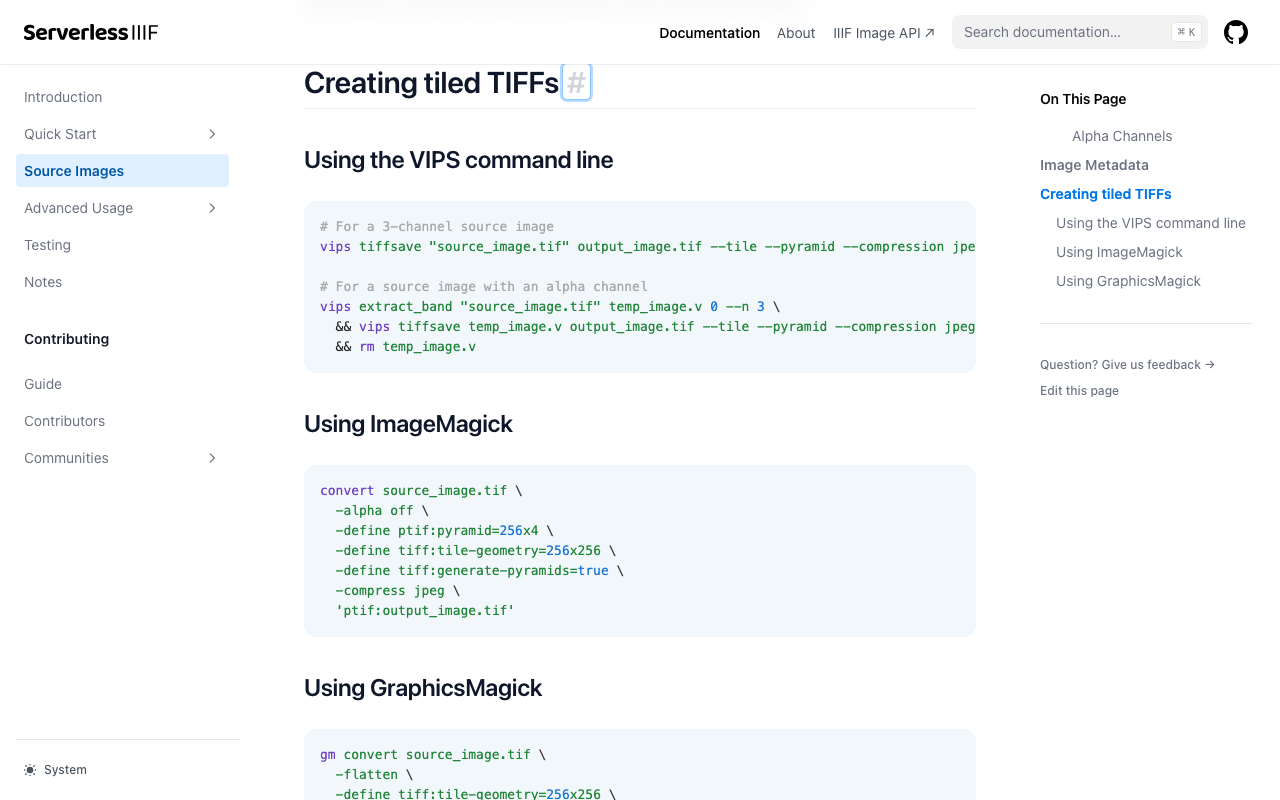
Overview I investigated cases where ImageMagick does not work properly when creating pyramidal TIFFs for IIIF image delivery. References Conversion methods are explained on pages like the following. https://samvera.github.io/serverless-iiif/docs/source-images#creating-tiled-tiffs Using the VIPS command line # For a 3-channel source image vips tiffsave source_image.tif output_image.tif --tile --pyramid --compression jpeg --tile-width 256 --tile-height 256 # For a source image with an alpha channel vips extract_band source_image.tif temp_image.v 0 --n 3 \ && vips tiffsave temp_image.v output_image.tif --tile --pyramid --compression jpeg --tile-width 256 --tile-height 256 \ && rm temp_image.v Using ImageMagick convert source_image.tif -alpha off \ -define tiff:tile-geometry=256x256 \ -define tiff:generate-pyramids=true \ -compress jpeg \ 'ptif:output_image.tif' Target Data The following image was used. ...
Serving IIIF Images Using mdx.jp Object Storage and IIP Image (IIIF Image Server)

Serving IIIF Images Using mdx.jp Object Storage and IIP Image (IIIF Image Server)

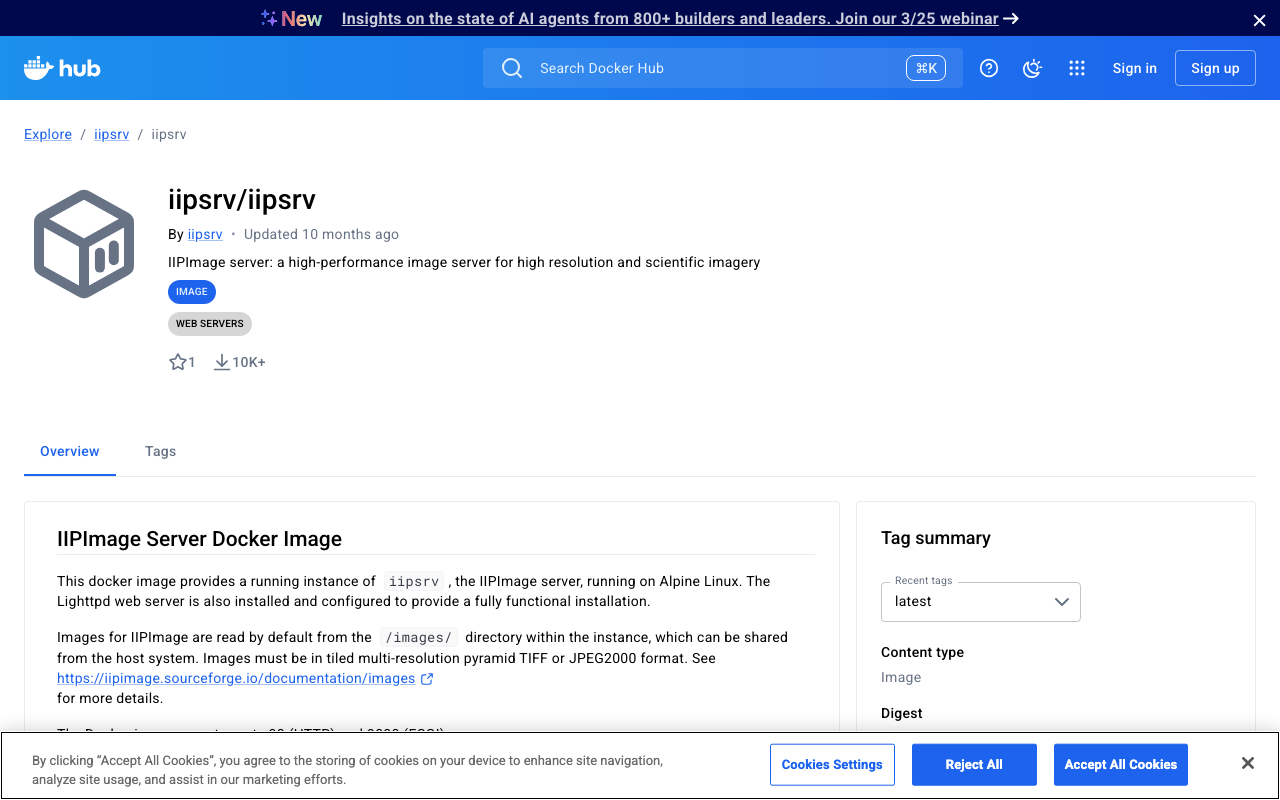
Overview This is a note on my experiment with serving IIIF images using mdx.jp object storage and IIP Image (IIIF Image Server). This is a continuation of the following article. Docker Version of IIP Image A Docker image for the IIPImage server is available at the following link, so I will use that. https://hub.docker.com/r/iipsrv/iipsrv Refer to the following article and others for installing Docker. https://qiita.com/Marron-chan/items/570c7c7baaae3b4d6b11 Execution Following the previous article, mount the mdx.jp object storage as follows. ...

How to Mount mdx.jp Object Storage as a File System Using s3fs

How to Mount mdx.jp Object Storage as a File System Using s3fs

Overview I had the opportunity to mount mdx.jp object storage as a file system using s3fs, so this is a memo of the process. 1. Prerequisites This guide targets Ubuntu. Installing s3fs sudo apt update sudo apt install s3fs Setting up authentication credentials Save the access key and secret key for mdx.jp object storage to ~/.passwd-s3fs. echo “ACCESS_KEY:SECRET_KEY” > ~/.passwd-s3fs chmod 600 ~/.passwd-s3fs # Change permissions for security 2. Mount S3 Storage Locally Create a mount point ...

Enabled Email-Based Registration in the Mirador 3 Firebase-Linked Annotations Plugin

Enabled Email-Based Registration in the Mirador 3 Firebase-Linked Annotations Plugin

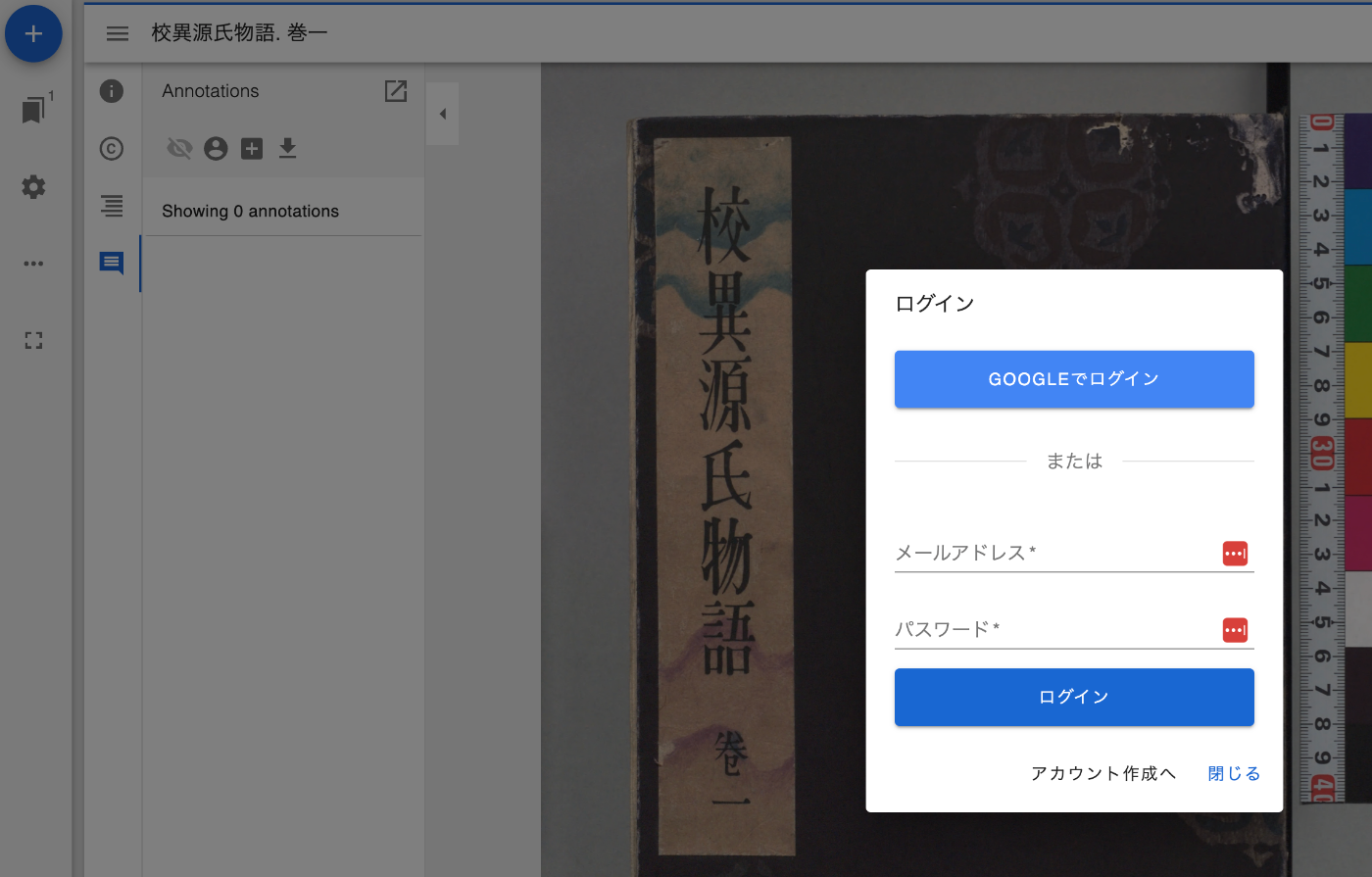
Overview I have been developing a Firebase-linked annotations plugin for Mirador 3. Previously, only Google account login functionality was provided, but I have now added email-based login functionality. Feature Introduction Below is the screen after pressing the login button. With email-based login, new account creation is possible. After login, user information is now displayed. Clicking the icon displays a logout button. Summary I hope this serves as a helpful reference for creating and sharing annotations using IIIF. ...

Creating TEI/XML from VTT Files

Creating TEI/XML from VTT Files

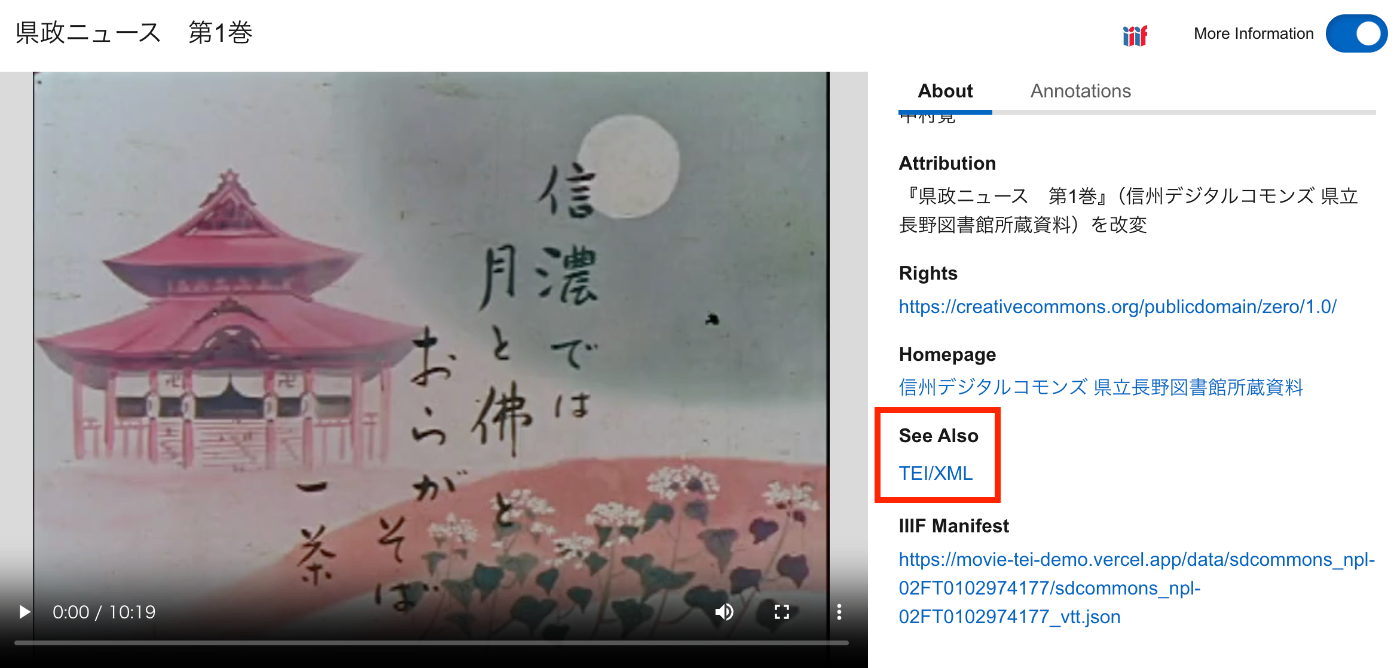
Overview This is a memorandum on how to create TEI/XML files from VTT files. Additionally, I will make it possible to access VTT files and TEI/XML files from an IIIF manifest. As a result, as shown below, the TEI/XML file is associated via SeeAlso, and the contents of the VTT file can be accessed from the “Annotations” tab. https://clover-iiif-demo.vercel.app/?manifest=https://movie-tei-demo.vercel.app/data/sdcommons_npl-02FT0102974177/sdcommons_npl-02FT0102974177_vtt.json References I referenced the following efforts from “The Ethiopian Language Archive.” The TEI/XML structuring method was particularly helpful. ...

Using clover-iiif with Next.js

Using clover-iiif with Next.js

Overview I created a sample repository for using clover-iiif with Next.js, so here are my notes. https://clover-iiif-demo.vercel.app/ Background clover-iiif is described as follows. https://github.com/samvera-labs/clover-iiif Extensible IIIF front-end toolkit and Manifest viewer. Accessible. Composable. Open Source. We will use this with Next.js. Data “Koui Genji Monogatari (held by the National Diet Library)” is used as sample data. https://dl.ndl.go.jp/pid/3437686 Repository It is published at the following link. https://github.com/nakamura196/clover-iiif-demo I referenced the following. ...

Downloading Annotations Created with the mirador-annotations Plugin in Mirador 3

Downloading Annotations Created with the mirador-annotations Plugin in Mirador 3

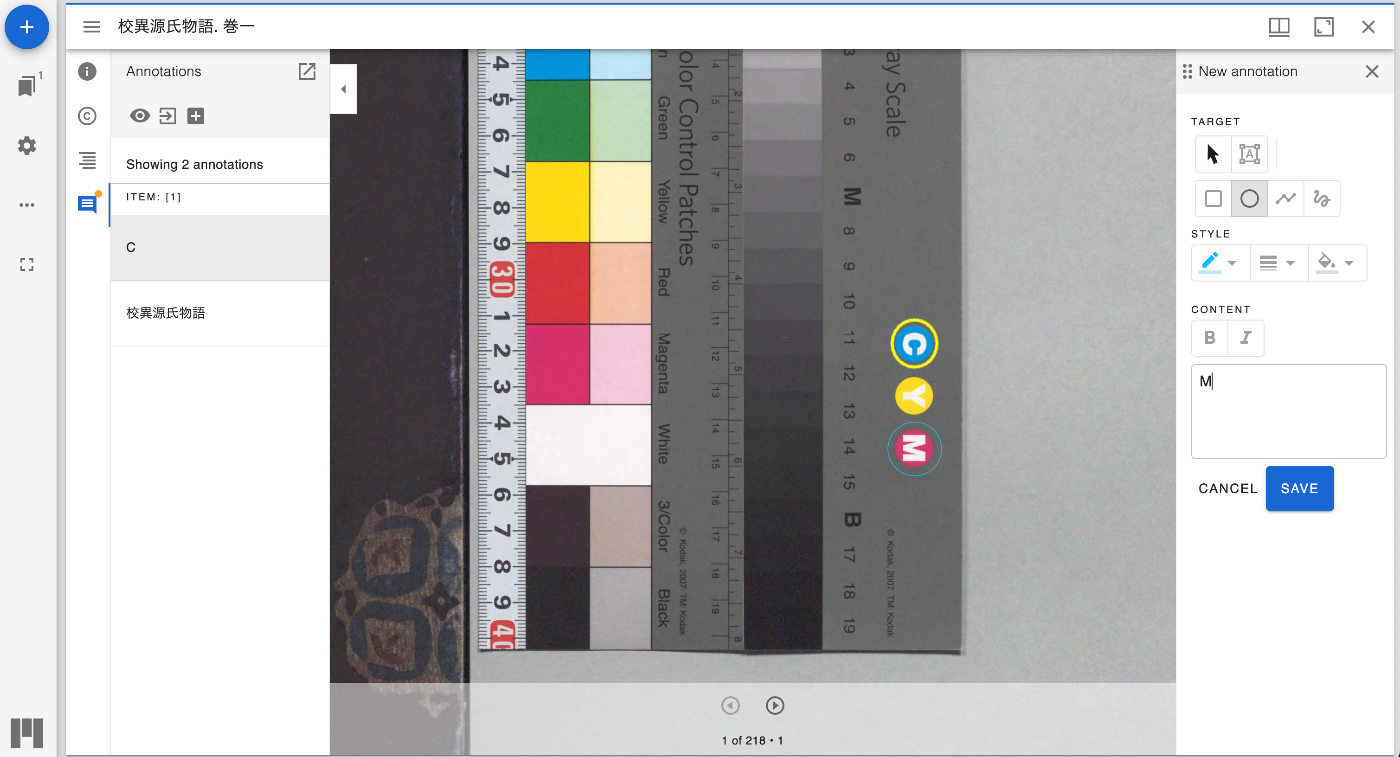
Overview This is a memo on the configuration for downloading annotations created with the mirador-annotations plugin in Mirador 3. https://mirador-annotations.vercel.app/ Background In the following article, I introduced how to register annotations with Google’s Firestore. To download the annotations registered there, the mirador-annotations plugin provides a download option, so I introduce that method here. Method The following is the source code of the demo page. By setting the exportLocalStorageAnnotations option to true, a download icon is displayed. ...

Developed a Firestore Adapter for the Mirador 3 mirador-annotations Plugin

Developed a Firestore Adapter for the Mirador 3 mirador-annotations Plugin

Overview I developed a Firestore adapter for the Mirador 3 mirador-annotations plugin, so this is a personal note. You can try it at the following link. https://mirador-annotations.vercel.app/ Background The Mirador 3 mirador-annotations plugin stores annotations in local storage by default. However, as introduced in the following article, you can save annotations to a different location by changing the adapter. So this time, I developed an adapter to save annotations to Google’s Firestore. ...

A Program to Create TEI/XML Files with OCR Results from IIIF Manifest Files

A Program to Create TEI/XML Files with OCR Results from IIIF Manifest Files

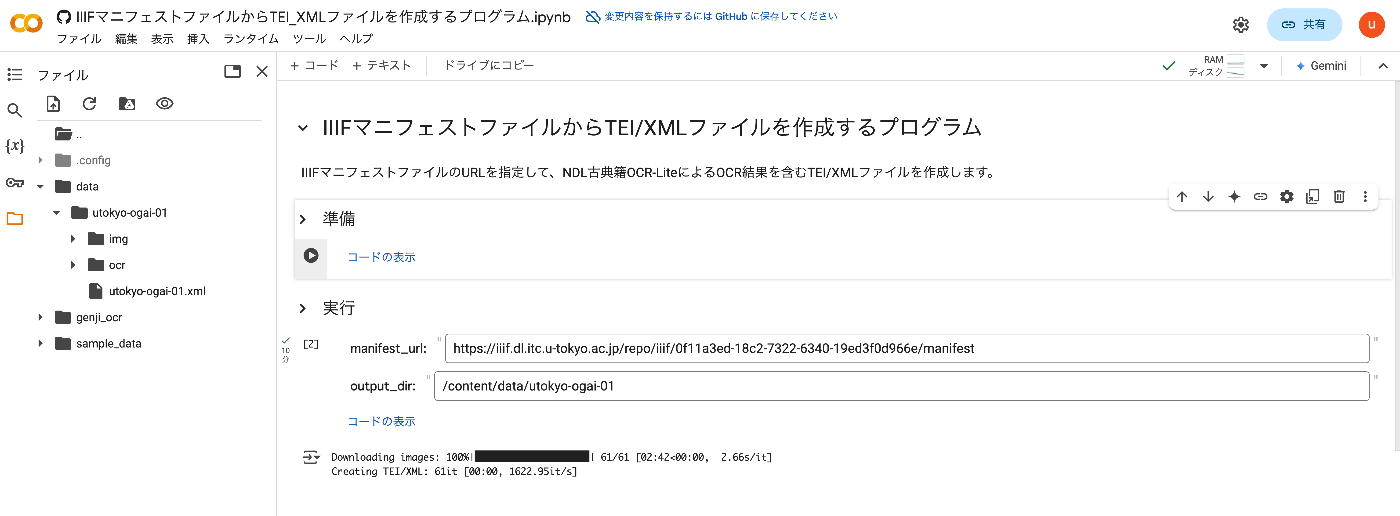
Overview I created a program to generate TEI/XML files containing OCR results from IIIF manifest files. This article explains how to use it. How It Works By specifying the URL of an IIIF manifest file, it creates a TEI/XML file containing OCR results from NDL Kotenseki OCR-Lite. https://github.com/ndl-lab/ndlkotenocr-lite Usage Access the following notebook: https://colab.research.google.com/github/nakamura196/000_tools/blob/main/IIIFマニフェストファイルからTEI_XMLファイルを作成するプログラム.ipynb Then press the first play button. Once complete, update the manifest_url and output_dir values in the “Execute” section and run the cell. ...

CORS Configuration for Omeka S Image Server

CORS Configuration for Omeka S Image Server

Overview This is a note on handling CORS configuration for the Omeka S Image Server. Background In the following article, I introduced how to address CORS errors with the Omeka S IIIF Server module. While the above configuration resolved the issue of downloading IIIF manifest files, there were cases where images could not be downloaded, as shown below. Access to image at 'https://xxx/iiif/2/8455/full/86,/0/default.jpg' from origin 'https://uv-v4.netlify.app' has been blocked by CORS policy: The 'Access-Control-Allow-Origin' header contains multiple values '*, *', but only one is allowed. This article describes how to address this issue. ...

Building a Digital Collection Using AppSheet

Building a Digital Collection Using AppSheet

Overview I prototyped a digital collection using AppSheet, so this is a memo of the process. Target Data The same data as in the following article is used. Specifically, “Bird’s-eye View of the University of Tokyo Main Campus and Faculty of Agriculture Buildings” (held by the University of Tokyo Agricultural and Life Sciences Library) is used as sample data. https://iiif.dl.itc.u-tokyo.ac.jp/repo/s/agriculture/document/187cc82d-11e6-9912-9dd4-b4cca9b10970 Output It can be accessed from the following URL. ...

How to Upload Media to Omeka S Using Python

How to Upload Media to Omeka S Using Python

Overview This is a personal note on how to upload media to Omeka S using Python. Preparation Prepare environment variables. OMEKA_S_BASE_URL=https://dev.omeka.org/omeka-s-sandbox # Example OMEKA_S_KEY_IDENTITY= OMEKA_S_KEY_CREDENTIAL= Initialize. import requests from dotenv import load_dotenv import os def __init__(self): load_dotenv(verbose=True, override=True) OMEKA_S_BASE_URL = os.environ.get("OMEKA_S_BASE_URL") self.omeka_s_base_url = OMEKA_S_BASE_URL self.items_url = f"{OMEKA_S_BASE_URL}/api/items" self.media_url = f"{OMEKA_S_BASE_URL}/api/media" self.params = { "key_identity": os.environ.get("OMEKA_S_KEY_IDENTITY"), "key_credential": os.environ.get("OMEKA_S_KEY_CREDENTIAL") } Uploading a Local File def upload_media(self, path, item_id): files = {} payload = {} file_data = { 'o:ingester': 'upload', 'file_index': '0', 'o:source': path.name, 'o:item': {'o:id': item_id} } payload.update(file_data) params = self.params files = [ ('data', (None, json.dumps(payload), 'application/json')), ('file[0]', (path.name, open(path, 'rb'), 'image')) ] media_response = requests.post( self.media_url, params=params, files=files ) # Check the response if media_response.status_code == 200: return media_response.json()["o:id"] else: return None Uploading a IIIF Image Specify a IIIF image URL like the following to register it. ...

Trying aleph-r3f

Trying aleph-r3f

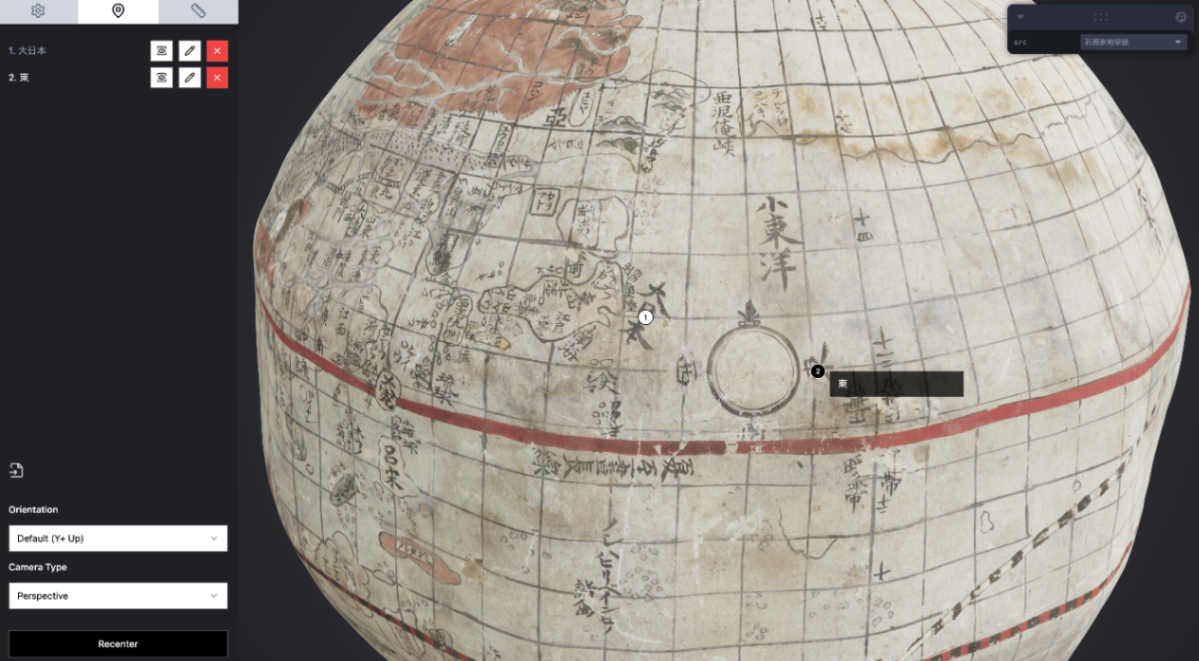
Overview In the following article, I introduced the Aleph 3D viewer. After further investigation, I also discovered the following repository. https://github.com/aleph-viewer/aleph-r3f It is described as follows, with the key difference being its use of react-three-fiber and shadcn/ui. Aleph is a 3D object viewer and annotation/measurement tool built with react-three-fiber and shadcn/ui The annotation features also appeared to be improved, as shown below. In this article as well, I use 3D data of the “Ishibuchi Family Globe” published in the Kikuchi City Digital Archive. ...

Trying the Aleph 3D Viewer

Trying the Aleph 3D Viewer

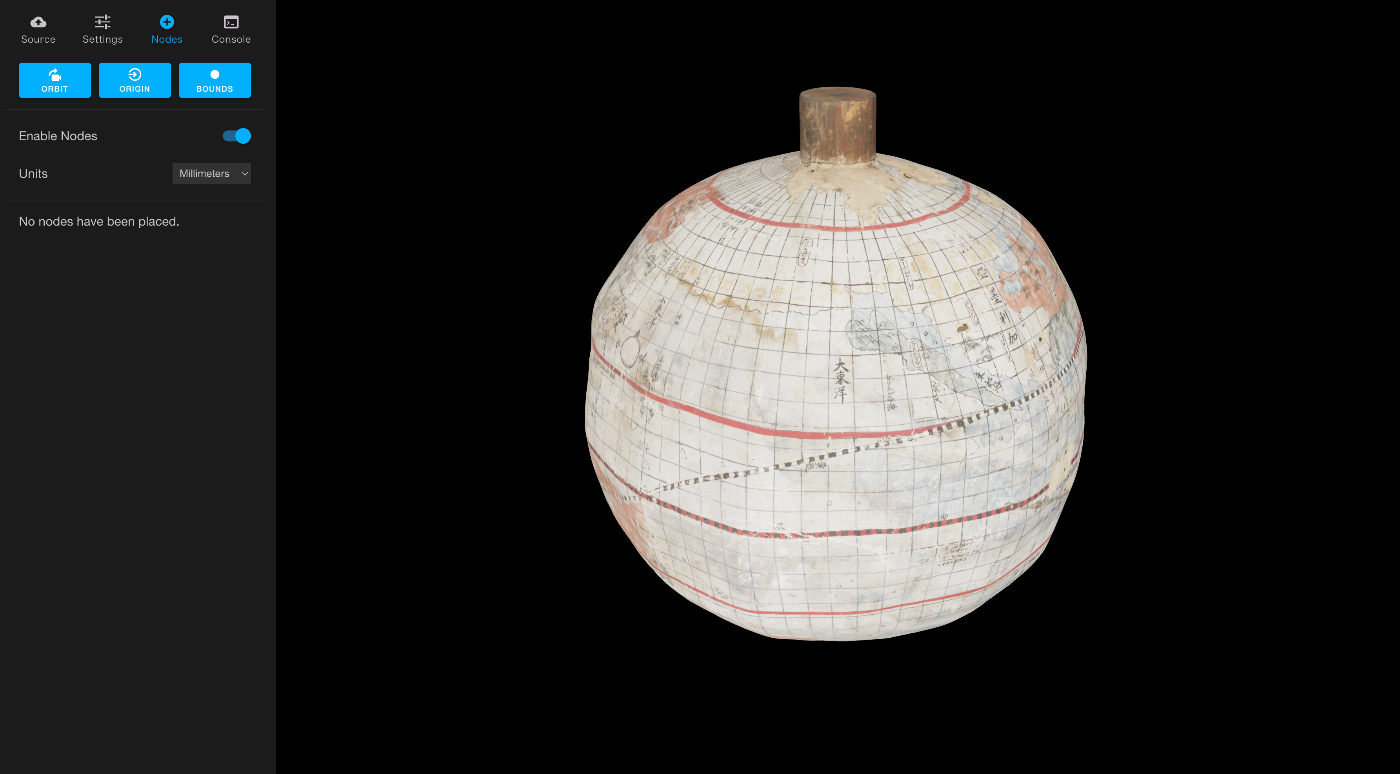
Overview This is a note about trying out Aleph, one of the 3D object viewers. https://github.com/aleph-viewer/aleph The 3D data of the “Ishibuchi Family Globe” published on the Kikuchi City Digital Archive is used. https://adeac.jp/kikuchi-city/catalog/e0001 Background While researching IIIF-compatible 3D viewers, I came across the following article. https://pro.europeana.eu/post/iiif-for-3d-making-web-interoperability-multi-dimensional Through this article, I learned about Aleph as one of the introduced viewers. Usage I forked the GitHub repository and deployed it to Vercel. ...

Cantaloupe: Serving Images Stored in Microsoft Azure Blob Storage

Cantaloupe: Serving Images Stored in Microsoft Azure Blob Storage

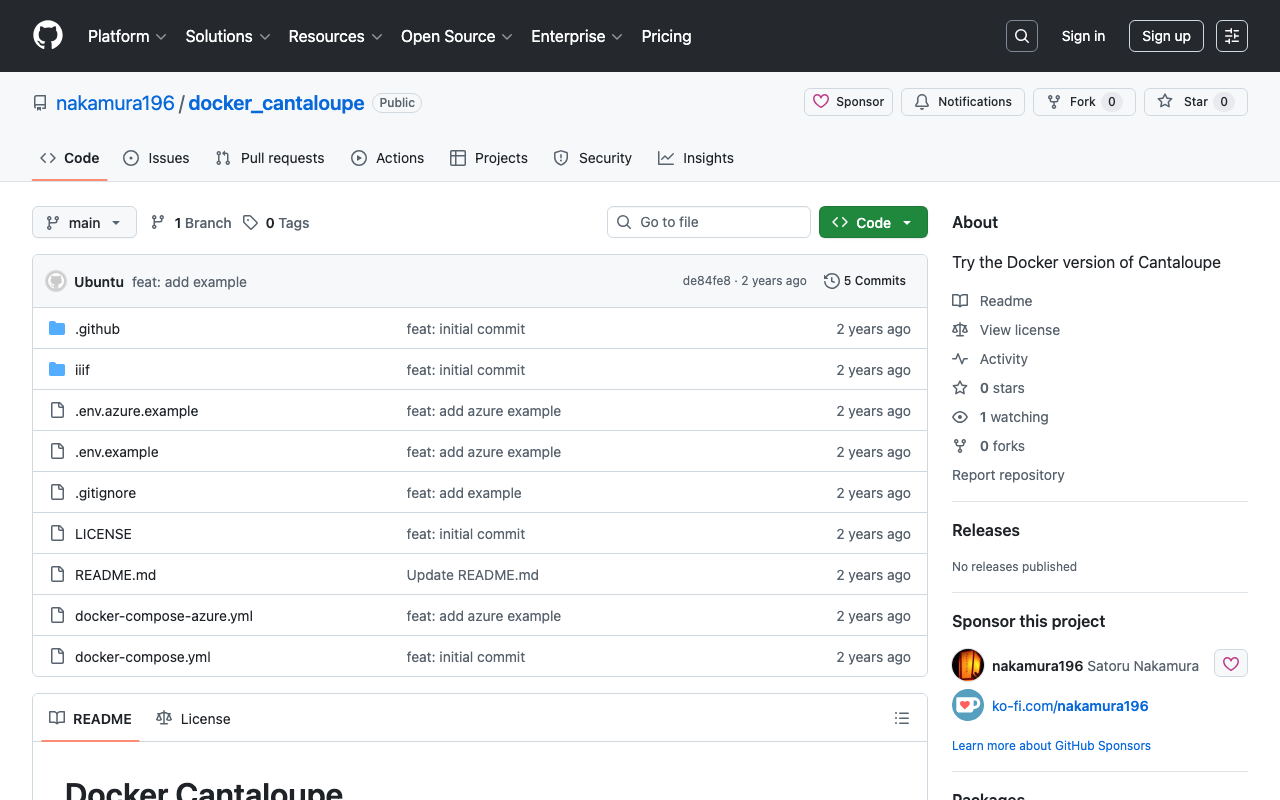
Overview This is a memo on how to serve images stored in Microsoft Azure Blob Storage using Cantaloupe Image Server, one of the IIIF image servers. This is the Microsoft Azure Blob Storage version of the following article. Method This time we will use the Docker version. Please clone the following repository. https://github.com/nakamura196/docker_cantaloupe In particular, rename .env.azure.example to .env and set the environment variables. # For Microsoft Azure Blob Storage CANTALOUPE_AZURESTORAGESOURCE_ACCOUNT_NAME= CANTALOUPE_AZURESTORAGESOURCE_ACCOUNT_KEY= CANTALOUPE_AZURESTORAGESOURCE_CONTAINER_NAME= # For Traefik CANTALOUPE_HOST= LETS_ENCRYPT_EMAIL= The last two settings also include HTTPS configuration using Traefik. ...

Specifying Viewing Direction in the Omeka S IIIF Server Module

Specifying Viewing Direction in the Omeka S IIIF Server Module

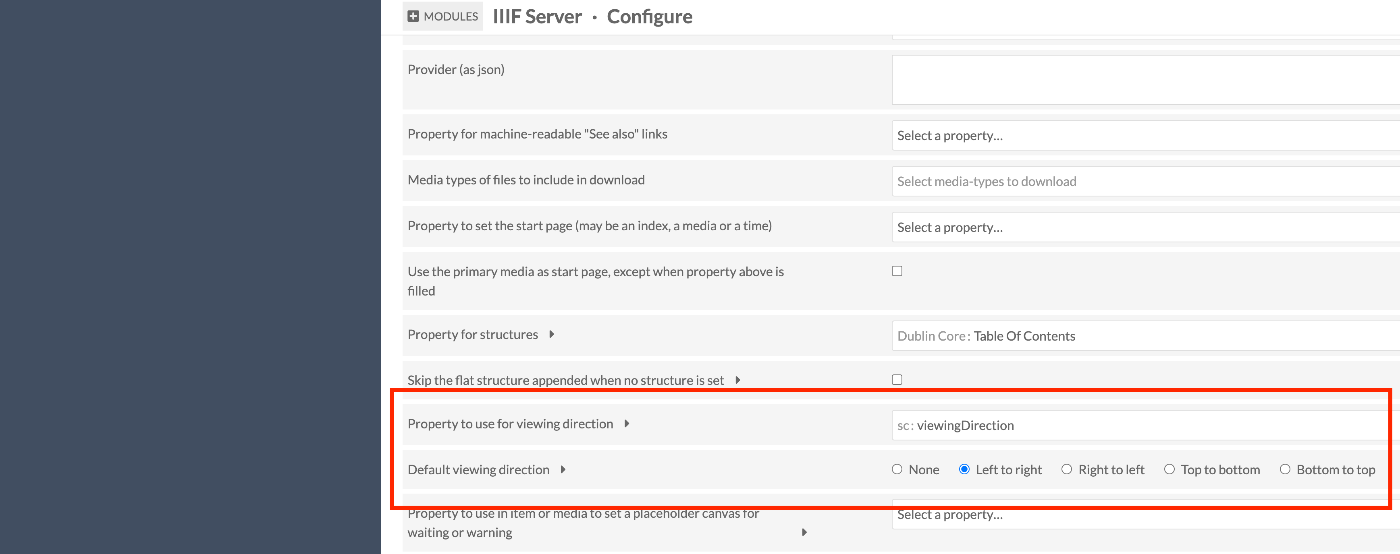
Overview Here is how to specify the viewing direction in the IIIF Server module for Omeka S. In IIIF, you can use the viewingDirection property to specify the viewing direction of manifests and canvases. Module Configuration /admin/module/configure?id=IiifServer In the IIIF Server module settings page, find the “viewing direction” section. You can specify a property with Property to use for viewing direction, and you can also set a default viewing direction. ...

Using IIIF Manifest Files Stored in mdx.jp Object Storage from NestJS

Using IIIF Manifest Files Stored in mdx.jp Object Storage from NestJS

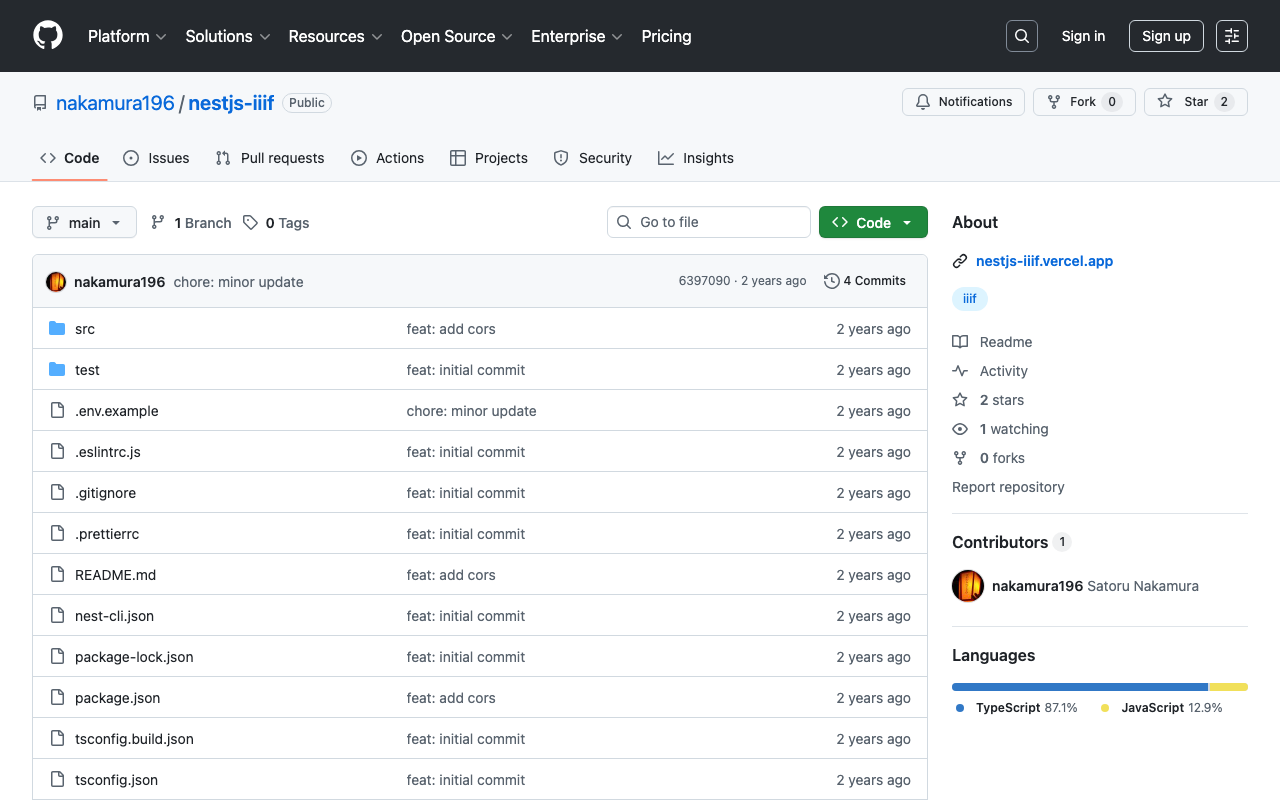
Overview I had the opportunity to use IIIF manifest files stored in mdx.jp object storage from NestJS, so here are my notes. Background After a brief investigation into mdx.jp object storage, it appeared that CORS settings could not be configured, making it difficult to use IIIF manifest files uploaded to mdx.jp object storage directly from other viewers. https://tech.ldas.jp/en/posts/ad76f58db4e098/#Note (CORS permission) Therefore, we use NestJS to load the IIIF manifest files uploaded to object storage and return them. ...

Using OldMaps Online

Using OldMaps Online

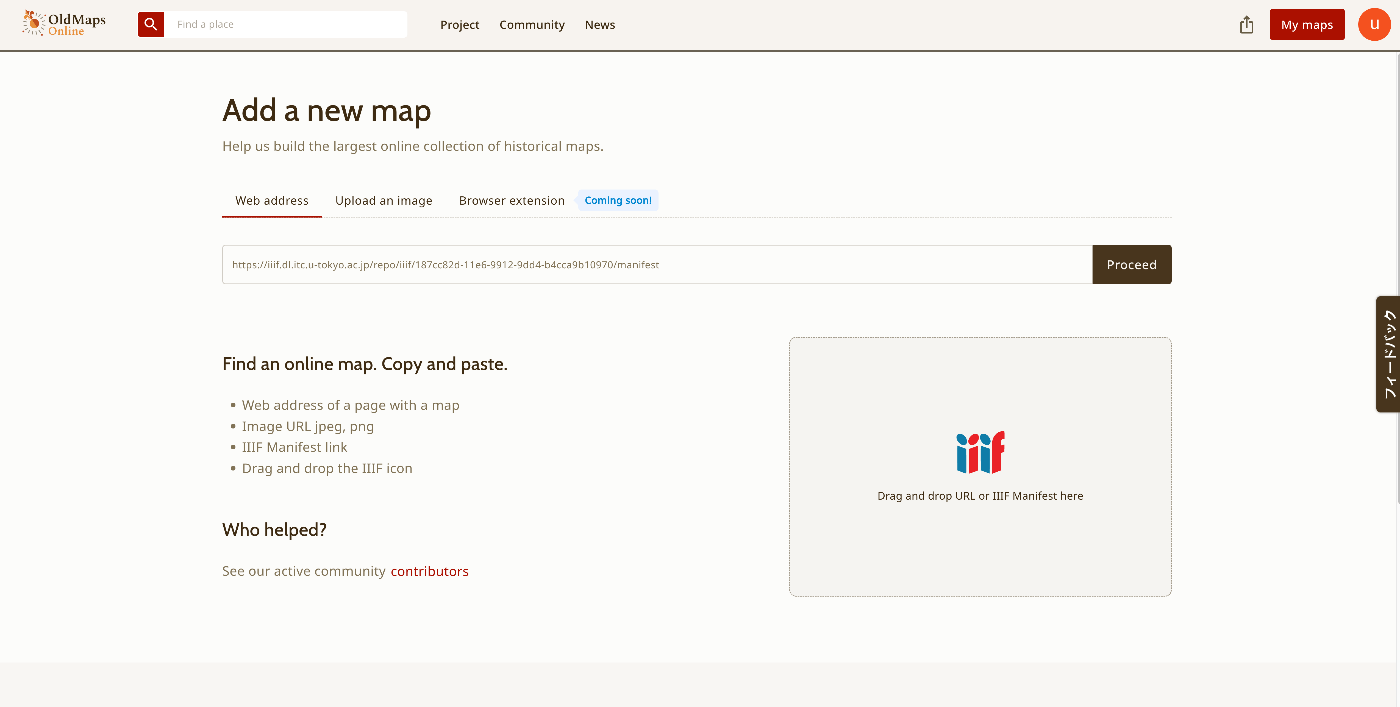
Overview I had the opportunity to use OldMaps Online, so this is a memo of my experience. https://www.oldmapsonline.org/ Registration Log in with a Google account or similar. With a free account, I was able to register one private image. For this example, I use the “Bird’s-eye View of the Main Campus and Faculty of Agriculture Buildings, Tokyo Imperial University” (Graduate School of Agricultural and Life Sciences / Faculty of Agriculture, The University of Tokyo). ...

Achieving Parallel Display of IIIF and TEI Using XSLT

Achieving Parallel Display of IIIF and TEI Using XSLT

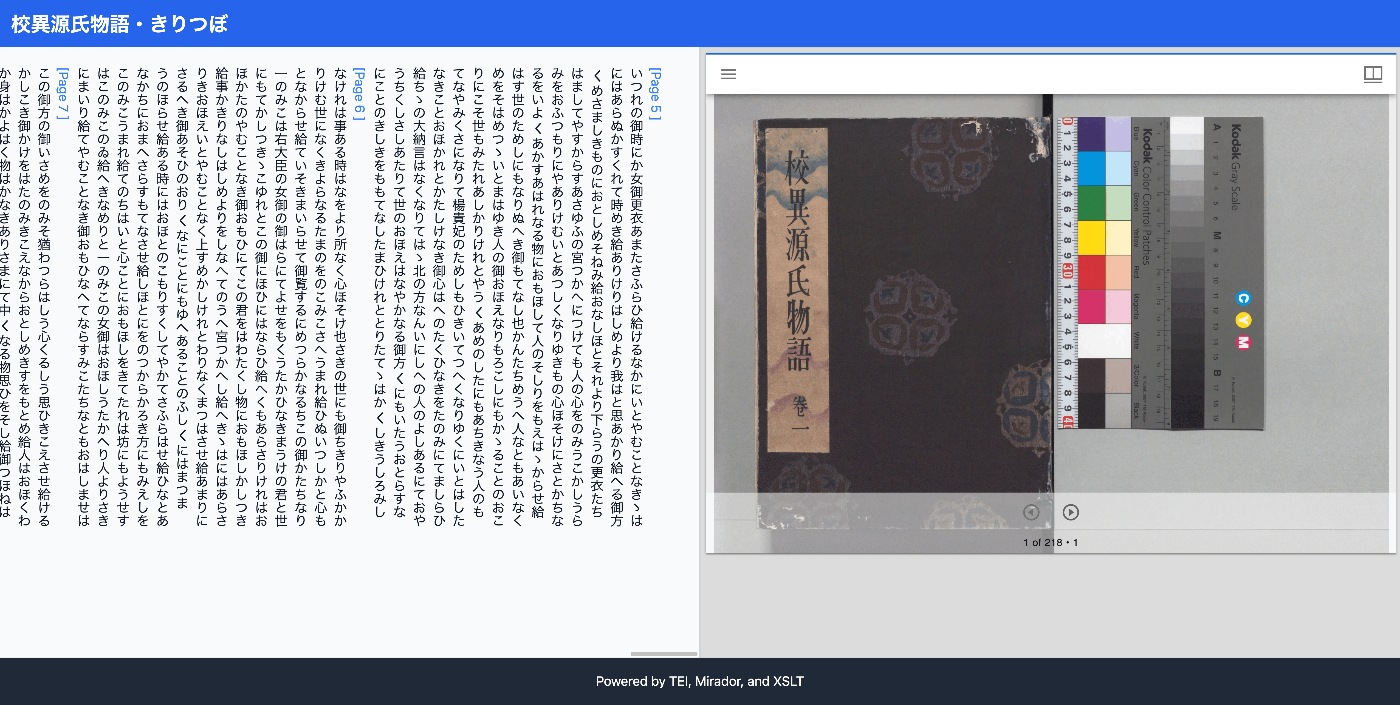
Overview I had the opportunity to implement parallel display of IIIF and TEI using XSLT, so this is a memo of the process. The results can be viewed at the following link. It uses the “Koui Genji Monogatari Text DB.” https://kouigenjimonogatari.github.io/xml/xsl/01.xml Background For visualizing TEI/XML, I had previously often used CETEICean, a JavaScript library for converting TEI XML to HTML and displaying it in browsers. These efforts enabled flexible development when combined with JavaScript frameworks. ...

How to Use the Files/Markers Tabs in the @samvera/ramp Viewer

How to Use the Files/Markers Tabs in the @samvera/ramp Viewer

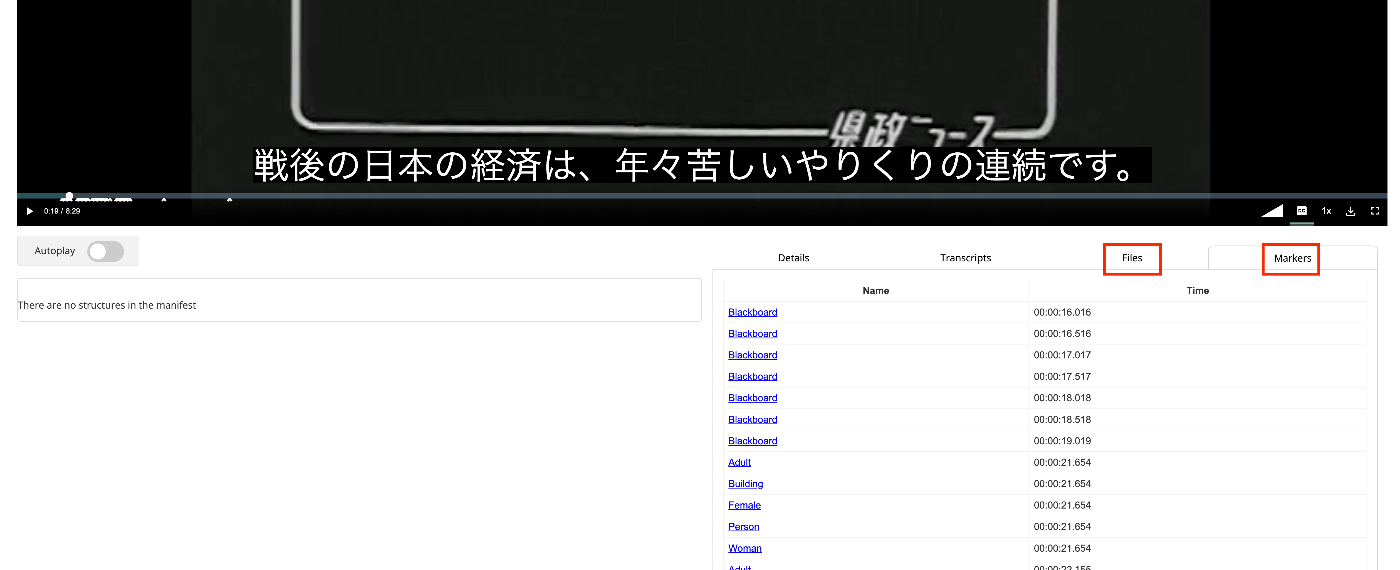
Overview I looked into how to use the Files/Markers tabs of the @samvera/ramp viewer, one of the viewers compatible with IIIF Audio/Visual, so this is a personal note for future reference. Documentation For Files, documentation was found at the following. https://samvera-labs.github.io/ramp/#supplementalfiles For Markers, documentation is found at the following. https://samvera-labs.github.io/ramp/#markersdisplay Data Used “Kensei News Volume 1” (Nagano Prefectural Library) is used. https://www.ro-da.jp/shinshu-dcommons/library/02FT0102974177 Files Tab It is documented that it reads the rendering property. The rendering property is also featured in the following Cookbook. ...