Home Articles Books Search About
日本語
Introducing Omeka S Docker: A Modern and Secure Solution for Digital Collections

Introducing Omeka S Docker: A Modern and Secure Solution for Digital Collections

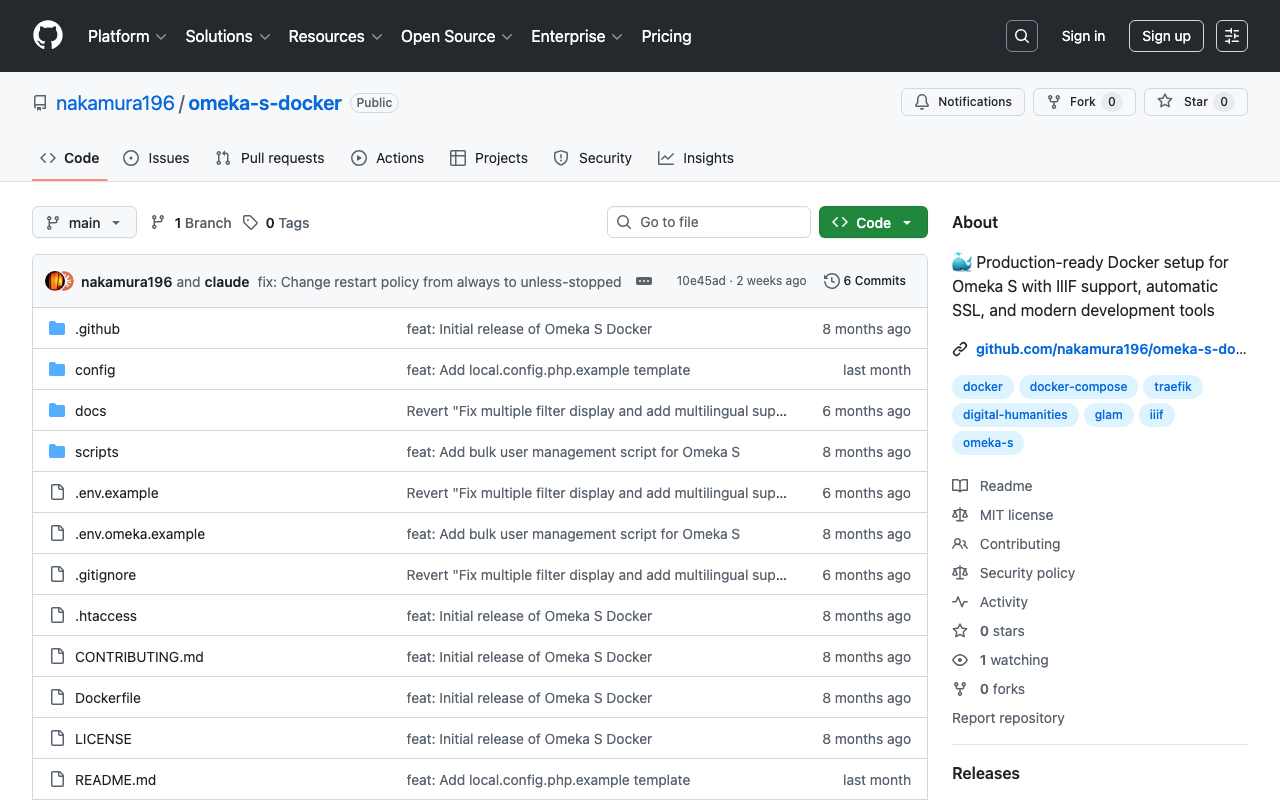
! This article was created by AI. Welcome to Omeka S Docker! This project provides a production-ready Docker setup for Omeka S, a web publication system for universities, galleries, libraries, archives, and museums. GitHub Repository: https://github.com/nakamura196/omeka-s-docker Why Omeka S Docker? Managing digital collections does not need to be complex. That is why we created a Docker-based solution that simplifies deploying and managing Omeka S. Key Features Quick Setup: Get Omeka S running within minutes with a single command Security First: Built with security best practices including non-root containers and secure default settings Module Management: Automatic installation and updates of popular Omeka S modules Easy Upgrades: Seamless version upgrades while maintaining data persistence Production Ready: Optimized for both development and production environments Traefik Integration: Built-in support for reverse proxy and SSL termination Getting Started Prerequisites Docker and Docker Compose installed Basic command line knowledge (Optional) A domain name for production deployment with SSL Understanding Setup Options This Docker setup provides two deployment modes: ...
I Built a Prototype IIIF 3D Viewer

I Built a Prototype IIIF 3D Viewer

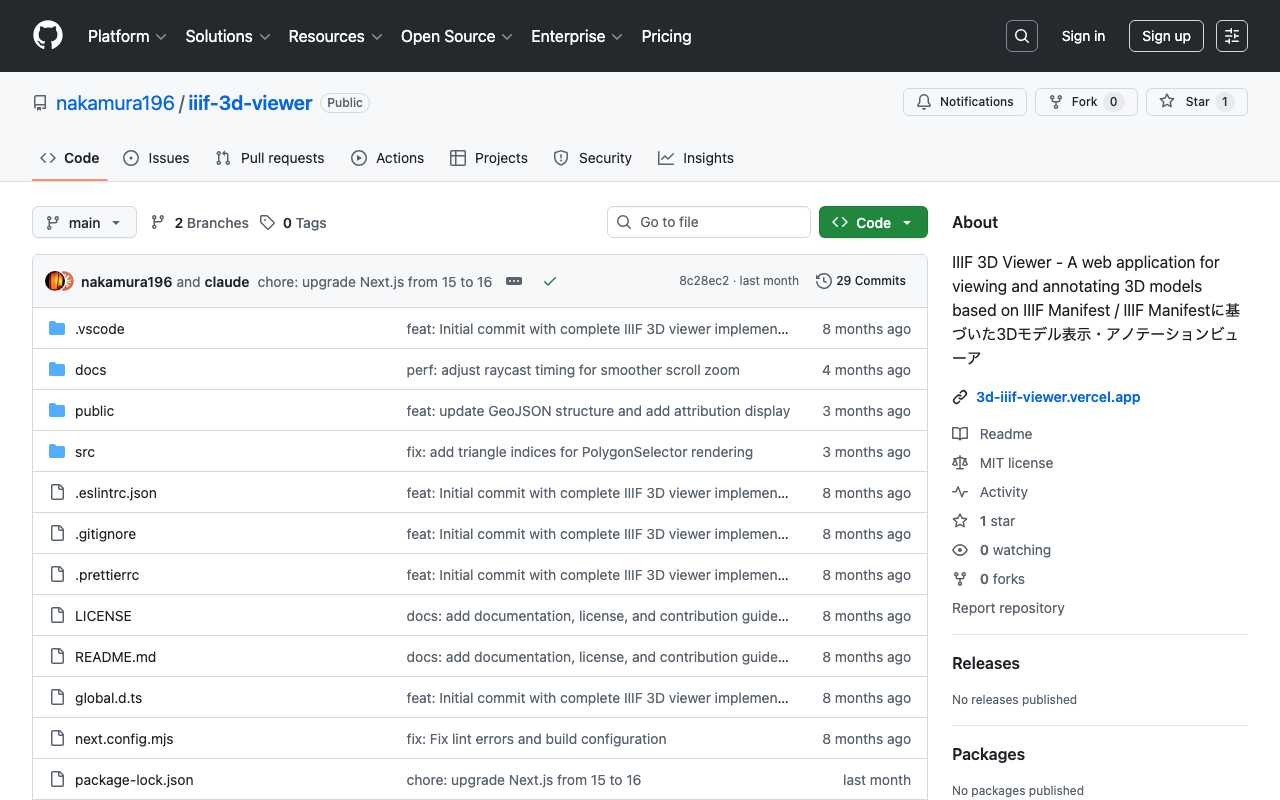
! This article was generated by AI. Introduction In the field of digital humanities, the 3D digitization of cultural properties and historical materials is rapidly advancing. However, appropriate tools are needed not only for simply viewing 3D models but also for utilizing them in academic analysis and education. This article introduces “IIIF 3D Viewer,” a web application for viewing 3D models that complies with the IIIF (International Image Interoperability Framework) standard. ...

Testing IIIF Authentication API 2.0

Testing IIIF Authentication API 2.0

Overview I had the opportunity to test the IIIF Authentication API 2.0, so here are my notes. https://iiif.io/api/auth/2.0/ I created the following demo site. https://iiif-auth-nextjs.vercel.app/ja The repository is available here. https://github.com/nakamura196/iiif-auth-nextjs The following explanation is AI-generated. Note that I was unable to get it working with Mirador, which remains a future task. Overview This article explains the authentication flow of IIIF Authentication API 2.0 in detail at the HTTP request/response level. We will trace what requests are sent and what responses are returned at each step. ...

Trying Text Annotation with Recogito

Trying Text Annotation with Recogito

Overview I had the opportunity to try text annotation using Recogito, so this is a personal note for future reference. Recogito is available at the following link. https://recogito.pelagios.org/ It is described as follows. Semantic Annotation without the pointy brackets. Recogito is an annotation tool for texts and images - not just for Digital Humanities scholars. Sample Data We will use the following resource published by the National Diet Library as an example. ...

Trying Out Transkribus

Trying Out Transkribus

Overview I had the opportunity to try text annotation using Transkribus, so this is a memo of my experience. Transkribus is available at the following link. https://www.transkribus.org/ It is described as follows: Transkribus enables you to automatically recognise text easily, edit seamlessly, collaborate effortlessly, and even train your custom AI for digitizing and interpreting historical documents of any form. References The following was very helpful as a Japanese-language explanation of Transkribus. ...

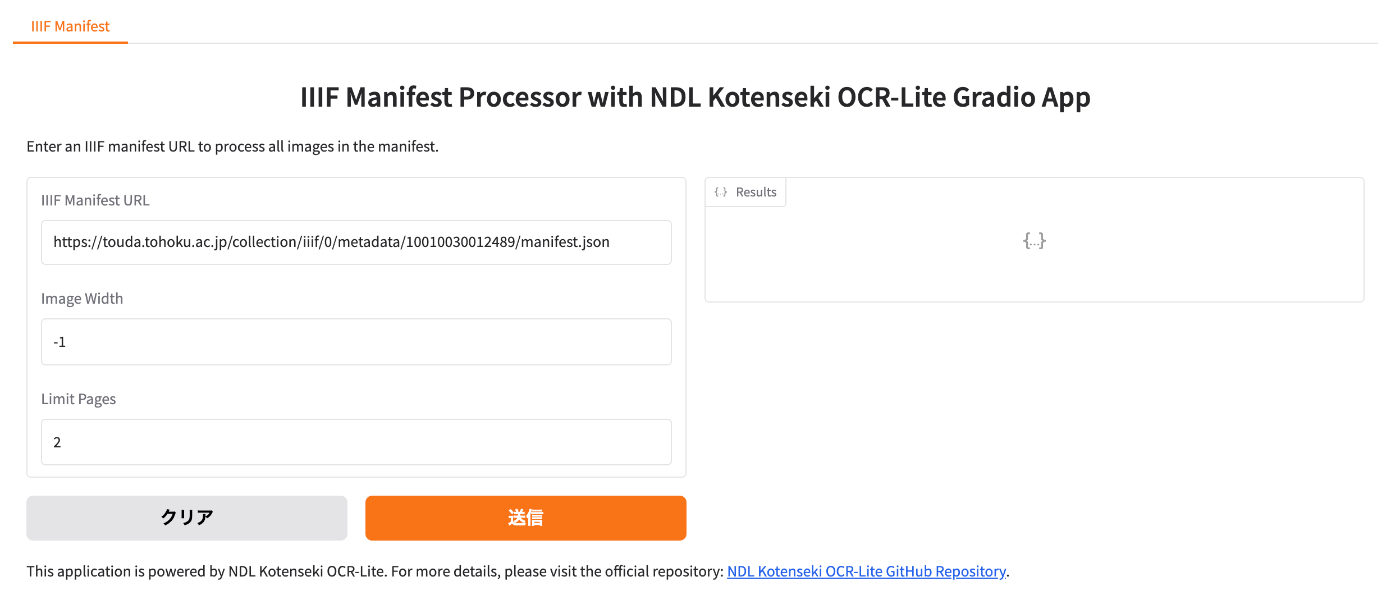
Creating TEI/XML Files from IIIF Manifest Files Using NDL Kotenseki OCR-Lite

Creating TEI/XML Files from IIIF Manifest Files Using NDL Kotenseki OCR-Lite

Overview This article introduces a Gradio app that creates TEI/XML files from IIIF manifest files using NDL Kotenseki OCR-Lite. It can be accessed at the following URL: https://nakamura196-ndlkotenocr-lite-iiif.hf.space/ Background This is a continuation of the following articles: Previously, two separate apps were needed, but with this update, the entire conversion process can be completed within a single Gradio app. Additionally, issues such as difficulty tracking progress when processing manifest files with many image pages, and the inability to copy processing results, have been fixed. ...

Part 2: Creating Annotated IIIF Manifest Files and TEI/XML Files Using NDL Classical Book OCR-Lite

Part 2: Creating Annotated IIIF Manifest Files and TEI/XML Files Using NDL Classical Book OCR-Lite

Overview In the following article, I introduced how to create annotated IIIF manifest files and TEI/XML files using NDL Classical Book OCR-Lite. Since the explanation above was insufficient in many areas, I will re-introduce how to use it. Supplement Along with writing this article, the following improvements were made. Process 1: Creating IIIF Manifest Files Added support for IIIF Presentation API v3. Process 2: Creating TEI/XML Files Added a form that accepts string input, considering the connection with Process 1. Usage Process 1: Creating IIIF Manifest Files Access the following. ...

Describing Hierarchical Table of Contents with Omeka S IIIF Server Module

Describing Hierarchical Table of Contents with Omeka S IIIF Server Module

Overview This article introduces how to describe a hierarchical table of contents using the Omeka S IIIF Server module. Documentation The documentation is somewhat complex, but explanations are available at: https://github.com/Daniel-KM/Omeka-S-module-IiifServer?tab=readme-ov-file#input-format-of-the-property-for-structures-table-of-contents Simple Table of Contents The following example from “Toyo Bunko Media Repository” is used: https://app.toyobunko-lab.jp/s/main/document/9f9d95c2-d33d-7402-742b-47db12748688 Specify {Range ID},{Range name},{Canvas index} as follows: r1,延享、寛延、宝暦,1 r2,明和,25 r3,安永一,55 r4,安永二,79 r5,天明一,110 r6,天明二,142 r7,寛政一,177 r8,寛政二,218 r9,享和,255 r10,文化一,279 r11,文化、文政、二,313 This results in the following table of contents display: ...

Using Pagination in IIIF Collections with IIIF Presentation API v2

Using Pagination in IIIF Collections with IIIF Presentation API v2

Overview I had the opportunity to use pagination in IIIF collections with IIIF Presentation API v2, so this is a memo of the process. Background IIIF collections allow you to provide a list of multiple manifest files (and collections) as shown below. https://iiif.io/api/presentation/2.1/#collection { "@context": "http://iiif.io/api/presentation/2/context.json", "@id": "http://example.org/iiif/collection/top", "@type": "sc:Collection", "label": "Top Level Collection for Example Organization", "viewingHint": "top", "description": "Description of Collection", "attribution": "Provided by Example Organization", "manifests": [ { "@id": "http://example.org/iiif/book1/manifest", "@type": "sc:Manifest", "label": "Book 1" } ] } When the number of target manifest files becomes large, it becomes difficult to deliver them in a single IIIF collection. ...

Creating Annotated IIIF Manifest Files and TEI/XML Files Using NDL Klasseki OCR-Lite

Creating Annotated IIIF Manifest Files and TEI/XML Files Using NDL Klasseki OCR-Lite

Notice I have created a more accessible article explaining the workflow introduced in this article. Please also refer to the following. Overview I would like to introduce a prototype tool for creating annotated IIIF manifest files and TEI/XML files using NDL Klasseki OCR-Lite. Creating Annotated IIIF Manifest Files First, I created a Gradio app that takes an IIIF manifest file as input and outputs an annotated IIIF manifest file using NDL Klasseki OCR-Lite. It is published using Hugging Face Spaces. ...

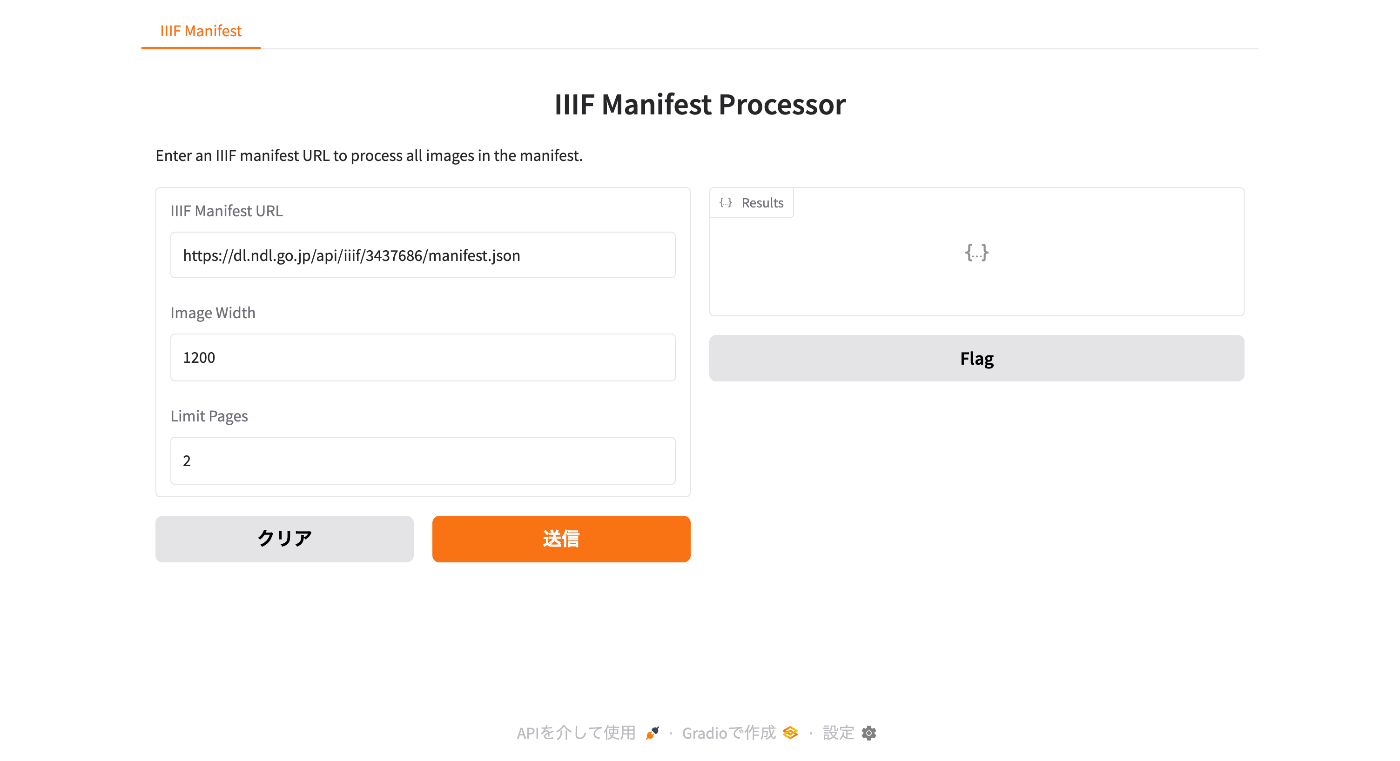
Creating a CSV File Containing a List of Image URLs from a IIIF Manifest File

Creating a CSV File Containing a List of Image URLs from a IIIF Manifest File

Overview This is a note about creating an app that generates a CSV file containing a list of image URLs from a IIIF manifest file. You can access it from the following. https://iiif-demo-next.vercel.app/csv-converter Usage We will use “Koigenshimonogatari, Volume 1” from the National Diet Library collection as the target. https://dl.ndl.go.jp/api/iiif/3437686/manifest.json Enter the manifest file URL in the form below and press the “Download CSV” button. As a result, a CSV file containing URL and size information is downloaded as follows. ...

Improvements to the Polygon Annotation Support Tool for IIIF Images

Improvements to the Polygon Annotation Support Tool for IIIF Images

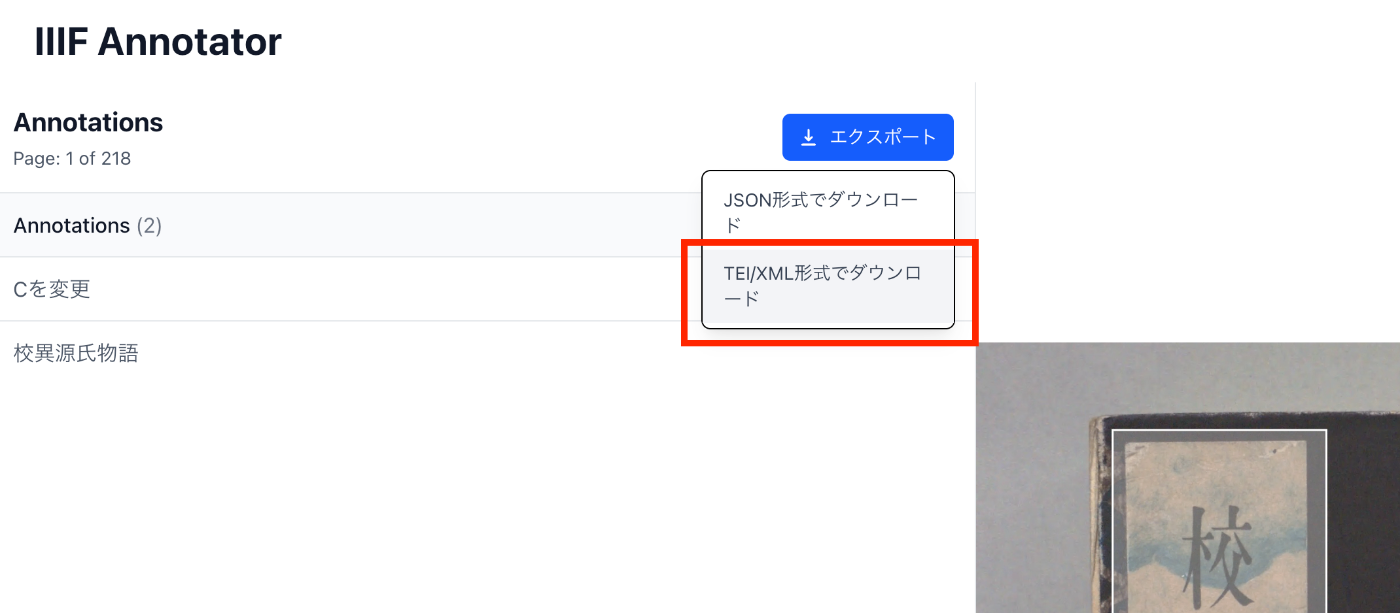
Overview I made improvements to “IIIF Annotator,” a polygon annotation support tool for IIIF images. Specifically, I worked on the following three points: Support for manifest files that do not use an Image Server Export function for IIIF manifest files with annotations Export function for TEI/XML files The following sections explain these improvements. Background The following article explained the reasons for creating a new annotation tool. The features added this time are also available in other tools, but were implemented for improved convenience. ...

An Example of Representing IIIF Polygon Annotations in TEI/XML

An Example of Representing IIIF Polygon Annotations in TEI/XML

Overview This article introduces an example of representing IIIF polygon annotations in TEI/XML. Method In TEI/XML, you can represent polygon annotations using the zone tag and the points attribute. https://www.tei-c.org/release/doc/tei-p5-doc/en/html/ref-teidata.point.html Example For verification purposes, I added a TEI/XML export feature to the annotation tool introduced in the following article. Specifically, the following download option was added. An example of the TEI/XML obtained as a download result is shown below. Rectangles are described using ulx, uly, lrx, lry, while polygon information is described using points. ...

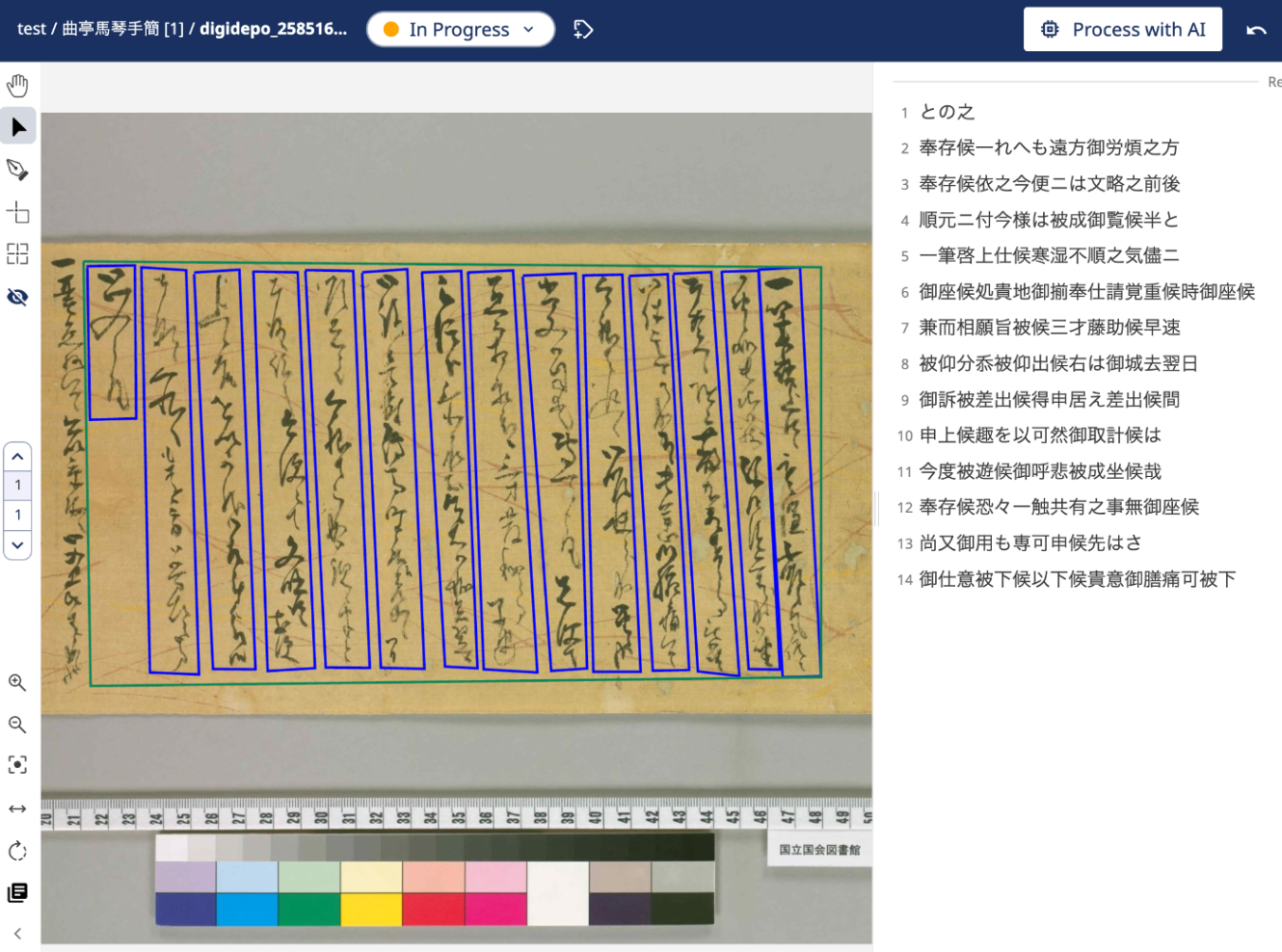
Building a Tool for Adding Polygon Annotations to IIIF Images

Building a Tool for Adding Polygon Annotations to IIIF Images

Overview I built a tool for adding polygon annotations to IIIF images. https://next-fb-anno.vercel.app/ This article explains this tool. Usage Below is the top page. Enter the URL of a IIIF manifest file. You can also try it using the “Use sample input” option. It uses “Hyakki Yako-zu” (Night Parade of One Hundred Demons) from the University of Tokyo General Library collection. The following annotation registration screen is displayed. ...

Omeka S Module Update Information (2025-03-27)

Omeka S Module Update Information (2025-03-27)

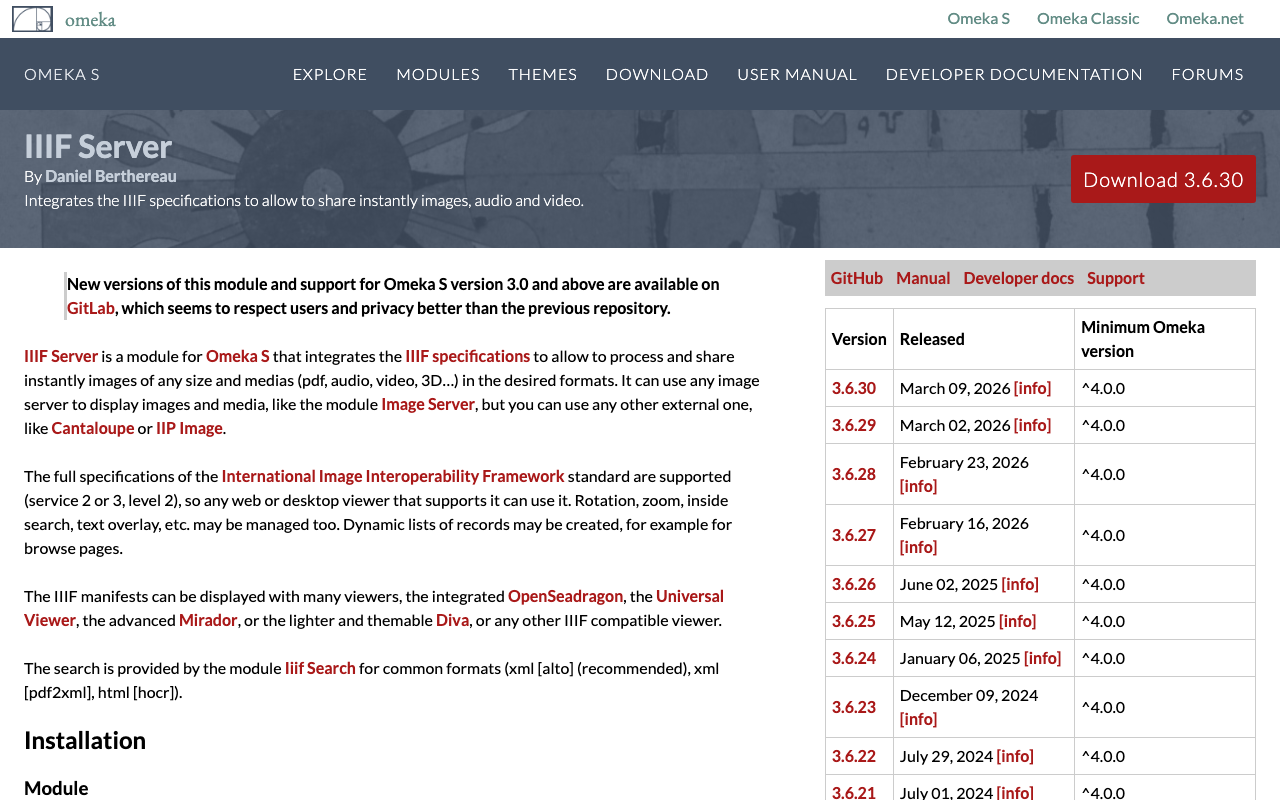
Overview This article introduces modules that required updates during the operation of Omeka S. IIIF Server https://omeka.org/s/modules/IiifServer/ I had been using version 3.6.18, released in February 2024, but a bug was found where thumbnail images were rendered incorrectly during IIIF manifest file generation. After updating to the latest version 3.6.24 as of March 2025, this bug was resolved. Note that this update also required updating the Common module, so I hope this information is helpful. ...

Mirador 4 Plugin Development: Enabling Initial Angle Settings in the Image Rotation Plugin

Mirador 4 Plugin Development: Enabling Initial Angle Settings in the Image Rotation Plugin

Overview I enabled initial angle settings in the Mirador 4 plugin for rotating images at arbitrary angles. The repository is here. https://github.com/nakamura196/mirador-rotation-plugin The demo page is here. You can rotate images with initial settings for angle and bounding box. https://nakamura196.github.io/mirador-rotation-plugin/ Background The following article explains this plugin. However, there was an issue where initial angle values could not be provided. As introduced in the following article, it appeared that Mirador 4’s standard functionality allows providing initial angle values. ...

Rotating Images and Specifying Regions on Initial Load in Mirador 4

Rotating Images and Specifying Regions on Initial Load in Mirador 4

Overview I introduce how to rotate images and specify regions on initial load in Mirador 4. Background As of March 2025, development of Mirador 4 is underway. The alpha version can be checked at the following link. https://github.com/ProjectMirador/mirador/releases This is probably a feature from Mirador 4, and the following FAQ describes the initial configuration method. https://github.com/ProjectMirador/mirador/wiki/Frequently-Asked-Questions#q-how-do-i-change-the-view-of-an-image-to-zoom-to-a-certain-area Specifically, as shown below, initial configuration was achieved by using initialViewerConfig. https://github.com/ProjectMirador/mirador/blob/main/__tests__/integration/mirador/mirador-configs/initial-viewer-config.js export default { id: 'mirador', windows: [{ canvasId: 'https://iiif.harvardartmuseums.org/manifests/object/299843/canvas/canvas-47174892', initialViewerConfig: { thumbnailNavigationPosition: 'far-bottom', x: 934, y: 782, // you need to specify zoom for this to look good zoom: 0.0007, }, manifestId: 'https://iiif.harvardartmuseums.org/manifests/object/299843', }], }; Application Building on the above, I tried the following initial configuration. ...

Using the Universal Viewer npm Package in Next.js

Using the Universal Viewer npm Package in Next.js

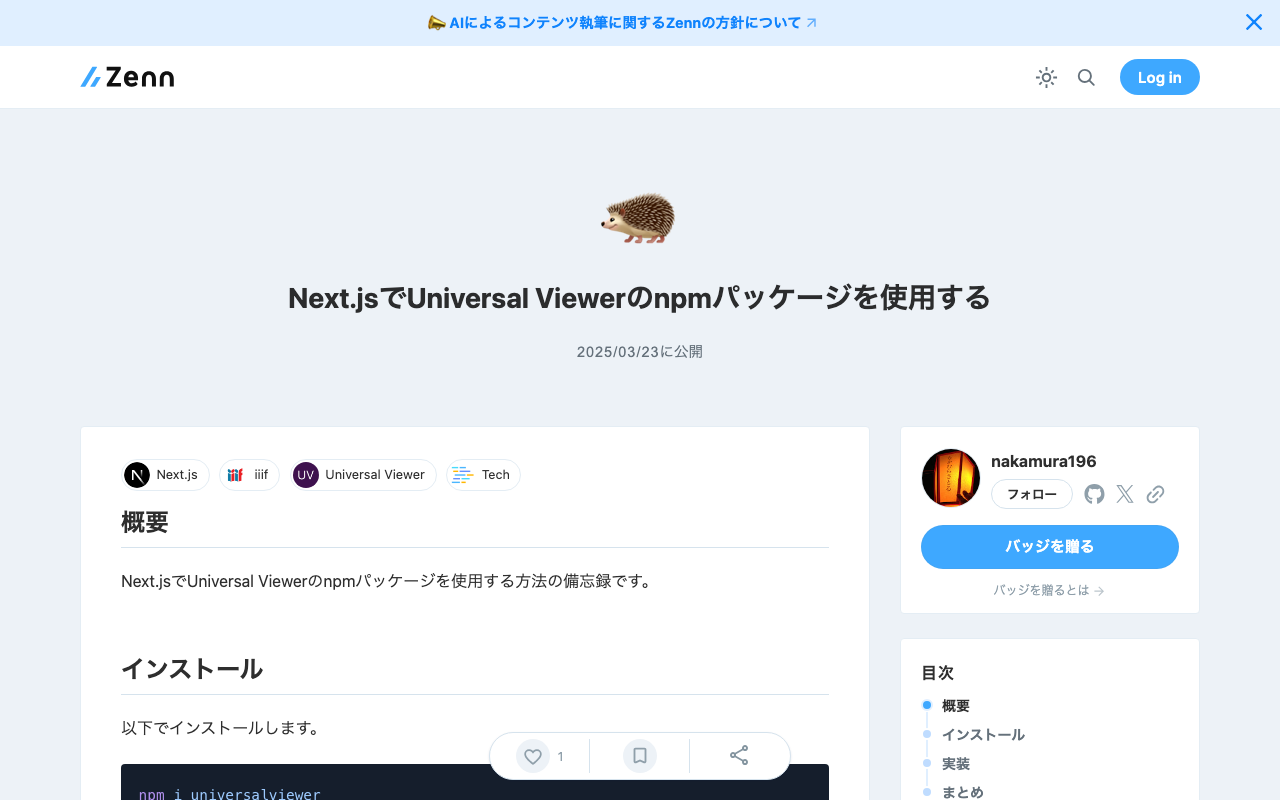
Overview Here are my notes on how to use the Universal Viewer npm package in Next.js. Installation Install with the following command. npm i universalviewer Implementation Since it uses useEffect, it appeared necessary to implement it as a client component. Also, by adding the uv class to the div tag, the CSS was applied correctly. 'use client' import { useEffect } from 'react' import dynamic from 'next/dynamic' interface ViewerProps { manifest: string cv?: number xywh?: string } // Component implementation function ViewerComponent({ manifest, cv, xywh }: ViewerProps) { useEffect(() => { // Import and initialize universalviewer const { init } = require('universalviewer') require('universalviewer/dist/esm/index.css') init('uv', { manifest, canvasIndex: cv, xywh }) }, [manifest, cv, xywh]) return ( <div id="uv" className="uv" style={{ width: '100%', height: '60vh' }}></div> ) } // Component that disables SSR and renders only on the client side const Viewer = dynamic(() => Promise.resolve(ViewerComponent), { ssr: false, loading: () => ( <div style={{ width: '100%', height: '60vh', display: 'flex', justifyContent: 'center', alignItems: 'center', background: '#f0f0f0', }} > Loading viewer... </div> ), }) export default Viewer There may be other available options, but I was able to specify the canvas index to initially load with cv and the display rectangle with xywh. ...

Updates to the IIIF Georeference Extension Visualization Tool

Updates to the IIIF Georeference Extension Visualization Tool

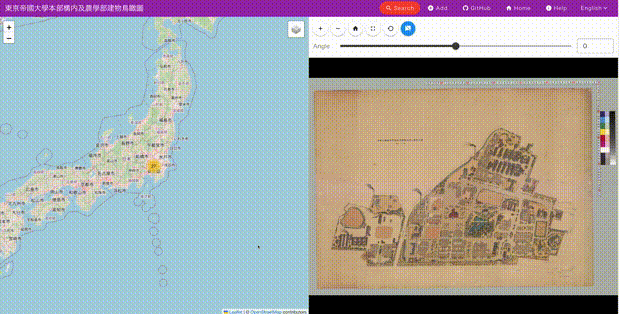
Overview This is a memo about updates made to the IIIF georeference extension visualization tool. The tool is published at the following location. https://github.com/nakamura196/iiif_geo It provides a side-by-side display of modern maps and images, as shown below. Update Details Allmaps is a tool that supports data creation based on the IIIF georeference extension. https://allmaps.org/ Its usage is introduced in the following article. In this update, support was added to load data created by the above tool. ...

A Sample App Displaying Images with Mirador and Text with CETEIcean

A Sample App Displaying Images with Mirador and Text with CETEIcean

Overview I created a sample app that loads TEI/XML files, displays images with Mirador, and displays text with CETEIcean. You can try it from the following URL. Demo Site https://nakamura196.github.io/ceteicean-mirador/ Background I have previously developed applications that provide similar functionality. Implementation example using Next.js Implementation example using XSLT This time, I introduce an approach using only HTML and plain JavaScript. Target Data The target is the following Koui Genji Monogatari Text DB. ...