Home Articles Books Search About
日本語
Serving IIIF Images via Web Tile Map Service

Serving IIIF Images via Web Tile Map Service

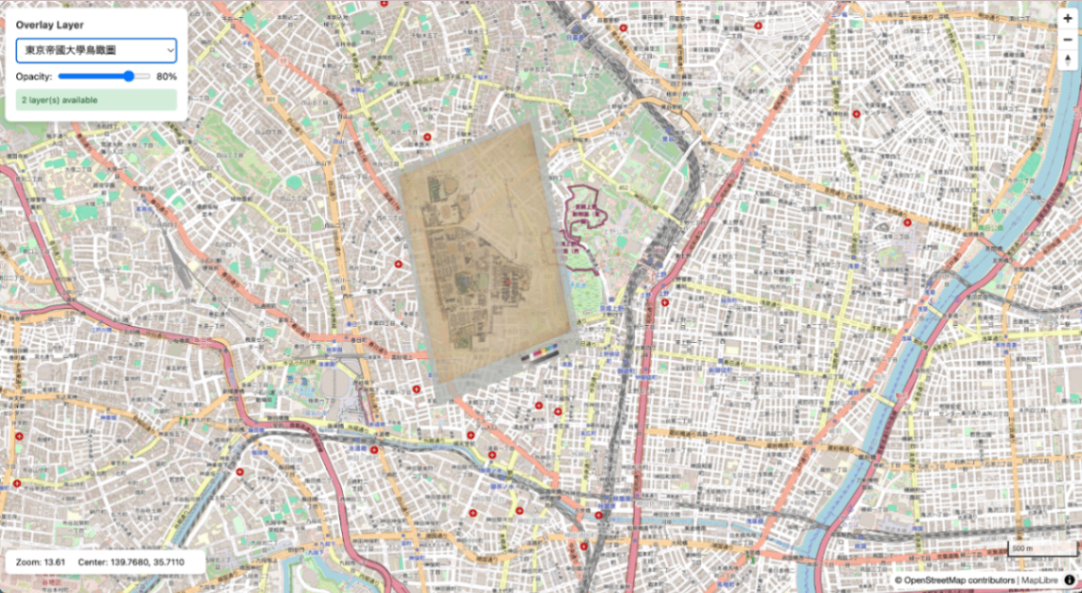
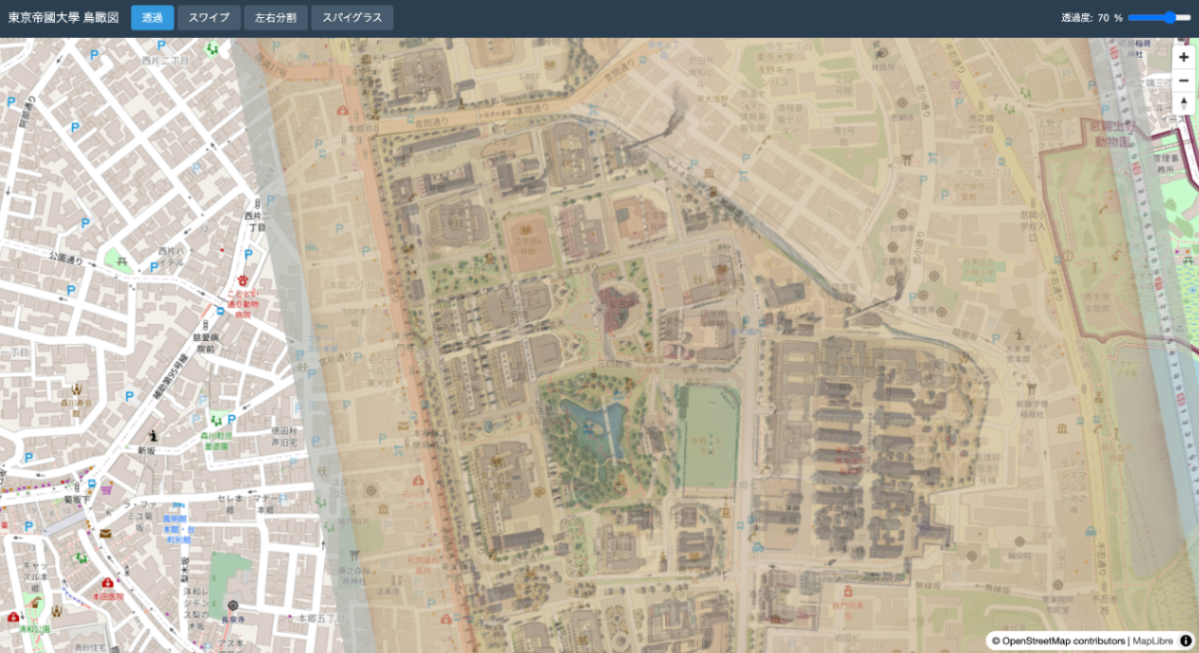
This article summarizes the procedure for generating XYZ tiles from IIIF Georeference Extension JSON, serving them with TileServer GL, and displaying them with MapLibre GL JS. Aerial view of the University of Tokyo overlaid on OSM Overview IIIF Georeference JSON | v +------------------------+ | iiif-georef-tiles | | (XYZ tile generation) | +------------------------+ | v +------------------------+ | mb-util | | (mbtiles conversion) | +------------------------+ | v +------------------------+ | TileServer GL | | (tile serving) | +------------------------+ | v +------------------------+ | MapLibre GL JS | | (map display) | +------------------------+ Requirements Docker / Docker Compose Python 3.x GDAL (gdal_translate, gdalwarp, gdal2tiles.py) Pillow (pip3 install pillow) mb-util Installing GDAL # macOS (Homebrew) brew install gdal # Ubuntu/Debian sudo apt install gdal-bin python3-gdal Installing mb-util pip3 install mbutil 1. Project Structure wtms/ ├── docker-compose.yml ├── data/ # mbtiles files ├── styles/ # Custom styles (optional) ├── frontend/ # MapLibre viewer └── docs/ 2. Docker Compose Configuration docker-compose.yml: ...
IIIF Georeference to XYZ Tiles

IIIF Georeference to XYZ Tiles

A tool for generating XYZ tiles from IIIF Georeference Extension JSON and displaying them with MapLibre GL JS. Repository: https://github.com/nakamura196/iiif-georef-tiles GitHub Pages: https://nakamura196.github.io/iiif-georef-tiles/ Requirements Python 3.x GDAL (gdal_translate, gdalwarp, gdal2tiles.py) Installing GDAL # macOS (Homebrew) brew install gdal # Ubuntu/Debian sudo apt install gdal-bin python3-gdal Usage python3 scripts/iiif_georef_to_tiles.py <IIIF_GEOREF_JSON_URL> Example python3 scripts/iiif_georef_to_tiles.py https://nakamura196.github.io/iiif_geo/canvas.json Options Option Default Description --scale 0.25 Image scale factor --zoom 14-18 Tile zoom level range --output-dir docs Output directory --name tiles Tile folder name --work-dir work Working directory --keep-work - Do not delete working files Processing Flow IIIF Georeference JSON │ ▼ ┌───────────────────────┐ │ 1. Fetch JSON │ │ (fetch from URL) │ └───────────────────────┘ │ ▼ ┌───────────────────────┐ │ 2. Download image │ │ (IIIF Image API) │ └───────────────────────┘ │ ▼ ┌───────────────────────┐ │ 3. Embed GCPs │ │ (gdal_translate) │ └───────────────────────┘ │ ▼ ┌───────────────────────┐ │ 4. Coordinate │ │ transformation │ │ (gdalwarp) │ └───────────────────────┘ │ ▼ ┌───────────────────────┐ │ 5. Generate tiles │ │ (gdal2tiles.py) │ └───────────────────────┘ │ ▼ ┌───────────────────────┐ │ 6. Generate HTML │ │ viewer │ │ (MapLibre GL JS) │ └───────────────────────┘ Conversion Results Original image After georeferencing Output Files docs/ ├── index.html # MapLibre GL JS viewer ├── source.json # Original IIIF Georeference JSON └── tiles/ # XYZ tiles ├── 14/ ├── 15/ ├── 16/ ├── 17/ └── 18/ Local Preview cd docs && python3 -m http.server 8000 # Open http://localhost:8000/ IIIF Georeference Extension The IIIF Georeference Extension is an extension specification for adding georeference information to IIIF images. ...

Draco Compression of GLB Files - 87% Size Reduction and Impact on Precision

Draco Compression of GLB Files - 87% Size Reduction and Impact on Precision

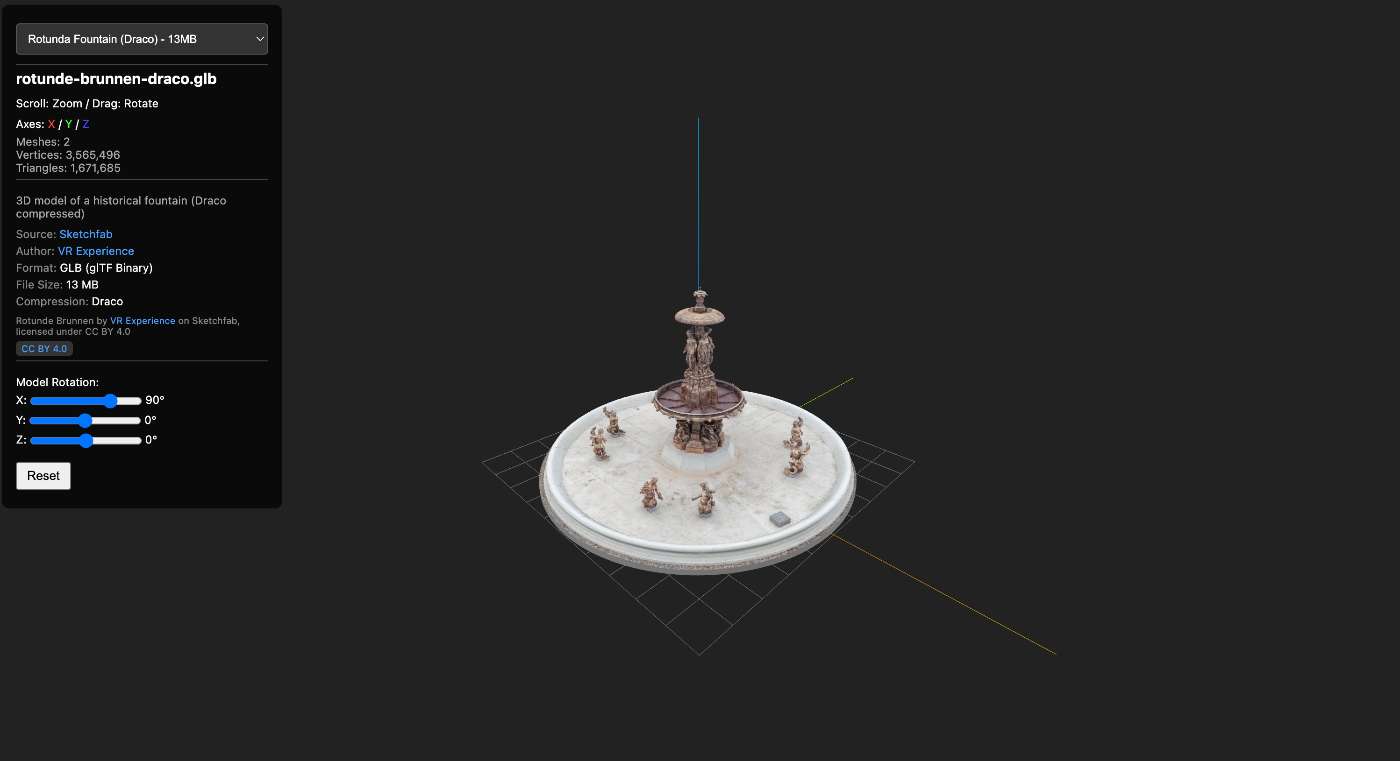
When delivering 3D models on the web, file size is a critical concern. This article describes a case where Draco compression was used to reduce a GLB file by 87%, along with precautions during compression (particularly regarding UV coordinates). https://3dtiles-viewer.vercel.app/glb-viewer.html Data Used Model: Rotunde Brunnen (a rotunda with a fountain) Source: Sketchfab Format: GLB (glTF 2.0 Binary) What is Draco Compression? Draco is an open-source 3D mesh compression library developed by Google. It is supported as a standard extension in glTF 2.0 as KHR_draco_mesh_compression. ...

Displaying Over 3 Million Point Cloud Data Points Smoothly in a Browser - Building a Potree LOD Viewer

Displaying Over 3 Million Point Cloud Data Points Smoothly in a Browser - Building a Potree LOD Viewer

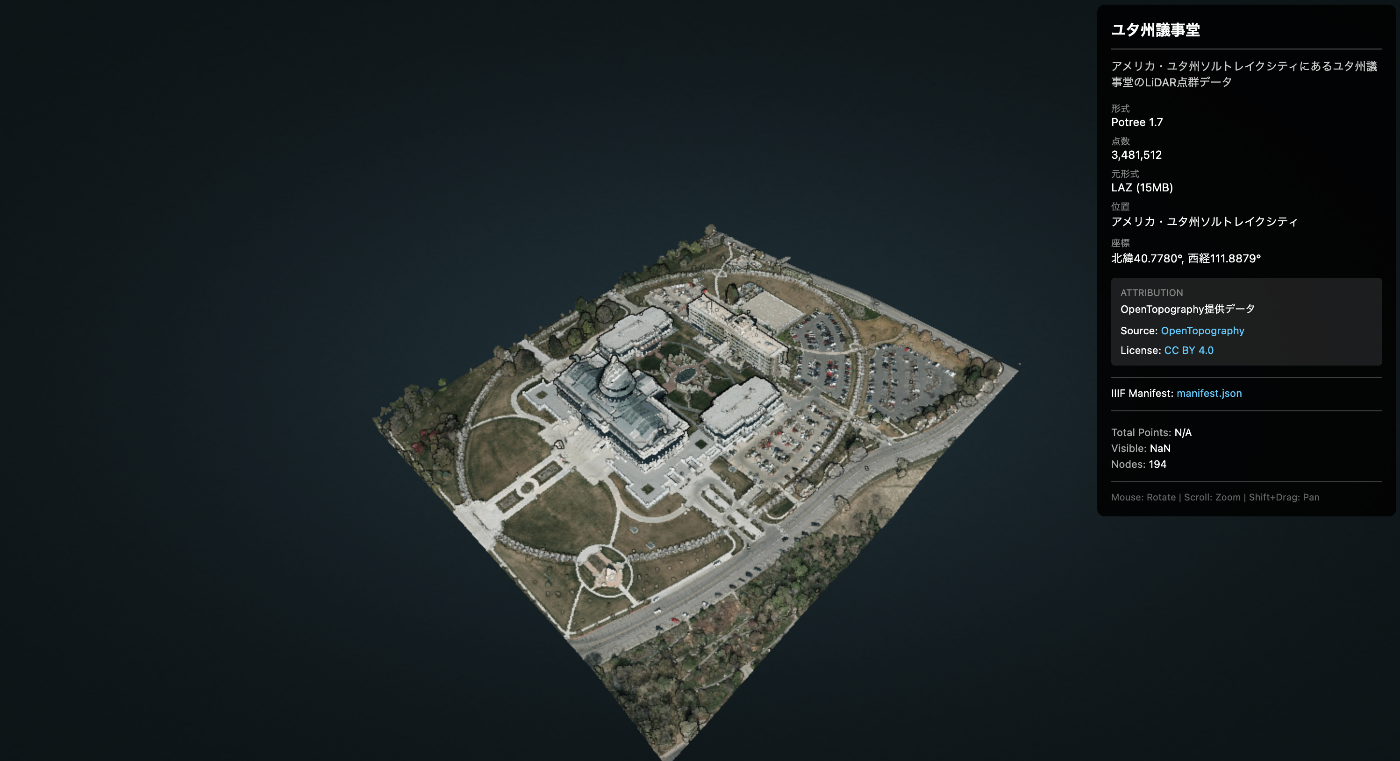
When trying to display large-scale point cloud data (LiDAR/LAZ) in a web browser, the browser may crash due to insufficient memory. This article introduces how to display millions of points without stress using Potree’s LOD (Level of Detail) technology. https://3dtiles-viewer.vercel.app/potree-lod-viewer.html Data Used Data Name: Utah State Capitol Source: OpenTopography Download URL: https://object.cloud.sdsc.edu/v1/AUTH_opentopography/www/education/MatlabTopo/Utah_state_capitol.laz File Size: 15MB (LAZ compressed) Point Count: 3,481,512 points Location: Salt Lake City, Utah, USA Challenge Trying to load this data directly with Three.js or similar libraries may cause the browser to freeze. ...

Record of Migrating mirador-annotations to Mirador 4.x

Record of Migrating mirador-annotations to Mirador 4.x

Background mirador-annotations is a plugin that adds annotation functionality to the IIIF viewer Mirador. The previous project configuration was as follows: Build tool: nwb (Create React App based) UI library: Material-UI v4 Mirador: 3.x React: 17.x However, the following issues had arisen: nwb maintenance discontinued - nwb had not been updated for a long time, and dependency conflicts occurred frequently npm install failures - Old dependencies made setup in new environments difficult Security vulnerabilities - Numerous vulnerability warnings from outdated packages To resolve these issues, we decided to migrate to: ...

mirador-rotation-plugin Feature Enhancements

mirador-rotation-plugin Feature Enhancements

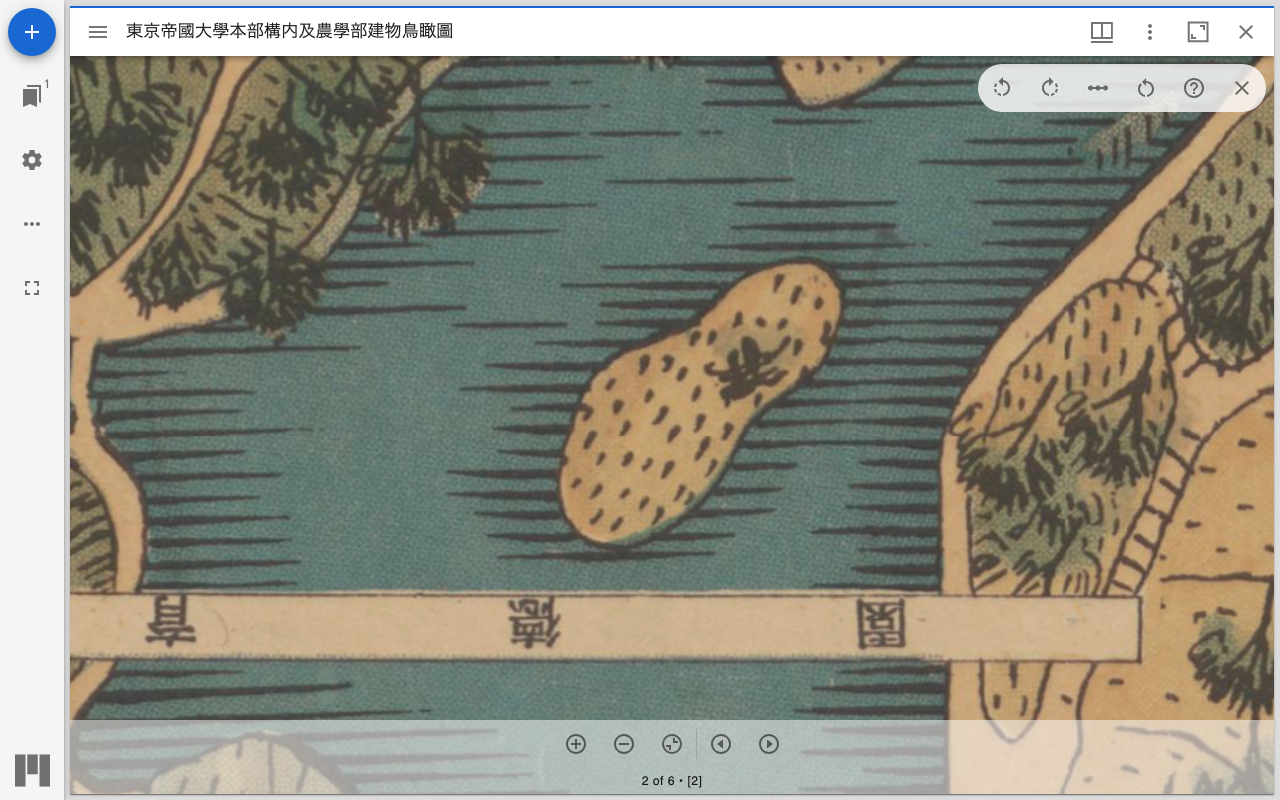
Overview The following features have been added to mirador-rotation-plugin: 90-degree rotation buttons Manifest and rotation angle specification via URL parameters UI improvements (reset button icon change) Help feature (dialog explaining how to use) New Feature Details 1. 90-Degree Rotation Buttons Previously only a 1-degree increment slider was available, but buttons for quick 90-degree rotation have been added. Implementation Details The following changes were made to src/plugins/MiradorRotation.js: import RotateLeftIcon from '@mui/icons-material/RotateLeft'; import RotateRightIcon from '@mui/icons-material/RotateRight'; // 90度回転のハンドラー const handleRotate90 = (direction) => { const newRotation = rotation + (direction * 90); updateViewport(windowId, { rotation: newRotation }); }; Two buttons were added to the UI: ...

Created a Tool to Extract Opening Pages of Each Volume from IIIF Manifests

Created a Tool to Extract Opening Pages of Each Volume from IIIF Manifests

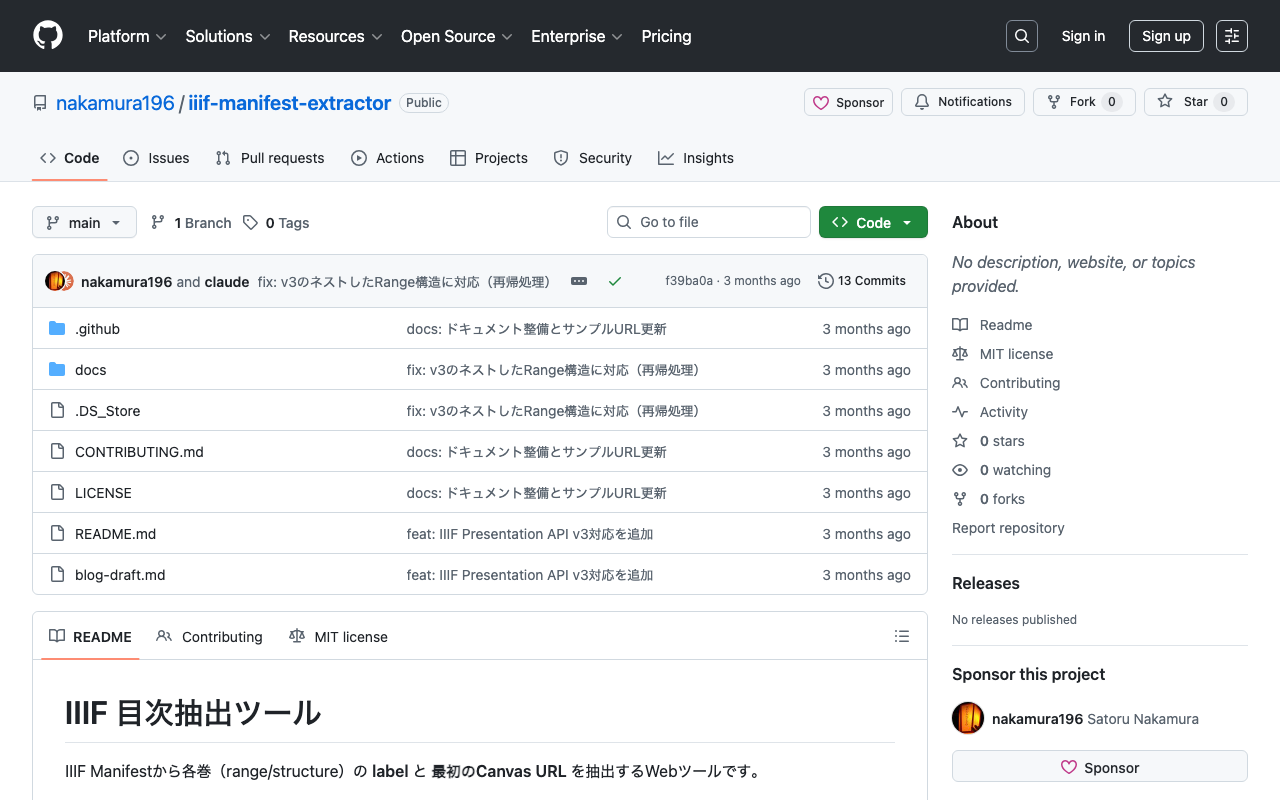
Introduction In digital archives using IIIF (International Image Interoperability Framework), materials consisting of multiple volumes or chapters are sometimes combined into a single Manifest. In such cases, there is a need to create links to the opening page of each volume or chapter. This time, I created a simple web tool that extracts the label and first Canvas URL of each volume (range/structure) from IIIF Manifests. Tool URL: https://nakamura196.github.io/iiif-manifest-extractor/ GitHub: https://github.com/nakamura196/iiif-manifest-extractor ...

Constraint Design for IIIF-Compatible Facsimile Description Using TEI ODD

Constraint Design for IIIF-Compatible Facsimile Description Using TEI ODD

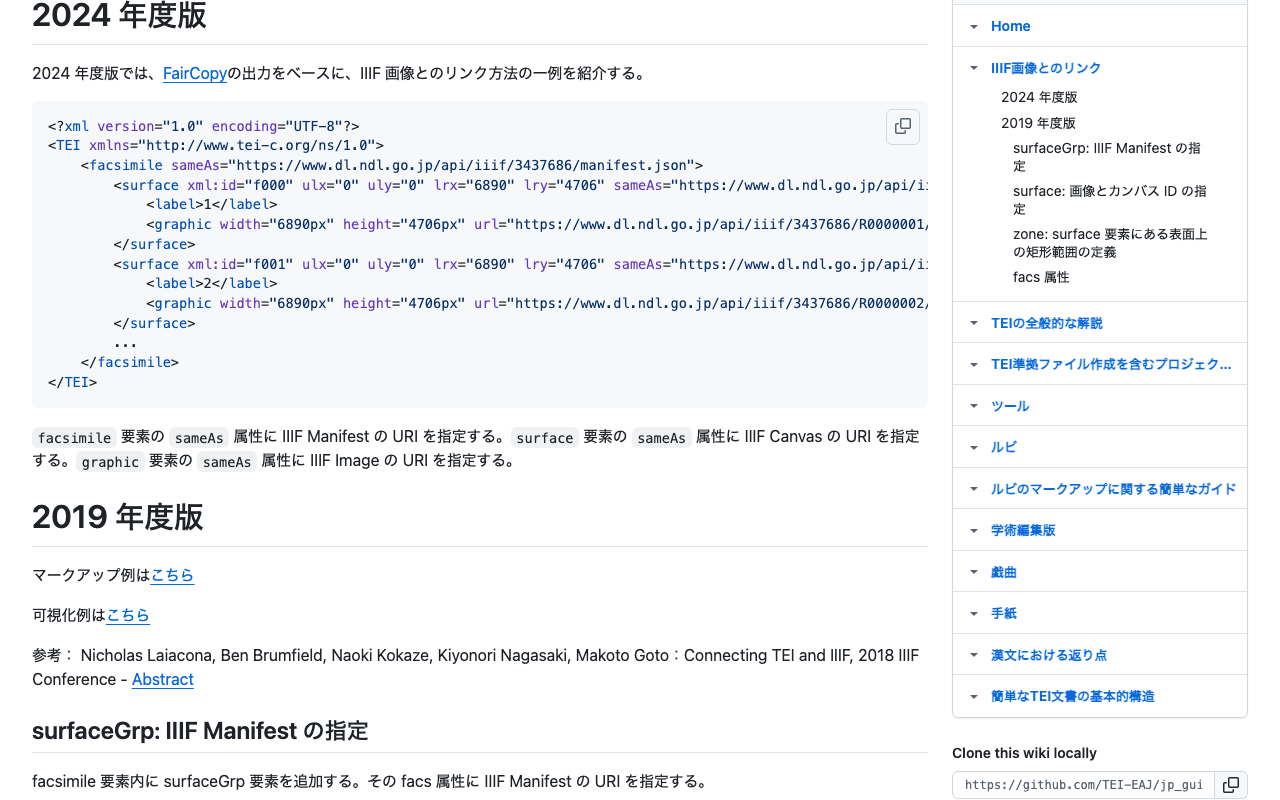
Introduction When describing metadata for digital images in TEI (Text Encoding Initiative), the facsimile element is used. Particularly in IIIF (International Image Interoperability Framework) compatible digital archives, it is important to properly describe references to manifests, canvases, and the Image API. This article introduces how to define the constraints needed for facsimile descriptions as a schema using ODD (One Document Does it all). Guidelines Followed This ODD is based on the “Linking with IIIF Images” specification introduced in the Japanese TEI guidelines: ...

How to Highlight Arbitrary Regions in Mirador 4

How to Highlight Arbitrary Regions in Mirador 4

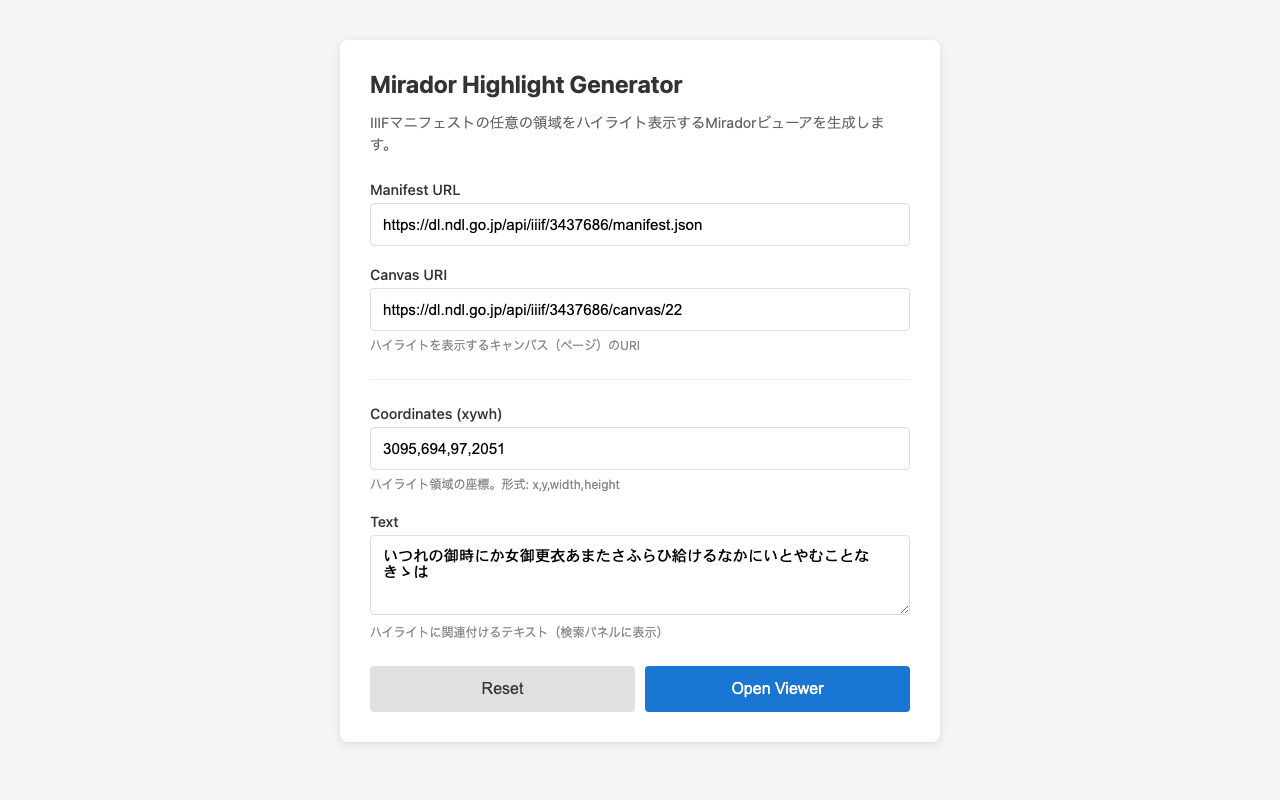
Introduction The IIIF viewer Mirador has a search feature that can highlight search results for manifests supporting the IIIF Search API. However, there are cases where you want to highlight arbitrary regions even for manifests that do not support the Search API. This article introduces a method to achieve highlighting based on annotation information from external data sources by using Mirador’s internal API. Demo Highlight Generator Form - Generate highlights from a form Use Cases Highlighting text regions extracted by a custom OCR system Displaying regions of objects detected by machine learning Visualizing annotations stored in an external database Displaying search results for IIIF servers that do not support the Search API Implementation Basic Mechanism Mirador uses Redux internally, and search results can be registered through the receiveSearch action. By passing IIIF Search API format JSON to this action, highlights from any data source can be displayed. ...

How to Simultaneously Specify Canvas and Highlight Search Terms in Mirador 4

How to Simultaneously Specify Canvas and Highlight Search Terms in Mirador 4

Introduction I implemented functionality in Mirador, a widely used IIIF (International Image Interoperability Framework) viewer, to meet the following requirements: Display the canvas (page) specified by URL parameters on initial load Highlight search terms within the specified canvas This article shares the approach and implementation method for achieving these requirements. Exploring Approaches defaultSearchQuery Option In Mirador 4, you can automatically execute a search at initialization by specifying the defaultSearchQuery option in the window settings: ...

Creating Pyramidal Tiled TIFFs with vips and Comparing Compression Methods

Creating Pyramidal Tiled TIFFs with vips and Comparing Compression Methods

Introduction To comfortably view high-resolution images on the web, pyramidal structures (multiple resolutions) and tile segmentation are essential. In this article, we used vips to create pyramidal tiled TIFFs from JPEG2000 images and compared the file sizes of various compression methods. Test Environment vips 8.17.3 macOS (darwin) Source image: 764029-1.jp2 (274MB) Source: National Archives of Japan Digital Archive vips Commands JPEG Compression (Lossy) # Quality 100 (nearly lossless) vips tiffsave input.jp2 output_q100.tif --tile --pyramid --compression=jpeg --Q=100 # Quality 75 (balanced) vips tiffsave input.jp2 output_q75.tif --tile --pyramid --compression=jpeg --Q=75 # Quality 25 (high compression) vips tiffsave input.jp2 output_q25.tif --tile --pyramid --compression=jpeg --Q=25 Lossless Compression # Deflate compression (zlib) vips tiffsave input.jp2 output_deflate.tif --tile --pyramid --compression=deflate # LZW compression vips tiffsave input.jp2 output_lzw.tif --tile --pyramid --compression=lzw # Uncompressed (BigTIFF format required if over 4GB) vips tiffsave input.jp2 output_none.tif --tile --pyramid --compression=none --bigtiff Test Results File Compression Method Size Ratio to Original Notes Original JPEG2000 274MB - Input q25.tif JPEG Q=25 57MB 0.21x Lossy, high compression q75.tif JPEG Q=75 167MB 0.61x Lossy, balanced q100.tif JPEG Q=100 2.4GB 8.8x Lossy, high quality deflate.tif Deflate 2.8GB 10.2x Lossless lzw.tif LZW 3.2GB 11.7x Lossless none.tif Uncompressed 4.3GB 15.7x Lossless Image Quality Comparison We visually compared the differences in JPEG compression quality (from left: Q=25, Q=75, Q=100). ...

Performance Improvement for Annotation Display

Performance Improvement for Annotation Display

Overview When there are many annotations in a 3D viewer, backface culling (Raycast) processing becomes a performance bottleneck. This document explains the improvement techniques adopted. Problem Backface culling for annotations requires executing a Raycast (ray-mesh intersection test) for each annotation. This processing becomes heavy for the following reasons: Intersection testing with all mesh vertices is required Computation increases proportionally with the number of annotations Executing every frame makes it difficult to maintain 60 FPS Solution: Execute Raycast Only During Idle We adopted an approach that executes Raycast processing only when the camera has stopped. ...

Annotating Tilted Characters and IIIF Image Cropping

Annotating Tilted Characters and IIIF Image Cropping

Introduction Historical maps and old manuscripts contain characters oriented in various directions. This tool uses polygon annotations to accurately mark up tilted characters and leverages the tilt information to retrieve rotation-corrected images via the IIIF Image API. How Tilt Calculation Works Vertex Ordering Rules When creating polygon annotations, vertices are specified in the following order: Top-left -> 2. Bottom-left -> 3. Bottom-right -> 4. Top-right By following this counterclockwise order, the tilt angle can be uniquely calculated. ...

Development of an IIIF Image Coordinate Editor with Auto-Navigation

Development of an IIIF Image Coordinate Editor with Auto-Navigation

Overview The editor developed in this project is a web-based tool for recording and managing arbitrary coordinates on IIIF-compatible high-resolution images. It is designed as a general-purpose coordinate recording tool that can specify images via URL parameters and be used across various research projects. https://youtu.be/UqPo5Xrkin8 Technology Stack OpenSeadragon: IIIF image viewer library (v4.1) SVG Overlay: For marker display localStorage: Data persistence Vanilla JavaScript: Framework-free implementation Technical Features 1. Image Specification via URL Parameters The tool’s most distinctive feature is the ability to specify any IIIF image via URL parameters: ...

Complete Guide to Annotation Coordinate Conversion in Leaflet-IIIF

Complete Guide to Annotation Coordinate Conversion in Leaflet-IIIF

Overview This article explains how to accurately display annotation coordinates (in xywh format) from IIIF (International Image Interoperability Framework) Presentation API v3 manifests on a map viewer using Leaflet-IIIF. While this problem may seem simple at first glance, accurate coordinate conversion is not possible without understanding the inner workings of Leaflet-IIIF. Background Annotation Format in IIIF Manifests In IIIF Presentation API v3, the target region of an annotation is specified in xywh format as follows: ...

How to Control the Viewing Direction of Mirador from External Parameters

How to Control the Viewing Direction of Mirador from External Parameters

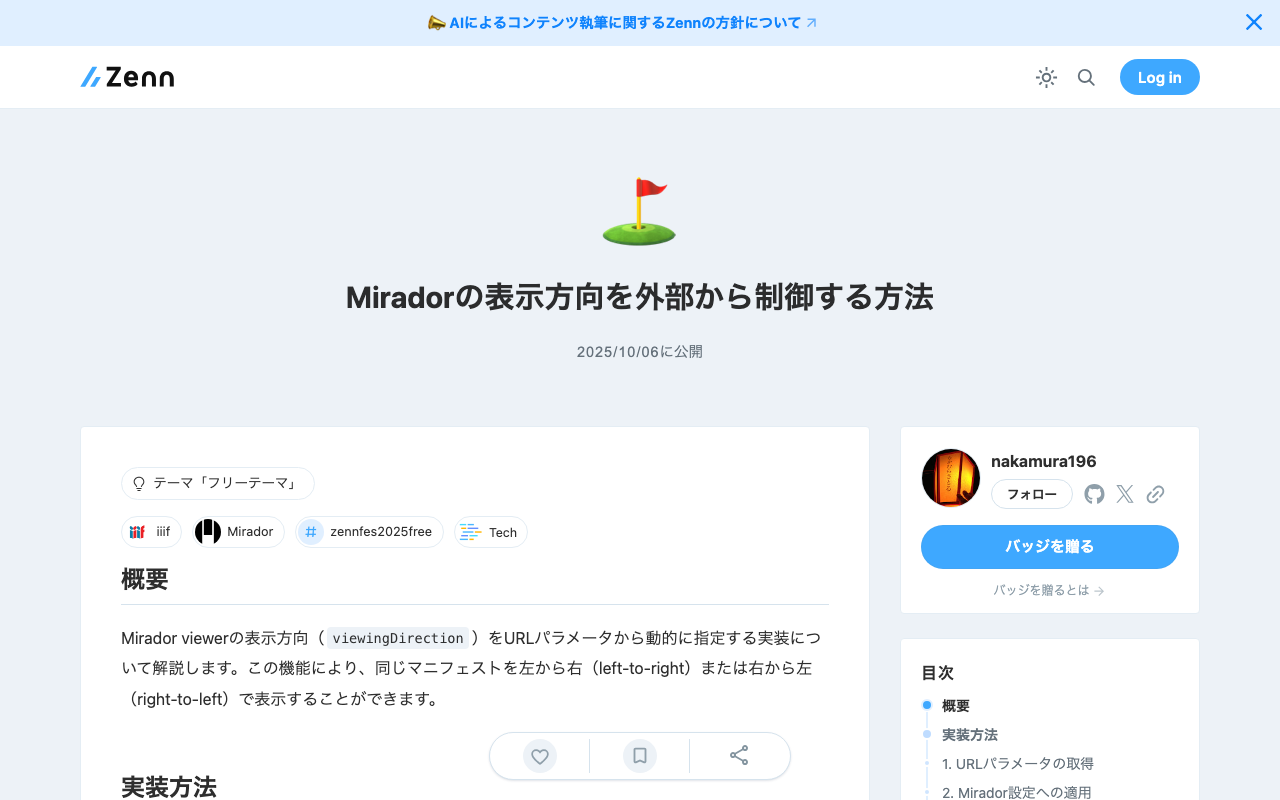
Overview This article explains the implementation for dynamically specifying the viewingDirection of the Mirador viewer via URL parameters. This feature allows the same manifest to be displayed left-to-right or right-to-left. Implementation 1. Retrieving URL Parameters Retrieve the viewingDirection parameter from the URL and set a default value: // Get viewing direction from URL parameters const urlParams = new URLSearchParams(window.location.search); const viewingDirection = urlParams.get('viewingDirection') || 'right-to-left'; In this implementation, when no parameter is specified, 'right-to-left' is used as the default. ...

Image Collection Management Tool: Technical Architecture Explained

Image Collection Management Tool: Technical Architecture Explained

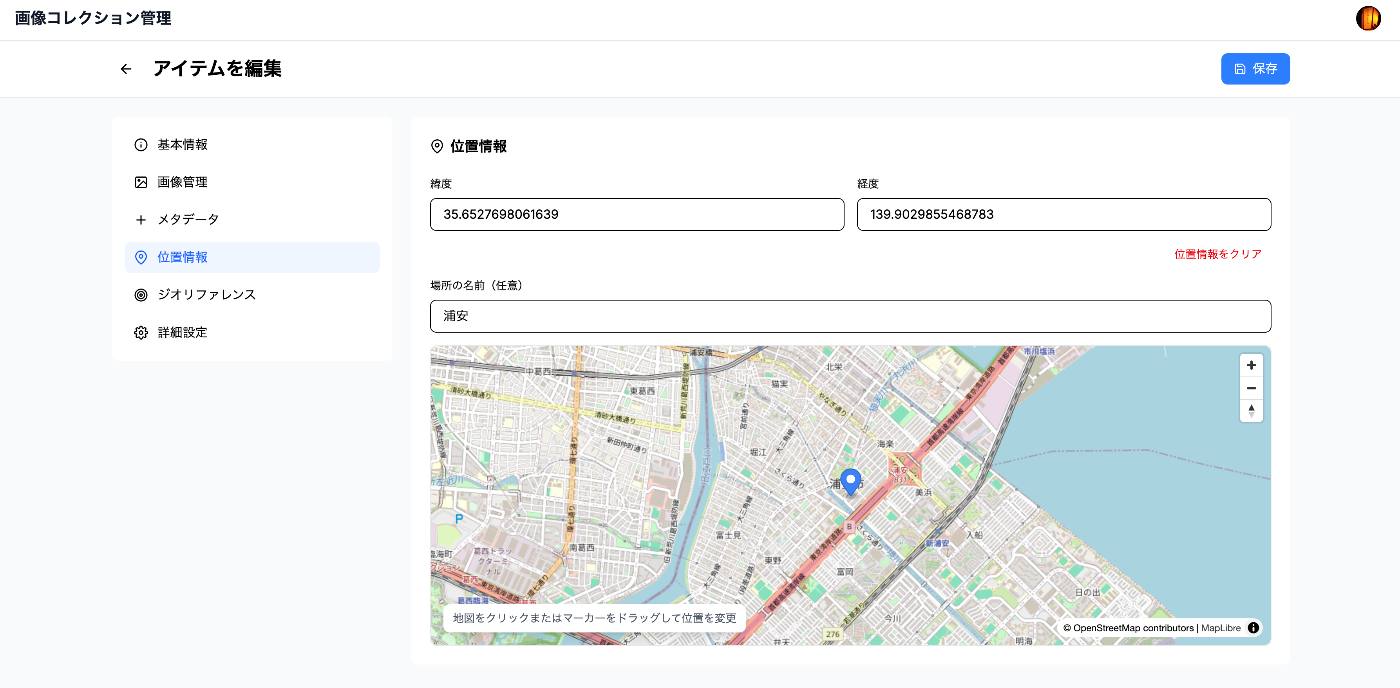
Overview In a previous article, we introduced an “Image Collection Management” tool designed for easily trying out IIIF features. https://zenn.dev/nakamura196/articles/7d6bb4cdc414c4 This article introduces the technologies used behind the scenes of this tool. Background The Image Collection Management Tool is a web application for managing and publishing image collections in the IIIF (International Image Interoperability Framework) format, an international standard. This article explains the technical implementation of the tool, focusing particularly on the IIIF specification implementation and the handling of geospatial information. ...

"Image Collection Management" Tool Usage Guide

"Image Collection Management" Tool Usage Guide

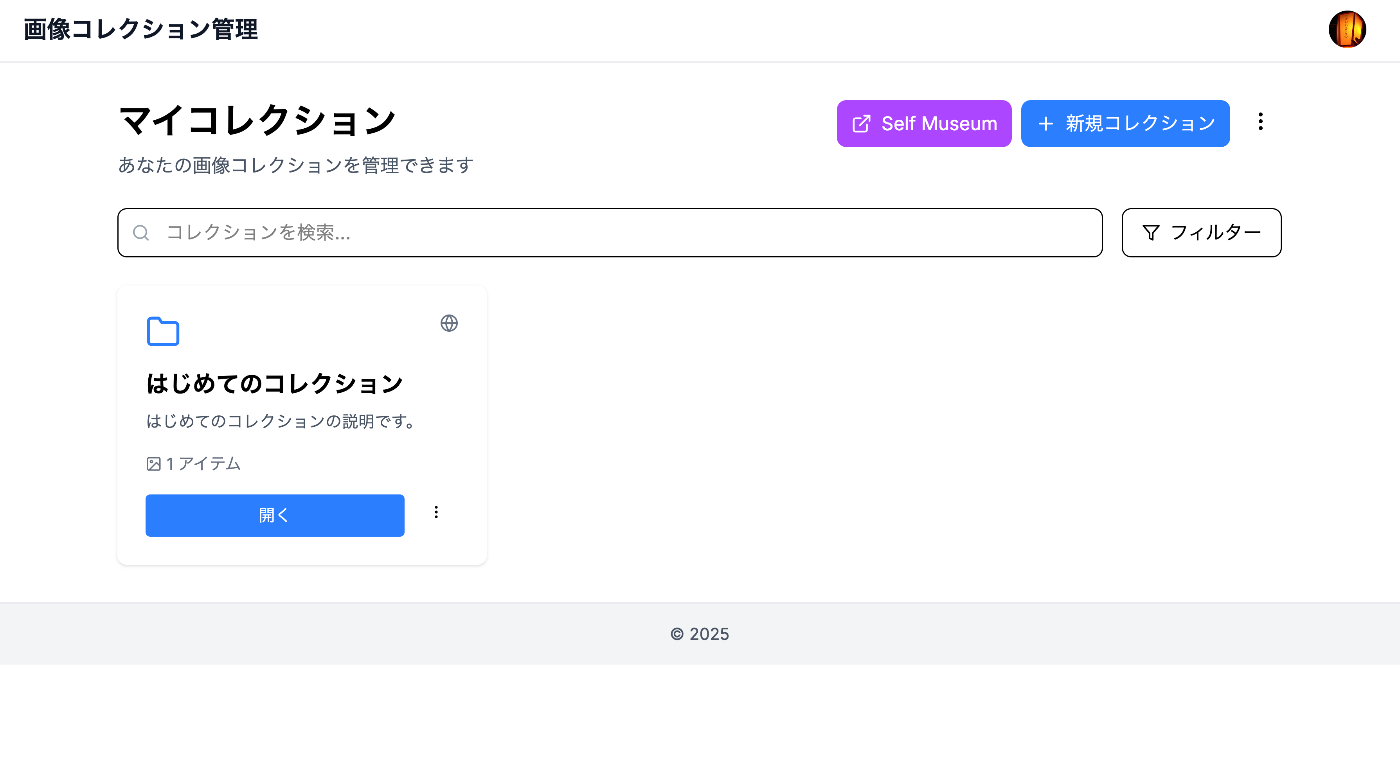
Overview I created an “Image Collection Management” tool designed to make it easy to try out IIIF features. https://pocket.webcatplus.jp https://pocket.webcatplus.jp/ This article introduces how to use this tool. Collection Management Creating a Collection Click the “New Collection” button on the dashboard Enter the required information: Collection Name (required): Give it a descriptive name Description (optional): Describe the collection’s contents Visibility Setting: Choose public or private Click “Create” Editing a Collection Click the “…” menu on the collection you want to edit from the collection list Select “Edit” Update the information and click “Save” Deleting a Collection Click the “…” menu on the collection you want to delete from the collection list Select “Delete” Click “Delete” in the confirmation dialog Warning: Deleting a collection will also delete all items it contains. ...

IIIF Georeference Viewer Migration to MapLibre GL and Feature Improvements

IIIF Georeference Viewer Migration to MapLibre GL and Feature Improvements

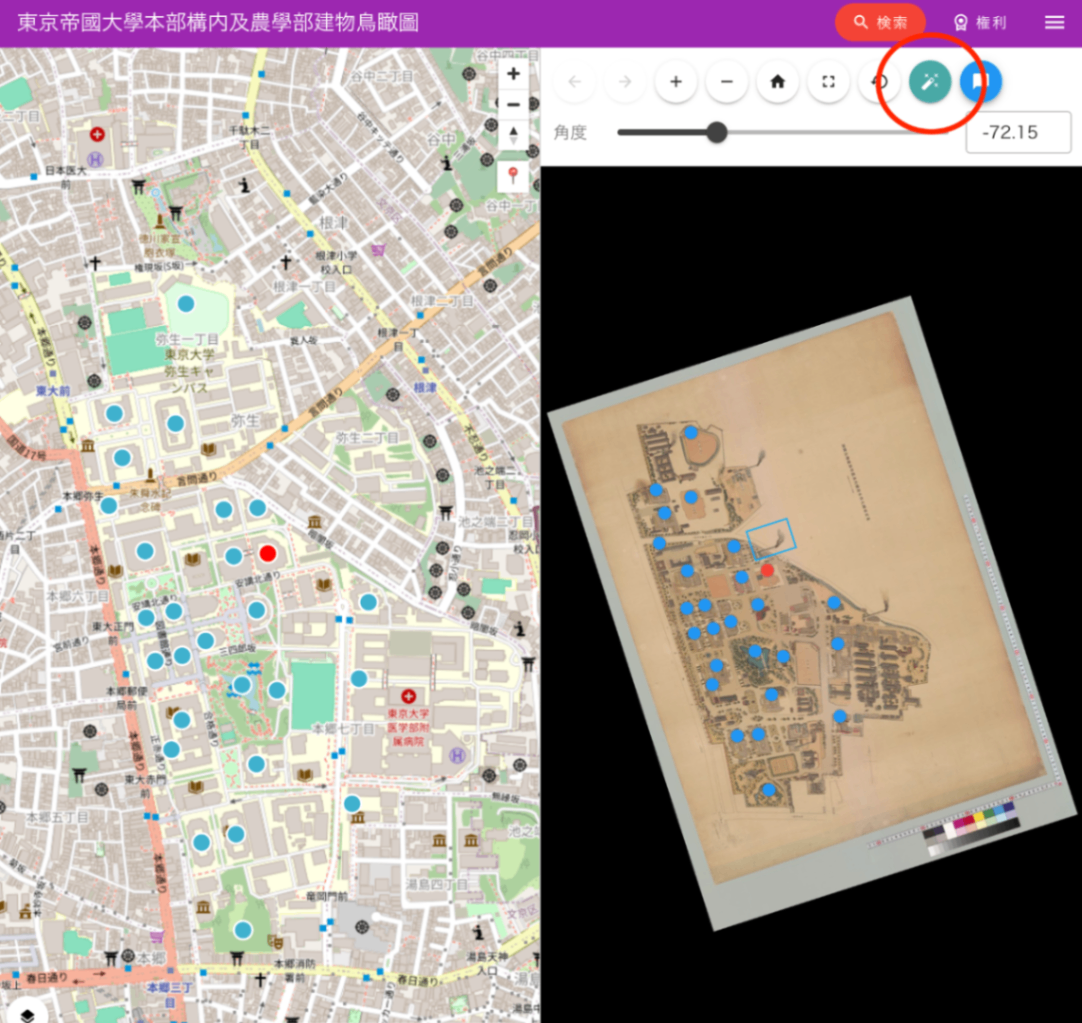
This article was created by AI with human additions. Overview We migrated the map component of the IIIF Georeference Viewer from Leaflet to MapLibre GL and implemented multiple feature improvements. This article explains the major features implemented and their technical details. https://nakamura196.github.io/iiif_geo/ Major Improvements 1. Automatic Image Rotation To display IIIF images in the correct orientation on the map, we implemented a feature that automatically calculates the rotation angle from control points (corresponding points). ...

How to Dynamically Convert File Paths on Azure Storage Using Cantaloupe Delegate Scripts

How to Dynamically Convert File Paths on Azure Storage Using Cantaloupe Delegate Scripts

Introduction When using Azure Storage with the IIIF server Cantaloupe, the IIIF URL identifier may differ from the actual file path on Azure Storage. This article provides a detailed explanation of how to solve this problem using delegate scripts. The Problem Suppose you are managing images with the following file structure: Azure Storage Container: mycontainer ├── images/ │ ├── collection1/ │ │ ├── item001/ │ │ │ └── item001_001.jpg │ │ └── item002/ │ │ └── item002_001.jpg │ └── collection2/ │ └── ... However, you want to access them via IIIF URLs like: ...