Home Articles Books Search About
日本語
Publishing a YOLOv11x Model on Hugging Face

Publishing a YOLOv11x Model on Hugging Face

This article introduces the steps to publish a YOLOv11x model trained on the Japanese Classical Kuzushiji Dataset on Hugging Face and create a demo with Gradio Spaces. Overview Model: YOLOv11x (for kuzushiji character detection) Dataset: Japanese Classical Kuzushiji Dataset Publication: Hugging Face Models + Spaces 1. Register the Model on Hugging Face Models 1.1 Install huggingface_hub pip install huggingface_hub 1.2 Login huggingface-cli login Or from Python: from huggingface_hub import login login() You can obtain a token from https://huggingface.co/settings/tokens (Write permission required). ...

Trying Odeuropa-Related Tools

Trying Odeuropa-Related Tools

Overview I had the opportunity to try tools related to Odeuropa, so this is a memo about that experience. What is Odeuropa? An explanation is available on the following page. https://odeuropa.eu/ Below is a machine-translated description. Odeuropa is an innovative EU-funded project that studies Europe’s “olfactory cultural heritage.” Project objectives: To investigate and document the role that smells have played in European culture from 1600 to 1920. Using cutting-edge AI technology, it extracts smell-related information from approximately 43,000 images and 167,000 historical texts (in English, Italian, French, Dutch, German, and Slovenian). ...

Creating TEI/XML Files from IIIF Manifest Files Using NDL Kotenseki OCR-Lite

Creating TEI/XML Files from IIIF Manifest Files Using NDL Kotenseki OCR-Lite

Overview This article introduces a Gradio app that creates TEI/XML files from IIIF manifest files using NDL Kotenseki OCR-Lite. It can be accessed at the following URL: https://nakamura196-ndlkotenocr-lite-iiif.hf.space/ Background This is a continuation of the following articles: Previously, two separate apps were needed, but with this update, the entire conversion process can be completed within a single Gradio app. Additionally, issues such as difficulty tracking progress when processing manifest files with many image pages, and the inability to copy processing results, have been fixed. ...

Created a Similar Text Search App for the Koui Genji Monogatari

Created a Similar Text Search App for the Koui Genji Monogatari

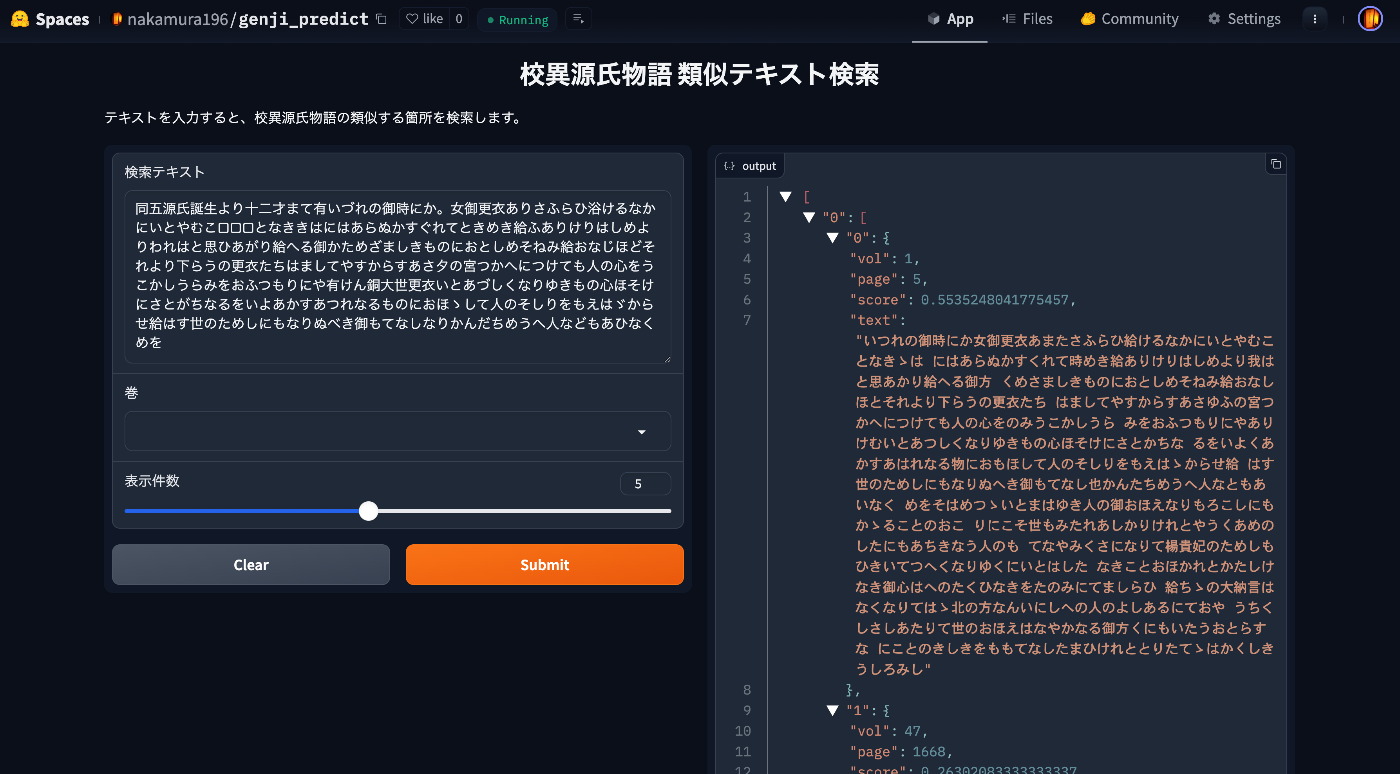
Overview I created a similar text search app for the Koui Genji Monogatari. You can try it from the following URL. https://huggingface.co/spaces/nakamura196/genji_predict This article introduces how to use the app. Data The text data published on the following Koui Genji Monogatari DB is used. https://kouigenjimonogatari.github.io/ How the App Works The mechanism is simple: text for each volume and page of the Koui Genji Monogatari is prepared in advance, the edit distance from the input string is calculated, and texts (along with volume and page numbers) with high similarity are returned. ...

Training YOLOv11 Classification (Kuzushiji Recognition) Using mdx.jp

Training YOLOv11 Classification (Kuzushiji Recognition) Using mdx.jp

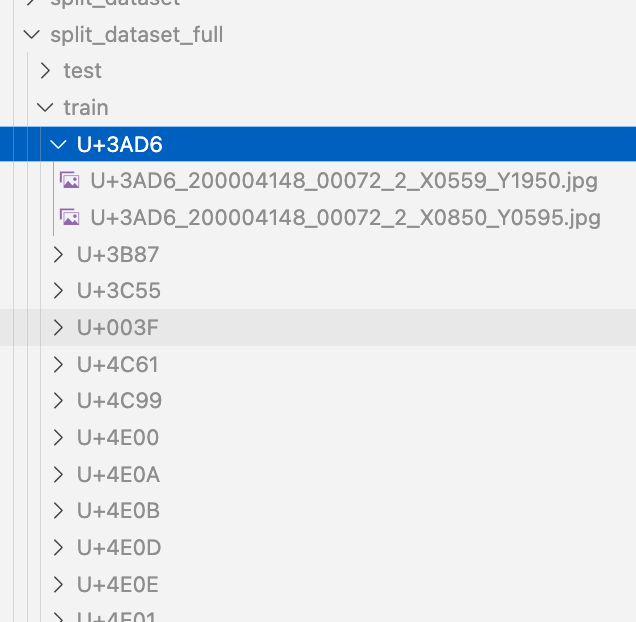
Overview We had the opportunity to train a YOLOv11 classification model (for kuzushiji/classical Japanese character recognition) using mdx.jp, so this article serves as a reference. Dataset We target the following “Kuzushiji Dataset”: http://codh.rois.ac.jp/char-shape/book/ Creating the Dataset We format the dataset to match the YOLO format. First, we merge the data, which is separated by book title, into a flat structure. #| export class Classification: def create_dataset(self, input_file_path, output_dir): # "../data/*/characters/*/*.jpg" files = glob(input_file_path) # output_dir = "../data/dataset" for file in tqdm(files): cls = file.split("/")[-2] output_file = f"{output_dir}/{cls}/{file.split('/')[-1]}" if os.path.exists(output_file): continue # print(f"Copying {file} to {output_file}") os.makedirs(f"{output_dir}/{cls}", exist_ok=True) shutil.copy(file, output_file) Next, we split the dataset using the following script: ...

Building an Inference App Using Hugging Face Spaces and YOLOv5 Model (Trained on KaoKore Dataset)

Building an Inference App Using Hugging Face Spaces and YOLOv5 Model (Trained on KaoKore Dataset)

Overview I created an inference app using Hugging Face Spaces and a YOLOv5 model trained on the KaoKore dataset. The KaoKore dataset published by the Center for Open Data in the Humanities (CODH) is as follows: Yingtao Tian, Chikahiko Suzuki, Tarin Clanuwat, Mikel Bober-Irizar, Alex Lamb, Asanobu Kitamoto, “KaoKore: A Pre-modern Japanese Art Facial Expression Dataset”, arXiv:2002.08595. http://codh.rois.ac.jp/face/dataset/ You can try the inference app at the following URL: https://huggingface.co/spaces/nakamura196/yolov5-face The source code and trained model can be downloaded from the following URL. I hope it serves as a reference when developing similar applications. ...

Resolving ModuleNotFoundError: No module named 'huggingface_hub.utils._errors'

Resolving ModuleNotFoundError: No module named 'huggingface_hub.utils._errors'

Overview When deploying an app to Hugging Face Spaces, the following error occurred. This is a memo about that error. Creating new Ultralytics Settings v0.0.6 file ✅ View Ultralytics Settings with 'yolo settings' or at '/home/user/.config/Ultralytics/settings.json' Update Settings with 'yolo settings key=value', i.e. 'yolo settings runs_dir=path/to/dir'. For help see https://docs.ultralytics.com/quickstart/#ultralytics-settings. WARNING ⚠️ DetectMultiBackend failed: No module named 'huggingface_hub.utils._errors' Traceback (most recent call last): File "/usr/local/lib/python3.10/site-packages/yolov5/helpers.py", line 38, in load_model model = DetectMultiBackend( File "/usr/local/lib/python3.10/site-packages/yolov5/models/common.py", line 338, in __init__ result = attempt_download_from_hub(w, hf_token=hf_token) File "/usr/local/lib/python3.10/site-packages/yolov5/utils/downloads.py", line 150, in attempt_download_from_hub from huggingface_hub.utils._errors import RepositoryNotFoundError ModuleNotFoundError: No module named 'huggingface_hub.utils._errors' During handling of the above exception, another exception occurred: Reference The following article was helpful. ...

Fixing an Inference App Using Hugging Face Spaces and a YOLOv5 Model (Trained on NDL-DocL Dataset)

Fixing an Inference App Using Hugging Face Spaces and a YOLOv5 Model (Trained on NDL-DocL Dataset)

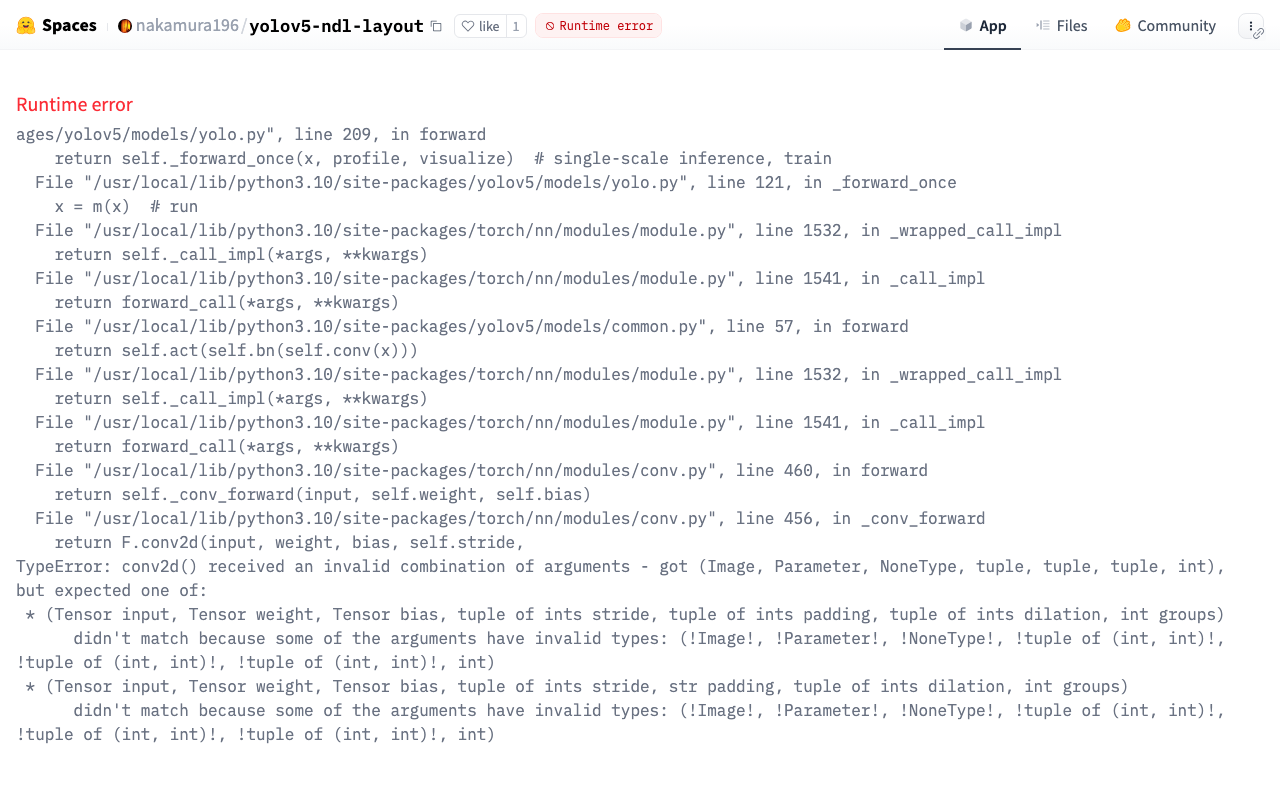
Overview In the following article, I introduced an inference app using Hugging Face Spaces and a YOLOv5 model trained on the NDL-DocL dataset. This app had stopped working, so I fixed it to make it operational again. https://huggingface.co/spaces/nakamura196/yolov5-ndl-layout Here are my notes on the changes made during this fix. Changes The modified app.py is shown below. import gradio as gr from PIL import Image import yolov5 import json model = yolov5.load("nakamura196/yolov5-ndl-layout") def yolo(im): results = model(im) # inference df = results.pandas().xyxy[0].to_json(orient="records") res = json.loads(df) im_with_boxes = results.render()[0] # results.render() returns a list of images # Convert the numpy array back to an image output_image = Image.fromarray(im_with_boxes) return [ output_image, res ] inputs = gr.Image(type='pil', label="Original Image") outputs = [ gr.Image(type="pil", label="Output Image"), gr.JSON() ] title = "YOLOv5 NDL-DocL Datasets" description = "YOLOv5 NDL-DocL Datasets Gradio demo for object detection. Upload an image or click an example image to use." article = "<p style='text-align: center'>YOLOv5 NDL-DocL Datasets is an object detection model trained on the <a href=\"https://github.com/ndl-lab/layout-dataset\">NDL-DocL Datasets</a>.</p>" examples = [ ['『源氏物語』(東京大学総合図書館所蔵).jpg'], ['『源氏物語』(京都大学所蔵).jpg'], ['『平家物語』(国文学研究資料館提供).jpg'] ] demo = gr.Interface(yolo, inputs, outputs, title=title, description=description, article=article, examples=examples) demo.launch(share=False) First, due to Gradio version upgrades, I changed gr.inputs.Image to gr.Image and similar updates. ...

Using the API of the Curriculum Guidelines Code Recommendation App

Using the API of the Curriculum Guidelines Code Recommendation App

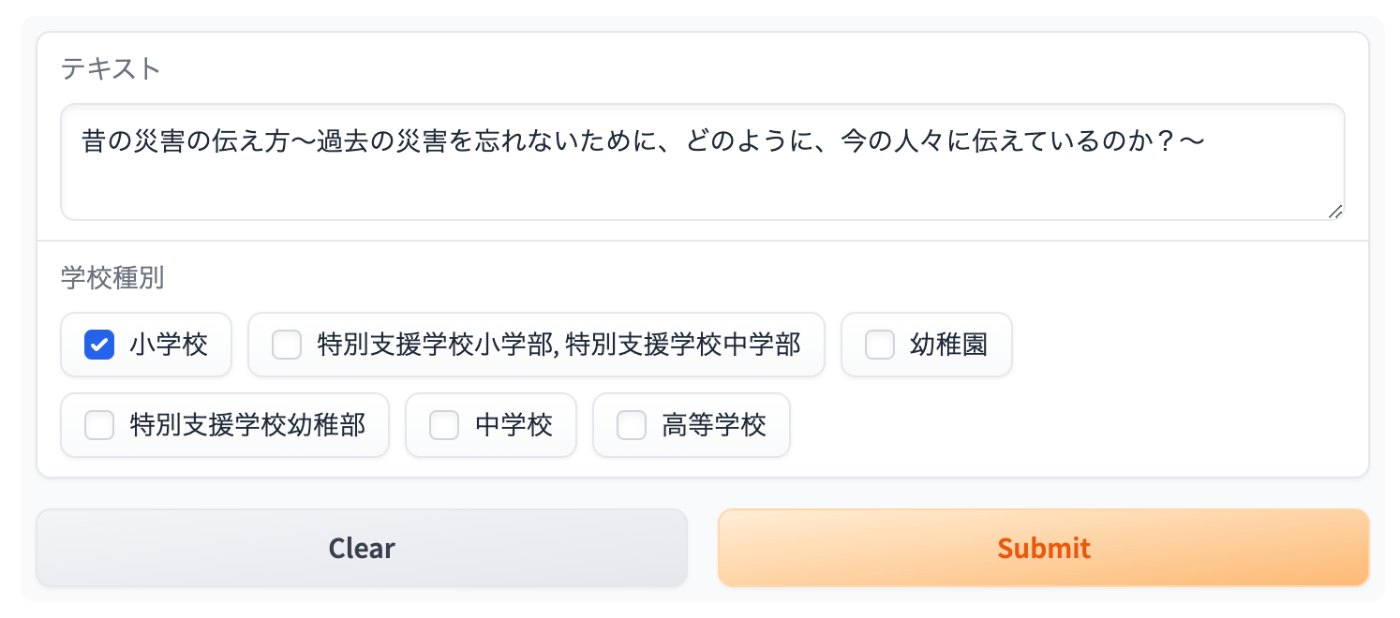
Overview In the following article, I introduced a recommendation app for Japan’s Curriculum Guidelines (Gakushu Shido Yoryo) codes. This time, I introduce how to use the above recommendation app via Gradio’s API. Usage Install the library. pip install gradio_client For example, let’s use the following data. Text School Type Investigate the mechanisms of air guns, water guns, bottle rockets, etc., and notice that as air is compressed and its volume decreases, the repulsive force increases, but water cannot be compressed. Elementary School Since the JSON data is stored in the second element of the result array, it is retrieved with result[1]. ...

Prototype of a Course of Study Code Recommendation App

Prototype of a Course of Study Code Recommendation App

Overview I created a Course of Study code recommendation app, and this is an introduction to it. You can try it on the following Hugging Face Space. It utilizes the Course of Study LOD. https://huggingface.co/spaces/nakamura196/jp-cos Usage Enter any text in the text form. “School Type” is an optional field. Results are displayed on the right side of the screen. Sample inputs are also provided, so please try them out. Information from NHK for School is used. ...

Web Application for NDL Classical Book OCR Using Hugging Face Space

Web Application for NDL Classical Book OCR Using Hugging Face Space

Overview I created a web application for NDL Classical Book OCR using Hugging Face Space. You can try it at the link below. Upload an image, and after about 1 minute, the OCR result text and JSON data will be displayed. https://huggingface.co/spaces/nakamura196/ndl_kotenseki_ocr The following article was used as a reference for creating this application. https://qiita.com/relu/items/e882e23a9bd07243211b Choosing the Right Tool I have separately prepared a Google Colab tutorial as another environment for trying NDL Classical Book OCR. ...

Returning JSON from Hugging Face Spaces

Returning JSON from Hugging Face Spaces

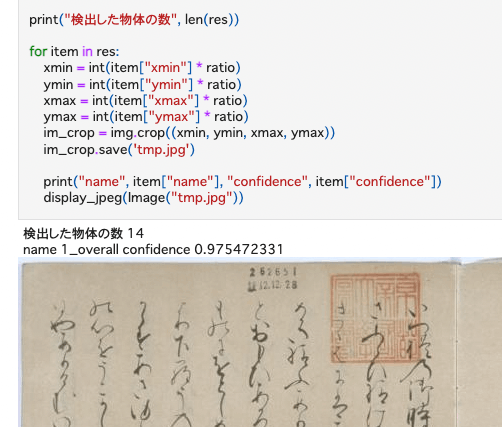
Previously, I built an inference app using Hugging Face Spaces and a YOLOv5 model (trained on the NDL-DocL dataset): This time, I modified the app above to add JSON output, as shown in the following diff: https://huggingface.co/spaces/nakamura196/yolov5-ndl-layout/commit/4d48b95ce080edd28d68fba2b5b33cc17b9b9ecb#d2h-120906 This enables processing using the returned results, as shown in the following notebook: https://github.com/nakamura196/ndl_ocr/blob/main/GradioのAPIを用いた物体検出例.ipynb There may be better approaches, but I hope this serves as a useful reference.

Building an Inference App Using Hugging Face Spaces and a YOLOv5 Model (Trained on the NDL-DocL Dataset)

Building an Inference App Using Hugging Face Spaces and a YOLOv5 Model (Trained on the NDL-DocL Dataset)

Overview I created an inference app using Hugging Face Spaces and the YOLOv5 model (trained on the NDL-DocL dataset) introduced in the following article. You can try it at the following URL. https://huggingface.co/spaces/nakamura196/yolov5-ndl-layout You can also download the source code and trained model from the following URL. We hope this serves as a reference when developing similar applications. https://huggingface.co/spaces/nakamura196/yolov5-ndl-layout The application development referenced the following Space. https://huggingface.co/spaces/pytorch/YOLOv5 Usage You can upload an image or select one from the Examples. The recognition results can be viewed as shown below. ...

Hosting Hugging Face Models on AWS Lambda for Serverless Inference

Hosting Hugging Face Models on AWS Lambda for Serverless Inference

Overview This is a personal note on hosting Hugging Face models on AWS Lambda for serverless inference, based on the following article. https://aws.amazon.com/jp/blogs/compute/hosting-hugging-face-models-on-aws-lambda/ Additionally, I cover providing an API using Lambda function URLs and CloudFront. Hosting Hugging Face Models on AWS Lambda Preparation For this section, I referred to the document introduced at the beginning. https://aws.amazon.com/jp/blogs/compute/hosting-hugging-face-models-on-aws-lambda/ First, run the following commands. I created a virtual environment called venv, but this is not strictly required. ...