Home Articles Books Search About
日本語
Drupal: An Example of Searching Nested Fields

Drupal: An Example of Searching Nested Fields

Overview In the following article, I investigated how to search nested fields using Strapi. This time, I will investigate how to do the same thing with Drupal. For this investigation, Book and Author content has already been registered in the following article. The following article was helpful for filtering methods. https://www.drupal.org/docs/core-modules-and-themes/core-modules/jsonapi-module/filtering Search Examples The following searches are performed against: /jsonapi/node/book? Search for books containing an author with hobby=dance SHORT filter[field_authors.field_hobby]=dance ...

Drupal: Example of Bulk Registration and Updates Using Feeds

Drupal: Example of Bulk Registration and Updates Using Feeds

Overview In the following article, I investigated search methods for nested fields using Strapi. This time, as a preparation for doing the same thing in Drupal, this is a note on how to perform bulk registration and updates of content. To set up a structure similar to the above article, we will work with two content types: Book and Author. Creating Content Types Create the Book and Author content types. ...

Drupal: Adding Content Types and Fields Using Custom Modules

Drupal: Adding Content Types and Fields Using Custom Modules

Overview This is a memo on how to add content types and fields using Drupal custom modules. The following two articles were helpful. https://www.drupal.org/docs/drupal-apis/entity-api/creating-a-custom-content-type-in-drupal-8 https://www.digitalnadeem.com/drupal/how-to-create-content-type-fields-and-view-while-installing-custom-module-in-drupal-9-using-configuration-manager/ Car Brand Example Following the first article introduced above, I was able to add a content type “Car Brand” with a “body” field. Note that the above article skips the part about creating the custom module. First, create the following folder and file. name: foobar description: Sample module package: Custom type: module version: 1.0 core_version_requirement: ^8 || ^9 Adding Custom Fields Using the above as reference, I was able to add a content type, but to add custom fields, I needed to add both a Field and a Field storage. ...

Drupal: Linking Content of Different Content Types to Each Other

Drupal: Linking Content of Different Content Types to Each Other

Overview I investigated how to link content of different content types to each other, and here are my notes. Specifically, as shown below, item 1 is connected to a content item called image 1 through a field called iiif_image2. The goal is to add a link to item 1 on the image 1 page. I referenced the following article for this implementation. https://drupal.stackexchange.com/questions/255447/view-for-entity-reference-reverse-backwards-forwards Method Adding a View Navigate to /admin/structure/views and click “+ Add view” ...

Drupal: Creating Custom REST Resources

Drupal: Creating Custom REST Resources

Overview I created a custom REST resource by following the instructions below. https://www.drupal.org/docs/drupal-apis/restful-web-services-api/custom-rest-resources By following the above article, I was able to obtain a JSON result from the following URL. /demo_rest_api/demo_resource { "message": "Hello, this is a rest service" } REST UI Module The above article included the following note: If you are using the REST UI contrib module, you should now be able to see it in the list of available endpoints and you should be able to configure the GET method. ...

Creating a Custom API Using Drupal's RESTful Views

Creating a Custom API Using Drupal's RESTful Views

Overview This is a memo about creating a custom API using Drupal’s RESTful Views, based on the following article. https://acret.jp/drupal/node/434 In addition to the content of the above article, I also describe how to configure pagination. Creating Views I followed the instructions on the site mentioned above. Enabling Pagination I referenced the following article. https://www.drupal.org/forum/support/post-installation/2015-12-04/rest-export-pagination Select the Views Pager. I set it to Full as shown below. Mini also seemed to work fine. ...

Displaying the Total Number of Results in Drupal Views

Displaying the Total Number of Results in Drupal Views

Overview I looked into how to display the total number of results in Drupal Views, so here is a quick note. The total number of search results is displayed as shown below: Method I referenced the following article: https://ostraining.com/blog/drupal/count-views/ Access the following page: /admin/structure/views/view/content Click the Add button next to Header. Select “Result summary”. Click Apply, then click Save. Summary I hope this serves as a useful reference. ...

Search Using Drupal Search API in Next.js for Drupal (Faceted Search, etc.)

Search Using Drupal Search API in Next.js for Drupal (Faceted Search, etc.)

Overview I tried Next.js for Drupal. https://next-drupal.org/ By following the “Get Started” guide, I was able to integrate Next.js with Drupal. https://next-drupal.org/learn/quick-start Additionally, the following article introduces an implementation example for faceted search. https://next-drupal.org/guides/search-api This article is my notes specifically on implementing the latter, faceted search. Search API Create a Server and index as follows. The official site provides the following as a reference: https://www.drupal.org/docs/contributed-modules/search-api For a Japanese-language reference: https://www.acquia.com/jp/blog/introduction-to-search-api-1 ...

How to Bulk Delete Content in Drupal

How to Bulk Delete Content in Drupal

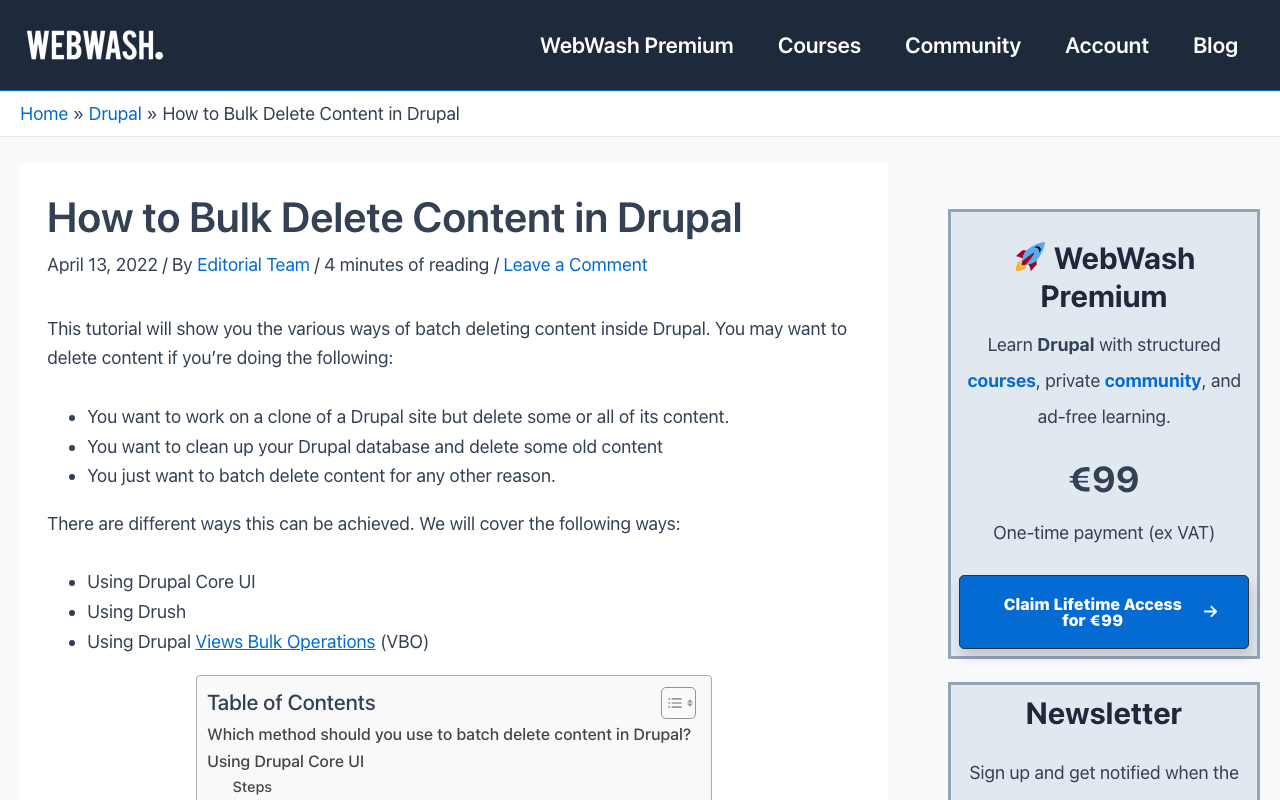
Overview I looked into how to bulk delete content in Drupal, so this is a memo. The following article was helpful. https://www.webwash.net/how-to-bulk-delete-content-in-drupal/ The following three methods were introduced. Using Drupal Core UI Using Drush Using Drupal Views Bulk Operations (VBO) Using Drupal Core UI The following is a translation of the original description. If you have a small Drupal site and fewer than about 300 nodes to delete, you should use this method. This is because the Drupal Core UI only allows deleting 50 nodes at a time by default. As the site grows larger, this becomes tedious. ...

Connecting Drupal with Amazon OpenSearch Service

Connecting Drupal with Amazon OpenSearch Service

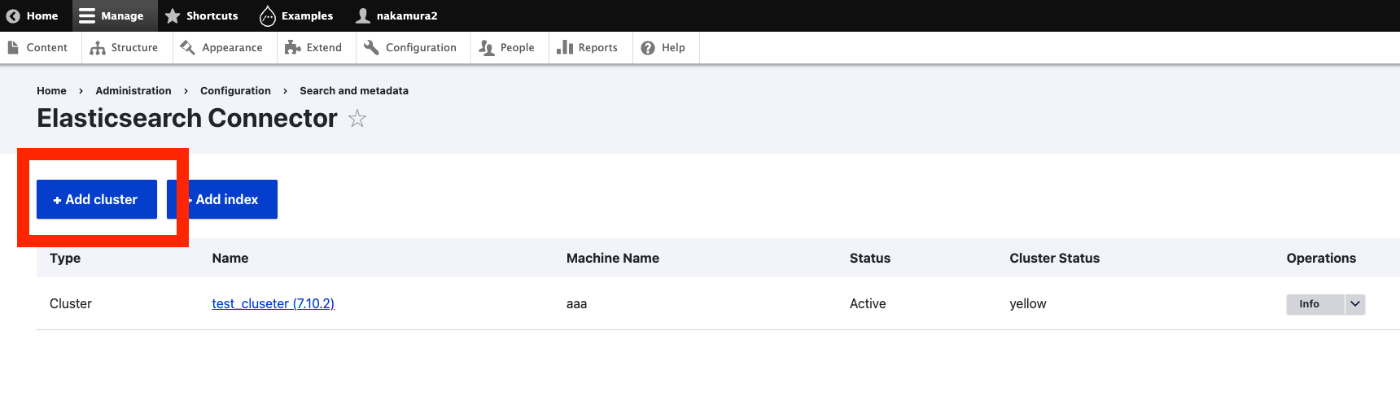
Overview I had the opportunity to connect Drupal with Amazon OpenSearch Service, so this is a personal note for future reference. The following article was helpful. https://www.acquia.com/jp/blog/intergration-with-drupal-and-elasticsearch Module Installation In addition to drupal/search_api and drupal/elasticsearch_connector, it was necessary to install nodespark/des-connector. (There may be room for improvement in how version specifications are handled.) composer require "nodespark/des-connector:^7.x-dev" composer require 'drupal/search_api:^1.29' composer require "drupal/elasticsearch_connector ^7.0@alpha" Then, enable them with the following. drush pm:enable search_api elasticsearch_connector Connecting Drupal to Elasticsearch Cluster Access the following. ...

Trying GraphQL with Drupal

Trying GraphQL with Drupal

Overview I tried GraphQL with Drupal, so this is a personal note for future reference. The following document was helpful. https://drupal-graphql.gitbook.io/graphql/ This assumes Drupal installed on Amazon Lightsail. Module Installation Install the following module. https://www.drupal.org/project/graphql However, it was necessary to install the following module beforehand. https://www.drupal.org/project/typed_data As a result, the installation was completed with the following commands. cd /home/bitnami/stack/drupal composer require 'drupal/typed_data:^1.0@beta' composer require 'drupal/graphql:^4.4' Module Installation from GUI I checked all three related modules below and installed them. ...

Registering Taxonomies and Adding Them to Content in Drupal Using Python

Registering Taxonomies and Adding Them to Content in Drupal Using Python

Overview This is a continuation of the following series. This time, we will register taxonomies and add them to content. Registering Taxonomies A taxonomy called ne_class was created in advance through the GUI. It can be listed at the following URL. /jsonapi/taxonomy_term/ne_class Below is the program for registering a new taxonomy. Please configure host, username, and password as appropriate. payload = { "data": { "type": "taxonomy_term--ne_class", "attributes": { "name": "干瀬", } } } _type = "ne_class" url = f"{host}/jsonapi/taxonomy_term/{_type}" r = requests.post(url, headers=headers, auth=(username, password), json=payload) r.json() The following result is obtained. ...

Updating and Deleting Drupal Content Using Python

Updating and Deleting Drupal Content Using Python

Overview In the following article, I described how to create new content. This time, I’ll try updating and deleting existing content. Filtering Items With the following program, you can retrieve registered content. This time, I retrieved content with the title “Pre-update title.” res["data"] is an array. username = "xxx" password = "xxx" host = "xxx" query = { "title": "更新前のタイトル" } item_type = "article" filters = [] for key, value in query.items(): filters.append(f'filter[{key}]={value}') filter_str = '&'.join(filters) endpoint = f'{host}/jsonapi/node/{item_type}?{filter_str}' r = requests.get(endpoint, headers=headers, auth=(username, password)) res = r.json() len(res['data']) Getting the ID of the Content to Update An ID like 730f844d-b476-4485-8957-c33fccb7f8ac is obtained. ...

Adding Content to Drupal Using Python

Adding Content to Drupal Using Python

Overview I had an opportunity to add content to Drupal using Python, so this is a memo of the process. I referenced the following article. https://weimingchenzero.medium.com/use-python-to-call-drupal-9-core-restful-api-to-create-new-content-9f3fa8628ab4 Preparing Drupal I set it up on Amazon Lightsail. The following article is a useful reference. https://annai.co.jp/article/use-aws-lightsail Modules Install the following modules. HTTP Basic Auth JSON:API RESTful Web Services Serialization Changing JSON:API Settings Access the following page to change the settings. </admin/config/services/jsonapi> Python Set {IP address or domain name} and {password} as appropriate. ...